

Mods
892 files
-

The Recruitment Of Master Atris
By Reztea
**IF YOU DOWNLOADED THE 3.0 VERSION OF THIS MOD, REMOVE BOTH " P_DarthTraya001.utc "AND "N_DarthTraya001.utc " FROM YOUR OVERRIDE FOLDER, THEN DOWNLOAD THIS MOD**
The Recruitment of Master Atris by Reztea on Deadlystream!
Majorly assisted by Bead-V on Deadlystream.com!
****TSLRCM MUST BE INSTALLED BEFORE THIS MOD IS****
It's here! In this mod you can officially recruit Jedi Master Atris!
In this mod she will join you after battle in the Polar Academy. Your choices post-battle will decide her alignment and roles after she's been recruited.
How To Install:
1. Find the file "The Recruitment Of Master Atris 3.0" tslpatcher.
2. Double click it. xD
Source:
I left a source folder for references in case any modders want take a crack at modding the game their selves.
Special Thanks:
SPECIAL THANKS TO THE DEVELOPERS FROM DEADLYSTREAM.COM FOR THE OPTIONAL PORTRAITS USED IN THIS MOD:
Quanon: The Atris Renders.
Sith Holocron: Background design, and holocron texture.
SPECIAL THANKS TO THESE AMAZING PEOPLE WHO PUT UP WITH ALL MY QUESTIONS ON DEADLYSTREAM.COM!
Bead-V (Especially you, honestly!)
Sith Holocron
JCarter426
Kexikus
DarthTyren
Fair Strides
Enjoy the mod!
2,900 downloads
- recruitment mods
- reztea
- (and 4 more)
-

Rece's K2 Power Crystal Addon UPDATE
By Rece
Hey there everyone! First off, thanks for downloading my mod! I really appreciate every fan that I have out there, so thanks again!
This is TSLRCM compatible.
Alright, who cares about introductions right? Let's get right down to what this mod is. So, I added 51 new power crystals to the game. Each one does a couple of special things to your lightsabers that I don't think most people have done. (well, in the sense that I haven't seen anyone really come out with a crystal mod like this.) Anyways… I placed every crystal to pop up in certain situations (i.e: certain dialog options, what classes you choose, etc…) as well as placed them randomly throughout the game.
Well, yeah that's about as much as I can say honestly. I really hope you guys do find this mod pretty interesting. I am a bit too lazy to type out every crystal, with it's stats and what-not. I'll type out the codes (although I REALLY, REALLY want you to find the crystals in-game instead of cheating. If you want to know which crystal code belongs to which, check out my WIP on Deadlystream and look for the numbers after each crystal name.
http://deadlystream.com/forum/topic/3134-reces-projects/page-4
http://deadlystream.com/forum/topic/3134-reces-projects/page-5
Anyways, here are the codes!
They're pretty simple, just: rececrstl200 all the way to 250.
Here's a little sneak peak at how some of the crystals work:
INSTALLATION INSTRUCTIONS:
There are two ways, depending on which file you downloaded. There's the TSRCM version, and the non-TSLRCM version. They are both easy to install, so yeah. Anyways, just run the TSLPatcher and it'll automatically install every file. For the non-TSLRCM version, you'll just have to cheat all of the items into the game.
UNINSTALLATION INSTRUCTIONS:
Just remove all of the files from your override, and replace any backups found in the backups folder.
COMPATIBILITY ISSUES:
Unfortunately, this mod is NOT compatible with a mod like SLM. I believe it is for Duplisaber, so that's always good
PERMISSIONS:
You may NOT redistribute this mod without my consent. Ask me on any site, like DS, YouTube, Steam, etc… and I will tell you if you can put my mod somewhere else.
And now for my special thanks:
Fair Strides is first and foremost as he is for every one of my mods. I mean, I can't describe how helpful and how much of an awesome guy he is. It's just beyond me that I know someone like him. He helped me with scripts (as with every script that I have to make) as well as help with guiding me through making certain parts of the TSLPatcher. Malkior for some recommendations on crystal names, stats, and descriptions. Akko for suggesting a crystal to me, which I made the description make it seem like it's his crystal . Everyone out there who commented on my posts as well as kept up the support. Oh, and thanks Xuul for that comment, I never would have thought you would comment on one of my projects haha. Well, you did make a mod review for my bad mod that I made haha. Anyways…
Enjoy!
1,618 downloads
-

Cortosis - Baragwin - Iridorian Armors
By 90SK
Cortosis and Baragwin Armor Items
KOTORII:TSL
Info:
Adds a 20 Def. Cortosis Heavy Armor: "giveitem cortosis" Adds a basic clothing item with 7 Def: "giveitem zs18" Adds Baragwin Heavy Armor Item: "giveitem shadow" Adds Baragwin Hybrid Shadow Armor: "giveitem hybrid" Mini-Baragwin Armor: "giveitem baragwin" Iridorian HyperMesh Armor: "giveitem iridorian"
Install:
Copy files to Override. In-game, you must enter the giveitem code to receive the items.
Uninstall:
Remove files from Override
Credits:
90SK VarsityPuppet
Background:
This Cortosis skin was originally created from VarsityPuppet's cloaked heavy armor UVmap. I discovered the UVmap functioning on the default heavy armor in 2015.
That discovery lead to the discovery of randomly generated matching UVmap designs in KotOR2.
If you would like this mod for other uses, please contact 90SK on DeadlyStream.com
Its previous versions have been removed due to some glitches.
---
This mod is as-is content and not supported by Obsidian, Bioware, or LucasArts. It is meant for personal use only and at users own risk. The devlopers of KOTOR and the author are not responsible for your computer or what you choose to do with it.
1,015 downloads
-

Realistic Improved Effects Texture Mod Addon: Lighting Color Pack
By Malkior
This is just a simple idea from a good friend here on DS.
Basically Rece of RealRece fame asked me for a bunch of wacky colors for the force lightning I used in my effects mod.
All of the files are the same three textures with different colors; so find a folder and pick the one that suits your fancy.
Also included is an "Alt conjure No Texture" folder that removes the conjure animation texture from the effect, if that's your thing.
Props to Rece for uploading these nice looking screenshots.
\
Installation: Place whichever file in the folder of your choice inside the Override folder in your Kotor game folder. If you don't have an Override folder, you will have to create one.
//
Uninstallation: Remove the texture files found in this mod from your Override folder
\
Compatibility: This mod works for both Kotor 1 and Kotor 2 - The Sith Lords
\\
Permissions: Please let me know about using this mod, but don't use it without permission.
/
Credit: TriggerGod for the texture which I used as the base for this texture, Rece for his request, FairStrides for doing it first
Adobe, for their Photoshop which I relied for in editing, Bioware and Obsidian for these great old games, and George Lucas for starting this whole Star Wars thing
876 downloads
- lightning
- color variety
- (and 3 more)
-

PartySwap
By Leilukin
=PartySwap=
A KNIGHTS OF THE OLD REPUBLIC II: THE SITH LORDS MODIFICATION
ORIGINAL AUTHOR: DarthTyren (darthtyren@gmail.com)
CURRENT MAINTAINER: Leilukin
LATEST VERSION: 1.5
FILE NAME: PartySwap 1.5.7z
CONTACT: E-mail to Leilukin at contact@leilukin.com, or message to Leilukin on Deadly Stream
1. DESCRIPTION:
This mod allows the player to recruit both Handmaiden and Disciple in the same playthrough regardless of the player character's gender.
If you install the “PartySwap Item” add-on of this mod, when Disciple joins your party on Dantooine, a usable item named PartySwap will be added to your inventory, and will appear in the shield item slot of the quick bar. You can use this PartySwap item to add or remove Handmaiden from your current party, including replacing any member of your current party with Handmaiden, as long as you are able to choose your party at that point of the game. This item was created to work around the limitations of not being able to select Handmaiden from the party selection screen after Disciple joins your party and takes Handmaiden’s slot in the party selection screen. However, Handmaiden remains part of the Ebon Hawk crew, and you can still talk to Handmaiden.
Alternatively, you can choose to install the “Full Party Select” patch from KotOR Patch Manager (KPM), which expands the number of slots displayed in the party selection screen, and thus allows you to add Handmaiden to your current party, or remove her from your current party, without needing to install the “PartySwap Item” add-on and use the PartySwap item.
For the PartySwap mod to take effect, you must install this mod before you leave the secret academy on Telos, where Handmaiden joins your party. For the “PartySwap Item” add-on to take effect, you must install the add-on before Discple joins your party on Dantooine.
NOTE: Since July 2023, the original mod author DarthTyren has officially handed over the management and development of this mod to Leilukin, due to DarthTyren's departure from the KotOR modding scene. Therefore, if you have questions about or encountered any issues with this mod, Leilukin is the one to contact for.
2. INSTALLATION:
First and foremost, make sure you have The Sith Lords Restored Content Mod (TSLRCM) installed, since TSLRCM is REQUIRED for this mod to work.
After downloading this mod, extract the mod’s 7z file to anywhere you like, as long as it is not within the KotOR 2 directory.
Run PartySwap Installer.exe located inside the extracted folder. You may only choose ONE of these two options to install the main part of the mod:
Default Installation: Choose this option if you use TSLRCM without M4-78EP. M4-78EP Installation: Choose this option if you use M4-78 Enhancement Project (M4-78EP) in addition to TSLRCM. You must install M4-78EP first before running this installation option. FOR REGULAR TSLRCM USERS:
Choose the installation option you want, and select your KotOR 2 game folder as your KotOR 2 directory path, click the “Install” button and let the installer do its job.
FOR STEAM WORKSHOP USERS:
If you have subscribed to The Sith Lords Restored Content Mod (TSLRCM) from the Steam Workshop, for your KotOR directory path, you must choose TSLRCM's Steam Workshop folder, NOT the main KOTOR 2 directory. The directory of the Steam Workshop version of TSLRCM is \Steam\SteamApps\Workshop\content\208580\485537937, while the directory of the TSLRCM + M4-78EP combined Steam Workshop mod is \Steam\SteamApps\Workshop\content\208580\1402798020.
Note that PartySwap will NOT be added to the Steam Workshop. Reading this on why it is NOT recommended to use the Steam Workshop for modding the KotOR games:
PARTYSWAP ITEM ADD-ON OR FULL PARTY SELECT PATCH:
To keep being able to add Handmaiden to your current party after Disciple joins your party, you have two options:
Install the “PartySwap Item” add-on from this mod: After installing the main part of this PartySwap mod, select “ADD-ON: PartySwap Item” from the install option drop-down of PartySwap Installer.exe, and click the “Install” button. If you choose to install this add-on, you must install the add-on before Disciple joins your party on Dantooine to be able to receive the PartySwap item. Install the “Full Party Select” patch from KotOR Patch Manager (KPM): (Note that it does not matter if you apply the Full Party Select patch before or after installing this PartySwap mod) Download and install KotOR Patch Manager. Extract the downloaded archive, then run KpatchLauncher from the “bin” sub-folder. If you are on Windows, it is recommended to check "Use library proxy" under the "Options" menu at the top bar, otherwise you may need to launch KotOR 2 through KPM for the KPM patches to take effect. This step is not required if you are on macOS or Linux. In the KPM window, set the "Game" path to target your KotOR 2 game’s folder that contains your KotOR 2 game executable (such as swkotor2.exe), and the "Patches" path to target KPM’s “patches” sub-folder. Select and apply the “Full Party Select” patch. Go to KPM’s “patch” sub-folder, then the “FullPartySelect additional files” sub-folder, and put the partyselect_p.gui file into your game’s Override folder.
When you install this mod, two new folders named "backup" and “uninstall” will be created by the installer in the same folder as the installer. Do not delete the folders or any of the files within the folder if you are planning on uninstalling this mod.
This mod also provides a compatibility patch for deathdisco’s Coruscant Jedi Temple and danil-ch's Kreia's Fall Cutscene (In-Game).Go to the “Compatibility Patches” folder from this mod, read the READ ME files within the sub-folders and follow the instructions to make PartySwap compatible with these mods. Go to the “Coruscant Jedi Temple Compatibility Patch” folder from this mod, read the READ ME files within the subfolder and follow the instructions to make PartySwap compatible with Coruscant Jedi Temple.
Note: The "Source" folder includes the source of the script used by this mod for modders' reference. Ignore the "Source" folder if you only want to install and play this mod.
3. UNINSTALLATION:
Run PartySwap Installer.exe. rom the “Tools” drop-down menu, select “Uninstall Mod / Restore Backup”, then confirm to uninstall the mod.
If you have also installed the PartySwap Item add-on, it will uninstall the add-on first. After uninstalling the add-on, you need to select Yes to delete the most recent backup folder, then select “Uninstall Mod / Restore Backup” from the drop-down menu again to uninstall the main part of the mod.
4. KNOWN ISSUES:
None currently known. If you find any bugs or issues, please report them by posting on PartySwap’s download page or support thread on the Deadly Stream forums, or contact Leilukin directly.
5. MOD COMPATIBILITY:
Apart from The Sith Lords Restored Content Mod (TSLRCM), which is required for this mod to work, any mod that edits Kreia's endgame dialog (904kreia.dlg) or Zuka's dialog on Dxun (zuka.dlg) is incompatible with this mod, unless they merge in installation. In that case, you must install PartySwap first.
This mod is not compatible with any other mod that involves putting the holorec.dlg file in the Override folder. If you want to use this mod, make sure you DO NOT have holorec.dlg in your Override folder, or Handmaiden will not be able to join your party when you play a female character!
This mod provides compatibility patches for deathdisco’s Coruscant Jedi Temple and danil-ch's Kreia's Fall Cutscene (In-Game).
This mod is compatible with KOTOR 2 Community Patch.
This mod is compatible with JC2's Train the Handmaiden.
This mod is compatible with all Leilukin’s mods for KotOR 2, including the romance mods, as long as you follow the instructions from Leilukin’s mod.
If you want to use danil-ch and Darth Hayze’s Extended Enclave, downloading and installing a separate compatibility patch is required to make PartySwap compatible with Extended Enclave. If you use Leilukin’s Handmaiden and Female Exile – Disciple and Male Exile Romance, you need to use the patch included in that mod. Otherwise, go to this page for a standalone compatibility patch: https://deadlystream.com/files/file/1304-partyswap-and-extended-enclave-compatibility-patch/
This mod is compatible with WildKarrde’s TSL Expanded Ending, as long as you install PartySwap first before installing TSL Expanded Ending.
6. PERMISSION:
You may modify this mod for personal use or show this mod in screenshots. However, please do not redistribute or re-host this mod. Do not release your mods containing assets from this mod without permission.
7. CREDITS:
Fair Strides — Can almost take credit for half the mod getting done, by helping with scripts, understanding Waypoints and TSLPatcher, etc. Thank you!
Thanks to the wonderful modding community at Holowan Labs/DeadlyStream for helping with the problems faced with the development of this mod.
Special thanks to VarsityPuppet, for teaching about #include scripts and how this mod does not need to bother with them.
Sith Holocron — Thanks for the aid with VO splicing!
Snigaroo — For testing and reporting bugs, including the game breaking bug surrounding Disciple's endgame dialog, suggesting improvements to the mechanics of the PartySwap item, as well as transferring the ownership of this mod file to Leilukin on Deadly Stream.
Cortisol — For developing HoloPatcher as a better alternative to TSLPatcher to make installing and uninstalling this mod faster.
danil-ch — For giving permission to create compatibility patch for Kreia’s Fall Cutscene (in-game)
JCarter426 — For developing SithCodec for modding audio files of the KotOR games
THIS MODIFICATION IS NOT SUPPORTED BY BIOWARE/OBSIDIAN ENTERTAINMENT OR LUCASARTS OR ANY LICENSERS/SPONSORS OF THE MENTIONED COMPANIES. USE THIS FILE AT YOUR OWN RISK AND NEITHER THE ABOVE MENTIONED COMPANIES NOR THE AUTHOR IS RESPONSIBLE FOR ANY DAMAGE CAUSED TO YOUR COMPUTER FOR THE USAGE OF THIS FILE.
53,609 downloads
- handmaiden
- party
- (and 2 more)
-
Kotor II No speed blur MOD
I made this small mod for people who want only the speed blur gone,
without turning off frame buffer effects or using the realistic
effects mod.
7,671 downloads
-

Disciple Medic Bug Fix
By forgetcanon
Fixes a few missed script parameters. Makes Mical's "medic" dialogue available once you learn that he has medical training. Force Fashion II compatible files included.
510 downloads
-

Alternate Revan Romances
This mod will allow you to set Revan's love interest(s) in the initial conversation with Atton, and all the dialogue in the game will reflect it. No longer will Carth automatically be a female Revan's love interest, nor will Bastila automatically be a male Revan's love interest.
Scripting and help given by forgetcanon on Deadly Stream.
Audio is now included in version 2.0.
This file was adapted based off the TSLRCM, and should not be used without it. It will also replace certain dialogue files in the Override.
If you have any comments or suggestions, please contact me at my tumblr, aroaceobiwan.
1,468 downloads
-

Pathfinderesque Progression
By Cat
This is a very simple mod that changes the skill and feat progression to be more like Pathfinder than D&D3.5.
The big difference in Pathfinder is that all classes get a feat every other level by default. Also, one can always buy skills up to one's level with one point per skill level regardless of class. This gives you much more flexibility regarding character creation, though you are unfortunately still heavily limited by your class+int modifier (poor Fighters).
What I've done is give all combat classes one feat per level, as the Fighter. All others receive one every other level. All skills are now class skills for every class, with obvious exceptions like Treat Injury for droids.
579 downloads
- Pathfinder
- Skills
- (and 2 more)
-

Master Class Robes
By Tyren
==========================================
KNIGHTS OF THE OLD REPUBLIC 2 MODIFICATION
==========================================
Ultimate Class Robes v3
Author: DarthTyren
E-Mail: darthtyren@gmail.com
----------
NOTE: If you already have a mod that overrides the game script a_pc_jedi.ncs (look in override folder), this mod will override it.
Description:
When you talk with Kreia and pick your prestige class, upon exiting that conversation, a new robe dedicated to that class will be added to the inventory. That robe will boost stats that are important to that class.
Installation:
1) Unzip the compressed file you downloaded and run the MCR Installation TSLPatcher file located inside.
2) Press the Install button and locate your TSL directory.
Uninstallation:
The TSLPatcher creates backups of all your unmodified files. You can find it in the same folder as the Installer.
1) Inside the backup folder, you should see a file named dialog.tlk. This goes in your root game directory (the same folder with swkotor2.exe). Cut and paste it there.
2) I'm sending out a folder called Override Uninstall with all the files from this mod. Copy (don't cut) and paste them inside the Override folder in your game directory. Then delete them.
THIS MODIFICATION IS PROVIDED AS-IS AND IS NOT SUPPORTED BY BIOWARE/OBSIDIAN ENTERTAINMENT OR LUCASARTS OR ANY LICENSERS/SPONSORS OF THE MENTIONED COMPANIES. USE OF THIS FILE IS AT YOUR OWN RISK AND THE ABOVE MENTIONED COMPANIES OR THE AUTHOR IS NOT RESPONSIBLE FOR ANY DAMAGE CAUSED TO YOUR COMPUTER FOR THE USAGE OF THIS FILE.
If you plan on using these items or textures in your own mods, I'd like a little notice and a place on your credits list. You don't need to wait on my permission, however.
Credits:
Thanks to the wonderful modding community at Holowan Labs for helping me with facing constant problems. Specifically Fair Strides 2, for help with the script.
Enjoy.
-DarthTyren
647 downloads
-

My Realistic Improved Effect Retexture Mod
By Malkior
This mod is a retexture of a majority of the effects for both Kotor 1 and Kotor 2.
It basically started when I changed the spark texture, and then just kept on going.
The mod assets are pretty simple to use, you just pick which texture you want to add to your game, and put them into your Override folder.
The lightning has an alternate file in case you are interested in force lightning more akin to the movies (where it has no conjure animation)
------------------------------------------------------------------------------------------------------------------------------------------------------------------------------------------------------------------------
Pasted from Readme:
{..) Description:
This is a retexture of all of the effects in both Kotor games. It's simple in design, but has
a huge impact on the look and feel of gameplay.
Included are changes to the Sparks thrown when weapons impact enemies or walls,
the lightning and drain effects, the fireball and ion explosion textures, the rain and snow textures in K2,
the shape and size of the explosion particles,
and an alternative texture to the mine detection overlay which makes them less like a bright red ball.
{..>To Install:
Drop all applicable files into the Override Folder. If you don't currently have an override folder,
then you'll have to create one.
I have separated the textures into corresponding folders for easier choice of what you would like to install
The files are also separated by game, since Kotor 2 has rain and snow, while Kotor 1 does not.
{..<To Uninstall, either remove or delete the files contained in this download from your Override folder.
{..<Compatibility: This mod uses a few model .mdl and .mdx files in order to fully change the spark retexture.
If you have any of them already in your override, they may conflict.
{..>Possible Future Changes or Additions:
I am considering changing the explosion animation file and if possible, the very structure of
explosions. However, that will probably be a bit later after I have read more into the effects files.
{..<Credits:
Stevo and Rece for testing my Spark retexture to ensure compatibility,
TriggerGod for his permission to use his lightning texture as a base
Adobe for their Photoshop, Lucasarts as both Bioware and Obsidian for making the Kotor games,
The very special community on DeadlyStream for their constant feedback and assistance,
And lastly, George Lucas, for creating the Star Wars movies which has since spawned its ever expanding
universe...
4,506 downloads
-

Mandalorian Battle Blades
By InSidious
Blades such as this one are the weapon of choice for Mandalorians. A warrior used to make his first battle blade after his first victory. Each one is unique in its construction, and it is very rare to find one that is not with it's owner - most great Mandalorians are buried with their blade.
This mod adds two new weapons to the game, based on the bat'leths wielded by Klingons in Star Trek: The Next Generation etc. The are called Mandalorian Battle Blades.
One can be found in one of the hidden caches on Telos, and has +2 Attack Bonus and +2 Slashing damage.
The other is Mandalore's Battle Blade, which can be found in Mandalore's room on Dxun. This second weapon has +2 AB, +2 slashing damage, and the Keen item property. Its model is based on the Sword of Kah'less.
624 downloads
- mandalorian
- mandalorians
- (and 8 more)
-

Badass Bastila
By Medragor-des
Hi all!
Most of us think that Bastila is the most appealing character in KotOR and understandably so, cause her face model is one of the most sophisticated female heads I've seen in KotOR. So I was thinking, let's kick her look up a notch with a little bounty hunter style, so she can look more badass.
There are two looks to choose from, considering her Dark Side transitions...
With veins and without them, I don't think I need to explain that any further.
Installation instructions are in the Readme file and on the main screen of the TSLPatcher.
As for the bugs; there's only one, which I couldn't fix and couldn't find about anything on it, except that it cannot be fixed...
The bug is only visible on the Carachter Generation Screen, however and nowhere else. So even if you encounter this bug, which would happen offen, click "Play" without any worries, cause in-game it'll show up just fine, always.
4,041 downloads
-

Halo Energy Sword
By InSidious
The blades of this weapon are generated from charged plasma held together by magnetism. The technology is similar to that underlying the lightsaber, though this weapon is not nearly so powerful.
Originally developed for the Republic for close-quarters combat during the Mandalorian Wars, it was ultimately rejected by the Republic military, on grounds of production cost, and its ineffectiveness against most energy shields.
Since then, a small number of prototypes such as this one have quietly turned up for sale in markets across the galaxy.
This mod adds my version of the energy sword from Halo to the game. It's called the
"Aratech Energy Sword", and does 1d6 Energy damage, 2 electrical damage, and has
+3 attack bonus. It can be found on Nar Shaddaa, in a case at the back of one of the
rooms in the flophouse.
558 downloads
- halo sword
- energy sword
- (and 7 more)
(3 reviews)0 comments
Updated
-

HK-47 Upgrade Kit by G0t0 Here Ind.
By Medragor-des
Hi all!
Saw a lot of items, like Revan's pack, Sion's packs, Exile packs, etc... But I've never actually seen an item pack for our beloved, cynical assassin droid. So I decided to make a full pack for him, which "upgrades" him to HK-51. The items are for HK-47 only, and if you wanna use them all, you have to equip the chassis first, cause that gives you the Droid Class 3, or if you already have that feat, then you can use them, without. It's your choice ultimately. I've also made a blaster rifle, customed to HK-47, to make it a full set.
On a side note, the rifle you see on the screenshot is a custom skin, the actual look of the rifle, without, is the Zersium Rifle.
I hope you'll enjoy the pack!
1,132 downloads
-

TSL Default Replacement Hilt Megapack
By Kaidon Jorn
DEFAULT REPLACEMENT HILTS MEGAPACK 8.1
--------------------------------------------------------------------------
by Kaidon Jorn
This mod will replace the default lightsaber hilt models in KotOR 2:The Sith Lords.
Should be compatible with TSLRCM 1.8.4 and beyond.
This version omits the animated blade textures from the main mod but they are still offered as an option (copy and pate tga's and txi's into Override and let overwrite if necessary).
It also comes with a new(er) model for the cyan double-bladed hilt, and alot of the icons have been remade. Other than that, I changed every hilt texture's name and hex edited them into the original models. Also, this mod is now set to replace file on every installation. This should be the last one I need to do, but you never know.
-KJ
Permissions: You may not redistribute files contained herein and you may not use these files in your own mod without my consent.
18,927 downloads
- saber hilts
- kotor 2; the sith lords
- (and 1 more)
-

TSL Head Model Fixes
By redrob41
This mod fixes several playable & NPC head models to reduce clipping and/or vertex stretching
PMHH01 - fixed the tongue
PMHC04A - fixed a gap in the neck
PFHC01 - fixed a gap in the neck, also adjusted the ponytail
PFHC03 - fixed the inside of the mouth
Daraala - fixed the left eyelid
Berun Modul - fixed the back of the head and neck
See the Read-Me for more details
I didn't test this with TSLRCM, but I don't see any reason why it wouldn't be compatible.
53,553 downloads
-

Sonic Screwdriver
By InSidious
Description
The sonic screwdriver comes from the planet Gallifrey, in the constellation
of Kasterborus, in a galaxy far, far away. Not only can it unscrew and unlock
things, it also has its uses as a weapon, particularly against machines.
Damage Bonus, Sonic +2
Damage Bonus vs. Droids, Ion +1-4
Repair +2
To get it in-game, it can be purchased from Dendis Dobo.
Alternatively, you can get it by typing "giveitem di_ssd_01"
and "giveitem di_ssd_02" into the console, without quote,
and hitting the return key.
This mod adds two items to the game: a weapon, the stats of which are
outlined above, and a useable item. The useable item will allow the player
to open closed doors and unlock placeable items, dependent on scoring 15 or
higher on a random number generator out of 20. If not, the effect will fizzle.
The player also needs to have the sonic screwdriver weapon actually equipped
at the time in order to use this.
N.B.: This mod is incompatible with "Dendis' Secret Stash" mod by JCarter426.
Installation
Double click on "Install Sonic Screwdriver for KotOR 2", and hit the "Install Mod" button.
Uninstallation
Remove the following files from your Override folder:
dendis.dlg
di_202_buy.ncs
di_202_c1.ncs
di_202_c2.ncs
di_202_s1.ncs
di_ss_01.ncs
di_ss_01.tga
di_ss_01.txi
di_ssd_01.dlg
di_ssd_01.uti
di_ssd_02.uti
ip_pltuseitem_241.tga
iw_SonicPstl_241.tga
w_SonicPstl_241.mdl
w_SonicPstl_241.mdx
If you installed this mod on top of other mods, DO NOT delete the files "globalcat.2da" OR "spells.2da", as this may cause problems with your game.
Credits & Thanks
-Thanks are especially due to Fair Strides 2, whose help was invaluable in getting the scripting for the sonic screwdriver functioning properly;
-Thanks also to VarsityPuppet for the inspiration to revisit this mod, and for feedback on the model;
-Thanks as always to the folk at Holowan Labs, without whom KotOR modding would never have got off the ground.
-Lucasarts and Bioware for KotOR, and Obsidian, too, for TSL, without which, I couldn't have made this .
Disclaimer
All materials and copyrights belong to LucasArts, Bioware and Obsidian Entertainment Inc.,
Kotor Tool belongs to Fred Tetra, NWNSSCOMP belongs to Edward T. Smith.
I own none of the materials, and I'm not making any money out of this mod. It is to be distributed
as-is without alteration, unless by permission of the mod author. This mod is not to be distributed for profit, either.
Use it how you like, but if you're going to post it up somewhere, or make a derivate mod, or use it in another mod, you must
ask me first.
336 downloads
- kotor 2 mods
- kotor ii mods
- (and 7 more)
-
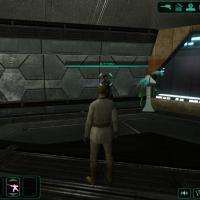
Thinner Health and Force Power Bars
By InSidious
Description
This mod changes the health and force power bars on the HUD to be thinner.
N.B.: This mod has only been tested at 1280x768 resolution on the PC.
It does not replace the Xbox versions of the UI,
and may not work at lower resolutions.
Installation
Just drop the files uibit_bar_fp_p.tga and uibit_bar_vp_p into
your Override folder.
Uninstallation
Take them out again.
Legal Disclaimer
All materials and copyrights belong to LucasArts, Bioware and Obsidian Entertainment Inc.,
Kotor Tool belongs to Fred Tetra, NWNSSCOMP belongs to Edward T. Smith.
I own none of the materials, and I'm not making any money out of this mod. It is to be distributed
as-is without alteration, unless by permission of the mod author. This mod is not to be distributed for profit, either.
Use it how you like, but if you're going to post it up somewhere, or make a derivate mod, or use it in another mod, you must
ask me first.
Thanks to:
Fred Tetra for the truly awesome KotOR tool and his nwnsscomp conversion;
Holowan in general for being helpful, friendly and all the rest of the good stuff it is ;
Lucasarts and Bioware for KotOR, and Obsidian, too, for TSL, without which, I couldn't have made this
725 downloads
- kotor 2 mod
- kotor 2 mods
- (and 8 more)
-

Green Level-Up Icon
By InSidious
Description
This mod changes the level-up icon from yellow to green, to fit better with the rest of the game's UI.
Installation
Just drop the files lbl_levelup.tga into your Override folder.
Uninstallation
Take it out again.
Legal Disclaimer
All materials and copyrights belong to LucasArts, Bioware and Obsidian Entertainment Inc.,
Kotor Tool belongs to Fred Tetra, NWNSSCOMP belongs to Edward T. Smith.
I own none of the materials, and I'm not making any money out of this mod. It is to be distributed
as-is without alteration, unless by permission of the mod author. This mod is not to be distributed for profit, either.
Use it how you like, but if you're going to post it up somewhere, or make a derivate mod, or use it in another mod, you must
ask me first.
Thanks to:
Fred Tetra for the truly awesome KotOR tool and his nwnsscomp conversion;
Holowan in general for being helpful, friendly and all the rest of the good stuff it is ;
Lucasarts and Bioware for KotOR, and Obsidian, too, for TSL, without which, I couldn't have made this
937 downloads
- kotor 2 mod
- kotor 2 mods
- (and 8 more)
-

Remove Force Alignment Restriction - Robes
By MVacc224
Thank you to all who have taken the time to view my content. I give permission to use my mods in any future projects with the appropriate credit.
This mod was built and tested using TSLRCM 1.8.3, M4-78 EP 1.1, DeadMan's Movie-Style Jedi Master Robes 1.5 Mod, and LiliArch's Savegame Pack LSMGWE 1.0.
Changes
This mod will remove the Force Alignment Restriction from Aleema Keto's Robe, Arca Jeth's Robe, Crado's Robe, Jolee's Robe, Natth Cowling, Sylvar's Robe, Thon's Robe, and Darth Malak's Armor.
5,092 downloads
-

Darth Malak's Armor - Sith Academy
By MVacc224
Thank you to all who have taken the time to view my content. I give permission to use my mods in any future projects with the appropriate credit.
This mod was built and tested using TSLRCM 1.8.3, M4-78 EP 1.1, and LiliArch's Savegame Pack LSMGWE 1.0.
Changes
This mod will add Darth Malak's Armor to be found on the Chewed Twi'lek Corpse inside the Sith Academy on Korriban near the Sealed Door.
1,690 downloads
(3 reviews)0 comments
Updated
-

Movement Animation Fix for both KOTOR and TSL
By ZimmMaster
**************************************
Knights of the Old Republic I & II
**************************************
TITLE: Movement Animation Fix for both KOTOR and TSL
AUTHOR: ZimmMaster
FILENAME: zm_fixes.7z
FILESIZE: 1.59 MB when unzipped
--------------------------
INSTALLATION INSTRUCTIONS
--------------------------
To start the install run the TSLPatcher, choose an install option and follow the on-screen instructions.
To uninstall, remove the files copied to the Override folder by the TSLPatcher and then move the files from the backup folder that was created by the TSLPatcher to the Override folder.
------------
DESCRIPTION
------------
This mod fixes the movement animations for the KotOR games. What it does is alter a couple key collumn values in the appearance.2da file to remove that waddle-like walk that came with the patches to a more neutral walk. It has four different install options when the patcher is run. One is the walking animation fix for KOTOR and the other three are for TSL allowing you to install the walking, running, or both animation fixes. The changes in the KOTOR version fixes a few things I did not notice before in the previous version of this mod. The changes include; changing the values from 2.70 ---> 2.60 as the walk ended up being too slow, removed unnecessary coding in the changes.ini file, and some fixed spelling errors in the setup. The running animation fix for TSL was a bit more complicated but I eventually changed the values in the rundist and driveanimrun_pc collumns that Obsidian used to the ones BioWare used in the first game and it turned out all right.
Enjoy!
-----
BUGS
-----
None that I’m aware of. However if you find any, you can contact me via PM at lucasforums.
-------------------
DISTRIBUTION NOTES
-------------------
This mod may not be altered without express consent of the author. This mod may not be re-distributed on any site without express consent of the author.
--------
CREDITS
--------
Fred Tetra- For creating his awesome KOTOR Tool that makes us modders job alot easier.
stoffe- for making the TSLPatcher and ChangeEdit programs and helping me with a few problems I was having in the development of the mod.
THIS MODIFICATION IS NOT MADE, DISTRIBUTED, OR SUPPORTED BY OBSIDIAN, OR LUCASARTS ENTERTAINMENT COMPANY LLC. ELEMENTS TM & © LUCASARTS ENTERTAINMENT COMPANY LLC AND/OR ITS LICENSORS.
28,545 downloads
-

Feats Tweak
By MVacc224
Thank you to all who have taken the time to view my content. I give permission to use my mods in any future projects with the appropriate credit.
1. Protagonist Jedi Guardian granted Armor Proficiency Heavy at Character Generation.
2. Protagonist Jedi Sentinel granted Armor Proficiency Medium at Character Generation.
3. Protagonist Jedi Consular loses Weapon Proficiency Blaster Rifle at Character Generation.
4. Jedi Weapon Master/Sith Marauder granted Armor Proficiency Medium & Heavy.
5. Jedi Watchman/Sith Assassin granted Stealth Run.
6. Jedi Consular & Jedi Sentinel can now select Weapon Specialization Lightsaber starting at level 4.
7. Atton granted Stealth Run at Level 4 & Echani Strike at Levels 5, 11 & 17.
8. Bao Dur can now select Stealth Run, Weapon Focus Melee Weapons, Empathy & Conditioning when leveling up.
9. Stealth Run is now selectable for Scouts, Jedi Weapon Master/Sith Marauder & Jedi Master/Sith Lord.
10. Caution is now selectable for Jedi Weapon Master/Sith Marauder & Jedi Master/Sith Lord.
11. Empathy is now selectable for Jedi Weapon Master/Sith Marauder.
12. Gear Head is now selectable for Jedi Weapon Master/Sith Marauder & Jedi Master/Sith Lord.
13. Fixed Weapon Proficiency/Focus Icons (Credit to Kainzorus Prime).
14. Weapon Focus Blaster Rifle is now selectable for the Scoundrel Class.
2,062 downloads
-

Character Generation - K1 Style
By MVacc224
Thank you to all who have taken the time to view my content. I give permission to use my mods in any future projects with the appropriate credit.
This mod is designed to tap into the nostalgia of first creating your character in K1 by changing the feats of the starting Jedi Classes of TSL to mirror those found in K1. The perceived lack of uniqueness between the classes in TSL formed the basis of this project. I also hope it addresses the notion of being granted feats that the player would not necessarily use or be able to master throughout the game depending on class feat progression.
Jedi Guardian = Soldier
Jedi Sentinel = Scout
Jedi Consular = Scoundrel
Changes
1. Protagonist Jedi Guardian is granted Armor Proficiency Light, Medium & Heavy, Power Attack, Power Blast, Weapon Proficiency Blaster Pistol, Blaster Rifle, Melee Weapons & Lightsaber, Force Jump, Jedi Sense, Jedi Defense, and War Veteran at Character Generation.
2. Protagonist Jedi Sentinel is granted Armor Proficiency Light & Medium, Flurry, Rapid Shot, Weapon Proficiency Blaster Pistol, Blaster Rifle, Melee Weapons & Lightsaber, Force Immunity Fear, Jedi Sense, Jedi Defense, and War Veteran at Character Generation.
3. Protagonist Jedi Consular is granted Armor Proficiency Light, Critical Strike, Sniper Shot, Weapon Proficiency Blaster Pistol, Melee Weapons & Lightsaber, Force Focus, Jedi Sense, Jedi Defense, and War Veteran at Character Generation.
1,018 downloads
-
File Reviews
-

Caim 0
Whoever made this mod is a godsend! It fixes almost everything that needs fixing for modern systems in 2026 for KOTOR 1, including issues for AMD users like me. It has saved me so many nerve cells. So now I can finally play with Soft Shadows and Frame Buffer Effects, except the Grass — sometimes for grass to work properly you need to restart your game. In my opinion this is the best KOTOR mod right now, no exaggeration.
Edited by Caim -
I'm just happy that I can finally play the game on PC with real, native, proper controller support. The fact that TSL received that massive update which added native controller support but the original KOTOR was left with mouse/keyboard years later (which was ridiculous) is finally resolved with this.
-

Stuck 0
-
I'm very eager to give it a try but I just can't. I installed KMRP, used KPM patcher with only 2 patches - KMRP and High FPS Fixes.
Then I run your install.cmd and all I get is this:
INSTALL FAILED: Executable compatibility check failed at 47 required hook site(s).
0x004F1A3E: expected [B8 14 00 00 00], found [6A 85 05 C2 9E]
0x004F1A43: expected [0F B6 D0 3B 4C 96 38], found [CE EB 19 56 C1 7C 49]
0x0054EC5B: expected [C7 02 14 00 00 00], found [34 50 71 50 DE 29]
0x00552C9A: expected [8D 7E 38 B9 15 00 00 00 F3 AB], found [66 3F 2E 33 9D 15 28 89 29 00]
0x00552F8A: expected [8D 6E 38], found [DA 7B 54]
0x00552FD6: expected [83 FF 14], found [A7 5A 68]
0x005A54A0: expected [0F B6 F0 3B 54 B1 38], found [F6 AB 63 77 5A C7 1D]
0x005A54AA: expected [83 F8 14], found [75 93 66]
...and 39 more mismatched hook site(s).
Another executable patch or a different KOTOR binary layout is using code this mod needs. No changes were made.Press any key to continue . . .
Edited by WarlordThorvald
I had bunch of graphic mods and old widescreen fix installed before, but deleted it and restored original exe - no luck.
Then I just deleted my game and re-downloaded it (steam version), installed KMRP and patched clean version of the game with KPM - and result is the same.
I am at loss here. -
Does exactly was it says it does!
An observation: Having this active requires it to be installed dead last after EVERYTHING ELSE. If, say, I were to add"High FPS Fixes" or other patches through KotorPatchManager with "...Progression" already active, I lose the ability to back out of the level-up screen(effectively restoring the vanilla game's constraints where it would not let you exit the level-up UI to return to normal gameplay at all until you leveled up.)
This I confirmed via live testing/gameplay last night: I had to uninstall and re-install "....progression" after adding the KPM patches so it effectively sits at the very END of the installation order. This fixed the issue and I could back out of the level-up screen freely.
FYI I'm using KMRP 1.5.1 and KPM in my setup.
-
 1
1
-
-

Ellhaim 0
This mod sorta works. Except that the model is very transparent. Especially on the metal/darker details of her outfit/model. Kind of unusable imo. Just makes me feel like I'm playing the ghost of Talon.
-
Fantastic work!!! Quick question to any who read this: I'm a total rookie with modding, and in my most recent playthrough, when the camera executed the flyby when the HK-50s shot you down over the polar region(when they start speaking "Egotistical Boast") I saw the mod author's logo. Again, since I;m new to this, I likely made a mistake when I added them, so how can I correct it so I don't see the logo?
-

lorddli 2
does what it says on the tin and i like it
-
1
-
-
Awesome mod! Some necessary powers filling out the pool, especially with Revitalize.
I don't know if this is cool, if not I will absolutely delete it... But I had AI upscale your icons so that they would work properly at high resolution (the images look basically identical, they're just 64x64 instead of 32x32). -
Nice job !
ou plutôt dans ce cas Beau travail ! -
This Mod fixes all of the problems that I have when I got back to play this game on newer systems.
The dev behind this mod was quick to answer any questions I had since I was a Linux user of this mod.
Great quality mod, that fixes issues I was having in Ultrawide such as the dialogue windows not working on the first step of a new conversation (Typical on Ultrawide) as well as improving general stability of the game.
Would recommend for anyone playing the game.
-
1
-
-
Ok, I hope this helps perfect it because it's a good idea on paper. I'll keep it as "matter-of-factly" as possible.
My experience with this mod: My setup already had TSLRCM+M478PE+PartySwap as a foundation already running. I installed this mod, created a fresh, new character to test it out, made it to the Telos Citadel Station, and after the "house arrest" sequence wrapped up and I was free to move, the quest triggers, unknown to me, were compromised. For example: The ambush on Dock Module 126? The 5 thugs that attack you spawned, I fought them and beat them, but the dialogue script failed to recognize the instance, leaving the TSF NPC in an infinite "text box loop" saying "don't let them hurt the droid; the instance didn't close properly and, naturally, the journal quest didn't update. I reloaded a save file just prior to that beat and it played out correctly a second time. When I showed the "modified holdout blaster" to Lt. Grenn to pick up the "suspicious goods" quest? that dialogue with Grenn played normally, however the journal didn't log the "suspicious goods" quest at all. So, the masked thug that's supposed to ambush you in the Entertainment Module immediately after that dialogue didn't spawn. Another tell-tale sign that something was wrong is that the Dobo Brothers' Merchant Room was completely inaccessible: The door would not open, full stop. Also, one of the doors to the cantina turned into a "one-way" exit. You could exit out of the cantina through it but not go back in. The other door worked fine. And for some reason, some NPCs appeared with no head whatsoever, (though I'm uncertain of this last bit is related.) To solve these problems on my setup, I purged my game's Override, performed a Steam Integrity Check, and re-installed all my mods in the proper order, except this one. I hope this helps you perfect it.
EDIT: To be clear, I don't use the Steam Workshop for anything whatsoever; I only use Steam to launch the game. All my mods were installed through their respective standalone TSLPatcher executable.
Edited by jmorenobothwell -
-
lorddli 2
Perfect companion mod to go along with KMRP
-
You are the pillar of this community
-





-
File Comments
-

By vault13deathclaw · Posted
I would love to have that, but I honestly have no idea how it works. I would certainly welcome any help for that. -

By The_Chaser_One · Posted
Are you planning a Holopatcher installation when you're done with it? Would be easier for people, rather than have to manually do everything. -
 For anyone running HR Menus at 1440p or 4K: the feat and Force power tree icons on the level-up screen stay at their 640x480 size, because the engine hardcodes the tree row height in swkotor.exe (it ignores the .gui PROTOITEM), so no .gui edit can fix it. I made a small exe patch that scales them by the same menu height / 480 factor HR Menus uses for everything else: https://deadlystream.com/files/file/3161-k1-high-res-feat-power-trees/ Install it after UniWS + HR Menus. Thanks for HR
 -

By paramano01 · Posted
Compatibility modes just give me a black screen and i can't even exit the game properly. -
 In my case cutscenes stopped minimizing after I set compatibility mode to Win XP Service Pack 2.
-