90SK
-
Posts
309 -
Joined
-
Last visited
-
Days Won
33
11 Followers



About 90SK

90SK's Achievements





-
Friends of KotOR and TSL modding: I have extended my renovation of Edge Of Darkness mod into next year, and I have set the exact date of an alternate new release. The date is February 1st. What to expect: AI voiceovers. An after ending chapter of the game. A surprise ending that is variable on a player choice. And if I can, I'll spread LS and DS points across all party members. There is an intro sequence for each planet explaining the mission that will be redeveloped. At least one landing zone NPC for every planet. A main quest in addition to planet quests. And a set of side quest, ideally one per planet.
For now and for the entirety, EOD is a secret project. I cheated for a few years with the open source demo. My hat is off to all of you, Wizard, Thor, N-DReW, and Sith Holocron specifically have been incredibly helpful to reach this present state of affairs.
See you all in 2027
-
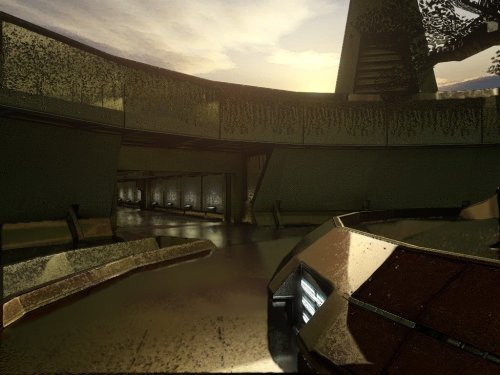
View File KotOR HyperPixel ReShade ----------- KOTOR HyperPixel ReShade by ShaolinGhost and 90SK ----------- This reshade preset has been tuned to drastically enhance KOTOR's native visual quality. Please understand It is highly stressful on your system. It is not perfect. Dialog, will be hindered by the black borders showing old reflectivity from the BaBa: SSR filter's Intensity setting. KOTOR must be installed, then Install ReShade (With full add-on support), then install this directory into your swkotor directory (where Override is, not inside Override itself). ----------- The preset is called KOTOR HyperPixel ReShade. You can edit the settings, they have been calibrated to show significantly enhanced reflections and reflective detail. It contains a collective work, not expressly created here. All credit is to the ReShade community, the KotOR and TSL Community. The Intensity setting under BaBa: SSR filter will reduce the reflections ----------- Submitter 90SK Submitted 08/23/2026 Category Modder's Resources
-
Version 9.2026
36 downloads
----------- KOTOR HyperPixel ReShade by ShaolinGhost and 90SK ----------- This reshade preset has been tuned to drastically enhance KOTOR's native visual quality. Please understand It is highly stressful on your system. It is not perfect. Dialog, will be hindered by the black borders showing old reflectivity from the BaBa: SSR filter's Intensity setting. KOTOR must be installed, then Install ReShade (With full add-on support), then install this directory into your swkotor directory (where Override is, not inside Override itself). ----------- The preset is called KOTOR HyperPixel ReShade. You can edit the settings, they have been calibrated to show significantly enhanced reflections and reflective detail. It contains a collective work, not expressly created here. All credit is to the ReShade community, the KotOR and TSL Community. The Intensity setting under BaBa: SSR filter will reduce the reflections ----------- -
 What a wonderful mod!
 -
 Indeed, unfortunate, perhaps a K1 release with further research can happen in the future.
 -
Yes, I haven't tried it, but I believe the installation procedure works for K1 as well.
-
View File TSL HyperPixel ReShade TSL HyperPixel ReShade This reshade preset has been tuned to drastically enhance TSL's native visual quality. Please note it will tax your system. TSL must be installed, then Install ReShade (With full add-on support), then install this directory into your TSL directory (where Override is, not inside Override itself). The preset is called 90SK's HyperPixel ReShade. You can edit the settings, they have been calibrated to show significantly enhanced reflections and reflective detail. It contains a collective work, not expressly created here. All credit is to the ReShade community, the KotOR and TSL Community, and to me as well. Submitter 90SK Submitted 07/13/2026 Category Modder's Resources
-
Version 10.2026
93 downloads
TSL HyperPixel ReShade This reshade preset has been tuned to drastically enhance TSL's native visual quality. Please note it will tax your system. TSL must be installed, then Install ReShade (With full add-on support), then install this directory into your TSL directory (where Override is, not inside Override itself). The preset is called 90SK's HyperPixel ReShade. You can edit the settings, they have been calibrated to show significantly enhanced reflections and reflective detail. It contains a collective work, not expressly created here. All credit is to the ReShade community, the KotOR and TSL Community, and to me as well. -
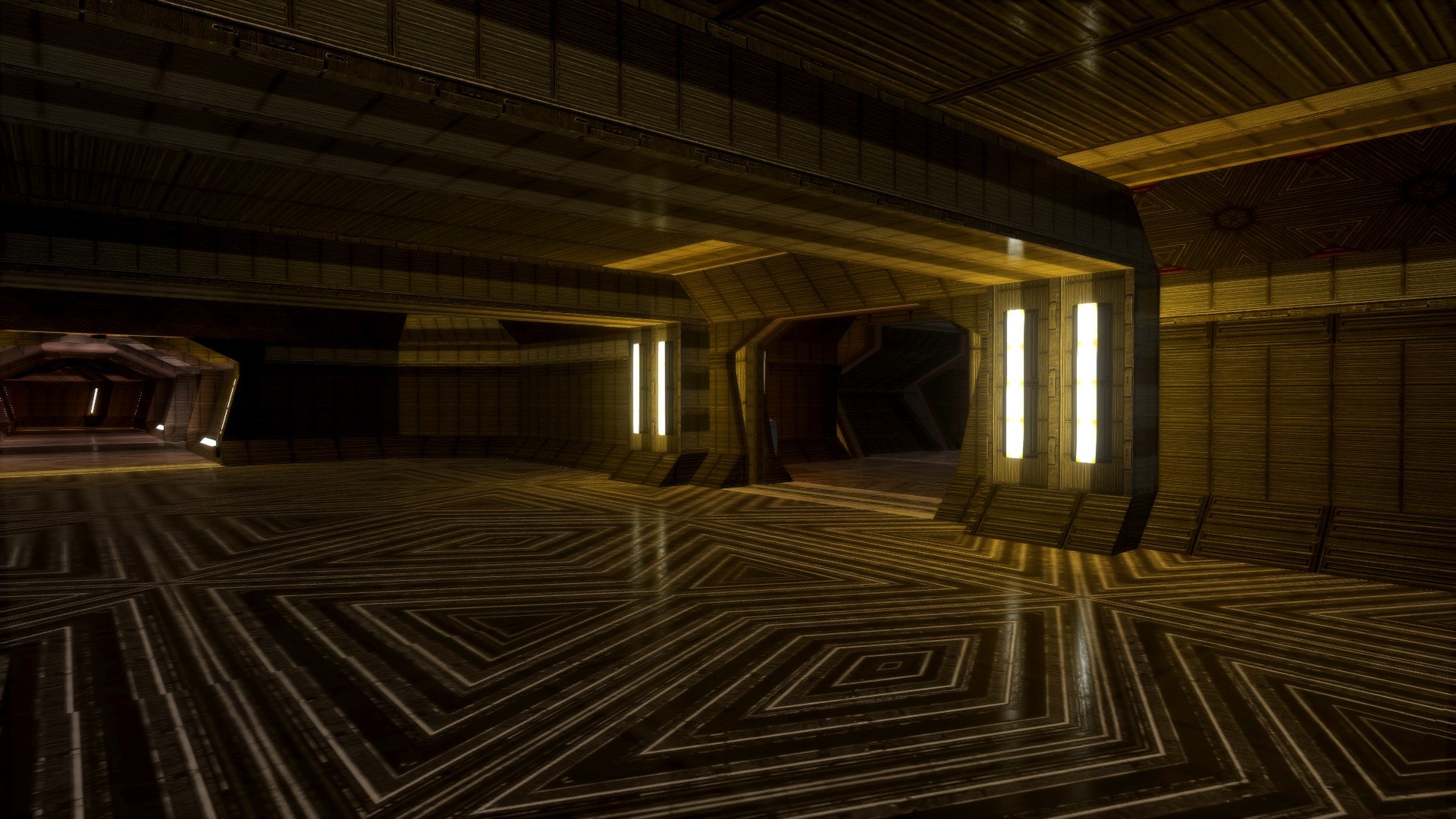
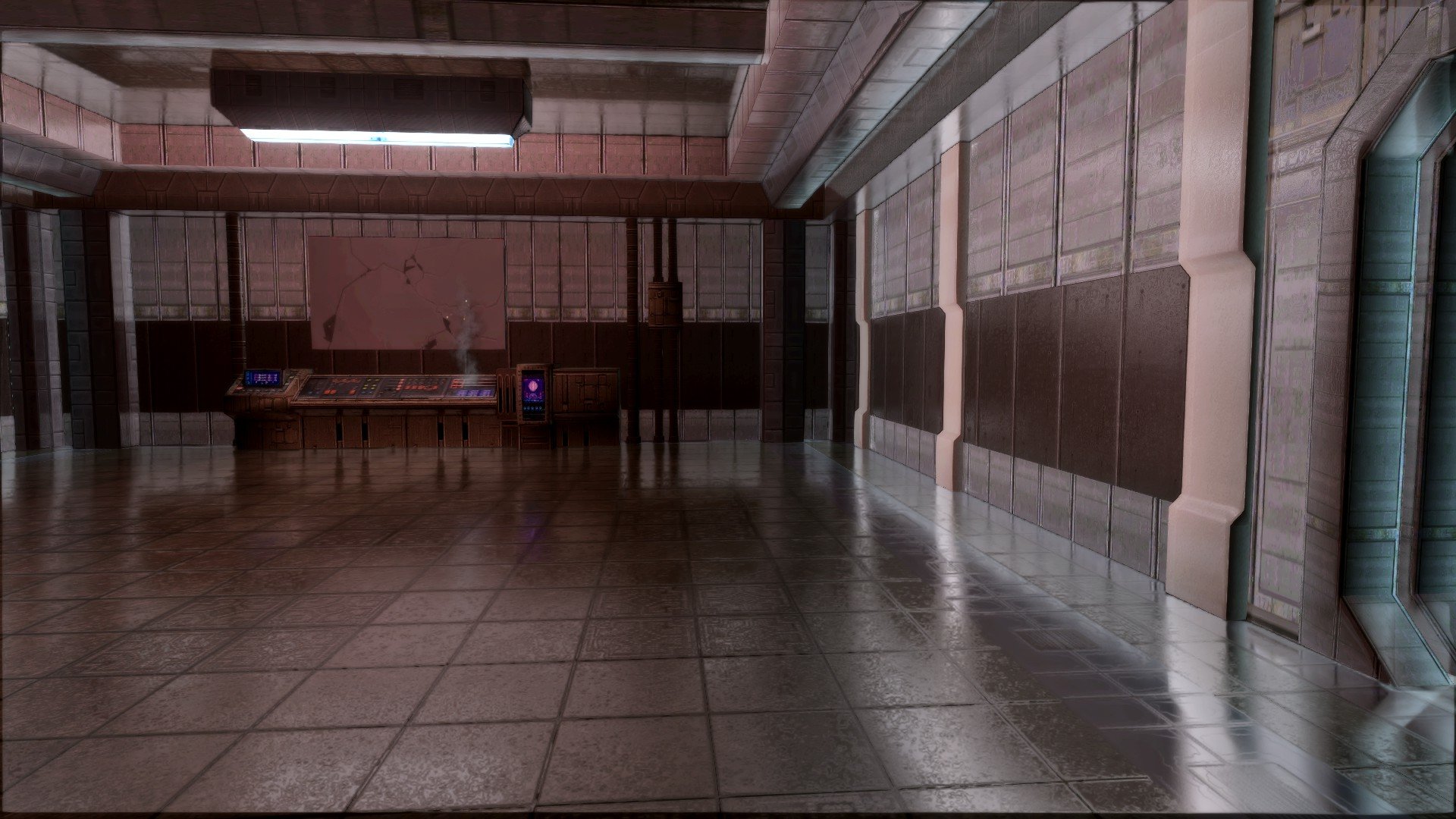
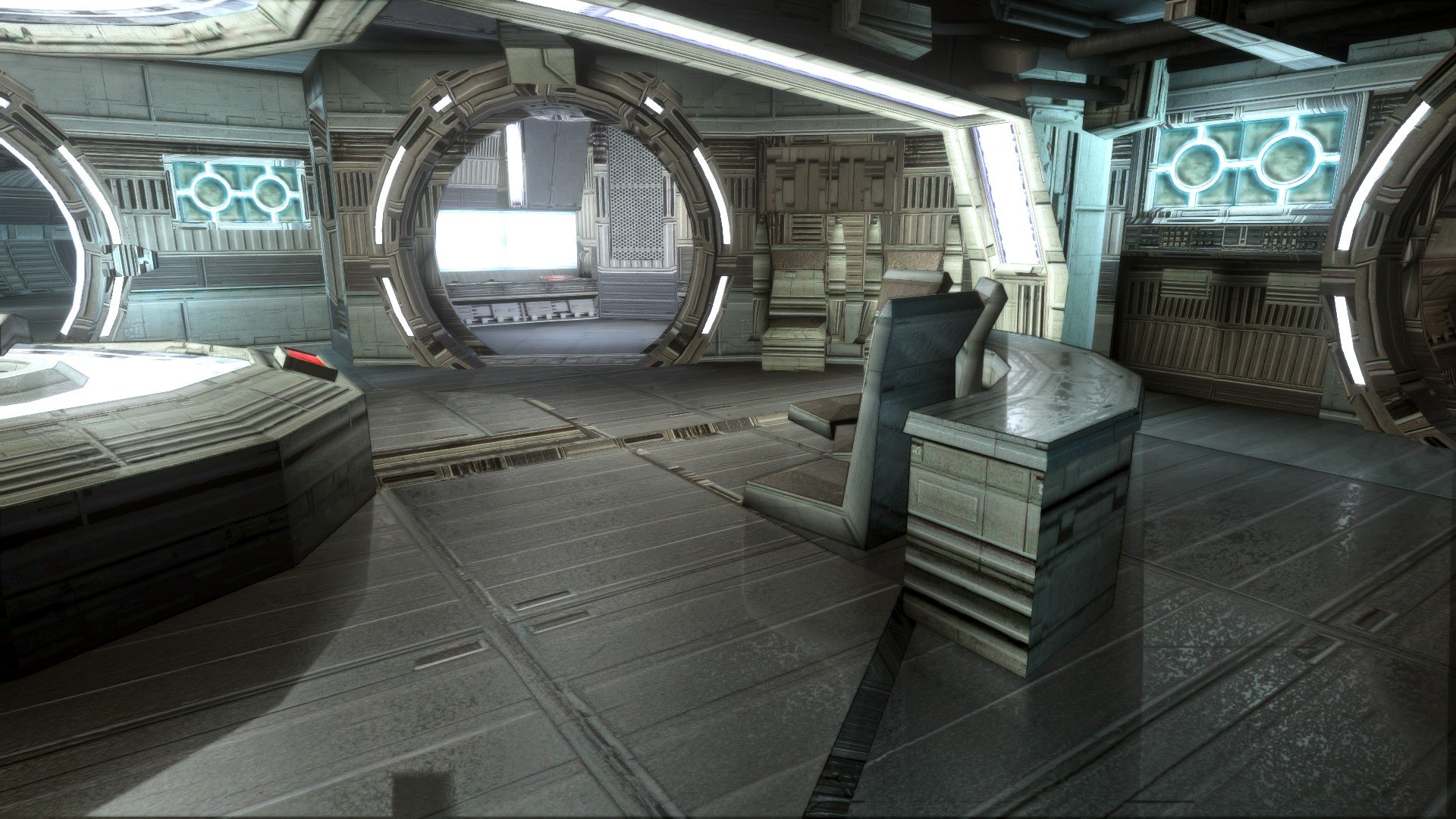
I am sharing my TSL ReShade efforts. These are screenshots from the result of this 90SK XXX reshade preset.
-
I am recruiting minds for the Edge Of Darkness mod project. We are exploring different ideas and directions for the mod. Here is a link to the EOD Discord. I'd love to see people come in and share their experiences of the game, and help shape its future.
-
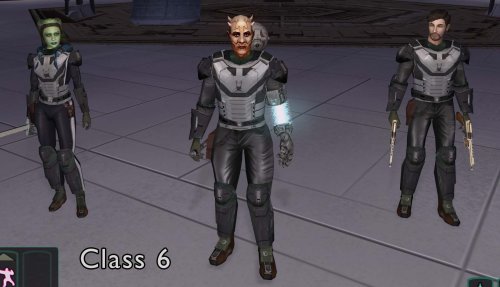
 It is not specific, it would be ia_cloths_001-99 and then the model variation is that number in the clothing item's UTI.
 -
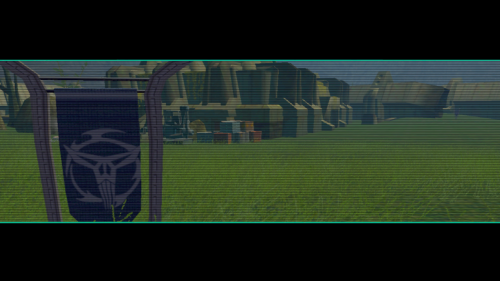
View File Comic Neo-Crusader Flags Comic Neo-Crusader Flags by 90SK This work was created in 2007 as part of a series of TSL improvement mods. It is some of my first modding work. To use, please copy files into your Override folder in your TSL directory. They will replace the ancient rakata flag with Mandalorian Neo-Crusader logo flags from the Dark Horse KOTOR comics. Legal: THIS MODIFICATION IS PROVIDED AS-IS AND IS NOT SUPPORTED BY BIOWARE/OBSIDIAN ENTERTAINMENT, LUCASARTS, DISNEY OR ANY LICENSERS/SPONSORS OF THE MENTIONED COMPANIES. USE OF THIS FILE IS AT YOUR OWN RISK AND THE ABOVE-MENTIONED COMPANIES OR THE AUTHOR IS NOT RESPONSIBLE FOR ANY DAMAGE CAUSED TO YOUR COMPUTER FOR THE USAGE OF THIS FILE. Submitter 90SK Submitted 06/28/2026 Category Mods TSLRCM Compatible Yes
-
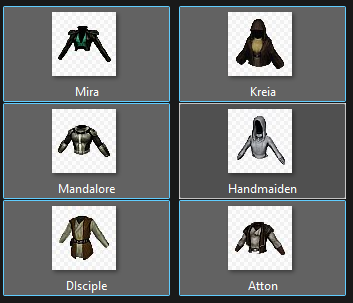
View File Party Clothes Icons Party Clothes Icons by 90SK This mod was created as part of a series of improvements for TSL in 2007, some of my first modding work. They will need to be renamed and appropriated, but the icons can be recolored and match their clothes. Submitter 90SK Submitted 06/28/2026 Category Modder's Resources
-
Version 1.0.1
30 downloads
Comic Neo-Crusader Flags by 90SK This work was created in 2007 as part of a series of TSL improvement mods. It is some of my first modding work. To use, please copy files into your Override folder in your TSL directory. They will replace the ancient rakata flag with Mandalorian Neo-Crusader logo flags from the Dark Horse KOTOR comics. Legal: THIS MODIFICATION IS PROVIDED AS-IS AND IS NOT SUPPORTED BY BIOWARE/OBSIDIAN ENTERTAINMENT, LUCASARTS, DISNEY OR ANY LICENSERS/SPONSORS OF THE MENTIONED COMPANIES. USE OF THIS FILE IS AT YOUR OWN RISK AND THE ABOVE-MENTIONED COMPANIES OR THE AUTHOR IS NOT RESPONSIBLE FOR ANY DAMAGE CAUSED TO YOUR COMPUTER FOR THE USAGE OF THIS FILE. -
Version 1.0.1
22 downloads
Party Clothes Icons by 90SK This mod was created as part of a series of improvements for TSL in 2007, some of my first modding work. They will need to be renamed and appropriated, but the icons can be recolored and match their clothes.