![More information about "[TSL] Lily's Jedi Robe Fixes"](https://deadlystream.com/downloads/screens/monthly_2026_10/20260918101346_1.thumb.jpg.0b1374ca54996ce81ee7838e4216ffac.jpg)
Forums
-
Kotor Modding
-
- 11.1k
- posts
-
- 24.9k
- posts
-
- 789
- posts
-
- 12k
- posts
-
- 155
- posts
-
- 88
- posts
-
-
Mod Projects
-
- 13.9k
- posts
-
- 2.3k
- posts
-
- 1.9k
- posts
-
- 914
- posts
-
- 23
- posts
-
-
Jedi Knight Series
-
Other Games
-
- 517
- posts
-
- 33
- posts
-
-
General
-
- 428
- posts
-
- 5.9k
- posts
-
- 3k
- posts
-
- 1.2k
- posts
-
- 877
- posts
-
- 2.9k
- posts
-








.thumb.gif.91a11d126eb3f6d5a04eccb0d72ef59c.gif)
-
Forum Statistics
10.1k
Total Topics86.1k
Total Posts -
Who's Online 13 Members, 0 Anonymous, 476 Guests (See full list)
-
Recent Status Updates
-

-

-
-
-
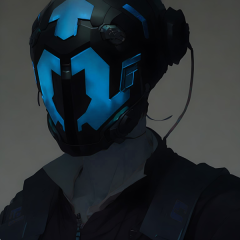 Friends of KotOR and TSL modding: I have extended my renovation of Edge Of Darkness mod into next year, and I have set the exact date of an alternate new release. The date is February 1st. What to expect: AI voiceovers. An after ending chapter of the game. A surprise ending that is variable on a player choice. And if I can, I'll spread LS and DS points across all party members. There is an intro sequence for each planet explaining the mission that will be redeveloped. At least one landing zone NPC for every planet. A main quest in addition to planet quests. And a set of side quest, ideally one per planet.· 0 replies
For now and for the entirety, EOD is a secret project. I cheated for a few years with the open source demo. My hat is off to all of you, Wizard, Thor, N-DReW, and Sith Holocron specifically have been incredibly helpful to reach this present state of affairs.
See you all in 2027
-
 Fairly significant update coming to Echoes of the Republic in the nebulous near future. Almost done implementing a new short questline, then I still need to run through the whole game again to test it.· 2 replies
-
New KPM release, we're at 0.7.0 now!· 2 replies
https://github.com/LaneDibello/Kotor-Patch-Manager/releases
Highlights:
- A ton of behind the scenes changes to help support future patch developments
- Vastly improved support for MacOS (Special thanks to FTD and Synchro for pushing on this front). Including a native mac app, and a few mac compatible patches
- Various Bug Fixes
- Some script extender updates and fixes
- Early MVP of the Mod Options patch included.
- Better support for unknown EXEs (such as those that have already been patched via a different process)
More coming soon, including a UI rework, a proper release of the mod options patch, more Mac OS support, and streamlining of more of the core functionality!
-
-
Posts
-
 An update: I managed to properly link and play custom VOs by putting them straight to "streamvoices/" not module specific folder. Maybe someone will have similar problems so I leave my entire proccess that works for me: This is the pipeline that worked for my Steam version of the game. 1. Open file in Audacity. 2. Export as mp3, exact parameters that work for me are: 22050 Mhz, constatnt bitrate 96kbs, mono channel. 3. Put the file in "in" folder of SithCodec and run encode_vo.bat 4. Move the file from "vo" folder of SithCodec directly to "Streamvoice" not into any subfolder. from Holocron's Designer's dlg editor to standalone DLG Editor (Holocron's couldn't play any animations or add camera filters (e. g. Droidvision, security camera, etc.). 6. Set up the conversation there using converted .wav file from 'Streamvoice" as a VO_ResRef 7. Add saved .dlg file to .mod via ERF Editor. Note: I changed all file's related to the module, npc, scripts, and dialogues names to lowercase letters and numbers only. Note 2: I Moved from Holocron's Designer's dlg editor to standalone DLG Editor (Holocron's couldn't play any animations or add camera filters (e. g. Droidvision, security camera, etc.). Also if someon have an idea why TSL's engine can't seem to find the .wav while it's in dedicated "streamvoice/[module_name]/[conversation_tag]" folder, please let me know
 -
By starbutterfly65 · Posted
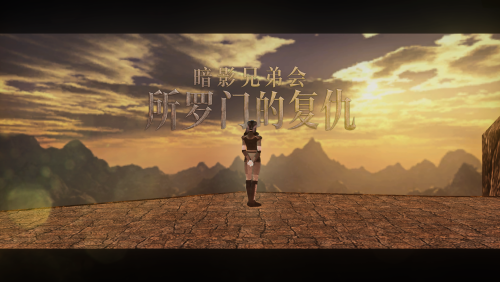
View File Chinese Translation For "Brotherhood of Shadow: Solomon's Revenge1.5"/"暗影兄弟会:所罗门的复仇"中文版 此文件为模组“暗影兄弟会:所罗门的复仇”的简体中文版本,考虑到tslpatch对中文系统的兼容性缺陷,以及原版模组安装器的程序漏洞,本次汉化分发为完整副本,采用解压手动的安装方式。 安装: 解压压缩包,按顺序将以下文件夹内容移入游戏根目录 BOS-SR CN MANUAL WINDOWS INSTALLATION(BOS-SR本体) BOS-SR CN 1.1 PATCH MANUAL INSTALLATION(BOS-SR1.1补丁) “背水娱乐”任务线修复 矿坑CTD修复 原模组链接: https://deadlystream.com/files/file/761-brotherhood-of-shadow-solomons-revenge/ 模组授权: 由于我没有方式联系到模组原作者“Silveredge”,所以本次授权申请自现模组上传者“Fair Strides”。 非常感谢模组上传者“Fair Strides”授予的汉化许可。 注意: 此模组并不包含KOTOR1本体的汉化,游戏本体汉化现处于公开测试阶段,相关信息在国内各大主流游戏/视频平台均有发布,请自行寻找。 ———————————————————————————— English Introduction ———————————————————————————— This is the Simplified Chinese version of the mod Brotherhood of Shadow: Solomon's Revenge. Due to compatibility issues between TSLPatcher and Chinese-language systems, as well as bugs in the original mod installer, this Chinese localization is distributed as a complete copy of the mod and must be installed manually by extracting and copying the files. Installation Instructions: Extract the archive, then copy the contents of the following folders into the game's root directory in the order listed below: BOS-SR CN MANUAL WINDOWS INSTALLATION(BOS-SR本体) BOS-SR CN 1.1 PATCH MANUAL INSTALLATION(BOS-SR1.1补丁) “背水娱乐”任务线修复 矿坑CTD修复 Original Mod: https://deadlystream.com/files/file/761-brotherhood-of-shadow-solomons-revenge/ Mod Permission: As I have no means of contacting the original mod author, Silveredge, I submitted this permission request to Fair Strides, the current uploader of the mod. Many thanks to Fair Strides for granting permission to release this Chinese localization. 制作人员表/credits(Taken from nexusmods upload page): Submitter starbutterfly65 Submitted 10/26/2026 Category Mods K1R Compatible No -
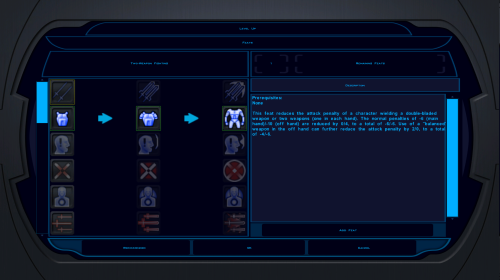
 View File K1 High-Res Feat & Power Trees Makes the feat and Force power selection icons readable at high resolutions. KotOR High Resolution Menus rescales the menus for your resolution, but the feat and Force power trees (character creation and level-up) keep the 640x480 sizes hardcoded in the game's executable: 40 px rows, 32 px icons and arrows. At 1440p and 4K the icons are tiny specks in a list built for icons several times larger. This patch scales the rows, icons and arrows by the same factor High Resolution Menus uses for everything else (menu height / 480), so the trees keep their original proportions. 1080p: 90 px rows · 1440p: 120 px · 4K: 180 px Reads your resolution from High Resolution Menus' changes to the exe. No questions asked. Changes 8 values in swkotor.exe and nothing in Override. It checks every byte it touches first and refuses unknown executables. It makes a backup, and Uninstall.bat restores the originals. Tested alongside K1 Area Map Fixes and the 4 GB patch. Requirements, in this order: KOTOR Editable Executable (Steam only), UniWS, KotOR High Resolution Menus, then this. Install: double-click Install.bat. Run it again if you later change resolution. Source and byte-level documentation: https://github.com/phalladar/k1-hires-feat-trees Submitter Phall Submitted 10/26/2026 Category Mods K1R Compatible No
 -

-

By MaxReboBand · Posted
Thank you for that. I installed the community patch and applied KMRP, in that order. Now I get five full seconds of full-screen black screen before the game quits to desktop, unfortunately. An update: I got it to work! I just had to update my drivers! Thanks for making a great mod.
-
-
Recent Community Blogs
-
-
Topics
-