.png.eea732998e4115d73099d0d08e3ccc66.png)
RaymanGT
-
Posts
13 -
Joined
-
Last visited
-
Days Won
4
RaymanGT's Achievements





-
I like the idea, would be nice if an experienced 3D Artist could make it work
-
 Fixed in 1.5 Fixed in 1.5 Added in 1.5 Fixed in 1.5
 -
Hi, I can make the hd icon packs and portraits optional in the next update And yes I am releasing full native controller support with rumble on the next update, that works even on 800x600
-
I will look into making them compatible Thank you for telling me!
-
I will look into it Thank you Will be fixed in the next update!
-
I will look into it, thank you for the feedback
-
View File KMRP - KOTOR Modern Restoration Patch KMRP - KOTOR MODERN RESTORATION PATCH Any resolution, properly scaled UI, controller support and engine fixes for KOTOR 1 Any resolution | 800x600 to 8K | 4:3 | 16:10 | 16:9 | 21:9 | 32:9 | Windows, macOS and Linux ━━━━━━━━━━━━━━━━━━━━━━━━━━━━━━━━━━━━━━━━ HOTFIX 1.5.1 A hotfix for 1.5.0, for Windows and for Linux with Proton. If you play on Linux or SteamOS you need this version: 1.5.0 does not start there. Run the 1.5.1 installer over your existing install; there is no need to restore first. The macOS version is not affected and stays at 1.5.0. Linux and SteamOS. The game starts again under Proton. SteamOS is tested and working. Mods in Override always win. Load screen mods, texture mods and custom fonts work again. In 1.5.0 they were ignored whenever KMRP had a file of the same name. Translations. Their own fonts are used, with all their letters, at the right size. Tested with the Polish translation. Controller. Changing the resolution in the game no longer ends it, A plays the selected card in Pazaak, and movement no longer stutters with PadForge, DS4Windows and similar tools. Installer on Linux. It finds your Steam game by itself, and Restore Original completes. Temp folder. KMRP no longer leaves 177 MB behind at every start. Windows 7. The "ordinal 40 not found in Cabinet.dll" error is removed. On Linux and SteamOS, set KOTOR's controller layout in Steam to Gamepad. Otherwise the game gets no controller. The installer reminds you. ━━━━━━━━━━━━━━━━━━━━━━━━━━━━━━━━━━━━━━━━ WHAT IS KMRP? Vanilla KOTOR was built around fixed pixel sizes and interface layouts designed for resolutions such as 640x480. On modern displays this causes tiny text, overlapping list entries, undersized icons, broken map scaling and other interface problems. KMRP fixes these problems in the game engine itself. One installer, one click, and one click to undo everything. It changes how the game looks, fits and controls, and nothing about its story, quests or balance. ━━━━━━━━━━━━━━━━━━━━━━━━━━━━━━━━━━━━━━━━ WHAT IS NEW IN 1.5 No resolution to choose. The game starts at your display's own resolution. Its Screen Resolution setting lists every size and refresh rate your display supports, and a change takes effect at once, with no restart and no patching again. Controller support, built in. A controller works on every screen, with the right button pictures for your pad (Xbox or PlayStation), rumble and a Controller Layout screen. Xbox-style HUD. Modelled on the console version. On by default, can be switched off. Above 60 frames per second. An option installs D3M0's High FPS Fixes, switched on by itself above 60 Hz. macOS. The Steam game, on Intel and Apple Silicon Macs, with its own installer. swkotor.exe is no longer rewritten. On Windows the changes are applied in memory each time the game starts, through KOTOR Patch Manager's runtime. ━━━━━━━━━━━━━━━━━━━━━━━━━━━━━━━━━━━━━━━━ WHAT IT FIXES Readable text with properly scaled list rows Inventory, Abilities and Store icons and rows scale correctly Item stack counts remain visible with larger fonts, in the inventory and in shops Popups and check boxes grow with the screen Long item description crash fixed, along with several rare crashes Area map fills its frame, fog of war covers the complete map, markers scale and are clicked where you see them HUD minimap follows your character Movies play at the game's resolution, with no switch to 640x480, and are not cropped on wide screens HD art: higher-quality portraits, item icons and menu art Every shape from 4:3 to 32:9 is covered, from 800x600 up to 8K: 66 common resolutions have menus built for them, and any other size gets menus fitted to it. ━━━━━━━━━━━━━━━━━━━━━━━━━━━━━━━━━━━━━━━━ PLATFORMS Windows: the Steam, GOG and disc 1.03 versions. The installer checks the game's file before doing anything and refuses any other build. macOS: the Steam game, on Intel and Apple Silicon Macs. The macOS version stays at 1.5.0. Linux: the Windows installer through Proton. SteamOS is tested and working with 1.5.1. No Steam Deck itself was tested. ━━━━━━━━━━━━━━━━━━━━━━━━━━━━━━━━━━━━━━━━ INSTALLATION Install other content mods (K1CP, K1R and so on) first. Start the game once so its settings file exists. Run the KMRP installer and press Start Patching. There is no resolution to pick. To undo everything, run it again and press Restore Original. Linux and SteamOS: run the installer with protontricks-launch --appid 32370, then set KOTOR's controller layout in Steam to Gamepad. If you use KOTOR Patch Manager, KMRP's two patches are listed there and other patches can be added beside them. ━━━━━━━━━━━━━━━━━━━━━━━━━━━━━━━━━━━━━━━━ INSTALLER OPTIONS Controller support, and with it the Xbox-style HUD High FPS Fix (D3M0's High FPS Fixes) HD item icons Map-note corrections (Derslok) Driver compatibility for lighting, fog and shadows on modern graphics cards (Synchro) ━━━━━━━━━━━━━━━━━━━━━━━━━━━━━━━━━━━━━━━━ COMPATIBILITY KMRP 1.0 was tested with KOTOR 1 Community Patch 1.10.0 and KOTOR 1 Restoration 1.2. KMRP 1.5.1 was tested with KOTOR 1 Community Patch 1.10.0 and with the Polish translation. Since 1.5.1, files that other mods put in the Override folder always win over KMRP's. ━━━━━━━━━━━━━━━━━━━━━━━━━━━━━━━━━━━━━━━━ CREDITS ndix UR: KOTOR High Resolution Menus 1.5 Synchro: K1 Modern Driver Compatibility 1.2.0, and published area-map research Derslok: K1 Area Map Fixes D3M0: High FPS Fixes Lane Dibello and the KOTOR Patch Manager project: the runtime KMRP's patches run on MadDerp: Party Portraits JackInTheBox: KOTOR 1 HD Icon Pack 1.0 RaymanGT: HD menu and UI asset set Xelu: Free Controller & Key Prompts Bundled work is included with its authors' permission or under its licence. Full notices are in the repository. ━━━━━━━━━━━━━━━━━━━━━━━━━━━━━━━━━━━━━━━━ SOURCE AND CHANGELOG github.com/RayesDiyab/KMRP-KOTOR-Modern-Restoration-Patch Licence: GPL-3.0. Unofficial; you must own the game. Submitter RaymanGT Submitted 09/04/2026 Category Mods K1R Compatible Yes
-
Version 1.5.1
3,734 downloads
KMRP - KOTOR MODERN RESTORATION PATCH Any resolution, properly scaled UI, controller support and engine fixes for KOTOR 1 Any resolution | 800x600 to 8K | 4:3 | 16:10 | 16:9 | 21:9 | 32:9 | Windows, macOS and Linux ━━━━━━━━━━━━━━━━━━━━━━━━━━━━━━━━━━━━━━━━ HOTFIX 1.5.1 A hotfix for 1.5.0, for Windows and for Linux with Proton. If you play on Linux or SteamOS you need this version: 1.5.0 does not start there. Run the 1.5.1 installer over your existing install; there is no need to restore first. The macOS version is not affected and stays at 1.5.0. Linux and SteamOS. The game starts again under Proton. SteamOS is tested and working. Mods in Override always win. Load screen mods, texture mods and custom fonts work again. In 1.5.0 they were ignored whenever KMRP had a file of the same name. Translations. Their own fonts are used, with all their letters, at the right size. Tested with the Polish translation. Controller. Changing the resolution in the game no longer ends it, A plays the selected card in Pazaak, and movement no longer stutters with PadForge, DS4Windows and similar tools. Installer on Linux. It finds your Steam game by itself, and Restore Original completes. Temp folder. KMRP no longer leaves 177 MB behind at every start. Windows 7. The "ordinal 40 not found in Cabinet.dll" error is removed. On Linux and SteamOS, set KOTOR's controller layout in Steam to Gamepad. Otherwise the game gets no controller. The installer reminds you. ━━━━━━━━━━━━━━━━━━━━━━━━━━━━━━━━━━━━━━━━ WHAT IS KMRP? Vanilla KOTOR was built around fixed pixel sizes and interface layouts designed for resolutions such as 640x480. On modern displays this causes tiny text, overlapping list entries, undersized icons, broken map scaling and other interface problems. KMRP fixes these problems in the game engine itself. One installer, one click, and one click to undo everything. It changes how the game looks, fits and controls, and nothing about its story, quests or balance. ━━━━━━━━━━━━━━━━━━━━━━━━━━━━━━━━━━━━━━━━ WHAT IS NEW IN 1.5 No resolution to choose. The game starts at your display's own resolution. Its Screen Resolution setting lists every size and refresh rate your display supports, and a change takes effect at once, with no restart and no patching again. Controller support, built in. A controller works on every screen, with the right button pictures for your pad (Xbox or PlayStation), rumble and a Controller Layout screen. Xbox-style HUD. Modelled on the console version. On by default, can be switched off. Above 60 frames per second. An option installs D3M0's High FPS Fixes, switched on by itself above 60 Hz. macOS. The Steam game, on Intel and Apple Silicon Macs, with its own installer. swkotor.exe is no longer rewritten. On Windows the changes are applied in memory each time the game starts, through KOTOR Patch Manager's runtime. ━━━━━━━━━━━━━━━━━━━━━━━━━━━━━━━━━━━━━━━━ WHAT IT FIXES Readable text with properly scaled list rows Inventory, Abilities and Store icons and rows scale correctly Item stack counts remain visible with larger fonts, in the inventory and in shops Popups and check boxes grow with the screen Long item description crash fixed, along with several rare crashes Area map fills its frame, fog of war covers the complete map, markers scale and are clicked where you see them HUD minimap follows your character Movies play at the game's resolution, with no switch to 640x480, and are not cropped on wide screens HD art: higher-quality portraits, item icons and menu art Every shape from 4:3 to 32:9 is covered, from 800x600 up to 8K: 66 common resolutions have menus built for them, and any other size gets menus fitted to it. ━━━━━━━━━━━━━━━━━━━━━━━━━━━━━━━━━━━━━━━━ PLATFORMS Windows: the Steam, GOG and disc 1.03 versions. The installer checks the game's file before doing anything and refuses any other build. macOS: the Steam game, on Intel and Apple Silicon Macs. The macOS version stays at 1.5.0. Linux: the Windows installer through Proton. SteamOS is tested and working with 1.5.1. No Steam Deck itself was tested. ━━━━━━━━━━━━━━━━━━━━━━━━━━━━━━━━━━━━━━━━ INSTALLATION Install other content mods (K1CP, K1R and so on) first. Start the game once so its settings file exists. Run the KMRP installer and press Start Patching. There is no resolution to pick. To undo everything, run it again and press Restore Original. Linux and SteamOS: run the installer with protontricks-launch --appid 32370, then set KOTOR's controller layout in Steam to Gamepad. If you use KOTOR Patch Manager, KMRP's two patches are listed there and other patches can be added beside them. ━━━━━━━━━━━━━━━━━━━━━━━━━━━━━━━━━━━━━━━━ INSTALLER OPTIONS Controller support, and with it the Xbox-style HUD High FPS Fix (D3M0's High FPS Fixes) HD item icons Map-note corrections (Derslok) Driver compatibility for lighting, fog and shadows on modern graphics cards (Synchro) ━━━━━━━━━━━━━━━━━━━━━━━━━━━━━━━━━━━━━━━━ COMPATIBILITY KMRP 1.0 was tested with KOTOR 1 Community Patch 1.10.0 and KOTOR 1 Restoration 1.2. KMRP 1.5.1 was tested with KOTOR 1 Community Patch 1.10.0 and with the Polish translation. Since 1.5.1, files that other mods put in the Override folder always win over KMRP's. ━━━━━━━━━━━━━━━━━━━━━━━━━━━━━━━━━━━━━━━━ CREDITS ndix UR: KOTOR High Resolution Menus 1.5 Synchro: K1 Modern Driver Compatibility 1.2.0, and published area-map research Derslok: K1 Area Map Fixes D3M0: High FPS Fixes Lane Dibello and the KOTOR Patch Manager project: the runtime KMRP's patches run on MadDerp: Party Portraits JackInTheBox: KOTOR 1 HD Icon Pack 1.0 RaymanGT: HD menu and UI asset set Xelu: Free Controller & Key Prompts Bundled work is included with its authors' permission or under its licence. Full notices are in the repository. ━━━━━━━━━━━━━━━━━━━━━━━━━━━━━━━━━━━━━━━━ SOURCE AND CHANGELOG github.com/RayesDiyab/KMRP-KOTOR-Modern-Restoration-Patch Licence: GPL-3.0. Unofficial; you must own the game. -
 Thanks, this made testing out all the different GUIs like Pazaak for my KOTOR Modern Restoration Patch (KMRP) easy
 -
View File KotOR 3440x1440 Enhanced HUD/UI and Menus This mod was created due to the frustration of playing with a small HUD on an ultrawide screen. The mod enhances the HUD/UI and Menus from the KotOR High Resolution Menus mod. I created an enlarged HUD, that makes playing the game much more enjoyable on a 3440x1440 resolution. Due to the larger HUD, one needs to use upscaled assets for it to look good. I used a combination of different assets from (KotOR High Resolution Menus, HD MENUS AND UI Assets and Remastered UI) Installation Before installing please make a backup of your own swkotor.exe You have 2 Options to Install this mod: 1 - You copy the patched swkotor.exe to the Game Folder, then you copy everything from the toOverride folder to your games Override Folder. 2 - You patch your swkotor.exe (The Editable version from here) by installing KotOR High Resolution Menus with a 3440x1440 resolution, then copy everything from the toOverride folder to your games Override Folder. IMPORTANT: ADJUST the Height and Width under [Graphics Options] in the swkotor.ini file in your games folder or IT WILL NOT WORK! It should look like this: [Graphics Options] Width=3440 Height=1440 I recommend installing the mod Very Nice! Load Screens for KotOR as well! Uninstallation Remove the files from your Overdrive folder and restore your original swkotor.exe Compatibility This mod works with the K1R mod, but install it after installing K1R Submitter RaymanGT Submitted 04/27/2023 Category Mods K1R Compatible Yes
-
Has anyone tried to fully understand what is saved by the client in Kotor 1 in the swkotor.exe? I know that movie resolutions, letterbox dimensions, and resolution are saved in the exe. Is there a list that explains which hex sequence attributes to what? And if not, is there a way or does anyone already have an idea on how to decode it? We could fix a lot of issues if we can understand the hex data fully, like the map size after the widescreen fix ( which Im mainly interested in ) My ideal dream would be at least understanding the important things in the hex data and making a list or even a script that reads the exe and spits out a text file, that says this sequence means XX and has YY values. An interpreter of sorts
-
.thumb.png.d8b108d1620cfd7d697f7271e60714db.png) RaymanGT changed their profile photo
RaymanGT changed their profile photo -
Version 1.1.0
2,952 downloads
This mod was created due to the frustration of playing with a small HUD on an ultrawide screen. The mod enhances the HUD/UI and Menus from the KotOR High Resolution Menus mod. I created an enlarged HUD, that makes playing the game much more enjoyable on a 3440x1440 resolution. Due to the larger HUD, one needs to use upscaled assets for it to look good. I used a combination of different assets from (KotOR High Resolution Menus, HD MENUS AND UI Assets and Remastered UI) Installation Before installing please make a backup of your own swkotor.exe You have 2 Options to Install this mod: 1 - You copy the patched swkotor.exe to the Game Folder, then you copy everything from the toOverride folder to your games Override Folder. 2 - You patch your swkotor.exe (The Editable version from here) by installing KotOR High Resolution Menus with a 3440x1440 resolution, then copy everything from the toOverride folder to your games Override Folder. IMPORTANT: ADJUST the Height and Width under [Graphics Options] in the swkotor.ini file in your games folder or IT WILL NOT WORK! It should look like this: [Graphics Options] Width=3440 Height=1440 I recommend installing the mod Very Nice! Load Screens for KotOR as well! Uninstallation Remove the files from your Overdrive folder and restore your original swkotor.exe Compatibility This mod works with the K1R mod, but install it after installing K1R- 5 comments
- 3 reviews
-
- 5
-

-

-
- hud/interface
- upscaled
- (and 1 more)
-
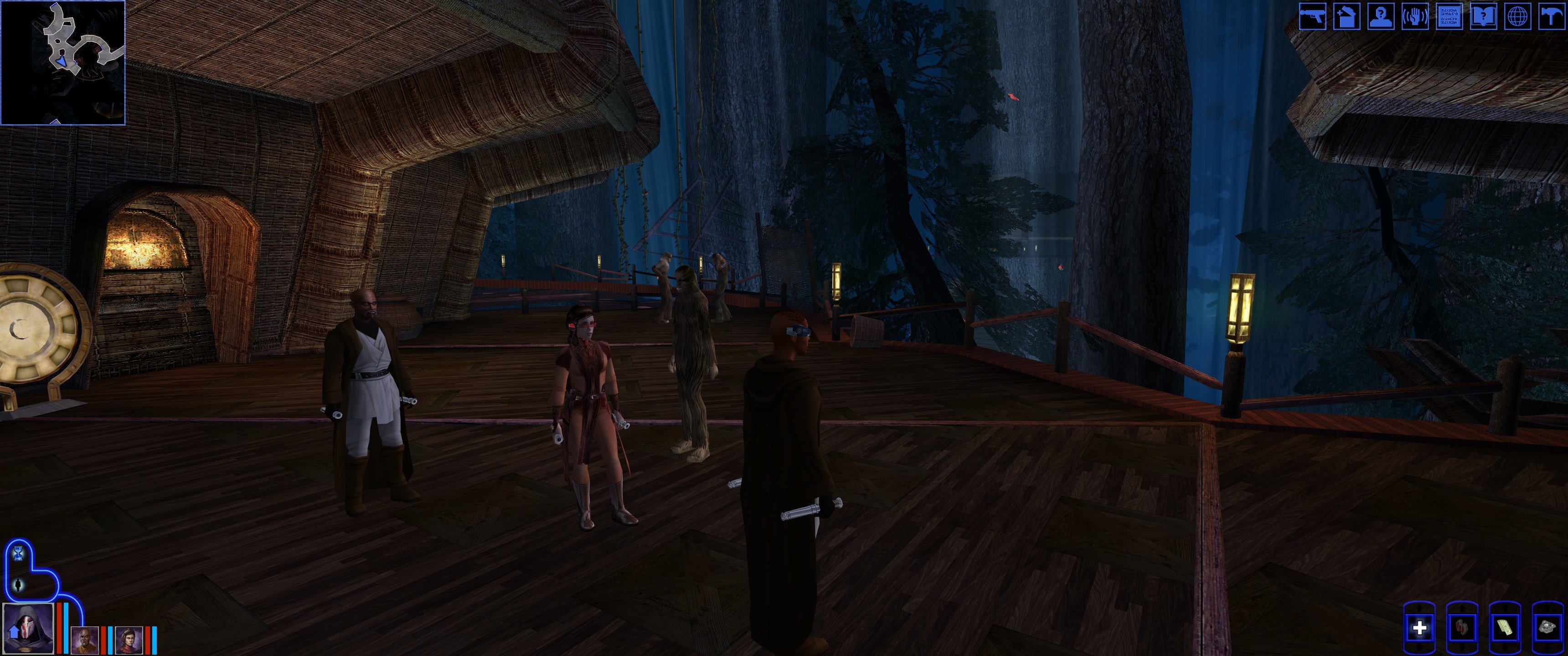
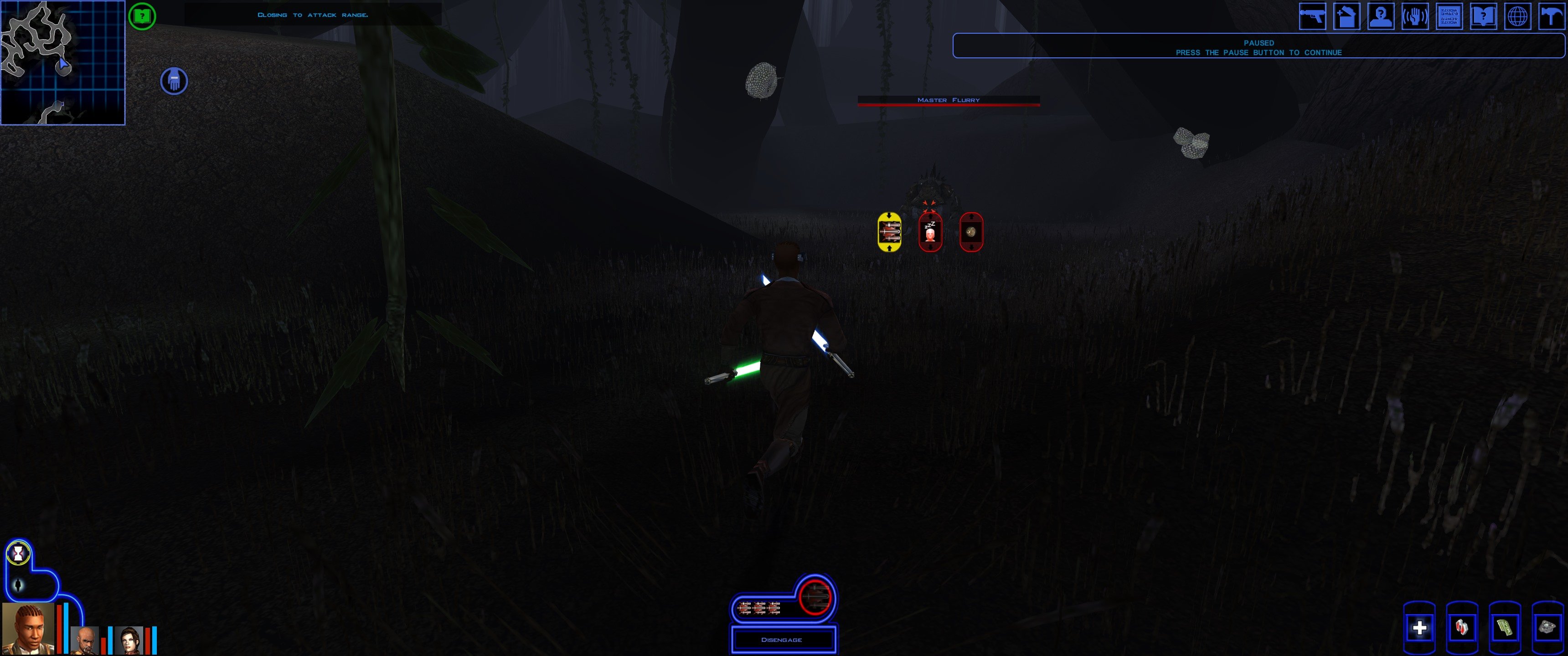
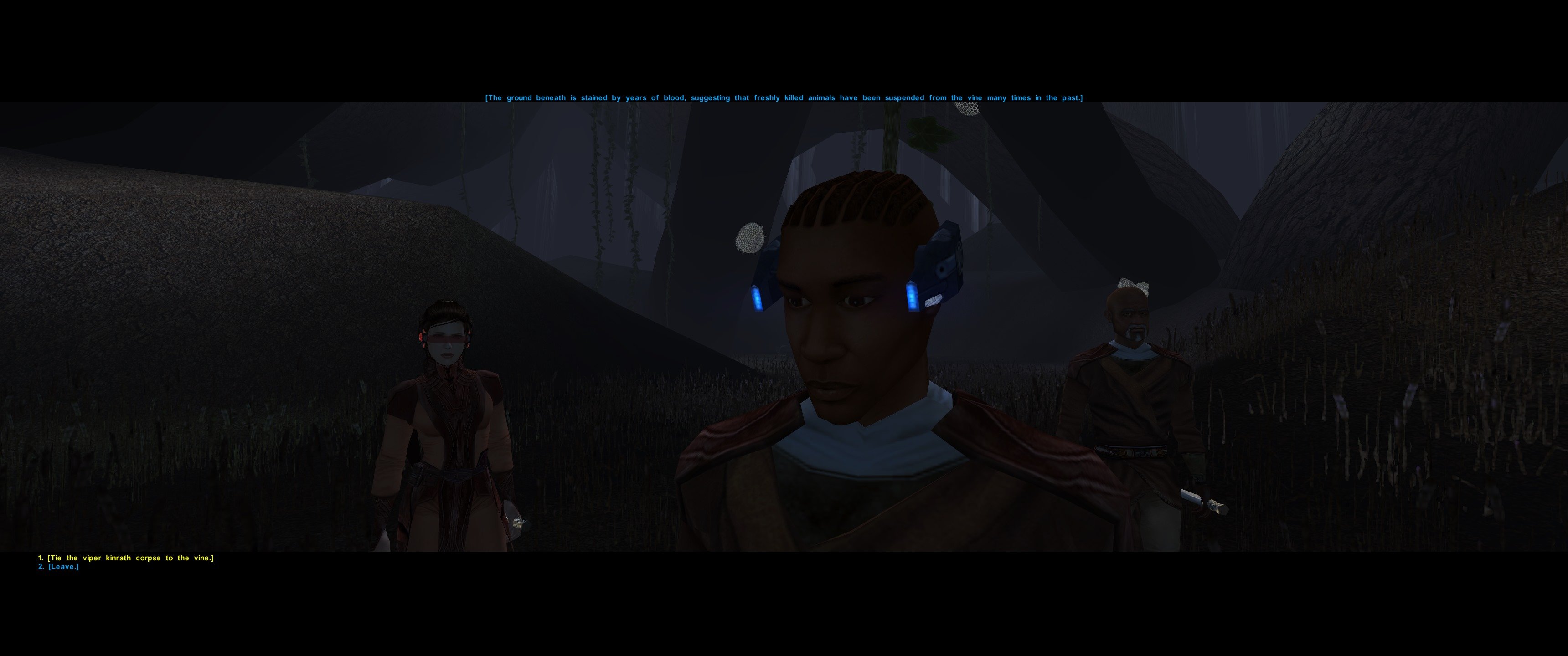
Star Wars Ultrawide 3440x1440 fix is incoming UPDATE: I finished version 1.00 and uploaded it I'm waiting for approval. (I already started working on v1.1 that fixes the galaxy map gui being not consistent and other guis overall) This mod was created due to the frustration of playing with a small HUD on an ultrawide screen. The mod enhances the HUD/UI and Menus from the KotOR High Resolution Menus mod specifically for the 3440x1440 resolution. I created an enlarged HUD, that makes playing the game much more enjoyable on a 3440x1440 resolution. Due to the larger HUD, one needs to use upscaled assets for it to look good. I used a combination of different assets from (KotOR High Resolution Menus, HD MENUS AND UI Assets and Remastered UI) In summary: 1 - The mod contains a prepatched swkotor.exe or you can patch your own exe with hires menus 2 - it contains a an enlarged HUD so the game can actually be enjoyed 3 - The HUD graphic files are upscaled to look HD, else the old HUD graphics look too pixelated, for this (Im using multiple mods but put together into 1 package) I attached pictures of the version 1.00 of the mod.