

Search the Community
Showing results for tags 'hud/interface'.
Found 10 results
-
Version 1.0.0
18 downloads
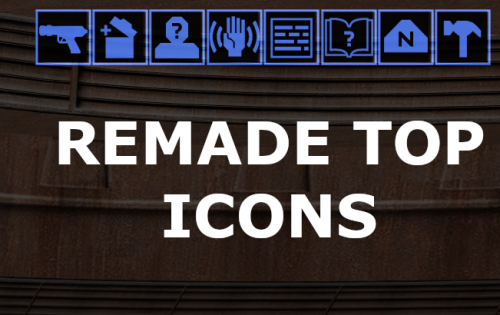
Hello everyone! After a long hiatus, I’m back with a new mod. High-resolution top icons—"handmade" in the game's original style rather than upscaled via AI—at 128x128 resolution. For widescreen users, Credit goes to J's Scaled Kotor Project for the icons upon which I based my mod. "Scaled Kotor" is recommended as a companion mod. -
View File Remade Top UI Icons Hello everyone! After a long hiatus, I’m back with a new mod. High-resolution top icons—"handmade" in the game's original style rather than upscaled via AI—at 128x128 resolution. For widescreen users, "Scaled Kotor" is recommended as a companion mod. Submitter FF97 Submitted 09/26/2026 Category Skins K1R Compatible Yes
-
Version 3.0
459 downloads
BIGGER DIALOG FONT ━━━━━━━━━━━━━━━━━━━━━━━━━━━━━━━━━━━━ DESCRIPTION Bigger Dialog Font increases dialogue and menu description font size in KOTOR 2 for better readability on modern displays. The main download includes all available font sizes: 20% Bigger 25% Bigger 30% Bigger 40% Bigger 50% Bigger 60% Bigger 70% Bigger 80% Bigger Choose whichever size works best for your resolution and setup. The download also includes an optional Font Upscaled folder. Increasing the original font size can make the text appear low-resolution or blurry, so these upscaled font textures can be used to make the larger text look clearer. ━━━━━━━━━━━━━━━━━━━━━━━━━━━━━━━━━━━━ DIALOG SUBTITLE WORD WRAP BETA The optional Dialog Subtitle Word Wrap beta modifies dialog.tlk to add line breaks to dialogue subtitles, helping prevent subtitle text from extending off-screen when using the larger font sizes. The add-on is now modular and includes three versions: Vanilla TSLRCM TSLRCM + KOTOR 2 Community Patch Choose the version that matches your installation. The requirements only apply to the Dialog Subtitle Word Wrap version you choose. The regular Bigger Dialog Font files do not have any known mod requirements. Important: Always back up your original dialog.tlk before installing the Dialog Subtitle Word Wrap beta. ━━━━━━━━━━━━━━━━━━━━━━━━━━━━━━━━━━━━ INSTALLATION Main Font Files Download and extract the ZIP file. Open the extracted folder. Choose your preferred font size. Place the files from your chosen size folder into your KOTOR 2 override folder. Replace files if prompted. Optional Upscaled Font If you want clearer font textures, open the Font Upscaled folder and place its files into your override folder. This is optional, but recommended if the enlarged font looks blurry or low-resolution. Dialog Subtitle Word Wrap Beta Read the included README first. Choose the version that matches your setup: Vanilla TSLRCM TSLRCM + KOTOR 2 Community Patch Back up your original dialog.tlk. Place the new dialog.tlk into your main KOTOR 2 directory, where the game executable is located. ━━━━━━━━━━━━━━━━━━━━━━━━━━━━━━━━━━━━ EXTRA NOTES Screenshots were taken at 1920x1080. ━━━━━━━━━━━━━━━━━━━━━━━━━━━━━━━━━━━━ CHANGELOG Consolidated all font sizes into the main download. Added 20%, 25%, 30%, 40%, 50%, 60%, 70%, and 80% font size options. Added optional upscaled font textures for clearer enlarged text. Dialog Subtitle Word Wrap beta is now modular. Added separate Dialog Subtitle Word Wrap versions for Vanilla, TSLRCM, and TSLRCM + KOTOR 2 Community Patch.-
- 1
-

-
- qol
- hud/interface
- (and 5 more)
-
Version 2.1
260 downloads
Vanilla Maps HD upscales the map textures in Knights of the Old Republic II to make them sharper and cleaner. I tried other upscaled map mods, but they still were not sharp or high res enough for what I wanted. So I extracted the map textures myself and upscaled them x4 using Topaz Gigapixel. This mod also includes upscaled map textures for The Sith Lords Restored Content Mod and Droid Planet. You do not need either mod installed for Vanilla Maps HD to work. If you do use them, the included map textures are covered. Installation instructions Extract the zip file Place override folder into your main kotor 2 directory Replace files if prompted Main features Upscaled vanilla KOTOR II map textures x4 Topaz Gigapixel upscale Sharper and cleaner map images Includes support for The Sith Lords Restored Content Mod map textures Includes support for Droid Planet map textures Optional file available for Cathalan Improvement Project Requirements No hard requirements. The Sith Lords Restored Content Mod and Droid Planet are not required, but their map textures are included for users who have them installed. Cathalan Improvement Project is only needed if you use the optional Cathalan file. Credits Obsidian Enterainment -
View File Bigger Dialog Font BIGGER DIALOG FONT ━━━━━━━━━━━━━━━━━━━━━━━━━━━━━━━━━━━━ DESCRIPTION Bigger Dialog Font increases dialogue and menu description font size in KOTOR 2 for better readability on modern displays. The main download includes all available font sizes: 20% Bigger 25% Bigger 30% Bigger 40% Bigger 50% Bigger 60% Bigger 70% Bigger 80% Bigger Choose whichever size works best for your resolution and setup. The download also includes an optional Font Upscaled folder. Increasing the original font size can make the text appear low-resolution or blurry, so these upscaled font textures can be used to make the larger text look clearer. ━━━━━━━━━━━━━━━━━━━━━━━━━━━━━━━━━━━━ DIALOG SUBTITLE WORD WRAP BETA The optional Dialog Subtitle Word Wrap beta modifies dialog.tlk to add line breaks to dialogue subtitles, helping prevent subtitle text from extending off-screen when using the larger font sizes. The add-on is now modular and includes three versions: Vanilla TSLRCM TSLRCM + KOTOR 2 Community Patch Choose the version that matches your installation. The requirements only apply to the Dialog Subtitle Word Wrap version you choose. The regular Bigger Dialog Font files do not have any known mod requirements. Important: Always back up your original dialog.tlk before installing the Dialog Subtitle Word Wrap beta. ━━━━━━━━━━━━━━━━━━━━━━━━━━━━━━━━━━━━ INSTALLATION Main Font Files Download and extract the ZIP file. Open the extracted folder. Choose your preferred font size. Place the files from your chosen size folder into your KOTOR 2 override folder. Replace files if prompted. Optional Upscaled Font If you want clearer font textures, open the Font Upscaled folder and place its files into your Override folder. This is optional, but recommended if the enlarged font looks blurry or low-resolution. Dialog Subtitle Word Wrap Beta Read the included README first. Choose the version that matches your setup: Vanilla TSLRCM TSLRCM + KOTOR 2 Community Patch Back up your original dialog.tlk. Place the new dialog.tlk into your main KOTOR 2 directory, where the game executable is located. ━━━━━━━━━━━━━━━━━━━━━━━━━━━━━━━━━━━━ EXTRA NOTES Screenshots were taken at 1920x1080. ━━━━━━━━━━━━━━━━━━━━━━━━━━━━━━━━━━━━ CHANGELOG Consolidated all font sizes into the main download. Added 20%, 25%, 30%, 40%, 50%, 60%, 70%, and 80% font size options. Added optional upscaled font textures for clearer enlarged text. Dialog Subtitle Word Wrap beta is now modular. Added separate Dialog Subtitle Word Wrap versions for Vanilla, TSLRCM, and TSLRCM + KOTOR 2 Community Patch. Submitter Saul0097 Submitted 05/10/2026 Category Mods TSLRCM Compatible Yes
-
View File Vanilla Maps HD Vanilla Maps HD upscales the map textures in Knights of the Old Republic II to make them sharper and cleaner. I tried other upscaled map mods, but they still were not sharp or high res enough for what I wanted. So I extracted the map textures myself and upscaled them x4 using Topaz Gigapixel. This mod also includes upscaled map textures for The Sith Lords Restored Content Mod and Droid Planet. You do not need either mod installed for Vanilla Maps HD to work. If you do use them, the included map textures are covered. Installation instructions Extract the zip file Place override folder into your main kotor 2 directory Replace files if prompted Main features Upscaled vanilla KOTOR II map textures x4 Topaz Gigapixel upscale Sharper and cleaner map images Includes support for The Sith Lords Restored Content Mod map textures Includes support for Droid Planet map textures Optional file available for Cathalan Improvement Project Requirements No hard requirements. The Sith Lords Restored Content Mod and Droid Planet are not required, but their map textures are included for users who have them installed. Cathalan Improvement Project is only needed if you use the optional Cathalan file. Credits Obsidian Enterainment Submitter Saul0097 Submitted 05/06/2026 Category Mods TSLRCM Compatible Yes
-
Version 1.1.0
2,923 downloads
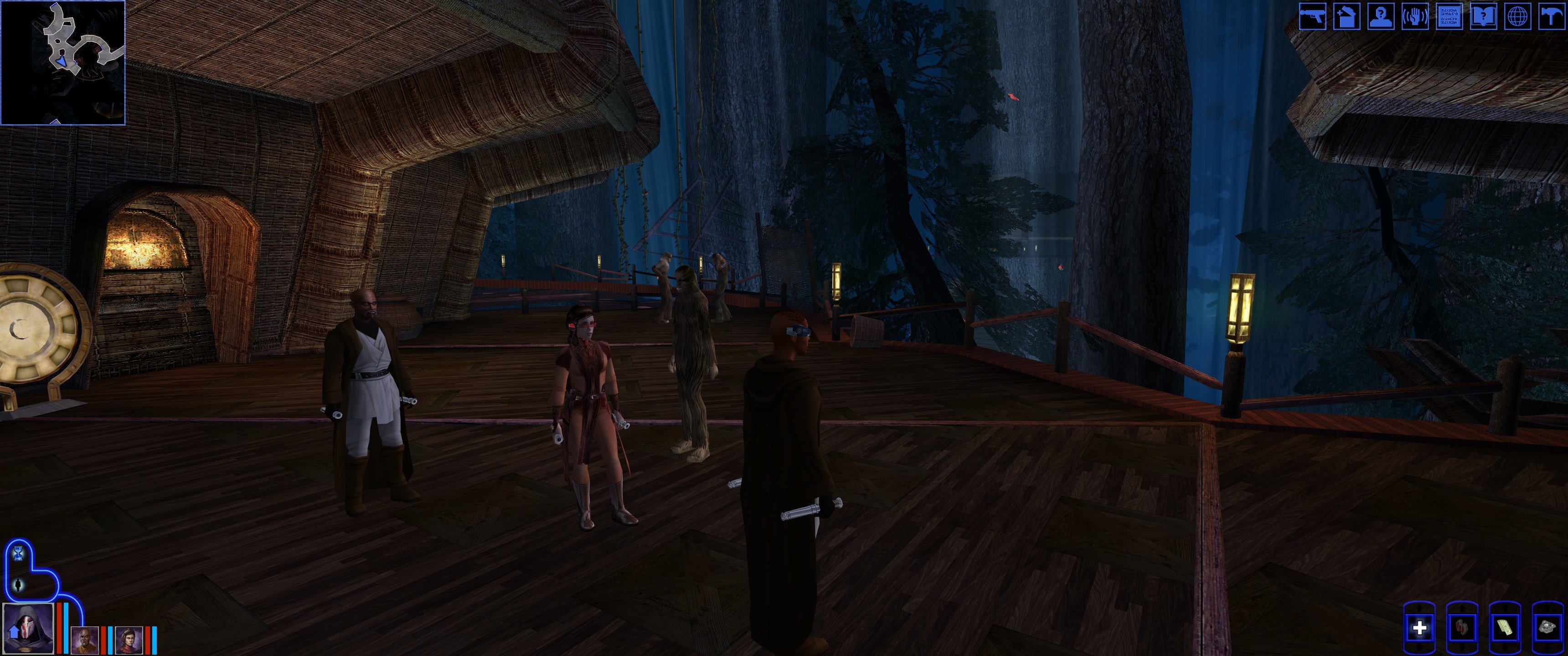
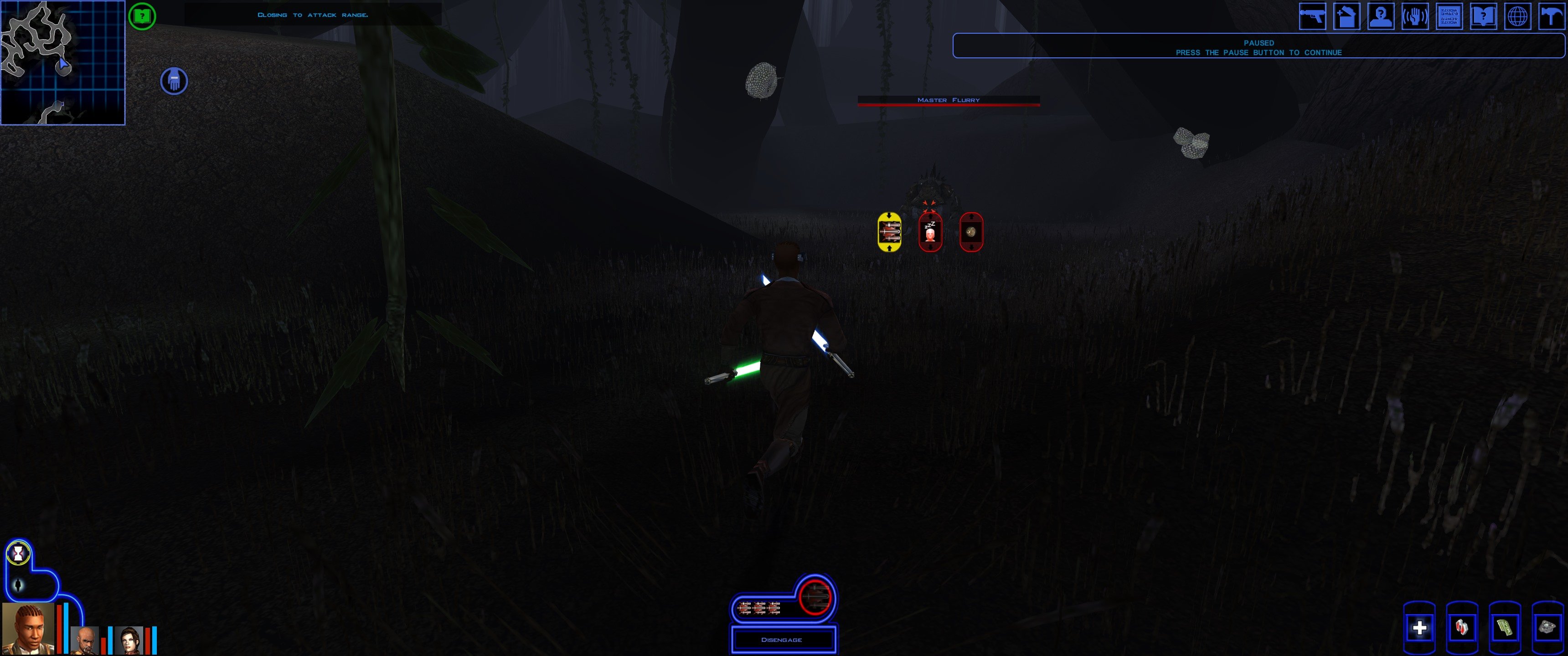
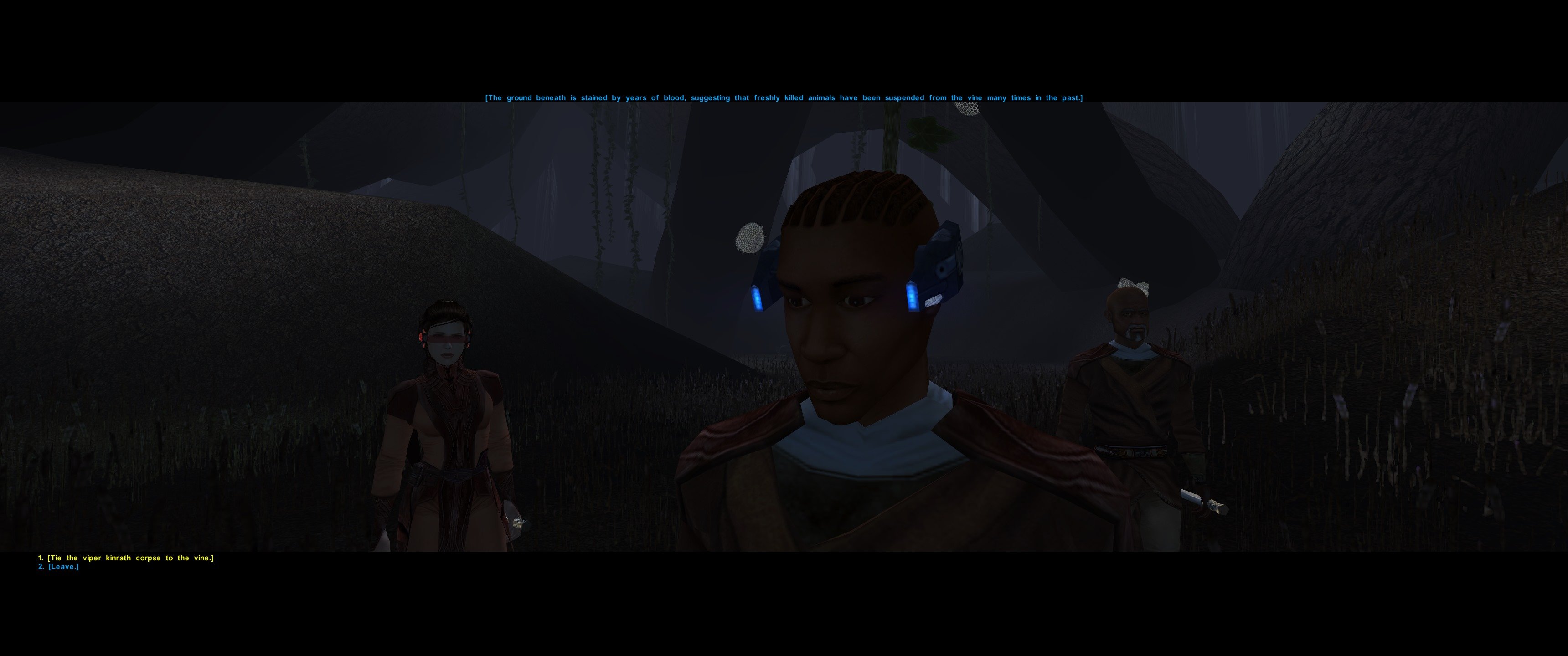
This mod was created due to the frustration of playing with a small HUD on an ultrawide screen. The mod enhances the HUD/UI and Menus from the KotOR High Resolution Menus mod. I created an enlarged HUD, that makes playing the game much more enjoyable on a 3440x1440 resolution. Due to the larger HUD, one needs to use upscaled assets for it to look good. I used a combination of different assets from (KotOR High Resolution Menus, HD MENUS AND UI Assets and Remastered UI) Installation Before installing please make a backup of your own swkotor.exe You have 2 Options to Install this mod: 1 - You copy the patched swkotor.exe to the Game Folder, then you copy everything from the toOverride folder to your games Override Folder. 2 - You patch your swkotor.exe (The Editable version from here) by installing KotOR High Resolution Menus with a 3440x1440 resolution, then copy everything from the toOverride folder to your games Override Folder. IMPORTANT: ADJUST the Height and Width under [Graphics Options] in the swkotor.ini file in your games folder or IT WILL NOT WORK! It should look like this: [Graphics Options] Width=3440 Height=1440 I recommend installing the mod Very Nice! Load Screens for KotOR as well! Uninstallation Remove the files from your Overdrive folder and restore your original swkotor.exe Compatibility This mod works with the K1R mod, but install it after installing K1R- 5 comments
- 3 reviews
-
- 5
-
-

-
- hud/interface
- upscaled
- (and 1 more)
-
View File KotOR 3440x1440 Enhanced HUD/UI and Menus This mod was created due to the frustration of playing with a small HUD on an ultrawide screen. The mod enhances the HUD/UI and Menus from the KotOR High Resolution Menus mod. I created an enlarged HUD, that makes playing the game much more enjoyable on a 3440x1440 resolution. Due to the larger HUD, one needs to use upscaled assets for it to look good. I used a combination of different assets from (KotOR High Resolution Menus, HD MENUS AND UI Assets and Remastered UI) Installation Before installing please make a backup of your own swkotor.exe You have 2 Options to Install this mod: 1 - You copy the patched swkotor.exe to the Game Folder, then you copy everything from the toOverride folder to your games Override Folder. 2 - You patch your swkotor.exe (The Editable version from here) by installing KotOR High Resolution Menus with a 3440x1440 resolution, then copy everything from the toOverride folder to your games Override Folder. IMPORTANT: ADJUST the Height and Width under [Graphics Options] in the swkotor.ini file in your games folder or IT WILL NOT WORK! It should look like this: [Graphics Options] Width=3440 Height=1440 I recommend installing the mod Very Nice! Load Screens for KotOR as well! Uninstallation Remove the files from your Overdrive folder and restore your original swkotor.exe Compatibility This mod works with the K1R mod, but install it after installing K1R Submitter RaymanGT Submitted 04/27/2023 Category Mods K1R Compatible Yes
-
Star Wars Ultrawide 3440x1440 fix is incoming UPDATE: I finished version 1.00 and uploaded it I'm waiting for approval. (I already started working on v1.1 that fixes the galaxy map gui being not consistent and other guis overall) This mod was created due to the frustration of playing with a small HUD on an ultrawide screen. The mod enhances the HUD/UI and Menus from the KotOR High Resolution Menus mod specifically for the 3440x1440 resolution. I created an enlarged HUD, that makes playing the game much more enjoyable on a 3440x1440 resolution. Due to the larger HUD, one needs to use upscaled assets for it to look good. I used a combination of different assets from (KotOR High Resolution Menus, HD MENUS AND UI Assets and Remastered UI) In summary: 1 - The mod contains a prepatched swkotor.exe or you can patch your own exe with hires menus 2 - it contains a an enlarged HUD so the game can actually be enjoyed 3 - The HUD graphic files are upscaled to look HD, else the old HUD graphics look too pixelated, for this (Im using multiple mods but put together into 1 package) I attached pictures of the version 1.00 of the mod.
-
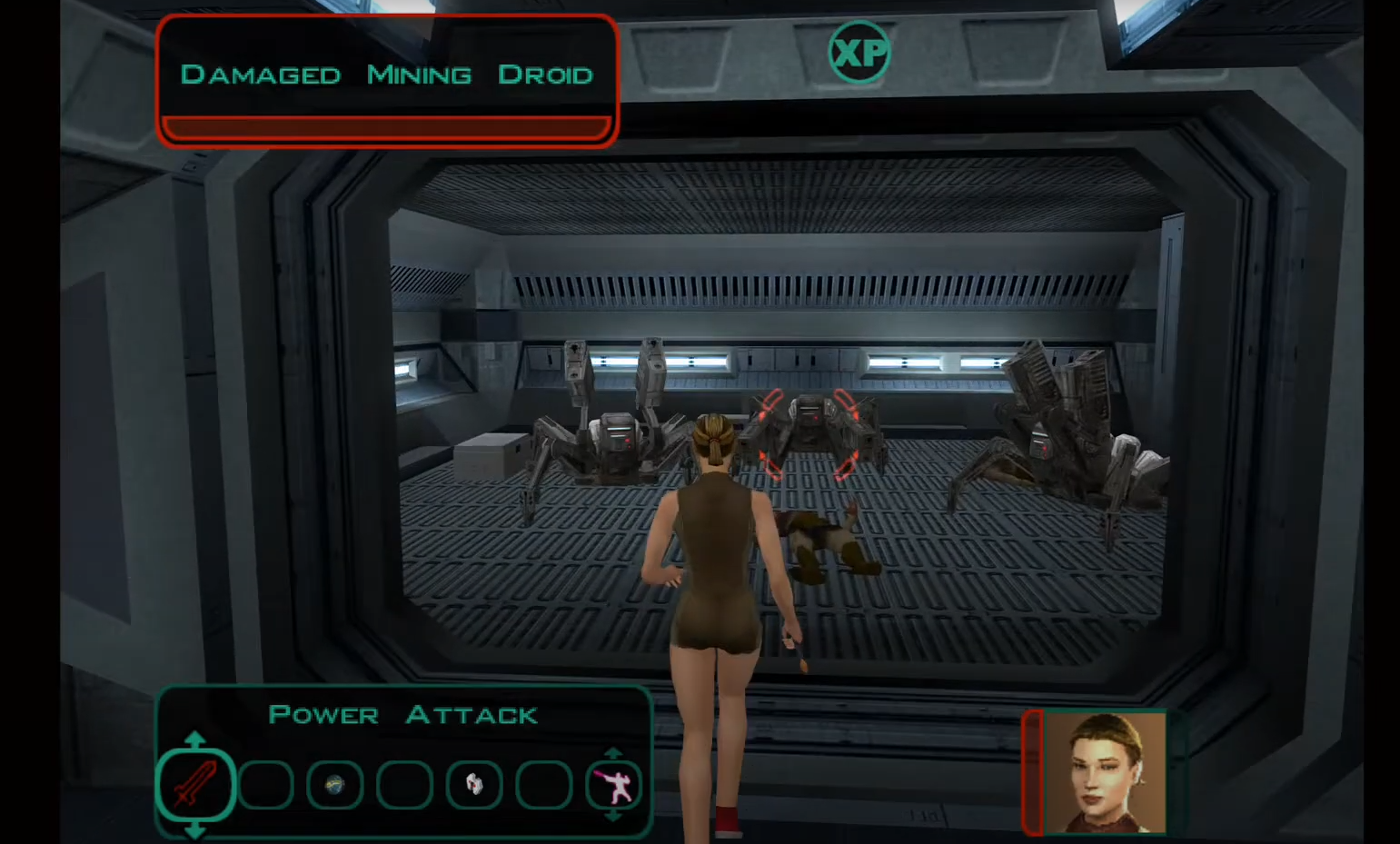
Is it possible to make a mod that chages the PC UI into the UI used by the Xbox/Switch versions? I know that K2 already has controller support, but it still doesn't really work compared to the dedicated HUD.


.thumb.png.d8b108d1620cfd7d697f7271e60714db.png)

