


Leilukin
-
Posts
491 -
Joined
-
Last visited
-
Days Won
33











Recent Profile Visitors





Leilukin's Achievements


-
 You can use the macOS build of HoloPatcher 2.0 as the installer of the mod. Just place the macOS build of HoloPatcher in the folder of the unzipped mod and run it to install the mod. In general, you should not manually install the installer-based KotOR mods, including PartySwap. Installers like TSLPatcher and HoloPatcher exist to improve compatibility between KotOR mods.
-
I have updated all my mods for both KotOR games that involve adding new dialogue nodes to the dialogue files by using NeoDLG to export TSLPatcher and HoloPatcher instructions for patching DLG files. Thanks to NeoDLG's patcher instructions, Carth Onasi and Male PC Romance no longer needs extra compatibility install options to be made compatible with KOTOR 1 Community Patch (K1CP).
-
 As a KotOR modder whose majority of mods involve editing DLG files, NeoDLG is the best DLG editor to date and it is not even a contest. Firstly, NeoDLG (and Vriff's other Neo tools) support macOS and Linux, which means users of macOS or Linux (like me) are able to enjoy the software without using a compatibility layer like WINE. NeoDLG's feature of exporting TSLPatcher/HoloPatcher instructions for dynamic DLG file patching is a real game changer for modding dialogue. In the old way of using DLGEditor to edit a DLG file then using ChangeEdit to generate the TSLPatcher output, if you add new dialogue nodes to a DLG file, the indices of those new nodes are fixed. This means a different mod that also adds new modes to the same DLG file can end up sharing the same dialogue node indices, causing the two mods to conflict. On the other hand, NeoDLG's patcher instruction export feature makes use of 2DAMEMORY so the indices of new dialogue nodes are not fixed, thus TSLPatcher and HoloPatcher 2.0 (earlier versions of HoloPatcher does not support DLG dynamic patching) can patch DLG files when adding new dialogue new modes in a dynamic matter, which improves compatibility with other mods that patch the same DLG files. Not to mention, NeoDLG exports the patcher instructions faster than ChangeEdit when generating the GFF output.
-
 While there are dialogue options to shut down Basitla and Carth's romance in their later conversations, the fact is that as long as you keep talking to them the game assumes the romance is active and thus you'll keep getting those gender-specific romantic dialogue, until you choose the dialogue options to shut down the romance. This mod is for players who have no interest in romancing Bastila or Carth at all but still want to go through their conversations, without having to jump through the hoops of spending the majority of the game trying to avoid any romance-related dialogue in conversations with Bastila or Carrh and then picking specific dialogue options later just to shut down the romance. With this mod, players who are not interested in Bastila or Carth's romance no longer need to worry about encountering any romantic dialogue with Bastila and Carth whatsoever. Every single mod I made exists for a reason, and I put a lot of thought into why and how I make a mod, so frankly, you calling my mod "unnecessary" is an insult.
-
Alternate Revan Romances REDUX has been updated to version 5.1.0. The highlight of this update is upgrading HoloPatcher to the new 2.0 version, and using NeoDLG to export dynamic dialog (DLG) file patching instructions for TSLPatcher and HoloPatcher to reduce the need of adding compatibility install options for other mods that edit the same DLG files. Shout-out to @Vriff for developing NeoDLG and updating HoloPatcher to 2.0!
-
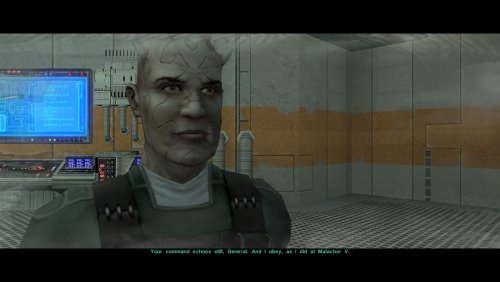 Another great mod by WildKarrde that has earned a permanent spot in my personal mod build. Bao-Dur is one of the most underrated characters in TSL, so I have always been bothered by how vanilla TSL has Bao-Dur disappear throughout the end-game without explanation for what happaned to him, and the lack of even cut content to be able to restore to fix that. I am thrilled that there is finally an endgame story mod that gives Bao-Dur the love he deserves.
-
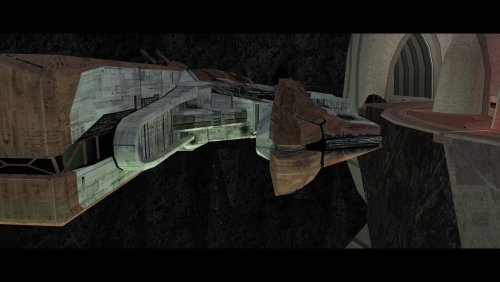 Truly an incredible mod that makes a permanent spot in my personal mod build for how much it improves the ending, and how well-made the mod is. While TSLRCM did the best it could in restoring cut content to the end-game, there is still room for improvement for the ending, and TSL Expanded Ending proves that.
-
 This mod is for the first KotOR game, so you're not supposed to install this mod in KotOR 2 anyway. Not to mention, the Steam version of KotOR 2 already supports widescreen by default, so a high resolution menu mod is unnecessary for KotOR 2.
-

MOD:Handmaiden and Female Exile - Disciple and Male Exile Romance
Leilukin replied to Leilukin's topic in Mod Releases
Yes, you can romance both Handmaiden and Atton in the same playthrough without issues. As you have noted, jealousy would not be an issue, since in the vanilla game, Atton is meant to be a romance option for female Exiles only, while Handmaiden for male Exiles only, so the dialogue and cutscenes about their jealousy only happens with Handmaiden vs. Visas and Atton vs. Dicsiple specifically. (Worth noting that I also have a No Jealousy Lock in Handmaiden Dialogue so you can still talk to Handmaiden even if she gets jealous of Visas) -
I never said you need the executable from Deadly Stream.I was just asking. I'm not on Windows any more so I'm not 100% sure if the Deadly Stream executable is needed if you play KotOR 2 on Steam. Regardless, I suggest you back up your original Steam version of the game executable before trying to apply the patches again. Try to apply the patches to your Steam executable first.
-
@M2B86 Are you plating KotOR 2 on Steam? Do you have a backup copy of your original KotOR 2 executable before replacing it with the Deadly Stream one? What version of the KotOR Patch Manager you're using? KotOR Patch Manager just released 0.7.0, so I suggest you try the latest version of KotOR Patch Manager. Uninstall the Full Party Select patch first, then run KotOR Patch Manager 0.7.0, set the patches folder to the one from 0.7.0, then apply the Full Party Select patch and try to launch KotOR 2 through KPM. Try applying the Full Party Select patch to your original KotOR 2 executable or the executable from Deadly Stream and see which one works.
-
MOD:Handmaiden and Female Exile - Disciple and Male Exile Romance
Leilukin replied to Leilukin's topic in Mod Releases
@hroodee I know you resolved your issue by installing PartySwap and the PartySwap compatible install option instead, but to repeat my reply to that post you quoted, if you want to report errors in the installation log, it would be more helpful if you upload and attach the installog.txt file. Your error report, and the post you quoted, left out information about which file the installer was trying to make changes to when it encountered the errors. If you attached the instllog.txt file, I could look through the log and had a better chance in identifying the cause of the issue. The issues you quoted wasn't resolved because the user whose post you quoted never responded after I tried to ask them to share their installog.txt file, so I could not pinpoint why they encountered those errors. It is very much possible that the errors you initially encountered were caused by you not following the correct installation order of the mods and then try to uninstall and reinstall them, instead of doing a clean reinstall of the game and the mods you want to use. -
 To change the music used by a specific module, you need to edit the module's GIT (with the .git extension) file, which you can extract with KotOR Tool or Holocron Toolset. You should be able to use any KotOR modding tool that can edit GIT files or GFF files. K-GFF GFF Editor was what I used for this mod.
- 5 comments
-
- 1
-

-
- unknown world
- mysterious box
- (and 3 more)