



SAO1138
-
Posts
89 -
Joined
-
Last visited
-
Days Won
7
8 Followers




SAO1138's Achievements





-
 Really glad to hear you liked the mod! The base install should include an original style version. It's basically just one of the female player character portraits but hair recolored. I attached it to this post if you want to download it here. I'd really love if I could get ahold of a portrait in that style but without being exactly the same as a recycled main game portrait. But I have yet to meet a talented artist interested in doing that. po_pvima.tga
 -
T3-M4 Dialogue missing after installing Sleheyron Mod
SAO1138 replied to tgritzmodder's topic in General Kotor/TSL Modding
Go figure that I thought I fixed both of those things. Thanks for letting me know, I have a patch coming out soon anyway. I'll review those problems then. -
Pretty nice! I didn't know of the mod that turned them red, but I'm glad to see they're now purple again. I mean the backstory for them is they're from the fallen Jedi of the Mandalorian Wars, right? Wouldn't make much sense if their blades were as red as a Laigrek's eye.
-
T3-M4 Dialogue missing after installing Sleheyron Mod
SAO1138 replied to tgritzmodder's topic in General Kotor/TSL Modding
Have you finished the Unknown World since you tried putting that dialogue file into Override? I just ask because I actually tried not to put that file in there because it was causing glitches with the final conversation on the beach in the endgame when placed in Override and not the .mod itself. Unless I'm confusing a different file: Bioware named two different dialogue files "unk41_carth.dlg." So that's why I was hesitant about putting one under that name into Override. I could be misremembering, though. -
T3-M4 Dialogue missing after installing Sleheyron Mod
SAO1138 replied to tgritzmodder's topic in General Kotor/TSL Modding
Hey there! First of all, thank you @N-DReW25 for summoning me to this thread. So to @tgritzmodder: I actually have a long explanation on this issue you’re having. So T3’s beeps and boops getting skipped is actually the mod currently working as intended. The reason I opted to remove his speaking role is that it was causing a LOT of softlock glitches for players. I made numerous fixes, in fact even the vanilla 1.0 version of the mod had the T3 dialogue, but over time it it seemed like things just kept glitching again, so I always had to go back and make yet more patches to fix T3. so eventually I decided that the safer bet would be just to make T3’s dialogue skip. I wasn’t happy with the solution but it was a short-term fix. but that being said, something is definitely not working with your Unknown World dialogue files. There shouldn’t be a huge cut dialogue tree. I remember well similarly just trimming T3’s line; not cutting the entire dialogue in half. The great news is that I have a friend with a prototype mod that significantly raises the party limit, so soon you won’t be required to trade away T3 for the Sleheyron companion. I’ll restore T3’s dialogue then. in the meantime, for the Unknown World, I do still have backups of the dialogue files with T3 speaking during those moments you mentioned. They should still work with Sleheyron, but I do warn that even though they work for me some people still had glitches. just let me know if you want those files! and most importantly: thank you for playing Sleheyron! -
It’s something I still need to test, so I’ll update this post at a later point when I’ve done that and worked with the modders to make sure it works perfectly with Sleheyron. If you found it and installed it now, you’d just end up still with T3 being removed from the party.
-
Hey there! Great question that I'm actually really, really excited to answer because I've been meaning to address this. So first of all: The short answer is that PartySwap simply is not possible for KOTOR 1. KOTOR 2 has a hidden system (oddly, it's unused in the base game) that allows for temporarily "storing" a companion with their gear and stats saved to be later accessed. KOTOR 1 doesn't have that. During my attempts to make a PartySwap, I ran into the issue that it would lead to T3 losing all his gear and stats every time he was taken out of your party. I've spoken with a few other modders who had this same thing happen. Currently, the best option was to move all his gear to your inventory, and then re-equip and re-level him up every time you wanted him back in the party. That was a really slow and impractical process, though.... But I do have very good news! Thanks to some incredible work by some brilliant friends of mine, ShaolinGhost and Vriff, we now have two different mods that lift the party limit of nine! Soon these mods will allow players to have both T3 and the new companion at the same time (and many more from other modders)! Thank you, I'm thrilled you enjoyed it! Made my day to read this.
-
To my knowledge, this is not a problem! I need to fix them, but right now the issues are basically a few redundant backup files that the patcher isn't finding. But the mod works fine! Sorry for it overall being a bit weird.
-
Hi there! I think I can help with both issues. For the crashing: follow the instructions to enable Compatibility Mode for the game. This is actually a problem with modern PCs that gets worse with Sleheyron, but's something I've seen happen across all of KOTOR with current PCs. Instructions are here: use of Compatibility Mode :: STAR WARS™ Knights of the Old Republic™ General Discussions Regarding the Cassus Fett armor: This one is more complicated, because basically that mod with the new armor wasn't built for compatibility. It's coded to use whatever appearance shows up at a certain line in the Appearances database, which I use for a large Gizka (and other modders use, too!). I think the best I can do is rig you up a custom compatibility patch. If you want to DM me (either here on DeadlyStream or on Discord), I can walk you through what I need to have to make the patch possible. But in really short, I'd need for you to provide me from your Override folder: your Appearance.2da file and your Cassus Fett armor file, which is titled "g_a_class9009.utc." A quick google search tells me there's also something in the game files for Cassus Fett's armor called g_a_class9011.utc... I don't know of that one, but if you have it, send me that too!
-
Hi there! Sorry, didn't mean to ignore this message. I'll edit the front page to mark Chaser's order also works. Compatibility-making is not my strong suit. Really, really glad you enjoyed the mod story though!!
-
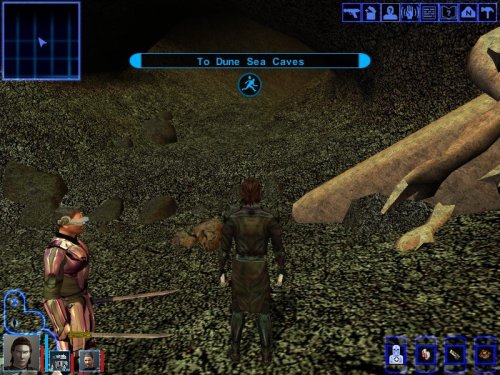 Not the mod author, but I can tell you it's because you already completed Tatooine on that save. Basically, you can't modify a module after you've already visited it in a save (with very few exceptions). But that being said: you can just use the cheat code "warp m19aa" to teleport to the start of the Tatooine temple, just past the entrance within the Krayt cave. Have fun!
 -
[WIP] TATOOINE - THE LOST TEMPLE EXPANDED
SAO1138 replied to JuniorModder's topic in Work In Progress
Ah that's a bummer, I was a big fan of your modding start here, and I was looking forward to seeing more of what you make! I appreciate you freeing the module to other modders... But I do hope you decide to come back to KOTOR modding at some point! You have a talent for it! -
Sleheyron is a "benchmark mod?" Well dang, that's flattering. Surely an easy fix is just make it so HK-47 can be used for the terminal? Or if you'd like I can send you over some scripts and audio lines for the Sleheyron companion that replaces T3, so that she can be used for the terminal as another option.
-
An excellent little mod! Does feel authentically KOTOR. Had a good time with this one. Definitely going to keep it in my future mod builds, and really looking forward to seeing what changes the mod author makes. Really great, and ambitious, for a first time modder!
-
It is lore-accurate for Rakata to use lightsabers (well, "Forcesabers").


