Search the Community
Showing results for tags 'kotor'.
Found 564 results
-
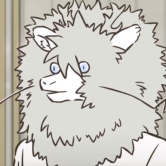 I'll try to keep this short, but is there any way to fix the wrong unique placeables with Brotherhood of Shadow? It appears the unique models are being replaced by other models, as seen below: I followed this guide, and haven't had any notable issues aside from a few cutscenes not automatically playing, but otherwise is going along smoothly. I can "deal" with this if there is no feasible solution, but I want to see if it's possible to fix this issue. Thank you!
 -
View File Movie Mandalorians: From K2 to K1 UPDATE: Shoulder-plate clipping issue with the model has been fixed! Description: I've always been a fan of Deadman's "Movie Mandalorians" mod that was released for K2/TSL and I loved the aesthetic of it, but was disappointed that no equivalent was released for K1. I have ported his models for the three main ranks of regular Mandalorian NPCs that appear in-game for K1 (Mandalorian "warriors" in blue, "captains" in yellow, and "elites" in red), and have used the alt textures for them created by Mcfly because I felt they were closer to the original textures. However I've included the actual textures from Deadman's original mod as well, for anyone who would prefer to use them. To be clear, the models and textures for specific NPCs such as Canderous and his rival Jagi, as well as additional weapons added in Deadman's original mod, are not included in this mod. For now I would recommend using other mods for those things. Installation: Just run the TSLPatcher the direct it to your game file. To install the original textures used by Deadman, install the main mod with TSLPatcher first and then just copy the files from the "Deadman's Original Textures" folder and paste them in the "Override" folder. To Uninstall: Remove the files from your Override folder and add the backup .2da file to it Compatibilities: This mod will be incompatible with any other mods that edit the textures and/or models of the armored Mandalorians but otherwise there shouldn't be any issues. Permission & Distribution: Anyone is welcome to use my models and textures, just please ask first and be sure to give me credit. Thanks to: Deadman for the models and Mcfly for the textures, which I've always preferred since I felt they were closer the the ones used in-game, and Effix, Thor110, and DarthParametric for giving me advice from time to time concerning the porting of models and assigning of textures, as well as additional modding advice from N-DReW25. Legal: THIS MODIFICATION IS NOT SUPPORTED BY BIOWARE/OBSIDIAN ENTERTAINMENT, LUCASARTS, DISNEY OR ANY LICENSERS/SPONSORS OF THE MENTIONED COMPANIES. USE OF THIS FILE IS AT YOUR OWN RISK AND THE ABOVE-MENTIONED COMPANIES OR THE AUTHOR IS NOT RESPONSIBLE FOR ANY DAMAGE CAUSED TO YOUR COMPUTER FOR THE USAGE OF THIS FILE. Submitter EAF97 Submitted 10/09/2023 Category Mods K1R Compatible Yes
-
View File Davik's Noble Vestments Description: As I've explored all the mods which adjust and improve the textures and models for various objects and people in the game, I've noticed that surprisingly little attention has been given to modifying the appearance or look of one NPC in particular: Davik Kang, the crime lord and leader of the Exchange crime syndicate on Taris. While he doesn't have much actual screen time, he is quite important to much of the Taris section of the game. Although the tastes and opinions of people will vary wildly on this, I always felt like his appearance was rather "clunky" as he always seemed to be wearing his armor. Despite the fact that this is understandable, it would seem more fitting for an important crime-lord and de-facto important "noble" of Taris to be dressed rather formal or fancy given how others of his profession and rank are typically dressed. It would not be far-fetched to assume one in his position could wear a robe or formal jacket with body armor underneath for protection while maintaining a more "polished" look on the outside. I've included a custom skin and ported model from Kotor II for Davik's outer vestments, as well as a sharper-textured tpc file for his head that is included in the K2 game files. Installation: Just run the TSLPatcher the direct it to your game file To Uninstall: Remove the files from your Override folder and add the backup .2da file to it Copyright: Anyone is welcome to use my models and textures, just please ask first and be sure to give me credit UPDATE: New version includes texture of his robe without the military medals, as requested Thanks to: Effix, N-DReW25, Thor110, and others for giving me the basics of porting models and assigning textures in the game Legal: THIS MODIFICATION IS NOT SUPPORTED BY BIOWARE/OBSIDIAN ENTERTAINMENT, LUCASARTS, DISNEY OR ANY LICENSERS/SPONSORS OF THE MENTIONED COMPANIES. USE OF THIS FILE IS AT YOUR OWN RISK AND THE ABOVE-MENTIONED COMPANIES OR THE AUTHOR IS NOT RESPONSIBLE FOR ANY DAMAGE CAUSED TO YOUR COMPUTER FOR THE USAGE OF THIS FILE. Submitter EAF97 Submitted 10/02/2023 Category Mods K1R Compatible Yes
-
View File KotorDiff A simple CLI to easily compare KOTOR file formats. This is a very simple CLI to PyKotor. If you find TSLPatcher isn't patching the resulting files in the way you want, you can use this tool to compare your manual changes to the resulting TSLPatcher result. You can also use it to compare entire installations, directories, or single files. Why KotorDiff? It is (or should be) common knowledge that Kotor Tool is not safe to use for anything besides extraction. But have you ever wondered why that is? Let's take a look at a .utc file extracted directly from the BIFs (the OG vanilla p_bastilla.utc). Extract it with KTool and name it p_bastilla_ktool.utc. Now open the same file in ktool's UTC character editor, change a single field (literally anything, hp, strength, whatever you fancy), and save it as p_bastilla_ktool_edited.utc. KotorDiff's output: Using --path1='C:\Users\nodoxxxpls\Downloads\p_bastilla_ktool_edited.utc' Using --path2='C:\Users\nodoxxxpls\Downloads\p_bastilla_ktool.utc' Using --ignore-rims=False Using --ignore-tlk=False Using --ignore-lips=False Using --compare-hashes=True Using --use-profiler=False GFFStruct: number of fields have changed at 'p_bastilla_ktool_edited.utc': '72' --> '69' Field 'Int16' is different at 'p_bastilla_ktool_edited.utc\HitPoints': --- (old)HitPoints +++ (new)HitPoints @@ -1 +1 @@ -18 +24 Field 'LocalizedString' is different at 'p_bastilla_ktool_edited.utc\FirstName': --- (old)FirstName +++ (new)FirstName @@ -1 +1 @@ -Bastila +31360 Field 'Int16' is different at 'p_bastilla_ktool_edited.utc\CurrentHitPoints': --- (old)CurrentHitPoints +++ (new)CurrentHitPoints @@ -1 +1 @@ -20 +24 Field 'UInt16' is different at 'p_bastilla_ktool_edited.utc\FeatList\0\Feat': --- (old)Feat +++ (new)Feat @@ -1 +1 @@ -3 +94 Field 'UInt16' is different at 'p_bastilla_ktool_edited.utc\FeatList\2\Feat': --- (old)Feat +++ (new)Feat @@ -1 +1 @@ -39 +98 Field 'UInt16' is different at 'p_bastilla_ktool_edited.utc\FeatList\3\Feat': --- (old)Feat +++ (new)Feat @@ -1 +1 @@ -43 +55 Field 'UInt16' is different at 'p_bastilla_ktool_edited.utc\FeatList\4\Feat': --- (old)Feat +++ (new)Feat @@ -1 +1 @@ -44 +107 Field 'UInt16' is different at 'p_bastilla_ktool_edited.utc\FeatList\5\Feat': --- (old)Feat +++ (new)Feat @@ -1 +1 @@ -55 +3 Field 'UInt16' is different at 'p_bastilla_ktool_edited.utc\FeatList\6\Feat': --- (old)Feat +++ (new)Feat @@ -1 +1 @@ -94 +39 Field 'UInt16' is different at 'p_bastilla_ktool_edited.utc\FeatList\7\Feat': --- (old)Feat +++ (new)Feat @@ -1 +1 @@ -98 +43 Field 'UInt16' is different at 'p_bastilla_ktool_edited.utc\FeatList\8\Feat': --- (old)Feat +++ (new)Feat @@ -1 +1 @@ -107 +44 Field 'LocalizedString' is different at 'p_bastilla_ktool_edited.utc\Description': --- (old)Description +++ (new)Description @@ -0,0 +1 @@ +-1 Field 'String' is different at 'p_bastilla_ktool_edited.utc\Subrace': --- (old)Subrace +++ (new)Subrace @@ -1 +0,0 @@ -0 ^ 'p_bastilla_ktool_edited.utc': GFF is different ^ --------------------------------------------------- 'p_bastilla_ktool_edited.utc' DOES NOT MATCH 'p_bastilla_ktool.utc' Sheesh! I bet you can't even guess which field I modified! Again I changed a singular field! What is all this nonsense that KTool did to my character sheet? Moral: Don't use KTool to modify files. It seems to have the incorrect field types defined internally and doesn't respect the original file when saving a new one. But KotorDiff saved the day here and outputted exactly what happened on save. How to use: Simply run the executable. It'll ask you for 3 paths: PATH1 Path to the first K1/TSL install, file, or directory to diff. PATH2 Path to the second K1/TSL install, file, or directory to diff. OUTPUT_LOG File name/path of the desired output logfile (defaults to log_install_differ.log in the current directory) If you point PATH1 and PATH2 to two KOTOR installs, it will ONLY compare the Override folder, the Modules folder, the Lips folder, the rims folder (if exists), the StreamWaves/StreamVoices folder, and the dialog.tlk file. This was a design choice to improve how long the differ takes to finish. This includes any subfolders within the aforementioned folder names. Supported filetypes/formats: TalkTable files (TLK) Any GFF file (DLG, UTC, GUI, UTP, UTD, GIT, IFO, etc) Any capsule (ERF, MOD, RIM, SAV, etc) Not supported: NCS, NSS, ITP Any file format that's not supported will have its SHA256 hash compared instead. CLI Support: This is a very flexible tool. You can send it command line arguments if you would like to use it in a 3rd party tool. Run `kotordiff.exe --help` to get a full syntax. If there's an error, the exit code will be 3 (if err is known by my code) or 1 (some sys error loading the tool). If the two paths match, the exit code will be 0. If the two paths don't match, exit code will be 2. You can utilize these error codes to utilize KotorDiff in a customized 3rd party script, or add-on to WinMerge/WinDirStat, possibilities are endless. FAQ: I am struggling to read the diff output, why is it saying +/-/@38924 and what does it mean? A: GIT Diff is a standardized output format that has been widely adopted and used since probably the 80s/90s. https://stackoverflow.com/a/2530012/4414190 is by far the best explanation i've seen, but honestly ask ChatGPT to explain it further if needed, or send me a pm if something doesn't make sense! Couldn't I just open my two files with Holocron Toolset/ERFEdit/K-GFF etc? You could, but for me it became tedious to manually compare them side by side, expanding every node etc. Leave alone completely multiple files. This tool allows you to simply input two paths and have the full differences outputted and logged. A main benefit is it'll show you the exact GFF paths that differ. Output such as `Missing struct: "EntryList\5\RepliesList\3" {contents of the struct}` has been very useful. Why is my antivirus is flagging this? This is a false-positive and there's nothing I can do. Python source scripts are compiled to executables using PyInstaller, but unfortunately some antivirus's have been known to flag anything compiled with PyInstaller this way. The problem is similar to why your browser may warn you about downloading any files with the .EXE extension. This whole tool is open source, feel free to run directly from the source script: https://github.com/NickHugi/PyKotor/blob/master/Tools/KotorDiff/src/kotordiff/__main__.py There's a well-written article explaining why the false positives happen on their issue template: https://github.com/pyinstaller/pyinstaller/blob/develop/.github/ISSUE_TEMPLATE/antivirus.md TLDR: PyInstaller is an amazing tool, but antiviruses may flag it. This is not the fault of PyInstaller or my tool, but rather the fault of how some scummy users have chosen to use PyInstaller in the past. Please report any false positives you encounter to your antivirus's website, as reports not only improve the accuracy of everybody's AV experience overall, but also indirectly supports the PyInstaller project. Source code: https://github.com/NickHugi/PyKotor/blob/master/Tools/KotorDiff/ Credit: @Cortisol for creating the PyKotor library (i.e., 90% of the code for this tool) Submitter th3w1zard1 Submitted 09/30/2023 Category Modder's Resources
-
Current Version (Beta) 1.07 Last Updated - January 22, 2015 Introduction This project implements tweaks the tone-mapping, adds effects such as SSAO, Depth of Field, Godrays, Bloom, sharpness, etc via Reshade by Crosire. Version History v1.07 - Added Reshade 0.13.1 & MasterEffect ReBorn 1.0.340 - Removed SSAO, added Gaussian Anamflare. Re-organized Effects in alphabetical order, sorted by FPS Hit / Performance v1.04 - Reduced darkening from SSAO, minor changes. v1.03 - Initial Release Requirements Your GPU must support OpenGL 4.3. Also ensure you have the latest drivers: Latest Nvidia Driver // GTX 400 series or higher // Drivers older than 347.09 will NOT work due to opengl bug - (May be resolved as of Jan 22, 2015, if you wish to use older driver) Latest AMD Driver // Radeon HD 5xxx or higher Installation Step 1 Download v1.07, extract the contents to the same folder as swkotor2.exe Step 2 Run the game > If everything worked, you should first get a prompt for reshade (Message Box) > Then in-game you will see text in the top left, also as you make edits in real-time > Press Scroll Lock key to disable/enable effects in-game Editing Effects In-Game Edit ReShade.fx to edit my presets in Notepad or Notepad++ > You can adjust effects in real time. I recommend running the game in Windowed Mode to save time. To run TSL in windowed mode, make sure your swkotor2.ini has the following codes added: [Display Options] FullScreen=0 [Graphics Options] AllowWindowedMode=1 FullScreen=0 > When in game, press ALT-Enter to activate Windowed Mode. Credit: Crosire - Official Website for Reshade Marty Mcfly - Facebook Effects used in v1.07 > Curves / DPX / Levels / Liftgammagain / Sharpening / Vibrance / Gauusiananamflare > Main focus was to improve the dull tones, bring out a bit of sharpness, improve black/white levels, and adding the flare as opposed to bloom. Old Screenshots: Image1 / Image2 / Image3 / Image4 / Image5 / Image6 / Image7 / Image8 / Image9 Image10 / Image11 / Image12 FAQ It's too dark / bright in game? > Adjust your brightness in-game to taste, I am using this monitor. Can I use FRAPS, MSI On-Screen-Display / Afterburner? > Fraps works and will record video/screenshots with effects enabled, wasn't successful using MSI On-Screen-Display / Afterburner. How much of a performance hit? > Open the Reshade.fx - I have sorted the effects under categories with the supposed FPS Hit, I am using a GTX 970 so your results may vary. How to apply antialiasing like in your screenshots? > Use this guide if Nvidia GPU How to enable/disable effects / toggle key? > Hit "Scroll Lock" key, right above your Home key. Can I take screenshots? > Either user FRAPS, or hit the "Prt Scr" key when in-game. This will save a screenshot in your kotor directory (same as executable). It will generate a normal screenshot (vanilla, no effects), as well as with effects. This way you can make easy comparisons. What can we look forward to in the future? > Hopefully a good integration of Depth of Field. All that i tested, I still had hud, menu, chat being blurred, so it wasn't worth it for gameplay purposes. As Crosire's Reshade comes out of beta and is more stable, an official release here, with 2-3 different presets. Hopefully more shaders like SMAA implemented too. This way we will have other options for antialiasing with same or less overhead. I'm still trying to find the best balance of black/white levels, and tone-mapping, please share your screenshots here so we can compare
-
View File Better Wookiee Warblade Don't you hate it when you get a cool looking item at the endgame but it has early game stats. Because i do. So i made the Wookiee Warblade a bit more useful. (If you already been to the Black Rakatan Settlement or you have the item in your inventory you need to use KotOR Savegame Editor to remove the original item then add the moded one to your inventory.) Submitter GearHead Submitted 06/30/2023 Category Mods K1R Compatible Yes
-
View File High Quality Blasters 1.1 Fix - KotOR1 version After installing the High Quality Blasters 1.1 mod by Sithspecter i run into some problems: 1. The Mandalorian Ripper shoots laser bolts from the ground. 2. The Baragwin Distruptor-X Weapon is invisible. This mod aims to fix these problems. You still need to install the original mod and then this one. (If you have the Mandalorian Ripper or the Baragwin Distruptor-X Weapon in your inventory already, then you need to remove them and then add them back with the KotOR Savegame Editor.) Submitter GearHead Submitted 06/28/2023 Category Mods K1R Compatible Yes
-

Version 1.0.0
447 downloads
Coauthored with oldflash. Now available for KotOR I, a mere thirteen years after the original TSL release, thanks to the magic of MDLEdit. This mod adds a whole set of new short lightsabres - one for each lightsabre colour available in the game, and their crystals to the game. They can be found by the workbench in the Enclave on Dantooine, but only after you leave the Enclave for the first time after becoming a Jedi. The box is spawned when you speak to the droid at the exit from the Enclave and it says “The Council has decreed you may come and go as you please” for the first time. For the mod to work, you need to have not been to Dantooine yet, or at least, not undergone Jedi training. Installation Just double-click on the "Install "Fork" Short Lightsabres" icon to begin the installation. Do not attempt manual installation - it will not work. Don't worry about fiddling with the Source Scripts or Screenshots folders - they are not required for the mod to run. Known Conflicts As far as I know, this mod shouldn't conflict with many that are out there, but will conflict with any mod which alters the file dan13_jdroid.dlg. So far as I am aware, the only mod to alter that file was a robe mod which is no longer available, so this issue shouldn’t arise. Known Bugs None that I know of at present. Again, please let me know if you find any.- 1 comment
- 1 review
-
- 1
-

-
- lightsaber hilt
- lightsaber hilts
- (and 5 more)
-
View File KotOR1 - Improved AI Improves the AI of KotOR 1. Changes: - Companions and most other NPCs use blaster feats - Enemy forceusers now use Force Breach and Lightsaber Throw (previously the AI ignored these force powers completely) - Enemy forceusers now use force buffs more often (Force Speed, Force Armor ect...) - NPCs with the Force Jump feat actually do force jumps if they are further than 10m from the target - Enemys reactivate shields after 200s - Some minor bug fixes - Jedi Support AI reworked - NPCs use Master Rapid Shot or Master Flurry if available instead of the default attack - NPCs use the highest level of feats and force powers available to them - The AI now uses feats granted by items - Once the player reaches a high enough level, the Jedi Support AI no longer uses low level force buffs, because they became obsolete - Companions now heal every team member properly not just the one controlled by the player (injury check fix) - Companions now use all types of force buffs (Jedi Support AI: uses buffs that apply to the whole team, Other AI styles: use powers that only buff the caster) - Version 1.2.7 and higher supports plugins - Grenade target selection fix List of supported plugins: - Repeating blaster attacks restoration 2.0 by R2-X2 - all of darthbdaman's mods Submitter GearHead Submitted 06/27/2023 Category Mods K1R Compatible Yes
-
View File Czerka on Korriban Czerka employees on Korriban now wear Czerka uniforms instead of Sith ones. Submitter GearHead Submitted 06/27/2023 Category Mods K1R Compatible Yes
-
View File Choose Your Lightsaber Type This mod allows you to choose between a single and a double-bladed lightsaber when you make your own lightsaber on Dantooine. Submitter GearHead Submitted 06/27/2023 Category Mods K1R Compatible Yes
-
View File Star Forge spawns HKs The Star Forge spawns HKs instead of the red spider droids. Submitter GearHead Submitted 06/27/2023 Category Mods K1R Compatible Yes
-
View File No more unnecessarily naked Twi'lek girls No more unnecessarily naked Twi'lek girls. They are still naked in the cantinas though. Submitter GearHead Submitted 06/27/2023 Category Mods K1R Compatible Yes
-
View File Repair HK-47 with common parts A simple mod that allows you to repair HK-47 without investing skill points into repairs. Each repair will cost you 10 Parts. Submitter GearHead Submitted 06/26/2023 Category Mods K1R Compatible Yes
-
Greetings. Russian Kotor fan here who would like some help with mod installment since I have been running into a few issues recently : 1) small sized map when using widescreen fix and UI fix for white screen. 2) Bolook's "Murdered Setler" quest on Dantooine gets stuck on the first round no matter what I would do and how many reloads I would make beforehand. My mod combination is starting with kotor editable executable. https://www.nexusmods.com/kotor/mods/1281 For UI https://www.nexusmods.com/kotor/mods/1443 https://www.nexusmods.com/kotor/mods/1446 https://www.nexusmods.com/kotor/mods/1548 For videos https://www.nexusmods.com/kotor/mods/1145 Along with a few Dark Hope mods on HD textures for chars, Logical Datapads mod, Marius Fett Sith armors and aditional armor packs, effects, heads and other stuff installed after it, plus a weapon pack combo I found working quite well together. And also K1 Legends combo of mods As of now, I figures that first I should keep the armor related mods being downloaded last in this case (since for some reason installing armors first would result in some npcs dissapearing) and using any droid skins after K1 Legends Januce Nall mod as well, in order to avoid her dissapearing. Everything else works fine, but the map and Bolook quest are the only issue not progressing further. Could anyone help with that? My current weapon pack is: https://www.nexusmods.com/kotor/mods/1096 https://www.nexusmods.com/kotor/mods/1228 https://www.nexusmods.com/kotor/mods/8 https://www.nexusmods.com/kotor/mods/104 https://www.nexusmods.com/kotor/mods/1218 https://www.nexusmods.com/kotor/mods /1209 Along with https://deadlystream.com/topic/9461-modksr-2022/
-
Hi I am new here I have a request or suggestion for a Recruitment Mod for Star Wars Knights of the Old Republic which is the Revan one, I have a new character I suggested His name will be Corporal First Class Dak Benkins a Republic Soldier from the Endar Spire Why Dak Benkins Because wouldnt' it be nice if a recruitment mod could be made of one sole surviving Republic Soldier from the Endar Spire well I have the idea to it. https://swfanon.wiki...iki/Dak_Benkins for more details of his history, Born on the planet of Corellia to House Benkins, he studied at the School of Starship Engineering and was good friends with Aidus Denlin (whom was a Republic Soldier and Corporal First Class aboard the Endar Spire whom also was killed), and also a Rodian named Arod "Arrow" Renning, and a Chadra-Fan male named Vyrr Wezz, he graduated in 3958 BBY and both Benkins and Denlin went to serve in the Republic in 2nd Battalion Alpha, (so only one character as follows can be created) Dak however survived (not as my fandom goes but if it's addapted then yeah), He survived the longest and after when Trask Ulgo was killed we meet up with Dak Benkins in the corridors and he joins your party possibly in Juhani's party list spot, He does have more to his history that is, and he has the regular Republic Soldier face and also he would be the same guy from KOTOR II The Sith Lords at Telos IV at Citadel Station with a unknown Onderon Royalist Guard if you remember that, But just a fair reminder we want him to be voiced by someone maybe either me or somebody else, And yes will have it that he would follow us to the very end and be seen at the end after Revan rewarded Cross of Glory that is, So what do you think of my recruitable mod idea Character Republic Solider Corporal First Class Dak Benkins mod. He wears the Republic Armor like all the other troops in the game. He has the rank of Corporal First Class He would have a history of his childhood life origins when he lived on Corellia, with friends like Aidus Denlin, Arod "Arrow" Renning, and Vyrr Wezz, His girlfriend will be seen on Manaan Sith Lieutenant Ellabelle Blenlin, which will be an odd thing for a Republic and Sith trooper both sides both being in a romantic relationship while on Manaan, Two pics seen here Junior Lieutenant Ellabelle Blenlin is to be the only Sith Officer with freckles and also ponytail hair unlike the remaining female Sith Officers in the game, she will be Dak Benkins' girlfriend she is on good terms with the Republic and is undercover with the Sith, Junior Lieutenant Gareth Carplin is also friends with Ellabelle and only best friend second only to Dak he is on good terms with the Republic undercover, keeping a low profile, Both Ellabelle and Gareth are not to be recruitables at all but just allies of Dak Benkins of both different sides Republic and Sith, (Note) Even though I had also wrote characters Captain Hugo Gurragann and Private J'aahn Lancoln they might have to be absent because not every character is recruitable in the first KOTOR game, That's the biggest issue yet about recruitable characters if introduced then they might have to remain as throw-away characters if they survived Endar Spire and also remain at the hideout on Taris and also means remain aboard the Ebon Hawk the rest of the way not as playables, Also they're will be a few sidequests on Manaan only for his arc stories like many of Revan's party members, his arc stories include at the Sith Cantina where Duan and Viglo are, we meet Sith Officer's Junior Lieutenant Ellabelle Blenlin and Gareth Carplin whom exchange they're true colours that they're on good terms with the Republic and dont' like the Sith they're are undercover like a fulcrum agent but they're isn't a word in KOTOR called it they're just undercover for Roland Wann as double agents giving vital information to him, Dak learns that not all Sith are bad and can't all be bad at least a few, Dak and Ellabelle would go out on date and also take her to the Vistor's Hotel in Ahto City from their they talk and later before he leaves she gives him a communicator to keep in allied contact with her and also promises to take her out on a second date again sometime when the war has ended, Dak's second quest is he meets his old friends from Corellia, both the Rodian Arod "Arrow" Renning and the Chadra-Fan Vyrr Wezz, where "Arrow" is just the Captain of the New Controller, the Ebon Hawk's sister ship of the Dynamic-Class Freighter fleet, and Vyrr is the Co-Pilot of the New Controller, we only have four crewmembers with them, Navigator Nikto Salsose Vec, Gunner Mandalorian Neo-Crusader War Veteran Rokis Zuhl from Clan Zuhl an old comrade in arms with Canderous Ordo during the Mandalorian Wars, Gunner/Ships Cook Trandoshan Tshossork Augri, and Ships Medical Officer Human Female Lea Stryder are only to appear from New Controller the others are just mentioned only and Kel Dor Tol Ban, Cerean Ny-Mudurr-No Mosil, Ugnaught Montru, will not be introduces as nor Kel Dor, Cerean, Ugnaught are in KOTOR engine sadly unless created by one of the modders be a total nightmare, the humans ex-Jedi Knight Beltok Koren, and crewmembers female Yasmyn Starr, and Male Silus Riou, and Rodian Female Hii Zsa, and Twi'lek male Fawzijoz are just mentioned only, since KOTOR only has the avaliable species the Rodian, Chadra-Fan, Nikto, Trandoshan, avaliable for New Controller's crew roster, in this mission they have to kill a courrpt Duros Bounty Hunter at the Visitors Hotel named Room Moks, he and several of his thugs have stolen goods from shops in Manaan which the crew plans to buy, also Moks' wants revenge for his college's death Davik Kang on Taris, Dak, Revan you control as, and only one party member your choice of pick assists you to help "Arrow"s crew stop Moks on Manaan, they face him down and literally kill Moks at the Visitor's Hotel, after that "Arrow"s crew take the goods and "Arrow" says fairwell to Dak before going and promises him to join them again on another mission when the war ends, That is a bigger problem in the making, So we might have to just have the standalone Dak Benkins for all the rest of the Game, Also we will need a voice actor for Dak Benkins, maybe me but since I cannot post gmail account here rather it's best that I'd be messaged privately to do it and I'd need the script written of Dak Benkins's dialogue needs to be well written, and if our party member like Carth, or Bastila, or Mission, or Zaalbar, or T3-M4, or Canderous Ordo, or Juhani, or HK-47 or Jolee Bindo replies at Dak just to remember you will have to try sentice audio mix and either join words together like I seen them do it in some funny YTP videos on Youtube or of course elsewhere it can be done like some of the KOTOR machinima creators did short dailogue too, the idea will involve if we can find a way to pernounce Dak Benkins, we ought to find how to get it spelled and pernouce D.A.K for Dak and then will find a way to pernouce B.E.N.K.I.N.S for Benkins if we can combine words together thus in KOTOR it's not hard and believe me that I actually joined Bao-Dur's words together and spelled this is how I did Bao-Dur's lines to spell Caleb Deming, How to spell Deming on sentence mixing. First choose word of Dantooine or Data take Da of ta use Da for 'D' Temperate or Letting take em from Temperate use for Dem and take ing or you can use readings take the other meaning of ing then we spell and you have the word 'Deming' Another hint how to spell Caleb which I did for Bao-Dur We take the word 'Cant' shorten to Ca take Ca of nt, Let we take le we shorten of t use le Obsolete we shorten off Ob remove solete use Ob then we spell teh word and you have 'Caleb' So we spell 'Caleb Deming' That's isn't hard when you can sentence mix on movie makers for audio attempts. so they're you have it. So also try to attempt to maybe look into sentence mixing Dak Benkins for me or us fans with either Carth, Bastila, Mission, Canderous, HK-47, Juhani, and possibly that of course Jolee, or some characters will sentence mix to make good dailouge so why not give that a try it's not hard once you sentence mix for a mod. or for a machinima. Also I hope you might like my suggestion I have in mind, also since I am new for the time being I might post out four mod request ideas in the topic that could be suggested upon for future mod ideas for anyone who is willing to do them, this is my penulitmate idea for KOTOR mod creators as it's number one on the mod request list, I will leave out four ideas on the list if anyone likes the ideas
- 4 replies
-
- 1
-
-
- recruitable character
- recruitable mod request
- (and 13 more)
-

Recruitable Corporal 1st Class Dak Benkins
ColbyJames43 replied to ColbyJames43's topic in Mod Requests
Recruitable Corporal 1st Class Dak Benkins - Soldier of the Endar Spire (A Request Recruitable Mod for KOTOR I). Since I have not talked about Dak Benkins for years above end I have been talking about the potential of introducing Dak Benkins to KOTOR I, he would have a Revan Head like this guy with fair skin and dark hair but the pc head could get his eyes browned or you can keep it blue upto you, Corporal 1st Class Dak Benkins is a Republic Soldier a Corellian from Coronet City who would join you as the player of Revan PC on the run to Carth Onasi like the idea of Revan's Choice - Endar Spire Mod you are joined by Regin so like how Regin joins you the idea would be Corporal 1st Class Dak Benkins joins up with you in the corridor he is the sole survivor of 2nd Battalion Alpha after he tried to save his comrade friend from his childhood Corporal 1st Class Aidus Denlin, He joins in the Playable Recruitment Mod in the role of Juhani's place replacing Juhani, The character would travel with you to Carth Onasi at the escape pod and alongside Revan accompanies you on Taris and with the choice of Mission Vao, Zaalbar, or the choice of Bastila or T3-M4 and can join for Davik Kang's estate alongside Canderous Ordo, Side Quests they are 2 for the story on Manaan he, Revan and whatever party member is with you will assist Benkins alongside his Smuggler Friends who he knew from his childhood from Corellia, Arod 'Arrow' Renning the Male Rodian and Captain of the Ebon Hawk's sister ship New Controller and the Chandra-Fan Male First Mate Vyrr Wezz, with him are few crew members of New Controller they are the Male Nikto Navigator named Salsose Vec, the Muscles Gunner the Human Male Mandalorian Neo-Crusader War Veteran Rokis Zuhl from Clan Zuhl a old comrade in arms and friend of Canderous Ordo during the Mandalorian Wars, the Ships Cook and Gunner Male Trandoshan named Tshossork Augri, and the Human Female Ships Medical Officer named Lea Stryder, Dak's Mission would be to kill a corrupt GenoHaradan Bounty Hunter at the Visitors Hotel named Room Moks he and several thugs have stolen goods from shops on Manaan and kept some hostages preventing New Controller's crew from buying supplies, Moks' wants revenge for the death of his college Davik Kang from the Exchange on Taris, Revan who you control Dak has to also stick for the mission and one party member you got the choice of Bastila, Carth, Mission, Zaalbar, Jolee, Canderous, T3-M4 or HK-47 to assist 'Arrow's crew to stop Moks on Manaan they face him down and literally kill Moks at the Visitor's Hotel, A music for the mission of the objective is from a Lucio Fulci Horror Film City of the Living Dead with the them playing halfway Lucio Fulci City Of The Living Dead(1980)Theme - YouTube but at the scene of 0:40 verse going like it's chilled action, to 1:51 verse only. After eliminating Room Moks the Male Duros Bounty Hunter and his thugs the Visitor's Hotel is Liberated and 'Arrow's Crew takes the goods and 'Arrow' bids Dak farewell and the gang and he hopes to see him again after the war ends, 2nd Side Quest on Manaan for Dak is when he goes to sees a Junior Sith Officer named Ellabelle Blenlin a Junior Lieutenant from the Sith Empire at the Sith Cantina where Duan and Viglo are, Dak meets Blenlin and her friend Junior Lieutenant Gareth Carplin whom they exchange their true colors and they're on good terms with the republic add don't like the Sith' that well since they're like a fulcrum agent or Sith Splinter Cell who give Roland Wann vital information, Romance between Ellabelle and Dak occurs and he takes her on a date and after wards she promises a second date for him again when the war has ended since Dak has to do his own stuff, Leviathan Capture well apparently that will just be like Juhani going invisiable so that part can remain how she slipped undetected, (or have a scene where he is in the cell but convinces a Sith Guard to give up and defect fight the right cource since he is following the SIth Properganda the wrong side) Since Dak is not among the three prisoners with Revan, Carth and Bastila well Dak is a lucky man and a great guy who can slip past anything, he would rescue the others and he join Canderous and the rest to the Ebon Hawk, They're isn't much we can mention for Rakata Prime but he wishes Revan luck before the big battle that's about it, and he will appear at the Cross of Glory Ceremony as well with Admiral Forn Dodonna. So the Mod Should be a good creation and if your looking for a voice actor I can voice Dak Benkins for you since I am always avaliable remember to contact my details through Discord or Gmail to do it if I want to send Audio Files through as I like to voice the character in KOTOR Mod Iteself, Also The Mod will be a free for all uses whoever not likes to use Juhani it's entirely upto them and weather your into soldiers of the republic or jedi of the republic but those who don't wish to use jedi and smugglers or whatever whoever is a military fan your welcome to create Recruitable Corporal Dak Benkins for use since I have always liked the idea of a unknown Republic Soldier suriviving Endar Spire. Dak Benkins is equipped with a Baragwin Assault Rifle and two blaster pistols and a long sword. Regular Soldier Clothing for Revan and Republic Armor included or smugglers clothing maybe a Atton Rand outfit or upto you. Currently Dak Benkins is going to be a character for a Turkish KOTOR Machinima creator in the future who plans to do KOTOR I in future years as I am the users Writer for the story itself a long on going story. Thank you all and yes this is an update for Dak Benkins and possible future activition feel free to create the character when the time comes. Regards The Owner Colby James. -
File Name: [KotOR] NPC Overhaul Mod File Submitter: Kainzorus Prime File Submitted: 03 Apr 2014 File Category: Mods Author: Kainzorus Prime Mod Name: KotOR NPC Overhaul Mod ************************* Under NO circumstances is this, or any of my other, mod(s) to be posted on ANY site other than by myself. ************************* 1. Info =========== This mod attempts to rectify the clone effect as much as possible by differentiating the characters where applicable, reassigning the sound sets and giving the characters different equipment to fit better with the story. 2. Installation: ========= Run the patcher and let it do its magic. If you also use the Sunry Murder Recording Enhancement mod, copy the .mod file from the compatibility folder and overwrite the one in the game's "modules" folder. 3. Compatibility: ========= The patcher ensures compatibility with most other mods, except those which also use .mod files that alter the same areas as this mod. A compatibility patch for Sunry Murder Recording Enhancement mod is included. 3. Credits: =========== Special thanks to: Holowan Laboratories - For all the great resources. 4. DISCLAIMER: =============== This Mod is not supported by LucasArts, Bioware or Obsidian. Please do not contact them for support of this mod. Copyright: Star Wars: Knights of the Old Republic, characters, items, etc. are trademarks and copyrights owned by their respective trademark and copyright holders. Star Wars: Knights of the Old Republic: The Sith Lords, characters, items, etc. are trademarks and copyrights owned by their respective trademark and copyright holders. Bioware and the Odyssey Engine are trademarks of Bioware Corp. Obsidian are trademarks of Obsidian Entertainment. All trademarks and copyrights contained in this document are owned by their respective trademark and copyright holders. Click here to download this file
-
View File K1 Melee Texture Enhancement **While most of the screenshots are in K2, all of the stuff shown is what is in the download, and the screenshots are just used for the sake of me not having to retake all the screenshot.** *NOTHING QUALITY WISE IS CHANGED IN THE TEXTURE FILES* Description: The swords, axes, and stun batons in Vanilla K1 aren't the most prettiest things you could look at in the game. I have decided to make a texture enhancement for the swords since Snigaroo put a request for a skin to do something like this on the mod build request thread for TSL and K1. I also wanted to make this eventually, so why not do it now? The vanilla K1 swords have been upscaled to 2048 x 2048 from 64 x 64. I then used KotorBlender and GIMP to make the swords look better. Likewise for the axes and the stun batons. These are texture re-used from the TSL Melee Texture Enhancement I uploaded, but just the files K1 has. Person-who-wouldn't-wish-to-be-credited also provided an alternate stun baton texture for the 004 stun baton in a discussion with him, and button textures I used on the stun batons and swords. The alternate stun baton texture has a wood and leather appearance. I haven't changed the animated "zappy" texture on the stun batons, nor have I changed the third stun baton texture (re-used 2nd Stun Baton texture for this K1 version) , since none of the stun batons in the game use it. Screenshots are provided in the "Screeshots" folder. Installation: 1. Extract the .zip 2. Copy all of the .tpc files from "override" 3. Paste them into the override folder in the K1 directory 4. *Optionally* Copy w_Stunbaton_004.tpc from Alternate 4th Stun Baton folder and copy that into the override folder in your K1 directory, overwrite when prompted. Credits: Person-who-wouldn't-wish-to-be-credited for the button and Alternate 4th Stun Baton Texture GIMP Kotor Tool KotorBlender Use of Mod: Do not upload to any other file hosting sites without my permission (like NexusMods, GameBanana, etc.) You can re-use one of these textures in your own mod, as long as you have my permission. This mod should be compatible with any mods as long as they don't change or edit the melee textures used in this mod. This does not change or edit any new melee textures used in other mods, it is simply a vanilla add-on, and does not require anything but the download to use. 🙂 Submitter Lewok2007 Submitted 06/04/2023 Category Skins K1R Compatible Yes
-

Version 1.01
17,417 downloads
Author: Kainzorus Prime Mod Name: KotOR NPC Overhaul Mod ************************* Under NO circumstances is this, or any of my other, mod(s) to be posted on ANY site other than by myself. ************************* 1. Info =========== This mod attempts to rectify the clone effect as much as possible by differentiating the characters where applicable, reassigning the sound sets and giving the characters different equipment to fit better with the story. 2. Installation: ========= Run the patcher and let it do its magic. If you also use the Sunry Murder Recording Enhancement mod, copy the .mod file from the compatibility folder and overwrite the one in the game's "modules" folder. 3. Compatibility: ========= The patcher ensures compatibility with most other mods, except those which also use .mod files that alter the same areas as this mod. A compatibility patch for Sunry Murder Recording Enhancement mod is included. 3. Credits: =========== Special thanks to: Holowan Laboratories - For all the great resources. 4. DISCLAIMER: =============== This Mod is not supported by LucasArts, Bioware or Obsidian. Please do not contact them for support of this mod. Copyright: Star Wars: Knights of the Old Republic, characters, items, etc. are trademarks and copyrights owned by their respective trademark and copyright holders. Star Wars: Knights of the Old Republic: The Sith Lords, characters, items, etc. are trademarks and copyrights owned by their respective trademark and copyright holders. Bioware and the Odyssey Engine are trademarks of Bioware Corp. Obsidian are trademarks of Obsidian Entertainment. All trademarks and copyrights contained in this document are owned by their respective trademark and copyright holders. -
Sarna was a Sith officer on Taris when Darth Malak ordered a bombardment. If Calo Nord survived, why not her? I wanted to create a mod in which she survives and will help fight the Sith who nearly killed her. She would get new armor and wait on Tatooine. When Bastila is captured, the soldier would take the place of the Jedi. My modeling skills are not enough to create a unique helmet and suit of armor for her of an earlier style (see picture), which I believe is similar to Sith armor, and I cannot create dialogue trees. I have never had success with the type of scripting for such a mod, and I want a brief interaction with Sarna (player surprise that a Sith officer is on Republic-held Tatooine, Sarna explaining) before she joins the others aboard the Ebon Hawk. I need help with this.
-
View File Clone Wars Styled Kotor Logo Description: I made a Clone wars Styled Logo for the 1st Kotor a while ago, but it didn't look good enough to upload it here. I've remade it now and it looks much better. Installation: 1. Find your swkotor folder. Open up the Override Folder. 2. Extract the .zip from this DeadlyStream download. 3. Copy logo_sw_02.tga from the folder found in the extracted .zip and paste it into the Override Folder found earlier. Uninstallation: - Delete logo_sw_02.tga from the override folder. Credits: Kotor Tool by Fred Tetra - Used this to extract the logo_sw_02.tga file. GIMP - For editing the File. Compatibilities: It will not be compatible with anything else that would add logo_sw_02.tga to the Override Folder. Submitter Lewok2007 Submitted 03/27/2023 Category Skins K1R Compatible No
-
View File [TSL] eb's Holo-Overlays This mod changes the hologram-overlay texture used by TSL [mostly] for the holo-logs. It is mainly inspired by combination of movie-style and SWTOR's. Preview Blue - Movie-style [STATIC] Description This version uses a static-texture sized at x512. It has an alpha-channel used for scanline effects, which diffuse used mainly for diffuse-color. Blue - Movie-style [ANIMATED] Description This version uses an animated-texture sized at x256/frame It consisted of 25 frames to a 5x5 layout sized at x1280 It is set to cycle procedurally in-game at 12.5 FPS It has an alpha-channel used for animated-scanline effects, which diffuse used mainly for diffuse-color. Disclaimer What's seen in the preview is an end-result from also using a visually-affecting mod, that is DarthParametric's "Fixed Hologram Models and Admiralty Redux for TSLRCM". Requirement It is required for users to have TSLRCM v1.8.6 installed to their game for this mod to be working as intended. K2CP is not strictly-required, but is strongly-suggested to have as this mod were made with CP’s availability in-mind. See `Disclaimer` section above; hence it is required for user to also install the aforementioned mod to have the optimum result. Fixed Hologram Models and Admiralty Redux for TSLRCM - Mods - Deadly Stream Compatibility Compatible with any mods and builds -- long as not affecting `holotex`. It is advised for user to remove any instance of TGA, DDS, or TXI format of the said file in their `override` folder before install. Installation Install `holotex.TPC` to the `override` folder. Overwrite when prompted. Uninstallation Remove `holotex.TPC` from the `override` folder. Known Issues N/A Final Remarks There's always room for improvements; reviews, critiques, comments, suggestions, questions and feedbacks are much appreciated. PM me here, write them on my feed or leave any on the mod's page as you please. And thank you! for downloading, and using this mod. Hope you enjoy the mod as much as I do! Redistribution Do not redistribute this mod or re-release it on any websites. I'd love providing direct support to my work, which wouldn't be possible if they're scattered in the Unknown Regions. If you are to re-use the assets to a project you will be releasing, please be kindly to ask for permission first -- that way I know what's up. Credits The Almighty Force. BioWare, Obsidian Entertainment, and LucasArts for "The Old Republic" video-game franchise. DarthParametric for past-present knowledge, and all his creation that I learn from. JCarter426 and Inyri Forge for all their work that I look up to. I learned a lot from their mods and been approaching a lot using their method. Fred Tetra for KotOR Tool. ndix UR for tga2tpc and tpcview. Cortisol for Holocron Toolset. All the Tool Makers wasn't mentioned -- can't make it without y'all! All streamers of DeadlyStream. All modders either active or inactive. DeadlyStream for being a home -- a place to hang-out, to discuss and hosting my work, and all their staffs for tirelessly improving-maintaining the site. DeadlyStream's #modding [Discord's] channel. -eb Submitter ebmar Submitted 03/04/2023 Category Mods TSLRCM Compatible Yes
-

Version 1.6
6,867 downloads
This mod adds 10 lightsaber forms and four force forms to the game, which can be learned at various levels. These can be learned from four holocrons and one new NPC, on Dantooine, Kashyyyk, Korriban and the Unknown World. The player can learn a total of seven forms. They can be activated from the medpac/stims section of the GUI. This mod uses TSLPatcher, and is fully compatible with K1RP. The holocrons and the NPC are fully voiced. Where possible, the stats for the forms imitate those in KotOR II. Stats for the forms are as follows: Form I: Shii-Cho:- Attack +1, Defense Bonus 2 Form II: Makashi:- Attack +3, Blaster Deflect: -5, Defence Bonus -5, Will Saves +3 Form III: Soresu:- Attack: -4, Blaster Deflect: +4, Defense Bonus 4 (Must be level 9 or higher) Form IV: Ataru:- Attack +1, Blaster Deflect: -4, Defense Bonus 3, Damage Bonus: +2 (Must be level 11 or higher, and a Guardian or Sentinel) Form V: Shien/Djem So:- Attack +1, Blaster Deflect: +2, Defense Bonus 5, Damage Bonus: +2 (Must be level 14 or higher, and a Guardian) Form VI: Niman:- Attack +1, Defense Bonus 1, Blaster Deflect: +1, Will Saves: +1 (Must be level 14 or higher, and a Sentinel) Form VII: Juyo:- Attack +4, Attacks per round +1, Defence Bonus -2, Will Saves: +4 (Must be a Guardian) Form VIII: Sokan:- Attack +3, Damage Bonus: +1, Reflex Saves: +3, Defense Bonus 2, Defense Bonus vs. Piercing -2 (net bonus: 0) (Must be a Sentinel) Form IX: Shien:- Attack +3, Damage Bonus: +3, Defence Bonus -2, Blaster Deflect: -2, Reflex Saves: -2 (Must be a Sentinel) Form X: Niman/Jar’Kai:- Attack +2, Offhand attack bonus +3, Defense Bonus 1, Fortitude Saves: -1 (Must be a Guardian) Harmony Force Form:- Maximum Force Points: +10%, Reflex Saves: +2, Force Resistance: -3 (Must be level 11 or higher, and a Consular) Endurance Force Form: Will Saves: +1, Force Resistance: +2 (Must be level 14 or higher, and a Consular) Persistence Force Form: Will Saves: +3, Reflex Saves: -2, Force Resistance: +4 (Must be a Consular) Unity Force Form: Maximum Force Points: +10%, Reflex Saves: +2, Force Resistance: +3 (Must be a Consular) Compatibility: This mod should be compatible with most others. Nevertheless, it *may* cause incompatibilities with any mod which alters or makes use of: - the script slot for Entry 99 of kor35_utharwynn.dlg - the script slot for Entry 0 of kor39_utharwynn.dlg - the script slot for Entry 19 of dan13_belaya.dlg - the script slot for Entry 1 of k_player_dialog.dlg - unk44_sparty.dlg; particularly any mod which adds a third entry to the dialogue file, and uses it to fire a script. - Item 99 in the droppable list for kas25_wraid.utc Credits: Thanks are to Zhaboka, Sith Holocron, newbiemodder, Fallen Guardian, Warlord664, Quanon, Marius Fett, Canderis, DarthAnsem, SithSpecter, Slstoev, CptPriceless, kyrie, and Fair Strides 2 for their feedback and comments on the mod as it progressed; to deathdisco, whose original KotOR I lightsaber forms mod inspired this one; to Darth333, stoffe, jmac7142/Det. Bart Lasiter, glovemaster, and everyone else who taught me and continues to teach me to script; to Darkkender, for his "Recruit Darkkender" mod, which I used to work out how to make the lightsaber forms work; to T7Nowhere, whose fantastic "Revan's Mask Plus" mod inspired the form of this one; to Samuel Dravis, jonathan7 and Pavlos, for vital feedback at various stages in the planning of this mod; to Fred Tetra for the truly awesome KotOR tool and his nwnsscomp conversion; to Holowan Labs for remaining by far the best place to work on KotOR mods on the internet; and to Obsidian, Bioware, and LucasArts, for making both KotOR games. Particular thanks to Quanon, VarsityPuppet, and Marius Fett for their help with the new placeable models used by this mod; Also to Sith Holocron and Fair Strides, who beta-tested for me; And most especially, my thanks are to my voice-over artists, who are listed below, and some of whom had to suffer demands for endless redrafts and slow response times with admirable patience: Thanks also to Daemonjax over at KotORNexus for spotting the errors corrected in this update. Voice Overs: Sith Holocron as the Sith Holocron; Zhaboka as Jedi Holocron, Kashyyyk Holocron, and Guun-Han Saresh; Melissa Trudeau as the Sith Trainer. Locations of Holocrons / What they teach: NB: Do not read if you want this to be a surprise! **** Dantooine: You learn the Shii-Cho during the initial training montage. You can learn Soresu from the Jedi Holocron in the Enclave training room when you reach level 9. You can learn Ataru (Guardians/Sentinels) or the Harmony form (Consulars) from the Jedi Holocron when you reach level 11. Korriban: You can learn Makashi from the Sith Teacher in the Korriban Academy, standing by the entrance in the final room before the Valley of the Dark Lords. You can learn Shien Form IX (Sentinels), Niman/Jar'Kai Form X (Guardians), or Persistence Form (Consulars) from the Sith Holocron in the tomb of Naga Sadow. Kashyyyk: You can learn Shien/Djem So Form V (Guardians), Niman Form VI (Sentinels) or Endurance Form (Consulars) once you reach level 14 from the Jedi Holocron found in the Beast in the Shadowlands. Unknown World: You can learn Juyo (Guardians), Sokan (Sentinels) or the Unity Form (Consulars) from the Sith Holocron in the basement computer room of the Temple. **** -
Hello all, This is an idea I had many years ago (I think I even made a thread here about it), but I never got very far. It crossed my mind recently so I decided to take another crack at it since it's a character's story I feel low-key passionate about. When the player is down in the Undercity of Taris, they can run into Rukil, the old proclaimer of something called the Promised Land. He has you go search for his missing apprentice, a young woman named Malya. In the game, you find a generic (old man) corpse with Malya's journal, and you tell Rukil she died. The end. Or not. The Promised Land concept is interesting enough, but the fact that Rukil has an apprentice (with a name), who seems to be an open-minded, hopeful, and brave young woman of all things seems like a huge missed opportunity to me. Maybe she's force sensitive. Maybe she has a unique perspective the other characters don't have, based on her unique upbringing. It's especially tragic for my player character, who doesn't really have the hots for Bastila and would be much more interested in someone who's not such a normie. So, Malya lives on, developing quietly in the back of my mind. So I've started work on it again. STORY: The new story is, basically, that while searching for the Promised Land, Malya left her journal on an old corpse in the Undercity when had to run and hide from Rakghouls and then Gamorrean slave hunters. She got captured by Gamorreans, and sold to the exchange. Shortly before the player character arrives at Davik's estate, Malya attempted to escape but was caught and thrown in the torture chamber. She is then rescued by the player character, and the grateful Malya joins him after learning that the other Outcasts are long gone on their journey to the Promised Land. The party then escapes Taris and goes to Dantooine, where Malya succumbs to her usual habits and explores every part of the Jedi enclave she can. While the player character is in training, Malya steals a Jedi holocron, and starts learning about the Jedi, Sith, and various Force philosophies. Once the quest for the Star Forge begins, the player character learns of Malya's Force experiments and has the option to train her as his own apprentice. Instead of becoming a traditional Jedi, however, Malya forms her own philosophy combining the teachings of Rukil and what she has learned since. One of her protests to the usual events of the game's story is on Kashyyyk, where she denounces a violent Wookiee uprising against Czerka, instead advocating for a more moderate agenda. As she harbors feelings for the player character, she dislikes Bastila, and by extension distrusts the Jedi. This is amplified after the Leviathan incident and subsequent revelation. Near the end, Malya declares her wish that the player character neither be subservient to the Jedi nor the Dark Side, and instead submit to nothing but Truth itself and become a fully realized individual, and says that this can be done by saving his old friend Malak from the Dark Side. MOD GOAL: Recruitment mod that adds Malya to the party, replacing Juhani. She serves as an alternative love interest to Bastila for male PCs. She can be trained as a Force user by the player character. She is to be fully voiced (I have directed voice actors before so I'm not worried about this - I'm more worried about lip synching because I have no idea how to do it). She is to chime in on the story like other party members do. Further down the road, if I get good enough at modding or have help, I'd like to have more story stuff like in the above summary. WHAT I'VE DONE SO FAR: -In Davik's estate, Malya can be found in the torture chamber (replacing Hudrow). When you rescue her, she gives you the Ebon Hawk security codes and joins your party after you escape Taris. This is implemented and works. However, there are a few problems I have to work out. -Her appearance is subject to change, but right now I have a reskinned albino version of TSL's PFHA06. After she escapes Davik's estate and changes out of the dirty old Outcast clothes, she has a hooded outfit which was made by removing the face from the darkjedif model (I might publish that bit on this website separately as a modder's resource or small mod). I made a prototype skin for the clothing, and I'll make cooler variants in the future. CURRENT PROBLEMS AS OF POSTING THIS: -I don't have any voiced lines yet, so Malya has been speaking Twilek. Sometimes her mouth doesn't move and I don't know why. Edit: Now I know why. -Although Malya has a unique entry in appearance.2da, I don't know how to access the new entry with the UTC editor. The dropdown menu only shows vanilla appearances to choose from, so that's why the Malya in Davik's estate looks like her old friend Shaleena the Outcast girl. Edit: Fixed! Thanks, Effix. -I hardly know how to do anything! Lol. So, if any of that sounds interesting, or if you have any comments or suggestions, or want to help in any way, or just want to say hi, I welcome your words. It had been so long I had forgotten the details; I had a post about this back in 2016: However, it's super old so I guess ignore it. Here are some images: