Search the Community
Showing results for tags 'mods'.
-
View File KOTORModSync Please see http://github.com/th3w1zard1/KOTORModSync for the main repo. Please report any bugs or problems you encounter. While I test this heavily, it's difficult to find any and all problems when incorporating 200+ mod's instructions across dozens of operating systems and platform combinations. If you happen to notice something odd or out of place, please report them. KOTORModSync is a multi-mod installer for KOTOR games that makes it easier to install and manage mods. I usually install the Reddit mod build every year or so. The process takes about an hour and it's repetitive moving files, running tslpatcher, deleting specific files, and occasionally renaming some files. The last time I installed the modbuild I made a mistake on a single different step, 3 times in a row. Most mistakes require a full restart from the beginning. This is tedious, so I decided to create an installer creator in C# to simplify the process. Goals Mod creators work really hard on their mods. It's the least we can do to install them and use them, right? However, who wants to reinstall to vanilla and spend several hours reinstalling mods, just to add 1 or 2 extra mods on top of it? Other mod managers I've tried were either too difficult to configure, require significant changes to a hard-to-understand configuration file, or only provided limited functionality for defining new mods. KOTOR mods definitely can have complex dependency relationships with each other in regard to compatibility, due to the nature and age of TSLPatcher. Usage If you are an end user just wanting to install some mods, simply load up the instruction files provided, choose the mods you want from the left list and any options, and press 'Start main install' Watch Xuul's tutorial video here: Effortless Modding with Kotor Mod Sync: The Ultimate Guide for Star Wars KOTOR Mods (youtube.com) If you are a mod developer, this program contains a full-blown instruction editor that'll allow you to quickly create instructions for your mod and define its compatibility with other mods. See Dependencies/Restrictions and InstallBefore/InstallAfter explanation - Pastebin.com for more information. See the video tutorial here: Creating involved instructions for KOTORModSync - YouTube Features Can install the https://kotor.neocities.org/ mod builds in about 20 minutes from a vanilla install. Supports TSLPatching on mac/linux without wine! Select the individual mods you want for an install - the dependencies and incompatibilities will automatically be chosen and sorted. This means end users don't have to worry about specific instructions regarding other mods in the list. All the compatibility steps are handled internally by KOTORModSync and the default instructions files provided here. An end user simply can select the mods they want to install in the left list, and any customizations if they like, and simply press 'Install All' to have everything installed automatically. This program has a built-in GUI editor and an installer packed into one. Modbuild creators can create instructions with little to no knowledge of the format and easily share them with end users. End users can install everything from the instruction file with a simple click of a button. Edit any instructions and verify the configuration with built-in tools. Some support to dry run an install. A flexible configuration editor and parser utilizing TOML syntax. This is very user-friendly and similar to INI which TSLPatcher already uses and most modders are used to. Create instructions files with complex dependency structures for multiple mods, and have end users install everything exactly according to the instructions created. No more manually copying/deleting files: KOTORModSync handles all of that for your end user. Platforms KOTORModSync is a cross-platform 32-bit and 64-bit .NET application. It is compatible with the following operating systems: Windows 7 and 8: Compatible if running .NET Framework 4.6.2 or higher. Windows 10 and 11: Fully compatible with any Windows release. Linux and Mac: Fully compatible - choose one of the two that match your operating system. Users do not need to download any additional runtimes: everything is self-contained within the application. Linux You may need additional X11 libraries. In order to get this working on WSL, for example, I had to install the following packages: sudo apt install libsm6 libice6 libx11-dev libfontconfig1 libx11-6 libx11-xcb1 libxau6 libxcb1 libxdmcp6 libxcb-xkb1 libxcb-render0 libxcb-shm0 libxcb-xfixes0 libxcb-util1 libxcb-xinerama0 libxcb-randr0 libxcb-image0 libxcb-keysyms1 libxcb-sync1 libxcb-xtest0 Then you can simply run in a terminal like this: ./KOTORModSync If you run into problems with the Linux or Mac builds, please contact me and I'll try to get a fix ready for the next release. Credit Snigaroo This man saved me a countless amount of hours. I'd still be struggling through game glitches and mod-specific instructions I didn't understand. Actually, I'd probably still be on Dantooine trying to determine why I'm getting visual glitches and crashes which he solved with the one-word message 'grass'. Cortisol Created HoloPatcher and the PyKotor library that KOTORModSync uses to patch mods. These projects are the main reason KOTORModSync can be supported on Mac/Linux. While the PyKotor/HoloPatcher projects have had some issues, this guy was more or less available for comment if I had questions on how I could fix any remaining problems myself. JCarter426 There were so many KOTOR-specific things to learn, without his help I'd still be trying to deserialize encapsulated resource files. His time and patience were incredibly useful to the project and this project would be impossible without him. Testers: Lewok from r/KOTOR Thank you for helping test that obnoxious UAC elevation problem legacy Windows apps like TSLPatcher have. Other notable users Fair-Strides Provided the perl source code of TSLPatcher on GitHub, and generally maintained the TSLPatcher project in Stoffe's absence. Stoffe Creator of TSLPatcher Thank you to the entire KOTOR modding community for what you do. KOTORModSync - Official Documentation.txt Submitter th3w1zard1 Submitted 06/11/2023 Category Modder's Resources
- 30 replies
-
- 1
-

-
- tools
- configuration
- (and 8 more)
-

Version v1.1.0b4
11,576 downloads
Please see http://github.com/th3w1zard1/KOTORModSync for the main repo. NOTE: This project is on hiatus due to real life commitments. Please see https://discord.gg/qfKG3yfeZ5 for updates. Please report any bugs or problems you encounter. While I test this heavily, it's difficult to find any and all problems when incorporating 200+ mod's instructions across dozens of operating systems and platform combinations. If you happen to notice something odd or out of place, please report them. KOTORModSync is a multi-mod installer for KOTOR games that makes it easier to install and manage mods. I usually install the Reddit mod build every year or so. The process takes about an hour and it's repetitive moving files, running tslpatcher, deleting specific files, and occasionally renaming some files. The last time I installed the modbuild I made a mistake on a single different step, 3 times in a row. Most mistakes require a full restart from the beginning. This is tedious, so I decided to create an installer creator in C# to simplify the process. Goals Mod creators work really hard on their mods. It's the least we can do to install them and use them, right? However, who wants to reinstall to vanilla and spend several hours reinstalling mods, just to add 1 or 2 extra mods on top of it? Other mod managers I've tried were either too difficult to configure, require significant changes to a hard-to-understand configuration file, or only provided limited functionality for defining new mods. KOTOR mods definitely can have complex dependency relationships with each other in regard to compatibility, due to the nature and age of TSLPatcher. Usage If you are an end user just wanting to install some mods, simply load up the instruction files provided, choose the mods you want from the left list and any options, and press 'Start main install' Watch Xuul's tutorial video here: Effortless Modding with Kotor Mod Sync: The Ultimate Guide for Star Wars KOTOR Mods (youtube.com) If you are a mod developer, this program contains a full-blown instruction editor that'll allow you to quickly create instructions for your mod and define its compatibility with other mods. See Dependencies/Restrictions and InstallBefore/InstallAfter explanation - Pastebin.com for more information. See the video tutorial here: Creating involved instructions for KOTORModSync - YouTube Features Can install the https://kotor.neocities.org/ mod builds in about 20 minutes from a vanilla install. Supports TSLPatching on mac/linux without wine! Select the individual mods you want for an install - the dependencies and incompatibilities will automatically be chosen and sorted. This means end users don't have to worry about specific instructions regarding other mods in the list. All the compatibility steps are handled internally by KOTORModSync and the default instructions files provided here. An end user simply can select the mods they want to install in the left list, and any customizations if they like, and simply press 'Install All' to have everything installed automatically. This program has a built-in GUI editor and an installer packed into one. Modbuild creators can create instructions with little to no knowledge of the format and easily share them with end users. End users can install everything from the instruction file with a simple click of a button. Edit any instructions and verify the configuration with built-in tools. Some support to dry run an install. A flexible configuration editor and parser utilizing TOML syntax. This is very user-friendly and similar to INI which TSLPatcher already uses and most modders are used to. Create instructions files with complex dependency structures for multiple mods, and have end users install everything exactly according to the instructions created. No more manually copying/deleting files: KOTORModSync handles all of that for your end user. Platforms KOTORModSync is a cross-platform 32-bit and 64-bit .NET application. It is compatible with the following operating systems: Windows 7 and 8: Compatible if running .NET Framework 4.6.2 or higher. Windows 10 and 11: Fully compatible with any Windows release. Linux and Mac: Fully compatible - choose one of the two that match your operating system. Users do not need to download any additional runtimes: everything is self-contained within the application. Linux You may need additional X11 libraries. In order to get this working on WSL, for example, I had to install the following packages: sudo apt install libsm6 libice6 libx11-dev libfontconfig1 libx11-6 libx11-xcb1 libxau6 libxcb1 libxdmcp6 libxcb-xkb1 libxcb-render0 libxcb-shm0 libxcb-xfixes0 libxcb-util1 libxcb-xinerama0 libxcb-randr0 libxcb-image0 libxcb-keysyms1 libxcb-sync1 libxcb-xtest0 Then you can simply run in a terminal like this: ./KOTORModSync If you run into problems with the Linux or Mac builds, please contact me and I'll try to get a fix ready for the next release. Credit Snigaroo This man saved me a countless amount of hours. I'd still be struggling through game glitches and mod-specific instructions I didn't understand. Actually, I'd probably still be on Dantooine trying to determine why I'm getting visual glitches and crashes which he solved with the one-word message 'grass'. Cortisol Created HoloPatcher and the PyKotor library that KOTORModSync uses to patch mods. These projects are the main reason KOTORModSync can be supported on Mac/Linux. While the PyKotor/HoloPatcher projects have had some issues, this guy was more or less available for comment if I had questions on how I could fix any remaining problems myself. JCarter426 There were so many KOTOR-specific things to learn, without his help I'd still be trying to deserialize encapsulated resource files. His time and patience were incredibly useful to the project and this project would be impossible without him. Testers: Lewok from r/KOTOR Thank you for helping test that obnoxious UAC elevation problem legacy Windows apps like TSLPatcher have. Other notable users Fair-Strides Provided the perl source code of TSLPatcher on GitHub, and generally maintained the TSLPatcher project in Stoffe's absence. Stoffe Creator of TSLPatcher Thank you to the entire KOTOR modding community for what you do. KOTORModSync - Official Documentation.txt- 25 comments
- 9 reviews
-
- 12
-
-

-

-
- tools
- configuration
- (and 8 more)
-
-
-
-
Version 2.0
978 downloads
Covers regular, short and doubleblade lightsabers Vanilla colors + JCs Extra Saber Colors In the base game, every lightsaber you find has the same hilt model. My goal was to add some variability to the lightsaber hilts while also fitting within Kotor's engine limitations. Hilts are still tied to crystal color but should give the illusion that every saber hilt isn't exactly the same. The Blade I have rebuilt the original blade model, so that JC's Lightsaber Visual Effects for K1 is compatible (and recommended). The blades are now perfectly symmetrical after some UV editing. I also fixed a bug where some models didn't render all of the blade planes. A glowing light source has been added to each blade thanks to Crazy34's Light saber models. The Hilt I started with a base hilt design and then tweaked each one to have a slightly different shaped grip, emitter, and pummel. One hilt shouldn't stand out or overshadow the design of the others. Hopefully they feel like they belong. Hilts are completed for each crystal color. I added a custom hilt for Malak as well. Install Steps: - JC's Lightsaber Visual Effects for K1 is recommended. The glowing light colors were made to match these. - Extract and copy main mod files to override directory - Alternative texture is also in the downloads, with less gold/bronze - for the extra colors install JC's Extra Saber Colors first and then extra colors from this mod. Overwrite when asked. To-do - rework the texture, the lines render differently in K1 vs K2 Credits: - Crazy34's Light saber models for the glowing light effect - JC's Lightsaber Visual Effects for K1, amazing blade texture, I matched the glowing effect to work with these - JC's Extra Saber Colors for K1, glow effect color matched to be compatible- 8 comments
- 1 review
-
- 5
-
-
- lightsaber
- mods
- (and 2 more)
-
Version 2.0.0
5,759 downloads
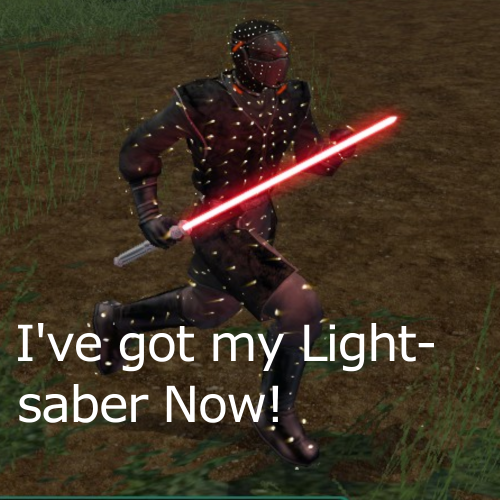
Description: The Sith Assassins use sticks in the vanilla game and Sith Troops board your ship. They now use Lightsabers for the majority of the game and the Sith Troops appearance and weapons have been changed. The exception to only Lightsabers will be the turret minigame with Tiny Blasters instead, and they may decide to switch to their tiny blasters on the Ebon Hawk. My mod doesn’t have original concepts, taking ideas from both Shem’s Sith Assassins - With Lightsabers and Hassat Hunter’s Peragus Troops to Sith Assassins. Although these mods work fine on their own or together, the converted Sith Troops won’t have Lightsabers and my mod is more compact. With the v2.0 release, I’ve redone my original mod that only requires editing 3 files and replacing 1 file, which is an improvement from previous versions. Installation: Extract the .zip and launch Holopatcher.exe. From the drop down menu select Knights of the old Republic II and click install. Report any bugs or installation errors to me, but I am not responsible for the misuse of these files or the misuse of installation. Credits: Sith Assassins - With Lightsabers | Original idea Peragus Troops to Sith Assassins | Original idea Holopatcher Holocron Toolset ChangeEdit Permissions: Please do not reupload this mod elsewhere. If I want it somewhere, I will put it there. The only other places you should be able to download my mod would be from NexusMods and the external spoiler free mod build download. If you would like to use anything from my mods, you are free to do so.- 8 comments
- 2 reviews
-
- 5
-
-

-
- lightsaber
- sith assassins
- (and 1 more)
-
 Hello, everyone. I want to make myself or ask to create a mod that fixes original lore of Star Wars. "Force Heal" and "Revitalize" should be deleted as OP and/or changed. They are cheap and selfish. Maybe it's not suitable for KOTOR 2 exactly but it's needed for all other continuations. True healing through the Light Side is not a transfer of abstract "energy," but a sharing of one's own life force. This is why it is rare, dangerous, and the ultimate antithesis of the Sith's "Force Drain Life" and "Force Drain". The more you sacrifice, the more the Force restores your will to wield it. It's giving your HP for another. The FP return isn't a transaction; it's the result of acting in harmony with the Light Side. A Dark Side user would find this power abhorrent and weakening. The Golden Rule: Light Side = Selfless. Dark Side = Selfish. Light-Sided Power Force Sacrifice – sacrificing one's own vitality (HP) to heal an ally and restoring Force connection (FP) Base Principle: Restores X Hit Points to a single friendly target. The caster loses X * Multiplier Hit Points and restores X * Wisdom * Force Points. The lost HP is of DAMAGE_TYPE_UNIVERSAL (bypasses Damage Resistance and Shields, as it is internal sacrifice). Proposed Scaling (Subject to Balance Testing): Force Sacrifice I: Restores 10 HP to target. Caster loses 15 HP. (And restores 15 FP) Force Sacrifice II: Restores 20 HP to target. Caster loses 30 HP. (And restores 30 FP) Force Sacrifice III: Restores 30 HP to target. Caster loses 45 HP. (And restores 40 FP) Alternative, Simpler Scaling: Caster loses exactly 100% + (10 * Power Level) of the healed amount. (e.g., Level I: Heal 10, Lose 11; Level II: Heal 20, Lose 22; Level III: Heal 30, Lose 33). A successful Treat Injury skill check (DC 15 + 5*Power Level) by the caster could reduce the HP cost by 15-25%. If it's difficult and I am asking too much then just "Removal of "Force Heal" and "Revitalize"" or "Removal of "Force Heal" and making "Revitalize" a DS power" Plot- wise, it would be possible to use this ability by a large number of Jedi to resurrect one life. But one Jedi would die by using it for another in some stories. That would be a great antithesis to Darth Vitiate. "There is No Death, There is the Force"
 -
View File Lightsaber Hilt Variety - K1 Covers regular, short and doubleblade lightsabers Vanilla colors + JCs Extra Saber Colors In the base game, every lightsaber you find has the same hilt model. My goal was to add some variability to the lightsaber hilts while also fitting within Kotor's engine limitations. Hilts are still tied to crystal color but should give the illusion that every saber hilt isn't exactly the same. The Blade I have rebuilt the original blade model, so that JC's Lightsaber Visual Effects for K1 is compatible (and recommended). The blades are now perfectly symmetrical after some UV editing. I also fixed a bug where some models didn't render all of the blade planes. A glowing light source has been added to each blade thanks to Crazy34's Light saber models. The Hilt I started with a base hilt design and then tweaked each one to have a slightly different shaped grip, emitter, and pummel. One hilt shouldn't stand out or overshadow the design of the others. Hopefully they feel like they belong. Hilts are completed for each crystal color. I added a custom hilt for Malak as well. Install Steps: - JC's Lightsaber Visual Effects for K1 is recommended. The glowing light colors were made to match these. - Extract and copy main mod files to override directory - Alternative texture is also in the downloads, with less gold/bronze - for the extra colors install JC's Extra Saber Colors first and then extra colors from this mod. Overwrite when asked. To-do - rework the texture, the lines render differently in K1 vs K2 Credits: - Crazy34's Light saber models for the glowing light effect - JC's Lightsaber Visual Effects for K1, amazing blade texture, I matched the glowing effect to work with these - JC's Extra Saber Colors for K1, glow effect color matched to be compatible Submitter J Submitted 11/09/2025 Category Mods K1R Compatible No
-
![More information about "[K1] Animated Swoop Screen [TSLPort]"](https://deadlystream.com/downloads/screens/monthly_2018_11/ASS_Preview.thumb.gif.1d7bedcc43cc6cbed14fd7e31b5b5fb7.gif)
Version 1.0.0
38,502 downloads
This mod replaces K1's vanilla static swoop monitor with TSL ported swoop monitor with added animations on its screen. # Background # Lately I have been attempting few porting stuffs between TSL to K1 and then wondered "can PLC_xx be ported?" and the answer is here. # About this Mod # Inside this mod are: One TSL ported swoop monitor model: plc_swscreen MDL/MDX One TSL ported swoop monitor texture in TPC format: TSL_SwpMntr One custom made 11 frames-animated swoop screen in TPC format: AnmtdSwpScrn # Final Remarks # This attempt were much inspired by Sith Holocron's "Swoop Monitors Replacement Pack" as without the said mod, it wouldn't go anywhere than just a mere idea. I learned a lot from his texture and TXI's setup so- lots of credits pretty much addressed to SH and his work! Critiques, comments, suggestions, questions and any feedbacks for the next update are very much appreciated- just PM me or write a public message on my feed. And thank you! for downloading, and playing this mod. Hope you enjoy the mod as much as I do! Installation: Copy-Paste all the included files to the 'Override' folder. Overwrite when prompted. Uninstallation: Remove the said files from the 'Override' folder. Redistribution: You can redistribute this mod or re-release it on any website; you don't have to ask for permission, but I do appreciate all the kind intention. Also, if you are planning to use the assets from this mod to a mod you will be developing, don't forget to give credits to BioWare, Obsidian Entertainment, and LucasArts as inside this mode are their base assets. Anyways, credit to me is always a welcome, welcome. Credits: Fred Tetra for the 'amazing' KotOR Tool Chuck Chargin Jr./ndix UR for MDLOps bead-v for MDLedit ndix UR for tga2tpc Elwood288 for without his porting discussion I'd have no idea of what I'm doing Sith Holocron for his awesome tons-of-frames' "Swoop Monitors Replacement Pack" which have been the guidance on setting-up the animation et all DeadlyStream for updating the porting policy DarthParametric, Dark Hope, VarsityPuppet, redrob41, Sithspecter, DeadMan, JCarter426, Kexikus and Salk for being inspirational BioWare, Obsidian Entertainment and LucasArts for K1 and TSL All streamers on DeadlyStream All modders either active or inactive DeadlyStream for a place to hangout and to discuss -eb -
692 downloads
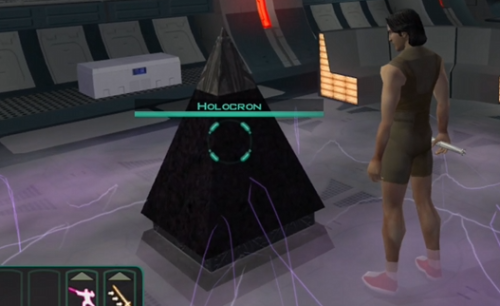
============================================ Collectables: Holocrons ============================================ Install 14 ‘Collectable’ Holocrons across the game, each holocron will give you different temporary boosts to stats, different items and a little bit of XP which differs. This is a mini 'easter egg hunt' which you can partake in through your play throughs. Just a bit of fun. Here is a short video, showcasing what the mod provides: EDIT: After reviewing, I've changed the dialog to differ slightly from the video as 'You reach out and feel a pulling power' sounds stupid. Key points: Each Holocron discovered gives a different reward. Each Holocron discovered gives an interesting fact / short story about the area it was discovered in. There are 14 to collect throughout the game (This is set to increase to include planets such as: M4-78, Coruscant & Cathalan). One of every planet & almost every level. Short animations / some cutscenes included for immersion. 3-4 locations that are not usually accessible now opened up. Compatible with TSLRCM, M4-78EP, Expanded Galaxy Project, Coruscant, Cathalan (Expansions incoming). Compatibility wise, I packaged up with holopatcher, there should be no compatibility issues unless you've put placeables on the exact spots the Holocrons are OR have changed inaccessible door files. The idea behind this was to use some of the unused / inaccessible rooms across the game, though I ended up placing a few of the Holocrons in some very accessible places. This may not be to everybody's taste as you wouldn't expect to find a Holocron in some of the locations; however, I may change the model / naming / rewards to something more relevant in a future update. Legal Disclaimer ================= All materials and copyrights belong to LucasArts, Bioware and Obsidian Entertainment Inc. & I own none of the materials and are not making money for this. Please don't upload this on other sites, I will handle that. You may request use in other mods, pending approval; any mods using the assets should credit all the below parties. Credits: Tools used: -
Hi guys! I was curious if anyone had a copy of the Extra Starport Visas Mod? I've searched everywhere but I think it was lost when the lucas fourms shut down . If anyone could upload it to MyAirBridge or Zippy or some other file sharing site I'd greatly appreciate it! May the force be with you
-
![More information about "[K1] Republic Soldier's New Shade"](https://deadlystream.com/downloads/screens/monthly_2018_09/1912931723_RepublicSoldiersNewShade.thumb.png.0d8545d546c5b12acb1b59af4c359f5c.png)
Version 1.1.1
45,511 downloads
This mod replaces the vanilla and/or the installed Republic Soldier texture with the new shade-specularity tweaked version. # Background # The way I see it; the vanilla and/or already present Republic Soldier texture lacks some shading and reflection particularly on its trim, so I thought adding ones would somehow enhance its appearance. # About this Mod # Inside this mod are 6 options of new shade and specularity tweaked Republic Soldier texture in TPC format: [Main] New Shade for Male NPC Republic Soldier [Option-1] Vanilla version for JC's "Republic Soldier Fix for K1" - Male and Female * [Option-2] Vanilla Version Model - Female NPC Republic Soldier [Option-3] New Shade for JC's "Republic Soldier Uniform for PC" - Male and Female * [Option-4] Vanilla version for JC's "Republic Soldier Uniform for PC" - Male and Female * [Option-5] New Shade for JC's "Republic Soldier Fix for K1" - Male and Female NPC Republic Soldier * * Option 1, 3, 4 and 5 requires JCarter426/JC's "JC's Republic Soldier Fix for K1" to be installed first. # Final Remarks # There's always room for improvements - critiques, comments, suggestions, questions and feedbacks for the next update are much appreciated - PM, write them on my feed or leave any on the mod's page as you please. And thank you! for downloading, and playing this mod. Hope you enjoy the mod as much as I do! Installation: I suggest you to manually removes any TGA/DDS and TXI instances of the relevant files [if there're any] from the 'Override' folder. And then - run the installer [TSLPatcher.exe], and hit the [Install Mod ->] button! Uninstallation: remove the installed files from the 'Override' folder or replaces them with the files stored in the 'Backup' folder [if generated] Compatibility: this option will be compatible with JCarter426's "JC's Republic Soldier Fix for K1" as long as this mod was installed after the said mod has. With any mods that is using the same name for the assets and/or potentially overwrite this mod, no compatibility is guaranteed Redistribution: if you want to redistribute the mod - just go with it. Though less likely I will provide supports to any other place than DeadlyStream. If you are to re-use an assets to a project you will be releasing, you don't have to ask for permission - but your generous intention is very much welcome. I'd love to know what others are up too, particularly if my work are included. And then, make sure to credit BioWare & LucasArts with the release - particularly with the inclusion of the assets. An appreciation to this lil' peasant work here is also a very warm welcome, welcome. Credits: The Almighty Force which gave me chance to finish the mod BioWare & LucasArts for developing one of the best RPG I've played DarthParametric for past-present knowledge which allows me to create customs and for all the outstanding creation that I am a fan of JCarter426 for "JC's Republic Soldier Fix for K1" release; as without his mod - most of these contents would not have been possible Snigaroo/Sniggles for hosting #mod_development on Discord > r/kotor, and especially for making me revisit this mod for an update Salk for the input to include additional before-after screenshots Fred Tetra for the amazing KotOR Tool ndix UR for tga2tpc DrMcCoy for xoreos-tools' "xoreostex2tga" stoffe for the magnificent TSLPatcher, and Fair Strides for later improves it Notepad++team for Notepad++ All the Tool Makers wasn't mentioned - can't make it without y'all! All the inspiring streamers on DeadlyStream All the inspiring modders either active or inactive DeadlyStream for being a home; a place to hangout - to discuss and hosting my work DeadlyStream staffs for tirelessly improving and maintaining the site -eb -
View File [K1] Handmaiden Player Head [TSLPort] Handmaiden Player Head [TSLPort] This mod adds TSL's Brianna/Handmaiden as a selectable-player head for females in KotOR/K1. # Background # This was attempted by request of KohlKatarn from DeadlyStream. # About this Mod # Inside this mod are 2 choices of installation: Main: Install TSL ported Brianna/Handmaiden as a selectable-player head for females in K1, including her original portraits that are ported from TSL Optional: Install custom portraits to replace the original portraits that are ported from TSL The textures are in TPC format and the portraits are in DDS format. # Final Remarks # This attempt was made easier with helps from DarthParametric's "Mira Player Head for K1" change.ini as the guiding hands; as without learning from his mod's setup, this attempt were not going anywhere lol. Critiques, comments, suggestions, questions and any feedbacks for the next update are very much appreciated- just PM me or write a public message on my feed. And thank you! for downloading, and playing this mod. Hope you enjoy the mod as much as I do! Installation: Run the installer [TSLPatcher.exe]. Uninstallation: Replace the installed files with the files that are stored in the 'Backup' folder. Compatibility: Will be compatible with most mods that are in surface by now. Potentially not compatible with other mods that tries to replaces the model, textures, portraits and messing with 2DAs rows of this installation. Redistribution: You can redistribute this mod or re-release it on any website as long as it meets their requirement; you don't have to ask for permission, but I do appreciate all the kind intention. Also, if you are planning to use the assets from this mod to a mod you will be developing, don't forget to give credits to BioWare, Obsidian Entertainment, and LucasArts as inside this mod are their base assets. Anyway, credit to me is always a welcome, welcome. Credits: DarthParametric for past-present knowledge which allows me to create any customs for the game KohlKatarn for the idea Dark Hope, VarsityPuppet, redrob41, Sithspecter, JCarter426, Kexikus, Salk and Sith Holocron for being inspirational Elwood288 for without his porting discussion I'd have never learnt about it Fred Tetra for the 'amazing' KotOR Tool bead-v for MDLedit Chuck Chargin Jr./ndix UR for MDLOps ndix UR again for tga2tpc JCarter426 for resource of K1Supermodels that were used on the attempt Darth Sapiens and Paul Ste. Marie for Bioware's DDS Compression Kit stoffe/Fair Strides for TSLPatcher BioWare, Obsidian Entertainment and LucasArts for KotOR and TSL All streamers on DeadlyStream All modders either active or inactive DeadlyStream for a place to hangout and to discuss Featured in the screenshots is Dak Drexl's "Dak's Endar Spire Retexture" -eb Submitter ebmar Submitted 10/29/2018 Category Mods K1R Compatible Yes
-
View File Sith Assassins With Lightsabers Description: The Sith Assassins use sticks in the vanilla game and Sith Troops board your ship. They now use Lightsabers for the majority of the game and the Sith Troops appearance and weapons have been changed. The exception to only Lightsabers will be the turret minigame with Tiny Blasters instead, and they may decide to switch to their tiny blasters on the Ebon Hawk. My mod doesn’t have original concepts, taking ideas from both Shem’s Sith Assassins - With Lightsabers and Hassat Hunter’s Peragus Troops to Sith Assassins. Although these mods work fine on their own or together, the converted Sith Troops won’t have Lightsabers and my mod is more compact. With the v2.0 release, I’ve redone my original mod that only requires editing 3 files and replacing 1 file, which is an improvement from previous versions. Installation: Extract the .zip and launch Holopatcher.exe. From the drop down menu select Knights of the old Republic II and click install. Report any bugs or installation errors to me, but I am not responsible for the misuse of these files or the misuse of installation. Credits: Sith Assassins - With Lightsabers | Original idea Peragus Troops to Sith Assassins | Original idea Holopatcher Holocron Toolset ChangeEdit Permissions: Please do not reupload this mod elsewhere. If I want it somewhere, I will put it there. The only other places you should be able to download my mod would be from NexusMods and the external spoiler free mod build download. If you would like to use anything from my mods, you are free to do so. Submitter Lewok2007 Submitted 12/31/2024 Category Mods TSLRCM Compatible Yes
-
View File TSL Collectables ============================================ Collectables: Holocrons ============================================ Install 14 ‘Collectable’ Holocrons across the game, each holocron will give you different temporary boosts to stats, different items and a little bit of XP which differs. This is a mini 'easter egg hunt' which you can partake in through your play throughs. Just a bit of fun. Here is a short video, showcasing what the mod provides: EDIT: After reviewing, I've changed the dialog to differ slightly from the video as 'You reach out and feel a pulling power' sounds stupid. Key points: Each Holocron discovered gives a different reward. Each Holocron discovered gives an interesting fact / short story about the area it was discovered in. There are 14 to collect throughout the game (This is set to increase to include planets such as: M4-78, Coruscant & Cathalan). One of every planet & almost every level. Short animations / some cutscenes included for immersion. 3-4 locations that are not usually accessible now opened up. Compatible with TSLRCM, M4-78EP, Expanded Galaxy Project, Coruscant, Cathalan (Expansions incoming). Compatibility wise, I packaged up with holopatcher, there should be no compatibility issues unless you've put placeables on the exact spots the Holocrons are OR have changed inaccessible door files. The idea behind this was to use some of the unused / inaccessible rooms across the game, though I ended up placing a few of the Holocrons in some very accessible places. This may not be to everybody's taste as you wouldn't expect to find a Holocron in some of the locations; however, I may change the model / naming / rewards to something more relevant in a future update. Legal Disclaimer ================= All materials and copyrights belong to LucasArts, Bioware and Obsidian Entertainment Inc. & I own none of the materials and are not making money for this. Please don't upload this on other sites, I will handle that. You may request use in other mods, pending approval; any mods using the assets should credit all the below parties. Credits: Tools used: Submitter OzilsEyes Submitted 11/09/2024 Category Mods TSLRCM Compatible Yes
-

Version 0.9.0 Beta
341 downloads
KOTOR Quick Overhaul v0.5Beta Hi! This is a beta of my upcoming rebalancing/overhaul mod for Knights Of The Old Republic 1. The mod itself is complete (AkA, it affects the entire game, from start to finish), but I've only tested it on Taris so far (hence the screenshots), thus it's still a beta. It changes armor mechanics (now they offer a fixed 25% immunity to physical, ion, and energy damage in addition to Defence bonuses, which go higher then in vanilla on high-quality armors, to keep them relevant late-game), robes (various immunities, and CON bonuses in addition to Defence), even standard clothing (it offers same Defence as medium armor, without the damage immunities, but with immunity to crits - logic being you're just as mobile, and a bit more aware, so you don't take crit damage, but you take more regular damage then in armor - and of course it's non restrictive so you can use all Force powers in an outfit with some decent Defence - should make keeping clothing more appealing as an alternative). Weapons have been tweaked as a baseline (2da file), and individually (.uti files), ranged weapons especially do a LOT more damage, speccing for a ranged character is now a very viable option, they are now, IMO, easily on par with melee weapons in usefulness. High STR characters are still better off just speccing into melee, but for everyone else - you be the judge. They can now hurt. A lot. More types of weapons are now available earlier in-game on Taris (if you want a Disruptor for example, Kebla sells a rifle, and you can pick up a pistol not soon after - and you might consider one, a lot of enemies now like putting up a shield). Enemies also use different weapons, it's not just a blaster-haven, so don't be surprised if you get incoming sonic or disruptor fire going right through your pretty shield. Repeating blasters are now actually useful - short ranged, but big accuracy buff (simulating spray-and-pray actually hitting more often by virtue of throwing enough sh*t at a wall and hoping some of it sticks). Also more powerful then blaster rifles, but they incurr a slight Defence debuff (recoil, and unwieldy). For hard-to-hit enemies and Force users, you might want to use a repeater if your base attack bonus is low, more chance of bypassing their defence/blaster deflection. Disruptors are more powerful then blasters, but less consistent (1/3 to 1 damage ratio, instead of 1/2 to 1 for blasters). Ion weapons got a big anti-droid damage buff. Sonic weapons have been left untouched (but still more usefull, since armors don't provide sonic damage immunity). Non-powered swords are now a viable alternative to vibroswords (slightly higher top damage, lower bottom, but worse crit threat). Some weapons have crit threat or crit range bonuses. Energy shield are now unlimited-use, and a LOT cheaper to buy (and sell, should make selling a 100 shields for big money later in the game a non-option). Don't be afraid to use them often - you'll need them. Most enemies are a LOT tougher now. Droids now have a -5 Defence penalty baseline (their Defence could get to ridiculous levels in vanilla, thanks to uncapped armors and logic feats), but have inherent /5 resistance to physical and energy damage (NOT ion, big incentive to use Ion weapons more often). This includes party droids. Most enemy droids will now be shielded, and have a LOT more health. Again, ion weapons are your buddy. Many NPCs in the game have been buffed, massively. Some also drop unique weapons (hint-hint, do Canderous's personal quest - just one example). Force users are especially enhanced (most Dark Jedi in vanilla are a joke). This is all throughout the game, but not all (some NPCs use duplicate forms, I couldn't edit them directly into Override, I'd have to edit the modules, which I refused to do, to make this mod more compatible with other mods). Classes get more HP as baseline. 12 for Soldiers/Guardians, 10 for Scouts/Sentinels, 8 for Scoundrels/Consulars. Soldiers and Scoundrels, and Guardians and Sentinels, get slightly increased Feat gain. Sentinels get 1 more Force power overall, to differentiate them from Guardians. Combat droids get Scout feat gain, can now Specialize in Rifles, Pistols, and Heavy weapons. All party member HP has been adjusted accordingly. Carth no longer starts with twin pistols, he uses a carbine (trust me, having an inaccurate twin-weapon user at the start would get you killed, given the buffed enemies on Taris - your party needs some consistency, he provides it). He has his personal upgradeable carbine. Bastila uses a standard lightsaber now (same reason, her flailing-around with that double-saber WILL get her killed early on). And it makes sense, in cutscenes she uses a standard saber. HK47 buffed MASSIVELY. He now has 20 CON, 18 DEX and roughly double the health as a result, and he comes with his own special targeting computer. He was pathetically weak in vanilla. INSTALLATION: Simple. Drop everything into your Override folder. I took great pains to make this mod very hands-on to install, so there's no messing with modules or dialog file. Should be compatible with everything, as long as my mod comes FIRST (and I cannot overemphasise this enough), on a blank vanilla game. It doesn't use a patcher, and it does edit .2da files, so there WILL be incompatibilites if you plaster it over a bunch of other mods, it will overwrite them. Make a fresh game install, dump my mod in Override, then install every other mod you want. As for K1R compatibility, there shouldn't be problems (I don't use it on my game, but since my mod only affects Override folder and doesn't touch any modules, I see no reason why anything should conflict). Again for safety, put my mod in BEFORE installing K1R. -
I cant find a mod for KOTOR 1 that I had been using before, if anybody knows the mod that would be amazing. It was one that altered the underwear of the PC. There were 3 different designs within the mod, and each design was linked to a different ethnicity (caucasion had 1 design, asian had another etc) I swear I found it on this site before but i feel like i've searched every word variation and scrolled through every kotor 1 mod published and cant find it lol
-
View File Lightsaber and Force Forms This mod adds 10 lightsaber forms and four force forms to the game, which can be learned at various levels. These can be learned from four holocrons and one new NPC, on Dantooine, Kashyyyk, Korriban and the Unknown World. The player can learn a total of seven forms. They can be activated from the medpac/stims section of the GUI. This mod uses TSLPatcher, and is fully compatible with K1RP. The holocrons and the NPC are fully voiced. Where possible, the stats for the forms imitate those in KotOR II. Stats for the forms are as follows: Form I: Shii-Cho:- Attack +1, Defense Bonus 2 Form II: Makashi:- Attack +3, Blaster Deflect: -5, Defence Bonus -5, Will Saves +3 Form III: Soresu:- Attack: -4, Blaster Deflect: +4, Defense Bonus 4 (Must be level 9 or higher) Form IV: Ataru:- Attack +1, Blaster Deflect: -4, Defense Bonus 3, Damage Bonus: +2 (Must be level 11 or higher, and a Guardian or Sentinel) Form V: Shien/Djem So:- Attack +1, Blaster Deflect: +2, Defense Bonus 5, Damage Bonus: +2 (Must be level 14 or higher, and a Guardian) Form VI: Niman:- Attack +1, Defense Bonus 1, Blaster Deflect: +1, Will Saves: +1 (Must be level 14 or higher, and a Sentinel) Form VII: Juyo:- Attack +4, Attacks per round +1, Defence Bonus -2, Will Saves: +4 (Must be a Guardian) Form VIII: Sokan:- Attack +3, Damage Bonus: +1, Reflex Saves: +3, Defense Bonus 2, Defense Bonus vs. Piercing -2 (net bonus: 0) (Must be a Sentinel) Form IX: Shien:- Attack +3, Damage Bonus: +3, Defence Bonus -2, Blaster Deflect: -2, Reflex Saves: -2 (Must be a Sentinel) Form X: Niman/Jar’Kai:- Attack +2, Offhand attack bonus +3, Defense Bonus 1, Fortitude Saves: -1 (Must be a Guardian) Harmony Force Form:- Maximum Force Points: +10%, Reflex Saves: +2, Force Resistance: -3 (Must be level 11 or higher, and a Consular) Endurance Force Form: Will Saves: +1, Force Resistance: +2 (Must be level 14 or higher, and a Consular) Persistence Force Form: Will Saves: +3, Reflex Saves: -2, Force Resistance: +4 (Must be a Consular) Unity Force Form: Maximum Force Points: +10%, Reflex Saves: +2, Force Resistance: +3 (Must be a Consular) Compatibility: This mod should be compatible with most others. Nevertheless, it *may* cause incompatibilities with any mod which alters or makes use of: - the script slot for Entry 99 of kor35_utharwynn.dlg - the script slot for Entry 0 of kor39_utharwynn.dlg - the script slot for Entry 19 of dan13_belaya.dlg - the script slot for Entry 1 of k_player_dialog.dlg - unk44_sparty.dlg; particularly any mod which adds a third entry to the dialogue file, and uses it to fire a script. - Item 99 in the droppable list for kas25_wraid.utc Credits: Thanks are to Zhaboka, Sith Holocron, newbiemodder, Fallen Guardian, Warlord664, Quanon, Marius Fett, Canderis, DarthAnsem, SithSpecter, Slstoev, CptPriceless, kyrie, and Fair Strides 2 for their feedback and comments on the mod as it progressed; to deathdisco, whose original KotOR I lightsaber forms mod inspired this one; to Darth333, stoffe, jmac7142/Det. Bart Lasiter, glovemaster, and everyone else who taught me and continues to teach me to script; to Darkkender, for his "Recruit Darkkender" mod, which I used to work out how to make the lightsaber forms work; to T7Nowhere, whose fantastic "Revan's Mask Plus" mod inspired the form of this one; to Samuel Dravis, jonathan7 and Pavlos, for vital feedback at various stages in the planning of this mod; to Fred Tetra for the truly awesome KotOR tool and his nwnsscomp conversion; to Holowan Labs for remaining by far the best place to work on KotOR mods on the internet; and to Obsidian, Bioware, and LucasArts, for making both KotOR games. Particular thanks to Quanon, VarsityPuppet, and Marius Fett for their help with the new placeable models used by this mod; Also to Sith Holocron and Fair Strides, who beta-tested for me; And most especially, my thanks are to my voice-over artists, who are listed below, and some of whom had to suffer demands for endless redrafts and slow response times with admirable patience: Thanks also to Daemonjax over at KotORNexus for spotting the errors corrected in this update. Voice Overs: Sith Holocron as the Sith Holocron; Zhaboka as Jedi Holocron, Kashyyyk Holocron, and Guun-Han Saresh; Melissa Trudeau as the Sith Trainer. Locations of Holocrons / What they teach: NB: Do not read if you want this to be a surprise! **** Dantooine: You learn the Shii-Cho during the initial training montage. You can learn Soresu from the Jedi Holocron in the Enclave training room when you reach level 9. You can learn Ataru (Guardians/Sentinels) or the Harmony form (Consulars) from the Jedi Holocron when you reach level 11. Korriban: You can learn Makashi from the Sith Teacher in the Korriban Academy, standing by the entrance in the final room before the Valley of the Dark Lords. You can learn Shien Form IX (Sentinels), Niman/Jar'Kai Form X (Guardians), or Persistence Form (Consulars) from the Sith Holocron in the tomb of Naga Sadow. Kashyyyk: You can learn Shien/Djem So Form V (Guardians), Niman Form VI (Sentinels) or Endurance Form (Consulars) once you reach level 14 from the Jedi Holocron found in the Beast in the Shadowlands. Unknown World: You can learn Juyo (Guardians), Sokan (Sentinels) or the Unity Form (Consulars) from the Sith Holocron in the basement computer room of the Temple. **** Submitter InSidious Submitted 02/25/2015 Category Mods K1R Compatible No
-
![More information about "[TSL] Animated Computer Panel"](https://deadlystream.com/downloads/screens/monthly_2020_09/TSL_ACP_v2_Cover.thumb.jpg.e73beda19e6abef4fb3f480eb2839a27.jpg)
Version 2.0.0
22,103 downloads
This mod replaces the static computer panel placeables [PLC_comPanel] that found throughout the game; such as one in the Bumani's, Medical Unit, and Czerka's [on Telos] with the animated ones. -= BACKGROUND =- It was Sith Holocron's request about his least favorite texture in KotOR2/TSL that makes me work on this mod. But as time goes by curiosity on trying to improve it haunts me, by doing more and looking much better -- hence the born of v2.0.0. On this [as well as the previous one] I have him to help on making the panel screen, hence the sweet result of a movie-like looking ones. You should check out his blog from where the inspiration comes -- And then with DarthParametric's handy-hands the panel now have a new symmetrical frame, some 3D buttons, also few TOR-ported bits on the screen. Not stopping there, it now have a new panel board decals -- a copied work from Frank Diorio's downloadable decals [then niubniubsuniverse-dot-com]. -= ABOUT THIS MOD =- Inside this mod are 2 version; transparent screen and a solid-non-transparent version. Preview: Transparent Solid Specifics: New panel frame trimesh made by @DarthParametric New 3D buttons trimesh made by DarthParametric Panel screen bitmap made by @Sith Holocron Panel board bitmap made by Frank Diorio TOR ported animated bits redistributed by DarthParametric Tools mostly worked on to -- KOTORmax [gmax] by bead-v / Aurora MDL [N++] by Symmetric The panel texture currently still in vanilla scheme [based on stock PLC_comPanel], albeit upscaled to x1024 from x256 using PS'. -= KNOWN ISSUES =- With transparent version, some objects will become invisible behind the screen; such as traffics seen from Medical Unit and lightsaber as well with the hilt. There's a workaround for the traffics, but that's beyond the scope of this mod so they're something to live with at the moment. Nothing that I know of though for the lightsabers. -= FINAL REMARKS =- There's always room for improvements; reviews, critiques, comments, suggestions, questions and feedbacks are much appreciated. PM me here, write them on my feed or leave any on the mod's page as you please. And thank you! for downloading, and using this mod. Hope you enjoy the mod as much as I do! -= INSTALLATION =- Run the installer and choose INSTALL option. Pick one you choose -- then hit the [Install Mod ->] button! -= UNINSTALLATION =- Choose the UNINSTALL option in the installation menu For a clean uninstallation, remove these files from the Override after proceeding with the main procedure -- eb_plc_commpane1/2.MDL eb_plc_commpane1/2.MDX eb_plc_commpane1/2.PWK eb_companel_btns.TPC eb_companel_pnel.TPC eb_companel_wave.TPC sheb_compnl_scrn.TPC -= COMPATIBILITY =- Not compatible with mods that hard-overwrites placeables.2DA Not compatible with mods that alter the modelname and label setup for RowIndex 292 in placeables.2DA Not compatible with mods which happened to have the same name with the MDL, MDX, PWK, and TPC-s that included with this mod -= REDISTRIBUTION =- Do not redistribute this mod or re-release it on any websites. I'd love to provide direct support to my work, which wouldn't be possible if they're scattered in the Unknown Regions. If you are to re-use an assets to a project you will be releasing, please be kindly to ask for permission first - that way I know what's up, and if it's interesting enough I might offer to be involved, lol. Or at least we'll talk. Cheers! -= CREDITS =- The Almighty Force Obsidian Entertainment and LucasArts for The Sith Lords Frank Diorio as the creator of panel board bitmap Sith Holocron for feedbacks, ideas and the panel screen DarthParametric for past-present knowledge, his creation that I took learn from, and particularly with this project -- the panel frame, 3D buttons as well the TOR-ported bits [and both endless technical-to-non assistance which makes this mod possible] JCarter426 and Inyri Forge for all their awesome work that I look up to - I learned a lot from their mods and been practicing a lot using their method Fred Tetra for KotOR Tool bead-v for KOTORmax and MDLedit Symmetric for Aurora MDL ndix UR for tga2tpc and tpcview stoffe for TSL Patcher and Fair Strides for the updates VarsityPuppet for 2DA Editor All Tool Makers wasn't mentioned - can't make it without y'all! All streamers on DeadlyStream All modders either active or inactive DeadlyStream for being a home -- a place to hangout, to discuss and hosting my work DeadlyStream staffs for tirelessly improving and maintaining the site DeadlyStream's #modding [Discord] channel that particularly essential for this project -eb -
exactly like the title. is there a mod for kotor1 that allows you to have additional party members (is this case, OCs because the original companions of the first game are not gender dependent) that you might be able to not otherwise have? i know that there is/was partyswap for kotor2, but is there anything like that for the first game? i'm not talking about swapping out OCs for already existing member slots (like yuthura to replace juhani if you kill her) but like an addition?
-
View File Energy Shields 2 Star Cards Description: I've been playing EA's Star Wars Battlefront 2 recently and I enjoy the idea of the Star Cards. I decided to work on a mod that makes Energy Shields into Star Cards similar to the ones in Bf2 but in kotor 2. 5 Shields remain the same but they have different icons and different names: Players Personal Armband > Player's Star Card Energy Shield > Energy Star Card Vao Armband > Only Icon changed but it's too sacred to change anything, also never found in game. Arkanian Shield > Arkanian Star Card Mandalorian Melee Shield > Melee Star Card While they aren't exact replica's I've made a few that are Star Cards in bf2 but with a kotor twist (e.g. Bacta Bomb gives 2 regeneration, Bounty Hunter gives bonuses to Throw Saves.) While they are quite "overpowered," most of them lose the og energy shield function and just give stat boosts instead. On a regular run on normal difficulty and good kotor experience, you probably won't need the original function anyway. (The 3 most commons at the start have stayed the same anyway.) Installation: Copy the "Override" folder into your Kotor 2 game directory and overwrite if prompted. Older Energy Shields won't be affected iirc. UnInstalling: Delete the files in your game override folder that are in this mod's override folder. Compatability: Compatible with almost everything, as long as this mod is installed after them. Tools used: Kotor Tool Gimp Permissions: Use assets from this mod in your own if you'd like, as long as I am credited in the description. DO NOT directly reupload this mod exactly to other sites without my permission. (Although if I wanted them there, I will upload them myself.) DO NOT claim this mod as your own if you upload it to other sites without my permission. Legal: THIS MODIFICATION IS PROVIDED AS-IS AND IS NOT SUPPORTED BY BIOWARE/OBSIDIAN ENTERTAINMENT, LUCASARTS, DISNEY OR ANY LICENSERS/SPONSORS OF THE MENTIONED COMPANIES. USE OF THIS FILE IS AT YOUR OWN RISK AND THE ABOVE-MENTIONED COMPANIES OR THE AUTHOR IS NOT RESPONSIBLE FOR ANY DAMAGE CAUSED TO YOUR COMPUTER FOR THE USAGE OF THIS FILE. Submitter Lewok2007 Submitted 09/15/2023 Category Mods TSLRCM Compatible Yes
-

Version 1.0.0
46 downloads
Description: I've been playing EA's Star Wars Battlefront 2 recently and I enjoy the idea of the Star Cards. I decided to work on a mod that makes Energy Shields into Star Cards similar to the ones in Bf2 but in kotor 2. 5 Shields remain the same but they have different icons and different names: Players Personal Armband > Player's Star Card Energy Shield > Energy Star Card Vao Armband > Only Icon changed but it's too sacred to change anything, also never found in game. Arkanian Shield > Arkanian Star Card Mandalorian Melee Shield > Melee Star Card While they aren't exact replica's I've made a few that are Star Cards in bf2 but with a kotor twist (e.g. Bacta Bomb gives 2 regeneration, Bounty Hunter gives bonuses to Throw Saves.) While they are quite "overpowered," most of them lose the og energy shield function and just give stat boosts instead. On a regular run on normal difficulty and good kotor experience, you probably won't need the original function anyway. (The 3 most commons at the start have stayed the same anyway.) Installation: Copy the "Override" folder into your Kotor 2 game directory and overwrite if prompted. Older Energy Shields won't be affected iirc. UnInstalling: Delete the files in your game override folder that are in this mod's override folder. Compatability: Compatible with almost everything, as long as this mod is installed after them. Tools used: Kotor Tool Gimp Permissions: Use assets from this mod in your own if you'd like, as long as I am credited in the description. DO NOT directly reupload this mod exactly to other sites without my permission. (Although if I wanted them there, I will upload them myself.) DO NOT claim this mod as your own if you upload it to other sites without my permission. Legal: THIS MODIFICATION IS PROVIDED AS-IS AND IS NOT SUPPORTED BY BIOWARE/OBSIDIAN ENTERTAINMENT, LUCASARTS, DISNEY OR ANY LICENSERS/SPONSORS OF THE MENTIONED COMPANIES. USE OF THIS FILE IS AT YOUR OWN RISK AND THE ABOVE-MENTIONED COMPANIES OR THE AUTHOR IS NOT RESPONSIBLE FOR ANY DAMAGE CAUSED TO YOUR COMPUTER FOR THE USAGE OF THIS FILE. -

Version 1.6
7,545 downloads
This mod adds 10 lightsaber forms and four force forms to the game, which can be learned at various levels. These can be learned from four holocrons and one new NPC, on Dantooine, Kashyyyk, Korriban and the Unknown World. The player can learn a total of seven forms. They can be activated from the medpac/stims section of the GUI. This mod uses TSLPatcher, and is fully compatible with K1RP. The holocrons and the NPC are fully voiced. Where possible, the stats for the forms imitate those in KotOR II. Stats for the forms are as follows: Form I: Shii-Cho:- Attack +1, Defense Bonus 2 Form II: Makashi:- Attack +3, Blaster Deflect: -5, Defence Bonus -5, Will Saves +3 Form III: Soresu:- Attack: -4, Blaster Deflect: +4, Defense Bonus 4 (Must be level 9 or higher) Form IV: Ataru:- Attack +1, Blaster Deflect: -4, Defense Bonus 3, Damage Bonus: +2 (Must be level 11 or higher, and a Guardian or Sentinel) Form V: Shien/Djem So:- Attack +1, Blaster Deflect: +2, Defense Bonus 5, Damage Bonus: +2 (Must be level 14 or higher, and a Guardian) Form VI: Niman:- Attack +1, Defense Bonus 1, Blaster Deflect: +1, Will Saves: +1 (Must be level 14 or higher, and a Sentinel) Form VII: Juyo:- Attack +4, Attacks per round +1, Defence Bonus -2, Will Saves: +4 (Must be a Guardian) Form VIII: Sokan:- Attack +3, Damage Bonus: +1, Reflex Saves: +3, Defense Bonus 2, Defense Bonus vs. Piercing -2 (net bonus: 0) (Must be a Sentinel) Form IX: Shien:- Attack +3, Damage Bonus: +3, Defence Bonus -2, Blaster Deflect: -2, Reflex Saves: -2 (Must be a Sentinel) Form X: Niman/Jar’Kai:- Attack +2, Offhand attack bonus +3, Defense Bonus 1, Fortitude Saves: -1 (Must be a Guardian) Harmony Force Form:- Maximum Force Points: +10%, Reflex Saves: +2, Force Resistance: -3 (Must be level 11 or higher, and a Consular) Endurance Force Form: Will Saves: +1, Force Resistance: +2 (Must be level 14 or higher, and a Consular) Persistence Force Form: Will Saves: +3, Reflex Saves: -2, Force Resistance: +4 (Must be a Consular) Unity Force Form: Maximum Force Points: +10%, Reflex Saves: +2, Force Resistance: +3 (Must be a Consular) Compatibility: This mod should be compatible with most others. Nevertheless, it *may* cause incompatibilities with any mod which alters or makes use of: - the script slot for Entry 99 of kor35_utharwynn.dlg - the script slot for Entry 0 of kor39_utharwynn.dlg - the script slot for Entry 19 of dan13_belaya.dlg - the script slot for Entry 1 of k_player_dialog.dlg - unk44_sparty.dlg; particularly any mod which adds a third entry to the dialogue file, and uses it to fire a script. - Item 99 in the droppable list for kas25_wraid.utc Credits: Thanks are to Zhaboka, Sith Holocron, newbiemodder, Fallen Guardian, Warlord664, Quanon, Marius Fett, Canderis, DarthAnsem, SithSpecter, Slstoev, CptPriceless, kyrie, and Fair Strides 2 for their feedback and comments on the mod as it progressed; to deathdisco, whose original KotOR I lightsaber forms mod inspired this one; to Darth333, stoffe, jmac7142/Det. Bart Lasiter, glovemaster, and everyone else who taught me and continues to teach me to script; to Darkkender, for his "Recruit Darkkender" mod, which I used to work out how to make the lightsaber forms work; to T7Nowhere, whose fantastic "Revan's Mask Plus" mod inspired the form of this one; to Samuel Dravis, jonathan7 and Pavlos, for vital feedback at various stages in the planning of this mod; to Fred Tetra for the truly awesome KotOR tool and his nwnsscomp conversion; to Holowan Labs for remaining by far the best place to work on KotOR mods on the internet; and to Obsidian, Bioware, and LucasArts, for making both KotOR games. Particular thanks to Quanon, VarsityPuppet, and Marius Fett for their help with the new placeable models used by this mod; Also to Sith Holocron and Fair Strides, who beta-tested for me; And most especially, my thanks are to my voice-over artists, who are listed below, and some of whom had to suffer demands for endless redrafts and slow response times with admirable patience: Thanks also to Daemonjax over at KotORNexus for spotting the errors corrected in this update. Voice Overs: Sith Holocron as the Sith Holocron; Zhaboka as Jedi Holocron, Kashyyyk Holocron, and Guun-Han Saresh; Melissa Trudeau as the Sith Trainer. Locations of Holocrons / What they teach: NB: Do not read if you want this to be a surprise! **** Dantooine: You learn the Shii-Cho during the initial training montage. You can learn Soresu from the Jedi Holocron in the Enclave training room when you reach level 9. You can learn Ataru (Guardians/Sentinels) or the Harmony form (Consulars) from the Jedi Holocron when you reach level 11. Korriban: You can learn Makashi from the Sith Teacher in the Korriban Academy, standing by the entrance in the final room before the Valley of the Dark Lords. You can learn Shien Form IX (Sentinels), Niman/Jar'Kai Form X (Guardians), or Persistence Form (Consulars) from the Sith Holocron in the tomb of Naga Sadow. Kashyyyk: You can learn Shien/Djem So Form V (Guardians), Niman Form VI (Sentinels) or Endurance Form (Consulars) once you reach level 14 from the Jedi Holocron found in the Beast in the Shadowlands. Unknown World: You can learn Juyo (Guardians), Sokan (Sentinels) or the Unity Form (Consulars) from the Sith Holocron in the basement computer room of the Temple. **** -
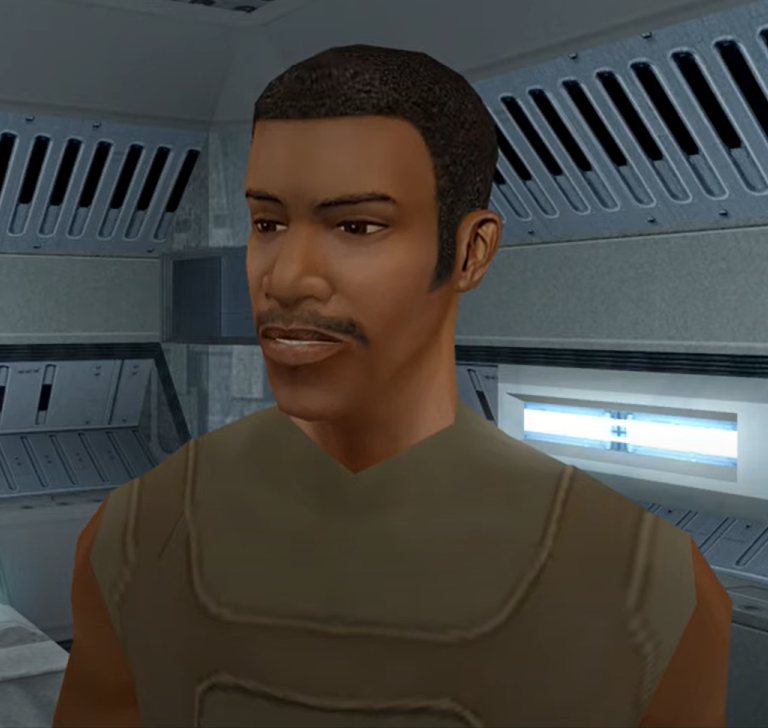
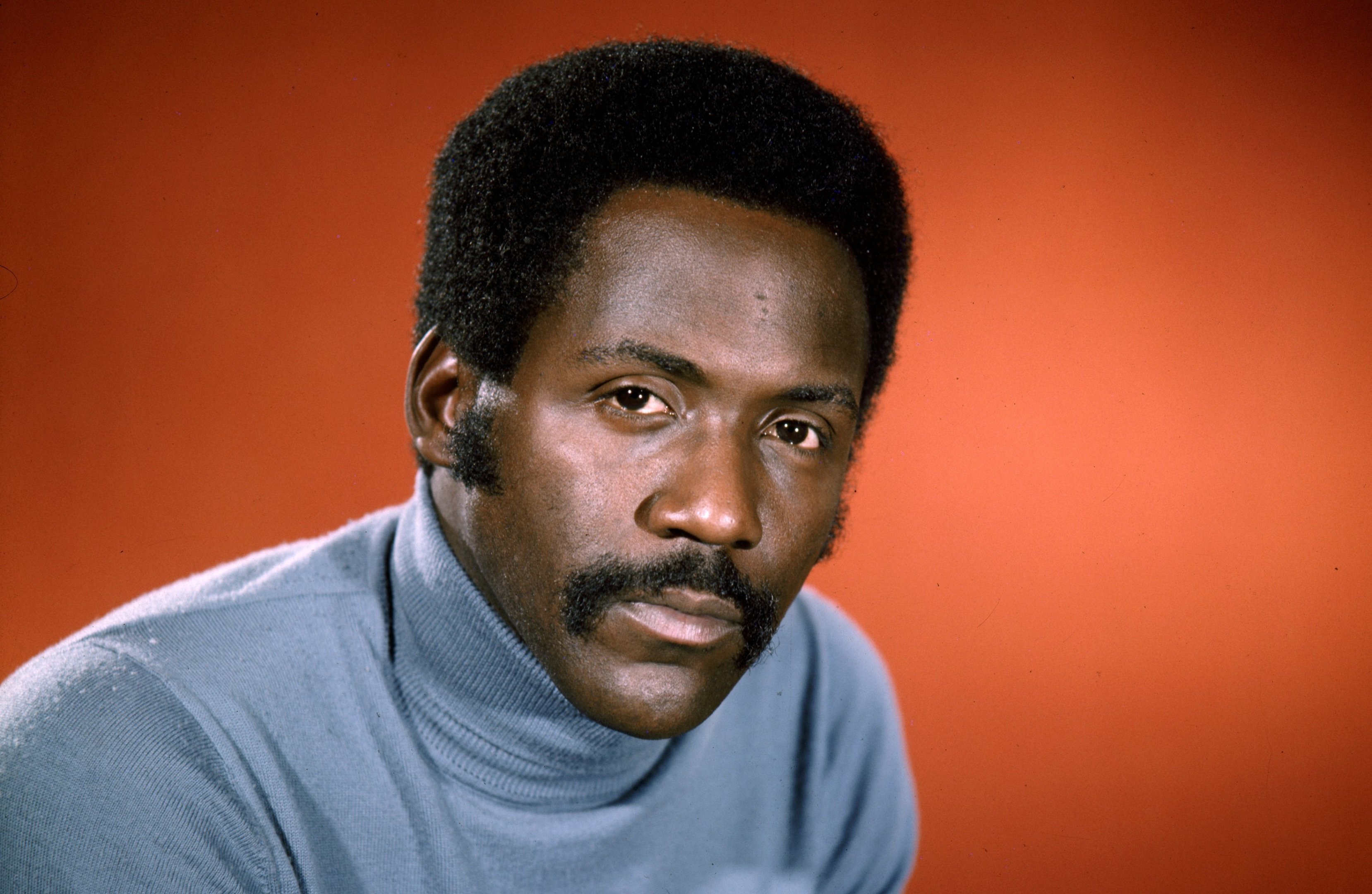
 Can A KOTOR II head be transferred to KOTOR I - The Richard Roundtree PC Head to Revan or a possible creation. Hi it's been ages since I posted anything but I have a simple suggestion I like to think about for KOTOR I for a PC head one I quite like the most reminds me of a real life actor Richard Roundtree and it's a request. Is their a way to promptly port any KOTOR II heads to KOTOR I for any suggestions may I ask and suggest specially for like the PC Player Revan in KOTOR I, And can it actually be done may I ask with the Meetra Surik Male PC head of Richard Roundtree to Revan Male PC head for KOTOR I. It's a suggestion I have in mind because this Portable Head is one of my favourites reminding me of Richard Roundtree and I wish the real life actor was a Star Wars actor but what I am posting in this group is can the PC head be transferred over to KOTOR I and can it be done as a mod for all to enjoy... I know it's been ages since I posted anything mainly I have too much to do in life but some advise would be helpful since I know I don't mod I am curious is as to can it be done actually. Can Richard Roundtree's PC head be useful for a Recruitable Character in KOTOR I or could it be done??? In saying my 1st Question on Richard Roundtree's PC head I call it that due to the Male Meetra Surik's moustache he has for facial hair looks like him but not as mearly closely, Well so question since I love to talk about Recruitable Characters and my suggestions for them are to be declared on this character, In a recent story I am creating for a Turkish KOTOR machinima user named Starika in the future I am writing a story I have mentioned a character by the name of Aaron Vinree a Scoundrel who is born on Taris during the Sith Occupaiton and he would well be a recruitable character in the Undercity after Mission joins Revan and Carth, but the character would have to fill in one Party Member Spot meaning only one can join so the character would have to promptly replace Juhani's spot, Aaron Vinree is a Scoundral (based on the real life Richard Roundtree) who lives on Taris all his life although hardly anything about his early life is said but he had seen action when Taris was under Mandalorian Control and wasn't well treated by the Mandalorian's when Cassius Fett invaded, He knows Mission Vao's family since her father was a friend of him and been looking out for her his entire life, The Recruitable Character would join to assist looking to Zaalbar but that can only be where the Sewers Entrance would be if your at the spot where all the Sith Soldiers where massacared by Rakghouls, The player could have a possible side quest developed but whatever the means necessary wouldn't be that easy and also his weapon of choice main weapon is a Sonic Rifle and Two Blaster Pistols and a Vibroblade and wears Scout Uniform like the Revan Player would wear although its upto you to give him the same outfit that can be ported which is Atton Rand's clothing or a customed Smuggler Outfit, Since I like to talk about the potential idea of Dark Skinned Characters that we only have one recruitable named Jolee Bindo and it would be nice to incorporate Aaron Vinree (Richard Roundtree) character but the main problem is finding a voice to do him who sounds like the classic actor, He will also be part of the Ebon Hawk but I haven't thaught of his side quest on the trip as that one is not really the ideal or so one to think of at the moment. Aaron Vinree is for a planned KOTOR I story developed for a possible future Machinima for the creator Starika who lives in Turkey and at the moment at present is the writer of the story, Aaron Vinree will be a free for all use Recruitable Character specially like for all players who didn't want to have Juhani as I think in my honest opinion it would be cool to incorporate another Dark Skinned Character I say it that way as I do not say a racial word and I have better respect to people such as these. But that's all I can say about the Richard Roundtree Facial PC Head for KOTOR I. Question 2 is Richard Roundtree's PC head be useful for a Revan PC Head while playing as Revan??? I like to say it isn't always possible but I would like to see yet another Dark Skinned Revan Head we got like what Five Dark Skinned Revan PC Heads and I do like one of them the best is the bald head and it I can't recall what actor reminds me of who but again yes not one has a moustache but the only moustache feature is the head that Kaydon Sentry used for his Logan Starr character I like to refer to the bald Revan Head with the Chinese Emperor's moustache and goatee as Logan Starr Appaerance and we also do have another who has a under facial hair and scar brown hair nad also a tanned skinned with brown hair and chin hair as well, But what I am saying is yes I do think it's nice to have another Dark Skinned PC Male Head but like the Referrence of Richard Roundtree and that it fits perfectly for a Revan Head in KOTOR I, Players can have the choice where you can either use Richard Roundtree like your acting as a character PC player your playing as a character like him imagining what it was like in Star Wars, Richard Roundtree never starred in the Star Wars universe and you could as well picture what he would be like in the universe so any player has the choice since I know I can't mod I am sending suggestions that are a possibilty for future use and specially a player. So entirely it's upto you to decide you have the choice if it's suitable for KOTOR I game engine. That's all I have to say on This Mod Request... And if completed anyone is welcome to use Roundtree's head for a Revan PC head entirely upto you. Thank you all for listening. Sorry for the Repost that was because I had not been at Deadly Stream for awhile I posted in the Wrong Box so now in the right box under Mod Requests here you are and hope your happy with what I have to share to you. Thanks. Colby James.