

Mods
1,061 files
-
Armor Upgrade Swap
By GearHead
This mod swaps the upgrades of the Jurgan Kalta's Power Suit and the Cassus Fett's Battle Armor. Why? You might ask? Well... because without their upgrades they are identical, and when you upgrade them the Cassus Fett's Battle Armor gains +1 Strength bonus, but it isn't a power armor, unlike Jurgan Kalta's Power Suit. It is quite literally in the name. So it made more sense to have the upgrades the other way around. The devs probably made a mistake when they assigned the upgrades to the armor, since their unupgraded versions are the same, it is easy to mix up the two.
69 downloads
(0 reviews)0 comments
Updated
-

Cut Content Items Restored
By GearHead
This mod allows you to buy cut content items from Janos Wertka on Kashyyyk. It won't work if you already visited the Czerka Landing Port, you need to load an earlier savegame.
267 downloads
(0 reviews)0 comments
Submitted
-

KotOR2 items for KotOR1
By GearHead
This mod allows you to buy KotOR2 items from Greeta Holda and Yuka Laka on Tatooine. The mod won't work if you already visited the Czerka Office or the Droid Shop, you need to load an earlier savegame.
243 downloads
(0 reviews)0 comments
Updated
-
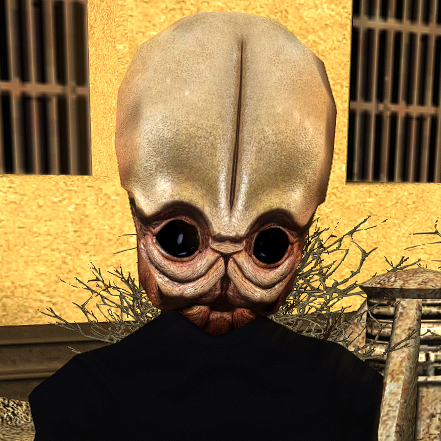
Bith HD
By Dark Hope
This mod will replace and update texture files.
To Install
1. Download: Bith HD.rar
2. Copy all files to the Knights of the Old republic's Override folder.
(Example location - C:\Program Files (x86)\Steam\steamapps\common\swkotor\Override)
3. When/if prompted to overwrite files, press okay.
4. If you like the mod; leave a comment or endorse! (It would be much appreciated) Made with love
618 downloads
-
![More information about "[KotOR] Ajuur Medical Supplies Respawn"](https://deadlystream.com/downloads/screens/monthly_2025_09/KOTOR-Logo_upgrade.thumb.png.d10779f6aa2e4ca16819d5d818081b8d.png)
[KotOR] Ajuur Medical Supplies Respawn
By Salk
This small modification was created as part of Snigaroo's Mod Build request at Deadlystream. It simply refill the First Aid container in the duelling room on Taris Cantina with a new medikit (unless one such is already available) after winning one of the duels. Enjoy!
106 downloads
(0 reviews)0 comments
Submitted
-
Party at Davik's
By Salk
This is yet another entry from me as part of the Snigaroo mod build request found here.
This modification was created after a request made by Snigaroo as part of his Mod Build for K1. The main purpose of it is to deny the original game logic of having to „fetch” the rest of the party not present at Davik's while the massive destruction of Taris is already well under way and at the same time make sure that Calo Nord won't miss noticing the presence of Bastila at the showdown, whether she was elected to be the second henchman to infiltrate Davik's Estate. Enjoy!
268 downloads
-
+1 Defense, Saving Throw and Attack Modifier per Level - K1
By GearHead
Every character in the game will now gain +1 Defense, Saving Throw and Attack Modifier per level.
You only install this mod if you love pain.
91 downloads
(0 reviews)0 comments
Updated
-
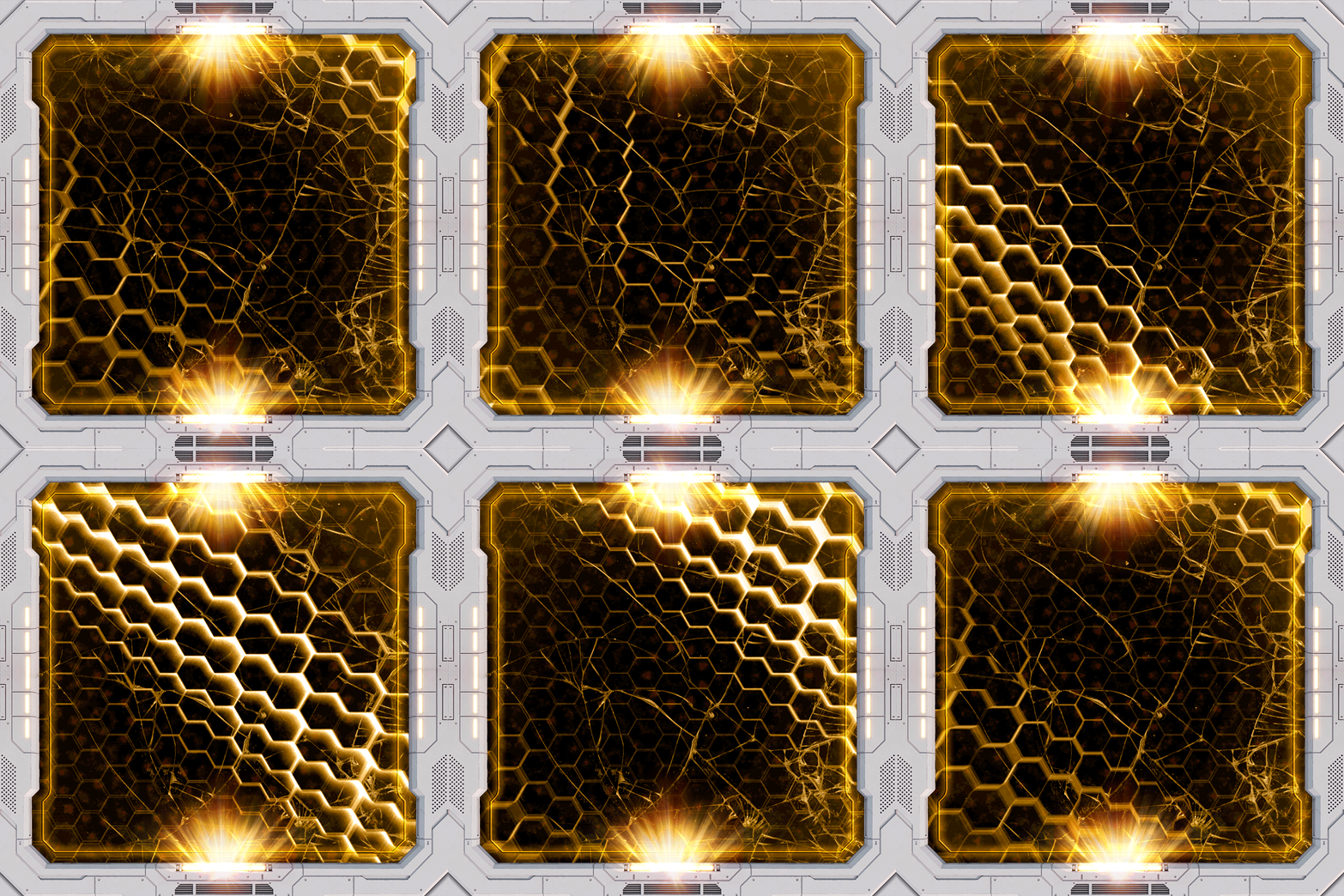
Animated Endar Spire Portholes
By Dark Hope
This mod will replace and update texture files. For proper operation, KOTOR 1 Community Patch 1.10.0 must be installed.
To Install
1. Download: LHR_dust.rar
2. Copy all files to the Knights of the Old republic's Override folder.
(Example location - C:\Program Files (x86)\Steam\steamapps\common\swkotor\Override)
3. When/if prompted to overwrite files, press okay.
4. If you like the mod; leave a comment or endorse! (It would be much appreciated) Made with love
541 downloads
-
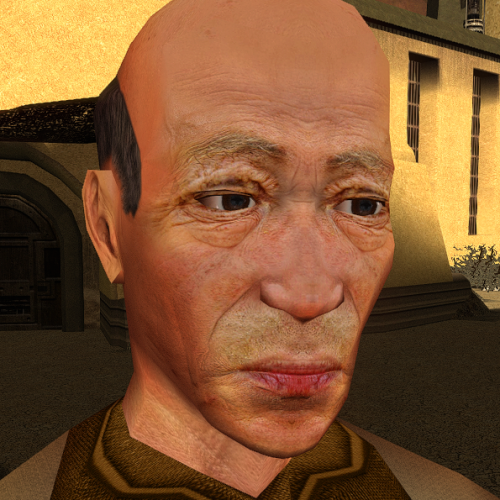
N_oldAMH01 HD
By Dark Hope
This mod will replace and update texture files.
To Install
1. Download:N_oldAMH01.rar
2. Copy all files to the Knights of the Old republic's Override folder.
(Example location - C:\Program Files (x86)\Steam\steamapps\common\swkotor\Override)
3. When/if prompted to overwrite files, press okay.
4. If you like the mod; leave a comment or endorse! (It would be much appreciated) Made with love
9,280 downloads
- n_oldamh01
- hd
- (and 1 more)
(0 reviews)0 comments
Submitted
-
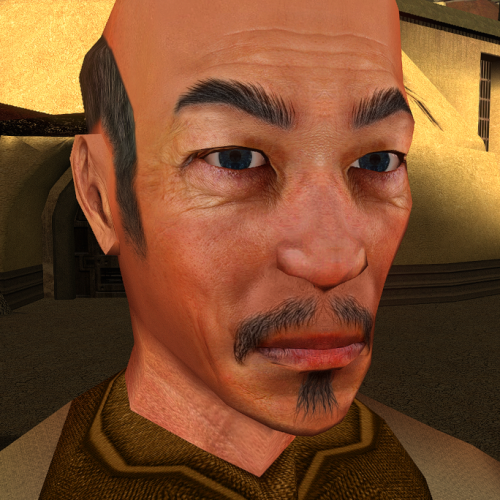
N_oldAMH02 HD
By Dark Hope
This mod will replace and update texture files.
To Install
1. Download:N_oldAMH02.rar
2. Copy all files to the Knights of the Old republic's Override folder.
(Example location - C:\Program Files (x86)\Steam\steamapps\common\swkotor\Override)
3. When/if prompted to overwrite files, press okay.
4. If you like the mod; leave a comment or endorse! (It would be much appreciated) Made with love
439 downloads
- n_oldamh02
- hd
- (and 1 more)
(0 reviews)0 comments
Submitted
-
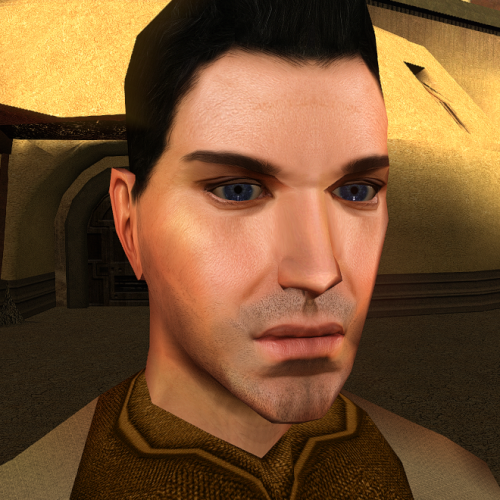
N_Comm_w_m HD
By Dark Hope
This mod will replace and update texture files.
To Install
1. Download:N_Comm_w_m.rar
2. Copy all files to the Knights of the Old republic's Override folder.
(Example location - C:\Program Files (x86)\Steam\steamapps\common\swkotor\Override)
3. When/if prompted to overwrite files, press okay.
4. If you like the mod; leave a comment or endorse! (It would be much appreciated) Made with love
436 downloads
(0 reviews)0 comments
Updated
-
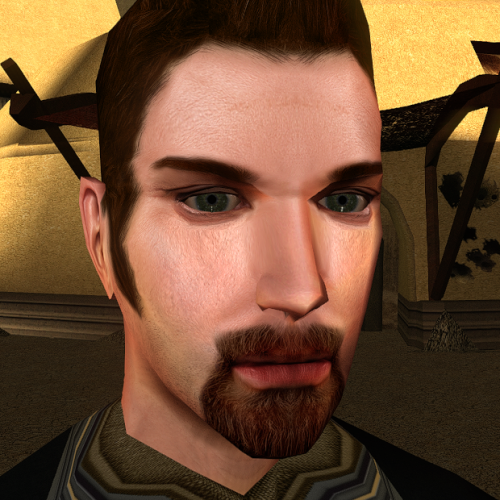
N_Comm_w_m02 HD
By Dark Hope
This mod will replace and update texture files.
To Install
1. Download: N_Comm_w_m02.rar
2. Copy all files to the Knights of the Old republic's Override folder.
(Example location - C:\Program Files (x86)\Steam\steamapps\common\swkotor\Override)
3. When/if prompted to overwrite files, press okay.
4. If you like the mod; leave a comment or endorse! (It would be much appreciated) Made with love
401 downloads
- n_comm_w_m02
- hd
- (and 1 more)
(0 reviews)0 comments
Submitted
-
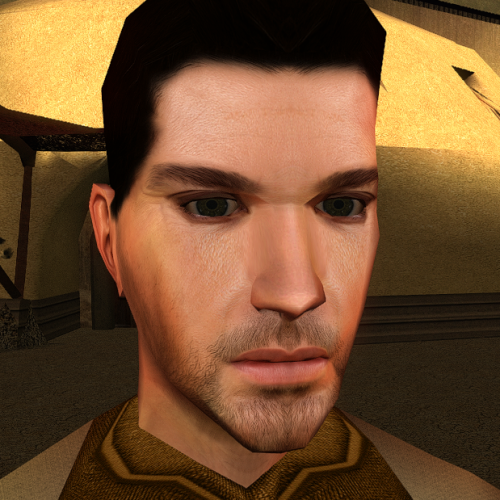
N_TatComW_M HD
By Dark Hope
This mod will replace and update texture files.
To Install
1. Download:N_TatComW_M.rar
2. Copy all files to the Knights of the Old republic's Override folder.
(Example location - C:\Program Files (x86)\Steam\steamapps\common\swkotor\Override)
3. When/if prompted to overwrite files, press okay.
4. If you like the mod; leave a comment or endorse! (It would be much appreciated) Made with love
429 downloads
- n_tatcomw_m
- hd
- (and 1 more)
(0 reviews)0 comments
Submitted
-
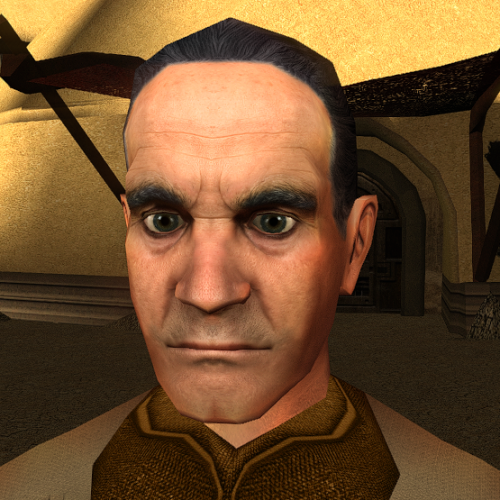
Deadeye Duncan HD
By Dark Hope
This mod will replace and update texture files.
To Install
1. Download:N_DeadeyeH01.rar
2. Copy all files to the Knights of the Old republic's Override folder.
(Example location - C:\Program Files (x86)\Steam\steamapps\common\swkotor\Override)
3. When/if prompted to overwrite files, press okay.
4. If you like the mod; leave a comment or endorse! (It would be much appreciated) Made with love
6,624 downloads
- deadeye duncan
- hd
- (and 1 more)
(1 review)0 comments
Submitted
-
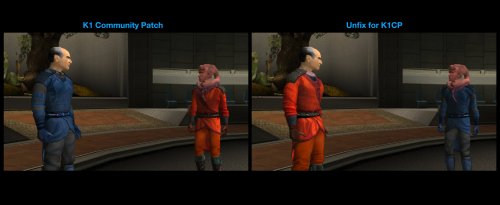
Vrook and Zhar Unfix for K1CP
Restores the vanilla colors of Vrook and Zhar’s robes which are switched by K1CP.
DESCRIPTION
K1 Community Patch includes Vrook and Zhar Fix by N-DReW25 which switches the color of Vrook and Zhar’s robes to match their appearances during a certain cutscene in the game. It’s a sensible fix especially given the impracticality of changing the cutscene itself, but personally I think the original colors just look better on the characters and prefer keeping them and accepting the brief visual inconsistency. Since K1CP is considered an essential mod by many, I made this patch you can install on top of it if you want to restore Vrook and Zhar’s vanilla robe colors.
INSTALLATION
Make sure KOTOR 1 Community Patch is installed first.
Run HoloPatcher.exe. Select your game data folder. Press install.
Unaltered copies of any modified files will be placed inside the "backup" folder in the location of HoloPatcher.exe.
UNINSTALLATION
Move dan13.mod from the backup/Modules folder to the game’s Modules folder.
COMPATIBILITY
K1CP must be installed first, otherwise this mod will do nothing. If a different mod changes Vrook/Zhar’s robes, it will conflict. Should be compatible with any other mods.
PERMISSIONS
Do whatever you want with this mod.
CREDITS
offthegridmorty
HoloPatcher - Cortisol, th3w1zard1
Screenshots include KOTOR 1 Community Patch and JC's Cloaked Jedi Robes.
74 downloads
-
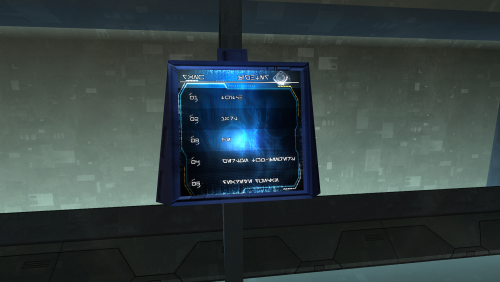
Arena Scr (Taris Dueling Arena Adjustment 1.4)
By Dark Hope
I reworked the screens for the Taris Dueling Arena Adjustment 1.4 mod. Created animation. Frame size 1024 by 1024 (42 frames).
1. Download: TarArenaScr
2. Copy all files to the Knights of the Old Republic's Override folder.
(Example location - C:\Program Files (x86)\Steam\steamapps\common\swkotor\Override)
3. Delete the DP_TarArenaScr A - I .tpc files.
4. If you like the mod; leave a comment or endorse! (It would be much appreciated) Made with love.
638 downloads
- dark hopa
- darthparametric
- (and 1 more)
-
High quality skyboxes model fixes v1.0
High quality skyboxes model fixes v1.0
By Zobizob
Description:
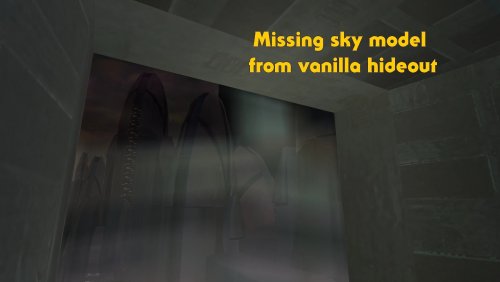
Kexikus released this amazing skyboxes mod : High quality skyboxes, but while i was working on the models, i noticed there was a little problem with Taris exteriors. Some lights from the buildings were not animated anymore. While i was at it, i also noticed there was a problem with the hideout skybox (not caused by the mod tho, just a missing object in the model from vanilla). Everything is fixed now.
Work done and disclaimer :
All the vanilla lights animations from Taris buildings are animated again The skybox in the hideout is fixed Install Kexikus mod first, then drop my files into override and replace when asked. Credit:
Kexikus for the original High quality skyboxes mod.
Kotor discord channel for insights on developping mods for this awesome game.
Permissions:
You shall not use this into your own work without asking Kexikus authorization, as he is the original authors. I only fixed the models, nothing else.
Legal:
THIS MODIFICATION IS PROVIDED AS-IS AND IS NOT SUPPORTED BY BIOWARE/OBSIDIAN ENTERTAINMENT, LUCASARTS, DISNEY OR ANY LICENSERS/SPONSORS OF THE MENTIONED COMPANIES. USE OF THIS FILE IS AT YOUR OWN RISK AND THE ABOVE MENTIONED COMPANIES OR THE AUTHOR IS NOT RESPONSIBLE FOR ANY DAMAGE CAUSED TO YOUR COMPUTER FOR THE USAGE OF THIS FILE.
6,831 downloads
(0 reviews)0 comments
Submitted
-

Switch Weapons for K1
Adds the ability to switch or holster your weapons in K1.
SUMMARY
KOTOR 2 added a nice QOL feature which allows you to switch between sets of weapons by clicking a button, saving time scrolling through your inventory to find your favorites. This mod is an attempt to bring that functionality to the first game.
This mod adds a usable item which allows you to switch between two sets of weapons. Simply activate the item to save your current weapons as a set and switch to your other set. You can use this to quickly switch between melee and ranged weapons, keep a special set of weapons saved for certain enemies, or you can keep your second set empty and use it as a holster/unholster button.
NOTE: In order to get the Switch Weapons item without cheats, you must start a new game (you will get it when Trask joins your party). Otherwise, you can get the item with the cheat “giveitem switchweapons” or by using a save editor.
Please read Compatibility and Bugs sections before installing.
INSTALLATION
To install, run TSLPatcher.exe.
Unaltered copies of any modified files will be placed inside the "backup" folder in the location of TSLPatcher.exe.
UNINSTALLATION
1. Remove the following files from override:
2. If any files were created in the backup folder, move them to override.
COMPATIBILITY
This mod will only work with weapons that exist in the vanilla game and weapons added by a limited number of mods. See list below. If you want a weapon from a mod not listed below supported, just ask. This mod will also not work with custom companions. Again, let me know and I will see about making a patch.
Supported Mods
New Lightsaber Blade Model by Crazy34 (standard installation only)
Juhani Appearance Overhaul by Stormie97
BUGS
Activating the item while running can interrupt the action which will effectively clear your second set of weapons, as there’s no way to tell if a character is running in the first game. To avoid this, do not run while using the item.
When switching to a set of duel-wielded weapons which are both identical weapons (e.g. two vibroblades), the game will try to play both the single and duel-wield weapon flourish animations in short succession, which produces odd results visually. This is due to the need to slightly delay the equipping of the left hand in such cases in order for the left hand weapon to be equipped at all.
The game could get confused between weapons which share the same tag. This should be rare though I think and hopefully irrelevant for most playthroughs.
PERMISSIONS
Please do not reupload this mod without my expressed permission. You are free to use the source script to create a patch for another mod.
CREDITS
offthegridmorty
Thanks to JC for help fixing some bugs and issues.
Credit to Xiskio who was the first to make a mod like this many years ago with their Holster Weapons mod.
KOTOR Tool - Fred Tetra
TSLPatcher, TalkEd - stoffe, Fair Strides
K-GFF - tk102
Holocron Toolset - Cortisol
641 downloads
- switch weapons
- holster
- (and 1 more)
-
darth malak "CineMalak" - HD Malak Retexture
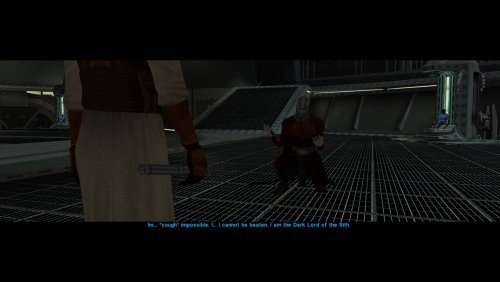
As a staunch "vanilla" purist, I've been dismayed at the selection of HD retextures for Malak made available, so I decided to finally make one myself. For years, I've been using an older 1k upscale of the stock in-game texture for Malak and it just wasn't fitting with the other HD mods I have installed over the years. I still wanted to keep the 1k upscale, as it just "pops" in-game really well. I wanted to approach this as if a film costumer had to interpret the original designs. I wanted to stay as close to the original design as possible but use real-world fabrics and materials present today to reinterpret the original artwork into something more in line with the simple and robust OT aesthetics. I publish this with the express permission by @Dark Hope whose HD Malak texture served as the base for the alterations I made.
I kept her neck collar untouched and recolored and added a few more textures on top of the chest piece to make it feel like a real costume material, like a rubber or foam piece. I then combined the upscaled vanilla texture for the accessories and hands and further painted and textured on top of them. The more exhaustive texturing work are the soft parts, adding my own custom textures to reinterpret what was there. I made the arm wraps by scanning double-pleated cotton gauze, backlaid with heavy textured watercolor paper for some depth and thickness, and used a crushed cotton, pleated crepe fabric for the rest of his compression coveralls, taking inspiration from vintage high-altitude jumpsuits. I added piping for where seams would be to join the different fabrics, and have pleated nylon stretch fabric for the pits and back of the knees for mobility; the cape and tabards are simple black wool drapery, ala Darth Vader, but given slightly different hues to read better on screen, much like components of Darth Maul's costume. I gave him ribbed, padded kneepads, as seen on some Jon Mollo costume sketches, and some back detailing to fill some empty space but keeping true to existing design elements. I added little quirks like hidden stitching, and folds and pleats that would visually "explain" why his cape never folds over his shoulders or how the wrappings on his arms don't bunch up at the shoulders. Little touches that just make it seem more like a real-world costume.
Paired with the 'red eyes' option for Malak's head, also by Dark Hope, now there is a Malak texture option I think most can be proud of.
INSTALLATION: Just drop the file into your game's "Override" folder.
REMOVAL: Remove file from the "Override" folder.
8,120 downloads
-
.thumb.png.94b6803701bcec1161d4da167404b960.png)
Kebla Yurt Renovation
By N-DReW25
A Mod for Star Wars Knights of The Old Republic
Author: N-DReW25
1.0.0 Release Date: 15.07.2025
Installation:
Please install the K1 Community Patch FIRST before this mod!
Simply click on the HoloPatcher.exe, click install and sit back and watch the HoloPatcher do its magic.
Description:
Kebla Yurt's Equipment Emporium is a weapons store that you'll come across at the beginning of the game, the entire shop is decked out with blasters, swords, grenades, armor, and other props to really sell the point across that this IS a weapons store.
Some noticeable issues with Kebla Yurt's Equipment Emporium is that Kebla herself stands by a desk in the center of the room even though there is a shop window at the back of the shop that's very similar to the shop window that fellow shop owner Janice Nall stands behind in her nearby Droids by Janice store. This shop window is also obscured by a kiosk and two part piles which do a poor job at hiding the shop window behind it.
Another issue is that there are several metal boxes at the back of the shop to the left which clips into an armor display.
The Kebla Yurt Renovation mod does the following:
* Moves two of the three metal boxes to the right side of the store right at the front of the store right next to the entrance.
* Moves the third of the three metal boxes between an armor display and some bags in the middle of the left wall.
* Moves the Kiosk away from the shop window and moves it to the far left side of the wall.
* Moves the part piles away from the shop window and moves them to the area where the three metal boxes used to be.
* Makes Kebla Yurt's desk invisible.
* Moves Kebla Yurt behind the shop window.
Known Bugs:
This mod shouldn't have any bugs but if there are please report them to me on Deadlystream.
Incompatibilities:
To be added!
Permissions:
Do NOT claim credit for this mod and do not use my assets from this mod without my permission.
Thanks to:
Dark Hope: For pointing out the clipping issue with the three metal boxes on a Deadlystream post!
Bioware: For such an amazing game!
Cortisol: For the Holocron Toolset!
th3w1zard1: For HoloPatcher!
Everyone who downloads the mod!
Legal:
THIS MODIFICATION IS NOT SUPPORTED BY BIOWARE/OBSIDIAN ENTERTAINMENT, LUCASARTS, DISNEY OR ANY LICENSERS/SPONSORS OF THE MENTIONED COMPANIES. USE OF THIS FILE IS AT YOUR OWN RISK AND THE ABOVE-MENTIONED COMPANIES OR THE AUTHOR IS NOT RESPONSIBLE FOR ANY DAMAGE CAUSED TO YOUR COMPUTER FOR THE USAGE OF THIS FILE.
6,548 downloads
- kebla yurt
- placeable
- (and 5 more)
(0 reviews)0 comments
Updated
-
Implant icons
By Dark Hope
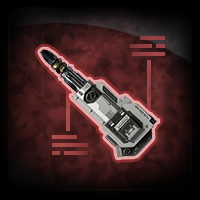
The mod replaces the implant icons.
Thanks to DarthParametric for publishing the icons.
Credit Bioware/Broadsword/EA as the original source.
To Install
1. Download: implant.rar
2. Copy all files to the Knights of the Old republic's Override folder.
(Example location - C:\Program Files (x86)\Steam\steamapps\common\swkotor\Override)
3. When/if prompted to overwrite files, press okay.
4. If you like the mod; leave a comment or endorse! (It would be much appreciated) Made with love.
413 downloads
-
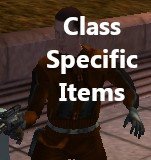
endar spire Class Specific Items
By Insightful99
INTRODUCTION:
This mod aims to make Taris easier by giving you Class Specific items on the Endar Spire. These items are quite powerful and should hopefully make Taris a breeze.
STATS OF THE WEAPONS:
Republic Vibroblade (Given to Soldiers):
Strength +1
Damage Bonus: Piercing +1
Bonus Feat: Improved Two Weapon Fighting & Weapon Focus: Melee Weapons
Smuggler's Blaster Pistol (Given to Scouts):
Dexterity +1
Charisma +1
Wisdom +1
25% Chance to Stun
Damage Bonus: Universal +2
Pirate's Blaster Rifle (Given to Scoundrels):
Dexterity +2
Bonus Feat: Improved Scoundrel's Luck & Weapon Focus: Blaster Rifle
25% Chance to Slow
Republic Soldier Armor (Given to All Classes):
Intelligence +2
Dexterity +1
Defense Bonus: 4
Bonus Feat: Weapon Focus: Blaster Rifle & Weapon Focus: Blaster Pistol
Regeneration: 2
INSTALLATION:
Simple, Copy all the files in the "To Override" folder into your Override folder.
UNINSTALLATION:
Also Simple, copy the file in the "Backup" folder, into your Override Folder. It's (almost) like the mod was never installed!
If you want to completely uninstall the mod, delete all the files you copied into your Override Folder.
KNOWN INCOMPATIBILITY:
This mod is incompatible with any mod that modifies "end_trask01.dlg". Anything else should* be fine. If you wish to make the mod compatible with another mod, you'll need to modify the OTHER mod's trask dialog. It's super simple, just add the scripts end_soldier anywhere in the dialog file after the game's confirmed you are a soldier. Do the same thing with the scout and scoundrel scripts (end_scout & end_scrl).
KNOWN BUGS:
- None are none at the moment, if you find any bugs, please let me know via a PM on Deadlystream.
Note: Due to the small size of the mod, I doubt that there will be any bugs.
CREDITS:
Cortisol - Holocron Toolset
Bioware - Kotor I
186 downloads
(0 reviews)0 comments
Submitted
-
Diversified Sith Academy Guards
By SithNadd
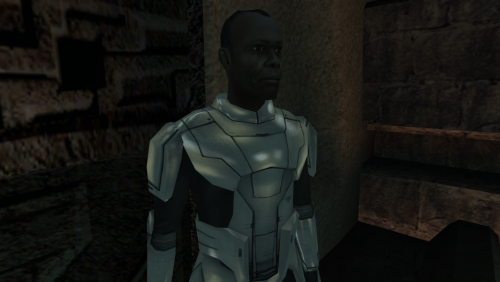
This mod adds unique appearances for each of the guards in the Sith Academy on Korriban.
Each guard uses a modified version of the Sith Trooper model with the helmet removed and has a unique head ported from TSL.
This mod will not work with saved games in which you have already entered the Sith Academy, as module data is stored within saves. You will need to use a save from before you enter the Sith Academy or a start a new game for the changes to apply.
I’m aware that there was previously a similar modified Sith Trooper model which is no longer available, but this one improves on that by having a slightly nicer modification to the mesh itself and has the adjusted vertices re-weighted to prevent gaps appearing between the body and neck during certain animation.
Installation
Run the included installer and the mod will install itself.
182 downloads
- sith academy
- guards
- (and 3 more)
(0 reviews)0 comments
Submitted
-
Belt icons
By Dark Hope
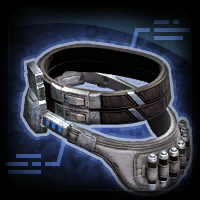
The mod replaces the Belt icons.
Thanks to DarthParametric for publishing the icons.
Credit Bioware/Broadsword/EA as the original source.
To Install
1. Download: Belt.rar
2. Copy all files to the Knights of the Old republic's Override folder.
(Example location - C:\Program Files (x86)\Steam\steamapps\common\swkotor\Override)
3. When/if prompted to overwrite files, press okay.
4. If you like the mod; leave a comment or endorse! (It would be much appreciated) Made with love.
478 downloads
-
Gauntlet icons
By Dark Hope
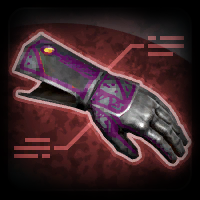
The mod replaces the Gauntlet icons.
Thanks to DarthParametric for publishing the icons.
Credit Bioware/Broadsword/EA as the original source.
To Install
1. Download: gauntlet.rar
2. Copy all files to the Knights of the Old republic's Override folder.
(Example location - C:\Program Files (x86)\Steam\steamapps\common\swkotor\Override)
3. When/if prompted to overwrite files, press okay.
4. If you like the mod; leave a comment or endorse! (It would be much appreciated) Made with love.
436 downloads
(0 reviews)0 comments
Updated
-
File Reviews
-
An absolute must mod!
For years I thought it so frustrating that Bao-dur's disappearance was unexplained. I thought it strange that he would abandon the exile after everything they went through. Later I learned of the supposed fate of Bao-dur - running out into a mine?! - seriously!
Now with this mod it ties so much of the story together. It's as if Bao-dur stays behind on Telos to defend it. After all, in a conversation with the handmaiden she does make reference to Atris believing Bao-dur was the key to help Telos. And if you have the extended ending mod it reinforces the idea of the exile - aka Meetra - leaving those she cares about behind to strengthen the Republic for the war to come as she goes in search of Revan.
I really enjoyed this mod. Very well done WildKarrde for creating this mod. It was a much needed edition to a classic game. Definitely a gold star! Keep up the good work!💫
-
Your mod is the prime example of how the Restoration mod should be alongside the Sleheyron mod! 10/10
-
 1
1
-
-

Caim 1
Whoever made this mod is a godsend! It fixes almost everything that needs fixing for modern systems in 2026 for KOTOR 1, including issues for AMD users like me. It has saved me so many nerve cells. So now I can finally play with Soft Shadows and Frame Buffer Effects, except the Grass — sometimes for grass to work properly you need to restart your game. In my opinion this is the best KOTOR mod right now, no exaggeration.
Edited by Caim-
 1
1
-
-
I'm just happy that I can finally play the game on PC with real, native, proper controller support. The fact that TSL received that massive update which added native controller support but the original KOTOR was left with mouse/keyboard years later (which was ridiculous) is finally resolved with this.
-

Stuck 0
-
I'm very eager to give it a try but I just can't. I installed KMRP, used KPM patcher with only 2 patches - KMRP and High FPS Fixes.
Then I run your install.cmd and all I get is this:
INSTALL FAILED: Executable compatibility check failed at 47 required hook site(s).
0x004F1A3E: expected [B8 14 00 00 00], found [6A 85 05 C2 9E]
0x004F1A43: expected [0F B6 D0 3B 4C 96 38], found [CE EB 19 56 C1 7C 49]
0x0054EC5B: expected [C7 02 14 00 00 00], found [34 50 71 50 DE 29]
0x00552C9A: expected [8D 7E 38 B9 15 00 00 00 F3 AB], found [66 3F 2E 33 9D 15 28 89 29 00]
0x00552F8A: expected [8D 6E 38], found [DA 7B 54]
0x00552FD6: expected [83 FF 14], found [A7 5A 68]
0x005A54A0: expected [0F B6 F0 3B 54 B1 38], found [F6 AB 63 77 5A C7 1D]
0x005A54AA: expected [83 F8 14], found [75 93 66]
...and 39 more mismatched hook site(s).
Another executable patch or a different KOTOR binary layout is using code this mod needs. No changes were made.Press any key to continue . . .
Edited by WarlordThorvald
I had bunch of graphic mods and old widescreen fix installed before, but deleted it and restored original exe - no luck.
Then I just deleted my game and re-downloaded it (steam version), installed KMRP and patched clean version of the game with KPM - and result is the same.
I am at loss here. -
Does exactly was it says it does!
An observation: Having this active requires it to be installed dead last after EVERYTHING ELSE. If, say, I were to add"High FPS Fixes" or other patches through KotorPatchManager with "...Progression" already active, I lose the ability to back out of the level-up screen(effectively restoring the vanilla game's constraints where it would not let you exit the level-up UI to return to normal gameplay at all until you leveled up.)
This I confirmed via live testing/gameplay last night: I had to uninstall and re-install "....progression" after adding the KPM patches so it effectively sits at the very END of the installation order. This fixed the issue and I could back out of the level-up screen freely.
FYI I'm using KMRP 1.5.1 and KPM in my setup.
-
1
-
-

Ellhaim 0
This mod sorta works. Except that the model is very transparent. Especially on the metal/darker details of her outfit/model. Kind of unusable imo. Just makes me feel like I'm playing the ghost of Talon.
-
Fantastic work!!! Quick question to any who read this: I'm a total rookie with modding, and in my most recent playthrough, when the camera executed the flyby when the HK-50s shot you down over the polar region(when they start speaking "Egotistical Boast") I saw the mod author's logo. Again, since I;m new to this, I likely made a mistake when I added them, so how can I correct it so I don't see the logo?
-

lorddli 2
does what it says on the tin and i like it
-
1
-
-
Awesome mod! Some necessary powers filling out the pool, especially with Revitalize.
I don't know if this is cool, if not I will absolutely delete it... But I had AI upscale your icons so that they would work properly at high resolution (the images look basically identical, they're just 64x64 instead of 32x32).-
 1
1
-
-
Nice job !
ou plutôt dans ce cas Beau travail ! -
This Mod fixes all of the problems that I have when I got back to play this game on newer systems.
The dev behind this mod was quick to answer any questions I had since I was a Linux user of this mod.
Great quality mod, that fixes issues I was having in Ultrawide such as the dialogue windows not working on the first step of a new conversation (Typical on Ultrawide) as well as improving general stability of the game.
Would recommend for anyone playing the game.
-
1
-
-
Ok, I hope this helps perfect it because it's a good idea on paper. I'll keep it as "matter-of-factly" as possible.
My experience with this mod: My setup already had TSLRCM+M478PE+PartySwap as a foundation already running. I installed this mod, created a fresh, new character to test it out, made it to the Telos Citadel Station, and after the "house arrest" sequence wrapped up and I was free to move, the quest triggers, unknown to me, were compromised. For example: The ambush on Dock Module 126? The 5 thugs that attack you spawned, I fought them and beat them, but the dialogue script failed to recognize the instance, leaving the TSF NPC in an infinite "text box loop" saying "don't let them hurt the droid; the instance didn't close properly and, naturally, the journal quest didn't update. I reloaded a save file just prior to that beat and it played out correctly a second time. When I showed the "modified holdout blaster" to Lt. Grenn to pick up the "suspicious goods" quest? that dialogue with Grenn played normally, however the journal didn't log the "suspicious goods" quest at all. So, the masked thug that's supposed to ambush you in the Entertainment Module immediately after that dialogue didn't spawn. Another tell-tale sign that something was wrong is that the Dobo Brothers' Merchant Room was completely inaccessible: The door would not open, full stop. Also, one of the doors to the cantina turned into a "one-way" exit. You could exit out of the cantina through it but not go back in. The other door worked fine. And for some reason, some NPCs appeared with no head whatsoever, (though I'm uncertain of this last bit is related.) To solve these problems on my setup, I purged my game's Override, performed a Steam Integrity Check, and re-installed all my mods in the proper order, except this one. I hope this helps you perfect it.
EDIT: To be clear, I don't use the Steam Workshop for anything whatsoever; I only use Steam to launch the game. All my mods were installed through their respective standalone TSLPatcher executable.
Edited by jmorenobothwell -
-


-
File Comments
-

By BottomlessThought23 · Posted
Please don't copy and paste them from the old folder. The proper setup is to run KPM, make sure the game and patches folders are selected correctly, and THEN run KMRP. It should automatically find and install your files to KPM. Make sure you are only using ONE version of KPM. -

By Alcias01200 · Posted
Thank you for this mod! As a French player, the original French crawl always bothered me, and your version finally gets it right. The text is clean and faithful, and it fits perfectly with the rest of the game. I used it as the source for an upscaled version of the intro in my French-translated K2 build, and it looks great in HD. Thanks again, and thanks to Sith Holocron for commissioning it! -
 Thank you for this; these fights were clearly cut from the game because they completely ruin story pacing. Their inclusion has long been my biggest gripe with TSLRCM.
 -
By jmorenobothwell · Posted
What vesion(s) of KPM are you using? I ran into that issue as well. I was using the KPM v0.7.1, and when I switched to the latest v0.8.0, those patches (KMRP + Kotor Native Controller Support) were not packaged in v0.8.0''s "Patches" folder. Copying/Pasting them from v0.7.1's folder to v0.8.0's folder resolved the issue and v0.8.0 recognized and applied them on my end. -
 There should be a mod that scales the Scoundrel and Soldier models down to the "K1 Scout" height, since every class in K1 has a different height, whereas in K2 they all share the Scout's body size.
-