

Downloads
Featured Downloads
-

Friendly Droid Kits By Fair Strides
-
- 7 reviews
- 893
- 1
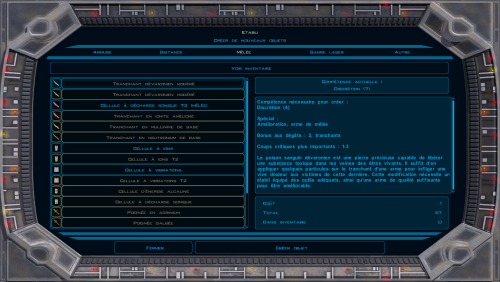
~~~~~~~~~~~~~~~~~~~~~~~~~~~~~~~~~~~~~~~~~~ » Friendly Droid Kits 1.0 Read-Me ~~~~~~~~~~~~~~~~~~~~~~~~~~~~~~~~~~~~~~~~~~ NAME: Friendly Droid Kits TYPE: Added Content VERSION: 1.0 SIZE - Unzipped: 959 Kilobytes, Zipped: 261 Kilobytes DATE RELEASED: March 10, 2017 ~~~~~~~~~~~~~~~~~~~~~~~~~~~~~~~~~~~~~~~~~~ » DESCRIPTION ~~~~~~~~~~~~~~~~~~~~~~~~~~~~~~~~~~~~~~~~~~ This mod, for me at least, started out as an idea back when I was discussing things like fumbling grenades and portable cover with Ma -
-
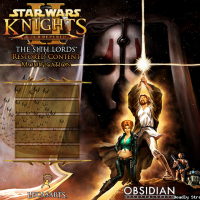
TSL Restored Content Mod By zbyl2
-
- 79 reviews
- 362,245
- 123
Authors: Zbyl2, DarthStoney, Hassat Hunter & VarsityPuppet Contact: PM us at Deadlystream Name: The Sith Lords Restored Content Mod (TSLRCM) 1.8.6 1. Description: ---------- Welcome. Thank you for downloading and installing TSLRCM 1.8.6. This mod's intention is to restore much of the content cut from The Sith Lords, that was lost to the main game due to a rush to release the game. This rush also left the game with a plethora of bugs (some of which also blocked out con -
-

Mission Vao HD by Quanon By Dark Hope
-
- 15 reviews
- 9,734
- 15
This mod replaces all Mission Vaos textures. She will have an updated skin which has a bit more detail. I tried to smooth the seams. Work Quanons, edited by Dark Hopa. The head has not been published. It contains materials from another author. I can send it in a personal message. -
-

Effixian's Jedi Knight Revan Robes (SW:GoH) By Effix
-
- 3 reviews
- 3,179
- 6
--------------------------------------------- Knights of the Old Republic --------------------------------------------- TITLE: Effixian's Jedi Knight Revan Robes (SW:GoH) AUTHOR: Effix(ian) CONTACT: PM me on the forums or find me on Steam ------------------------ DESCRIPTION ------------------------ This mod adds a robe that's based on Jedi Knight Revan from the mobile game Star Wars: Galaxy of Heroes. You can only acquire it by using cheatcode*: giveitem jedirevan -
-

Implant Feat Restoration By N-DReW25
-
- 9 reviews
- 2,344
- 25
A Mod for Star Wars Knights of The Old Republic II The Sith Lords Author: N-DReW25 Release Date: 19.03.2017 Release Date 1.1: 7.09.2017 Installation: Double Click the TSLPatcher.exe and let it do its magic Uninstallation: Remove or Delete all the files with the "e_imp1_01.uti" all the way to "e_imp4_10.uti" (There are at least 30 of those so they aren't listed here) When the TSLPatcher installs the mod correctly it generates a backups folder within t -
-

M4-78 Enhancement Project By zbyl2
-
- 18 reviews
- 70,959
- 60
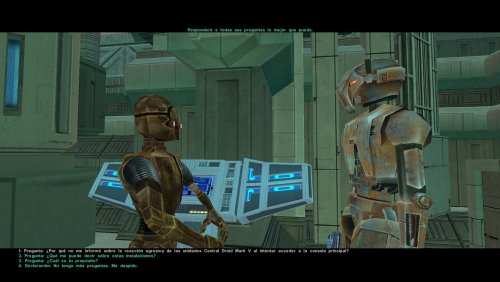
THE SITH LORDS RESTORED CONTENT MOD ADD-ON: M4-78 Enhancement Project 1.5 1. Description: ---------- This mod adds the planet of M4-78 to the game, where you can find Master Vash alive. The planet is only available after finishing Korriban. You will find a clue on how to get to M4-78 in Korriban's Sith Academy. Features: * Brand new planet consisting of seven new, unique locations! * Over two hours of additional game play! * Explore the mysterious Droid's Planet in a dialog -
-

Effixian's Zeison Sha / Jal Shey Reskin 2010 By Effix
-
- 7 reviews
- 3,624
- 7
******************************************************** Knights of the Old Republic - The Sith Lords ******************************************************** TITLE: Effixian's Zeison Sha / Jal Shey Reskin 2010 AUTHOR: Effix(ian) CONTACT: PM me on the forums or find me on Steam ****************** INSTALLATION ****************** Copy all files (or make a selection if you like) to your Override folder. ****************** DESCRIPTION ****************** I did not incl -
-

Blasters Reloaded By Malkior
-
- 4 reviews
- 1,440
- 50
=__- Blasters Reloaded: -_= Ranged Weapon Feats Overhaul for KotOR 2 By:Malkior Description: Many of my mods span back several years, but this one is a bit more recent. Essentially at its core, this is a realism mod focused on changing all of the blaster feats to be tied to each individual item rather than being learnable on the Level Up screen. This in turn means that you will need to purchase a blaster with the Rapid Fire, Power Blast, or Snip -
-

Revan's Hoodless/Maskless Flowing Robes For TSL By DarthParametric
-
- 9 reviews
- 3,681
- 22
This mod changes the models for the Darth Revan/Star Forge robes to a modified version with the cape and belts seen on the cutscene version of Revan’s robes, but without the raised hood and mask. Alternative models with different arrangements of cape/belts/folded hood are available in the mod’s OPTIONAL folder. Once you have finished installing the mod, you may copy and paste the MDL/MDXs from relevant folder to the Override folder, overwriting when prompted. This mod relies on Hunte -
-

Genoharadan - Light Side By DarthRevan101
-
- 8 reviews
- 5,141
- 14
Genoharadan - Light Side Description: One of the more exciting subplots in KotOR was the Genoharadan, a secret guild of assassins that your player could join and hunt multiple targets across the galaxy. Sadly, you couldn't complete this quest without accumulating a whole lot of Dark Side Points - until now. This mod allows you to spare the lives of Vorn Daasraad, Rulan Prolik, Ithorak Guldar and Lorgal (There's an option to let Zuulan go free in the game already so I' -










-
File Reviews
-

Mephiles550 251
I cannot thank you enough for the sheer quality and convenience of this mod.
Patch after patch, mod after mod, hack after hack, just to get this mess of an old game to look decent on modern displays and hardware. Then one mad lad comes and makes a single gift basket of a patch for it that turns an incredibly tedious and frustratingly long process into a 5 second click-and-play experience. Hell, I'm so used to stuff just not working when trying to mod or fix this game so I expected issues with this, but your patch just does literally everything I need. And it works... omg it actually works lol finally something of this scale actually works without causing any problems in this god forsaken mishmash of game coding.
One small issue I've noticed on 4k resolutions anyway is that selecting small font option does not show the names of selected targets. Could you fix that in the next update? It works fine with regular font but I'd prefer small. Also maybe you could make the regular Xbox hud useable without a controller?5/5, Sincerest thanks
-

Red Hessian 10
A must have for a dark side character. Simon Templeman's voice fits perfectly.
-
A must-have for KOTOR 2, full stop. Like others have said here, this mod is expertly built and integrated into the base game/TSLRCM framework and polishes the end of the game, wrapping up that escape and giving the entire crew a proper closure to their journey. This one is a lock for all my future TSL mod builds. 10/10.
-
 1
1
-
-

Leilukin 346
Another great mod by WildKarrde that has earned a permanent spot in my personal mod build. Bao-Dur is one of the most underrated characters in TSL, so I have always been bothered by how vanilla TSL has Bao-Dur disappear throughout the end-game without explanation for what happaned to him, and the lack of even cut content to be able to restore to fix that. I am thrilled that there is finally an endgame story mod that gives Bao-Dur the love he deserves.
SpoilerI especially appreciate that the mod lets Bao-Dur live. Even though Chris Avellone said that Bao-Dur was supposed to die in the endgame, I honestly never liked the idea of Bao-Dur dying, because consider his story revolves around his trauma and guilt over Malachot V, I believe he deserves a chance to live and heal after the events of TSL, which I would find much more satisfying than killing Bao-Dur off. In my honest opinion, Bao-Dur's death would serve no story purpose other than explaining his disappearance in the endgame, so I am seriously glad to see a story mod meant for giving Bao-Dur more closure in the endgame avoids killing him off.
I also love the salute Bao-Dur gives the Exile when the Exile leaves Telos for Malachor, which perfectly captures the Bao-Dur and the Exile's relationship as comrades during both the Mandalorian Wars and the present day events of TSL.
Edited by Leilukin-
 1
1
-
-
Leilukin 346
Truly an incredible mod that makes a permanent spot in my personal mod build for how much it improves the ending, and how well-made the mod is. While TSLRCM did the best it could in restoring cut content to the end-game, there is still room for improvement for the ending, and TSL Expanded Ending proves that.
SpoilerI appreciate that TSL Expanded Ending gives the player more choices, such as the option if they want to destroy Malachor or not regardless of the player's alignment, if they want to find Revan or not, choosing to stay on Malachor if the player doesn't destroy it, etc. The mod also restores Handmaiden/Visas' ending conversation about wanting to follow the player even if the player chooses to destroy Malachor.
-
 1
1
-
-
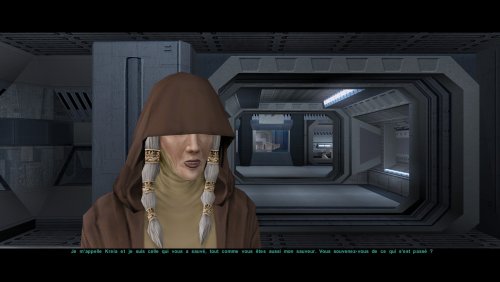
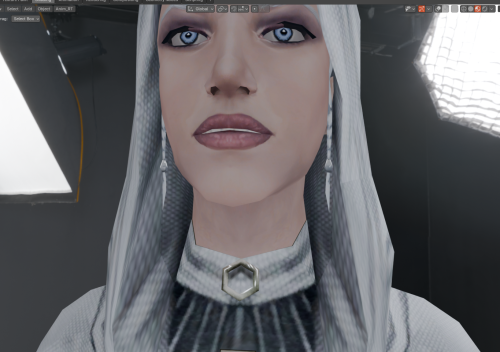
Nice to see the Handmaiden's braids beneath her hood! Thanks for creating this mod!
-
1
-
-
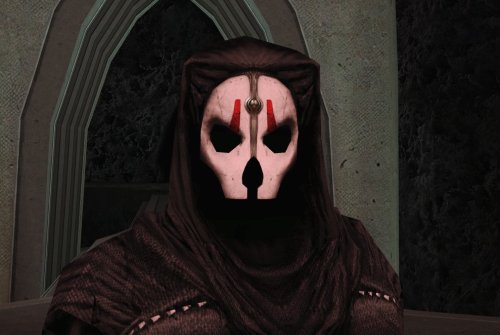
Tested this out. This really does look like Nihilus has no face at all, thus making Nihilus look like what Avellone intended like you said! Good job!
Edited by DarthErdan -
Another seamless and great addition that I will keep in my load order.
Edited by vault13deathclaw -
An absolute must mod!
For years I thought it so frustrating that Bao-dur's disappearance was unexplained. I thought it strange that he would abandon the exile after everything they went through. Later I learned of the supposed fate of Bao-dur - running out into a mine?! - seriously!
Now with this mod it ties so much of the story together. It's as if Bao-dur stays behind on Telos to defend it. After all, in a conversation with the handmaiden she does make reference to Atris believing Bao-dur was the key to help Telos. And if you have the extended ending mod it reinforces the idea of the exile - aka Meetra - leaving those she cares about behind to strengthen the Republic for the war to come as she goes in search of Revan.
I really enjoyed this mod. Very well done WildKarrde for creating this mod. It was a much needed edition to a classic game. Definitely a gold star! Keep up the good work!💫
-
Your mod is the prime example of how the Restoration mod should be alongside the Sleheyron mod! 10/10
-
1
-
-

Caim 1
Whoever made this mod is a godsend! It fixes almost everything that needs fixing for modern systems in 2026 for KOTOR 1, including issues for AMD users like me. It has saved me so many nerve cells. So now I can finally play with Soft Shadows and Frame Buffer Effects, except the Grass — sometimes for grass to work properly you need to restart your game. In my opinion this is the best KOTOR mod right now, no exaggeration.
Edited by Caim-
1
-
-
I'm just happy that I can finally play the game on PC with real, native, proper controller support. The fact that TSL received that massive update which added native controller support but the original KOTOR was left with mouse/keyboard years later (which was ridiculous) is finally resolved with this.
-

Stuck 0
-
I'm very eager to give it a try but I just can't. I installed KMRP, used KPM patcher with only 2 patches - KMRP and High FPS Fixes.
Then I run your install.cmd and all I get is this:
INSTALL FAILED: Executable compatibility check failed at 47 required hook site(s).
0x004F1A3E: expected [B8 14 00 00 00], found [6A 85 05 C2 9E]
0x004F1A43: expected [0F B6 D0 3B 4C 96 38], found [CE EB 19 56 C1 7C 49]
0x0054EC5B: expected [C7 02 14 00 00 00], found [34 50 71 50 DE 29]
0x00552C9A: expected [8D 7E 38 B9 15 00 00 00 F3 AB], found [66 3F 2E 33 9D 15 28 89 29 00]
0x00552F8A: expected [8D 6E 38], found [DA 7B 54]
0x00552FD6: expected [83 FF 14], found [A7 5A 68]
0x005A54A0: expected [0F B6 F0 3B 54 B1 38], found [F6 AB 63 77 5A C7 1D]
0x005A54AA: expected [83 F8 14], found [75 93 66]
...and 39 more mismatched hook site(s).
Another executable patch or a different KOTOR binary layout is using code this mod needs. No changes were made.Press any key to continue . . .
Edited by WarlordThorvald
I had bunch of graphic mods and old widescreen fix installed before, but deleted it and restored original exe - no luck.
Then I just deleted my game and re-downloaded it (steam version), installed KMRP and patched clean version of the game with KPM - and result is the same.
I am at loss here.
Edit 2: Hey it seems you were right, tho I had editable exe already but edited for widescreen, that's why maybe there was mismatch. I used it with clean editable exe and all works, thanks a lot.
-
Does exactly was it says it does!
An observation: Having this active requires it to be installed dead last after EVERYTHING ELSE. If, say, I were to add"High FPS Fixes" or other patches through KotorPatchManager with "...Progression" already active, I lose the ability to back out of the level-up screen(effectively restoring the vanilla game's constraints where it would not let you exit the level-up UI to return to normal gameplay at all until you leveled up.)
This I confirmed via live testing/gameplay last night: I had to uninstall and re-install "....progression" after adding the KPM patches so it effectively sits at the very END of the installation order. This fixed the issue and I could back out of the level-up screen freely.
FYI I'm using KMRP 1.5.1 and KPM in my setup.
-
1
-
-



-
File Comments
-

By EbonHawkStowaway999 · Posted
There was an old Messkell's mod from August 2004 "The Tomb of Naga Sadow" that did the same thing, but didn't require the player to have 10 points in Computer Use. Can it be reuploaded here? -
 Does this patch only work for the Steam version? The manifest.toml doesn't include the hash for the gog version.
 -
By vault13deathclaw · Posted
Sounds good :) I am not sure what souser means. If it is the source files for the galaxy map, then that is just there for people who want to make other mods that use those same files compatible. Anything that is for needed to play the mod should already be where it needs to be in the folders. If you are talking about something else, then please let me know. -
 Thanks!! I'm already working on it, since it's a mod that needs translating. Progress: the dialog.tlk, the override DLGs, and telos are already translated, as well as nar sha. I'm working on the .mod files for modules. I also have the M478 mod in Spanish from before; that's what I started with. Well, when I have it complete, I'll let you know and send it to you. PS: Regarding the souser maps folder, do I have to paste the contents into override? Or is it for something else? Sorry
 -
By vault13deathclaw · Posted
That sounds great! I would love for more people to be able to play it! You have my permission to do that. As for your second point, my personal philosophy with designing these quests is that they're "all side quests." Some of the side quests are connected and over the course of development there somewhat did emerge a "main quest" of sorts (though if you're already translating it, you probably also noticed my internal quest names do occasionally indicate main and side quests, but those were
-