All Activity
- Past hour
-
 Assassin4221 joined the community
 -
 rmowery4 joined the community
 - Today
-
 eddtrooper joined the community
 -
.thumb.png.1fbbef4dd34d28e85d0f829e93407944.png) I noticed that Kebla Yurt now has a player head with a recent update. Is that a glitch or intentional?
I noticed that Kebla Yurt now has a player head with a recent update. Is that a glitch or intentional? -
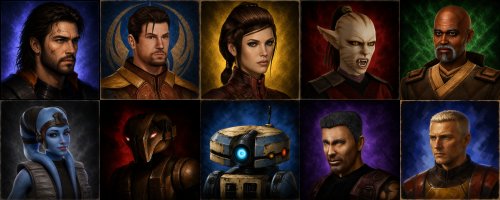 I do not think it was deliberate on your part. I was merely pointing out that the AI itself appears to have been trained on it (it more likely scraped it off of Google). Ultimately, the fault is in the designers of the AI model for being so careless in how it gets its data.
 -
 thats sick
 -
 gingerswiz joined the community
 -
 RomanAutarch joined the community
 -
 overthinkinggamer joined the community
 -
 magusbear joined the community
 -
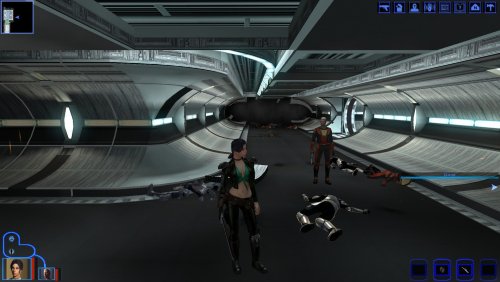 Huh, new Mira clothing mod? (There was one for Bastilla, one for Mission Vao and one for Players (but had issues with black skinned female player characters since it's basically used Mira's default body with player's head)) Is it working well with female player char of black skin color?
 -
 Big preservation win for the KotOR modding community today. Several long-dormant classic tools are officially no longer abandonware and will now be maintained under the OpenKotOR umbrella. These utilities have been part of the foundation of KotOR modding for years, and having active stewardship again means bug fixes, modernization, long-term preservation, and future quality-of-life improvements are finally back on the table. Huge thanks to @Fair Strides for helping make this possible and for entrusting the community with the source and continued maintenance. Official new repository homes: TSLPatcher ← (yes you are reading this correctly) ChangeEdit ← (yes, your eyes are NOT deceiving you!) ERFEdit JRLEditor TalkEd SSFEdit This is one of those moments that quietly changes the future of the ecosystem. More information: - OpenKotOR is dedicated to keeping source code and legacy applications maintained to prevent elitist-like behavior resulting from knowledge hoarding/scalping, we also try our best to provide open source knowledge and information to the best of our ability. This is our passion and we wish to share it. Please see https://openkotor.com for more information.
 -
 Why does deadlystream let creators review their own apps? 3/5 gets the job done. v2 should be 4/5 if not 5/5
 -
 Juluc19 joined the community
 -
 slambdi joined the community
 -
View File Vanilla Characters HD Vanilla Characters HD is an HD character texture overhaul for Star Wars: Knights of the Old Republic II – The Sith Lords. This mod was made specifically for use with The Sith Lords Restored Content Mod and the KOTOR 2 Community Patch. It is intended to upscale the vanilla character textures while preserving compatibility with the fixes, restored content, and additions from those mods. It covers character-related textures for: Humans Aliens Droids Beasts Clothing Body textures All textures were upscaled using Topaz Gigapixel AI at 4x. Most textures are 2K, while some textures that were originally upscaled to 4K have been resized down to 2K for better optimization. The goal is to make KOTOR 2’s vanilla characters, clothing, bodies, droids, aliens, and creatures look cleaner and sharper while keeping the original art direction intact. Main Features Made for TSLRCM and the KOTOR 2 Community Patch Covers humans, aliens, droids, and beasts Includes all clothing and body textures Most textures are 2K resolution Some textures resized from 4K to 2K for better optimization Upscaled using Topaz Gigapixel AI x4 No model changes No character redesigns Requirements This mod was made for use with: TSL Restored Content Mod KOTOR 2 Community Patch Remove Duplicate TGA-TPC (To Remove duplicate tpc files) These are strongly recommended before installing this mod and may not work correctly without them. Installation Download and extract the mod archive. Place the included Override folder into your main KOTOR 2 directory. If prompted to merge folders or replace files, choose yes. Alternatively, you can place the included .tga files directly into your existing Override folder. File Size Notice This is a large texture pack. The mod is over 6 GB. Because of the file size, it is recommended to use Remove Duplicate TGA-TPC after installation. This can help remove duplicate texture files and reduce unnecessary file bloat, especially if you already have other texture mods installed. Compatibility This mod was specifically made to work with TSLRCM and the KOTOR 2 Community Patch, it may not work correctly without them installed. The main reason this mod was made: to provide an HD character texture pack that keeps those fixes and additions in mind. Recommended Mods / Tools The Sith Lords Restored Content Mod — TSLRCM KOTOR 2 Community Patch Remove Duplicate TGA-TPC Submitter Saul0097 Submitted 06/02/2026 Category Skins TSLRCM Compatible Yes
-
 Lazy joined the community
 -

Version 1.0.0
2 downloads
Vanilla Characters HD is an HD character texture overhaul for Star Wars: Knights of the Old Republic II – The Sith Lords. This mod was made specifically for use with The Sith Lords Restored Content Mod and the KOTOR 2 Community Patch. It is intended to upscale the vanilla character textures while preserving compatibility with the fixes, restored content, and additions from those mods. It covers character-related textures for: Humans Aliens Droids Beasts Clothing Body textures All textures were upscaled using Topaz Gigapixel AI at 4x. Most textures are 2K, while some textures that were originally upscaled to 4K have been resized down to 2K for better optimization. The goal is to make KOTOR 2’s vanilla characters, clothing, bodies, droids, aliens, and creatures look cleaner and sharper while keeping the original art direction intact. Main Features Made for TSLRCM and the KOTOR 2 Community Patch Covers humans, aliens, droids, and beasts Includes all clothing and body textures Most textures are 2K resolution Some textures resized from 4K to 2K for better optimization Upscaled using Topaz Gigapixel AI x4 No model changes No character redesigns Requirements This mod was made for use with: TSL Restored Content Mod KOTOR 2 Community Patch Remove Duplicate TGA-TPC (To Remove duplicate tpc files) These are strongly recommended before installing this mod and may not work correctly without them. Installation Download and extract the mod archive. Place the included Override folder into your main KOTOR 2 directory. If prompted to merge folders or replace files, choose yes. Alternatively, you can place the included .tga files directly into your existing Override folder. File Size Notice This is a large texture pack. The mod is over 6 GB. Because of the file size, it is recommended to use Remove Duplicate TGA-TPC after installation. This can help remove duplicate texture files and reduce unnecessary file bloat, especially if you already have other texture mods installed. Compatibility This mod was specifically made to work with TSLRCM and the KOTOR 2 Community Patch, it may not work correctly without them installed. The main reason this mod was made: to provide an HD character texture pack that keeps those fixes and additions in mind. Recommended Mods / Tools The Sith Lords Restored Content Mod — TSLRCM KOTOR 2 Community Patch Remove Duplicate TGA-TPC -
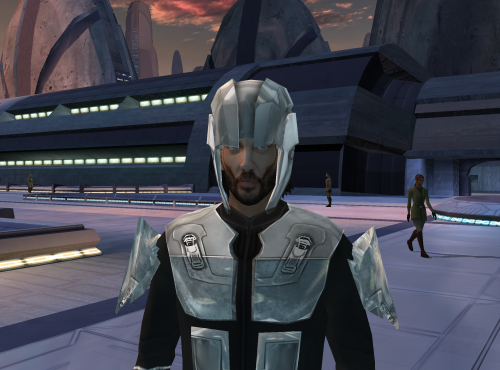
View File Sith Soldier Helmet (giveitem only) This file adds a custom model based off of the sithtrooper disguise on taris. It's basically a helmet. I made this free use, anyone can use this if they see fit. No credits required or necessary as it's just a modified game asset. The armor suit however is from another mod. I just added shoulderplates to it. install instructions; place all files in override acquire instructions: type "giveitem i_sithhelmet27" after enabling cheats and pressing the "~" key. Submitter Attackperson48 Submitted 06/02/2026 Category Mods K1R Compatible Yes
-
View File Drift King as Final Boss Music Replaces the final battle music with Drift King (also known as Street Racing Scene) by Wance Chilkins. Not to be confused with Chance Wilkins. Submitter Revan100 Submitted 06/02/2026 Category Mods K1R Compatible Yes
-
View File K1 Mira Clothing Replacer for Female PC This mod replaces the female players clothes to Miras Outfit. 1 for each starting classes. Submitter muahwii Submitted 05/31/2026 Category Skins K1R Compatible Yes
- Yesterday
-
 Attackperson48 changed their profile photo
 -
Version 1.0.0
3 downloads
This file adds a custom model based off of the sithtrooper disguise on taris. It's basically a helmet. I made this free use, anyone can use this if they see fit. No credits required or necessary as it's just a modified game asset. The armor suit however is from another mod. I just added shoulderplates to it. install instructions; place all files in override acquire instructions: type "giveitem i_sithhelmet27" after enabling cheats and pressing the "~" key. -
.thumb.png.0726c87ff13285163dfcb971a2437bf7.png) mod is broken her outfit is see through on player
mod is broken her outfit is see through on player -
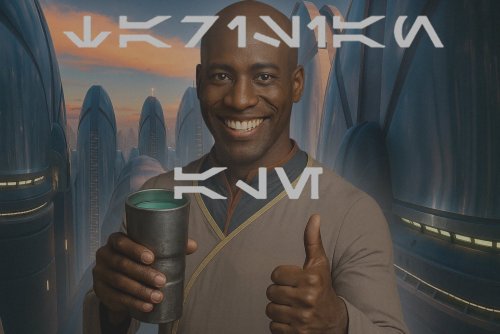 AI is trash
 -
 My one and only gripe with this mod is that it isn't part of TSLRCM. It is such a minor yet really crucial restoration in my book and it really surprises me that the TSLRCM team hasn't incorporated into TSLRCM in another patch by now
 -
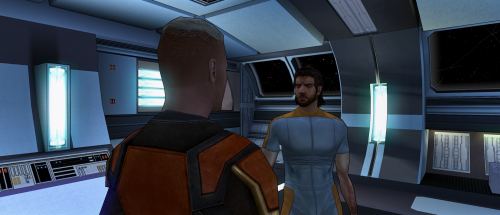 That’s completely fair honestly. But just to clarify: this portrait was not fully AI generated. I manually edited and reworked the texture myself in GIMP because I wanted a more realistic look while keeping the RPG painted style I like. I’m not an artist capable of creating faces or fully original portraits from scratch. My real job is cooking, not digital art ahah. But adding a scar and blue eyes by hand didn’t seem impossible to try, so I spent around two days working on it and learning as I went. I’m honestly proud of the result, even if it’s far from perfect. Also, everyone is free to create the kind of mods they want. I personally wanted a blue-eyed version with a scar for my own playthrough, and nothing exactly like that existed, so I made one for myself. If other people happen to like it too, I just wanted to share it freely. 🙂
 -
I understand your point, and I genuinely respect the original mod author and the work behind those portraits. There was no plagiarism intended here, and I did not use the original portraits to train or generate the AI edits either, since that would not be allowed. I simply appreciate the painted art style, but personally wanted something a bit more realistic and closer to my own taste, so I used AI as a tool for that purpose. I’m happy with the result, so I decided to share it for people who might enjoy that style too. If it’s not your thing, that’s completely fine. Please continue supporting the modders and artists you prefer. Modding is all about personal preference. 🙂
-
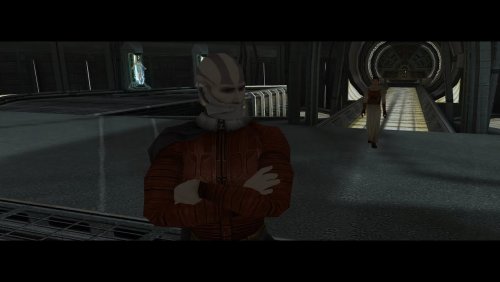
Version 1.0.0
3 downloads
Replaces the final battle music with Drift King (also known as Street Racing Scene) by Wance Chilkins. Not to be confused with Chance Wilkins. -
-

Kotor 1 - Stuck before Dantooine Star Map
DarthParametric replied to keegs's topic in Knights of the Old Republic General
The door's OnOpen script has to fire in order to set the boolean on the door (which is what happens). But somehow the script is terminating before it starts the dialogue. I plan to completely revise the triggering approach in the next version of K1CP to hopefully remove this issue permanently. -

Kotor 1 - Stuck before Dantooine Star Map
Klepto replied to keegs's topic in Knights of the Old Republic General
I also had this same bug, but I had a hard save just moments before opening the door, so I was able to fix it. When you open the second door (behind the locked one) the screen flashes black for a moment, which I think is the cutscene trying to play and something going wrong. After I got it working I spent a while trying to to reproduce the problem from the save before the door, but no dice. -
@N-DReW25 Fair enough ! Tbh I was already biased by the AI portraits. Yeah you can make whatever you want but sometimes I just find myself wondering "just why ?". Although if it's in better resolution then why not.
-
 I'm running into the blank menu error and I'm trying to figure out a fix. I tried the prepatched .exe and .ini and it worked, but the menu was skewed because it wasn't set to the correct resolution for my monitor so it's not useful to me. Edited the .ini to be sure that was the problem and it gave me the same blank-menu error. Okay, so the .ini being wrong is definitely a cause, but even with a correct ini for my resolution it doesn't work so there must be a disagreement somewhere in the patching process. I've followed the instructions for patching the .exe multiple times using uniws and this mod and it hasn't worked any time I've tried it. My scaling is set to 100%, my ini matches the same resolution I'm selecting for the batch file and the menu from the Override elements it's still not working. Is it an issue with the inital patched .exe? Is there a specific resolution in uniws I should be using? I've tried multiple different ones and none of them have worked. Even the one that is suggested in the video posted on the modding guide. I feel like an idiot and that I'm missing something incredibly obvious. I'm using the Steam version of the game and am on Windows 11. Any advise on things to try? My monitor's native resolution is 1920 x 1200.
 - Last week
-
 Legend for this fr.
 -

Please drop any Lightsaber hilt mods you have created here
LoneWanderer replied to Untold Prophecy's topic in Mod Requests
Sorry for the late reply. Sent the mod to you in PM.