



N-DReW25
-
Posts
2,539 -
Joined
-
Last visited
-
Days Won
185
Content Type
Profiles
Forums
Blogs
Forum & Tracker Requests
Downloads
Gallery
Store
Events
Files posted by N-DReW25
-
![More information about "Restored Content for K1CP [DEMO]"](https://deadlystream.com/downloads/screens/monthly_2023_07/qWN6hjo.thumb.png.1cf440e0102f68db8e2dfeab747215b5.png)
Restored Content for K1CP [DEMO]
Restored Content for K1CP [DEMO]
A Mod for Star Wars Knights of The Old Republic
Author: N-DReW25
0.13.0 Demo Release Date: 02.01.2026
Installation:
Please install the K1 Community Patch FIRST before this mod! No exceptions!
Once you click on the INSTALL.exe, you'll be given five options.
Main Mod- This is the installation which installs the RC-K1CP mod.
Lite NPCs Restored- This restores the Lite NPCs that were removed in the K1CP, install this option if you want these back in your game.
Restored Gloveless Clothing- Left over textures and pre-release screenshots suggests that the commoner clothing didn't always have gloves that hid the NPCs hands, with this option installed all the generic NPCs will have exposed hands that correspond with the skin color of that NPCs race (White, Black and Asian). This option is fully compatible with the K1 Clothing Pack but is incompatible with Dark Hope's Commoner Clothing reskins.
Restored Sith Officer Uniforms- Restores the unused Sith Officer uniform variants throughout the game, this option is incompatible with Heyorange's Sith Uniform Reformation.
Restored Party Dialogue- As of right now, this option restores unused lines for Canderous' dialogue about Korriban. This option is cripplingly incompatible with mods that edit "k_hcan_dialog.dlg" so don't install this option if that file is already in your Override folder.
Restored Unique Blaster- Restores unused textures for Carth's Blaster and the Baragwin Ion-X Weapon. These are an optional install as they are incompatible with the High Quality Blasters mod by Sithspecter.
RestoredJedi Appearances- Restores many unused Jedi appearances and soundsets on both Dantooine and the Star Forge. This option is most likely incompatible with the NPC Diversity Pack, Jedi Diversity on the Star Forge, Diversified Jedi Captives on the Star Forge, or KotOR 1 Twi'lek Male NPC Diversity.
Description:
The Kotor 1 Community Patch (K1CP) is the biggest bug fix mod for Kotor 1 and is arguably the number one go-to mod for Kotor 1, similar to TSLRCM for Kotor 2. The Kotor 1 Restoration (K1R) mod is NOT compatible with the K1CP and as such players have to pick between hundreds of bug fixes offered by the K1CP or the restored content of K1R, they couldn't pick both... until now!
Restored Content for K1CP is a restoration mod for Kotor 1 which has been developed for use alongside the K1CP mod, with this mod installed you shall experience restored content alongside the bug fixes of the K1CP mod.
This mod also does not follow the same "rules" as K1R, that means this mod might restore cut content that K1R didn't restore either because the original K1R Dev Team didn't want to restore it or because they didn't know about it.
This mod is an INDEPENDENT project developed by a single modder (and any future contributors) with no connection to the original K1R mod, everything in this mod was developed from scratch as getting permission to use K1R assets is impossible due to the disappearance of the K1R team leader. This mod is a DEMO meaning it does not restore all the cut content that K1R restores, future updates shall add more content and fix any bugs present in the mod.
Whilst this mod is a Demo, it is not necessarily incomplete... what little restored content this mod has to offer is complete and will not standout as unfinished (in terms of the mod itself, your opinion on the cut content might be different).
If you have feedback or any bugs to report for the next update, I urge you to report these to me so that the Restored Content for K1CP mod may be the best it can be!
Restorations:
Item Restoration:
Known Bugs:
This mod shouldn't have any bugs but if there are please report them to me on Deadlystream.
Incompatibilities:
To be added!
Permissions:
Do NOT claim credit for this mod and do not use assets from this mod without my permission.
Thanks to:
SithRevan (RIP): Beginning the restoration effort for K1!
K1R Team: For developing the original K1R mod!
The_Chaser_One: For producing Lip Sync files for the restored lines!
Leilukin: For granting me permission to integrate her Juhani Dialogue Restoration mod into the RC-K1CP!
SpaceAlex: For making the Bastila's Extra Dialog on Tatooine and allowing modders to use it freely!
A Future Pilot: For kickstarting the K1 Community Patch mod, for making the Sith Soldier Texture Restoration mod and for allowing modders to use it freely!
Sekan and Seamhainn: For including the source scripts in their Garrum and Tar'eelok Restoration mod which allowed me to recreate the restoration of those characters in this mod!
DarthParametric and JCarter426: For maintaining the K1 Community Patch with ongoing updates!
DarthParametric and Salk: For valuable feedback!
Sith Holocron: For both the mod logo and VO filters!
ElevenLabs Website: For the custom AI VO service!
Bioware: For such an amazing game!
Fred Tetra: For Kotor Tool!
Cortisol: For Holocron Patcher!
Everyone who downloads the mod!
Legal:
THIS MODIFICATION IS NOT SUPPORTED BY BIOWARE/OBSIDIAN ENTERTAINMENT, LUCASARTS, DISNEY OR ANY LICENSERS/SPONSORS OF THE MENTIONED COMPANIES. USE OF THIS FILE IS AT YOUR OWN RISK AND THE ABOVE-MENTIONED COMPANIES OR THE AUTHOR IS NOT RESPONSIBLE FOR ANY DAMAGE CAUSED TO YOUR COMPUTER FOR THE USAGE OF THIS FILE.
7,542 downloads
- cut content
- restorati
- (and 3 more)
-
ROR Addon Pack
A Mod for Star Wars Knights of The Old Republic II
Author: N-DReW25
1.0 Release Date: 30.08.2026
Installation:
Please install the Revenge of Revan mod FIRST before this mod! No exceptions!
To install the "Alt Corellia City Reskin" and/or the "TOR Corellia Skybox" addon simply open their folders, copy their files to the Override folder, and overwrite the pre-existing files.
The "Coruscant Skybox Pack" comes in two versions, the "Demo Coruscant Skybox" and the "Vanilla Coruscant Skybox" - you can only install one. Pick the one you want to install and open its folder, copy their files to the Override folder, and overwrite the pre-existing files.
The "Party Clothes" addon is installed via a HoloPatcher. If you want to use this, you must install the "Episode One & a Half" addon BEFORE you install Party Clothes. Once that is installed, just click on the INSTALL.exe, add your Kotor II file directory, click install, and the addon shall be installed.
To install "Episode One & a Half", you must do the following:
1) Copy the "dialog.tlk" file and paste it into your "Knights of the Old Republic II" folder, overwriting the previous one.
2) Open the "For Override" folder, press Cntrl + A on your keyboard to select the files, copy them all into your Override folder, and overwrite the pre-existing files.
3) Open the "For Modules" folder, press Cntrl + A on your keyboard to select the files, copy them all into your Modules folder, and overwrite the pre-existing files.
4) Open the "For StreamMusic" folder, press Cntrl + A on your keyboard to select the files, copy them all into your StreamMusic folder, and overwrite the pre-existing files.
5) Open the "For StreamSounds" folder, press Cntrl + A on your keyboard to select the files, copy them all into your StreamSounds folder, and overwrite the pre-existing files.
6) Open the "For StreamVoice" folder, press Cntrl + A on your keyboard to select the files, copy them all into your StreamVoice folder, and overwrite the pre-existing files.
Consult the "Changelog.txt" for a full list of features added in this patch.
Description:
The ROR Addon Pack is a mod pack for the Revenge of Revan mod (ROR) which contains features for the ROR mod which either got rejected from the main mod, are experimental in nature but could be used by players, or are preview features for an upcoming Episode release.
As of right now, the pack contains the following addons:
Episode One & a Half: This addon contains all of the bug fixes and new content for Episode One that's going to be added in the Episode Two release. Consider this addon a "public beta" before it is added to the main ROR mod as part of Episode Two.
Just so that you know, Episode Two will contain the bug fixes/new content for Episode One's Corellia and add the planet Nar Shaddaa to continue the story from where Episode One left off.
Episode One & a Half shall be removed from the addon pack once Episode Two releases and will probably be replaced with Episode Two & a Half, Episode Three & a Half etc at later dates.
Release 1.0 currently has new content for the opening of the mod up until the Player reports the Tyrena Station Security Recordings to Bao-Dur. A future update shall include improved content for the Esbek Hotel up until the very end of the mod.
Main Changelog:
Item Specific Changelog:
Party Clothes: Similar to Atton and Mira in Kotor II, this addon adds unique clothing that only Uldir and Drayen can wear. Drayen's armor slot will become locked (similar to Mandalore in Kotor II), however, his clothing has very good stats for the early game meaning you won't want to replace it anyway.
In future updates, clothing shall be added to future party members when they are added.
TOR Corellia Skybox: Replaces the ROR skybox with the Corellia skybox from The Old Republic MMO.
Coruscant Skybox Pack: Contains alternative skyboxes for Coruscant. Right now only the ROR Demo Coruscant Skybox and the Vanilla Coruscant Skybox are available.
Alt Corellia City Reskin: This is a WIP addon that replaces the current Corellia textures. These may, or may not, be added to the main mod at some point. It is also possible that different textures may be added to the mod instead of these. As these are a WIP there may be textural anomalies in certain parts of the mod.
Known Bugs:
This mod shouldn't have any bugs but if there are please report them to me on Deadlystream.
Incompatibilities:
To be added!
Permissions:
Assets from this mod may not be used without explicit permission from the authors.
Voice Actors:
JC2: B8-C2.
Sith Holocron: HoloNet News Droid [Coruscant and Corellia].
Thanks to:
Logan: Beginning the restoration effort for K1!
ROR's Main Dev Team: For developing the original K1R mod!
Contributors of the Main ROR mod: For contributing to Episode One's release.
AxConsortium70: Extensive beta testing, to the point that they fixed some of the more illusive bugs they discovered!
Jonathan7: Assets from Force Fashion II, a mod already in ROR, have been modified and included in this pack for the Episode One & a Half addon.
RedRob41: Assets from ROR Episode One have been modified and included in this pack for the Episode One & a Half addon!
90SK: Armor and Mask assets from his mods have been added into this pack for the Episode One & a Half addon!
SilverEdge9: More assets from BOSSR have been modified and included in this pack for the Episode One & a Half addon!
Flammenwerfer: Their mod "The Sith Mask" has been used in this pack for the Episode One & a Half addon. The readme of their mod on NexusMods gives modders free permission to use this asset as long as credit is given to them!
ScrierOne: Their mod "Sith Mask Reskin" has been used in this pack for the Episode One & a Half addon. Their NexusMods page states that modders have permission to use this asset!
Vurt: For making the Hutt textures in his "Vurt's KotOR Visual Resurgence" mod, these textures were used as a base for ROR's Hutts!
Elayerfawkes45: For making the Hutt textures in his "Hutt remesh and retextured with bumps" mod, these textures were used as a base for ROR's Hutts!
Detran: For making the Hutt textures in his Detran's Hutts" mod, these textures were used as a base for ROR's Hutts!
Sith Holocron: Voice filters for B8-C2, the HoloNet News Droids, and a Royal Guard NPC!
Leilukin: Assets from their mod "Missing K1 Party Member Ports for TSL [Modder's Resource]" has been used in this pack for the Episode One & a Half addon. It is a Modder's Resource!
Doc Valentine: Creator of the ROR Demo Coruscant Skybox which has become an addon of this pack!
Scorchlicious: For fetching the TOR Corellian Skybox for the pack!
ElevenLabs Website: For the custom AI VO service!
Bioware: For such an amazing game!
Obsidian: For such an amazing sequel!
Fred Tetra: For Kotor Tool!
Cortisol: For Holocron Toolset!
Everyone who downloads the mod!
Legal:
THIS MODIFICATION IS NOT SUPPORTED BY BIOWARE/OBSIDIAN ENTERTAINMENT, LUCASARTS, DISNEY OR ANY LICENSERS/SPONSORS OF THE MENTIONED COMPANIES. USE OF THIS FILE IS AT YOUR OWN RISK AND THE ABOVE-MENTIONED COMPANIES OR THE AUTHOR IS NOT RESPONSIBLE FOR ANY DAMAGE CAUSED TO YOUR COMPUTER FOR THE USAGE OF THIS FILE.
37 downloads
-
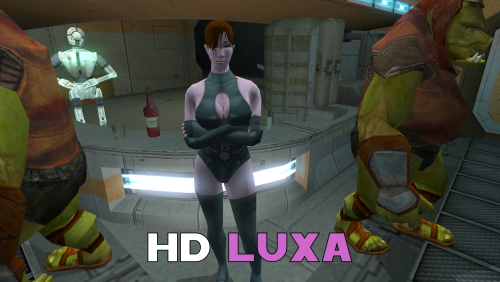
HD Dark Hope Textures for K2
A Mod for Star Wars Knights of The Old Republic II
Author: N-DReW25
1.1.0 Release Date: 29.08.2026
Installation:
Select which HD texture you would like to install.
For "HD Grenn" and "HD Zhugs" open the "For Override" folder and drag/copy the textures within and drop/paste them into your Kotor II Override folder.
Delete the files "N_DolGrenH.tpc" and/or "N_Duros04.tpc" and "N_Duros05.tpc" if they are present.
For the "Normal" install of "HD Luxa" open the "For Override" folder and drag/copy the textures within and drop/paste them into your Kotor II Override folder.
Delete the files "N_Lala_XuA01.tpc" and "N_Lala_XuH.tpc" if they are present.
For the "Thigh High Boots" install of "HD Luxa" you must first install DarthParametric's "TSL Thigh-High Boots For Female Twi'lek Body (Modder's Resource)" mod.
Once that mod is installed, open the "For Override" folder and drag/copy the textures within and drop/paste them into your Kotor II Override folder.
Delete the files "N_Lala_XuA01.tpc" and "N_Lala_XuH.tpc" if they are present.
Uninstallation:
Delete the N_DolGrenH.tga, N_Lala_XuA01.tga, N_Lala_XuH.tga, N_Duros04.tga, and/or N_Duros05.tga files from your Override folder.
Description:
This pack is a compilation of edits made by N-DReW25 to the released work of the modder Dark Hope to resemble Kotor II characters. Whilst Dark Hope did make the original textures for Kotor I, it was N-DReW25 who made these textures for Kotor II. As Dark Hope is focusing her current work on Kotor I mods please do not bother her about this mod.
This pack contains HD textures for Lieutenant Dol Grenn, the Zhug Brothers, and Luxa.
For Lieutenant Dol Grenn, his head in Kotor II was made via photo sourcing elements of other old male heads from Kotor I. Most of his face and beard comes from Davik, his eyebrows and sideburns are Davik's eyebrows and sideburns that are recolored brown, and most of his hair is Deadeye Duncan's hair that has also been recolored brown.
Using this exact same method described above, I was able to photo source elements of Dark Hope's Davik and Deadeye Duncan heads to make a HD Lieutenant Grenn head.
For Luxa, her head was a recolored Kotor I player head whilst her body was a reskinned Twi'lek outfit. I recolored Dark Hope's PFHA01 HD mod and one of her Twi'lek dancer body textures to resemble Luxa.
I also made an alternative Luxa version for DarthParametric's TSL Thigh-High Boots For Female Twi'lek Body (Modder's Resource) mod.
For the Zhug Brothers, I photo sourced elements of RedRob41's Zhug Brother upscale, imposed them onto Dark Hope's Duros, and recolored elements of Dark Hope's Duros to resemble the Kotor II Zhug Brothers.
Known Bugs:
This mod shouldn't have bugs but if you find any report them to me on Deadlystream.
Incompatibilities:
Would be incompatible with any mods which add N_DolGrenH.tga, N_DolGrenH.tpc, N_Lala_XuA01.tga, N_Lala_XuA01.tpc, N_Lala_XuH.tga, N_Lala_XuH.tpc, N_Duros04.tga, N_Duros04.tpc, N_Duros05.tga, and N_Duros05.tpc.
Permissions:
As Dark Hope gave free permission for anyone to use her mods and the assets I photo sourced from RedRob41's mod is a modder's resource, you are therefore allowed to use this mod as it was made using her work.
Thanks to:
Dark Hope: For giving everyone free permission to use her work!
RedRob41: For making his 4x Upscale+ Character Textures & Model Fixes mod a modder's resource!
Bioware: For such an amazing game!
Obsidian Entertainment: For such an amazing sequel!
Fred Tetra: For Kotor Tool!
And everyone who downloads the mod!
Legal:
THIS MODIFICATION IS NOT SUPPORTED BY BIOWARE/OBSIDIAN ENTERTAINMENT, LUCASARTS, DISNEY OR ANY LICENSERS/SPONSORS OF THE MENTIONED COMPANIES. USE OF THIS FILE IS AT YOUR OWN RISK AND THE ABOVE-MENTIONED COMPANIES OR THE AUTHOR IS NOT RESPONSIBLE FOR ANY DAMAGE CAUSED TO YOUR COMPUTER FOR THE USAGE OF THIS FILE.
88 downloads
-
![More information about "Galaxy of Faces [K1]"](https://deadlystream.com/downloads/screens/monthly_2023_12/goflogo.thumb.png.4c8bc471fb0fbc314d19b8399be5d165.png)
Galaxy of Faces [K1]
Galaxy of Faces [K1]
A Mod for Star Wars Knights of The Old Republic
Author: N-DReW25
1.2.0 Release Date: 27.09.2024
Installation:
Please install the K1 Community Patch FIRST before this mod!
This mod replaces the appearances of important named NPCs throughout the game. As such, if you wish to use mods like Onderon Fashion and Smuggler's Deluxe you'll have to install those mods BEFORE this mod.
Simply click on the INSTALL.exe, select "Galaxy of Faces [Main]", click install then sit back and watch the TSLPatcher do its magic.
The "Effix's Duelists", "Unique Rodians" & "Build a Bendak" are OPTIONAL. You don't have to install them if you don't want to.
Effix's Duelists includes Effix's unique Gerlon, Ice & Marl heads. This installation is NOT a total copy of Effix's original Taris Arena Changes mod, that mod adds UTC files to the Override and patches those whilst Galaxy of Faces patches the UTCs in the .MOD files provided from the K1CP mod.
If you are using the NPC Diversity Pack, install Effix's Duelists via Galaxy of Faces. If you want the Armors from Effix's Taris Arena Changes, install that mod instead.
Unique Rodians gives various Rodian NPCs unique appearances. If you are using Stormie97's High Quality Alien: Rodians, do NOT install this option as a compatibiity patch for that mod hasn't been developed yet.
Build a Bendak adds a unique appearance for Bendak Starkiller, however, the "N_Bendak.tga" texture is the vanilla Field Marshal texture. After installing this option, I encourage the player to replace this texture with a Mandalorian texture from a mod of your choosing, I personally recommend RedRob41's Bendak Starkiller Emblem Armour though do feel free to select a skin YOU want instead!
Simply delete the "N_Bendak.tga" texture in your Override folder, rename your desired texture to either "N_Bendak.tga" or "N_Bendak.tgc" and place it in your Override.
Description:
From the good old days of late 70s/early 80s cinema, the expansive comics and novels of the 90s and 2000s, the rise of modern Star Wars video games and well into the Disney era, the Star Wars Galaxy has always been a "Galaxy of Faces".
And I'm not just referring to the faces of the main characters. I'm referring to background characters such as the aliens of Chalmun's Spaceport Cantina in Episode 4 (many of whom were merely random alien costumes who have since evolved into staples of Star Wars alienography with timeless classics like Rodians, Aqualish and Devaronians amongst them), or the the Bounty Hunters hired by Darth Vader to track down the Millennium Falcon in Episode 5 (despite only having 4 lines of dialogue and just over 6 minutes of screen time, Boba Fett has since become just as popular as the main characters mostly down to his unique bad ass appearance in his limited screen time) or the background Jedi characters sprinkled throughout the prequel trilogy (despite never saying a word in the movies, the Jedi Plo-Koon, Kit Fisto and Aayla Secura have since become fan favorites)!
Why do I say this? I think it goes without saying that unique appearances are what makes or breaks a character, and BioWare's 2003 Star Wars: Knights of the Old Republic RPG has a few problems with this.
As with many video games from this period of gaming, KoTOR has a problem with NPC appearances. In Kotor, the generic background NPCs are referred to as "Commoners" both in the game files and in-game sometimes, the game has 24 generic NPC appearances including 2 white heads, 2 black heads and 2 asian heads for both adult and old appearances which are split between male and female types with an additional male and female white and asian "Tatooine" commoner variant that exists for some reason, bringing the total of commoner appearances up to 24.
Throughout KoTOR, many of these generic appearances aren't even used for background NPCs, those background NPCs receive the low-resolution Lite appearances leaving the actual generic heads for named NPCs. NPCs like Holdan, Jon, Junix Nard, Matton Daisel, Firith Me and Kel Algwinn are all well written characters that really bring these environments to life... but sometimes these NPCs are forgettable simply due to the fact that they use the same appearances, the NPCs I named were strategically chosen as they both use the exact same 1st white and asian male commoner heads. This "clone" problem is intensified once you install NPC Overhaul style mods that remove the Lite appearances and replace them with generic commoner appearances as now you'll be seeing the same 24 heads across over a hundred NPCs throughout the game.
This mod aims to fix that by giving many of these named NPCs unique heads to differentiate them from the generic heads. This mod aims to one day cover almost EVERY single named NPC in the game where possible through a combination of NPC appearances made by me, modder's resources and mods with the modder's permission.
But do keep in mind, not ALL the modded unique heads will be added. Instead, if you consult the "Recommended Mods.txt" file you shall find a list of other mods that I personally recommend that shall also add new unique heads for NPCs that aren't part of this mod.
Thus far, most of the unique heads of the K1 Enhancement Pack modder's resource have been added.
To read about what appearances have been added thus far, please consult the "List.txt" file for a complete list of new appearances.
Known Bugs:
If there are bugs feel free to report them to me on Deadlystream.
Incompatibilities:
Incompatible with any mods that modify the appearances of Nico Senvi, Nemo, Matton Dasol, Kono Nolan, Jon, Jagi, Eli Gand, Dorak Quinn, Dak Vesser, Hidden Bek Lookout, Ahlan Matale, Shen Matale, Nurik Sandral, Rahasia Sandral, Gerlon, Ice, Marl, Twitch, Mika Dorin, Gluupor, Adum Larp, Bendak Starkiller, Lena, Apartment Duros, Sith Base Duros, Maana Demknot, Strandes Duros on Lehon, or The One.
Incompatible with High Quality Aliens: Rodians, though a patch may be made in the future!
Please report any incompatibilities!
Permissions:
Do NOT claim credit for this mod and do not use assets from this mod without my permission.
Thanks to:
SpaceAlex: For releasing his K1 Enhancement Project as a modder's resource.
SilverEgde9: For textures used from the Brotherhood of Shadow: Solomon's Revenge mod.
Effix: For the upscaled reskins of the Onderon commoner textures & textures from his Taris Arena Changes mod.
DarthParametric: For fixing the Fat Commoner clothing models.
EmperorDevon: For giving me permission to use his Twin Sun reskin as a base for Lena's body texture.
RebRob41: For giving me permission to use assets from the Revenge of Revan mod.
Obsidian Entertainment: For the Flight Suit and Onderon commoner assets.
Bioware: For such an amazing game!
Fred Tetra: For Kotor Tool!
Stoffee: For TSLPatcher!
Everyone who downloads the mod!
Legal:
THIS MODIFICATION IS NOT SUPPORTED BY BIOWARE/OBSIDIAN ENTERTAINMENT, LUCASARTS, DISNEY OR ANY LICENSERS/SPONSORS OF THE MENTIONED COMPANIES. USE OF THIS FILE IS AT YOUR OWN RISK AND THE ABOVE-MENTIONED COMPANIES OR THE AUTHOR IS NOT RESPONSIBLE FOR ANY DAMAGE CAUSED TO YOUR COMPUTER FOR THE USAGE OF THIS FILE.
1,325 downloads
-
![More information about "NPC Diversity Pack [Beta/K1]"](https://deadlystream.com/downloads/screens/monthly_2023_03/1213958629_FY81IosWYAUXZrx(2).thumb.png.1fbbef4dd34d28e85d0f829e93407944.png)
NPC Diversity Pack [Beta/K1]
NPC Diversity Pack [K1]
A Mod for Star Wars Knights of The Old Republic
Author: N-DReW25
0.10.0 Beta Release Date: 02.01.2025
Installation:
Please install the K1 Community Patch FIRST before this mod!
If you plan on using it, install the Unofficial K1CP Tweak Pack mod SECOND (This mod is optional and is NOT required for this mod to work)!
Once you click on the HoloPatcher.exe, you'll be given a few install options.
1) Main mod: Installs the main component of the mod, it edits over 600 NPCs with changes to their appearances, weapons, soundsets, and more!
2) Player Head Commoners: This install will add new commoner NPC variants who use the player heads. This option will greatly diversify the Kotor galaxy as it'll greatly reduce the generic commoner head count and with so many new player head commoners it's unlikely you'd see two of the same NPC variant in the same playthrough. If a player head commoner uses the player's head, it will be swapped for another head (So if you're playing Mullet Man then the Mullet Man commoner who appears in-game will use a different head). You WILL have to install this option AFTER the main mod.
IT IS ADVISED THAT YOU INSTALL PLAYER HEAD COMMONERS SECOND (AFTER THE MAIN MOD BUT BEFORE THE OTHER OPTIONS)
3) Fat Commoners: This install will add generic commoner NPCs who use the fat commoner body model. In vanilla, only two fat commoner variants exist and they both use player heads, the female variant is cut whilst the male variant is only used once or twice. This install adds fat commoner variants which all use the generic NPC heads and places them randomly throughout the game ensuring that fat NPCs will be found in normal gameplay. This install uses DarthParametric's Fat Commoner Body Models Modder's Resource to improve the UVs of the models, allowing for compatibility with clothing variant textures and modded clothing variant textures like Dark Hope's NPC Clothing mods and my K1 Clothing Pack mod.
4) Onderon Commoners: This install will add generic commoner NPCs who use the Onderon commoner body model. In K2, Onderonian commoner NPCs wear unique robe-like clothing which differentiates them from the default commoner NPCs. This install adds Onderonian commoner variants which all use the generic NPC heads and places them randomly throughout the game ensuring that Onderonian commoner NPCs will be found in normal gameplay. Though just because this install is called "Onderonian Commoner" it doesn't mean these NPCs are Onderonian, depending on the texture these new Onderonian commoner variants will replace rich noble and poor downtrodden NPCs alike. The Onderonian commoner textures used in this install come from Effixian's Zeison Sha/Jal Shey to Onderon Clothing mod.
Description:
As with many modders, I have a vision for a comprehensive NPC Overhaul. This mod is currently in a BETA stage, whilst I don't expect bugs, I do expect player criticism/feedback alongside reports of possible mod conflicts with certain mods... updates will be released to fix any possible bugs, add popular player suggestions, possible hotfixes for incompatible mods and new content as they become possible.
What does this mod do?
This mod is comprised of several smaller mods that have been merged into one big mod, resulting in an immersive NPC Overhaul which is compatible with the K1 Community Patch.
This mod swaps the heads of hundreds of NPCs to prevent the 'clone' effect, it replaces the low poly Lite NPCs with actual NPC appearances, it diversifies the clothing, armor and weapons worn by NPCs without touching any of the NPC Loot drops, it modifies the .GIT files in some areas to remove duplicated NPCs, it swaps the soundsets of over 200 NPCs so that the enemies you fight have a truly random "death grunt" sound as they die and MORE! With this mod, over 600 NPCs will be affected (including NPCs which are commonly affected by other mods).
It is HIGHLY advised to install this mod (AFTER the K1CP mod) BEFORE you install any new appearance mods. For example, Galaxy of Faces is a mod which adds new appearances. Installing the NPC-DP BEFORE that mod will allow you to have GoF appearances alongside the NPC-DP's NPC Overhaul as intended.
Known Bugs:
This mod shouldn't have bugs, but if there are feel free to report it to me on Deadlystream.
Incompatibilities:
Please report any incompatibilities!
Player head commoners are affected by player head reskins, if you install weird player head reskins (The Mullet Man to DC Universe Joker for example) then the player head commoner with Mullet Man's head will use that skin.
Permissions:
Do NOT claim credit for this mod and do not use assets from this mod without my permission.
Any assets that I've used that are not mine that come from mods like Modder's Resources and mods where the author has declared free use in their readmes can be used in your own mod.
Thanks to:
ebmar: For his attempt at fixing a problem with the TSLPatcher pre-0.4.1!
Effix: For creating the Effixian's Zeison Sha/Jal Shey to Onderon Clothing mod!
JCarter426/DarthParametric: For pointing out major flaws with the old TSLPatcher setups!
DarthParametric: For creating the Fat Commoner Body Models - Modder's Resource mod!
SpaceAlex: For fixing the old clothing bug in his K1 Enhancement Project for which his fix was carried over to this mod!
Cortisol/th3w1zard1: For the HoloPatcher!
Fred Tetra: For Kotor Tool!
Bioware: For such an amazing game!
Obsidian Entertainment: For creating the sequel!
Everyone who downloads the mod!
Legal:
THIS MODIFICATION IS NOT SUPPORTED BY BIOWARE/OBSIDIAN ENTERTAINMENT, LUCASARTS, DISNEY OR ANY LICENSERS/SPONSORS OF THE MENTIONED COMPANIES. USE OF THIS FILE IS AT YOUR OWN RISK AND THE ABOVE-MENTIONED COMPANIES OR THE AUTHOR IS NOT RESPONSIBLE FOR ANY DAMAGE CAUSED TO YOUR COMPUTER FOR THE USAGE OF THIS FILE.
2,370 downloads
-
K2 Pre-Release Pack
A Mod for Star Wars Knights of The Old Republic II: The Sith Lords
Author: N-DReW25
1.0.0 Release Date: 22.08.2026
Installation:
This mod currently only has "Override Mods" to offer.
Simply copy the files within the "Beta Cockpit Skyboxes" folder and paste them into your Override folder.
Description:
December 6th 2004 was the day Kotor II was released for the first time on Xbox. If you aren't living under a rock, you'll know that both the Xbox and PC versions of the game were released in an unfinished state and how a mod called "The Sith Lord's Restored Content Modification" was developed years later to restore the cut content, thus 'completing' the game.
Some of us might be aware of other cut content which didn't make it into TSLRCM such as M4-78... but what if I told you there's other things Obsidian cut from the game which you may not know about. Like Bioware before Kotor I's release, Obsidian released concept art & promotional screenshots of Kotor II in the months leading up to its release during the game's development.
Whilst these promotional screenshots might appear worse than the vanilla game (as these are pre-release/in-development screenshots), a few eagle eyed observers might notice some features in said screenshots which the vanilla game lacks.
What this mod will do is add these features back into the game.
Override Mods:
* Beta Cockpit Skyboxes- These are the beta skyboxes of the Ebon Hawk's cockpit. These files were left unused in the game files and were from a period of development before the current skyboxes were finalized.
* Beta Battle Armors- Like how Light Battle Armor was reskinned green in the final game, multiple screenshots depict the normal Battle Armor as being blue. This not only reskins the Battle Armor to match the beta screenshots, but the Light and Heavy Battle Armors have also been changed as in the background of those screenshots you can vaguely see that they were both also blue at some point.
()
Known Bugs:
This mod shouldn't have bugs but if you find any please report them to me on Deadlystream.
Incompatibilities:
Would be incompatible with any mods which modifies the Ebon Hawk's cockpit skyboxes or the Light, Heavy, and normal Battle Armor textures.
Permissions:
Do NOT claim credit for this mod and do not use assets from this mod without my permission.
Thanks to:
Obsidian: For such an amazing game!
Fred Tetra: For Kotor Tool
JackInTheBox: For making the KOTOR 2 Alpha Textures mod of which the thumbnail of that mod was used in the thumbnail of this mod!
Everyone who downloads the mod!
Legal:
THIS MODIFICATION IS NOT SUPPORTED BY BIOWARE/OBSIDIAN ENTERTAINMENT, LUCASARTS, DISNEY OR ANY LICENSERS/SPONSORS OF THE MENTIONED COMPANIES. USE OF THIS FILE IS AT YOUR OWN RISK AND THE ABOVE-MENTIONED COMPANIES OR THE AUTHOR IS NOT RESPONSIBLE FOR ANY DAMAGE CAUSED TO YOUR COMPUTER FOR THE USAGE OF THIS FILE.
19 downloads
(0 reviews)0 comments
Updated
-
.thumb.png.e1132444dd8587c72edc645e18adc5a5.png)
Quanon & Dark Hope Twi'lek Pack
A Mod for Star Wars Knights of The Old Republic
Author: N-DReW25
1.0.0 Release Date: 18.07.2026
Installation:
Please install the K1 Community Patch FIRST before this mod!
Simply click on the HoloPatcher.exe, click install, and sit back and watch the HoloPatcher do its magic!
Description:
On January 4th 2017 the modder Dark Hope released her HD Twilek female 1 mod which updates the female Twi'lek appearance textures with high quality HD textures. On March 1st 2017 the modder Quanon would then release his Quanons Twilek Outfits mod which added high quality HD dancer outfit textures for the female Twi'leks.
With Quanon's mod, the idea is that you would install Dark Hope's textures first and then his mod on top to create a sort of HD hybrid between the two textures.
But on January 21st 2023 Dark Hope would go on to update her HD Twilek female 1 mod with new textures that used DarthParametric's K1 Thigh-High Boots For Female Twi'lek Body Modder's Resource.
Since both Quanon and Dark Hope have given modders permission to use their mods with proper credit given to them, I have decided to take their Twi'lek textures and make a pack which would allow you to use all three mods at once without having to pick one or the other.
Dark Hope's HD Twilek female mod from 2017 will replace the three generic Twi'lek female appearances with HD textures for their outfits and heads.
4 new Twi'lek appearances have been added which use the default Twi'lek heads but use Quanons Twilek Outfits for their outfits.
3 new Twi'lek appearances have been added which use Dark Hope's HD Twilek female mod from 2023 which add new outfit textures with Thigh-High Boots and head textures.
With this mod installed, there are now 10 Twi'lek female variations that each use a combination of Quanon's textures, Dark Hope's 2017 textures, and Dark Hope's 2023 textures.
Known Bugs:
This mod shouldn't have any bugs but if you find any please report them to me.
Incompatibilities:
Incompatible with DarthParametric's K1 Thigh-High Boots For Female Twi'lek Body Modder's Resource (it is also included in the mod).
KotOR 1 Twi'lek Female NPC Diversity must be installed AFTER the Quanon & Dark Hope Twi'lek Pack.
Lyn Sekla "Legends" must be installed AFTER the Quanon & Dark Hope Twi'lek Pack.
[K1] Janice Nall "Legends" and the Incomplete Droids must be installed AFTER the Quanon & Dark Hope Twi'lek Pack.
Galaxy of Faces must be installed AFTER the Quanon & Dark Hope Twi'lek Pack.
The NPC Diversity Pack must be installed BEFORE the Quanon & Dark Hope Twi'lek Pack.
Please report any further incompatibilities!
Permissions:
As both Quanon and Dark Hope have given their permission for modder's to use their work, you can use assets from this mod as long as you give credit to the original authors.
Thanks to:
Dark Hope: For creating the 2017 and 2023 versions of the HD Twilek female 1 mod!
Quanon: For creating Quanons Twilek Outfits!
DarkParametric: For both making K1 Thigh-High Boots For Female Twi'lek Body and making it a modder's resource!
Bioware: For such an amazing game!
Fred Tetra: For Kotor Tool!
Cortisol: For HoloPatcher!
Everyone who downloads the mod!
Legal:
THIS MODIFICATION IS NOT SUPPORTED BY BIOWARE/OBSIDIAN ENTERTAINMENT, LUCASARTS, DISNEY OR ANY LICENSERS/SPONSORS OF THE MENTIONED COMPANIES. USE OF THIS FILE IS AT YOUR OWN RISK AND THE ABOVE-MENTIONED COMPANIES OR THE AUTHOR IS NOT RESPONSIBLE FOR ANY DAMAGE CAUSED TO YOUR COMPUTER FOR THE USAGE OF THIS FILE.
71 downloads
-
.thumb.png.f103015a7735d6a47c61c2a78a21b0ef.png)
K1 Appearance Restoration Pack
A Mod for Star Wars Knights of The Old Republic
Author: N-DReW25
1.2.0 Release Date: 05.07.2026
Installation:
Please install the K1 Community Patch FIRST before this mod!
Simply click on the HoloPatcher.exe, and you'll be given 4 installation options. Each option will install appearances from a specific category, please consult the "Description" section of the readme for more info on what each category adds.
Select the option you'd like, click install, and sit back and watch the TSLPatcher do its magic.
Repeat the process for any other appearances that you'd like to install!
Description:
Kotor II has a few popular heads which were cut from the final game, they include: Saedhe's unique head, Hussef's unique head, and the "Jedi Master 4" head which was used for Kaevee. Whilst these heads were restored in TSLRCM, no such restoration of unused heads existed for K1... until now!
This mod restores unique heads and appearances which were cut from the final game, however, due to the nature of many popular Kotor mods these appearances have been divided into four installations.
1) Restored NPC Heads: This install adds unique heads for the Czerka Protocol Officer, Tanis Venn, the Infected Outcasts, and several Dark Jedi throughout the game.
2) Restored Sith Officer Uniforms: This install takes the seldomly used Sith Officer uniform variants used by Uthar and Yuthura and gives them to Sith Officers throughout the game.
3) Restored Jedi Appearances: This install restores the Jedi Council Member appearance and restores certain unsured Player Head Jedi throughout the game.
4) Restored NPC Variants: Restored every single possible configuration of NPC using a generic head and a Republic, Sith Officer, and Czerka Officer outfit throughout the game.
Please refer to the screenshots on this mod's Deadlystream download page for a visual reference.
Known Bugs:
This mod shouldn't have bugs but if there is Just PM me on Deadlystream.
Incompatibilities:
Please report any incompatibilities!
1) Restored NPC Heads: Is incompatible with any mod which adds "N_SithAppren01_H.tga" or "N_SithAppren01_H.tpc".
2) Restored Sith Officer Uniforms: Is incompatible with Heyorange's Sith Uniform Reformation.
3) Restored Jedi Appearances: Is incompatible with Diversified Jedi Captives on the Star Forge and Jedi Diversity on the Star Forge.
4) Restored NPC Variants: Is incompatible with Czerka Redux, most likely incompatible with Heyorange's Sith Uniform Reformation, and may not be needed with the NPC Diversity Pack mod as that mod already covers many of the NPCs affected by this install.
Permissions:
Do NOT claim credit for this mod and do not use assets from this mod without my permission.
Thanks to:
SpaceAlex: For modifying the "N_SithAppren01_H" texture in his K1 Enhancement Pack mod, this texture was used as a basis for my own fixed texture!
Jacqylfrost: For porting the infamous female dirty commoner head texture from the Nintendo Switch, without his work this component wouldn't have been possible!
Bioware: For such an amazing game!
Aspyr: For including the female dirty commoner head texture on the Nintendo Switch!
Fred Tetra: For Kotor Tool!
Stoffee: For TSLPatcher!
Everyone who downloads the mod!
Legal:
THIS MODIFICATION IS NOT SUPPORTED BY BIOWARE/OBSIDIAN ENTERTAINMENT, LUCASARTS, DISNEY OR ANY LICENSERS/SPONSORS OF THE MENTIONED COMPANIES. USE OF THIS FILE IS AT YOUR OWN RISK AND THE ABOVE-MENTIONED COMPANIES OR THE AUTHOR IS NOT RESPONSIBLE FOR ANY DAMAGE CAUSED TO YOUR COMPUTER FOR THE USAGE OF THIS FILE.
870 downloads
-
M4-78EP Unofficial Patch
THE SITH LORDS RESTORED CONTENT MOD ADD-ON:
M4-78EP Unofficial Patch 1.0
1. Description:
----------
One of the most ambitious Kotor II mods is also one of its most controversial. The M4-78 Enhancement Project, or M4-78EP, was the culmination of years of hard work to restore the legendary Droid Planet of M4-78 back into Kotor II, however, the first releases of M4-78EP was plagued by two critical issues which gave the mod a bad reputation.
1) A mix of low-quality, amateurish voice acting and bizarre Droid filter choices. 2) Crippling lag in the Industrial Zone.
Updates 1.3 and 1.5 of the M4-78EP were intended to fix these two issues. The majority of the Droid VO is now reasonably competent for a fan mod and the lag in the Industrial Zone was fixed, however, these updates also added more problems which simply replaced the old issues with new issues.
1) The teleportation mechanic during the Radiation section was controversial with some players. 2) The removal of the side quest “Termination Required” during the Radiation section was controversial with some players. 3) Removal of content was unfinished in some places. The Security Droid trio which was removed spill spawn during the Radiation section and could be found if you ran backwards in the Industrial Zone before clearing the Radiation. 4) Kaah’s new dialogue in ES-05’s Archon Chamber was amateurishly written when you compare it to the old dialogue. 5) Having Vash and possibly Kaah be killed by the weak Sith Assassins you mow down throughout the game was hardly seen as an improvement over the old ending. 6) In the attempt to fix the lag an important placeable was deleted which prevented the side quest “Fixing Droids” from being completed.
This mod, the M4-78EP Unofficial Patch, is the work of a coalition of modder’s who have come together to fix M4-78 to improve the new content added in updates 1.3 and 1.5 whilst restoring the much beloved features which were removed in those updates from update 1.2.
Features:
Please note the following:
Whilst M4-78EP 1.5 has language support for English and Russian the M4-78EP Unofficial Patch is ONLY SUPPORTS ENGLISH AT THIS TIME!
Whilst M4-78EP 1.5 is available on the Steam Workshop via TSLRCM (English) + M4-78EP (English), the M4-78EP Unofficial Patch ONLY SUPPORTS THE DEADLSYTREAM VERSION OF TSLRCM AND M4-78EP!
2. Installation:
----------
Note: TSLRCM must be installed FIRST, M4-78EP 1.5 must be installed SECOND, and the M4-78EP Unofficial Patch must be installed THIRD, in that PRECISE order, and ALL other mods are to be installed AFTER these three mods.
1. First, you will need to get the most up-to-date version of TSL Restored Content Mod (TSLRCM 1.8.5). It's available for download here: http://deadlystream.com/forum/files/file/578-tsl-restored-content-mod/
Please note that M4-78EP will NOT work AT ALL without TSLRCM.
2. Follow TSLRCM's installation instructions.
3. Once TSLRCM is successfully installed, run M4-78EP.exe. Installer will ask you where you want to install the mod - it should figure out where TSLRCM is installed by itself, so you probably won't need to change that. If, for some reason, the installer shows an incorrect folder, make sure you change it to directory where Kotor II is installed (where swkotor2.exe is located, NOT any of subfolders), same as TSLRCM.
4. If you want to install the “British Female Warning Voice” open the “British Female Warning Voice” and copy the audio files from there into the “tslpatchdata” folder inside the M4-78 Unofficial Patch download and overwrite the existing audio files. Doing this will install the British Female Warning Voice instead of the American Female Warning Voice.
5. Run the HoloPatcher.exe inside the M4-78 Unofficial Patch download, navigate to your Kotor II install folder and click install.
Warning: Never run the installer from inside the archive! Always extract the archive onto your hard drive first.
6. While we try our best to make this mod as bug-free as possible, with the many options of KOTOR2 and our small testing team it can happen that bugs, including critical ones, pass through. We will fix them, so check our site for any potential updates and patches.
7. Install any of the included Bonus Addons from the “Bonus Addons” folder that you’d like.
Note: If you plan on using Ashton Scorpius’ TSL Better Male Twi'lek Heads mod, install that mod, open the folder “TSL Better Male Twi'lek Compatibility Patch” in the “Bonus Addons” folder, choose between Vanilla Quality and High Quality, and copy the two files from one of these folders and place them into your Override folder.
8. Install any other compatible mods you desire now.
4. Uninstall
----------
Not possible.
Make sure you backup your Kotor II game folder before installing TSLRCM and M4-78EP 1.5 to ensure that you can go back and reinstall your mods without M4-78EP 1.5 should you change your mind.
5. Known Issues
---------
- When entering 812DRO, the Droid Manufacturing Module, the side quest Deadly Upgrade reactivates again for unknown reasons should it have already been completed.
- Whilst the shadow of the Droid Construction Boss model, L5-65’s model, was fixed I suspect it has a few problems. The Environmental Zone’s Guardian Droid boss fight appears to be doing a T-Stance when Kaah has his final line and, when talking to L5-65, the Droid will “Moon Walk” on the spot without stopping.
- The Escort Droid will still teleport you to 810DRO and 811DR (M4-78EP 1.5’s Droid Manufacturing and Research & Development modules) instead of 812DRO which is the new Droid Manufacturing Module made by Thor110 which merges 810DRO and 811DRO into one module.
- Kaah Ohtok’s unique death scene if you spare him in the Environmental Archon Chamber and then try to “recruit” him into your Party may not fire properly. If this is the case and it can’t be fixed the option to fake recruit him may be removed, however, do know that this scene not firing should not break your game.
6. Future Plans
---------
- Improve Korriban content.
- Restore the bonus side quests for HK-47, T3-M4, and G0-T0 during the Radiation section of M4-78.
- Rename every single Droid on M4-78 to make Droids easier to identify. For example, instead of “CS-36” he’d be named “Greeter Droid CS-36” and journal entries will specify that detail so that he should stand out amongst the plethora of CS named Droids.
- Give every single named Droid a unique texture to make Droids easier to identify. For example, if CS-36 was the only droid that was colored hot pink and the journal entry said he was hot pink it would be easier to identify that Droid. An optional HD pack is also planned for these new Droid textures.
- Reword and reorganize certain Droid dialogues so that the dialogue is more consistent with the rest of the game.
- Add more Party dialogue interjections throughout M4-78. Some of these could be lifted from other parts of the game, spliced together, or created with AI so that Party members can actually interact with the planet they are on. Do note that Hanharr uses alien VO and can be written to actually talk about M4-78.
- Fix the 1.5 content where you could use Bao-Dur to break into the Environmental Zone first before going to the Industrial Zone.
- Add more Power Cores.
- Revoice Master Vash with a human voice actor, NO AI, and change the ending to allow her to reunite with the others on Dantooine.
7. Credits:
--------------------------------------------------
» Developers
--------------------------------------------------
- N-DReW25 - Project Leader, dialog correction, dialog editing, git file editing, texture editing, VO splicing.
- Thor110 - Project Leader, scripting, git file editing, modeling.
- Sith Holocron – Major graphics artist, creator of the optional HD M4-78 textures, several upscaled droid textures, texture editing in general, and edited VO.
--------------------------------------------------
» Beta Testing
--------------------------------------------------
- AxConsortium
- Doodmane444
- Vriff
8. Contributors:
--------------------------------------------------
- Ashton Scorpius – Creator of the TSL Better Male Twi'lek Heads mod which contained an M4-78 compatibility patch which was used as a base for the Kaah Ohtok Compatibility Patch found in this mod as Kaah’s texture was changed.
- Dark Hope – Creator of the PROTOCOL DROID HD mod and the, as of today unreleased, HD Male Twi’lek head texture, which served as a base for IS-18’s HD texture and Kaah Ohtok’s HD texture.
- ndix UR – For fixing the glowing eyes of the Foreman Droid model.
--------------------------------------------------
Special Thanks
--------------------------------------------------
Zbyl2, Stoney, Hassat Hunter and the other developers and contributors of M4-78EP. Please consult the M4-78EP page for the full list of users.
8. Distribution Notes
----------
This mod may not be modified or distributed without the explicit permission of the authors.
THIS MODIFICATION IS PROVIDED AS-IS AND IS NOT SUPPORTED BY BIOWARE/OBSIDIAN ENTERTAINMENT OR LUCASARTS OR ANY LICENSERS/SPONSORS OF THE MENTIONED COMPANIES. USE OF THIS FILE IS AT YOUR OWN RISK AND THE ABOVE MENTIONED COMPANIES OR THE AUTHOR IS NOT RESPONSIBLE FOR ANY DAMAGE CAUSED TO YOUR COMPUTER FOR THE USAGE OF THIS FILE.
371 downloads
-
K2 Appearance Restoration Pack
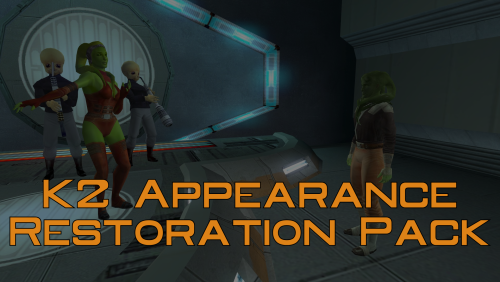
A Mod for Star Wars Knights of The Old Republic II
Author: N-DReW25
1.0.0 Release Date: 26.04.2026
Installation:
Please install The Sith Lords Restored Content Mod 1.8.6 FIRST, no exceptions.
It is highly advised to install the KOTOR 2 Community Patch before this mod, this is optional.
Click on the HoloPatcher.exe, pick your desired appearance restoration, click install, and sit back and watch the installer do its magic.
Repeat this process until all, or only the appearances you want, of the appearances are installed.
Description:
The Sith Lords Restored Content Mod (TSLRCM) restores cut content, obviously, but what you may or may not know is that it also restores cut appearances such as Saedhe's and Hussef's cut appearances - both of whom use generic appearances in the vanilla game.
But TSLRCM doesn't restore ALL of the cut appearances, my Kotor II Restored Content Plus mod did have options to restore these cut appearances but with more and more install options being added I decided to take these restored appearances and make them their standalone mod.
Thus far, this mod restores:
* The appearance of the Harbinger's Captain which had a unique head.
* The appearance of Ralon which used Jorran's body model.
* The male and female Fat Commoner variants which were mostly unused from the first game
* The Smuggler variants which were used quite frequently in the first game on NPCs like Holdan.
* The first Rodian variant which was bugged in the first game causing it to render as the second variant (fixed in K1CP).
* The male Twi'lek variants with special Twi'lek outfits which were used quite frequently in the first game on NPCs like Larrim.
* The green female Twi'lek head from the first game has been added to replace Ramana's head whilst Ramana's original head has been added as a brand new appearance for Jonra Far.
Known Bugs:
This mod shouldn't have any bugs but if you find any please report them to me on Deadlystream.
Incompatibilities:
To be added!
Permissions:
Do NOT claim credit for this mod and do not use assets from this mod without my permission.
Thanks to:
Dashus: For kickstarting the Kotor restoration efforts with TSLRP!
Zbyl2 and the TSLRCM Team: For creating TSLRCM in the first place!
Bioware: For such an amazing first game!
Obsidian: For such an amazing sequel and for keeping the cut content in the files!
Fred Tetra: For Kotor Tool!
th3w1zard1: For maintaining the HoloPatcher!
Everyone who downloads the mod!
Legal:
THIS MODIFICATION IS NOT SUPPORTED BY BIOWARE/OBSIDIAN ENTERTAINMENT, LUCASARTS, DISNEY OR ANY LICENSERS/SPONSORS OF THE MENTIONED COMPANIES. USE OF THIS FILE IS AT YOUR OWN RISK AND THE ABOVE-MENTIONED COMPANIES OR THE AUTHOR IS NOT RESPONSIBLE FOR ANY DAMAGE CAUSED TO YOUR COMPUTER FOR THE USAGE OF THIS FILE.
195 downloads
(0 reviews)0 comments
Updated
-

Unofficial K1CP Tweak Pack
A Mod for Star Wars Knights of The Old Republic
Author: N-DReW25
1.11.0 Release Date: 18.05.2026
Installation:
This mod requires the Kotor 1 Community Patch to be installed FIRST before ANY other mod
Alongside the "Readme.txt" file will be the following folders:
"Override Mods"
"TSLPatcher Mods"
To install Override Mods, open the Override Mods folder and select which mod you'd like to install and simply copy the files within the mod folder into your swkotor "Override" folder.
To install TSLPatcher Mods, simply click on the TSLPatcher.exe, select your option, click install and sit back and watch the TSLPatcher do its magic.
Description:
Years ago, Pavijan357 released their Unofficial TSLRCM Tweak Pack. That mod changed numerous aspects of TSLRCM based on Pavijan's personal tastes including, but not limited to, the removal of Kaevee or the restoration of Saedhe's original generic head.
This mod uses that concept and applies it to the K1 Community Patch where I change, revamp or remove certain features of the K1 Community Patch based on my own personal opinion on that particular feature.
Features:
What's currently included in the Unofficial K1CP Tweak Pack's Bug Fixes:
Known Bugs:
This mod shouldn't have bugs but if there is report it on Deadlystream.com
Incompatibilities:
Report further any incompatibilities to me on Deadlystream.com
Permissions:
Do NOT claim credit for this mod and do not use assets from this mod without my permission.
Do NOT claim credit for the K1 Community Patch or any of its integrated mods, please consult the K1CP developers for permission to utilize their assets in your own mod.
Thanks:
A Future Pilot: For kickstarting the K1 Community Patch mod!
DarthParametric and JCarter426: For maintaining the K1 Community Patch with ongoing updates!
DarthParametric again: For improving the mod logo on the main download page!
RedRob41: For creating the 4x Upscale+ Character Textures & Model Fixes mod, whose assets were used in this mod, and giving modders free permission to use assets from said mod!
Bioware: For such an amazing game!
Stoffee: For TSLPatcher!
Fred Tetra: For Kotor Tool!
Everyone who downloads the mod!
Legal:
THIS MODIFICATION IS NOT SUPPORTED BY BIOWARE/OBSIDIAN ENTERTAINMENT, LUCASARTS, DISNEY OR ANY LICENSERS/SPONSORS OF THE MENTIONED COMPANIES. USE OF THIS FILE IS AT YOUR OWN RISK AND THE ABOVE-MENTIONED COMPANIES OR THE AUTHOR IS NOT RESPONSIBLE FOR ANY DAMAGE CAUSED TO YOUR COMPUTER FOR THE USAGE OF THIS FILE.
2,369 downloads
-
TOR Inspired Sith Soldiers
TOR Inspired Sith Soldiers
A Mod for Star Wars Knights of The Old Republic and Star Wars Knights of The Old Republic 2
Author: N-DReW25
1.1.0 Release Date: 15.05.2026
Installation:
This mod comes in two versions which each version having three sub-versions.
The two versions are the "Normal Version" which is the default texture resolution and the "HD Version" which is the high quality texture resolution version.
Inside both folders, these three sub-versions exist for both the Normal and the HD Version.
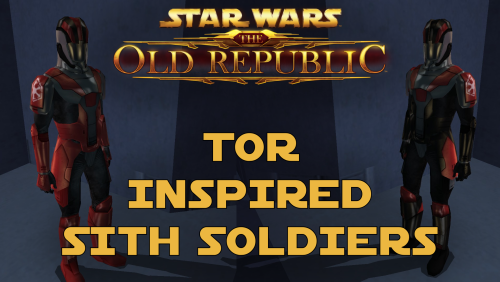
The TOR Logo version: Adds TOR inspired Sith Soldiers with the logo of the TOR era Sith Empire on their shoulders.
The Kotor Logo version: Adds TOR inspired Sith Soldiers with the logo of the Kotor era Sith Empire on their shoulders.
The No Logo version: Adds TOR inspired Sith Soldiers without no logos on their shoulders.
Select which version you want and copy "N_SithSoldier01.tga" and "N_SithSoldier02.tga" into your Override folder. Delete the files "N_SithSoldier01.tpc" and "N_SithSoldier02.tpc" if they exist in your Override.
Uninstallation:
Delete the "N_SithSoldier01.tga" and "N_SithSoldier02.tga" files from your Override folder.
Description:
The idea for this mod came from the Revenge of Revan mod. In the hypothetical event that the plot of ROR has the Player confront the Sith Empire from TOR 300 years prior to their major appearance in TOR, I would need to create enemies for the player to fight. For ROR's Imperial Soldiers, I had two options - port the Imperial Soldiers from the TOR MMO, or make my own Imperial Soldiers. By reskinning the Kotor Sith Soldiers to resemble Imperial Soldiers, I have both made a convincing enemy for the Player to fight and did so in the laziest way possible.
In the ROR mod, should these Imperial Soldier skins be used for enemies, the lore reason as to why they resemble Sith Soldiers is that, like how Revan duplicated the Leviathan ship via the Star Forge, he duplicated Kotor-era Imperial Soldier armor via the Star Forge which would produce white Imperial Soldier armor which is what the Sith Soldiers wore in Kotor. This excuse can be used as we don't know exactly where and/or how Revan designed the Sith Soldier armor - the Rakatans certainly didn't as they don't have Human proportions. And as to why the Imperial Soldiers in TOR don't resemble the ROR Imperial Soldiers, like how Phase I Clone Trooper Armor evolved into Phase II Clone Trooper Armor, the ROR Imperial Soldier Armor design would evolve into the TOR Imperial Soldier Armor design within the next 300 years.
I decided to release these skins to the public as any appearance of actual Sith Empire forces would take years of ROR development to reach that point, if they even appear at all, so why should these cool skins go to waste rotting on my hard drive when you might want to use them in your Kotor game instead.
Known Bugs:
This mod shouldn't have bugs but if you find any please report them to me on Deadlystream.
Incompatibilities:
Would be incompatible with any mods which modify "N_SithSoldier01.tga" and "N_SithSoldier02.tga" or add "N_SithSoldier01.tpc" and "N_SithSoldier02.tpc".
This mod is fully compatible with Star Wars Knights of the Old Republic 2: The Sith Lords.
Permissions:
Do NOT claim credit for this mod and do not use assets from this mod without my permission.
Thanks to:
Bioware: For such an amazing game and for making The Old Republic which inspired this mod!
Sith Holocron: For upscaling my textures!
Fred Tetra: For Kotor Tool!
Everyone who downloads the mod!
Legal:
THIS MODIFICATION IS NOT SUPPORTED BY BIOWARE/OBSIDIAN ENTERTAINMENT, LUCASARTS, DISNEY OR ANY LICENSERS/SPONSORS OF THE MENTIONED COMPANIES. USE OF THIS FILE IS AT YOUR OWN RISK AND THE ABOVE-MENTIONED COMPANIES OR THE AUTHOR IS NOT RESPONSIBLE FOR ANY DAMAGE CAUSED TO YOUR COMPUTER FOR THE USAGE OF THIS FILE.
84 downloads
-
.thumb.png.cdc6832101001fe79f7d105c137e01c5.png)
Commandos of the Old Republic
A Mod for Star Wars Knights of The Old Republic
Author: N-DReW25
1.3.0 Release Date: 14.05.2026
Installation:
1) Install the K1 Community Patch mod FIRST, before any other mod: https://deadlystream.com/files/file/1258-kotor-1-community-patch/
2) If you plan on using the Female Republic Soldier Restoration mod, install that mod AFTER the K1 Communuity Patch and BEFORE this mod: https://deadlystream.com/files/file/2022-female-republic-soldier-restoration/
3) Once both mods, or just K1CP, are installed simply click on this mod's INSTALL.exe, click install, sit back, and watch the HoloPatcher do its magic.
4) If you want, you can also install either HeartMan's Shiny Textures of his HD Shiny Textures for this mod. Open the "Optional Textures" folder, select either "Shiny Textures" or "HD Shiny Textures", and copy the files from your chosen folder and place them in your Override folder, overwriting the files already inside.
Recommended, but not required, mods to install are:
* [K1] Form of Soldier HD "International Global Mod", turns the Commando bodies HD: https://deadlystream.com/files/file/1341-k1-form-of-soldier-hd-international-global-mod/
* Republican Soldier HD, turns the male Commando head HD: https://deadlystream.com/files/file/1864-republican-soldier-hd/
* Republican Soldier Woman HD, turns the female Commando head HD: https://deadlystream.com/files/file/1870-republican-soldier-woman-hd/
* Trask Ulgo HD, turns Trask's texture HD to keep him consistent with the other 3 mods: https://deadlystream.com/files/file/1863-trask-ulgo-hd/
Once installed together, these skins will affect the Republic Commando NPCs in my mod as shown in the mod's screenshots.
Description:
For as long as Kotor has existed, modders and players alike have either made and/or played with mods which change the player character's stupid Soldier's outfit with a proper Republic uniform.
This mod kinda does the same thing... but in my "non-biased" opinion, this mod does that better!
30th of March, 2008... a modder by the name of SilverEdge9 created a reskin of the male player's Soldier clothing which he used in his upcoming 2009 mod Brotherhood of Shadow: Solomon's Revenge (BOSSR). This Soldier texture was reskinned with the exact color palette as the Republic Soldier uniform, and for a texture made in 2008... it still looks amazing! The texture was only seen in a small section of the mod where it was used as the uniform of the "Republic Commando" NPCs (No relation to the 2005 "Republic Commando" Video Game).
Sometime around 2014-2015, another modder, who has gone by many names but today goes by "Dark Hope", made the female version of BOSSR's Soldier outfit and released it to the Russian Kotor Community as part of a mod which added BOSSR's Republic Commando textures for the Soldier class.
For the English Kotor Communities of Deadlystream and NexusMods, she created a beautiful 4K resolution texture inspired by the SilverEdge9's original design in 2018.
What does my mod do?:
1st) It replaces the player's Soldier texture with SilverEdge9's male and Dark Hope's female Soldier textures.
2nd) It adds a brand new NPC called "Republic Commando", the new Republic Commando NPCs are elite Soldiers fighting for the Republic. In the lore, players who play the "Soldier" class are also Republic Commandos. You can find these Commandos on the Endar Spire, in the Undercity and on Manaan!
3rd) If you choose to install Dark Hope's Soldier clothing and Republic Soldier texture mods after installing this mod, the Republic Commando NPCs will use Dark Hope's textures instead. See "Installation" for details!
Known Bugs:
This mod shouldn't have bugs but if you find any report them to me on Deadlystream.
Incompatibilities:
Incompatible with any mods which modify the Soldier class clothing texture (This shouldn't break the game if you install the textures AFTER this mod, I recommend Dark Hope's textures as per the installation instructions).
Incompatible with any mods which modify the Soldier class clothing model (no exceptions). This makes it incompatible with K1 NPC Overhaul as it changes the Soldier clothing model to a Republic uniform model.
Report any unknown incompatibilities to me on Deadlystream.com
Permissions:
Do NOT claim credit for this mod and do not use assets from this mod without my permission.
SilverEdge9, who made the male Soldier skin, and Dark Hope, who made the female Soldier skin, has given modders free permission to use their assets as long as you credit them. Whilst you'll have to ask me for permission to use this mod in your mods, you are free to outright take the textures and use them as you wish.
Special Thanks to:
Bioware: For such an amazing game!
SilverEdge9: For creating the male Soldier texture for the Brotherhood of Shadow mod!
Dark Hope: For creating the female Soldier texture!
HeartMan: For making the optional HD textures!
RedRob41: For fixing the Soldier body model!
Fred Tetra: For Kotor Tool!
Th3w1zard1: For the HoloPatcher!
Everyone who downloads the mod!
Legal:
THIS MODIFICATION IS NOT SUPPORTED BY BIOWARE/OBSIDIAN ENTERTAINMENT, LUCASARTS, DISNEY OR ANY LICENSERS/SPONSORS OF THE MENTIONED COMPANIES. USE OF THIS FILE IS AT YOUR OWN RISK AND THE ABOVE-MENTIONED COMPANIES OR THE AUTHOR IS NOT RESPONSIBLE FOR ANY DAMAGE CAUSED TO YOUR COMPUTER FOR THE USAGE OF THIS FILE.
1,773 downloads
- republic soldier
- republic commando
- (and 5 more)
-
Ladies of the Sith Army
Ladies of the Sith Army
A Mod for Star Wars Knights of The Old Republic
Author: N-DReW25
1.3.0 Release Date: 11.12.2022
Installation:
Please install the K1 Community Patch FIRST before this mod!
Simply click on the TSLPatcher.exe, select your option, click install and sit back and watch the TSLPatcher do its magic.
Once the mod is installed, delete "PLC_SSldCrps.tpc" from the Override folder.
Description:
On Taris, you encounter a female off duty Sith by the name of Sarna who says the following:
"I'm off duty right now, so I'm not in uniform. My name is Sarna - junior officer first class with the Sith occupation force."- Sarna
A 'first class junior officer' makes it sound as if she is one of the many female Sith Officer NPCs you encounter throughout the game, however, the player has the option of stealing her Sith Armor which instead suggests she is a Female Sith Soldier... so where are the Female Sith Soldiers?
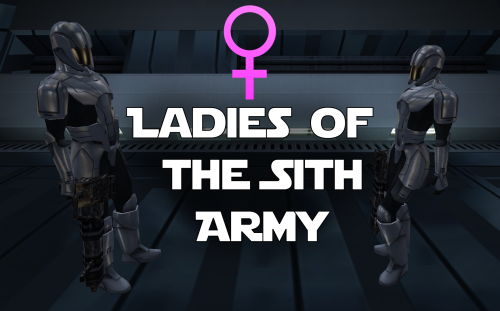
This mod will add Female Sith Soldiers throughout the K1 story alongside their male comrades in arms, they can be found in the following locations:
Endar Spire
Taris Undercity
Taris Military Base
Manaan Military Base
Leviathan
Star Forge
These new NPCs are a rework of the default Sith Trooper model, giving them feminine curves and the female animations. This, combined with the new Female Sith Soldier soundset (an edit of the normal Sith Soldier soundset),
will present authentic Female Sith Soldiers. Only the appearances and soundsets of the modified Sith are changed, the difficulty and loot drops of the affected Sith Soldiers remain unchanged.
Known Bugs:
This mod shouldn't have bugs but if there is Just PM me on Deadlystream.
When the Female Sith Soldier dies, her arms sometimes appear to clip into the ground. This is an issue with the model and isn't something I can fix.
Incompatibilities:
Incompatible with A Future Pilot's Sith Soldier Texture Restoration mod, his mod has been integrated into Ladies of the Sith Army so there is no need to use his mod.
Please report any further incompatibilities!
Should be compatible with most Sith Trooper reskins!
Permissions:
Do NOT claim credit for this mod and do not use assets from this mod without my permission.
The Female Sith Soldier models, however, are free for everyone to use!
Thanks to:
Maris Fett: For the neat model!
A Future Pilot: For making the Sith Soldier Texture Restoration mod which was merged with this mod!
Bioware: For such an amazing game!
Fred Tetra: For Kotor Tool!
Stoffee: For TSLPatcher!
Everyone who downloads the mod!
Legal:
THIS MODIFICATION IS NOT SUPPORTED BY BIOWARE/OBSIDIAN ENTERTAINMENT, LUCASARTS, DISNEY OR ANY LICENSERS/SPONSORS OF THE MENTIONED COMPANIES. USE OF THIS FILE IS AT YOUR OWN RISK AND THE ABOVE-MENTIONED COMPANIES OR THE AUTHOR IS NOT RESPONSIBLE FOR ANY DAMAGE CAUSED TO YOUR COMPUTER FOR THE USAGE OF THIS FILE.
2,759 downloads
- sith soldier
- marius fett
- (and 1 more)
-
Kotor II Restored Content Plus
A Mod for Star Wars Knights of The Old Republic II
Author: N-DReW25
1.0.0 Release Date: 18.05.2025
Installation:
Please install The Sith Lords Restored Content Mod 1.8.6 FIRST, no exceptions.
It is highly advised to install the KOTOR 2 Community Patch before this mod, this is optional.
This mod is divided into two parts, the HoloPatcher component and the Override Component.
To install Override Component features, simply open their folders and copy their mod files to the Kotor 2 Override folder.
To install HoloPatcher Component features, simply click on the HoloPatcher.exe, pick your desired restoration, click install, and sit back and watch the installer do its magic.
WARNING: It is highly recommended that you do not install the game on your system's C drive, especially in Program Files. Windows can have permissions issues when trying to install the mod to a C drive destination. If you are using the Steam version of the game and have installed Steam in its default Program Files location, we advise creating a new Steam Library on a different drive and moving the game there via the game's Properties pop-up in Steam.
Do note that this mod is highly decentralized, whilst this gives you the ability to pick and choose what you'd like it also means you'll have to install each feature individually if you want them all.
Description:
The Sith Lords Restored Content Mod (TSLRCM) is the mod that saved Kotor II after its disastrous December 2004 release that saw the game practically unfinished and riddled with annoying bugs. This mod is THE number one go-to mod for Kotor II, it's so popular that Aspyr "tried" to bring the mod to Nintendo Switch via a DLC and when that DLC was cancelled there was an uproar amongst Star Wars fans for having done this.
Despite the claim that TSLRCM fixed the bugs and restored the cut content, that factually isn't true. There are many bugs that TSLRCM missed and there is cut content still being found in the game files to this very day, though just because these bugs and cut content exist doesn't mean they could/should be fixed/restored.
Things like M4-78 and the GenoHaradan go beyond the scope of TSLRCM's goals and as such were restored as standalone mods rather than being part of TSLRCM, cut content like Lt. Yima's quest has hardly anything left to restore except for a typo riddled dialogue for Yima and journal entries, and bugs like the Mandalorians on the Ravager having Dark Jedi soundsets are so obscure and easily missable that it hardly justifies a TSLRCM update.
As is stands, TSLRCM 1.8.6 is seen by many as being 'completed' - that it succeeded in doing what it set out to do.
Enter stage the Kotor II Restored Content Plus mod, I mod I've thrown together to restore even MORE cut content to Kotor II (more bug fixes can be found in N-DReW's Bug Fix Collection for TSL).
What's Restored in K2RC+:
Known Bugs:
This mod shouldn't have any bugs but if there are please report them to me on Deadlystream.
The "Street Dancer Restoration" is supposed to have music play when you are within their vicinity, though as of right now the music is silent in-game.
Incompatibilities:
To be added!
Permissions:
Do NOT claim credit for this mod and do not use assets from this mod without my permission.
Thanks to:
Dashus: For kickstarting the Kotor restoration efforts with TSLRP!
Zbyl2 and the TSLRCM Team: For creating TSLRCM in the first place!
Bioware: For such an amazing game!
Obsidian: For such an amazing sequel and for keeping the cut content in the files!
Fred Tetra: For Kotor Tool!
th3w1zard1: For maintaining the HoloPatcher!
Everyone who downloads the mod!
Legal:
THIS MODIFICATION IS NOT SUPPORTED BY BIOWARE/OBSIDIAN ENTERTAINMENT, LUCASARTS, DISNEY OR ANY LICENSERS/SPONSORS OF THE MENTIONED COMPANIES. USE OF THIS FILE IS AT YOUR OWN RISK AND THE ABOVE-MENTIONED COMPANIES OR THE AUTHOR IS NOT RESPONSIBLE FOR ANY DAMAGE CAUSED TO YOUR COMPUTER FOR THE USAGE OF THIS FILE.
2,759 downloads
- tsl
- restoration
- (and 3 more)
-
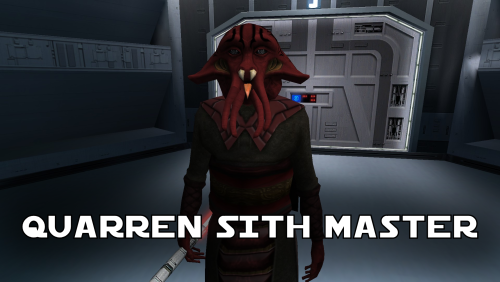
Quarren Sith Master
A Mod for Star Wars Knights of The Old Republic
Author: N-DReW25
1.1.0 Release Date: 05.02.2026
Installation:
Simply click on the HoloPatcher.exe, select your swkotor directory, click install and sit back and watch the HoloPatcher do its magic.
Description:
In the 19th Century, European Colonizers would use non-European collaborators to help pacify and/or assimilate non-European cultures into their Empires.
The European Colonizers and the non-European target for colonization might have major linguistic and cultural differences making dialogue between the two groups almost impossible, but by taking a non-European collaborator of the Europeans and using them as an intermediary between the two groups the non-European group might become more suspectable to the Europeans through the use of the non-European collaborator who is closer to the non-European group than they are to the Europeans.
A random example of this might be the Italians using the Arabs to help them colonize the Somalis. The Italians want to colonize Somalia but they do not speak Somali and aren't at all culturally similar, whereas the Somalis would more than likely know Arabic and would be more culturally similar to Arabs so using Arabs to help Italians colonize the Somalis would be a viable tactic.
This concept of wanting to colonize a group that is different from you so you instead use a culturally similar group to make it easier for you to colonize the original group is central to this mod.
On Manaan, the Sith Empire is secretly training Selkath youths into becoming Dark Jedi and Sith Agents to one day stage a coup against the Manaan government to take over their planet and exploit their precious resources. Similar to the real life example above the same hurdles that applied to Europeans and non-Europeans still apply to the Sith in this scenario.
The Sith Empire is predominantly human and are shown to be quite racist to non-human species throughout the game. The Selkath are an aquatic alien species so not only is there a differing alien culture the Sith have to deal with but the Selkath primarily live underwater.
The leader behind this Sith plot to train Selkath youth is a human Sith Master who appears as a generic Sith Master in-game. This mod changes this NPC so that the Sith Master is now an alien Quarren, another aquatic alien species.
With this mod installed, it makes much more sense as to why the Sith are trying to train and convert Selkath youth to the Sith when the mastermind behind this plot is a fellow aquatic alien who would be much more culturally similar to his Selkath students and would be a much easier leader for the Selkath to blindly follow despite this master serving an empire that would be racist towards them all.
Known Bugs:
This mod shouldn't have any bugs but if you find any please feel free to report them on Deadlystream.com.
A third install was planned but could not be implemented due to a bizarre bug. The third option was a version of the vanilla dialogue which had an AI filter over it to make it sound like the Quarren from Kotor II (this same method was used in the ROR mod for the Quarren Jedi Master). This could not be added as the VO in-game would be sped up with the pitch increased for reasons unknown to me. This install has been included in the mod but cannot currently be installed, when this bug can be fixed I will add the ability to install it.
Incompatibilities:
Please report any incompatibilities!
Permissions:
Do NOT claim credit for this mod and do not use assets from this mod without my permission.
The textures for this mod comes from Quanon's Big Sellout, a modder's resource that was published on LucasForums back in the day. These are the same textures that are used in Quanon's Sith Quarren PC mod found on NexusMods.
As these textures came from Quanon's Big Sellout, they can be used in your mod though I strongly advise you credit Quanon as the original artist and acknowledge Quanon's Big Sellout to avoid people thinking you stole it from the Sith Quarren PC mod.
Thanks to:
Quanon: For making the original textures and including it in your Big Sellout modder's resource!
Marius Fett: For fixing the Death Field animation bug which projected the lightning from his feet instead of his hands!
ElevenLabs Website: For the custom AI VO service!
Bioware: For such an amazing game!
Obsidian Entertainment: For creating the original Quarren models, textures, and VO!
Fred Tetra: For Kotor Tool!
th3w1zard1: For HoloPatcher!
Everyone who downloads the mod!
Legal:
THIS MODIFICATION IS NOT SUPPORTED BY BIOWARE/OBSIDIAN ENTERTAINMENT, LUCASARTS, DISNEY OR ANY LICENSERS/SPONSORS OF THE MENTIONED COMPANIES. USE OF THIS FILE IS AT YOUR OWN RISK AND THE ABOVE-MENTIONED COMPANIES OR THE AUTHOR IS NOT RESPONSIBLE FOR ANY DAMAGE CAUSED TO YOUR COMPUTER FOR THE USAGE OF THIS FILE.
299 downloads
-

Children NPC Fixes
A Mod for Star Wars Knights of The Old Republic and Star Wars Knights of The Old Republic 2
Author: N-DReW25
1.0.0 Release Date: 29.01.2022
Installation:
Consult this readme's description and the mod screenshots on Deadlystream to select which fix option you'd like to install.
Open the folder which contains your fix option and drag or copy the texture/textures within and drop or paste them into your Kotor 1 or 2 Override folder.
Recommendation from the mod author: Do NOT install the Caucasian Head option with the Tanned Hands option.
Uninstallation:
Delete the N_CommKidF01.tga, n_commkidm01.tga and/or N_childFH01.tga files from your Override folder.
Description:
The Children NPCs in both Kotor games have a few graphical inconsistencies with them, especially the female NPC. The ideal fix for these problems
are entirely subjective with multiple solutions for the same problem, this mod is a "pack" of different fixes which will allow you to fix the bugs the way you see fit.
The fix options:
Bug A: The female child has a tanned head with white hands, thus resulting in mismatched skin.
Fix 1: Caucasian Head, thus matching the head with the hands
Fix 2: Gloved Children, covering the male and female hands with gloves thus hiding the hands.
Fix 3: Tanned Hands, thus matching with the head.
Bug B: The female child NPC uses the same hand texture as the male child, thus resulting in the female having masculine hands.
Fix 1: Smooth Hands, this fix will smoothen out the hand textures. This option also has sub-options with smoothed Tanned Hands and a male version of the smoothed hands.
Known Bugs:
This mod shouldn't have bugs but if there is Just PM me on Deadlystream.
Incompatibilities:
Would be incompatible with any mods which modify N_CommKidF01.tga, n_commkidm01.tga and/or N_childFH01.tga.
This mod is fully compatible with Star Wars Knights of the Old Republic 2: The Sith Lords.
Permissions:
Do NOT claim credit for this mod and do not use assets from this mod without my permission.
Thanks to:
Sith Holocron: For his feedback on my early mod screenshots.
Bioware: For such an amazing game
Fred Tetra: For Kotor Tool
Stoffee: For TSLPatcher
Everyone who downloads the mod!
Legal:
THIS MODIFICATION IS NOT SUPPORTED BY BIOWARE/OBSIDIAN ENTERTAINMENT, LUCASARTS, DISNEY OR ANY LICENSERS/SPONSORS OF THE MENTIONED COMPANIES. USE OF THIS FILE IS AT YOUR OWN RISK AND THE ABOVE-MENTIONED COMPANIES OR THE AUTHOR IS NOT RESPONSIBLE FOR ANY DAMAGE CAUSED TO YOUR COMPUTER FOR THE USAGE OF THIS FILE.
14,415 downloads
-
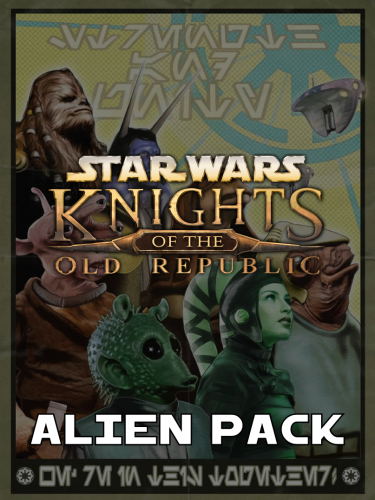
K1 Alien Pack
A Mod for Star Wars Knights of The Old Republic
Author: N-DReW25
1.0.0 Release Date: 31.05.2025
Installation:
Please install the K1 Community Patch FIRST before this mod! No exceptions!
Once you click on the INSTALL.exe, you'll be given a few options. Each option will install a different alien species into your game, to get all the aliens the pack offers you'll need to install all options one after the other.
Bith- This option will add 4 new Bith variants across the game.
Ithorian- This option will add 2 new Ithorian variants across the game.
Duros- This option will add 2 new Duros variants across the game.
Devaronian- This option will add Devaronians to the game. They come in 5 variants with each variant having a matching Czerka variant.
Description:
This mod adds brand new aliens to the game whether it be entirely new aliens or expansions to the already available aliens from the vanilla game.
Each and every alien, both vanilla and new, shall have five variants. For expanded pre-existing aliens, for example the Rodians (when they are added) will only have one new appearance as there are already four generic Rodian variants in the vanilla game whereas the Duros get two new appearances as they only have three whilst the Bith get four new appearances as they only have one.
New aliens, if applicable, shall have unique soundsets and new VO wherever possible. These new aliens may replace pre-existing aliens, for example a Devaronian may replace a Twi'lek and its Twi'lek VO whilst other hypothetical aliens like the Zabraks may replace previously human NPCs with Zabraks.
Known Bugs:
This mod shouldn't have any bugs but if there are please report them to me on Deadlystream.
Incompatibilities:
To be added!
Permissions:
Do NOT claim credit for this mod and do not use assets from this mod without my permission.
Thanks to:
SilverEdge9: For the Brotherhood of Shaodow: Solomon's Revenge mod, this mod photo sourced and modified elements of Lukeo H'tiba's texture for one of the Biths.
RedRob41: For his artwork in the Revenge of Revan mod by Logan23, this mod photo sourced and modified elements of his Bith textures for several Bith redesigns.
BithBiter: For his TSL Party Project mod, this mod photo sourced and modified elements of his Bith texture for several Bith redesigns.
Bioware: For such an amazing game!
Obsidian: For such an amazing sequel!
Fred Tetra: For Kotor Tool!
h3w1zard1: For the HoloPatcher!
Everyone who downloads the mod!
Legal:
THIS MODIFICATION IS NOT SUPPORTED BY BIOWARE/OBSIDIAN ENTERTAINMENT, LUCASARTS, DISNEY OR ANY LICENSERS/SPONSORS OF THE MENTIONED COMPANIES. USE OF THIS FILE IS AT YOUR OWN RISK AND THE ABOVE-MENTIONED COMPANIES OR THE AUTHOR IS NOT RESPONSIBLE FOR ANY DAMAGE CAUSED TO YOUR COMPUTER FOR THE USAGE OF THIS FILE.
544 downloads
-

K1 Pre-Release Pack
A Mod for Star Wars Knights of The Old Republic
Author: N-DReW25
1.0.0 Release Date: 20.06.2021
Installation:
Simply click on the TSLPatcher.exe, select your option, click install and sit back and watch the TSLPatcher do its magic.
WARNING: If you wish to use Gloveless Sith Officers and Albino Sith Officers at the same time, please install Gloveless Sith Officers FIRST and Albino Sith Officers SECOND!
Uninstallation:
Depends on what you've chosen to install.
Copy the files within the generated "backup" folder and place the file inside your modules folder, make sure you overwrite.
Description:
July 15 2003 was the day Kotor 1 was released for the first time on Xbox. If you've played Kotor on the Xbox or have played my Knights of the Old XBOX mod then you might be aware that the Xbox version and the PC version of these games are different, but what if I told you there was a 3rd version of Kotor which you might not have heard of before?
Between 2002 and early 2003, the original Kotor website published a series of images which ranged from concept art to promotional screenshots of the game during its Beta/Pre-Release stage of development.
Whilst these promotional screenshots might appear worse than the vanilla game (As these are pre-release/in-development screenshots), a few eagle eyed observers might notice some features in said screenshots which the vanilla game lacks.
What this mod will do is add these features into the vanilla PC game.
WARNING: Please be sure to consult the mod's screenshots before installing (Or ask the mod author in the comments), the installer for this mod is modular allowing you to install things at your leisure, however, some features might be perceived as lower quality than others so
it is recommended to be 100% sure of what you want to install before installing anything. None of the features should break your game, it's merely a matter of your own opinion on whether or not you like the aesthetic of a specific feature or not.
Known Bugs:
This mod shouldn't have bugs but if there is Just PM me on Deadlystream.
Gloveless Jedi Robes do not receive the grey Dark Side transitions, meaning the player character will have a grey head with normal hands. The best way to fix this would be to use a mod which removes the Dark Side transitions.
Incompatibilities:
Would be incompatible with any mods which modifies Mission Vao's body/underwear/head texture and portraits, Trask Ulgo's unique head texture and portraits, Jedi Robe textures and models, Sith Officer body/head textures or models
Permissions:
Do NOT claim credit for this mod and do not use assets from this mod without my permission.
Thanks to:
Bioware: For such an amazing game
Fred Tetra: For Kotor Tool
Stoffee: For TSLPatcher
Everyone who downloads the mod!
Legal:
THIS MODIFICATION IS NOT SUPPORTED BY BIOWARE/OBSIDIAN ENTERTAINMENT, LUCASARTS, DISNEY OR ANY LICENSERS/SPONSORS OF THE MENTIONED COMPANIES. USE OF THIS FILE IS AT YOUR OWN RISK AND THE ABOVE-MENTIONED COMPANIES OR THE AUTHOR IS NOT RESPONSIBLE FOR ANY DAMAGE CAUSED TO YOUR COMPUTER FOR THE USAGE OF THIS FILE.
461 downloads
- pre-release
- beta
- (and 5 more)
-
.thumb.png.ab053a5589688bf42494add3169e1a11.png)
Qel-Droma Hybrid Robes for JC's Cloaked Hybrid Robes
A Mod for Star Wars Knights of The Old Republic
Authors: N-DReW25, Effixan, Constantinople33 and ScrierOne
1.1.0 Release Date: 03.12.2025
Installation:
1) Install JC's Fashion Line I: Cloaked Hybrid Robes for K1 FIRST! (No exceptions!!!): https://deadlystream.com/files/file/1758-jcs-fashion-line-i-cloaked-hybrid-robes-for-k1/
2) Install Effixan's Qel-Droma Robes Reskin SECOND!: https://deadlystream.com/files/file/2019-effixians-qel-droma-robes-reskin-for-jcs-cloaked-jedi-robes/
3) Select either "Constantinople33-Effix Version" or "ScierOne-Effix Version", you can only use ONE.
4) Open the "For Override" folder inside your chosen version and copy the files within to your swkotor Override folder and select the "Overwrite" option when it pops up.
Description:
March 11th 2021 saw the release of the Lore-Friendly Qel Droma Robes by Constantinople33 which was a 2K resolution reskin of the vanilla K1 Jedi Robe texture to make the Qel-Droma Robe item look more like the canonical Robe as worn by Qel-Droma in the Kotor Comics. I personally thought the skin looked AMAZING with its extensive detail, but at the time I used JC's Cloaked Jedi Robe mod so I took no heed to the mod as both mods were incompatible.
But upon looking into JC's Cloaked Hybrid Robe mod, I realized that it would be possible to "merge" Constantinople33's work with one of JC's Cloaked Jedi Robe skin to make a "Hybrid" robe. At first, I was intending to use
Salk's Qel-Droma Robe texture (which was uploaded by StellarExile) as the Cloaked texture of my Hybrid mod, but after my initial work on the Hybrid Robe the modder Effixan published his own take on a unique Qel-Droma Cloaked Robe.
From what I can tell, Salk had requested Effixan to professionally make his version of Qel-Droma's Cloaked Robe using Salk's work as an inspiration... as such, after getting permission from Constantinople33 and the fact Effixan stated in his readme that users can use his Qel-Droma Robe with credit, I have merged the Lore-Friendly Qel-Droma Robe with Effixan's Qel-Droma Robes Reskin mod.
On April 4th 2022, the modder ScrierOne would come along and release his own Qel-Droma robe mod called the Alternate Lore-Friendly Qel-Droma Robes which was inspired by Constantinople33's original mod hence why it is called the ALTERNATIVE Lore-Friendly Qel Droma Robes. At the end of 2025 I decided to add a version of this mod that'll merge ScrierOne's Qel-Droma Robes with Effix's robes as an alternative to Constantinople33 version.
Known Bugs:
This mod shouldn't have bugs, but if there any please report them on Deadlystream.com
Incompatibilities:
Report any unknown incompatibilities to me on Deadlystream.com
Permissions:
Do NOT claim credit for this mod and do not use assets from this mod without my permission.
JC's Fashion Line I: Cloaked Hybrid Robes can be freely used as JCarter426 released the source files for this mod as a Modder's Resource which is free for anyone to use.
Effixian's Qel-Droma Robes Reskin can be freely used as long as you credit Effix as per a post giving modder's a blank cheque on this condition.
Constantinople33's Lore-Friendly Qel-Droma Robes is not free to use. ASK HIM for permission if you want to use his textures in your own mod.
ScrierOne's Alternate Lore-Friendly Qel-Droma Robes can be freely used as long as you DO NOT post it on the Steam Workshop and/or sell it for money as per the permission tab on the mod's Nexus Page.
Thanks:
JCarter426: For making the original Cloaked Hybrid Robes, this mod couldn't have been done without you!
Effixan: For creating his own Qel-Droma Cloaked Robe texture which was used in this mod!
Salk: The one responsible for the design of Effix's Qel-Droma Cloaked Robes!
Constantinople33: For making the original Lore-Friendly Qel-Droma Robes!
ScrierOne: For making the Alternative Lore-Friendly Qel-Droma Robes!
Bioware: For such an amazing game!
Obsidian Entertainment: For creating the Cloaked Robe model for Kotor II!
Fred Tetra: For Kotor Tool!
And everyone who downloads the mod!
Legal:
THIS MODIFICATION IS NOT SUPPORTED BY BIOWARE/OBSIDIAN ENTERTAINMENT, LUCASARTS, DISNEY OR ANY LICENSERS/SPONSORS OF THE MENTIONED COMPANIES. USE OF THIS FILE IS AT YOUR OWN RISK AND THE ABOVE-MENTIONED COMPANIES OR THE AUTHOR IS NOT RESPONSIBLE FOR ANY DAMAGE CAUSED TO YOUR COMPUTER FOR THE USAGE OF THIS FILE.
497 downloads
- qeldroma
- jcarter426
- (and 9 more)
-
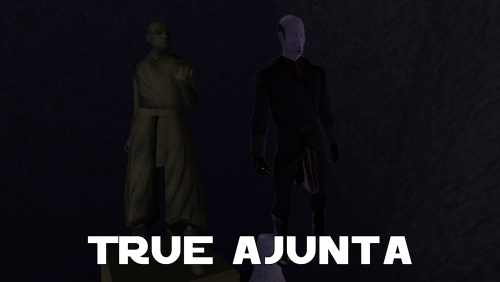
True Ajunta
A Mod for Star Wars Knights of The Old Republic
Author: N-DReW25
1.0.0 Release Date: 15.11.2025
Installation:
Install the Kotor 1 Community Patch FIRST before this mod.
Simply click on the HoloPatcher.exe, select your swkotor directory, click install and sit back and watch the HoloPatcher do its magic.
If you want Ajunta Pall to appear transparent, please copy the textures from the "Transparent Skins" folder into your Override folder and overwrite the non-transparent skins that were installed by the HoloPatcher.
Description:
Ajunta Pall is a long dead Sith Lord who you encounter in Kotor I as a Force Ghost. The problem with Ajunta's depiction as a Force Ghost, other than George Lucas' (and later Disney's) retcons to how Force Ghosts work, is that Bioware was lazy when it came to making Ajunta's appearance and gave him a generic Dark Jedi model with a basic reskin that makes his robes a whitish blue color and they also gave him an energy shield effect to make him appear more ghostly.
There have been two mods over the years that turn Ajunta Pall's appearance from an underpaid Bioware intern's first draft into something that you'd actually expect a Sith's Force Ghost to look like.
In 2007, we saw the Ajunta Pall Unique Appearance mod by SilverEdge9 that reskinned the cut Jedi Council robe model and Deadeye Duncan's head to make Ajunta look like a creepy old Sith Lord. And in 2018, we saw the Spectral Ajunta Pall Canonical Appearance mod by VarsityPuppet that added a unique model that's heavily inspired by the TOR MMO that makes Ajunta look like he was a strong Sith Warrior during his lifetime.
These two mods are great, but my problem with the Ajunta Pall mods was caused by the Kotor Mod Builds managed by Snigaroo. In his builds, he lists SilverEdge9's Ajunta Pall Unique Appearance as being faithful to Ajunta Pall's canonical appearance. What is Ajunta Pall's canonical appearance? The statue inside his tomb, of course.
But when you look at the statue and compare it to SilverEdge9's Ajunta Pall, you will quickly realize that SilverEdge9's depiction of Ajunta is in no way inspired by the statue. The Ajunta Pall statue uses the old Asian man head and the Nemo Jedi robes whilst SilverEdge9's Ajunta Pall uses Deadeye Duncans head and the cut Jedi Council robes.
My mod, the True Ajunta mod, adds what I think is Ajunta Pall's *actual* canonical appearance to the game. This mod gives Ajunta a reskinned old Asian man head and a reskinned Nemo robe so that Ajunta *actually* resembles the statue inside the tomb.
As for the mention of Snigaroo's Mod Build here, should Snigaroo not approve of how my mod handles Ajunta he won't be adding it to the Build despite my opinion that my mod is a more accurate canonical representation of Ajunta than SilverEdge9's mod - ultimately it is his decision whether to include, or not include, mods in the Builds and should he not include this mod I do not want you, the player, to harass him for that decision.
Known Bugs:
This mod shouldn't have any bugs but if you find any please report it to me on Deadlystream.
Incompatibilities:
Obviously incompatible with any mod that modifies Ajunta Pall's appearance.
Please report any further incompatibilities!
Permissions:
Do NOT claim credit for this mod and do not use assets from this mod without my permission.
The texture of Ajunta Pall's robes, on the other hand, is free to use as it came from the K1EP Modder's Resource
Thanks to:
SilverEdge9: For making the Ajunta Pall Unique Appearance mod from which I borrowed the source code which removes Ajunta Pall's shield!
VarsityPuppet: For making the Spectral Ajunta Pall Canonical Appearance mod!
Sniggles: For adding SilverEdge9's mod to his Mod Build which inspired me to make this mod!
Bioware: For such an amazing game!
Fred Tetra: For Kotor Tool!
th3w1zard1: For HoloPatcher!
Everyone who downloads the mod!
Legal:
THIS MODIFICATION IS NOT SUPPORTED BY BIOWARE/OBSIDIAN ENTERTAINMENT, LUCASARTS, DISNEY OR ANY LICENSERS/SPONSORS OF THE MENTIONED COMPANIES. USE OF THIS FILE IS AT YOUR OWN RISK AND THE ABOVE-MENTIONED COMPANIES OR THE AUTHOR IS NOT RESPONSIBLE FOR ANY DAMAGE CAUSED TO YOUR COMPUTER FOR THE USAGE OF THIS FILE.
225 downloads
- ajunta
- ajunta palls blade
- (and 6 more)
-

N-DReW's Bug Fix Collection for TSL
N-DReW's Bug Fix Collection for TSL
A Mod for Star Wars Knights of The Old Republic 2
Author: N-DReW25
1.6.0 Release Date: 23.09.2025
Installation:
Please install The Sith Lords Restored Content Mod 1.8.6 FIRST, no exceptions.
It is highly advised to install the KOTOR 2 Community Patch before this mod, this is optional.
This mod is divided into two parts, the TSLPatcher component and the Override Component.
To install Override Component features, simply open their folders and copy their mod files to the Kotor 2 Override folder.
To install TSLPatcher Component features, simply click on the HoloPatcher.exe, click install, and sit back and watch the installer do its magic.
WARNING: It is highly recommended that you do not install the game on your system's C drive, especially in Program Files. Windows can have permissions issues when trying to install the mod to a C drive destination. If you are using the Steam version of the game and have installed Steam in its default Program Files location, we advise creating a new Steam Library on a different drive and moving the game there via the game's Properties pop-up in Steam.
Description:
My Bug Fix Collection is another bug fix mod, though unlike most bug fix mods that have been made for the Kotor games this mod is for Kotor 2 in particular. The popular TSLRCM and K2CP mods are two excellent mods that bug fix hundreds of bugs throughout the game... though they haven't fixed all the bugs. Since TSLRCM development is essentially finished and the K2CP dev team are focused on the K1CP mod, I made my own bug fix mods to squash the rest I could.
Contents:
Known Bugs:
This mod shouldn't have bugs but if there is Just PM me on Deadlystream.
Incompatibilities:
Please report any incompatibilities!
Permissions:
Do NOT claim credit for this mod and do not use assets from this mod without my permission.
Thanks:
Bioware: For such an amazing game!
Obsidian: For such an amazing sequel!
Fred Tetra: For Kotor Tool!
th3w1zard1: For both the HoloPatcher and for helping me debug this mod's HoloPatcher during the development of version 1.4!
Everyone who downloads the mod!
Legal:
THIS MODIFICATION IS NOT SUPPORTED BY BIOWARE/OBSIDIAN ENTERTAINMENT, LUCASARTS, DISNEY OR ANY LICENSERS/SPONSORS OF THE MENTIONED COMPANIES. USE OF THIS FILE IS AT YOUR OWN RISK AND THE ABOVE-MENTIONED COMPANIES OR THE AUTHOR IS NOT RESPONSIBLE FOR ANY DAMAGE CAUSED TO YOUR COMPUTER FOR THE USAGE OF THIS FILE.
4,490 downloads
- mod pack
- compilation
- (and 4 more)
-
Logical Jekk'Jekk Tarr
A Mod for Star Wars Knights of The Old Republic II
Author: N-DReW25
1.0.0 Release Date: 27.07.2025
Installation:
Please install The Sith Lords Restored Content Mod 1.8.6 FIRST, no exceptions!
It is highly advised to install the KOTOR 2 Community Patch before this mod, this is optional.
This mod is divided into two parts, you need to install "Part 1" first followed by "Part 2" to properly install the mod.
Click on the HoloPatcher.exe, select on the "Part 1" install, click install and sit back and watch the HoloPatcher do its magic.
Repeat the process, click on the HoloPatcher.exe, this time select on the "Part 2" install, click install and sit back and watch the HoloPatcher do its magic.
The mod will be installed.
Description:
In both vanilla and with TSLRCM, the Jekk'Jekk Tarr is quite illogical.
It is a mythical bar in which drinks are not served. Instead, you breathe the fumes - and these fumes are toxic to humans. The gas inside the Jekk'Jekk Tarr is so toxic that the gas would kill you if it was absorbed through the skin. This is shown in-game, you collapse to the ground and almost die before you learn the Breath Control ability which grants you immunity to all poison based damage.
The illogical part comes into play before the Visquis mission, you can enter the Jekk'Jekk Tarr with your entire party of humans and... survive? You get poisoned if you are in there, but this is the good ol' Kotor poison which turns your health bar green and SLOWLY withers away at your heatlh over time - a breath mask or an antidote kit can keep you alive indefinitely inside the Jekk'Jekk Tarr.
Okay, so maybe you aren't supposed to enter the Jekk'Jekk Tarr early, right?
Wrong.
Aliens inside the Jekk'Jekk Tarr have dialogue for if you are wearing a space suit (Mira) or if you aren't wearing a space suit (the player), and there are only two times when you can enter the Jekk'Jekk Tarr without a space suit: during the Visquis mission wherein you murder all of these aliens without talking to them, or before the Visquis mission if you enter early.
If any part of Kotor II screams "incomplete" - it's the Jekk'Jekk Tarr. I personally have a feeling the concept of a poisonous cantina for aliens as a plot point was devised after the GenoHaradan got cut and was thrown together at the last minute.
Why do I believe this?
The Devaronian Bartender states that the first chamber is for the Trandoshans and Devaronians (he is the only Devaronian in that room and Twi'leks and Rodians are also in there) whilst the side room is for Twi'leks, Weequay, and the Nikto (Only a single Twi'lek Domo is in there, he never talks about the Rodians, and the Lunar Shadow crew state that Nikto, like humans, would die in the Jekk'Jekk Tarr). The Weequay with proper dialogue will reference piercing your space suit even if you're talking to him before the Visquis mission as the player character and aren't wearing a space suit. Heck, even in TSLRCM, restored dialogue with the Twi'lek Domo suggests that drinks can be served even though the bartender explicitly states that there are no drinks.
This mod aims to fix many of the problems with the Jekk'Jekk Tarr, this mod makes the Jekk'Jekk Tarr "logical" by doing the following:
* The Jekk'Jekk Tarr uses Nagnol gas instead of a mix of Nagnol and Cyanogen Cas. Nagnol gas would instantly kill a human, but the Peragus lore which states the player character has been trained to resist toxins justifies why you don't drop dead instantly. You instead get the poison effect which slowly kills you if you enter the Jekk'Jekk Tarr before the Visquis mission.
* Replaces the Jekk'Jekk Tarr Rodians with Nikto and turns the Lunar Shadow Crew from Nikto into Duros. This is consistent with the Devaronian Bartender who mentions that Nikto can enter the Jekk'Jekk Tarr, and since a major Bounty Hunter Faction is made up of Duros, the Zhug Brothers, it makes sense this way lore wise as to why they would attack your party and not the Jekk'Jekk Tarr.
* Repositioned the Lunar Shadow Crew so that they're less janky.
* The filename for the Twi'leks wearing armor is "aquabar" whilst "aquathug" is an unfinished dialogue that mentions that "aqua" means "Aqualish". The Aqualish have been restored in the same room as the Weequays and are now mentioned by the Devaronian Bartender.
* The Twi'leks wearing armor are now Devaronians as the Devaronian Bartender states that the room they are in are for Trandoshans and Twi'leks.
* Moved the Trandoshans, Twi'lek turned Devaronians, and Rodians turned Nikto into the correct rooms as designated by the Devaronian Bartender.
* The Trandoshan and Aqualish dialogues have been split into two. One set of Trandoshans/Aqualish have barking dialogue whilst the other have small conversations.
* The Weequay with the small conversation dialogue will now only reference your space suit if you are Mira wearing said space suit.
* The cut character Garagesh, a Gamorrean Guard, has been restored outside Visquis' lair.
* Restored Visquis' cut dialogue, dialogue which heavily implies that Loppak Slusk was his brother.
* When Mira is zapped, that scene is unskippable.
* Atton's dialogue after Visquis' conversation has been edited to remove most mentions of Cyanogen and how it targets the skin.
* During the Visquis mission, Visquis' dialogue for when you enter the Jekk'Jekk Tarr without a space suit has been rewritten to specify that Visquis is flooding the door chamber with ten times the lethal level of Cyanogen gas - a gas in this mod is not present in the normal Jekk'Jekk Tarr, this is to explain why you can enter the Jekk'Jekk Tarr before the mission but almost die during the mission.
Known Bugs:
This mod shouldn't have any bugs but if you find any please report them to me on Deadlystream.
Incompatibilities:
To be added!
Permissions:
Do NOT claim credit for this mod and do not use my assets from this mod without my permission.
Thanks to:
Snigaroo: For giving out mod ideas in his Mod Build mod request thread, some of his ideas directly inspired this mod to be made!
Bioware: For such an amazing game!
Cortisol: For the Holocron Toolset!
th3w1zard1: For HoloPatcher!
Everyone who downloads the mod!
Legal:
THIS MODIFICATION IS NOT SUPPORTED BY BIOWARE/OBSIDIAN ENTERTAINMENT, LUCASARTS, DISNEY OR ANY LICENSERS/SPONSORS OF THE MENTIONED COMPANIES. USE OF THIS FILE IS AT YOUR OWN RISK AND THE ABOVE-MENTIONED COMPANIES OR THE AUTHOR IS NOT RESPONSIBLE FOR ANY DAMAGE CAUSED TO YOUR COMPUTER FOR THE USAGE OF THIS FILE.
2,982 downloads
- jekkjekk tarr
- nar shadaa
- (and 8 more)
-
Peragus Miner Overhaul
Peragus Miner Overhaul
A Mod for Star Wars Knights of The Old Republic 2
Author: N-DReW25
1.0.0 Release Date: 02.09.2025
Installation:
Simply click on the HoloPatcher.exe, select your option, click install and sit back and watch the HoloPatcher do its magic.
This mod has four install options, you do NOT need to install four but you must install them in this order.
Proper Peragus Corpses comes first.
Peragus NPC Overhaul comes second.
Tiered Peragus Miners comes third. The Peragus Mining Gear mod is required for this install.
Vibrocutter changes can be installed at any point AFTER Proper Peragus Corpses.
The "Description" section of the readme will tell you what each install does. Make sure to read them to ensure that you've made an informed decision on what exactly you want to install.
Description:
Peragus is a strange place. It's a mine wherein all of the miners are dead, except those dead miners all look like burnt monkeys wearing beige jumpsuits in-game. Despite the holograms of the Miners all wearing the same Miner's Uniform the aforementioned corpses are all wearing beige, whilst the Maintenance Officer Corpse and the bodies in the Kolto tanks wear a Czerka inspired uniform not seen anywhere else.
This mod serves as a collection of mods, allowing you to fully customize Peragus to your exact liking. This mod offers the following features:
1) Proper Peragus Corpses: Proper Peragus Corpses removes the low-poly corpse placeables from the Peragus Modules and replaces them with NPC Corpses. These NPCs use the four generic Peragus NPC appearances, meaning there will be clones though this is on-par with Obsidian's NPC Czerka Corpses in the Telos Underground ruins.
2) Peragus NPC Overhaul: An addon for Proper Peragus Corpses, Peragus NPC Overhaul will give all 60+ Peragus NPC Corpses an overhauled appearance. Whilst this new appearance will be a generic appearance, if you see a generic old white man with orange hair that specific appearance will be unique to just that specific corpse meaning only Twi'leks and Devaronians would have duplicate appearances.
3) Tiered Peragus Miners: This option requires Kainzorus Prime's Peragus Mining Gear mod and the Proper Peragus Corpses, and Peragus NPC Overhaul from this mod installed.
Tiered Peragus Miners is designed around Kainzorus Prime's Peragus Mining Gear mod, it adds a second Miner's Uniform item based on the vanilla Miner's Uniform. This means you can have BOTH Kainzorus Prime's Peragus Mining Gear for the Defense Bonuses and the vanilla Peragus Miner's Uniform for the ability to use Force Powers at the same time. The loot for these uniforms has been changed so the vanilla Peragus Miner's Uniform is found in the Plasteel Cylinder at the start of the Mining Tunnels whilst the Peragus Mining Gear is found inside a Plasteel Cylinder at the Central Platform which can only be opened via the nearby terminal.
The Peragus Mining Gear, Peragus Miner's Uniform, and the Beta Peragus Miner outfit will be worn by various Peragus Miner Corpses and Holograms where appropriate. The end result should be a fully diversified Peragus Mining Facility.
4) Vibrocutter Changes: Since this mod is NOT compatible with Lewok2007's Vibrocutter changes mod, the Vibrocutter Changes install serves as an alternative to his mod. This option will move the Vibrocutter from the Corpse near the start of Peragus to a locked Locker in the nearby Security Office, this will force you to use the Plasma Torch and Mining Blaster to fight the Mining Droids for a little bit. This option will NOT work without "Proper Peragus Corpses" option mentioned above.
Known Bugs:
This mod shouldn't have bugs but if you find any report it to me on Deadlystream.com.
Incompatibilities:
* This mod is compatible with Kainzorus Prime's Peragus Mining Gear mod.
* This mod is compatible with WildKarrde's Peragus Medical Bay Enhancement.
* This mod is NOT compatible with VarsityPuppet's Peragus Tweak.
* The Tiered Peragus Miners component is NOT compatible with DarthParametric's Fixed Hologram Models and Admiralty Redux for TSLRCM.
Report any incompatibilities to me on Deadlystream.com.
Permissions:
Do NOT claim credit for this mod and do not use assets from this mod without my permission.
Thanks:
DarthParametric: For making the Female Czerka Officer's Uniform - A Modder's Resource, which the Medical Officer's Beta Uniform is based upon!
ebmar: For providing help with the TSLPatcher!
Kainzorus Prime: For making the Peragus Mining Gear mod!
VarsityPuppet: For making the Peragus Tweak mod which inspired me to make this mod!
Lewok2007: For making the original Vibrocutter Changes mod!
WildKarrde: For making the Peragus Medical Bay Enhancement mod!
Bioware: For such an amazing game!
Obsidian: For such an amazing sequel!
Fred Tetra: For Kotor Tool!
Everyone who downloads the mod!!
Legal:
THIS MODIFICATION IS NOT SUPPORTED BY BIOWARE/OBSIDIAN ENTERTAINMENT, LUCASARTS, DISNEY OR ANY LICENSERS/SPONSORS OF THE MENTIONED COMPANIES. USE OF THIS FILE IS AT YOUR OWN RISK AND THE ABOVE-MENTIONED COMPANIES OR THE AUTHOR IS NOT RESPONSIBLE FOR ANY DAMAGE CAUSED TO YOUR COMPUTER FOR THE USAGE OF THIS FILE.
386 downloads
- miner uniform
- npc overhaul
- (and 8 more)
-
.thumb.png.94b6803701bcec1161d4da167404b960.png)
Kebla Yurt Renovation
A Mod for Star Wars Knights of The Old Republic
Author: N-DReW25
1.0.0 Release Date: 15.07.2025
Installation:
Please install the K1 Community Patch FIRST before this mod!
Simply click on the HoloPatcher.exe, click install and sit back and watch the HoloPatcher do its magic.
Description:
Kebla Yurt's Equipment Emporium is a weapons store that you'll come across at the beginning of the game, the entire shop is decked out with blasters, swords, grenades, armor, and other props to really sell the point across that this IS a weapons store.
Some noticeable issues with Kebla Yurt's Equipment Emporium is that Kebla herself stands by a desk in the center of the room even though there is a shop window at the back of the shop that's very similar to the shop window that fellow shop owner Janice Nall stands behind in her nearby Droids by Janice store. This shop window is also obscured by a kiosk and two part piles which do a poor job at hiding the shop window behind it.
Another issue is that there are several metal boxes at the back of the shop to the left which clips into an armor display.
The Kebla Yurt Renovation mod does the following:
* Moves two of the three metal boxes to the right side of the store right at the front of the store right next to the entrance.
* Moves the third of the three metal boxes between an armor display and some bags in the middle of the left wall.
* Moves the Kiosk away from the shop window and moves it to the far left side of the wall.
* Moves the part piles away from the shop window and moves them to the area where the three metal boxes used to be.
* Makes Kebla Yurt's desk invisible.
* Moves Kebla Yurt behind the shop window.
Known Bugs:
This mod shouldn't have any bugs but if there are please report them to me on Deadlystream.
Incompatibilities:
To be added!
Permissions:
Do NOT claim credit for this mod and do not use my assets from this mod without my permission.
Thanks to:
Dark Hope: For pointing out the clipping issue with the three metal boxes on a Deadlystream post!
Bioware: For such an amazing game!
Cortisol: For the Holocron Toolset!
th3w1zard1: For HoloPatcher!
Everyone who downloads the mod!
Legal:
THIS MODIFICATION IS NOT SUPPORTED BY BIOWARE/OBSIDIAN ENTERTAINMENT, LUCASARTS, DISNEY OR ANY LICENSERS/SPONSORS OF THE MENTIONED COMPANIES. USE OF THIS FILE IS AT YOUR OWN RISK AND THE ABOVE-MENTIONED COMPANIES OR THE AUTHOR IS NOT RESPONSIBLE FOR ANY DAMAGE CAUSED TO YOUR COMPUTER FOR THE USAGE OF THIS FILE.
5,892 downloads
- kebla yurt
- placeable
- (and 5 more)
(0 reviews)0 comments
Updated