

Search the Community
Showing results for tags 'planet'.
Found 11 results
-
Version 3.7
1,180 downloads
VANILLA PLANETS HD A VANILLA-FAITHFUL ENVIRONMENTAL TEXTURE OVERHAUL ━━━━━━━━━━━━━━━━━━━━━━━━━━━━━━━━━━━━ OVERVIEW ━━━━━━━━━━━━━━━━━━━━━━━━━━━━━━━━━━━━ Vanilla Planets HD is an environmental texture upscale for Star Wars: Knights of the Old Republic II — The Sith Lords. The mod upscales the game’s planet, area, environmental, screen, display, and panel textures using Topaz Gigapixel at up to four times their original resolution. The goal is to keep KOTOR II as close to its original visual style as possible while making the textures cleaner, sharper, and more detailed. I created this mod because I wanted an HD environmental overhaul that preserved the original materials without making surfaces excessively reflective or glossy. There are no ReShade presets, lighting edits, shader changes, or major visual redesigns. FEATURES ━━━━━━━━━━━━━━━━━━━━━━━━━━━━━━━━━━━━ • Planet and area textures upscaled at up to 4x resolution • All major environments included • Screens, displays, monitors, and panels included • Ebon Hawk interior and exterior included • Optimized TPC textures • Vanilla-faithful appearance • Separate add-ons for TSLRCM and the KOTOR 2 Community Patch INCLUDED AREAS ━━━━━━━━━━━━━━━━━━━━━━━━━━━━━━━━━━━━ Peragus and the Harbinger Telos Ebon Hawk Interior and Exterior Dantooine Dxun Onderon Nar Shaddaa Korriban Malachor V Shared planet and environmental textures Screens, displays, monitors, and panels DOWNLOADS ━━━━━━━━━━━━━━━━━━━━━━━━━━━━━━━━━━━━ There are three files total. MAIN FILE The complete Vanilla Planets HD texture overhaul. This file is required for all users. TSLRCM ADD-ON Additional textures for users of The Sith Lords Restored Content Mod. Requires the Vanilla Planets HD main file and TSLRCM. KOTOR 2 COMMUNITY PATCH ADD-ON Additional textures for users of the KOTOR 2 Community Patch. Requires the Vanilla Planets HD main file and the KOTOR 2 Community Patch. INSTALLATION ━━━━━━━━━━━━━━━━━━━━━━━━━━━━━━━━━━━━ UPDATING FROM A PREVIOUS VERSION If you are updating from a previous version of Vanilla Planets HD, delete the following files from your override folder if they are present: DAN_blst03.tpc DAN_fall.tpc DAN_gobo1.tpc DAN_gobo2.tpc DAN_LBms.tpc DAN_leaf02.tpc DANfx_mots.tpc KOR_lightbeams.tpc DXN_treeline2.tpc PLC_Water01b.tpc After removing these files, install the new version normally using the instructions below. MAIN FILE 1. Download and extract the Vanilla Planets HD main file. 2. Copy the included override folder into your main KOTOR II installation directory. 3. replace files if prompted. ADD-ONS If you use TSLRCM or the KOTOR 2 Community Patch, install the corresponding Vanilla Planets HD add-on after installing the main file. If you use both TSLRCM and the KOTOR 2 Community Patch, install the TSLRCM add-on first, followed by the KOTOR 2 Community Patch add-on. Replace files when prompted. Highly Recommended After Installation After installation, download and install Remove Duplicate TGA-TPC. Run the included .bat file and delete any duplicate TGA files. IMPORTANT The TSLRCM and KOTOR 2 Community Patch files are add-ons and are not standalone downloads. Always install the Vanilla Planets HD main file first. SKYBOXES AND BACKDROPS ━━━━━━━━━━━━━━━━━━━━━━━━━━━━━━━━━━━━ Vanilla Planets HD does not replace the game’s major skyboxes, distant backdrops, or cockpit window views. These assets were intentionally left untouched because Kexikus has already created excellent high-resolution skybox and backdrop mods, while tjsase has created a dedicated mod for the cockpit views. The following mods are highly recommended: High Quailty Skyboxes II TSL Backdrop Improvements TSL HD Cockpit Skyboxes COMPATIBILITY ━━━━━━━━━━━━━━━━━━━━━━━━━━━━━━━━━━━━ Vanilla Planets HD is compatible with most gameplay, character, interface, bug-fix, and audio mods. Conflicts may occur with other planet or environmental texture overhauls that replace the same files. When two mods contain textures with the same filename, the files installed last will take priority. CREDITS ━━━━━━━━━━━━━━━━━━━━━━━━━━━━━━━━━━━━ Obsidian Entertainment and BioWare — Original KOTOR II textures and assets ━━━━━━━━━━━━━━━━━━━━━━━━━━━━━━━━━━━━ VANILLA PLANETS HD The original worlds of KOTOR II in higher definition. -
View File Vanilla Planets HD VANILLA PLANETS HD A VANILLA-FAITHFUL ENVIRONMENTAL TEXTURE OVERHAUL ━━━━━━━━━━━━━━━━━━━━━━━━━━━━━━━━━━━━ OVERVIEW ━━━━━━━━━━━━━━━━━━━━━━━━━━━━━━━━━━━━ Vanilla Planets HD is an environmental texture upscale for Star Wars: Knights of the Old Republic II — The Sith Lords. The mod upscales the game’s planet, area, environmental, screen, display, and panel textures using Topaz Gigapixel at up to four times their original resolution. The goal is to keep KOTOR II as close to its original visual style as possible while making the textures cleaner, sharper, and more detailed. I created this mod because I wanted an HD environmental overhaul that preserved the original materials without making surfaces excessively reflective or glossy. There are no ReShade presets, lighting edits, shader changes, or major visual redesigns. FEATURES ━━━━━━━━━━━━━━━━━━━━━━━━━━━━━━━━━━━━ • Planet and area textures upscaled at up to 4x resolution • All major environments included • Screens, displays, monitors, and panels included • Ebon Hawk interior and exterior included • Optimized TPC textures • Vanilla-faithful appearance • Separate add-ons for TSLRCM and the KOTOR 2 Community Patch INCLUDED AREAS ━━━━━━━━━━━━━━━━━━━━━━━━━━━━━━━━━━━━ Peragus and the Harbinger Telos Ebon Hawk Interior and Exterior Dantooine Dxun Onderon Nar Shaddaa Korriban Malachor V Shared planet and environmental textures Screens, displays, monitors, and panels DOWNLOADS ━━━━━━━━━━━━━━━━━━━━━━━━━━━━━━━━━━━━ There are three files total. MAIN FILE The complete Vanilla Planets HD texture overhaul. This file is required for all users. TSLRCM ADD-ON Additional textures for users of The Sith Lords Restored Content Mod. Requires the Vanilla Planets HD main file and TSLRCM. KOTOR 2 COMMUNITY PATCH ADD-ON Additional textures for users of the KOTOR 2 Community Patch. Requires the Vanilla Planets HD main file and the KOTOR 2 Community Patch. INSTALLATION ━━━━━━━━━━━━━━━━━━━━━━━━━━━━━━━━━━━━ UPDATING FROM A PREVIOUS VERSION If you are updating from a previous version of Vanilla Planets HD, delete the following files from your override folder if they are present: DAN_blst03.tpc DAN_fall.tpc DAN_gobo1.tpc DAN_gobo2.tpc DAN_LBms.tpc DAN_leaf02.tpc DANfx_mots.tpc KOR_lightbeams.tpc DXN_treeline2.tpc PLC_Water01b.tpc After removing these files, install the new version normally using the instructions below. MAIN FILE 1. Download and extract the Vanilla Planets HD main file. 2. Copy the included override folder into your main KOTOR II installation directory. 3. replace files if prompted. ADD-ONS If you use TSLRCM or the KOTOR 2 Community Patch, install the corresponding Vanilla Planets HD add-on after installing the main file. If you use both TSLRCM and the KOTOR 2 Community Patch, install the TSLRCM add-on first, followed by the KOTOR 2 Community Patch add-on. Replace files when prompted. Highly Recommended After Installation After installation, download and install Remove Duplicate TGA-TPC. Run the included .bat file and delete any duplicate TGA files. IMPORTANT The TSLRCM and KOTOR 2 Community Patch files are add-ons and are not standalone downloads. Always install the Vanilla Planets HD main file first. SKYBOXES AND BACKDROPS ━━━━━━━━━━━━━━━━━━━━━━━━━━━━━━━━━━━━ Vanilla Planets HD does not replace the game’s major skyboxes, distant backdrops, or cockpit window views. These assets were intentionally left untouched because Kexikus has already created excellent high-resolution skybox and backdrop mods, while tjsase has created a dedicated mod for the cockpit views. The following mods are highly recommended: High Quailty Skyboxes II TSL Backdrop Improvements TSL HD Cockpit Skyboxes COMPATIBILITY ━━━━━━━━━━━━━━━━━━━━━━━━━━━━━━━━━━━━ Vanilla Planets HD is compatible with most gameplay, character, interface, bug-fix, and audio mods. Conflicts may occur with other planet or environmental texture overhauls that replace the same files. When two mods contain textures with the same filename, the files installed last will take priority. CREDITS ━━━━━━━━━━━━━━━━━━━━━━━━━━━━━━━━━━━━ Obsidian Entertainment and BioWare — Original KOTOR II textures and assets ━━━━━━━━━━━━━━━━━━━━━━━━━━━━━━━━━━━━ VANILLA PLANETS HD The original worlds of KOTOR II in higher definition. Submitter Saul0097 Submitted 05/20/2026 Category Mods TSLRCM Compatible Yes
-
![More information about "[K1] Yavin IV Planet Mod"](https://deadlystream.com/downloads/screens/monthly_2020_03/1.thumb.jpg.c52fcd2de9083f8c913ab2f258518b55.jpg)
Version 1.0.0
2,712 downloads
Name: [K1] Yavin IV Planet Mod Author: MotOR Squad + Master Zionosis Translator: ĐeceptiKain TSLPatcher: EGJason Date: 05/03/08 E-Mail: masterzionosis@hotmail.co.uk Contents: 1 Description 2 Installation 3 Uninstallation 4 Future Releases 5 Bugs 6 Adknowledgements 7 Permissions 8 Website 9 Spoilers -------------------------------------------------------------------------------- 1 Description --------------- This mod will add an entire new planet to KotOR I, Yavin IV. They're are 10 new modules in total and a great new storyline. 2 Installation ----------------- Simply run the new installer. If you also want the MotOR Yavin launcher copy the Launcher folder to your KotOR directory. 3 Uninstallation ----------------- Just remove all these files from the relevent folders in your K1 directory. 4 Future Releases -------------------- -Voice Overs for non alien species Of course if there is any bugs or errors these will be assessed as well. 5 Bugs ------ None that i know of, if you find any PM me at Holowan Labs please. There is, however, the issues that crop up with other mods installed, most notably with Brotherhood Of Shadow. This patcher version may correct some issues with that, but probably not all. I reccomend that you install Yavin IV first, then Brotherhood Of Shadow. 6 Adknowledgements ------------------ A massive thanks to the original creators of the Yavin mod (MotOR) and allowing me to translate the mod. A boatload of thanks to Fred Tetra for creating the awesome and simple to use kotor editing tool. Also thank you ĐeceptiKain for your excellent work on the translations, without you this wouldn't have happened. And a very appreciative thanks to the many friendly and informative people at the Lucasforums Holowan Laboratories board who have shown and or helped me to learn how to do stuff like this. And another thank you to EGJason who got the mod to TSLPatcher state. 7 Permissions ------------------- This mod may only be used/modified with my consent. 8 Website ------------------- Visit my website to see what other mods I have created and what I will be doing in the future. http://masterzionosiskotorsite.com 9 Spoilers ------------------- There are quite a few puzzles, riddles and secrets in the mod, many that made me even think that the mod was 'broken', well I have play tested the entire mod and after going through the messy process of decompiling certain scripts I found out that the mod does work properly. To complete certain things you will have to concentrate considerably on what you have recently done or aquired. If you do get completely stuck consult this table below -The door that does not open in Exar Kun's Tomb in the Chamber Of Spirits is actually a mirage, you can walk through it after you have aquired the crystal of darkness. -The most tricky part of the mod is the door puzzle, it is completeable but quite tricky to get your head round, it took me about 30 mins to figure it out, so if you figure it out straight away then maybe I'm just stupid. But here is the combination if you get stuck: Open door 5, then open door 3, kill the spirits, then go back and open door 4, then door 1 will be open. These are the only tricky parts I can remember, if you find any more don't hesitate to ask in the project thread at Lucasforums. -
View File [K1] Yavin IV Planet Mod Name: [K1] Yavin IV Planet Mod Author: MotOR Squad + Master Zionosis Translator: ĐeceptiKain TSLPatcher: EGJason Date: 05/03/08 E-Mail: masterzionosis@hotmail.co.uk Contents: 1 Description 2 Installation 3 Uninstallation 4 Future Releases 5 Bugs 6 Adknowledgements 7 Permissions 8 Website 9 Spoilers -------------------------------------------------------------------------------- 1 Description --------------- This mod will add an entire new planet to KotOR I, Yavin IV. They're are 10 new modules in total and a great new storyline. 2 Installation ----------------- Simply run the new installer. If you also want the MotOR Yavin launcher copy the Launcher folder to your KotOR directory. 3 Uninstallation ----------------- Just remove all these files from the relevent folders in your K1 directory. 4 Future Releases -------------------- -Voice Overs for non alien species Of course if there is any bugs or errors these will be assessed as well. 5 Bugs ------ None that i know of, if you find any PM me at Holowan Labs please. There is, however, the issues that crop up with other mods installed, most notably with Brotherhood Of Shadow. This patcher version may correct some issues with that, but probably not all. I reccomend that you install Yavin IV first, then Brotherhood Of Shadow. 6 Adknowledgements ------------------ A massive thanks to the original creators of the Yavin mod (MotOR) and allowing me to translate the mod. A boatload of thanks to Fred Tetra for creating the awesome and simple to use kotor editing tool. Also thank you ĐeceptiKain for your excellent work on the translations, without you this wouldn't have happened. And a very appreciative thanks to the many friendly and informative people at the Lucasforums Holowan Laboratories board who have shown and or helped me to learn how to do stuff like this. And another thank you to EGJason who got the mod to TSLPatcher state. 7 Permissions ------------------- This mod may only be used/modified with my consent. 8 Website ------------------- Visit my website to see what other mods I have created and what I will be doing in the future. http://masterzionosiskotorsite.com 9 Spoilers ------------------- There are quite a few puzzles, riddles and secrets in the mod, many that made me even think that the mod was 'broken', well I have play tested the entire mod and after going through the messy process of decompiling certain scripts I found out that the mod does work properly. To complete certain things you will have to concentrate considerably on what you have recently done or aquired. If you do get completely stuck consult this table below -The door that does not open in Exar Kun's Tomb in the Chamber Of Spirits is actually a mirage, you can walk through it after you have aquired the crystal of darkness. -The most tricky part of the mod is the door puzzle, it is completeable but quite tricky to get your head round, it took me about 30 mins to figure it out, so if you figure it out straight away then maybe I'm just stupid. But here is the combination if you get stuck: Open door 5, then open door 3, kill the spirits, then go back and open door 4, then door 1 will be open. These are the only tricky parts I can remember, if you find any more don't hesitate to ask in the project thread at Lucasforums. Submitter MotOR Squad Submitted 02/26/2020 Category Mods K1R Compatible Yes
-
View File Pick a Peragus A Mod for Star Wars Knights of The Old Republic Author N-DReW25 1.0.0 Release Date 0905.2025 Installation Pick which Peragus you would like to install, you CANNOT pick both. If you want the Realistic Peragus from the Cinematic cutscenes, copy "PER_Plnt01.tga" from the "Realistic Version" folder - doing so will convert the planet Peragus in the Peragus levels into the realistic Peragus as seen in the Prologue. If you want the Artistic Peragus from the Concept Art, copy "EBO_Per.tga" from the "Artistic Version" folder - doing so will convert the planet Peragus in the Prologue into the Artistic Peragus as seen in the Peragus levels. Description There are two Peragus planet textures in the game, one for the Prologue and one for the Peragus Levels, and they're both two different textures that do not match despite being the same planet. The Peragus seen in the Prologue is the same Peragus you see in the Cinematic cutscenes (Harbinger Arrival, Ebon Hawk escape etc) whilst the Peragus seen in the Peragus Levels appears to have been taken from early Concept Art for the game. This mod offers you two fixes to this inconsistency, you can either choose the Realistic Peragus to fix the Peragus Levels so that Peragus is consistent with both the Prologue and the Cinematic cutscenes or you can choose to convert the Prologue Peragus into the Artistic Peragus so that it matches the Concept Art Peragus you see in the Peragus Levels. Known Bugs This mod shouldn't have bugs but if there are just report them to me on Deadlystream. Incompatibilities Incompatible with ANY textures that alter "PER_Plnt01.tga" or "EBO_Per.tga". Permissions Do NOT claim credit for this mod and do not use assets from this mod without my permission. Thanks Bioware: For such an amazing game Obsidian: For such an amazing sequel and for keeping these textures in the files Fred Tetra: For Kotor Tool Everyone who downloads the mod! Legal THIS MODIFICATION IS NOT SUPPORTED BY BIOWAREOBSIDIAN ENTERTAINMENT, LUCASARTS, DISNEY OR ANY LICENSERSSPONSORS OF THE MENTIONED COMPANIES. USE OF THIS FILE IS AT YOUR OWN RISK AND THE ABOVE-MENTIONED COMPANIES OR THE AUTHOR IS NOT RESPONSIBLE FOR ANY DAMAGE CAUSED TO YOUR COMPUTER FOR THE USAGE OF THIS FILE. Submitter N-DReW25 Submitted 05/08/2025 Category Skins TSLRCM Compatible Yes
-
Version 1.0.0
86 downloads
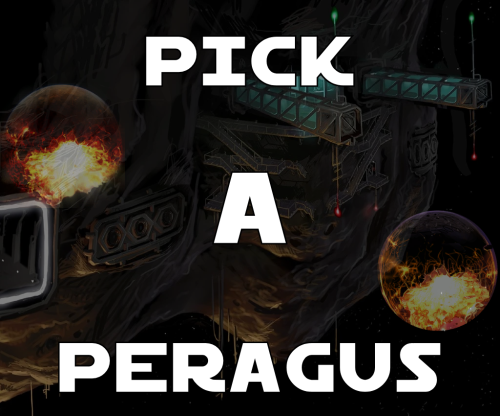
A Mod for Star Wars Knights of The Old Republic Author N-DReW25 1.0.0 Release Date 0905.2025 Installation Pick which Peragus you would like to install, you CANNOT pick both. If you want the Realistic Peragus from the Cinematic cutscenes, copy "PER_Plnt01.tga" from the "Realistic Version" folder - doing so will convert the planet Peragus in the Peragus levels into the realistic Peragus as seen in the Prologue. If you want the Artistic Peragus from the Concept Art, copy "EBO_Per.tga" from the "Artistic Version" folder - doing so will convert the planet Peragus in the Prologue into the Artistic Peragus as seen in the Peragus levels. Description There are two Peragus planet textures in the game, one for the Prologue and one for the Peragus Levels, and they're both two different textures that do not match despite being the same planet. The Peragus seen in the Prologue is the same Peragus you see in the Cinematic cutscenes (Harbinger Arrival, Ebon Hawk escape etc) whilst the Peragus seen in the Peragus Levels appears to have been taken from early Concept Art for the game. This mod offers you two fixes to this inconsistency, you can either choose the Realistic Peragus to fix the Peragus Levels so that Peragus is consistent with both the Prologue and the Cinematic cutscenes or you can choose to convert the Prologue Peragus into the Artistic Peragus so that it matches the Concept Art Peragus you see in the Peragus Levels. Known Bugs This mod shouldn't have bugs but if there are just report them to me on Deadlystream. Incompatibilities Incompatible with ANY textures that alter "PER_Plnt01.tga" or "EBO_Per.tga". Permissions Do NOT claim credit for this mod and do not use assets from this mod without my permission. Thanks Bioware: For such an amazing game Obsidian: For such an amazing sequel and for keeping these textures in the files Fred Tetra: For Kotor Tool Everyone who downloads the mod! Legal THIS MODIFICATION IS NOT SUPPORTED BY BIOWAREOBSIDIAN ENTERTAINMENT, LUCASARTS, DISNEY OR ANY LICENSERSSPONSORS OF THE MENTIONED COMPANIES. USE OF THIS FILE IS AT YOUR OWN RISK AND THE ABOVE-MENTIONED COMPANIES OR THE AUTHOR IS NOT RESPONSIBLE FOR ANY DAMAGE CAUSED TO YOUR COMPUTER FOR THE USAGE OF THIS FILE. -
View File Quanons Taris Upscaled Textures This mod will add upscaled textures for the planet Taris. Except the skies and Sith base see note below. All textures are now 4x their original size. Example a 128x128 becomes 512x512, etc... I've not gone up to the 4096x4096 sizes as I don't see what that would add to this older game. A few textures do get to this size, example is the Ebon Hawk. Normal maps have also been redone, rerendered not just upscaled. It's still a 400% improvement on the older files. Enjoy! Sky textures are made by the awesome Kexikus get them here: https://deadlystream.com/files/file/723-high-quality-skyboxes-ii/ For the Sith base get my other Upscaled pack! 😉 Another great mod you might consider, for the cantina signs; by SithHolocron: https://deadlystream.com/files/file/1135-animated-manaan-cantina-sign-for-kotor1/ Other big improvement, to the Taris arena, mainly the crowds and fights, by DarthParametric: https://deadlystream.com/files/file/1404-taris-dueling-arena-adjustment/ Submitter Quanon Submitted 06/30/2022 Category Mods K1R Compatible Yes
-

Version 1.0.0
749 downloads
This mod will add upscaled textures for the planet Taris. Except the skies and Sith base see note below. All textures are now 4x their original size. Example a 128x128 becomes 512x512, etc... I've not gone up to the 4096x4096 sizes as I don't see what that would add to this older game. A few textures do get to this size, example is the Ebon Hawk. Normal maps have also been redone, rerendered not just upscaled. It's still a 400% improvement on the older files. Enjoy! Sky textures are made by the awesome Kexikus get them here: https://deadlystream.com/files/file/723-high-quality-skyboxes-ii/ For the Sith base get my other Upscaled pack! 😉 Another great mod you might consider, for the cantina signs; by SithHolocron: https://deadlystream.com/files/file/1135-animated-manaan-cantina-sign-for-kotor1/ Other big improvement, to the Taris arena, mainly the crowds and fights, by DarthParametric: https://deadlystream.com/files/file/1404-taris-dueling-arena-adjustment/ -
Version V1.3
4,538 downloads
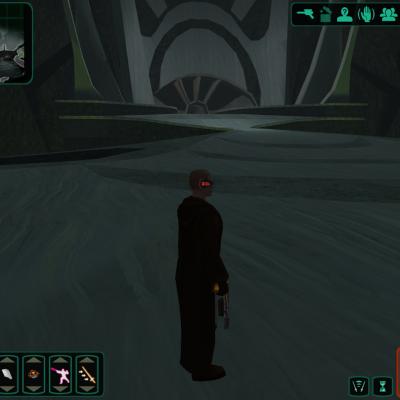
This mod started by a request from SithHolocron to give Malachor better looking skies. Though when the skies where ready, the other textures looked really off. The contrast between the jagged cliffs and the sky was just to big in my opinion. So the mod evolved into a full reskin of the exterior areas of Malachor. All the rocks, debris, cliffs and floor got a new texture. Only a few things haven't been changed; the broken and crashed spaceship parts and those broken eggs from the storm beasts remain the same. A nice little preview: -
Hi, I've just seen some screenshots of the Sleheyron mod and I noticed how similar they look compared to M4-78. The sky, the colors, the area, the layout... I even compared the leftover textures and they looked similar (some Sleheyron textures were going to be applied to Dxun, as seen in the early screenshots for TSL). I came up with the theory that M4-78 is in fact Sleheyron, just after it has been colonized by the Sith. Is there any official connection between these "two" planets?
-
Malachor Exterior Reskin By Quanon View File This mod started by a request from SithHolocron to give Malachor better looking skies. Though when the skies where ready, the other textures looked really off. The contrast between the jagged cliffs and the sky was just to big in my opinion. So the mod evolved into a full reskin of the exterior areas of Malachor. All the rocks, debris, cliffs and floor got a new texture. Only a few things haven't been changed; the broken and crashed spaceship parts and those broken eggs from the storm beasts remain the same. A nice little preview: Submitter Quanon Submitted 04/21/2014 Category Skins TSLRCM Compatible







