

Search the Community
Showing results for tags 'planet skin'.
Found 5 results
-
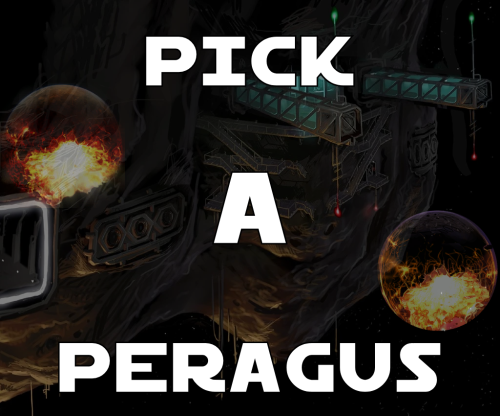
View File Pick a Peragus A Mod for Star Wars Knights of The Old Republic Author N-DReW25 1.0.0 Release Date 0905.2025 Installation Pick which Peragus you would like to install, you CANNOT pick both. If you want the Realistic Peragus from the Cinematic cutscenes, copy "PER_Plnt01.tga" from the "Realistic Version" folder - doing so will convert the planet Peragus in the Peragus levels into the realistic Peragus as seen in the Prologue. If you want the Artistic Peragus from the Concept Art, copy "EBO_Per.tga" from the "Artistic Version" folder - doing so will convert the planet Peragus in the Prologue into the Artistic Peragus as seen in the Peragus levels. Description There are two Peragus planet textures in the game, one for the Prologue and one for the Peragus Levels, and they're both two different textures that do not match despite being the same planet. The Peragus seen in the Prologue is the same Peragus you see in the Cinematic cutscenes (Harbinger Arrival, Ebon Hawk escape etc) whilst the Peragus seen in the Peragus Levels appears to have been taken from early Concept Art for the game. This mod offers you two fixes to this inconsistency, you can either choose the Realistic Peragus to fix the Peragus Levels so that Peragus is consistent with both the Prologue and the Cinematic cutscenes or you can choose to convert the Prologue Peragus into the Artistic Peragus so that it matches the Concept Art Peragus you see in the Peragus Levels. Known Bugs This mod shouldn't have bugs but if there are just report them to me on Deadlystream. Incompatibilities Incompatible with ANY textures that alter "PER_Plnt01.tga" or "EBO_Per.tga". Permissions Do NOT claim credit for this mod and do not use assets from this mod without my permission. Thanks Bioware: For such an amazing game Obsidian: For such an amazing sequel and for keeping these textures in the files Fred Tetra: For Kotor Tool Everyone who downloads the mod! Legal THIS MODIFICATION IS NOT SUPPORTED BY BIOWAREOBSIDIAN ENTERTAINMENT, LUCASARTS, DISNEY OR ANY LICENSERSSPONSORS OF THE MENTIONED COMPANIES. USE OF THIS FILE IS AT YOUR OWN RISK AND THE ABOVE-MENTIONED COMPANIES OR THE AUTHOR IS NOT RESPONSIBLE FOR ANY DAMAGE CAUSED TO YOUR COMPUTER FOR THE USAGE OF THIS FILE. Submitter N-DReW25 Submitted 05/08/2025 Category Skins TSLRCM Compatible Yes
-
Version 1.0.0
86 downloads
A Mod for Star Wars Knights of The Old Republic Author N-DReW25 1.0.0 Release Date 0905.2025 Installation Pick which Peragus you would like to install, you CANNOT pick both. If you want the Realistic Peragus from the Cinematic cutscenes, copy "PER_Plnt01.tga" from the "Realistic Version" folder - doing so will convert the planet Peragus in the Peragus levels into the realistic Peragus as seen in the Prologue. If you want the Artistic Peragus from the Concept Art, copy "EBO_Per.tga" from the "Artistic Version" folder - doing so will convert the planet Peragus in the Prologue into the Artistic Peragus as seen in the Peragus levels. Description There are two Peragus planet textures in the game, one for the Prologue and one for the Peragus Levels, and they're both two different textures that do not match despite being the same planet. The Peragus seen in the Prologue is the same Peragus you see in the Cinematic cutscenes (Harbinger Arrival, Ebon Hawk escape etc) whilst the Peragus seen in the Peragus Levels appears to have been taken from early Concept Art for the game. This mod offers you two fixes to this inconsistency, you can either choose the Realistic Peragus to fix the Peragus Levels so that Peragus is consistent with both the Prologue and the Cinematic cutscenes or you can choose to convert the Prologue Peragus into the Artistic Peragus so that it matches the Concept Art Peragus you see in the Peragus Levels. Known Bugs This mod shouldn't have bugs but if there are just report them to me on Deadlystream. Incompatibilities Incompatible with ANY textures that alter "PER_Plnt01.tga" or "EBO_Per.tga". Permissions Do NOT claim credit for this mod and do not use assets from this mod without my permission. Thanks Bioware: For such an amazing game Obsidian: For such an amazing sequel and for keeping these textures in the files Fred Tetra: For Kotor Tool Everyone who downloads the mod! Legal THIS MODIFICATION IS NOT SUPPORTED BY BIOWAREOBSIDIAN ENTERTAINMENT, LUCASARTS, DISNEY OR ANY LICENSERSSPONSORS OF THE MENTIONED COMPANIES. USE OF THIS FILE IS AT YOUR OWN RISK AND THE ABOVE-MENTIONED COMPANIES OR THE AUTHOR IS NOT RESPONSIBLE FOR ANY DAMAGE CAUSED TO YOUR COMPUTER FOR THE USAGE OF THIS FILE. -

Version 1.0.0
2,181 downloads
This mod reskins RedHawke's ORD Mandell extra planet mod, using textures which were unused in the original game, mostly from Sleheyron. This was originally made in about 2006 or 2007, I think, and sent to RedHawke, who never used it. Sith Holocron reminded me I made this, and suggested I release it now that ORD Mandell is available on DeadlyStream, and now that the mod rules are less strict. Note that you will need to install ORD Mandell first, and then install the reskin. This will not work without the ORD Mandell mod. Installation To install, copy the contents of "Override" into your Override folder, and the contents of "Modules" into your Modules folder. Uninstallation Remove the files you copied over. This mod replaces the .mod files installed by ORD Mandell, so either make a backup of those first, or delete them from your modules folder before reinstalling ORD Mandell. Permissions As this is a mod modifying someone else's mod, please don't upload elsewhere or modify without my permission. Credits/Thanks RedHawke for the original ORD Mandell mod; Sith Holocron for reminding me to release this.- 2 comments
- 1 review
-
- 2
-

-
- redhawke
- ord mandell
- (and 4 more)
-
 I'm looking for MALACHORE V 2011 retexture (link to video), Nar-Shaddaa 2011 and any of the Enhanced Graphics, Visual Enhancement 2009 and 2010 series for TSL by XediiXarwarz (even screenshots have not been preserved, but I read that creatures were also retextured in the 2009 series).
 -
View File Reskin of RedHawke's ORD Mandell Mod This mod reskins RedHawke's ORD Mandell extra planet mod, using textures which were unused in the original game, mostly from Sleheyron. This was originally made in about 2006 or 2007, I think, and sent to RedHawke, who never used it. Sith Holocron reminded me I made this, and suggested I release it now that ORD Mandell is available on DeadlyStream, and now that the mod rules are less strict. Note that you will need to install ORD Mandell first, and then install the reskin. This will not work without the ORD Mandell mod. Installation To install, copy the contents of "Override" into your Override folder, and the contents of "Modules" into your Modules folder. Uninstallation Remove the files you copied over. This mod replaces the .mod files installed by ORD Mandell, so either make a backup of those first, or delete them from your modules folder before reinstalling ORD Mandell. Permissions As this is a mod modifying someone else's mod, please don't upload elsewhere or modify without my permission. Credits/Thanks RedHawke for the original ORD Mandell mod; Sith Holocron for reminding me to release this. Submitter InSidious Submitted 07/14/2020 Category Skins K1R Compatible Yes
-
- 1
-
-
- redhawke
- ord mandell
- (and 4 more)

