All Activity
- Today
-
 ThanKethan joined the community
 -
 Donican joined the community
 -

T3 skins for KotOR 2 not working.
confuuzed replied to confuuzed's topic in General Kotor/TSL Modding
The T3 skins mod requires the player to start a new game, so I'd like to make sure things are done correctly, otherwise the skin mod for T3 probably won't work. -
 maraaaw joined the community
 -
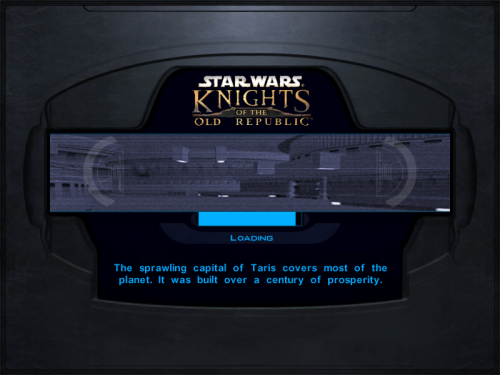 Managed to get a fixed version of the artistic Vima portrait. Sorry for the wait. po_pvima.tga
 -
T3 skins for KotOR 2 not working.
confuuzed replied to confuuzed's topic in General Kotor/TSL Modding
Okay, thank you for responding to my issue. I'll try to change the file name as you suggested. Thanks again! Okay, I changed the file names to t3m3 as you suggested. What about the files ending with .txi? Do I need to change them too? -
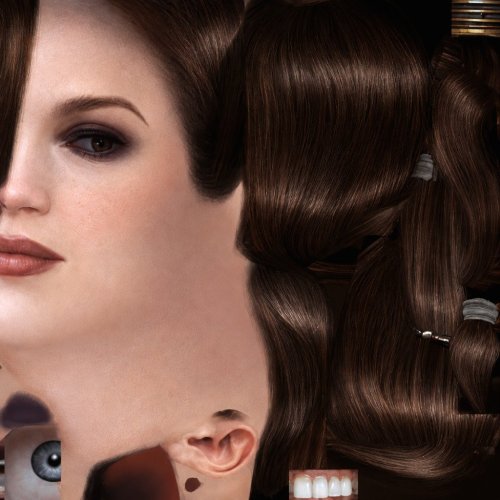 interesting, might be worth posting an image of it in game
 - Yesterday
-
 LJbandz joined the community
 -
View File Bastila HD Head HD head for Bastila. (Recommended to use it with the Party Model fixes and HD Bastila mod by redrob41.) Submitter GearHead Submitted 06/22/2026 Category Knights of The Old Republic Mods Used K1R Compatible Yes Does this mod/file/content use AI? Yes If you use AI, please describe how it is used. I generated the texture with AI then did some minor edits to the picture like color correction ect...
-
 VladZeKiller148 joined the community
 -
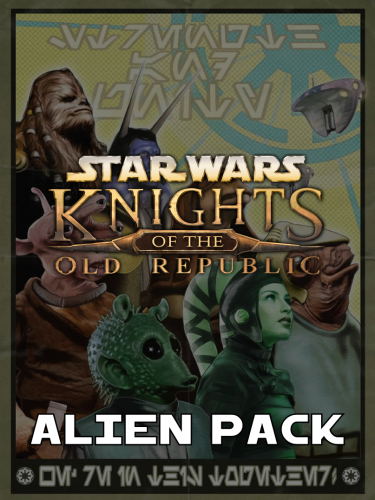 I'm playing through KOTOR and I noticed the brown Ithorian (alien_Ithorian_04) skin isn't appearing on the Ithorian mechanic that explains swoop racing to you. The picture indicates he would look like that. I'm also using Lasat's Characters Revisited and I installed the K1 Alien Pack AFTER that mod. Also, the Duros that you meet outside your apartment on Taris has two different appearances. In the apartments, he's blue with a white jumpsuit. In the Sith base, he's green with an orange one.
 -
 WattyWezl joined the community
 -
 TaRaGon joined the community
 -

T3 skins for KotOR 2 not working.
N-DReW25 replied to confuuzed's topic in General Kotor/TSL Modding
Are they correctly named "P_t3m4_01.tga"? Kotor I has T3's texture file named as "P_t3m3_01.tga" so if you're installing Kotor I mods into Kotor II they aren't working because Obsidian changed the filenames for T3. Simply renaming them to "P_t3m4_01.tga" will most likely work if they're called "P_t3m3_01.tga". -
 DAR123123123 joined the community
 -
 Robotos joined the community
 -
 nikita_abuser joined the community
 -
I've tried all the workarounds suggested by the internet. I'm on an Android phone, I can get the skins mods for T3-M4 for KotOR 2 to work. Can I please have some help? If I can give my email address to whoever wishes to assist me, it would be very helpful also. Have a pleasant day. Sorry for the typos in my previous post. I meant to say I can't get the skins for T3-M4 to work.
-
No worries, the other folder's version has it working for me. Thanks for your assistance and your mod! For others, until it gets fixed, the filepath one I used: OPTIONAL AI textures\New Companion Portrait\po_pvima.tga
-
Ah dang it, I'm sorry. I knew that one was bugged, and I'm only just now realizing that I never uploaded my fixed version of it. I meant to get that online three weeks ago. Worse yet, I accidentally deleted my working copy of it too. I've reached out to DarthKhrono and see if they can pass me a copy of the working version. For now, would you be willing to just use the basic version of the party portrait? You can change it out later once I have the working version for you. Really sorry about that!
- Last week
-
I believe I did the Optional alternative \Optional alternative textures\Stylized new companion portrait (Drawn by DarthKhrono)optional > po_pvima.tga
-
I agree that BOSSR shouldn't even be installed with Sleheyron anyways. I haven't tested the entirety of BOSSR with Sleheyron installed, but from what I could tell, when we had added rows to the placeables.2da (Have now been built into the .mdl instead since the lastest update), there were some missing trees and rocks for placeables in one of the BOSSR modules. That was just a small factor, since I would think most people wouldn't be playing with both Sleheyron and BOSSR. I just know if anyone does decide to install BOSSR, it should be after Sleheyron, theoretically. Any idea which improvements from K1CP aren't taken into account or become overridden with Sleheyron installed first? I would think other than the missing cantina & orange twilek issues, there may not be anymore 2da or 2damemory conflicts between Sleheyron and K1CP, so it should be okay to install it first. If there are other 2da conflicts between k1cp and sleheyron, then those could be have been tested previously. At this point though, I would think the only things affected would be anything from the Sleheyron patcher that hasn't had its 2damemory set properly, if there are any left. As for the placeables 2da, there shouldn't be anymore issues with that since no placeables were added. Just changed rows. Unless there's other issues with the established rows that I'm not aware of. Edit: After just testing the most recent version again with installing K1CP first, and then sleheyron second, it seems the red twilek appears just fine. So yeah it should be okay to install K1CP and the compatibility patch before Sleheyron, as originally intended. Again I apologize for the confusion. I just know that twilek issue must have been fixed since then (either a 2da or .utc thing). At this point, i'm not aware of any other .2da issues that could cause any conflicts.
-
There might be something wrong with the Vima portrait if it’s causing a crash. There are three different options to use across the mod’s files. Which one did you try?
-
You're very much right and that must be an oversight on our part during Holopatcher's configuration. I'd just taught Sao about 2DAMEMORies so it wouldn't surprise me.
-
This sounds like an issue with Sleheyron's installer. The installer should be configured to store new appearance rows as 2DAMEMORY tokens so they can be reused for NPC appearances, rather than hard-coding specific appearance rows for NPCs. Brotherhood of Shadow is not compatible with K1CP, and changing the installation order will not resolve the placeables issue. Brotherhood of Shadow uses up almost all remaining placeable rows, making it incompatible with other mods which add placeables. The only way to resolve this is to patch the executable to increase the limit. On top of that, Brotherhood of Shadow just has a large scope and nobody maintaining it anymore so it is incompatible with a lot of mods in general.
-
When I go to the Sheriff that then redirects me to the cantina to progress the story and get the new party member, once I click on the dialogue to go to the party selection screen, it crashes (CTD) and I never get to the point to select the party. Saw that you read comments on file page more often than file support page.
-
First of all, BOSSR is and has always been incompatible with K1CP. Btw @SAO1138 I just read the description and you'll want to delete BOSSR from your recommendations or at least warn users about this. This particular mod has been designed to work with the vanilla game and that's it. Although I didnt try myself so no idea if it only brings small issues or game breaking bugs but I've seen testimonies of people who couldn't even complete the game with both installed. And that's not even talking about Sleheyron which brings a lot of new placeables. Even with K1R it breaks some placeables. BOSSR should be a mod played once, and if it were me I'd just advise to play from the savegame the author gave. And Sleheyron would've been the same if I didnt insist to Sao that we should make it compatibility friendly with an installer such as Holopatcher. Second, Sleheyron first brings many issues such as the ones you described but also others, like some of K1CP improvements not being taken into account, or even overriden by Sleheyron. Third, a compatibility patch is NOT needed if we do things right. And as Ndrew said very clearly, people are stupid so might as well do things smartly and in the simplest way possible for end users. Hm that's not what Sao told me. It's mostly because we didnt yet fix an issue with the Patcher regarding the 2DAMemories for the placeables.
-
When we did tests for 3.1 and 3.2, it was discovered that installing the community patch first causes issues with some npc appearance changes. I believe it was causing one of the Twilek's in Bogga's cantina to disappear entirely. The other factor is BOSSR. If you install the community patch first, then Sleheyron, then BOSSR, it also causes a few placeables to disappear in certain areas of BOSSR's modules. Because of this, the best order/option right now for compatibility we found was Sleheyron first, K1CP, RC-K1CP, K1CP compatibility patch, then BOSSR. This ensures there are no missing placeables or changed appearances (Besides now hearing about the gizka/orange twilek issue). There's likely a way to fix the red Twilek from disappearing, so that K1CP can be installed first before Sleheyron. I just wasn't able to figure it out, but that is the reason for why it's currently recommened/wrote for Sleheyron to be installed first. Apologies for the misunderstanding.
-
Hello. I wanted to espress all my gratitude and satisfaction for this modification of yours, ShaeMyName. It will complement marvellously my own Pazaak modification! Cheers!
-
Please do not contact Sao on my behalf at this time I have not been in contact with him since Sunday. I nearly found myself in a very bad place after..
-
Epic work DarkHope!
-
I no longer maintain my projects nor this account. Please contact Sao in regards to my content, who will then contact me. At this time NOBODY is allowed to reuse without my permission unless Sao says so. I may revoke his permission at any time, and I may change this at any time.
-
 No idea why this wasn't kept in the base game
 -
View File CaloNord HD This mod will replace and update texture files. To Install 1. Download: CaloNord.rar 2. Copy all files to the Knights of the Old republic's Override folder. (Example location - C:\Program Files (x86)\Steam\steamapps\common\swkotor\Override) 3. When/if prompted to overwrite files, press okay. 4. If you like the mod; leave a comment or endorse! (It would be much appreciated) Made with love Submitter Dark Hope Submitted 06/22/2026 Category Mods K1R Compatible Yes
-
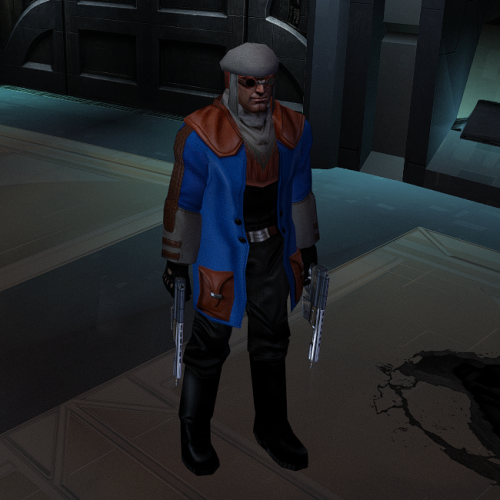
Version 1.0.0
29 downloads
This mod will replace and update texture files. To Install 1. Download: CaloNord.rar 2. Copy all files to the Knights of the Old republic's Override folder. (Example location - C:\Program Files (x86)\Steam\steamapps\common\swkotor\Override) 3. When/if prompted to overwrite files, press okay. 4. If you like the mod; leave a comment or endorse! (It would be much appreciated) Made with love