


Doodmane444
-
Posts
18 -
Joined
-
Last visited
-
Days Won
1
Recent Profile Visitors
1,801 profile views



Doodmane444's Achievements





-
quest mod MOD:Telos: Citadel Station Medical Unit Quest
Doodmane444 replied to Doodmane444's topic in Mod Releases
If you can send your current mod load out that'd be great. I just want to see if the issues can be replicated with a similar install or if I can pinpoint any conflicts with this mod and any of those. -
 Do you mean it crashes when you enter the Czerka lower labs, or that the module transition line to the labs (blue line) doesn't work? If it crashes when entering the labs, you could try re-entering with the auto save. I sometimes get crashes when leaving the flophouses back into the Malron District, but can get back in game from the auto save it creates. If that doesn't work, try limiting the FPS to 60 with a program like Rivatuner, and toggle vsync in game if you haven't already. Otherwise you could try using the warp code slem23. You would need to add the line EnableCheats=1 under Game Options in the swkotor.ini found in the games install folder. You can then open the console in game with the ` key and enter "warp slem23" without the quotation marks. Also ignore the Holopatcher instructions that say to install Sleheyron first. That no longer applies. You can still install the community patch after, but it causes some small appearance issues. The Gizka thing is one of the few know issues so far if you decide to install the community patch after. An easy local fix for that is to change his appearance back to Canderous using a program like Kotor Tool or Holocron Toolset, but I'll look into testing multiple install orders again with the Cassus Fett armor mod to see if I can find any compatibility issues. You also shouldn't try to reload a previous save on Sleheyron after reinstalling the game with a different install order. That can cause issues/crashes as well. The most compatible way would be to load the Dantooine save provided.
 -
Try starting a new game and warping to those two modules.
-
Another question, could you try starting a new save to see if the Echani/YV issue persists? You should be able to warp to the experimentation lab via warp code "slem34". Also the flophouses to check on the blue twilek if possible. Warp code "slem73b". Those could be issues from playing on a previous save.
-
Anything that adds new placeables will overwrite the left over ones in the Malron District. I apolgize for not being as specific on the names, since I forgot they are vastly different from each other. Here are the sign names if you want to remove them yourself for now, "czerksignn34.utp, fdfcvccz4.utp, bghycx7.utp, vfdr489.utp, fdsfc546v.utp, czv7hj9.utp". There might be multiples/duplicates as well, so it might be easiest to use Holocron Toolset's module designer and right click on the ones shown as "czerka neon signs" in the tab on the right-hand side shown here, You're also right about the Jedi Captive mod. That causes the stasis jedi captives to appear/overwrite the left over signs since it adds new placeables. Testing with BOSSR installed also replaced some of the signs with rocks/trees. As of right now, it's not recommended to use any mods that add new placeables. I would just wait for the next update, or remove the placeables from the .mod. As for the Twilek in the Flophouses his uniform is supposed to look like this, Could you provide an image of what he looks like on your install? And for the Echani and YV, those should be set up okay in the 2damemory, so not sure why that is happening on your end. What was your install order? Did you install Sleheyron before or after those mods? Also SAO might know more about compatibility for the green robes and collar fix mods. I haven't looked into or used that mod before.
-
There is not, but it's a known bug. I initially made the signs as placeables in the sle_m30aa.mod, before discovering how to use hex edits to get the mdl to load in Blender to build the signs into it. if you install BOSSR, it replaces the left over/unused placeables with that stasis guy because the sign placeables are still left over in the .mod. The next update will include an updated .mod with these placeables removed. You could also use Holocron Toolset or a similar program to remove the placeables from the .mod yourself if you wanted a fix now (they're named Czerka Neon Signs). I would provide one for you, but the version I'm working on now is not the same one with that specific .mod.
-
I agree that BOSSR shouldn't even be installed with Sleheyron anyways. I haven't tested the entirety of BOSSR with Sleheyron installed, but from what I could tell, when we had added rows to the placeables.2da (Have now been built into the .mdl instead since the lastest update), there were some missing trees and rocks for placeables in one of the BOSSR modules. That was just a small factor, since I would think most people wouldn't be playing with both Sleheyron and BOSSR. I just know if anyone does decide to install BOSSR, it should be after Sleheyron, theoretically. Any idea which improvements from K1CP aren't taken into account or become overridden with Sleheyron installed first? I would think other than the missing cantina & orange twilek issues, there may not be anymore 2da or 2damemory conflicts between Sleheyron and K1CP, so it should be okay to install it first. If there are other 2da conflicts between k1cp and sleheyron, then those could be have been tested previously. At this point though, I would think the only things affected would be anything from the Sleheyron patcher that hasn't had its 2damemory set properly, if there are any left. As for the placeables 2da, there shouldn't be anymore issues with that since no placeables were added. Just changed rows. Unless there's other issues with the established rows that I'm not aware of. Edit: After just testing the most recent version again with installing K1CP first, and then sleheyron second, it seems the red twilek appears just fine. So yeah it should be okay to install K1CP and K1RCP before Sleheyron, as originally intended. Again I apologize for the confusion. I just know that twilek issue must have been fixed since then (either a 2da or .utc thing). At this point, i'm not aware of any other .2da issues that could cause any conflicts.
-
When we did tests for 3.1 and 3.2, it was discovered that installing the community patch first causes issues with some npc appearance changes. I believe it was causing one of the Twilek's in Bogga's cantina to disappear entirely. The other factor is BOSSR. If you install the community patch first, then Sleheyron, then BOSSR, it also causes a few placeables to disappear in certain areas of BOSSR's modules. Because of this, the best order/option right now for compatibility we found was Sleheyron first, K1CP, RC-K1CP, K1CP compatibility patch, then BOSSR. This ensures there are no missing placeables or changed appearances (Besides now hearing about the gizka/orange twilek issue). There's likely a way to fix the red Twilek from disappearing, so that K1CP can be installed first before Sleheyron. I just wasn't able to figure it out, but that is the reason for why it's currently recommened/wrote for Sleheyron to be installed first. Apologies for the misunderstanding.
-
Hmm well he still should show up in that area as normal now, and not changed to that Rodian. Not sure why any mod would even change that .utc, but basically a utc is its character file. Usually if a character has a changed appearance or dialogue, it's because their utc file was edited and put in the override. Sleheyron doesn't edit that specific duros utc, so some other mod must have changed it for some odd reason.
-
Good to hear. Depends on whether that Duros was used anywhere else in the game, which I doubt he would be.
-
I believe they were referring to the door behind that one, the one that leads into and out of the station. I tested both mods and was able to replicate the issue with that door. There doesn't seem to be an access panel for it. The hangar/airlock doors still seem to work. Are you using any other mods? You could try seeing if there's a "n_duros001.utc" file in your override and delete that.
-
Here I made a quick fix/compatibility patch for now until it can be determined what's causing that door not to open. Just put the .mod in the module folder and the yavinarea.utd door in the override folder. It just lets you open the door and changes the name of it to "Hangar Access". Edit: Spelled Hangar wrong Yavin Station hangar Fix.zip
-
You could try this as a potential solution. Go to the folder where you have the yavin station hanger mod extracted to, and open its tslpatchdata folder. Find the three files named "m50aa_01a.mdl" "m50aa_01a.mdx" "m50aa_01a.wok". Take these three files and bring them back to your games override folder, and replace the existing ones. Let me know if that works or not. (If you installed the hanger mod before Sleheyron, it could be that it just needed to be installed after.) Edit: This doesn't work -------------------------------------------------------------------------------------------------------------------------------------------------------------------------------------------------------------------------- You also might need to reload a save before completing the mission on the surface to see if the hangar door works. Also make sure to backup those existing ones in the override in the chance anything goes wrong. If not, then it could be that the .mdl or the .mod needs to be edited a certain way to allow the door to open, or for compatibility.
-
quest mod Telos: Citadel Station Medical Unit Quest
Doodmane444 commented on Doodmane444's file in Mods
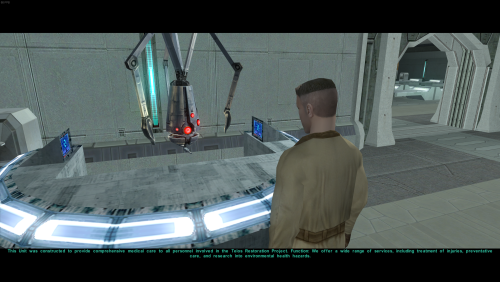 I apologize for the late reply, and also for the breaking the game at certain points. This is my first time making a mod for this game. Thankfully there is any easy fix for this. Just remove g_tresmilhig006.utp, and g_tresmilhig006.dlg from the override folder. Just remove g_tresmilhig006.utp, and g_tresmilhig006.dlg from the override folder, it should fix the issue occurring throughout the game.
 -
KOTOR 2 modding voice files into game with Holocron Toolset
Doodmane444 replied to Doodmane444's topic in Modding Tools
I can't seem to get voice acting to work in Holocron toolset. Even if I use an audio file that someone else uses in the toolset, which works in their toolset/modules. Anytime I try to add an audio file to a characters dialogue, it just does not play in game. Even after encoding the audio using that program, it still doesn't play in game. Is there another way to import audio to a characters dialogue file? I also have the voices saved to the streamvoice folders. I can also attest that the M4-78 audio files work for other characters, given that they're not encoded, from what it looks like. I'm able to click on them in the stream voice folders and listen to the audio file without decoding it. It's strange how those M4-78 audio files work in game for my characters, but not a custom audio file that I made and encoded. Using a .wav file that works inside someone else's Toolset for a KOTOR 1 mod, it also just doesn't work in my toolset.