Leaderboard


Popular Content
Showing content with the highest reputation since 10/07/2026 in File Comments
-
 This mod is for the first KotOR game, so you're not supposed to install this mod in KotOR 2 anyway. Not to mention, the Steam version of KotOR 2 already supports widescreen by default, so a high resolution menu mod is unnecessary for KotOR 2.2 points
 -
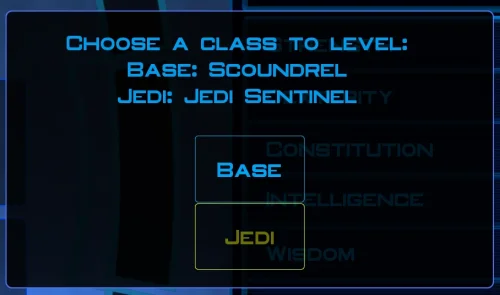
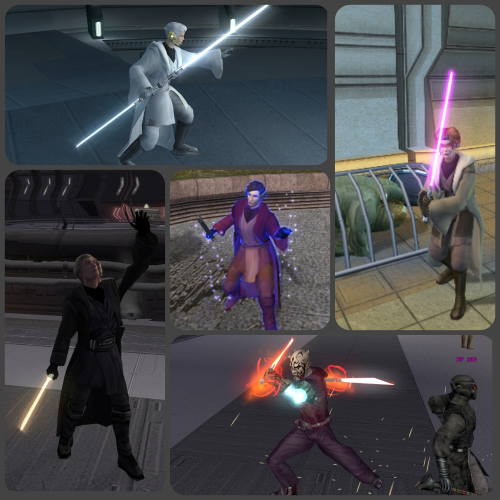 It seems that if a companion is a Jedi class other than their default, the dialogue scripts fail to recognize them as being Jedi, which means the dialogue options to teach them Force powers and fighting styles do not appear.2 points
 -
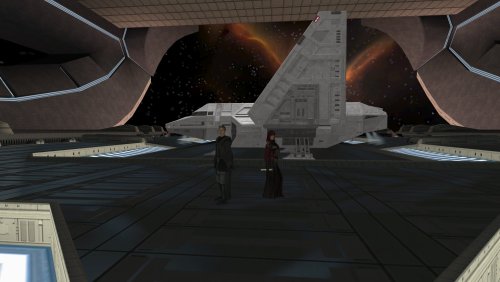 Sounds good :) I am not sure what souser means. If it is the source files for the galaxy map, then that is just there for people who want to make other mods that use those same files compatible. Anything that is for needed to play the mod should already be where it needs to be in the folders. If you are talking about something else, then please let me know.1 point
 -
That sounds great! I would love for more people to be able to play it! You have my permission to do that. As for your second point, my personal philosophy with designing these quests is that they're "all side quests." Some of the side quests are connected and over the course of development there somewhat did emerge a "main quest" of sorts (though if you're already translating it, you probably also noticed my internal quest names do occasionally indicate main and side quests, but those were more for my reference more than anything else, lol). I can think about it, though. Denoting side quests with the "Bonus Mission" label in the log does make sense.1 point
-
Hola, si te interesa, puedo traducirlo por ti y luego puedes subirlo. Ya lo estoy traduciendo para poder jugarlo yo mismo. Pero si te interesa, puedo compartirlo contigo para que otros hispanohablantes puedan jugarlo. PD: En el archivo Global.jrl, sugerimos que especifiques qué misiones son secundarias y cuáles son principales, como en el juego base y el mod M4.78. Pero es sólo una sugerencia. En fin, saludos y gracias de antemano.1 point
-
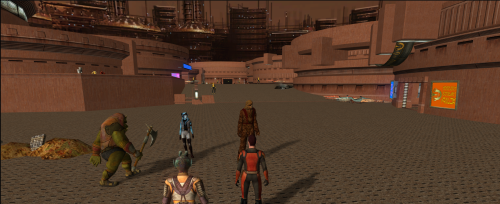 I think the discussion is mixing several different issues and treating an installation order as a proven compatibility solution when it isn't. Regarding Doodmane444's June 23 report: the tested order was K1CP → Sleheron → BOSSR, and some placeables disappeared in BOSSR modules. However, the suggested alternative still placed BOSSR last. It mainly changed the order between Sleheyron and K1CP, so it doesn't establish that this arrangement actually solves the underlying BOSSR placeable issue. As JCarter426 pointed out, if BOSSR is exhausting the available placeable rows in placeables.2da, changing the installation order cannot magically increase that limit. There is also the reverse side of the problem. OnJuly 2–3, Doodmane reported that BOSSR could replace leftover, unused Czerka sign placeables in Sleheyron's sle_m30aa.mod with its own stasis NPC. He traced this to obsolete placeable entries left in that module after the signs had been built into the model instead. This is a concrete example of BOSSR affecting Sleheyron, rather than the other way around. It is also a specific module/resource conflict, not proof that one universal installation order fixes everything. So I think we should distinguish between: 1) conflicts caused by overlapping or reused placeable references; 2) the actual placeable row limit; 3) installer overwrites and changes to shared resources. These are not necessarily the same problem, and they cannot all be solved by simply moving one mod to the end of the installation order. For players who want to enjoy both expansions without potentially ruining an existing modded installation, I would suggest keeping separate game folders: 1) Keep the existing installation for BOSSR and its associated setup. 2)Make a copy for a Sleheyron-focused playthrough, installing Sleheyron and its relevant compatibility patches there. 3) Start from a save made before the Dantooine Jedi Council mission, or use the save provided with Sleheyron, which starts at the intended point in the story. This doesn't magically make the two mods compatible within one installation, but it provides a practical way to preserve both playthroughs without repeatedly rebuilding the same game or risking the original setup. The current Sleheyron 3.5 instructions do provide a specific combined installation order and compatibility patches. However, I would still like to see reports from people who have actually completed substantial portions of BOTH expansions in the same installation. Ideally, such reports should specify the exact mod versions, installation order, and which parts of both campaigns were actually played. Loading a save or reaching a particular planet is not the same as demonstrating that the entire setup is compatible. I think that would be much more useful than continuing to assume that one installation order automatically protects one mod from the other.1 point
 -
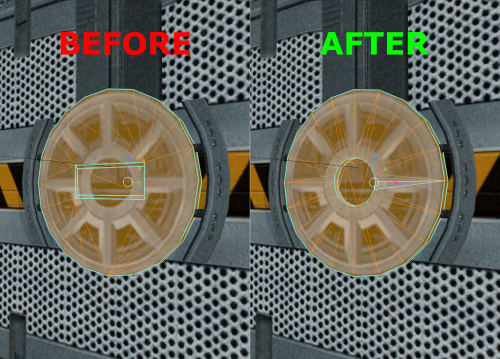 Oh sorry I forgot to take them out or mention the textures. I simply gave the doors an alpha channel so they don't look too flat. The textures are not needed for the model to work and completely optional, there won't be any UV layout error if you use a custom retexture or vanilla.1 point
 -
You can definitely try. Theoretically, there shouldn't be an issue. At least for the executable, I already played Sleheyron with it. As for the patchers, I'd guess it doesnt conflict with Sleheyron, although I cant guarantee anything.1 point
-
Sorry to be the bearer of bad news, but afraid it's not compatible with either of those. I actually wasn't even familiar with those acronyms until reading your message just now. My apologies!1 point
-
 Please don't copy and paste them from the old folder. The proper setup is to run KPM, make sure the game and patches folders are selected correctly, and THEN run KMRP. It should automatically find and install your files to KPM. Make sure you are only using ONE version of KPM.1 point
 -
 I do not believe that is related to this mod's changes.1 point
 -
I would love to have that, but I honestly have no idea how it works. I would certainly welcome any help for that.1 point
-
This is an incredible find! I've found hours of content to keep myself occupied this entire day, and I've only done Korriban and Tatooine! I am quite content with a large amount of side quests that don't serve a unified plot line. At least, beyond the commonality that they relate to the aftermath of the Jedi Civil War. KOTOR II, as I've read it described, is essentially a "road trip from hell to absolutely nowhere, all the while pondering the void". To quote the cliche, "it's the journey, not the destination". This game is actually perfect to use for myriad narrative vignettes that are seemingly unrelated. I look forward to playing more, and seeing what you may add! Keelah se'lai1 point
-
 Oh, I genuinely didn't realize that was the case. Maybe I was wrong then. I'm going to have a look through those mods, and this mod, at some point in the future and if I find anything I'll report it or contact you about it.1 point
 -
The only mod that I installed that modifies pcdead2.dlg was the Extended Enclave mod. I am using 1.8.6 RCM. I have two pcdead2.dlgs here. The "original" is the the backup made from this mod's TSLPatcher. The second, the "old" is the one that this mod's patcher made. The third is the modified one I made to fix this issue.original pcdead2.dlgold pcdead2.dlgpcdead2.dlg Edit: I just tried installing it again a separate install. TSLRCM 1.8.6. + M4-78 1.5 Then Extended Enclave 2.52 (standalone then M4-78 as per installation instructions). Then this mod. Reproduces this problem.1 point
-
The latest version includes some files which were left out of the installation instructions for the Korriban add-on. If you already have the mod installed, you can apply the same fix by copying the following files manually from the tslpatchdata folder to your game's override folder: g_a_clothes38.uti ia_cloths_038.tga N_SithComF38.tga N_SithComM38.tga1 point
-
 This mod is so cool! This would be very useful for squeezing more party interactions the next time I do a playthrough for KOTOR. Good job WildKarrde!1 point
 -
 Oh, sorry about that, didn't realize I didn't include it. I added it on. I should note that I haven't had time to test the kpatch versions yet... but it's mostly just a packaging and installation difference anyway. Let me know if there are issues!1 point
 -
 Thanks for responding! Glad to hear that! Looking forward to your update on this mod!1 point
 -
 100%. Soft conflict also with Prestige Classes for Visas as well as both alter the same .dlg file. I know because I'm running both mods in one play-through.1 point
 -
@mackmitchell94 I have forwarded your post to Marius Fett. Hopefully you two can figure out what your issue is. Good luck!1 point
-
 Fixed in 1.5 Fixed in 1.5 Added in 1.5 Fixed in 1.51 point
 -
Thanks for the report! Turns out I missed some conditional scripts, but I’ve now re-added them to the archive. I’ve uploaded an updated version, and the changes are retroactive, even if you’ve already trained your companions. Just pulled an update based on your reports. The issue has been fixed, please download the new version.1 point
-
 This looks great, the clothing is brilliant1 point
 -
looks great. can't wait to wrap up my kotor 1 playthrough and give this a whirl1 point
-
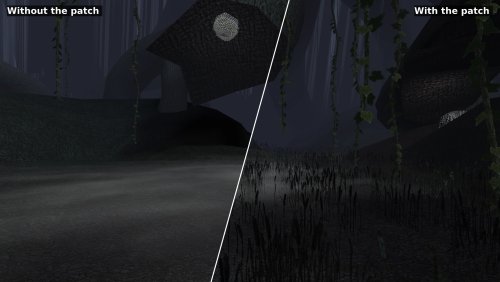 Hey there! Thanks for trying the patch out! I will take a look and see if I can reproduce the issue on my end, keep an eye out for a fix. EDIT: Have reproduced the issue and have a fix! The same issue also killed HK-47's eyes as well as a couple other issues. I should have a new release up shortly. Released!1 point
 -
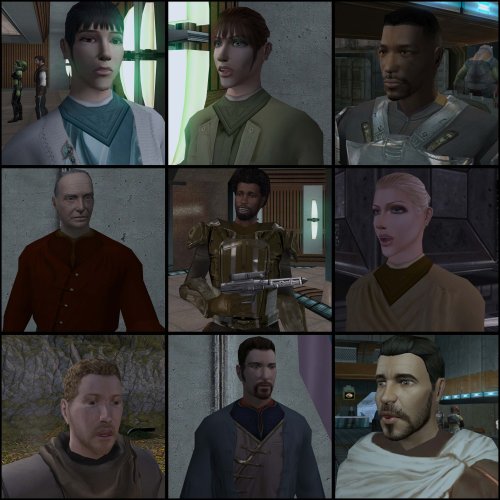
This looks awesome! The heads look very different from the vanilla ones.1 point
-
Thank you very much Lily. I just have the heads downloaded so ill just download the commoner clothing and just keep the heads instead.1 point
-
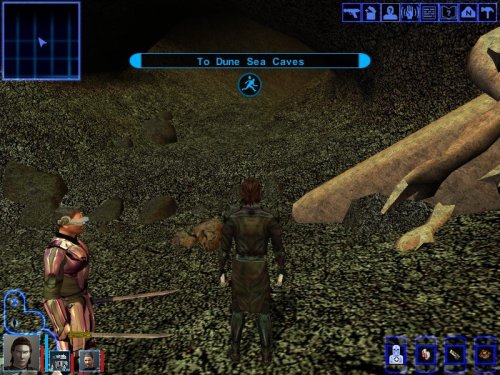 Not the mod author, but I can tell you it's because you already completed Tatooine on that save. Basically, you can't modify a module after you've already visited it in a save (with very few exceptions). But that being said: you can just use the cheat code "warp m19aa" to teleport to the start of the Tatooine temple, just past the entrance within the Krayt cave. Have fun!1 point
 -
 Here is how I *actually* fixed this mod. Tools needed: Kotor Tool: and: Why Kotor Tool: You need it to actually add a new property First install the mod as normal. Why this mod breaks: If you open up the "jedirevan_robes.uti" file and look at it's properties you will see an "ERROR" in the 'Disguise' property. That is why this keeps crashing. First thing we need to do is actually *remove* that property. You cannot do this in Kotor Tool to my knowledge. Download and install K-GFF and run the .exe, navigate to your override file, find "jedirevan_robes.uti" open it. Look for the property that has a value or something to do with 500 something in it, i forget the actual number, but that's the disguise property, and that 500 something number is why it's breaking afaik. Use K-GFF to remove that entire property. Save it. Relaunch Kotor Tool and verify that the property is gone. Now go to OPTIONS of kotor tool go to 'other' and check the box "Find .2da files in override" This is what will let the GFF editor in kotor tool actually see the custom disguise added in the appearance.2da that the TSL patcher installs when you first install the mod. Go back to "Open GFF" in kotor tool. select "jedirevan_robes.uti" navigate to properties. Select 'disguise' in the bottom, the box under, click, and scroll ALL the way down (You should see a list of your appearances in your appearance.2da file) find ZM_Star_Forge_Robe. Click on it. Your new "jedirevan_robes.uti" should look like: If you have a character with the armor already on it. Then use KSE to remove it from that save. Reload the game, save over the save no longer having the armor, re-add it to you via KSE, load that save again and check to see if it still breaks.1 point
 -
.thumb.png.0726c87ff13285163dfcb971a2437bf7.png) mod is broken her outfit is see through on player1 point
mod is broken her outfit is see through on player1 point -
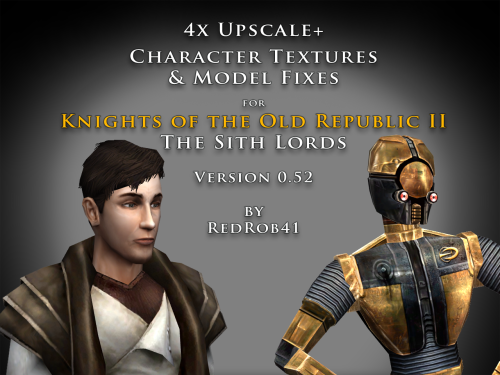 That's what I had in mind. I was just going to wait to see if there were more files that I might need to correct. What do people think; should I make a hotfix/patch after a week or two? Or after a certain number of files? Of course, I hope that there won't be any other erroneous files that I messed up on. With the Kreia model I had tested and took screenshots, but forgot to copy the correct mdl files from the test Override folder into the final mod folder.1 point
 -
I'll have to check my old files. I may have already done something with a collar fix once upon a time. Maybe I can do something again but in 4x. I'm not sure; I haven't tried them with the High Quality blasters installed. I suppose that my model is just as compatible or not-compatible as the vanilla model. I only re-arranged the uvw map and scaled up the main texture. I didn't do anything with the blaster texture that the model calls for. I do know that the vanilla blaster only works with the 01 droid, and none of the 02-05 versions, due to the appearance.2da being capable of calling for only one texture at a time (they end up using the C_DrdWar02-05 texture for both the droid and the blaster). I do like the solution that they came up with for the Kotor 1 Community Patch (in theory since I haven't tried it in-game) where they removed the blaster from the C_DrdWar.mdl and make it so that it uses an equipable blaster. I assume that my 4x textures can be used with that model. My uvw fixes don't have any drastic fixes, they're almost imperceptible in-game unless you're really looking hard.1 point
-
@redrob41: Are your Sith War Droid (C_DrdWar01 et al) model tweaks compatible with Sithspecter's High Quality Blasters mod? I recall there were issues with the guns not being textured correctly (or at all) if certain fixes were not accounted for.1 point
-
 Do you think it's necessary to nerf T3? I think it'd just be better to bring the combat droid feat progression to the same level, and leave expert droid where it is. Not like T3 is strong or used much anyway.1 point
 -
I was just about to mention how I requested this years ago, and then I read the mod page and see the link to my old thread. Here is my live reaction to seeing my old idea brought to life!1 point
-
 In case anyone is on this mod page in 2023, reading through the comments. I'm following Merek's tested moding guide including this mod and the guide is titled as 2023 verified, so this works with the current version of TSLRCM according to that guide.1 point
 -
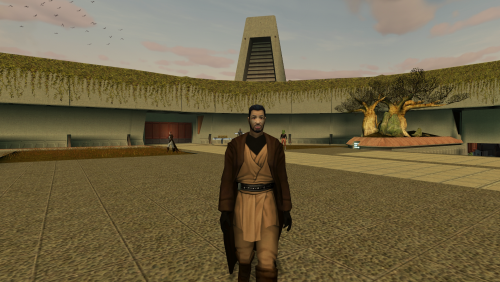 Thanks mate! Happy to see you are still around.1 point
 -
You're using Diversified Jedi Captives on the Star Forge and need to get the compatibility patch.1 point
-
Done with the highest quality, I admire the fighting scenes, a few minutes ago, my Revan fought spider kinrat and I just looked at it and admired! The Jedi Enclave now looks as befits him to look with the Jedi in his robes! I thank you for your great work. I believe that you will have at least a huge success with the work on the robes of knights and Jedi masters from kotor TSL1 point
-
 Is there any way to have Republic Soldiers equip this already?1 point
 -
Such an awesome mod! Now to figure out how to make the madaloreans wear these1 point
-
some female variations would be most welcome.1 point
-
 SOLD!0 points
 -
Hey! I’m glad you like the mod. Yes, I plan to make a HoloPatcher version once I’m done with the stuff I’m working on right now, since it’s long overdue. As for the double-bladed red lightsaber, I removed it because I couldn’t give it to Traya without conflicting with several other files of the same name, which soft-locked the game. I pulled it after I got a report that someone near the end of the game couldn’t progress past the Telos Academy. Back then, I didn’t fully understand how Override files interact with same-named files in each module. That would’ve been avoided if I’d used HoloPatcher from the start, but skill issue. Since then I’ve learned how to handle it properly, and I’ll re-include the red lightsaber as an optional install.0 points
-
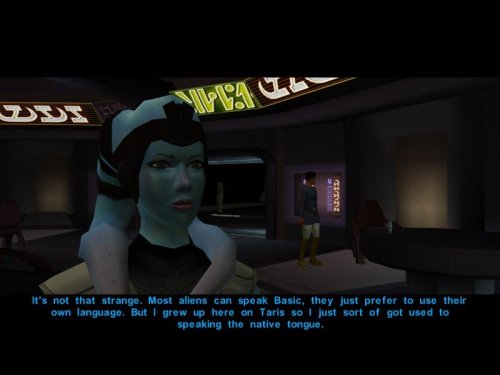 Good work! Only suggestion I have is to make the tips of Mission's lekku blue like the rest of her skin in the original.0 points
 -
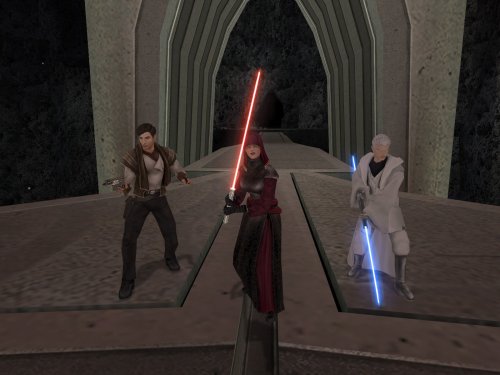 I think the TSLRCM cutscene already accounted for that, but regardless, yes--Handmaiden will not appear on the Hawk if she already left with Kreia.0 points
 -
 Apparently, I left this thing sitting at 1.2 for ten years while the old WIP thread still says that 2.0 was supposed to be the real finished version. Fair enough. I should probably finish what I started. Thank you to everyone who downloaded, played and remembered Ultima Duel Room after all this time. This project was much larger than the K1 Duel Room even back then, with 340+ opponents already in the public build and a ridiculous amount of unfinished work planned beyond it. I am not promising that I will blindly implement every idea my younger self wrote down in 2016. Some of those ideas deserve to stay in 2016. But I am coming back to the project, cleaning it up properly, finishing what still makes sense, and giving TSL - Ultima Duel Room a real final release soon. You kept it alive for ten years. I can at least close it properly. I am much more active on Nexus these days, so if you want to follow the rebuild and my current projects, you can find me here: NarzelithOfficial's Profile - Nexus Mods0 points
 -
Exactly ! Seems big but it's like it got out of nowhere !0 points
-
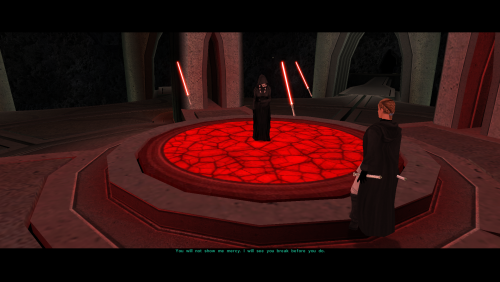 I hope Crimson Knight is okay with me posting this, if you would like to keep the stats in his mod but want the original appearance, these files will make them purple again. c_lightsaber001.utc c_lightsaber002.utc c_lightsaber003.utc0 points










.thumb.png.d8b108d1620cfd7d697f7271e60714db.png)







.thumb.gif.6c60790cc662fd9c860e8a379dd1b944.gif)