All Activity
- Past hour
-
 Bad joined the community
 - Today
-
 Skittles11 joined the community
 -
 abloodycookie joined the community
 -
 JadeJester joined the community
 -
 TheBrew joined the community
 -
 odysseas joined the community
 -
 tofumane joined the community
 -
- 230 replies
-
- 2
-

-
- tslrcm 1.8.6
- tsl
- (and 4 more)
-
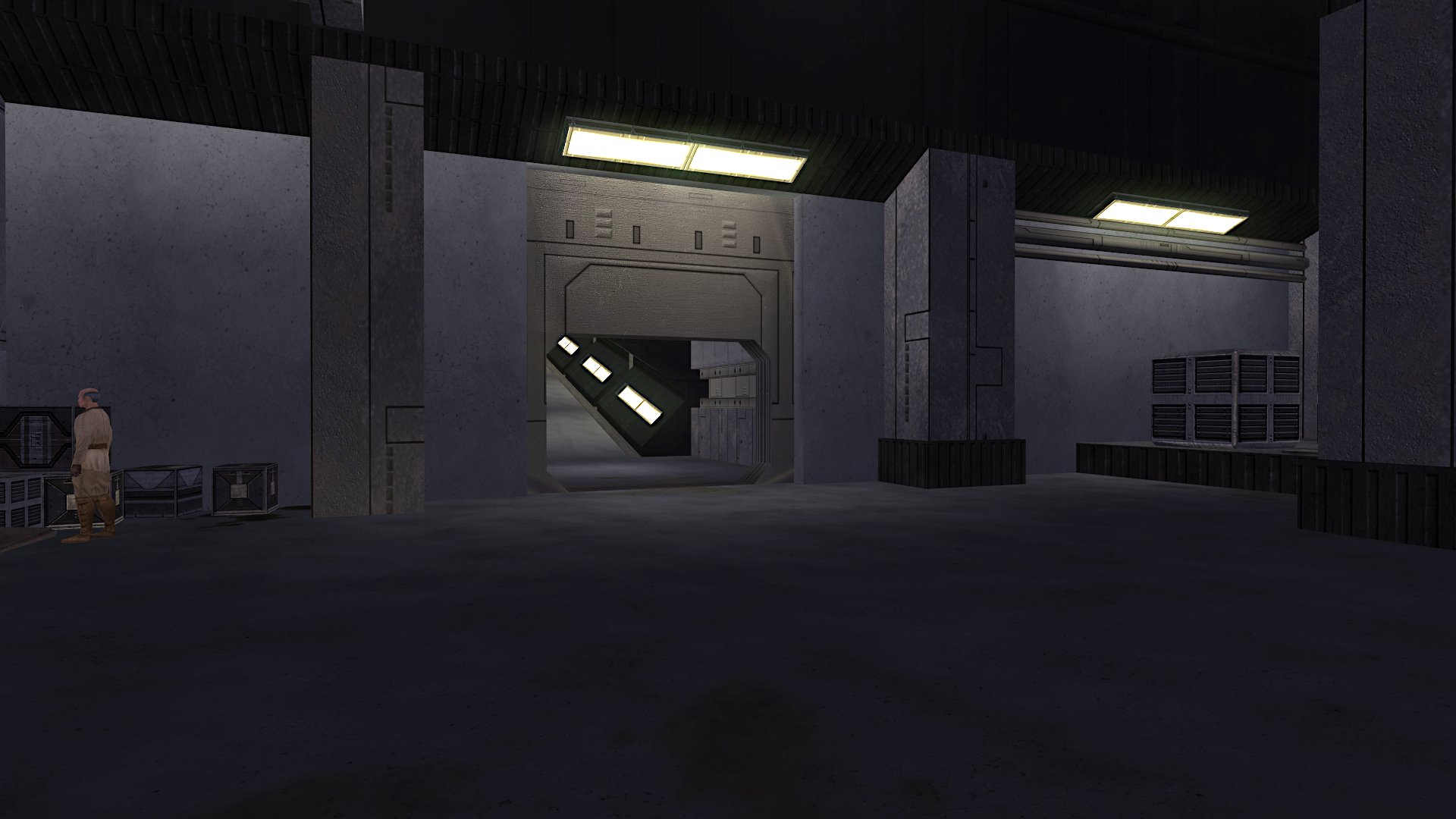
View File Trask as a jedi Description In endar spire instead of having trask you are having a Jedi Guardian with same voice and dialogs only like him Installation instructions Put files from Override from this mod to Override in kotor 1 main directory Submitter Kalendarzak Submitted 07/28/2026 Category Mods K1R Compatible No
-
View File Harder fight with Saul Description The mod increase stats of enemy's in Leviathan Installation instructions Just drop files from Override from this mod to Override that is from Kotor 1 main directory Main features The mod increase stats of Saul, Dark jedi and Saul Guard Shout outs The mod was inspired on mod called ,,Shem's Improved Malak'' by ,,Shem'' Submitter Kalendarzak Submitted 07/28/2026 Category Mods K1R Compatible No
-
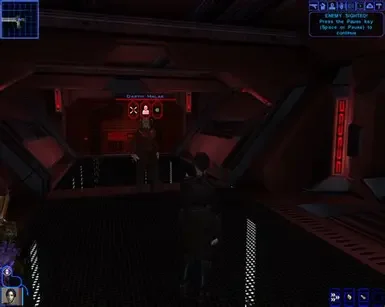
View File Harder malak fight on leviathan Description This mod gives stats to malak like he was in star forge but in leviathan, by that im mean that if he have 29 strenght in star forge than he have 29 strenght in leviathan, Its all the same stats like in star forge except Force points Installation instructions Just put files from Override in this mod to Override in kotor 1 main directory Requirements Be good Shout outs The mod was inspired by mod called ,,Shem Improved Malak'' by Shem Submitter Kalendarzak Submitted 07/28/2026 Category Mods K1R Compatible No
-
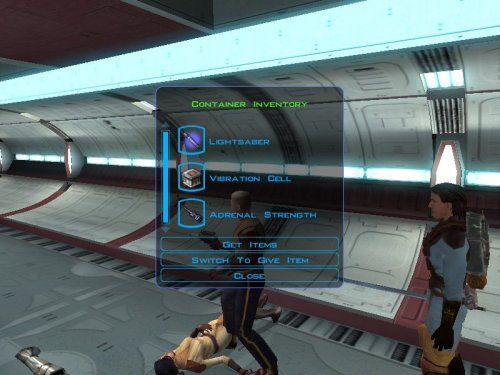
View File Lightsaber on endar spire Description: When i was playing ,,Drop Those Lightsaber'' mod it doesn't have two items, vibration cell and simulant, only lightsaber, i was little pissed of because i needed upgrade for vibroblade. So i create this mod to add lightsabers and vibration cell This is my first mod so pls tell how was it and is it working. When i tested it, it was working. HolocronToolset was only used Installation instructions: Just drop files from ,,Override'' to Kotor 1 Override Main features: The mod ads two lightsaber in endar spire, one red lightsaber and one blue lightsaber, with vibration cell (this upgrade to vibroblade) and simulant. You can get this items from this jedi and sith that are fighting in endar spire. Requirements: If your mods don't change anything with jedi and sith on endar spire than it should work Shout outs: The original creator and helper of mod that my mod was based on (Drop Those Lightsabers) is ChilledTwo, ebmar and Mellowtron11. Submitter Kalendarzak Submitted 07/28/2026 Category Mods K1R Compatible No
-
 Ryuzaki97 joined the community
 -
.thumb.jpg.7058a03c668751c8608e095222e18d89.jpg) Juggernut changed their profile photo
Juggernut changed their profile photo -
Juggernut joined the community
- Yesterday
-
 EllieBerry joined the community
 -
Version 1.0.0
4 downloads
Description: When i was playing ,,Drop Those Lightsaber'' mod it doesn't have two items, vibration cell and simulant, only lightsaber, i was little pissed of because i needed upgrade for vibroblade. So i create this mod to add lightsabers and vibration cell This is my first mod so pls tell how was it and is it working. When i tested it, it was working. HolocronToolset was only used Installation instructions: Just drop files from ,,Override'' to Kotor 1 Override Main features: The mod ads two lightsaber in endar spire, one red lightsaber and one blue lightsaber, with vibration cell (this upgrade to vibroblade) and simulant. You can get this items from this jedi and sith that are fighting in endar spire. Requirements: If your mods don't change anything with jedi and sith on endar spire than it should work Shout outs: The original creator and helper of mod that my mod was based on (Drop Those Lightsabers) is ChilledTwo, ebmar and Mellowtron11. -
 Enemy NPCs always used shields automatically, but now they reactivate them after 200s if needed. Companions don't, you have to use their shields manually. And if you want enemy NPCs to use grenades you have to set them to grenadier mode with a script. The best way to do this is to replace their default spawn in script (k_def_spawn01.nss) with something like this: #include "k_inc_generic" #include "k_inc_debug" void main() { SetNPCAIStyle(OBJECT_SELF, NPC_AISTYLE_GRENADE_THROWER); // DEFAULT GENERIC BEHAVIOR (DO NOT TOUCH) ***************************************************************************************** GN_SetDayNightPresence(AMBIENT_PRESENCE_ALWAYS_PRESENT); GN_SetListeningPatterns(); //This function although poorly named sets up the listening patterns and other important data for the //creature it should never be removed. GN_WalkWayPoints(); }
 -
Version 1.0.0
1 download
Description This mod gives stats to malak like he was in star forge but in leviathan, by that im mean that if he have 29 strenght in star forge than he have 29 strenght in leviathan, Its all the same stats like in star forge except Force points Installation instructions Just put files from Override in this mod to Override in kotor 1 main directory Requirements Be good Shout outs The mod was inspired by mod called ,,Shem Improved Malak'' by Shem -
.thumb.webp.1dbe4720f674ce2e15a47e888abec9d1.webp)
Version 1.0.0
1 download
Description The mod increase stats of enemy's in Leviathan Installation instructions Just drop files from Override from this mod to Override that is from Kotor 1 main directory Main features The mod increase stats of Saul, Dark jedi and Saul Guard Shout outs The mod was inspired on mod called ,,Shem's Improved Malak'' by ,,Shem'' -
 Kalendarzak changed their profile photo
 -
.thumb.jpg.b952bf0a044d596c3338c0f2cdb4ce9f.jpg)
Version 1.0.0
2 downloads
Description In endar spire instead of having trask you are having a Jedi Guardian with same voice and dialogs only like him Installation instructions Put files from Override from this mod to Override in kotor 1 main directory -
-
 Thank you for clarifying. This mod is really well-done and breathes life into a longtime favorite, so glad there's still work being done on this game.
- 206 comments
-
- 1
-

-
- expanded universe
- sleheyron
- (and 1 more)
- Last week
-
-
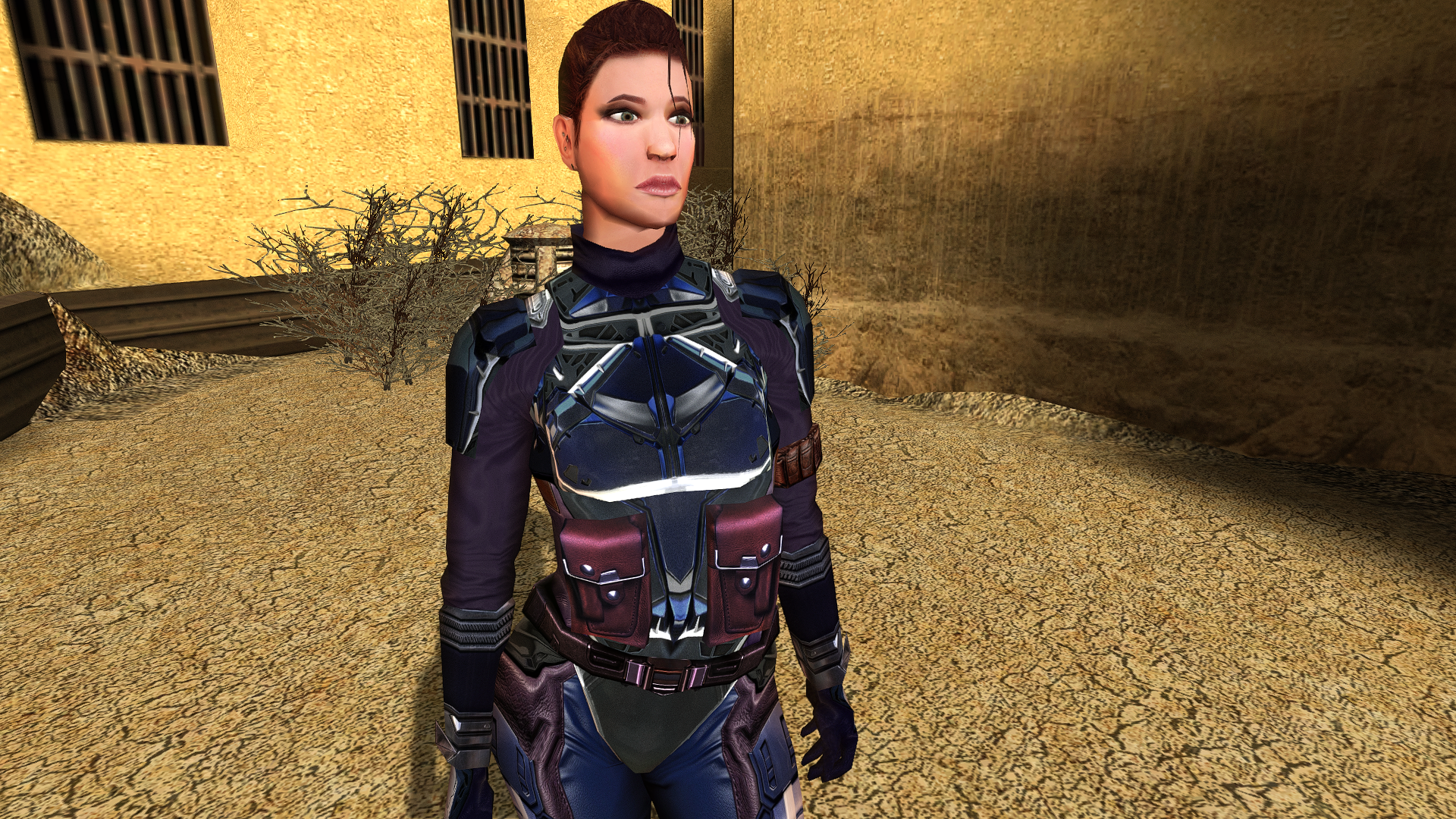
Oh I guess you couldn't just keep the computer panel on the left side, uh? That would have been a neat solution. But rather than have three like it was before I'd go for either one of the two other alternatives, although I prefer the first one.
-
View File NeoERF - A Simple Modern ERF Extractor & Editor ERF-family game support NeoERF supports legacy ResRef/type-keyed archives and the filename/hash-keyed Dragon Age containers: KotOR/KotOR II and Jade Empire ERF/RIM/MOD-family archives remain the default behavior. Jade Empire has several resource-type names that differ from KotOR for the same numeric type IDs. NeoERF keeps KotOR names as the default and adds a Jade Empire profile for listing, extraction, deletion, and authoring: View > Resource Profile. Use the Jade Empire profile when working with Jade Empire archives so resources such as .itm, .cre, .mat, .mab, .ndb, .xwb, .xsb, .bip, .ttc, and .sac are rendered and authored with the names used by the Jade Empire engine. Neverwinter Nights and Neverwinter Nights: Enhanced Edition use the NWN resource-name profile with ERF V1.0 containers such as .erf, .mod, .hak, and .nwm. Neverwinter Nights 2 uses the NWN2 profile with ERF V1.1 32-byte ResRefs. Existing NWN2 .mod and .hak archives preserve V1.1 on save; newly created archives use V1.1 when --game nwn2 is selected. The NWN2 profile includes .trx terrain resources. The Witcher 1 .mod archives use the Witcher resource profile while keeping the ERF V1.0 container layout. Dragon Age: Origins ERF V2.0 archives use UTF-16LE filenames in the table of contents instead of ResRef/type keys. This includes DAO files with .erf and .rim extensions when the on-disk header is ERF V2.0. Add/extract/delete operations address these resources by full leaf filename, for example 2da_base.gda. Dragon Age: Origins ERF V2.2 archives use the same UTF-16LE filename key shape plus archive flags and packed/unpacked TOC sizes. Unencrypted compressed payloads using scheme 1 (BioWare zlib wrapper byte plus raw DEFLATE) and scheme 7 (headerless raw DEFLATE) are readable/extractable. Saving a compressed V2.2 archive recompresses inserted/replaced resources and preserves scheme 1 vs scheme 7. --type DAO22/ERF22 creates compressed V2.2; --type DAO22U/ERF22U creates uncompressed V2.2. Dragon Age II ERF V3.0 archives use FNV name/type hashes and optional string-table names. This includes DA2 .erf, .rim, .rimp, .crf, and GPU .rim containers. Compressed scheme-1 and scheme-7 payloads are decompressed on extraction and are rewritten as uncompressed V3.0 payloads; stripped-name entries are exposed through their hashes such as: hash_905e15b30a2028fb.dds. TSLPatcher/HoloPatcher resource packages For KotOR/KotOR II ERF V1 and RIM V1 archives, NeoERF can compare a clean archive with a modified archive and create a complete stock-compatible [InstallList] package: New resources are emitted as InstallN; changed resources are emitted as ReplaceN, with each payload extracted beside changes.ini. The GUI exposes the same workflow under Export > Export TSLPatcher/HoloPatcher Resource Package.... Submitter Vriff Submitted 07/26/2026 Category Modding Tools
-
View File NeoTLK - A Simple Modern TLK Editor Supported TLK families and text encodings NeoTLK opens, edits, and saves these native TLK families without converting the file to another layout: Classic BioWare TLK V3.0 files, including dense StrRef tables with classic sound metadata. Jade Empire TLK V4.0 files, whose compact records use numeric sound IDs. Dragon Age GFF V4.0 / TLK V0.2 files, whose string IDs are sparse and whose records contain text rather than classic TLK sound/language metadata. All text is normalized to UTF-8 while it is being edited. Classic V3.0 files are decoded per entry as UTF-8, Windows-1252, or Windows-1250, including mixed-encoding tables encountered in the field. On save, NeoTLK writes each classic entry back using its detected original encoding. An edit containing a character that cannot be represented by that entry's original Windows code page is rejected rather than silently replaced or corrupted. For Dragon Age V0.2 files, NeoTLK preserves sparse string IDs and the native GFF-backed TLK structure. Language and sound controls that are not represented by that format are disabled. Adding a record prompts for its string ID, and deleting one does not renumber the remaining records. The open dialog accepts both .tlk and uppercase .TLK filenames. Tabular import/export neotlk-cli supports CSV, TSV, XML, and JSON export/import for TLK entries. CSV and TSV are table-style interchange paths and carry StorageFormat, LanguageId, and per-entry TextEncoding metadata alongside the text and sound fields. JSON and XML are complete semantic documents: they retain the native TLK family, language where applicable, sparse StrRefs, flags, text encoding, and all sound metadata supported by that family. XML uses <tlk storageFormat="..." language="..."> with complete <string ...> children. CSV/TSV imports merge rows by StrRef into the current/native table, while XML/JSON imports replace the complete semantic document. Structured XML/JSON export is never filtered, because a partial file could be mistaken for a complete importable TLK. Use CSV or TSV to export the currently visible filtered rows. A Dragon Age GFF-backed TLK can be imported into an already-open native Dragon Age TLK, preserving its backing structure, but NeoTLK will not synthesize that native GFF structure from a standalone interchange document. The GUI provides matching Import and Export menus, filter/search terms, and copy/paste of entry text or pasted table rows. TSLPatcher/HoloPatcher output NeoTLK can generate a tslpatchdata package directly from the active in-memory TLK and a clean original baseline. In the GUI, use: Export -> Export TSLPatcher Package... Export -> Export HoloPatcher Package... The stock TSLPatcher mode is append-only. New entries after the original TLK count are written to append.tlk, and changes.ini receives matching StrRefN=N entries in [TLKList]. Existing-entry edits, deletions, language changes, and truncation are rejected because stock TSLPatcher cannot merge those operations safely. The HoloPatcher mode also supports edits to existing StrRefs. Those entries are written to replace.tlk, with ReplaceFile0=replace.tlk in [TLKList] and an accompanying [replace.tlk] map from destination StrRef to replacement-file index. This replacement extension is HoloPatcher-specific; a package containing replace.tlk is not compatible with the original TSLPatcher executable. Appended entries still use the stock-compatible append.tlk path. Submitter Vriff Submitted 07/26/2026 Category Modding Tools
-
 Possible Headcanon and good gameplay elements. Revan was a Teras Kasi Master/Assassin. Teras Kasi martial artist are able to fight Jedi, Dark Jedi and Sith on equal terms. Yes i was going to make Teras Kasi into Feats for the Player and Ebon Hawk crew, I will need help on that. Right now, I am doing a class mod. It has several new classes. It includes Pathfinder(Mission Vao), Mandalorian Commando(Canderous), Republic Pilot(Carth) and other new classes for NPCs and Playable NPC. So I was remembering that Carth on Taris said something on the lines that Republic had the Military to learn hand 2 hand combat and Melee weapons.
 -
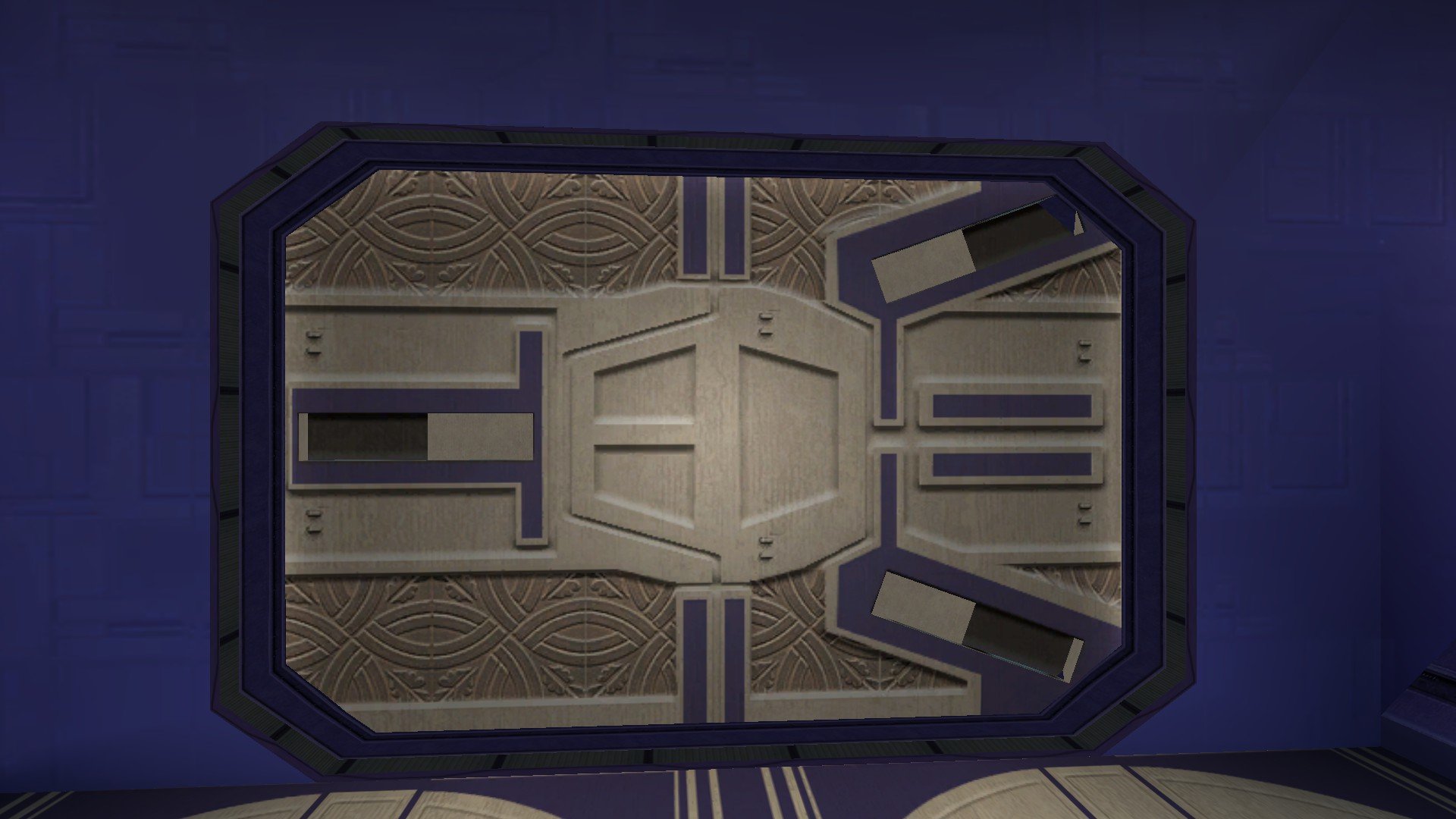
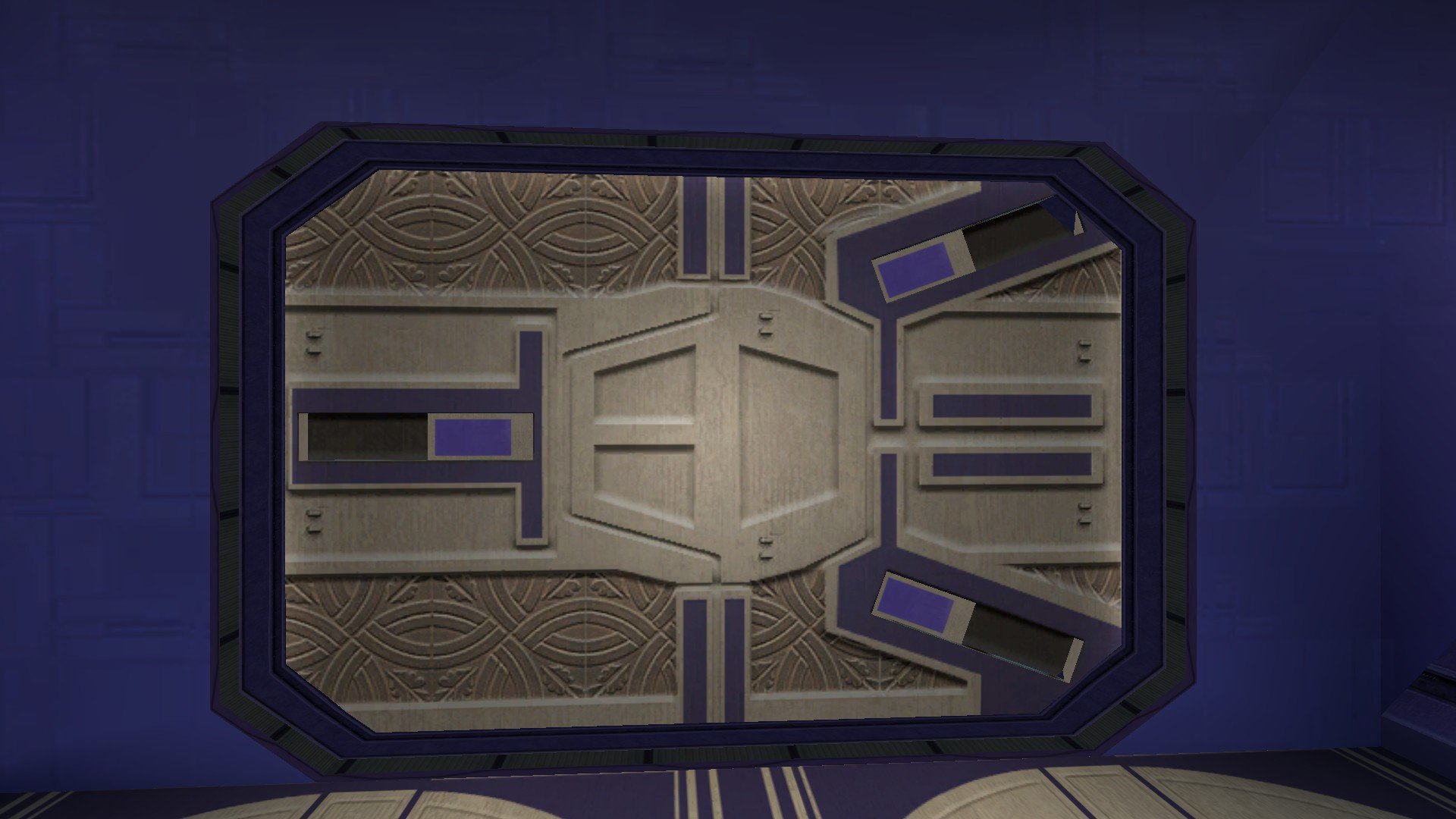
If your preferred Taris reskin mod has the file "LTS_lodor03.tga" or "LTS_lodor03.tpc" in it then the cut door in Davik's Estate shall be replaced. How do these look? If anyone would like to take a crack at reskinning these doors, just look for the texture LTS_lodor03 in the game files and work your way from there. As Salk has said, this mod isn't K1R - K1R has been abandoned for a decade now. This WIP thread is for the Restored Content for K1 Community Patch mod, the RC-K1CP mod.
.jpg.367b1937cf243572c9836881c59af511.jpg)
-
No it's not. Sao's just not very used to compatibility stuff with KOTOR and apparently he didnt change the description yet. K1CP -> RC-K1CP -> Sleheyron works. Good game !
- 206 comments
-
- 1
-

-
- expanded universe
- sleheyron
- (and 1 more)
-
Hello, Etienne76. As general advice I'd strongly recommend to play with K1 CP which fixes literally hundreds of bugs and to avoid K1R which hasn't be actively supported and developed for many years now. A great piece of modding that unfortunately introduces a fair share of bugs. Said that, this is the topic for N-DReW25's alternative to K1R and your issue has not anything to do with that, from what I understand. One thing you can do, I think is to save the game on Dantooine, unpack the .SAV file, edit the second Sharina out of the area's .git file and then repackage the .SAV file. That should fix the problem, but why it happened in the first place I wouldn't know. Have you installed other modifications?
-
-
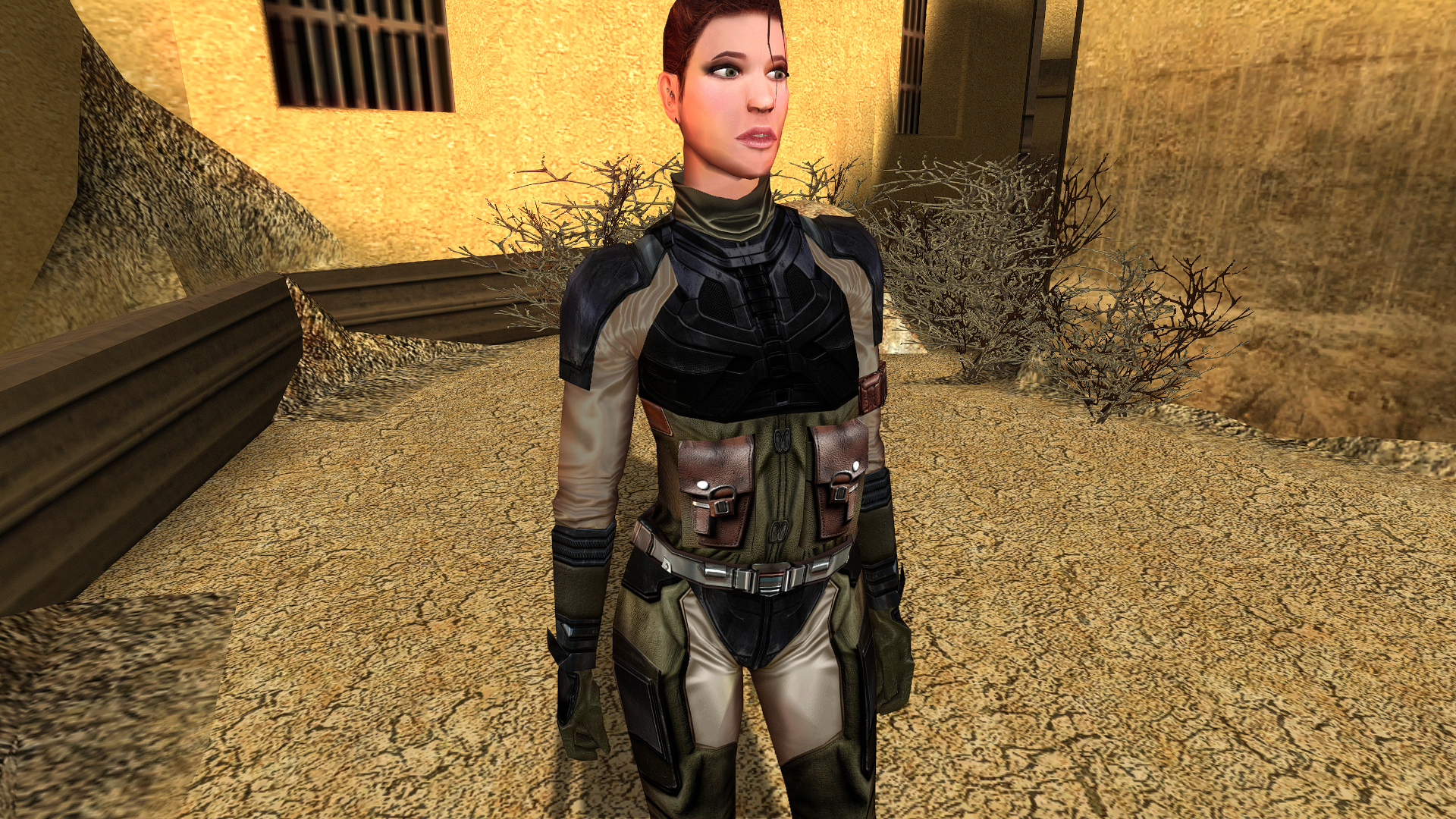
 Hi! I'm experiencing a bug with Sharina Fizark on Dantooine. After helping her on Tatooine, two copies of Sharina appear on Dantooine. Is there a fix for this?
 -
Hi! I'm experiencing a bug with Sharina Fizark on Dantooine. After helping her on Tatooine, two copies of Sharina appear on Dantooine. Is there a fix for this? Edit: I have K1R 1.2, not CP
-
I was advised elsewhere that this mod works fine even if K1CP and K1RCP are installed before Sleheyron, and I have been playing the game with no issues up to this point; Sleheyron so far seems to be functioning properly. Is it really a hard rule that Sleheyron must be installed first? Thanks.
-
Version 1.0.0
3 downloads
ERF-family game support NeoERF supports legacy ResRef/type-keyed archives and the filename/hash-keyed Dragon Age containers: KotOR/KotOR II and Jade Empire ERF/RIM/MOD-family archives remain the default behavior. Jade Empire has several resource-type names that differ from KotOR for the same numeric type IDs. NeoERF keeps KotOR names as the default and adds a Jade Empire profile for listing, extraction, deletion, and authoring: View > Resource Profile. Use the Jade Empire profile when working with Jade Empire archives so resources such as .itm, .cre, .mat, .mab, .ndb, .xwb, .xsb, .bip, .ttc, and .sac are rendered and authored with the names used by the Jade Empire engine. Neverwinter Nights and Neverwinter Nights: Enhanced Edition use the NWN resource-name profile with ERF V1.0 containers such as .erf, .mod, .hak, and .nwm. Neverwinter Nights 2 uses the NWN2 profile with ERF V1.1 32-byte ResRefs. Existing NWN2 .mod and .hak archives preserve V1.1 on save; newly created archives use V1.1 when --game nwn2 is selected. The NWN2 profile includes .trx terrain resources. The Witcher 1 .mod archives use the Witcher resource profile while keeping the ERF V1.0 container layout. Dragon Age: Origins ERF V2.0 archives use UTF-16LE filenames in the table of contents instead of ResRef/type keys. This includes DAO files with .erf and .rim extensions when the on-disk header is ERF V2.0. Add/extract/delete operations address these resources by full leaf filename, for example 2da_base.gda. Dragon Age: Origins ERF V2.2 archives use the same UTF-16LE filename key shape plus archive flags and packed/unpacked TOC sizes. Unencrypted compressed payloads using scheme 1 (BioWare zlib wrapper byte plus raw DEFLATE) and scheme 7 (headerless raw DEFLATE) are readable/extractable. Saving a compressed V2.2 archive recompresses inserted/replaced resources and preserves scheme 1 vs scheme 7. --type DAO22/ERF22 creates compressed V2.2; --type DAO22U/ERF22U creates uncompressed V2.2. Dragon Age II ERF V3.0 archives use FNV name/type hashes and optional string-table names. This includes DA2 .erf, .rim, .rimp, .crf, and GPU .rim containers. Compressed scheme-1 and scheme-7 payloads are decompressed on extraction and are rewritten as uncompressed V3.0 payloads; stripped-name entries are exposed through their hashes such as: hash_905e15b30a2028fb.dds. TSLPatcher/HoloPatcher resource packages For KotOR/KotOR II ERF V1 and RIM V1 archives, NeoERF can compare a clean archive with a modified archive and create a complete stock-compatible [InstallList] package: New resources are emitted as InstallN; changed resources are emitted as ReplaceN, with each payload extracted beside changes.ini. The GUI exposes the same workflow under Export > Export TSLPatcher/HoloPatcher Resource Package....