All Activity
- Past hour
-
View File Kudos Pazaak Counter Overflow Fix Fixes an overflow in Kudos's Pazaak progression counter on Tatooine. After the player's 128th win against Kudos, tat_fazzpazzstate overflows to -128. While the counter remains negative, Kudos is effectively stuck in his novice state for the next 128 wins, reverting to his initial dialogue branch, tier-1 deck and stake. Once the counter wraps back to 0, his normal progression starts over from the beginning. This mod caps the counter at its final meaningful state once Kudos's normal progression is complete. It also restores overflowed negative values to that final state the next time the reset script runs. Normal progression through the first ten wins is unchanged. Installation instructions Copy: k_ptat_paz_rese2.ncs into your game's Override folder. To uninstall, remove k_ptat_paz_rese2.ncs from the Override folder. Main features Prevents tat_fazzpazzstate from overflowing after 128 wins. Preserves Kudos's normal progression through the first ten wins. Freezes the counter at its final meaningful state once progression is complete. Automatically repairs already-overflowed negative counter values when the script next runs. Does not alter Kudos's Pazaak decks, wagers, rewards or game balance. Compatibility Compatible with vanilla KotOR, K1R and K1CP. The mod does not alter Pazaak decks, wagers or rewards. It may conflict with another mod that modifies k_ptat_paz_rese2.ncs or deliberately extends tat_fazzpazzstate beyond its vanilla progression. Tested with tat_fazzpazzstate already overflowed: one final 75-credit game occurred, after which the variable was restored to 10 and subsequent games returned to the permanent high-tier state. The original bug can be reproduced by playing 128+ games against Kudos or by manipulating tat_fazzpazzstate with KotOR Savegame Editor. Discovered during an apparently unreasonable amount of legitimate Pazaak grinding. Notes Already-overflowed saves: If the counter has already overflowed, one final 75-credit game may occur before the fix takes effect. After that game, the counter is restored to 10 and subsequent games return to Kudos's permanent high-tier deck state. Vanilla note: In the unmodded PC game, Kudos's permanent high-tier wager is only 50 credits, while his overflowed novice-state wager is 75. As a result, the original overflow can actually be advantageous for credit grinding in vanilla. This fix restores the intended permanent high-tier behavior regardless of wager values and is therefore most beneficial with K1CP (which increases the late-game stake to 500) or other mods that increase Kudos's late-game stake. Submitter Bekzhan Submitted 08/12/2026 Category Mods K1R Compatible Yes
-
View File PFHB02 DP The mod replaces the PFHB02 model and textures. Thanks to DarthParametric, without him this mod would not have seen the light of day. To Install 1. Download: PFHB02 2. Copy all files to the Knights of the Old republic's Override folder. (Example location - C:\Program Files (x86)\Steam\steamapps\common\swkotor\Override) 3. When/if prompted to overwrite files, press okay. 4. If you like the mod; leave a comment or endorse! (It would be much appreciated) Made with love. Submitter Dark Hope Submitted 08/12/2026 Category Mods K1R Compatible Yes
-
View File Immersive Skill Checks Hides tags on skill & attribute checks in dialogue. Customizable. SUMMARY This mod removes the written indicators at the beginning of skill & attribute checks in dialogue, as well as optionally success and failure tags. For example, you will no longer see “[Wisdom]” at the beginning of a line you get from having enough Wisdom, it will just be there as an option. I got this idea while playing IStewieAI’s Tweaks and Engine Fixes for FNV which has this feature, and I thought it would be interesting to see in KOTOR. I liked how it made me think a little harder about my dialogue choices, since normally I just automatically pick an option if it has a skill indicator, since it’s almost always advantageous to pick. Those options are still usually obvious and often go to the top of the list anyway, but it adds a nice bit of immersion and a little extra challenge. There are multiple versions to choose from: LITE - removes attribute tags only MEDIUM - removes both attribute & skill tags HIGH - removes attribute, skill, & persuade/intimidate tags FULL - removes attribute, skill, persuade/intimidate, success/failure, & influence tags This mod does not affect tags for using Force powers (e.g. Choke, Force Persuade, etc.) or Lie tags. If you’re new to the game, please be aware of the implications of installing any of these versions. Many conversation mechanics may become non-obvious. IMPORTANT NOTES: - For Medium version and up, this will remove all instances of text like “[Computer]” or “[Repair]” even when they are intended to indicate an option to actually use that skill, rather than just speaking from your knowledge on it. You’ll still see [X Spikes] or [X Parts] at the end of Computer or Repair options where applicable, however it’s possible some options can become ambiguous for this reason. - On rare occasions, different attributes can unlock the same line, therefore this mod can result in occasionally seeing duplicate dialogue options. - Some lines may not be affected, for example if they are added by another mod or not found in dialog.tlk. INSTALLATION To install, run HoloPatcher.exe. Select the option corresponding to the version you want and whether you have TSLRCM installed. Unaltered copies of dialog.tlk will be placed inside the "backup" folder in the location of HoloPatcher.exe. UNINSTALLATION Replace dialog.tlk in the main game folder (outside override) with the version found in the backup folder. COMPATIBILITY Compatible with TSLRCM using the TSLRCM compatible option. This mod must be installed after any other mods which hard overwrite dialog.tlk. If any other mod makes changes to lines with a dialogue check indicator, those specific lines will be overwritten by this mod. Mods which append dialog.tlk using a patcher are compatible. PERMISSIONS Do whatever you want with this mod, just give credit. CREDITS offthegridmorty HoloPatcher - Cortisol, th3w1zard1 TSLPatcher - stoffe, Fair Strides tlk2xml, xml2tlk - DrMcCoy Submitter offthegridmorty Submitted 08/08/2026 Category Mods TSLRCM Compatible Yes
-
View File Curved Hilt Ambient Glow Lightsabers Credit: A Very special Thanks and Credit to Crazy34 for their "New_Lightsaber_Blades_Modder's_Res_v1" on which this mod is based! Full Credit goes to them as the models and textures used to make this mod come directly from their source material! A special thanks again to them for making these resources available to modders. Check out their mod here: Also check out their full release of their mod here: Credit also very much goes to Kaidon Jorn and Sithspectre for their contributions to Crazy 34's mod as well! Without them none of these mods would be possible so please make sure to go check out all of their work also! Description: This Mod adds 7 new colored (well 6 colored technically) crooked hilt (think Count Dooku) lightsabers with ambient glow to Kotor 1. To Install: First drag all the files from the folder of the color you wish to add into your override folder. Second if you don't already have an upcrystals.2da in your override folder drag the included .2da file to your override. If you do already have an upcrystals.2da file, add 7 rows to the bottom of your existing .2da file and paste in rows 7-13 from the included .2da into these new rows (make sure to update the row numbers if needed!) --Note that if you don't update the upcrystals.2da the new lightsabers will appear in game but won't be customizable at a workbench. Compatibility: This mod should be fully compatible with Crazy34's mod, as all the lightsabers should be in unused variant slots by his mod. I am unsure about compatibility with other lightsaber mods. I believe it should work without having his mod installed, but this is not verified and again I cannot endorse his mod enough I wouldn't play without it. Permissions: As far as I am concerned feel free to use this mod however you see fit! Just please make sure to give due credit! ----- Blender Tutorial for texture swapping and ambient lighting coming soon stay tuned! ----- Full credit goes to the original developers, artists, and respective intellectual property rights holders (Lucasfilm, Pandemic Studios, and BioWare). This is a strictly non-profit, fan-made educational project intended exclusively as a technical proof-of-concept demonstrating asset handling for the KOTOR modding community. Furthermore, I do not own or claim rights to any of the third-party tools used or described in this project; all rights belong entirely to their respective developers. Submitter EwokKotor Submitted 08/10/2026 Category Mods K1R Compatible Yes
-
View File Expanded Jedi Training for TSLRCM Expands the mechanics of training your Jedi companions in TSLRCM. SUMMARY TSLRCM adds the ability to teach your Jedi party members a select few powers, feats, and forms. It’s a cool concept that adds to the feeling of training your companions, but it was never very fleshed out. As is, there’s a very limited pool of abilities to teach, no real player choice in what to teach, and no depiction of the training aside from a fade to black. This isn’t a fault of the TSLRCM team, there just wasn’t much to restore. The mod aims to expand the whole training mechanic to make it more interesting and immersive. Summary of the main changes of this mod: - You can now choose which abilities to teach your companions. - The pool of teachable powers, feats and forms has been significantly expanded. - Every teachable ability now includes a brief cutscene depicting the training. - Party members can learn 1 power or feat and 1 form at a time and must level up before learning more. - Different prestige classes can teach different abilities. JM/SL can teach a wider selection of powers, JWM/SM can teach more combat feats, and JW/SA can teach a mix of both. - Handmaiden and Disciple can now be trained like other Jedi companions. DETAILS INSTALLATION TSLRCM required. Ensure TSLRCM is installed first before installing this mod. To install, run HoloPatcher.exe. Select the main install option and run. Unaltered copies of any modified files will be placed inside the "backup" folder in the location of HoloPatcher.exe. If you have PartySwap installed, run the included compatibility patch. Ensure both PartySwap and the main mod have been installed first before installing this patch. UNINSTALLATION Remove the following files from override: If any files were created inside the backup folder, move them to override. COMPATIBILITY Incompatible with any mods that hard overwrite the dlg files for Atton, Bao-Dur, Disciple, Handmaiden, Mira, or Visas. Compatible with PartySwap by Darth Tyren & Leilukin using the included compatibility patch. Compatible with Visas Marr and Female Exile Romance by Leilukin. The following mods appear compatible but have not been extensively tested: Handmaiden and Female Exile - Disciple and Male Exile Romance by Leilukin Atton Rand and Male Exile Romance by Leilukin Not compatible with Mira Romance Mod by JediArchivist. Soft conflict with Train the Handmaiden by jc2 as this mod also allows training Handmaiden. BUGS Minor bug where Handmaiden doesn’t restart her idle animation after learning Burst of Speed, for some reason. Talking to her fixes it. No other bugs that I’m aware of. Please report any. PERMISSIONS You are free to use and edit this mod’s dlg files if needed to make a compatibility patch for another mod. However, please ask permission before reuploading or modifying the files for any other reason. Do not reupload any files from the PartySwap patch without permission from the author. CREDITS offthegridmorty zbyl2, DarthStoney, Hassat Hunter, VarsityPuppet & contributors - TSLRCM dlg files DarthTyren, Leilukin - PartySwap dlg files HoloPatcher - Cortisol, th3w1zard1 TSLPatcher - stoffe, Fair Strides KOTOR Tool - Fred Tetra K-GFF - tk102 AniCam - JdNoa Holocron Toolset - Cortisol, th3w1zard1 Submitter offthegridmorty Submitted 08/08/2026 Category Mods TSLRCM Compatible Yes
- Today
-
 SirWilliam joined the community
 -
 Have a favorite map? Have a favorite map?
 - Yesterday
-
Very nice. I like it.
-
 GeekKregan joined the community
 -
 SpxTalon joined the community
 -
 If you're okay with sharing, how did you go about telling the game what music to play in each module? I'm interested in moving around some tracks myself. (Making it so that the Enclave Ruins and Ravager have different battle themes in K2, for example.) Did you use Kotor Tool, or Holocron? I know that music is called from ambientmusic.2da, but am struggling to find the right scripts to edit in modules.
 -

Icons: Feats, Skills and Force Powers [TSL] - Open Beta
Sith Holocron commented on Sith Holocron's file in Skins
 The icons in question have been replaced.
 -
 Hey I have come across a problem. I have beeen trying to uninstall this mod, but for some unknown reason, the mod is glitched onto my folder. I removed all the files, but the mod is stil i the game somehow. Can someone please help me? I want to replace this mod, but I have not been able to. The armors looked chopped with the reskin armors of this mod
 -
 ArnarKari joined the community
 -
This is the definitive map mod for TSL! You don't realize how much of a pain the low-res vanilla maps are until you find a good replacement for them. Each map here is done with tremendous quality and is very pleasant to look at. Especially in the smaller locations, like cantinas, you can clearly see all the details in each room. Honestly impressive. The bigger exterior locations get detailed backgrounds (Onderon's maps with outlined city streets are my favorites!), which completes the look just right. Thank you so much for your work!
-
 Eldina joined the community
 -
 jigsaw1988 joined the community
 -
 Dagren joined the community
 -
Some more corrections have been made. Version 5.4 has just been uploaded.
-
 You can't. In the original game, the party going to Davik's must include Canderous. The Player has free choice over the third companion. This modification does not change that. It only tweaks the end part to make sure that all party members will be part of the escape from Davik's aboard the Ebon Hawk.
 -
 Juggernut changed their profile photo
 -
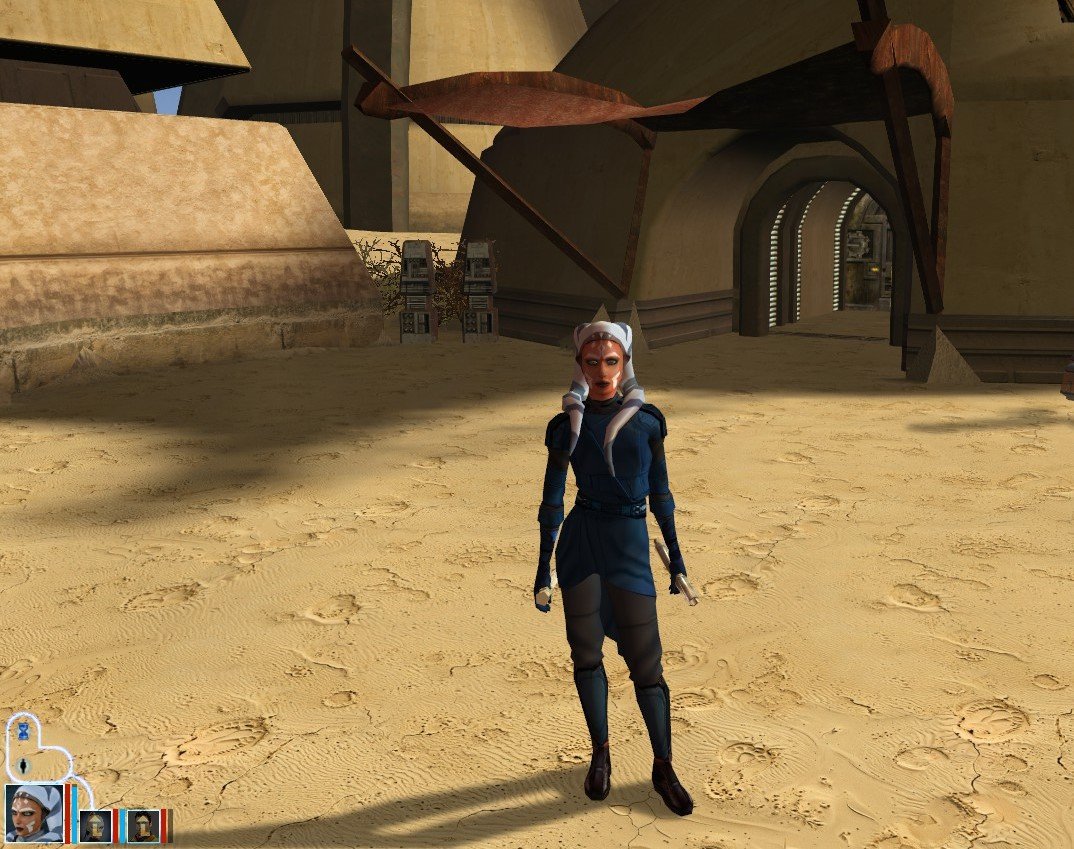
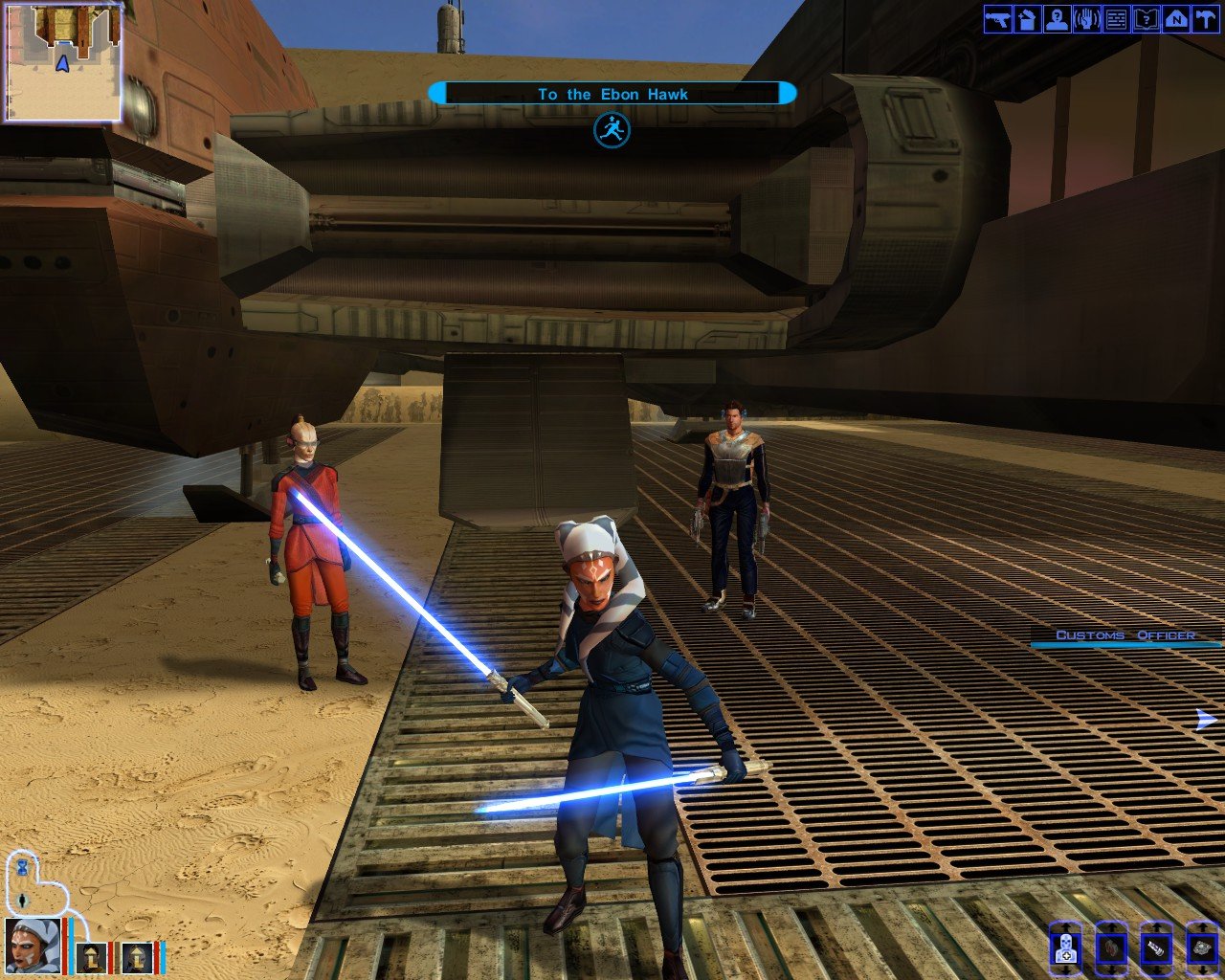
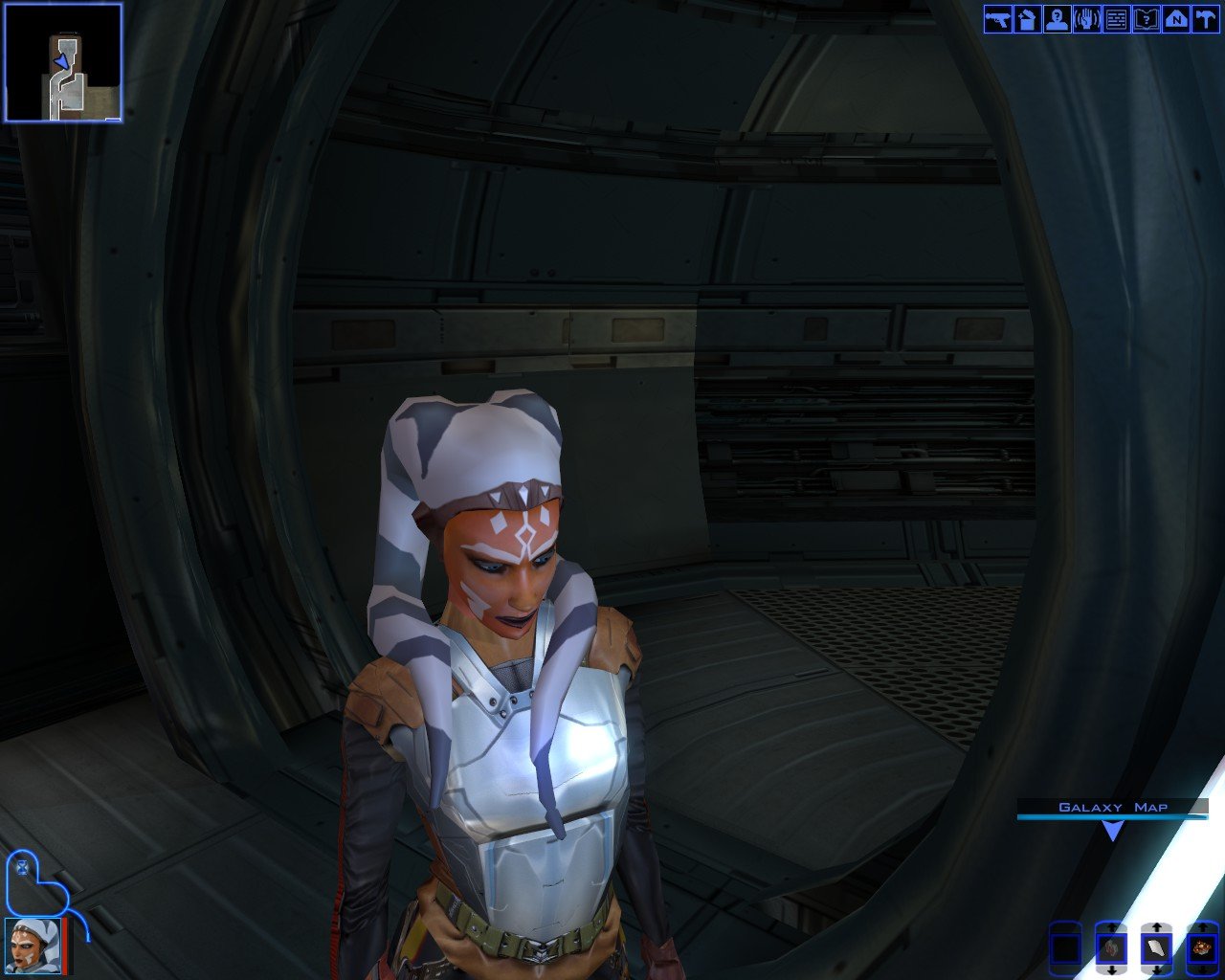
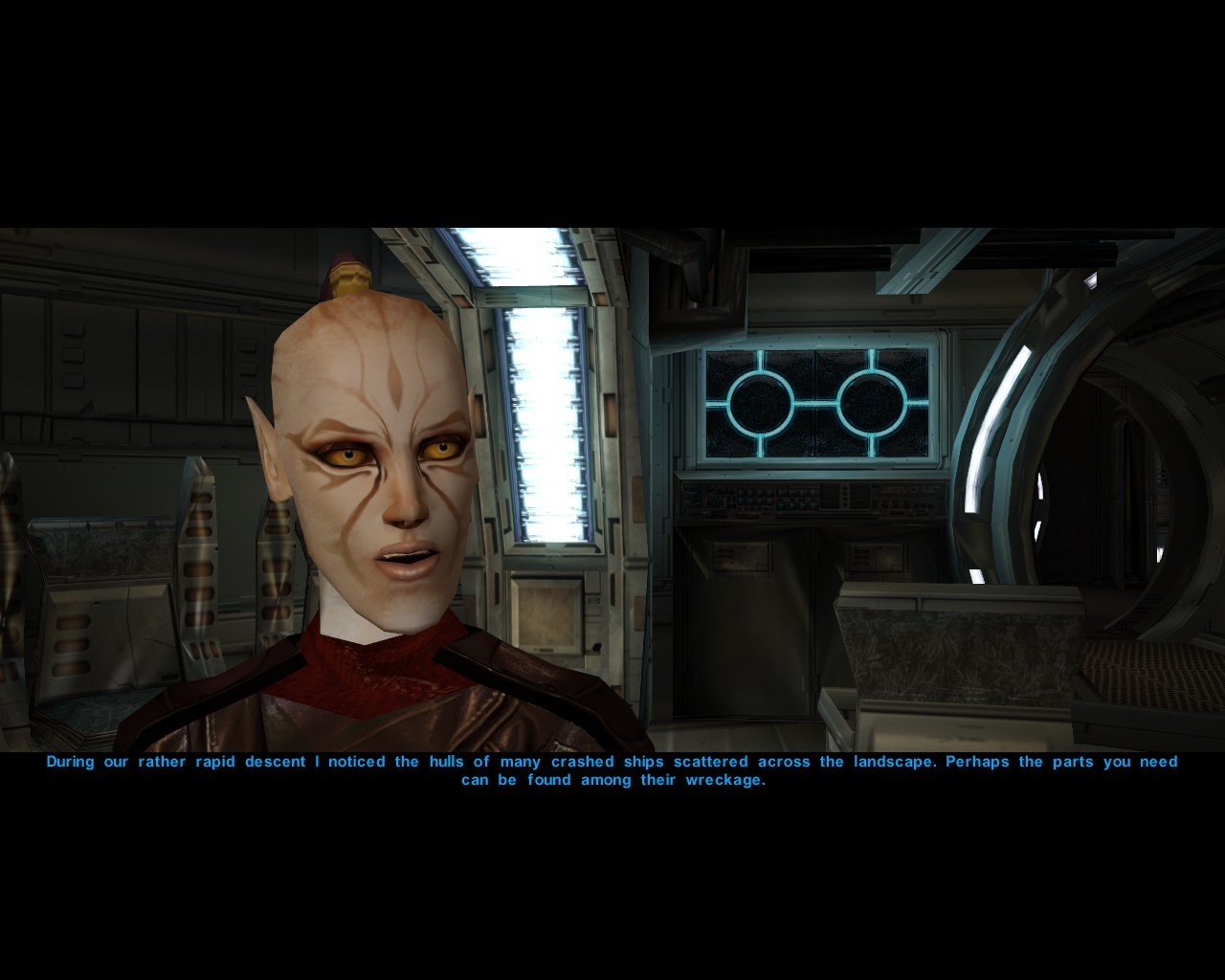
This is an Ahsoka mod I found on nexus originally but changed the skin a bit and added full ds transition based more on how it might look in the game. Wip. Oh and theres my tailored juhani. Bc i like the way she turned out. shes a hodge podge
-
 cblongneck joined the community
 - Last week
-
 I am developing a headcanon that Revan/Darth Revan is just a title and what players pick name is Revan's real name. Using Nomi Sunrider reference from Jolee Bindo, my head canon that Revan had a life outside of the Jedi Order similar to Luke Skywalker and Nomi Sunrider while keeping him the prodigy level force user. Another head canon idea, High Council send Prodigy level Jedi to Dantooine. Exar Kun, Revan, Ulic and other Prodigy level Jedi had their start at Dantooine Jedi Academy. There are possible reasons 1) quality of Jedi Training is geared to Prodigy, 2) it is a natural force nexus, 3) combination of the previous 2. Kreia is similar to The Dark Woman of The Clone Wars Comics EU for troubled or unusual cases with Jedi Trainees and that is why They paired Revan with her.
 -
 nastyravens joined the community
 -
 kishometeora joined the community
 -
Nice! They look incredible.
-
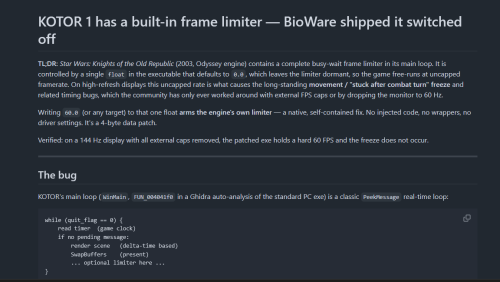 Maybe I'm stupid, but I downloaded the KPM master from GitHub, downloaded the launcher for Windows, used the "Patches" directory from the 'master' folder, I see the grass and texture files in the folder, but it's not loading in the launcher directory. How did I mess this up?
 -
View File [TSL] Immersive TSL Maps [TSL] Immersive TSL Maps AUTHOR: Sith Holocron ORIGINAL RELEASE: 13 AUG 2026 GAMES: Star Wars Knights of the Old Republic II Description: This will be a longer description. Buckle up. I didn’t originally set out to make this a full mod. I suppose this originally started as a response to a request. In the comments for Ashton Scorpius’ “TSL Ebon Hawk Downloadable Map” (https://deadlystream.com/files/file/1406-tsl-ebon-hawk-downloadable-map/?tab=comments) someone asked if the swoop bike could be removed from the Ebon Hawk’s map. I decided to take this on – partly as a challenge to myself and partly because the requester has been making ridiculous specific requests for years. In short, I worked on a mod request out of spite. I thought that would be the end of it. Then at some point, I was working on textures for the Dantooine Enclave sublevel. I was doing a lot of fooling around with textures back then. (This was before I picked up a subscription to Topaz Gigapixel.) While checking - and rechecking - textures in game, I kept seeing that map. Since I already had new textures to work with, why not put them in the map? I requested a upscale of that map from someone and I went to work. I never posted as a mod but I do recall showing it on Discord at some point. Later, I wound up redoing the maps for the M4-78 Enhancement Project as one-off. As there weren’t many maps to do there, I figured that would be the end of it. (Yes, I have also updated that mod recently as N-DReW25 has adjusted some of the maps for his Unofficial Patch.) Not too long ago in Discord, there was a discussion about how the Ebon Hawk seemingly has supposed to be in another hangar on Telos Citadel Station at one point in development. As the participants were discussing that, I did some preliminary work on a map for that Docks section and then quickly posted it in that discussion so folks new to the conversation would have a better idea of the area they were talking about. Realizing that I kept on coming back to this part of texturing, I just decided to jump into this as my next project. I’ve mainly concentrated on the interior maps but all of the standard maps have been upscaled. Additionally, most maps of external spaces have also had tweaks made to the as well. My Workflow: For starters, I generally extract the maps from the game and then upscale them to use as the foundation. There have been occasions where I have acquired maps from elsewhere (such as 204TEL, 208TEL, and 506OND from N-DReW25) which show extra rooms that may not be accessible through in game play but can be entered via the whereami armband mod. I warp to each of the map locations armed with that whereami armband. Using GLIntercept, I’ll take numerous screenshots of the area I’m in from above so I can compare what textures they used for each of the rooms I’m tackling. I sort through my textures, adjust the lighting/coloring depending on the variable they’ve set for that area, and just paste them over the upscaled map. Repeat ad nauseum. In addition to this method, I’ll sometimes take a picture of an area from directly above and paste that directly into the map. There’s also the fun part of sometimes having to redraw the white borders of rooms because the AI doesn’t know exactly what’s important in the thing it’s upscaling. When the map has a background, I’ve sometimes reinterpreted what it should look like but if there wasn’t a background, I’ve left it alone. To sum up, it’s not just a simple upscale but it is a time-consuming pain in the ass which is why I’ve only created an average of one map per day during the project’s creation period. You’re welcome? Installation: If you’re using “TSL Ebon Hawk Downloadable Map 1.2.3” by Ashton Scorpius, you’ll want to install my mod after Ashton’s mod. Copy all TGA files (excepting those in the “Alternate 003EBO map” folder) to the Knights of the Old Republic II's Override folder. (Example location - C:\Program Files (x86)\Steam\steamapps\common\swkotor2\Override) When/if prompted to overwrite files, press okay. If you prefer the alternate map in the “Alternate 003EBO map”, now copy that one file to the Knights of the Old Republic II's Override folder. Please let me know in the comment or review section which of the maps is your favorite. If you like the mod; please leave a comment or endorse! It would be much appreciated. Uninstall: Remove the files you’ve added in Installation instructions. Thanks: N-DReW25: For both feedback on the maps themselves and providing three of the maps for be to have a more complete version. Fair Strides: For continual feedback on the maps. Vriff: For continual feedback on the maps. Kharak (of SketchFab.com): For hosting a viewable 3d model of the Ravager on this website used in my two Ravager maps: https://sketchfab.com/3d-models/sith-centurion-battlecruiser-3f2934da83cb421c87a3510ce62ceb8d To the too many folks in the KOTOR Discord’s media section to name for all of their feedback. P.S. I have no plans to redo the KotOR1 maps. Besides the map window being extremely small in that game, it’s also a game I find myself returning to less and less. You’ll have to convince someone else to work on the KotOR1 maps. Submitter Sith Holocron Submitted 08/13/2026 Category Skins TSLRCM Compatible Yes
-
 EXILE232323 changed their profile photo
 -
Version 1.1
17 downloads
[TSL] Immersive TSL Maps AUTHOR: Sith Holocron ORIGINAL RELEASE: 13 AUG 2026 UPDATED RELEASE: 15 AUG 2026 GAMES: Star Wars Knights of the Old Republic II Description: This will be a longer description. Buckle up. I didn’t originally set out to make this a full mod. I suppose this originally started as a response to a request. In the comments for Ashton Scorpius’ “TSL Ebon Hawk Downloadable Map” (https://deadlystream.com/files/file/1406-tsl-ebon-hawk-downloadable-map/?tab=comments) someone asked if the swoop bike could be removed from the Ebon Hawk’s map. I decided to take this on – partly as a challenge to myself and partly because the requester has been making ridiculous specific requests for years. In short, I worked on a mod request out of spite. I thought that would be the end of it. Then at some point, I was working on textures for the Dantooine Enclave sublevel. I was doing a lot of fooling around with textures back then. (This was before I picked up a subscription to Topaz Gigapixel.) While checking - and rechecking - textures in game, I kept seeing that map. Since I already had new textures to work with, why not put them in the map? I requested a upscale of that map from someone and I went to work. I never posted as a mod but I do recall showing it on Discord at some point. Later, I wound up redoing the maps for the M4-78 Enhancement Project as one-off. As there weren’t many maps to do there, I figured that would be the end of it. (Yes, I have also updated that mod recently as N-DReW25 has adjusted some of the maps for his Unofficial Patch.) Not too long ago in Discord, there was a discussion about how the Ebon Hawk seemingly has supposed to be in another hangar on Telos Citadel Station at one point in development. As the participants were discussing that, I did some preliminary work on a map for that Docks section and then quickly posted it in that discussion so folks new to the conversation would have a better idea of the area they were talking about. Realizing that I kept on coming back to this part of texturing, I just decided to jump into this as my next project. I’ve mainly concentrated on the interior maps but all of the standard maps have been upscaled. Additionally, most maps of external spaces have also had tweaks made to the as well. My Workflow: For starters, I generally extract the maps from the game and then upscale them to use as the foundation. There have been occasions where I have acquired maps from elsewhere (such as 204TEL, 208TEL, and 506OND from N-DReW25) which show extra rooms that may not be accessible through in game play but can be entered via the whereami armband mod. I warp to each of the map locations armed with that whereami armband. Using GLIntercept, I’ll take numerous screenshots of the area I’m in from above so I can compare what textures they used for each of the rooms I’m tackling. I sort through my textures, adjust the lighting/coloring depending on the variable they’ve set for that area, and just paste them over the upscaled map. Repeat ad nauseum. In addition to this method, I’ll sometimes take a picture of an area from directly above and paste that directly into the map. There’s also the fun part of sometimes having to redraw the white borders of rooms because the AI doesn’t know exactly what’s important in the thing it’s upscaling. When the map has a background, I’ve sometimes reinterpreted what it should look like but if there wasn’t a background, I’ve left it alone. To sum up, it’s not just a simple upscale but it is a time-consuming pain in the ass which is why I’ve only created an average of one map per day during the project’s creation period. You’re welcome? Installation: If you’re using “TSL Ebon Hawk Downloadable Map 1.2.3” by Ashton Scorpius, you’ll want to install my mod after Ashton’s mod. Copy all TGA files (excepting those in the “Alternate 003EBO map” folder) to the Knights of the Old Republic II's Override folder. (Example location - C:\Program Files (x86)\Steam\steamapps\common\swkotor2\Override) When/if prompted to overwrite files, press okay. If you prefer the alternate map in the “Alternate 003EBO map”, now copy that one file to the Knights of the Old Republic II's Override folder. Please let me know in the comment or review section which of the maps is your favorite. If you like the mod; please leave a comment or endorse! It would be much appreciated. Uninstall: Remove the files you’ve added in Installation instructions. Changelog: 1.1: Updated the 401DXN (Dxun - Jungle Landing) map. The Ebon Hawk and crashed freighter have been replaced on the map. Thanks: N-DReW25: For both feedback on the maps themselves and providing three of the maps for be to have a more complete version. Fair Strides: For continual feedback on the maps. Vriff: For continual feedback on the maps. Kharak (of SketchFab.com): For hosting a viewable 3d model of the Ravager on this website used in my two Ravager maps: https://sketchfab.com/3d-models/sith-centurion-battlecruiser-3f2934da83cb421c87a3510ce62ceb8d To the too many folks in the KOTOR Discord’s media section to name for all of their feedback. P.S. I have no plans to redo the KotOR1 maps. Besides the map window being extremely small in that game, it’s also a game I find myself returning to less and less. You’ll have to convince someone else to work on the KotOR1 maps. -
 The description More precisely, I did 2 things recently : - moved some stuff to the compatibility section for lazy people who don't want to read everything. - mentioned Shae's pazaak mod, which makes our opponents' start sometimes instead of us always starting first (it's a very innovative and wanted mod so I thought it was worth putting in there with Easy Pazaak and Balanced Pazaak).
 -
 Bekzhan changed their profile photo
 -
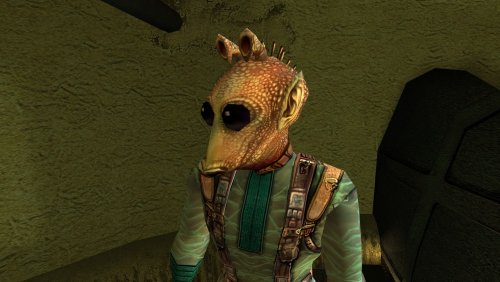
Version 1.0
0 downloads
Fixes an overflow in Kudos's Pazaak progression counter on Tatooine. After the player's 128th win against Kudos, tat_fazzpazzstate overflows to -128. While the counter remains negative, Kudos is effectively stuck in his novice state for the next 128 wins, reverting to his initial dialogue branch, tier-1 deck and stake. Once the counter wraps back to 0, his normal progression starts over from the beginning. This mod caps the counter at its final meaningful state once Kudos's normal progression is complete. It also restores overflowed negative values to that final state the next time the reset script runs. Normal progression through the first ten wins is unchanged. Installation instructions Copy: k_ptat_paz_rese2.ncs into your game's Override folder. To uninstall, remove k_ptat_paz_rese2.ncs from the Override folder. Main features Prevents tat_fazzpazzstate from overflowing after 128 wins. Preserves Kudos's normal progression through the first ten wins. Freezes the counter at its final meaningful state once progression is complete. Automatically repairs already-overflowed negative counter values when the script next runs. Does not alter Kudos's Pazaak decks, wagers, rewards or game balance. Compatibility Compatible with vanilla KotOR, K1R and K1CP. The mod does not alter Pazaak decks, wagers or rewards. It may conflict with another mod that modifies k_ptat_paz_rese2.ncs or deliberately extends tat_fazzpazzstate beyond its vanilla progression. Tested with tat_fazzpazzstate already overflowed: one final 75-credit game occurred, after which the variable was restored to 10 and subsequent games returned to the permanent high-tier state. The original bug can be reproduced by playing 128+ games against Kudos or by manipulating tat_fazzpazzstate with KotOR Savegame Editor. Discovered during an apparently unreasonable amount of legitimate Pazaak grinding. Notes Already-overflowed saves: If the counter has already overflowed, one final 75-credit game may occur before the fix takes effect. After that game, the counter is restored to 10 and subsequent games return to Kudos's permanent high-tier deck state. Vanilla note: In the unmodded PC game, Kudos's permanent high-tier wager is only 50 credits, while his overflowed novice-state wager is 75. As a result, the original overflow can actually be advantageous for credit grinding in vanilla. This fix restores the intended permanent high-tier behavior regardless of wager values and is therefore most beneficial with K1CP (which increases the late-game stake to 500) or other mods that increase Kudos's late-game stake. -
 In that case, no, I will not implement such an option, because by the time you complete the quest to build a lightsaber with Bao-Dur, you can no longer loot any individual lightsaber components, including color crystals, on their own, in the game, with few exceptions like the Onderon palace museum. Instead, your loot will be an entire lightsaber with random lightsaber type (single-bladed, oduble-bladed or short lightsaber) with color crystals built into the lightsaber. The entire point of this mod is to eliminate the restriction of having to rely on loots and RNG to get more lightsabers in the style you want, so waiting until you get another color crystal to get another lightsaber, even as an optional component, defeats the point of this mod. It's also redundant since by the time you unlock the option to create more lightsabers at the workbench in this mod, you can only loot entire lightsabers with color crystals built-in, instead of individual color crystals, so you might as well just quick save and quick reload to roll for a lightsaber loot in the style you want.
 -
 That's an engine limitation due to how globals are defined. People playing that much Pazaak is an extreme edge case, so not something K1CP will address.
 -
Not sure if it counts as a bug, but I haven't found it anywhere else. Kudos's pazaak counter breaks after playing 128 games. After playing 128th game, his dialogue changes and the option to play pazaak moves from the first level of his dialogue tree: (Well, nice to see you again. Would you like another game? You've proven your skill, and I like being challenged.) 1. Let's have a game to the second level of his dialogue tree. (Hello again. What can I do for you? As I must have said, I'm no hunter like the others here.) 1. I want to ask about Pazaak > (What did you want to talk about? Would you care for a game?) > 2. Let's have a game The stake also resets from 500 (with this mod) to 75, and stays like that forever for a very long time, even if you win 4 or more games with this stake (tested it by playing 9 more games after that, increasing the global counter to 137 games). So, he kinda starts treating you always like meeting you for the first time. Ways to reproduce: either play with him 128+ pazaak games (like I did. I just love Pazaak, I like winning big, and I probably have too much time on my hands) or use KotOR SaveGame Editor to change in the savefile the value of: Globals > Numerics > tat_fazzpazzstate to 128 or higher. I haven't tested how this works in an unmodded game. My guess is that the same thing happens there, except that the stake resets from 50 to 75 rather than from 500 to 75. If I understand correctly, this variable effectively wraps modulo 256. At 128 it becomes -128, then 129 becomes -127, 130 becomes -126, etc. I tested this a bit further. If tat_fazzpazzstate is changed to 262, Kudos treats it as game/state #6 and proposes a 200-credit bet, using his second-tier deck. If it's changed to 264, he brings back the 500-credit bets. That seems consistent with 262 wrapping to 6 and 264 wrapping to 8. If that's indeed what's happening, perhaps there is a relatively simple workaround: once Kudos reaches his final permanent Pazaak state, tat_fazzpazzstate could simply stop increasing and remain at 10 (or whatever exact value represents his final state). There doesn't seem to be any gameplay reason to keep counting games after that, since from game 11 onwards his deck, dialogue and stake no longer progress further. For compatibility with saves where the counter has already overflowed, perhaps the script could also check for a negative tat_fazzpazzstate and reset it to the final state value. So, for example, an overflowed value such as -128 would be normalized back to 10 instead of making Kudos treat the player as a novice again. Not sure how feasible that is with the existing scripts, but it seems like it could avoid the overflow without needing to change the global variable type itself.
-
Say, what was updated/changed on July 21st?