


The_Chaser_One
-
Content Count
161 -
Joined
-
Last visited
-
Days Won
6
Everything posted by The_Chaser_One
-
 @ZeldaTheSwordsmanThis exactly. We need something to get the frckg 20s out of here !
 -
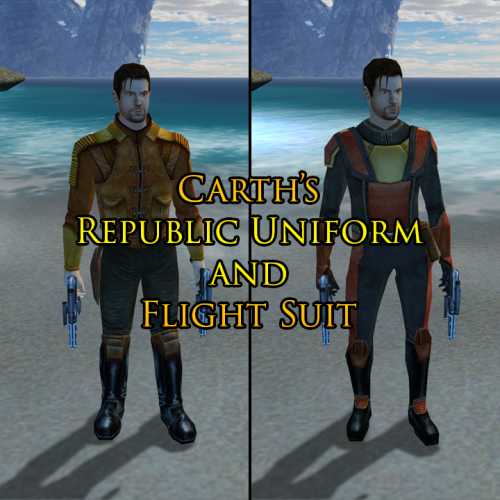 @Marius Fett Could you make an option to turn the sith soldiers hostile if Carth is wearing his Republic armor, such as in Operation Kill Bastila mod ? Thanks in advance
 -
 Wonderful tool. The best yet, and will probably never be beaten.
 -
I actually didn't know that. Nice one. However, I still think the best place to ask important questions is at the bottom of that page ( https://deadlystream.com/files/file/2739-manaan-rapid-transit-system/?tab=comments ) in the comments section. Then you just have to scroll down instead of clicking a button. It's not a big deal, but beginners like me might not know that this "Get support" button is actually important. I always look at the Reviews / Comments section first and I'm pretty sure I'm not the only one.
-
Hey @Salk , glad you like it ! For the textures, there are several main reasons : 1) Actual reasons : - I wanted to use @LoneWanderer's modders' resource's SWTOR speeders as I thought they looked great - The yellow taxi was looking bad with Manaan colors imo ; Furthermore, from what I've understood, Ahto City and Manaan have basically 2 main colors : blue and white / grey. Thus, the choice of model was quite obvious. - As you said, the yellow taxi, when compared to Capitaine Spoque's mod, could imply that you would have to pay. I have included plot explanations for why it is free, for more realism. 2) Plot reason : - The speeder, in my interpretation / explanation, could be built by an Ahto City's official public company, which is why the security selkath now has his new line. Therefore, the speeders' colors should match the city's. I have my own question though. Why don't you comment directly on the mod's page ? This way, more people would see your comment as well as my answer ! Have a nice day/evening !
-

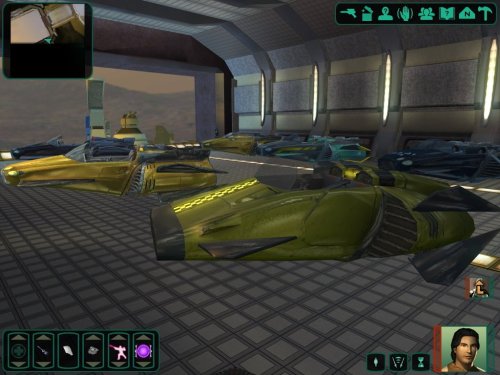 Awesome, this was perfect for my Manaan fast travel system. Thanks a lot.
 -
View File Manaan Fast Travel system Main idea Has the time it takes to get from one end of Ahto City to the other ever seemed too long ? Has it ever annoyed you ? If so, this mod is exactly what you need. It adds a custom speeder, using LoneWanderer’s modder resource, to every part of the city, allowing you to traverse it in seconds. If you want more new content for Manaan, I refer you to my Manaan Pazaak Masters Tournament restoration. This mod was at first an add-on to Capitaine Spoque’s Taris Rapid Transit System. Thus, to get the best game experience and as I used some of his sound files, I greatly advise to download his mod. However, if for some reason you don’t want it, you have 2 options : 1) You won’t have power on and off sounds for the speeder, even though it will still be enjoyable, don’t worry. 2) You download Capitaine Spoque’s mod but you do not install it on your game installation. You will instead go to his tslpatchdata folder, take the In.wav and out.wav files and put them in your streamwaves folder. Then you will have the power on and off sounds. I recommend copying these 2 files somewhere near my mod's location in case you need to reinstall it. After having done that, you can delete the rest of his mod from your computer. See Installation section for when to follow these steps. To give more realism to my mod, and in order to having a better insertion into the game, I added a new line to the security selkath who opens you the door to the city, as well as some directly on the speeders. You will have to load a save before entering Ahto City. Starting a game where you are in the docking bay module (and in which you’ve never been further into the city) should be good. Another important advice : if you haven't already, you should really consider downloading and installing (before mine) these 2 essential mods for Manaan, for it to look like in the screenshots (especially the blue ground that goes so well with the speeders imo) : 1) Manaan Complete Overhaul by Jorak Uln (animated and better textures) : 2) High Quality Skyboxes by Kexikus (better skies for every planet, including Manaan): Installation Compatibility Thanks Permissions If you need to know more, please contact me on DeadlyStream or Discord KOTOR / DeadlyStream server : “The_Chaser_One”. Submitter The_Chaser_One Submitted 05/09/2025 Category Mods K1R Compatible No
-
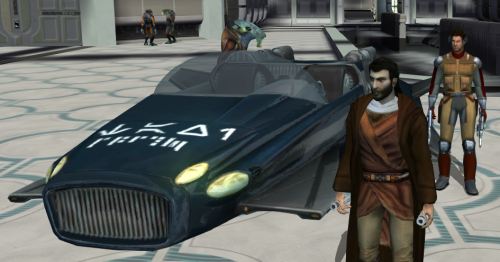
Version 2.0
2,278 downloads
Main idea Has the time it takes to get from one end of Ahto City to the other ever seemed too long ? Has it ever annoyed you ? If so, this mod is exactly what you need. It adds a custom speeder, using LoneWanderer’s modder resource, to every part of the city, allowing you to traverse it in seconds. If you want more new content for Manaan, I refer you to my Manaan Pazaak Masters Tournament restoration. This mod was at first an add-on to Capitaine Spoque’s Taris Rapid Transit System. Thus, to get the best game experience and as I used some of his sound files, I greatly advise to download his mod. However, if for some reason you don’t want it, you have 2 options : 1) You won’t have power on and off sounds for the speeder, even though it will still be enjoyable, don’t worry. 2) You download Capitaine Spoque’s mod but you do not install it on your game installation. You will instead go to his tslpatchdata folder, take the In.wav and out.wav files and put them in your streamwaves folder. Then you will have the power on and off sounds. I recommend copying these 2 files somewhere near my mod's location in case you need to reinstall it. After having done that, you can delete the rest of his mod from your computer. See Installation section for when to follow these steps. To give more realism to my mod, and in order to having a better insertion into the game, I added a new line to the security selkath who opens you the door to the city, as well as some directly on the speeders. You will have to load a save before entering Ahto City. Starting a game where you are in the docking bay module (and in which you’ve never been further into the city) should be good. Another important advice : if you haven't already, you should really consider downloading and installing (before mine) these 2 essential mods for Manaan, for it to look like in the screenshots (especially the blue ground that goes so well with the speeders imo) : 1) Manaan Complete Overhaul by Jorak Uln (animated and better textures) : 2) High Quality Skyboxes by Kexikus (better skies for every planet, including Manaan): Installation Compatibility Thanks Permissions If you need to know more, please contact me on DeadlyStream or Discord KOTOR / DeadlyStream server : “The_Chaser_One”. -
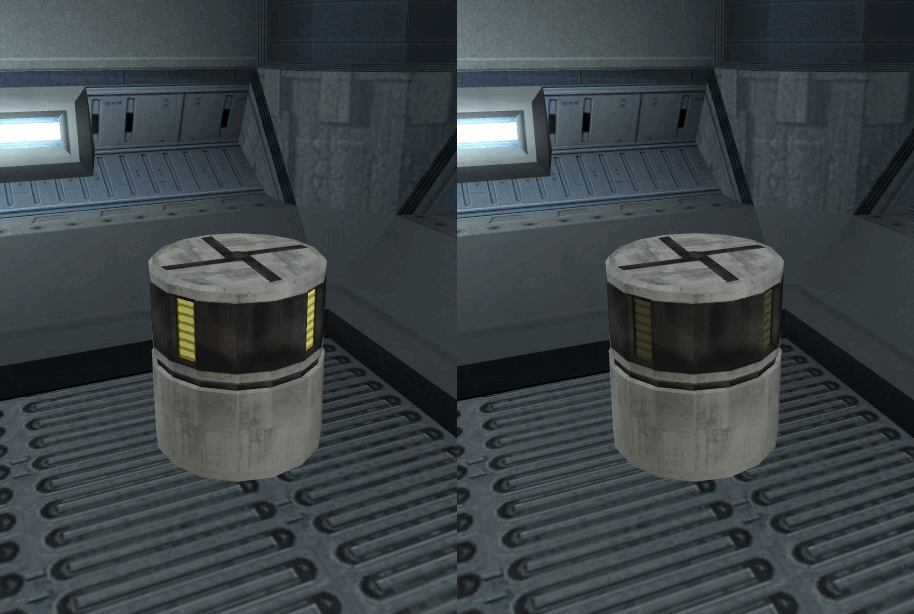 Hello ! Very good idea ! Is this compatible with K1 ? If not, could you upload an option for K1 ? Same for your animated metal boxes. Thanks in advance
 -
Hello there everyone ! I'm sorry to be that late, unfortunately when you all wrote these posts I was 8 years old... If you're still playing the game, I just made what you need :
-
[Request] Korriban Academy Quest Resolution Fix
The_Chaser_One replied to N-DReW25's topic in Mod Requests
Sorry for being late, but problem solved : -
View File Proper Korriban quests ending Main idea Have you ever, while playing KOTOR, been disappointed by the way the prestige quests’ storyline on Korriban was organized, because you couldn’t tell Uthar Wynn about every quest you’d done before going to Naga Sadow’s tomb just because you “had enough prestige to become a Sith in full” ? And then, they would stay in your quests journal forever. Or maybe, you were annoyed when you discovered that to finish Ajunta Pall’s quest, you had to give away his sword and you couldn’t get it back ? Especially with amazing mods that make it look so beautiful and actually enjoyable in-game ? The K1R and K1CP remove the quests from the journal when going to Naga Sadow's tomb. So with one of them a part of the issue is fixed. However, I promise you, this is a way better alternative. You can choose between : - VANILLA FRIENDLY VERSION : This gives you the possibility to tell Uthar about every prestige quests you’ve completed, even after reaching max prestige. You'll need to report to master Uthar right BEFORE going to Naga Sadow’s tomb for your final test. To be very honest, this is mostly for dark side players, but I’m sure there are lots out there. Furthermore, I’ve played as a neutral/slightly light side character and I still had that problem (1 or 2 quests I couldn’t finish). - FULL VERSION : It contains 3 main components. You will now have in your game : Optional (ONLY FOR FULL VERSION) Requirements (ONLY FOR FULL VERSION) Installation Compatibility Thanks Permissions If you need to know more, please contact me on DeadlyStream or Discord KOTOR / DeadlyStream server : “The_Chaser_One”. Submitter The_Chaser_One Submitted 05/03/2025 Category Mods K1R Compatible Yes
-
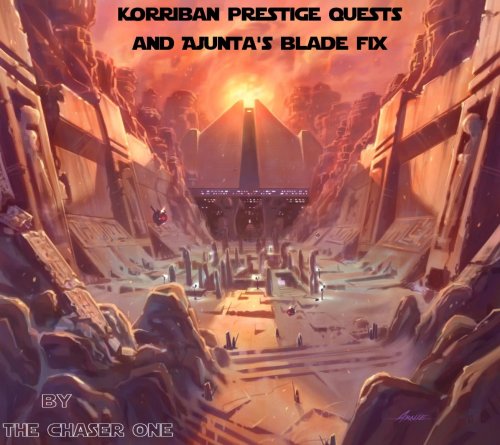
Version 2.0
370 downloads
Main idea Have you ever, while playing KOTOR, been disappointed by the way the prestige quests’ storyline on Korriban was organized, because you couldn’t tell Uthar Wynn about every quest you’d done before going to Naga Sadow’s tomb just because you “had enough prestige to become a Sith in full” ? And then, they would stay in your quests journal forever. Or maybe, you were annoyed when you discovered that to finish Ajunta Pall’s quest, you had to give away his sword and you couldn’t get it back ? Especially with amazing mods that make it look so beautiful and actually enjoyable in-game ? The K1R and K1CP remove the quests from the journal when going to Naga Sadow's tomb. So with one of them a part of the issue is fixed. However, I promise you, this is a way better alternative. You can choose between : - VANILLA FRIENDLY VERSION : This gives you the possibility to tell Uthar about every prestige quests you’ve completed, even after reaching max prestige. You'll need to report to master Uthar right BEFORE going to Naga Sadow’s tomb for your final test. To be very honest, this is mostly for dark side players, but I’m sure there are lots out there. Furthermore, I’ve played as a neutral/slightly light side character and I still had that problem (1 or 2 quests I couldn’t finish). - FULL VERSION : It contains 3 main components. You will now have in your game : Optional (ONLY FOR FULL VERSION) Requirements (ONLY FOR FULL VERSION) Installation Compatibility Thanks Permissions If you need to know more, please contact me on DeadlyStream or Discord KOTOR / DeadlyStream server : “The_Chaser_One”. -
 @CapitaineSpoque D'accord merci pour le tip, je vais m'en sortir
 -
@CapitaineSpoque Pourquoi le choix du TPC ? Je pense avoir à enlever des éventuels TGA manuellement du coup... Il me semblait avoir compris que le TGA était plus friendly et compatible, j'ai peut être mal compris mais il me semble que c'est ça.
-
@ARandomMechPilot If @djh269 is right, this will fix the issue. After having downloaded and installed the mod on your game installation, download Kotor scripting tool : Once installed (in Program Files x86 !), open it in administrator and go there : https://github.com/KOTORCommunityPatches/Vanilla_KOTOR_Script_Source/blob/master/K1/Modules/M18AC_Tatooine_Eastern_Dune_Sea_tat_m18ac/k_ptat18ac_enter.nss and there : https://github.com/KOTORCommunityPatches/Vanilla_KOTOR_Script_Source/blob/master/K1/Modules/M17AB_Tatooine_Docking_Bay_tat_m17ab/k_ptat17ab_enter.nss Delete everything that's already in your Kotor Scripting Tool typing space (CTRL+A => DEL). Copy all the content of one script (CTRL+A => CTRL+C) then paste it to Kotor scripting Tool, then save and compile it. Do the same thing for the other script. Now you have 2 .ncs files in your Kotor Scripting Tool directory (in Program Files (x86) !). Take them, put _old at the end of the name (right before .ncs) as djh suggested (example : k_ptat17ab_enter_old.ncs), put them in your Override folder and you're good to go. By the way, K1CP modifies k_ptat18ac_enter.ncs . So if you're using it (which I highly recommend), download obviously the job office mod after K1CP. For this file (k_ptat18ac_enter.ncs), go in your File Explorer, K1CP directory, tslpatchdata, look for k_ptat18ac_enter.ncs in your research bar. Once you've found it, copy it, paste it somewhere, rename the copy to k_ptat18ac_enter_old.ncs then put it in your Override folder and the issue should be fixed and the Tatooine mod compatible with K1CP. Hoping this small tuto helped, may the Force be with you !
-
 @TimboHello there ! I was considering downloading this mod but I saw it causes certain issues... Is the K1CP compatible version now available ? If you could also use the compatibility patch for @WildKarrde's mod to upload a whole standalone compatible mod it would be great. Ty in advance and have a good evening/day.
 -
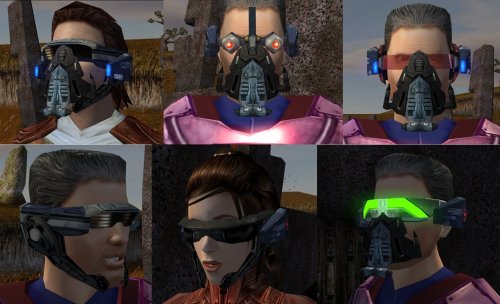 PARFAIT ! Moi qui me disais que le masque de Tulak Hord était ridicule dans le jeu vanilla, je vais enfin pouvoir obtenir quelque chose qui ressemble vraiment au véritable artéfact du plus grand duelliste Sith de tous les temps !!!
 -
 Really good, thanks, it adds a lot to Ajunta Pall ! With his new canonical look, it's perfect ! Now I want the sword back even after having given it to Uthar (I think I'm gonna do that...) !
 -
Mec, si ce truc fonctionne, merci du fond du coeur, j'avais besoin d'une amélioration de textures pour le swoop racing. Je vais le tester dès que possible !
-
 Works perfectly and will go well with something I've got in mind...
 -
 @kotorfan783085 SPOILER ALERT : @uwadmin12 Hello sir, I've sent you a dm for a mod idea for which this mod (Talisman) would be a very welcome addition. Hoping to get an answer, thanks in advance. Have a nice evening/day. And btw, the talisman was actually designed FOR Karness Muur by his companion Sorzus Syn, when both were in Ajunta Pall's Dark Jedi group. You can find that in the Book of Sith.
 -
Thanks a lot @LoneWanderer, I actually got an answer from JC that worked perfectly. I just had to download the program myself, now available as he said in his update text on this post. Perhaps I'll have a look at your solution if I ever need to make lips files again. Thanks for answering and giving advices though, it's very much appreciated. Have a nice evening/day, and may the Force be with you.
-
Hello there sir, Firstly, thank you for this. I've been trying to understand how to make the lips stuff work for hours (almost days lol). Secondly, if you still have the tool on your computer, I'd appreciate if you'd do it for me. I did the steps you asked and I'm sending you the files. There are only 3 so it shouldn't be a big deal. I would also like, as you suggested, that you converted them into lips files so I could directly use them. If you now have a more recent solution that I might not have seen yet, I'd be glad to know it. If not, thanks in advance for doing this. Have a nice day/evening. brngmeinfo.txt mostintrstng.txt AIKYW.txt lips.txt mostintrstng.wav brngmeinfo.wav AIKYW.wav
-
 Does this actually do something useful ? Or was it only for april 1rst ? Because seriously, these little guys's noises are just so annoying. So if you can, please make something to shut them up or at least make them less loud lol


