All Activity
- Past hour
-
 BottomlessThought23 changed their profile photo
 - Today
-
BottomlessThought23 joined the community
-
Hello. My name is DarthErdan. This will be the thread where I will discuss, post, and brainstorm ideas and even greenlit modding projects of various typees, most of them for KOTOR 2: TSL, but I will make some mods for the original game as well. Alright, to start this thread off, here are the greenlit or in consideration works that I am planning as of right now. Project 1: The Ravager: Expanded Edition Status: Greenlit Ambitious Scale: High This is one of the top focused greenlit mod project for TSL that I have. I have already made a post on this separate from this one recently on this very forum, (I regret doing that now, I should have included the topic of this mod in this thread instead of a separate post, but back then I didn't conceive of that) Given I already stated my thoughts and ideas in that separate post, I will just link it here: If you want a summary and a TLDR on this post here it is: Remember Zybyl2? I believe they were on of the TSLRCM team. Back in the day, they made a mod called "Ravager Rewrite", (hosted on GamFront). My mod is a similar idea to tha, but it is more nuanced and complicated. I need to clarify that my mod will NOT be an update to the Ravager Rewrite, it will entirely be written and directed by me and my own intepretation of what the Ravager will be like in a more "complete edition". Okay, with that in mind, let me summarize it for you: The Ravager in vanilla TSL, even the TSLRCM, feels kind of unfinished story-wise and even out of place in some areas. My mod will try to expand on the whole level and part of the story for the Ravager, and if needed, tweak some parts to fit seamlessly. I will try to be as accurate to cut content from the original devs of KOTOR II, but since we BARELY have anything on the plan for the Ravager, this mod will mostly be custom made content that will just try to make more expanded sense of the level, even if the expanded stuff is completely fanon, (in which it most probably will be). I want to make this mod compatible with TSLRCM, (MAYBE even the vanilla game? I don't know, THAT part needs to be in consideration). Project 2: Darth Nihilus New Model (Maybe a Pack) Status: Partially Greenlit (I am for sure at least making ONE Darth Nihilus new model, but the model pack is in consideration and may or may not proceed) Ambitious Scale: Kind of High, (Will be higher if I proceed with the model pack) This one is probably even more top priority than the Ravager: Expanded Edition mod. This one will be easier to do, but may be harder than I think if the model pack part is greenlit. In a nutshell, it is in the name: A brand new model, (maybe even multiple brand new models if the model pack is made), of Darth Nihilus that is a completely different mesh(es) from the vanilla game that fits my aesthetic taste. If the model pack parrt proceeds, some of these other extra models will be based off of KOTOR II promotional art, with alternate reskin variations, (as some concept or promotional art of Nihilus in KOTOR II looks the same, but he has bloodier red aesthetic around his eyeholes in some vs others). If not, at the very least one model, (a model I have been DYING to make), will come out eventually. If I proceed with the model pack, or even just that one model, I hope you guys will enjoy any one of them that you think is coolest for the game best. I will also put an optional addon for Nihilus to have either Red Force Lightning exclusively for him in this mod, and a higher mesh quality and skinned lightsaber made just for him, (that looks like his in-universe lightsaber as depicted in media outside of KOTOR II). The Red Force Lightning addons and the new lightsaber model can be both used as addons with the new Nihilus model, (or model pack), but one or the other can be used exlcusively instead for the model, (or model pack). Regardless, of your choosing, these addons will be optional for the model, (or model pack). Some elements of the new Nihilus model, (and MAYBE the other models in the model pack), will be generated from AI 3D programs or sites, (for now, it will just be the masl, everything else I will try to craft man-made). Even the mask, if it is not perfect in shape or UV maps, will be tweaked if needed. Just a heads up for people. Project 3: The Ravager's Death New BIK Movie Status: Greenlit Ambitious Scale: High I have made a post on this back at the general modding discussion forum recently, but basically I want to make a brand new BIK movie for the Ravager's explosion scene in KOTOR II. Long story short, the Ravager is like a skeleton fragile ship, and thus it should be far more fragile and unstable than a typical ship, being held together by only it's owner and master Darth Nihilus's will. The proton cores set by the Mandalorians in my opinion are very destructive according to what I got, combine that with the Ravager's ghost and skeletal ship scructure, it makes total logical sense for he Ravager to be way more blown apart and disintegrated than the vanilla BIK movie already shows, (plus, I like explosions that cause a lot of destruction, because I like visuals like that for whatever reason, haha). With that said, I want the BIK movie to look like it is in the animation and style of the original one, and same lighting, filming, and position of filming, almost as if it is a remake of the original BIK itself. However, the BIK movie in this one will be slightly higher in resolution and quality to make the experience more cinematic. I am debating whether this should release as a separate mod file or if it can be an optional addon to the "Ravager: Expanded Edition" mod. Project 4: In-game Ravager Brand New Module Status: In consideration, (I really want this mod to come to life, but what is making me doubt is how hard it will be, especially where I am at in modding right now) Ambitious Scale: Really High Yes, yes, ANOTHER Ravager mod. I gurantee this will be the last one though. For context, the Ravager is constantly being referred to as a ship that has been ruined in battles during the Mandalorian Wars and even crushed and heavily ruined by the Mass Shadow Generator in the final battle of war: On Malachor V. Nihilus at some point in time made the Ravager gruesomely welded back together in a mesh of metal to create a devastated ghost skeletal ship, held together by his will and power, a lot like how Darth Sion does it with his own ruined body. The concept art of the Ravager for KOTOR II, and it's depiction in the short prequel comic Unseen Unheard, (a black and white comic written by Avellone himself, and art of the Ravager's depiction in the comic is based off of the official game concept art), looks like just how the game describes it: Ruined, brittled, and held together. The vanilla in-game depiction of the Ravager does resemble that, but far less. It look WAAAY more stable and almost like as if the floors and walls and even ceilings sometimes have been fixed and repaired, making it look like a way more stable ship. This mod, (not truly greenlit yet, but I really want it to come to life), will be a faithful depiction and portrayal of the concept art and comic Ravager, especially the bridge, brought to life in an accurate way. This one will be hard, so that is why I am considering on this. The Ravager's Death new BIK movie scene will be compatible with this mod, (who knows, maybe the Ravager's Death New BIK Movie may even not be a sepparate mod, but included as an optional addon, I haven't really decided yet). This will also be compatible with the Ravager: Expanded Edition mod, and TSLRCM. Project 5: Darth Sion's Death Presented as a BIK movie Status: Greenlit Ambitious Scale: High, (will be easier than the Ravager's Death New BIK Movie though). Darth Sion is one of the most fascinating villains in KOTOR for me. For those who have played the games and know Sion's role very well, I guess I will assume you know what he is going through. Now, here is the idea of this mod: In KOTOR 2, the game, Sion just falls down and dies a like a normal NPC like every other one, and you can loot his remains. The lore, (the KOTOR Campaign Guide, released in 2008) states that he went through "absolute necrosis", but the game couldn't render anything glorious at the time. Necrosis is bascially the chaotic, unprogrammed death of cells that can be severe, and sadly it is a thing in real-life. Since Sion is stated to go through "ABSOLUTE" necrosis, I took it as Sion rapidly rots and completely decomposes rapidly, (That is what I took from the text, I could be wrong). Even if the text didn't mean it by that, that makes sense to me and would be a fitting way for Sion to go considering his nature, (like how Nihilus "evaporates" or "sublimates" into a "cloud" of scarlet red dark side energy with red strings of lightning coming out, given his nature). I want to make Sion rapidly decay and sucumb to the "absolute necrosis", but I want it to be not "dusting" or "rapidly decay into dust" like a vampire or Walter Donovan's Holy Grail death from Indiana Jones and the Last Crusade. Instead, I want to make it so that Sion goes through a much more realistic and "necrosis" way of rapid decay, yes, Sion will be reduced to utter dust EVENTUALLY, but the dust will be heavily reduced and so small and scattered that it looks like he completely broke apart from existence, but BEFORE he goes through the "dusting" stage, I want him to be completely rapidly rotting and decomposing in a "necrosis" style way. Of course, for my own sanity and for other people, and more, I don't want it to look SO groteque and horrifying that people get disgusted or traumatized, that is a line I don't want to cross, but realistic enough that you can tell that he is sucumbing to absolute decay, without making things too violent or gross. So, with all that said, the in-game engine can obviously NOT render that. So instead I will be making a BIK movie clip that will be in the KOTOR BIK movie animation, style, and all of that, but a little more higher in sharp quality and resolution. After Sion says his final words: "I am glad to leave this place, at last", the game will immediatly trigger the BIK movie cutscene, Sion rapidly dissolves to necrosis and then disnitegrates so utterly eventually into dust that it looks like he is gone, and then the movie ends and the in-game engine is brought back again, with the in-game Sion NPC nowwhere to be found. This mod will not be for the faint of heart. I will try my very best to make it look like KOTOR style of animation, and not too gross and grotesque to my best ability, but even then I would advise that people who are sensitive to visuals like this may not want to install this mod, or maybe I am overthinking it, who knows. Project 6: The Star Forge Revan Robes Mod Status: Greenlit Ambitious Scale: Moderate This one will be a KOTOR I mod. I am going to give a description here: I am making a mod where there are variant colors, textures, and looks of Revan's robes and armor, and you can create and forge any one of these looks depending on your aligment and resources, you create any one of these looks of the armor on the Star Forge. Some looks and textures will be almost exclusively a dark side forged item, but everything else, whether they resemble "Darth Revan" or the "Light Side robes" or not can be made by either players of either aligment, and ending for the game. This project is for sure greenlit, but I DO need some ideas for this mod. In the vanilla game, you need computer spikes...a lot of them, to create your Star Forge robes, whether they are dark sided or light sided. My mod is planning to do a similar thing. You need computer spikes. However, every Revan robe and model will have a cape variant or hood variant, (hood can be separate without cape, but definetely not the other way around). This would mean extra computer spikes, but I want to make this mod easier for the average player, because what if they don't have enough computer spikes? Should I tone down the amount of spikes required or what? Other things I need to consider: In the game, the vanilla one, you can only get Darth Revan's robes if you are dark sided and the dark side ending is happening, and the white and brown Star Forge ones for light sided aligned and ending players. They have pros and cons to both versions. In my mod you can customize and create the Star Forge robes to look and be colored like any texture you want, (okay, maybe not "anything", there are limits, but you get what I am saying). So you can get a Darth Revan robe, whether it has the hood or cape or not, or variants of the dark side look, and make it light side aligned, same thing for the Star Forge robes and its variants, you can make them dark side aligned if you want too. But...should the robes, no matter how they look, and whether they are all dark side aligned or light side aligned depending on your aligment and ending, have more pros and cons for each one, or is simply making a variety of skins and potentially model options just optional for your visual aesthetic? Oof, and another thing: When the player is crafting their robes, and the idea of this, does that mean that an optional thing is that the player creates one piece of robes that is one texture or color, and another a different color or texture? This will make the mod much more work for me, or is there a wrap around idea I can do to make one robe piece, whether the hood or cape not work with a robe piece that is a different texture or color? Any ideas or something like that would help me with better clarity. Project 7: Darth Malak Lore Accurate Lightsaber Status: Greenlit Ambitious Scale: Slightly tough but mostly easy Basically the title: I make a new model for Darth Malak's lightsaber that has the textures, colors, and quality look and appearance of Malak's in-universe lightsaber as depicted in other official Star Wars media with their art brought to life in-game, such as the Complete Star Wars Encyclopedia. This one will probably be the easiest out of the mods to make, and will be cool. Conclusion: And that is all for now folks! There are more mod ideas, but these are top priorities that are greenlit or in heavy consideration. Will post any updates to any of the mods in this thread, and if you are interested in any of these ideas and projects, feel free to engage in this thread as well! ( EXTRA NOTE: Yes, I like visual cinematic effects and adapting lore stuff to life, it is a hobby of mine, hence why a lot of these ideas or upcoming projects are in those categories, also, forgive me if this is a long post to a start of a new thread, but I am just listing and trying to be precise on all of my future main ideas or projects that are greenlit or in consideration.)
-

quest mod Telos: Citadel Station Medical Unit Quest
jmorenobothwell reviewed Doodmane444's file in Mods
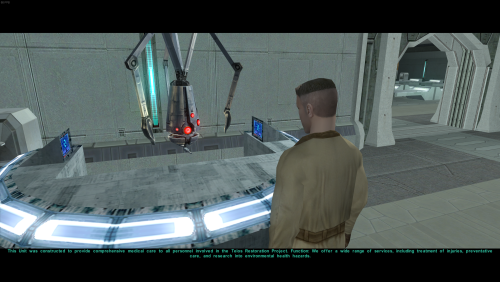 Ok, I hope this helps perfect it because it's a good idea on paper. I'll keep it as "matter-of-factly" as possible. My experience with this mod: My setup already had TSLRCM+M478PE+PartySwap as a foundation already running. I installed this mod, created a fresh, new character to test it out, made it to the Telos Citadel Station, and after the "house arrest" sequence wrapped up and I was free to move, the quest triggers, unknown to me, were compromised. For example: The ambush on Dock Module 126? The 5 thugs that attack you spawned, I fought them and beat them, but the dialogue script failed to recognize the instance, leaving the TSF NPC in an infinite "text box loop" saying "don't let them hurt the droid; the instance didn't close properly and, naturally, the journal quest didn't update. I reloaded a save file just prior to that beat and it played out correctly a second time. When I showed the "modified holdout blaster" to Lt. Grenn to pick up the "suspicious goods" quest? that dialogue with Grenn played normally, however the journal didn't log the "suspicious goods" quest at all. So, the masked thug that's supposed to ambush you in the Entertainment Module immediately after that dialogue didn't spawn. Another tell-tale sign that something was wrong is that the Dobo Brothers' Merchant Room was completely inaccessible: The door would not open, full stop. Also, one of the doors to the cantina turned into a "one-way" exit. You could exit out of the cantina through it but not go back in. The other door worked fine. And for some reason, some NPCs appeared with no head whatsoever, (though I'm uncertain of this last bit is related.) To solve these problems on my setup, I purged my game's Override, performed a Steam Integrity Check, and re-installed all my mods in the proper order, except this one. I hope this helps you perfect it. EDIT: To be clear, I don't use the Steam Workshop for anything whatsoever; I only use Steam to launch the game. All my mods were installed through their respective standalone TSLPatcher executable.
 -

M4-78 is not on the Galaxy Map.
WilliamTheGator replied to Wagrid's topic in M4-78 Enhancement Project
I'm having the issue as well but i don't have any other mods installed -
 Thank you so much for the recent patch, but I'm afraid there's another issue: when using the most recent Russian localization, KMRP installer doesn't recognize exe file as editable, I guess because the localization edits it itstelf, and the Russian localization is not the only one that suffers from it. Don't know if you'll do something about it, but I'm pinning a link to the localization installer just in case. Thanks! https://www.rpgnuke.ru/wp-content/uploads/KotOR_Rus_Allard_1.72.rar
 -
 Skysoul750 joined the community
 -
-
 Gwbld97 joined the community
 -
View File Goto's Yacht Model Fixes Goto's yacht has numerous model issues, including holes open to space, doors which visibly clip through walls, and rooms that disappear when you walk too far away. This pack fixes many of these issues, bringing the yacht to a quality level suitable for a wealthy Exchange boss. Thank you for downloading, and I hope you enjoy this mod! ------------------------------------------------------------------- INSTALLATION If you are using The Sith Lords Restored Content Mod (TSLRCM), install it first. Run "INSTALL.exe" for this mod, and follow the prompts. It is normal to see a warning that 351nar.mod already exists and has been skipped. If you are using The Sith Lords Restored Content Mod (TSLRCM) from the Steam Workshop, see this guide for how to combine installer-based mods with the Workshop: https://steamcommunity.com/sharedfiles/filedetails/?id=488641307. ------------------------------------------------------------------- COMPATIBILITY This mod is compatible with The Sith Lords Restored Content Mod (TSLRCM) (https://deadlystream.com/files/file/578-tsl-restored-content-mod/) and the KotOR 2 Community Patch (K2CP) (https://deadlystream.com/files/file/1280-kotor-2-community-patch/). It is also compatible with "TSL Backdrop Improvements" by Kexikus (https://deadlystream.com/files/file/949-tsl-backdrop-improvements/) as well as mods that reskin the yacht. It is not compatible with mods which edit the same area models. For best results, this mod requires a save from before boarding the yacht. ------------------------------------------------------------------- CREDITS KotorBlender by seedhartha tpcview and tga2tpc by ndix UR K-GFF by tk102 TSL Patcher by stoffe and Fair Strides ERFEdit by stoffe and Fair Strides Kotor Tool by Fred Tetra Holocron Toolset by Cortisol and th3w1zard1 Thanks to Snigaroo for requesting a fix for the holes in the yacht's bridge, which kicked off this whole exercise. ------------------------------------------------------------------- VERSION HISTORY 1.0 - Initial Release ------------------------------------------------------------------- DISCLAIMER AND PERMISSIONS This modification is provided as-is and is not supported by Disney, Lucasarts, or Obsidian. Use at your own risk. The author shall not be held responsible for damage to your game installation, computer, or saved games resulting from the use of this mod. Material from this mod may be used as the basis for mods which make additional edits to the same area models as long as appropriate credit is given to this mod's author. Other uses require the author's permission. This mod shall not be reposted, in whole or in part, on any sites other than Deadly Stream without the author's permission. Submitter WildKarrde Submitted 10/15/2026 Category Mods TSLRCM Compatible Yes
-
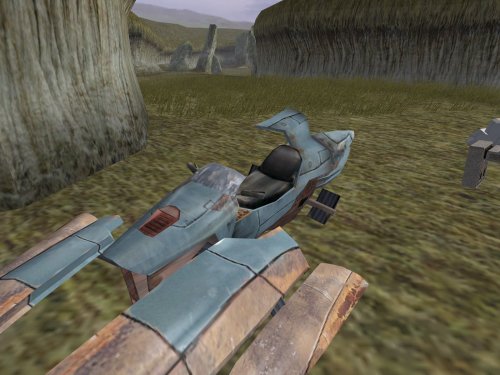
View File TSL Miscellaneous Model Fixes This mod contains fixes to various models from throughout the game. There is no particular theme to these fixes, which cover elements from nearly every planet. Please see below for a full list. Separate from the model fixes, I have also provided an additional option adds scripting to open the roof of the Telos underground base's hangar before departing. This is not strictly a fix because the game already included scripting to open the roof...but it happened as the player boarded the shuttle to leave, so even with the fixed animation, there was no opportunity to see the result. This option changes the timing so that the roof opens when the player unlocks the doors with the hangar console. Thank you for downloading, and I hope you enjoy this mod! ------------------------------------------------------------------- LIST OF FIXES GENERAL - plc_jnkswpb1, plc_jnkswpb2 - Corrected the crashed swoops' windscreen texture to match the non-crashed swoops. PERAGUS - dor_per02 - Corrected mirrored texture coordinates on one side of one door panel. TELOS - 202tel12, 202tel13, 222tel12 - Corrected typos in the hierarchy which caused overlapping windows to flicker. - 232tel14 - Fixed a broken animation for the hangar roof to open. Note that the "Telos Hangar Roof Change" option is also required to showcase the result in-game. EBON HAWK - 950cori - Filled a blank doorway during the post-Telos cutscene. NAR SHADDAA - 301narm - Assigned the correct Ebon Hawk textures during Kreia's telepathy cutscenes. - 304nar13 - Filled a missing Ebon Hawk corridor while Kreia teaches the player Force Breath. - 306nare - Filled a gap between the entry corridor's floor and wall. KORRIBAN - 701kore - Filled a gap in the face of one of the tombs which was visible as the camera panned across the Valley of the Dark Lords. DANTOOINE - 650dan_03 - Filled a hole in the tree stump in the enclave's central courtyard. HK FACTORY - 298telp, 299teld, 299telm, 299teln - Resolved overlapping geometry in a console which appears in multiple locations. - 299telh - Filled a gap in the front of the elevated control platform. Also fixed a gap and overlapping geometry at the central door's frame. - 299telq - Resolved overlapping geometry and walls misaligned with the edge of a platform at the back of the factory space. MALACHOR V - 902malc, 902malj - Grounded some floating rocks. ------------------------------------------------------------------- INSTALLATION If you are using The Sith Lords Restored Content Mod (TSLRCM), install it first. Copy all files in the "MAIN INSTALLATION" folder to your game's Override folder. If asked, confirm to overwrite 299telq.mdl. If you would like to use the option to open the Telos hangar's roof before you leave, open the folder "OPTION - Telos Hangar Roof Change" and run "INSTALL.exe". It is normal to see a warning that 232tel.mod already exists and has been skipped. ------------------------------------------------------------------- UNINSTALLATION Delete the files from the Override folder. The "Telos Hangar Roof Change" option cannot be easily uninstalled, but deleting 232tel14.mdl/mdx will effectively disable the roof animation. ------------------------------------------------------------------- COMPATIBILITY This mod is compatible with The Sith Lords Restored Content Mod (TSLRCM) (https://deadlystream.com/files/file/578-tsl-restored-content-mod/) and the KOTOR 2 Community Patch (K2CP) (https://deadlystream.com/files/file/1280-kotor-2-community-patch/). It is compatible with texture reskin mods. Several of these fixes are already included in my mod "Transparent Cockpit Windows for TSL" (https://deadlystream.com/files/file/2355-transparent-cockpit-windows-for-tsl/). If you are using that mod, install it after these fixes, and allow it to overwrite the conflicting files. This mod is incompatible with any other mods that edit the same area files. ------------------------------------------------------------------- CREDITS KotorBlender by seedhartha tpcview by ndix UR NWNSSCOMP by Torlack and tk102 TSL Patcher by stoffe and Fair Strides ERFEdit by stoffe and Fair Strides Kotor Tool by Fred Tetra Holocron Toolset by Cortisol and th3w1zard1 299telq.mdl includes edits made by the TSLRCM team. Thanks to DarthParametric for identifying the broken animation in 232tel14 and how to fix it. Thanks to Snigaroo for identifying the gap in 306nare. ------------------------------------------------------------------- VERSION HISTORY 1.0 - Initial Release ------------------------------------------------------------------- DISCLAIMER AND PERMISSIONS This modification is provided as-is and is not supported by Disney, Lucasarts, or Obsidian. Use at your own risk. The author shall not be held responsible for damage to your game installation, computer, or saved games resulting from the use of this mod. These models may be used as a basis for mods which make additional edits to the same models as long as appropriate credit is given to this mod's author. Other uses require the author's permission. This mod shall not be reposted on any sites other than Deadly Stream without permission. Submitter WildKarrde Submitted 10/15/2026 Category Mods TSLRCM Compatible Yes
-
View File Female scout uniform The mod replaces the PFBBM01 model and textures. To Install 1. Download: PFBBM01 2. Copy all files to the Knights of the Old republic's Override folder. (Example location - C:\Program Files (x86)\Steam\steamapps\common\swkotor\Override) 3. When/if prompted to overwrite files, press okay. 4. If you like the mod; leave a comment or endorse! (It would be much appreciated) Made with love. Submitter Dark Hope Submitted 10/14/2026 Category Mods K1R Compatible Yes
-
View File High Resolution KotOR Logo (2k) Hello everyone! This mod replaces the default KotOR logo in the main menu and on the loading screens with the official, high-resolution version from the press kit. Submitter FF97 Submitted 10/13/2026 Category Skins K1R Compatible Yes
-
 unknownblank joined the community
 -
 Art joined the community
 -
How do I install the 1.5.1 patch after having further modded my game? I'm having issues installing the patch to fix the cutscene bug from 1.5.0. The launcher recognizes the older version but runs error boxes for the further texture mods I've incorporated when I select "restore original." I'd like to avoid going through these errors one at a time to find what conflicts just to get the cutscenes running properly again.
-
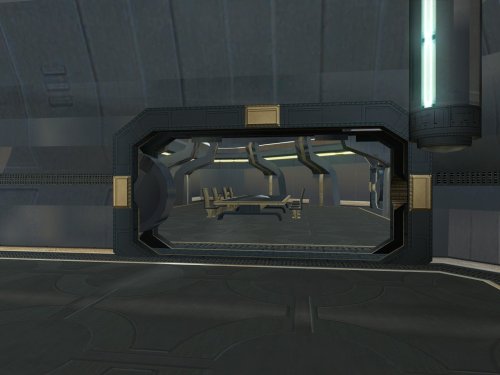
Version 1.0
11 downloads
Goto's yacht has numerous model issues, including holes open to space, doors which visibly clip through walls, and rooms that disappear when you walk too far away. This pack fixes many of these issues, bringing the yacht to a quality level suitable for a wealthy Exchange boss. Thank you for downloading, and I hope you enjoy this mod! ------------------------------------------------------------------- INSTALLATION If you are using The Sith Lords Restored Content Mod (TSLRCM), install it first. Run "INSTALL.exe" for this mod, and follow the prompts. It is normal to see a warning that 351nar.mod already exists and has been skipped. If you are using The Sith Lords Restored Content Mod (TSLRCM) from the Steam Workshop, see this guide for how to combine installer-based mods with the Workshop: https://steamcommunity.com/sharedfiles/filedetails/?id=488641307. ------------------------------------------------------------------- COMPATIBILITY This mod is compatible with The Sith Lords Restored Content Mod (TSLRCM) (https://deadlystream.com/files/file/578-tsl-restored-content-mod/) and the KotOR 2 Community Patch (K2CP) (https://deadlystream.com/files/file/1280-kotor-2-community-patch/). It is also compatible with "TSL Backdrop Improvements" by Kexikus (https://deadlystream.com/files/file/949-tsl-backdrop-improvements/) as well as mods that reskin the yacht. It is not compatible with mods which edit the same area models. For best results, this mod requires a save from before boarding the yacht. ------------------------------------------------------------------- CREDITS KotorBlender by seedhartha tpcview and tga2tpc by ndix UR K-GFF by tk102 TSL Patcher by stoffe and Fair Strides ERFEdit by stoffe and Fair Strides Kotor Tool by Fred Tetra Holocron Toolset by Cortisol and th3w1zard1 Thanks to Snigaroo for requesting a fix for the holes in the yacht's bridge, which kicked off this whole exercise. ------------------------------------------------------------------- VERSION HISTORY 1.0 - Initial Release ------------------------------------------------------------------- DISCLAIMER AND PERMISSIONS This modification is provided as-is and is not supported by Disney, Lucasarts, or Obsidian. Use at your own risk. The author shall not be held responsible for damage to your game installation, computer, or saved games resulting from the use of this mod. Material from this mod may be used as the basis for mods which make additional edits to the same area models as long as appropriate credit is given to this mod's author. Other uses require the author's permission. This mod shall not be reposted, in whole or in part, on any sites other than Deadly Stream without the author's permission. -
Version 1.0
10 downloads
This mod contains fixes to various models from throughout the game. There is no particular theme to these fixes, which cover elements from nearly every planet. Please see below for a full list. Separate from the model fixes, I have also provided an additional option adds scripting to open the roof of the Telos underground base's hangar before departing. This is not strictly a fix because the game already included scripting to open the roof...but it happened as the player boarded the shuttle to leave, so even with the fixed animation, there was no opportunity to see the result. This option changes the timing so that the roof opens when the player unlocks the doors with the hangar console. Thank you for downloading, and I hope you enjoy this mod! ------------------------------------------------------------------- LIST OF FIXES GENERAL - plc_jnkswpb1, plc_jnkswpb2 - Corrected the crashed swoops' windscreen texture to match the non-crashed swoops. PERAGUS - dor_per02 - Corrected mirrored texture coordinates on one side of one door panel. TELOS - 202tel12, 202tel13, 222tel12 - Corrected typos in the hierarchy which caused overlapping windows to flicker. - 232tel14 - Fixed a broken animation for the hangar roof to open. Note that the "Telos Hangar Roof Change" option is also required to showcase the result in-game. EBON HAWK - 950cori - Filled a blank doorway during the post-Telos cutscene. NAR SHADDAA - 301narm - Assigned the correct Ebon Hawk textures during Kreia's telepathy cutscenes. - 304nar13 - Filled a missing Ebon Hawk corridor while Kreia teaches the player Force Breath. - 306nare - Filled a gap between the entry corridor's floor and wall. KORRIBAN - 701kore - Filled a gap in the face of one of the tombs which was visible as the camera panned across the Valley of the Dark Lords. DANTOOINE - 650dan_03 - Filled a hole in the tree stump in the enclave's central courtyard. HK FACTORY - 298telp, 299teld, 299telm, 299teln - Resolved overlapping geometry in a console which appears in multiple locations. - 299telh - Filled a gap in the front of the elevated control platform. Also fixed a gap and overlapping geometry at the central door's frame. - 299telq - Resolved overlapping geometry and walls misaligned with the edge of a platform at the back of the factory space. MALACHOR V - 902malc, 902malj - Grounded some floating rocks. ------------------------------------------------------------------- INSTALLATION If you are using The Sith Lords Restored Content Mod (TSLRCM), install it first. Copy all files in the "MAIN INSTALLATION" folder to your game's Override folder. If asked, confirm to overwrite 299telq.mdl. If you would like to use the option to open the Telos hangar's roof before you leave, open the folder "OPTION - Telos Hangar Roof Change" and run "INSTALL.exe". It is normal to see a warning that 232tel.mod already exists and has been skipped. ------------------------------------------------------------------- UNINSTALLATION Delete the files from the Override folder. The "Telos Hangar Roof Change" option cannot be easily uninstalled, but deleting 232tel14.mdl/mdx will effectively disable the roof animation. ------------------------------------------------------------------- COMPATIBILITY This mod is compatible with The Sith Lords Restored Content Mod (TSLRCM) (https://deadlystream.com/files/file/578-tsl-restored-content-mod/) and the KOTOR 2 Community Patch (K2CP) (https://deadlystream.com/files/file/1280-kotor-2-community-patch/). It is compatible with texture reskin mods. Several of these fixes are already included in my mod "Transparent Cockpit Windows for TSL" (https://deadlystream.com/files/file/2355-transparent-cockpit-windows-for-tsl/). If you are using that mod, install it after these fixes, and allow it to overwrite the conflicting files. This mod is incompatible with any other mods that edit the same area files. ------------------------------------------------------------------- CREDITS KotorBlender by seedhartha tpcview by ndix UR NWNSSCOMP by Torlack and tk102 TSL Patcher by stoffe and Fair Strides ERFEdit by stoffe and Fair Strides Kotor Tool by Fred Tetra Holocron Toolset by Cortisol and th3w1zard1 299telq.mdl includes edits made by the TSLRCM team. Thanks to DarthParametric for identifying the broken animation in 232tel14 and how to fix it. Thanks to Snigaroo for identifying the gap in 306nare. ------------------------------------------------------------------- VERSION HISTORY 1.0 - Initial Release ------------------------------------------------------------------- DISCLAIMER AND PERMISSIONS This modification is provided as-is and is not supported by Disney, Lucasarts, or Obsidian. Use at your own risk. The author shall not be held responsible for damage to your game installation, computer, or saved games resulting from the use of this mod. These models may be used as a basis for mods which make additional edits to the same models as long as appropriate credit is given to this mod's author. Other uses require the author's permission. This mod shall not be reposted on any sites other than Deadly Stream without permission. -
 CidOrlandeau joined the community
 -
 tsu42 joined the community
 -
 BobbyCooper joined the community
 -
 NoobishNemo joined the community
 -
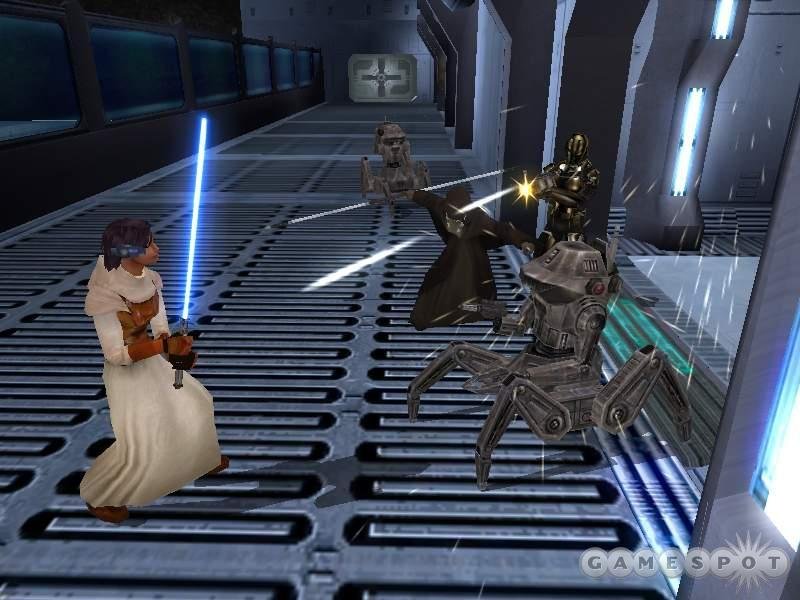
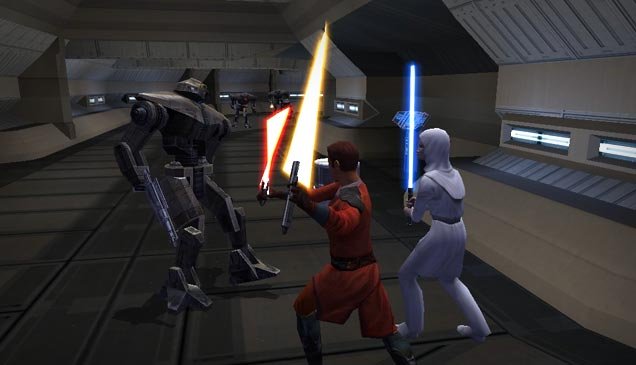
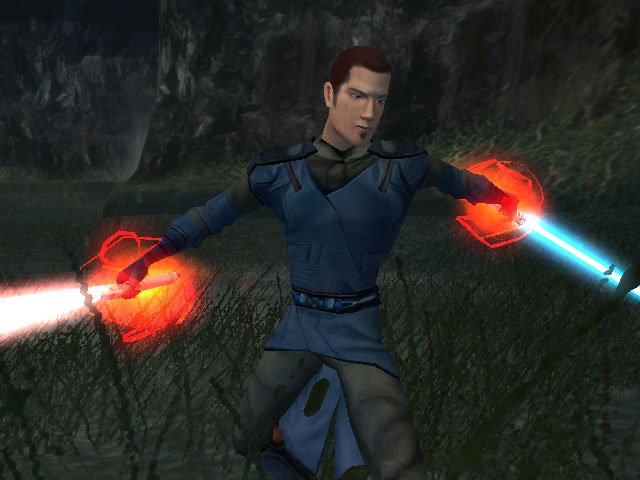
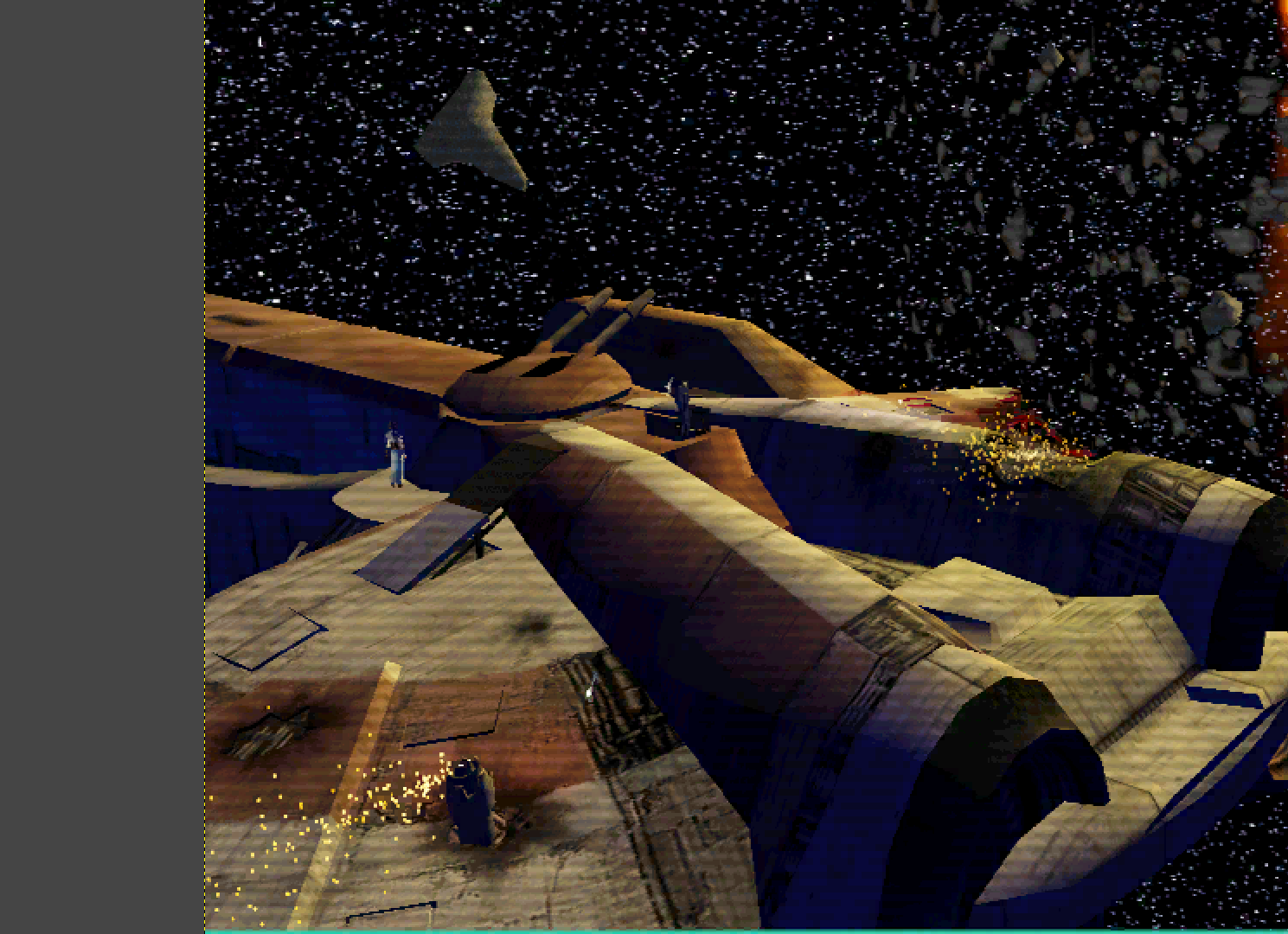
Look in the background to the right, near the player, those 3 crate placeables are also three times bigger than what they are in the base game (they can be found on Kashyyyk). I believe the Vulkar Garage level has the massive crates as part of their "module model" too. I'm sorry, the Ebon Hawk is the game's all-encompassing what? I suppose the developers thought the same thing and improved upon the model, the same cannot be said about speeders and the Iridorian model you can see in this same screenshot - those appear unchanged even in this early demo. And look at the hands, the final version has them wear gloves whereas here you can see white flesh. I suppose they couldn't set it up properly as you can see the player character is clearly using the Mace Windu style head. I restored something similar in my RC-K1CP mod wherein I removed the gloves from the Commoner clothing as there were a few left over textures without the gloves. That would be the player character, a lot of the K2 beta screenshots have K1 players wearing K1 robes as the K2 heads and robes weren't ready yet.
-
 Vulture joined the community
 - Yesterday
-
That's a rhetorical question? Of course I know this video. I even mentioned it in one of my previous posts. One random thing I noticed after 15+ years of playing this game: There is a person wearing Star Forge Robes in the default loadscreen for 002EBO.
-

Request: Re-skinning the Swoop Rider model for K1&2
Sith Holocron replied to DarthVarkor's topic in Mod Requests
I sent ebmar a link to your post on Discord. However, when trying to get attention of someone who has been gone awhile, it's always a good idea to tag them too. Hi @ebmar! -
Version 1.0.0
17 downloads
The mod replaces the PFBBM01 model and textures. To Install 1. Download: PFBBM01 2. Copy all files to the Knights of the Old republic's Override folder. (Example location - C:\Program Files (x86)\Steam\steamapps\common\swkotor\Override) 3. When/if prompted to overwrite files, press okay. 4. If you like the mod; leave a comment or endorse! (It would be much appreciated) Made with love.- 1 review
-
- 2
-

-
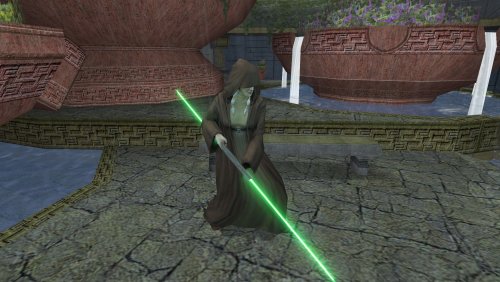
They almost look like Revan's lightsaber from SWTOR. Wonder if that lightsaber was partially based on these models and the Temple of the Ancients on Lehon.
-
 Thanks for responding! Glad to hear that! Looking forward to your update on this mod!
 -
 Pretty nice! I didn't know of the mod that turned them red, but I'm glad to see they're now purple again. I mean the backstory for them is they're from the fallen Jedi of the Mandalorian Wars, right? Wouldn't make much sense if their blades were as red as a Laigrek's eye.
 -

Request: Re-skinning the Swoop Rider model for K1&2
FF97 replied to DarthVarkor's topic in Mod Requests
Sorry for bumping this ancient thread, but would it be okay if I use these models in an upcoming mod? I mean, the Pilot/Rider, not the whole swoop mesh. -
Hey! I’m glad you like the mod. Yes, I plan to make a HoloPatcher version once I’m done with the stuff I’m working on right now, since it’s long overdue. As for the double-bladed red lightsaber, I removed it because I couldn’t give it to Traya without conflicting with several other files of the same name, which soft-locked the game. I pulled it after I got a report that someone near the end of the game couldn’t progress past the Telos Academy. Back then, I didn’t fully understand how Override files interact with same-named files in each module. That would’ve been avoided if I’d used HoloPatcher from the start, but skill issue. Since then I’ve learned how to handle it properly, and I’ll re-include the red lightsaber as an optional install.
-
Thank you for bringing these to my attention! I also use K1CP, so I suspect that's not the only reason these happened to you, but I will see if I can find a potential cause and put together fixes.
-
I also want to add two tiny issues I found (though my playthrough is modded to hell and back, so IDK what causes it). First, I have an issue where on the first phase of BoS. When the player awakens on the Orion, the standard KotOR opening crawl plays beforehand and the cutscene with the Rodian doesn't trigger properly (can be triggered manually), and the opening crawl also plays when returning to the larger section (forgot what it's called, the one where the bridge and the crew quaters are located). Second, the dancer sidequest where Shadow acts the part of a dancer for the Czerka Leisure Officer has an issue where the dialogue with the bounty hunter Roosh vanishes and freezes before the final confrontation with him - basically making it so that you're stuck in the dialogue with no way to advance. I suspect that it's caused by another mod, though, possibly K1CP, but it's still something I thought I'd mention for the purpose of compability.
-
Have you seen the video? Also, do you plan on releasing the mission skin?
- Last week
-
Hello folks! I'd like to formally put out a request to have the castability (? streamability?) of the game, specifically KotOR 2, looked at and hopefully patched! Some background on the issue: attempting to stream KotOR 1 and 2 via programs like Discord and/or OBS is immensely challenging, at least while using the Snigaroo's mod builds. Streaming/recording results in either intense choppiness in the streaming program, or even a failure to render the game correctly in both the streamer and the game itself (an example of this happened today, where my KotOR 2 was visible on my screen while it was not in OBS; the mouse cursor however was visible in OBS, while it was not on my main screen with the rest of the game). Historically, the only way to work around this was 1) stream the entire window/screen as opposed to just the game, and 2) to force the game into windowed mode via the .ini and make some alterations to the .exe through Windows (disabling fullscreen optimizations, setting it to run in Win XP SP3). As of yesterday, using the mod builds with KPM and Scaled Kotor, I was able to get KotOR 1 to stream in fullscreen (while streaming the whole screen)! I believe that the Movies Patch*, Borderless Fullscreen Patch, and the Alt Tab Patch may also play a part in making this functional. However, KotOR 2 remains unstreamable, even with the edited .exe to allow it to utilize the Movies Patch (*which, as I'm writing this, suggests that that is ruled out as part of the solution for the 1st game). So I'd like to request that we put a lens on this to try to resolve it once and for all! I don't have the knowledge or the tools to develop a mod like this on my own (at least not right now), but I do have the means and the time to assist with troubleshooting and testing, and I'm more than eager to lend a hand in the service of fixing this!