Trayus
-
Posts
11 -
Joined
Trayus's Achievements




-
So is this just an impossibility then?
-
I'm not super knowledgable on how the modifications for this game work, but based on some more testing, I feel that whatever change fixed K1 is nested in either J's Scaled Kotor mod or the Alt Tab patch, as K2 has access to the other mods that I mentioned (Movies Patch and Borderless Fullscreen Patch) and is still not functioning. It's worth mentioning that K1 was broken using the old version of the mod builds (UniWS and HR Menus patches) but is fixed when using KPM and the above patches, so I'm fairly confident that it's one of the two that has fixed it. If part of that code could be implemented into a patch for K2 (maybe a rework of the widescreen implementation, maybe? Again, I'm not super savvy here so I will defer to someone with more knowledge and experience), I would be willing to bet that that would fix this issue. I want to clarify again, I am playing K1 in borderless fullscreen using OBS or Discord to stream the entire screen/display, and this allows perfect display of K1 using the KPM and Scaled Kotor. However, using this same method results in choppiness and reduced visibility for K2 unless the Borderless Fullscreen Patch is disabled and the game plays in a window, in which case the game is streamable.
-
Hello folks! I'd like to formally put out a request to have the castability (? streamability?) of the game, specifically KotOR 2, looked at and hopefully patched! Some background on the issue: attempting to stream KotOR 1 and 2 via programs like Discord and/or OBS is immensely challenging, at least while using the Snigaroo's mod builds. Streaming/recording results in either intense choppiness in the streaming program, or even a failure to render the game correctly in both the streamer and the game itself (an example of this happened today, where my KotOR 2 was visible on my screen while it was not in OBS; the mouse cursor however was visible in OBS, while it was not on my main screen with the rest of the game). Historically, the only way to work around this was 1) stream the entire window/screen as opposed to just the game, and 2) to force the game into windowed mode via the .ini and make some alterations to the .exe through Windows (disabling fullscreen optimizations, setting it to run in Win XP SP3). As of yesterday, using the mod builds with KPM and Scaled Kotor, I was able to get KotOR 1 to stream in fullscreen (while streaming the whole screen)! I believe that the Movies Patch*, Borderless Fullscreen Patch, and the Alt Tab Patch may also play a part in making this functional. However, KotOR 2 remains unstreamable, even with the edited .exe to allow it to utilize the Movies Patch (*which, as I'm writing this, suggests that that is ruled out as part of the solution for the 1st game). So I'd like to request that we put a lens on this to try to resolve it once and for all! I don't have the knowledge or the tools to develop a mod like this on my own (at least not right now), but I do have the means and the time to assist with troubleshooting and testing, and I'm more than eager to lend a hand in the service of fixing this!
-
 Trayus changed their profile photo
 -
 Also running into the blank menu GUI issue on my Steam Deck. Ran swconfig.exe, adjusted the .ini, ran UniWS, and ran the HR menus.bat, all mapping the game to 1281x801. The game boots fine, but as soon as I add the 1280x800 .gui files into the mix, the issue begins.
 -
 I'll let ya know!
 -
 Which version of this mod should I use for Steam Deck/Steam Controller?
 -
Have you tested it?
-
Plus one!
-
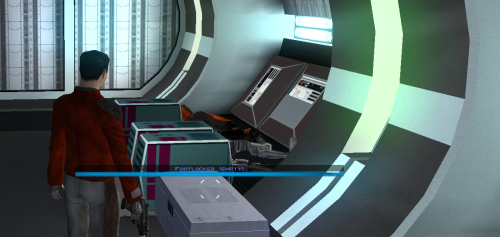 It works as expected, and with the Neocities mod builds, as long as you install it last after the rest of the build. Thank you for your service!
 -
 RIP: I installed it between Dark Sacrifice and Saber Knockback, so I'll have to just rebuild. I'll probably do that after this playthrough: thanks for answering!
 -
If I want to use this update, do I need to uninstall the previous version and then install this one? Or can I just install the update over the top of it? I'm using the full KotOR mod build.