All Activity
- Past hour
-
 theDashingFox joined the community
 -
 DJNinjaLord joined the community
 - Today
-
 Gandamack joined the community
 -
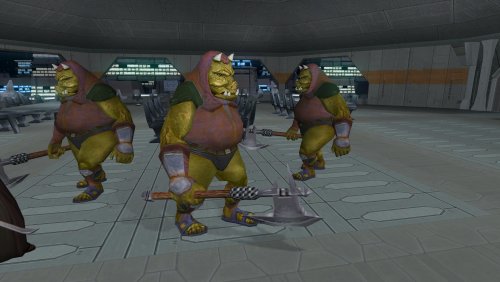
View File Gamorrean Axe Model and Texture Improvement - TSL Version Hello everyone! This mod gives the Gamorreans a separate axe model with its own texture, instead of using UVs spread across a tiny area of the creature like the default version. Credits: "4x Upscale+ Character Textures & Model Fixes (TSL)" - The C_Drdwar model in this mod or rather, the way the "rifle texture bug" was fixed gave me insight into the "reference" model node method. Submitter FF97 Submitted 10/09/2026 Category Mods TSLRCM Compatible Yes
-
 petron joined the community
 -
 SteveR93 joined the community
 -
 I have bug to report here. When I patch the game with version 1.5.0 it gives me error saying: Serial number is not found. Serial number 40 is not found in library DLL Cabinet.dll Then game lauches, but not in mine resolution that I set 1920x1080 Windows 7 64bit, mind you the previous version worked fine for me, if I disable Modern Driver Compatibillity. I used GOG version.
 -
Looking forward to a release. Cheers!
-
Kotor Academy: Jedi Academy Combat in TSL [WIP]
JasonRyder replied to ShaolinGhost's topic in Work In Progress
You're basically putting Jedi Academy's combat system into KOTOR. I had the same idea years ago and thought it would be the perfect Star Wars game. I didn't think anyone would actually attempt it! -
 Thwack joined the community
 -
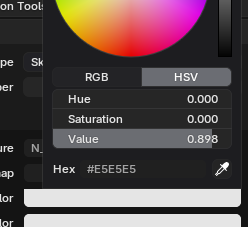
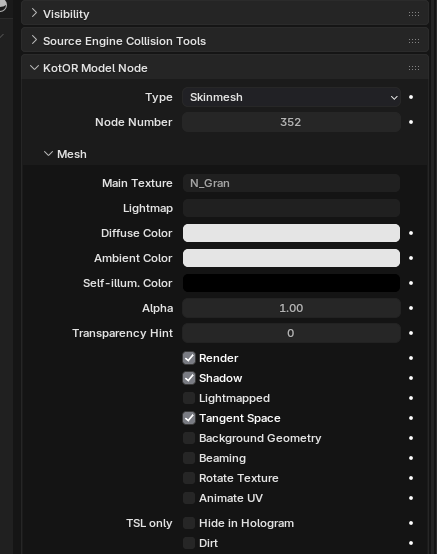
Yes, among other minor model fixes for PLC and NPC models. I wondered why some NPC Models like the Gand and Gran appeared very dark in-game in comparison to their textures. After opening the files in Blender, I found out they don't use #FFFFFF as Diffuse and Ambient color values.
-
 kairnuf joined the community
 -
 Storm1247 joined the community
 - Yesterday
-
Will that fix be uploaded soon?
-
 The viewport and lighting system look solid The mesh-as-bones rework makes sense for KotOR's skeleton Great progress with LordVader's help
 -
MaurisSheek joined the community
-
 Vekkxd joined the community
 -
 I know this mod is kinda old and hasn't had any comments lately, but just so you know, the HEX editor value for w_lghtsbr is incorrect in your MDL files. It has w_lghtsbr_005 for all the new colors, meaning if you equip any of them with a purple saber, it will turn both of them into the other color (eg-- an orange and purple saber will net you two oranges) For those who want to fix this, it is a simple fix. Download a hex editor and drag the MDL files from your override into it. Find where it says w_lghtsbr_005 (should be near the top) and change the number 005 to whatever number you are updating. It should only be a problem for files w_lghtsbr_010 until you reach w_lghtsbr_016. Once you have changed the value, overwrite the old one with the new one in your override folder, and it will fix the issue. I'm attaching a before and after snapshot
 -
Version 1.0.0
2 downloads
Hello everyone! This mod gives the Gamorreans a separate axe model with its own texture, instead of using UVs spread across a tiny area of the creature like the default version. Credits: "4x Upscale+ Character Textures & Model Fixes (TSL)" - The C_Drdwar model in this mod or rather, the way the "rifle texture bug" was fixed gave me insight into the "reference" model node method. -
 Tarezz changed their profile photo
 -
Any solution for the transparency issue?
-
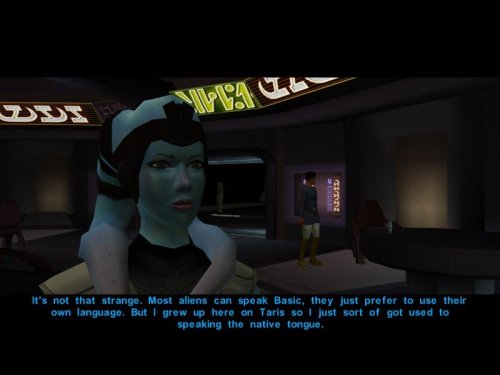 Very good. Might I suggest you use the Caps Lock first person mode to take a full body screenshot? You did the same for your Jolee Mod and as such it is easier to see the detail of the full NPC. I might be wrong here, but Mission's lekkus are weird in the fact that the lekku texture isn't being drawn from the head texture like it is with the other Twi'lek NPCs in the game, but rather, Mission's lekkus are drawn from her body texture which explains how Stellar Exile missed them.
 -
Could you do party members as well?
-
Version 1.5 sounds great. I can't wait to try it out. Three questions. 1. How about a controller layout based on TSL’s native layout? Most of the current layout already matches it. I think it would feel more natural if KOTOR and TSL could be controlled identically using the same controlls. 2. Is the new version of the “K1 Modern Driver Compatibility Patch” included? Specifically, version 1.3.0? 3. Unfortunately, the HD Icon Pack by JackInTheBox isn’t quite complete. Some of the Jedi robes are missing or aren’t applied to all robe types (Padawan, Knight, Master). I also seem to vaguely recall that a few other minor details are missing. But I’d have to check that myself again. Otherwise, thank you very much for this patch. This is the best thing that’s happened to the game since its release.
-
Alright, thanks.
-
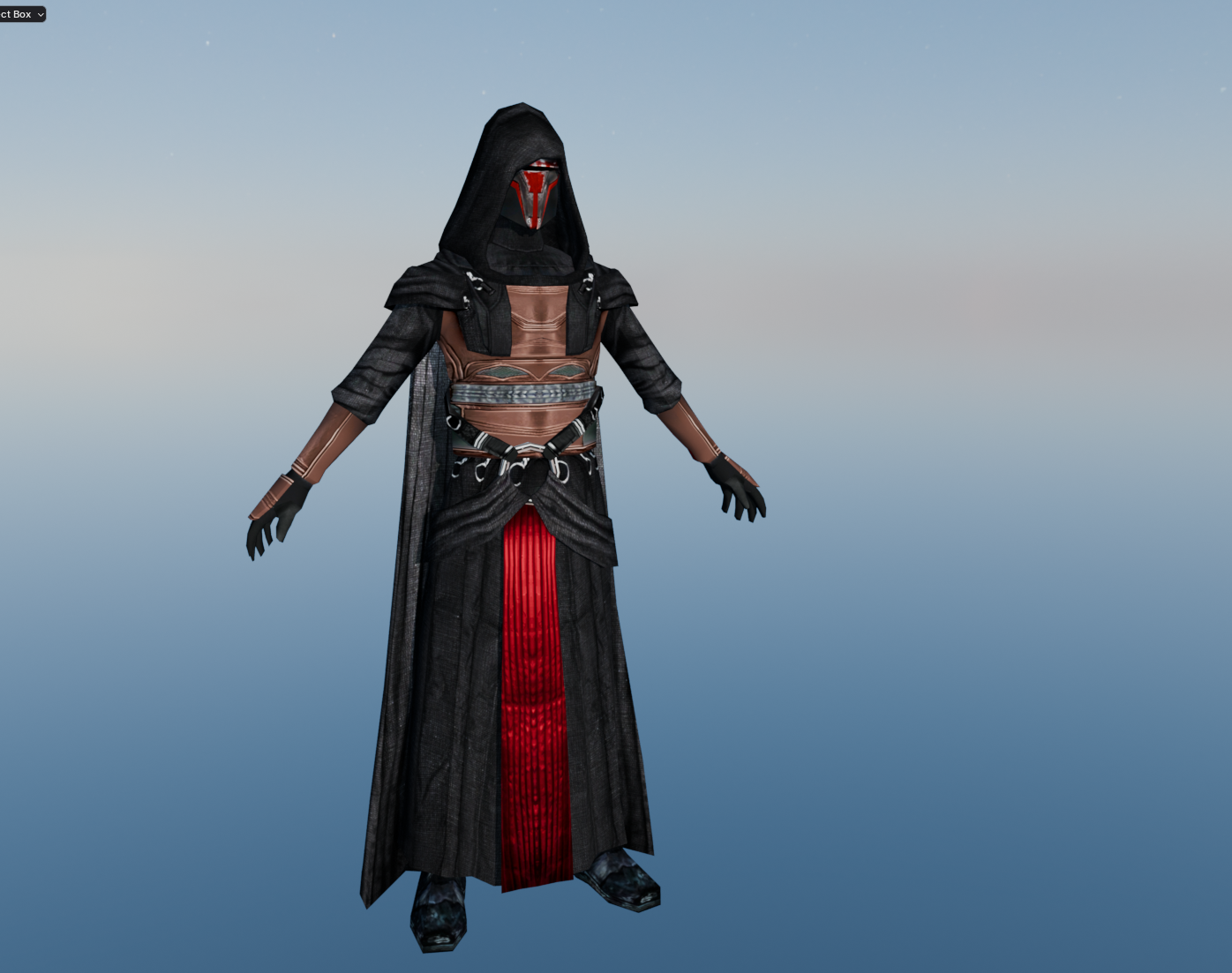
My "Vanilla Plus" Revan Retexture WIP:
-
 psychoskinny changed their profile photo
 -
 You are the pillar of this community
 -
Good work! Only suggestion I have is to make the tips of Mission's lekku blue like the rest of her skin in the original.
-
Fixed in 1.5 Fixed in 1.5 Added in 1.5 Fixed in 1.5
- Last week
-
 Sorry I don't have a Mac to work on that version. I have the source code available under MIT license so anyone can try to port it over though. The KMRP author successfully ported the K1 fixes to mac, and is releasing that bundled with KMRP soon for a mac release. So it is possible someone may do K2 as well.
 -
You may not need to worry for armour. Like I said, it's really only for anything with exposed skin, or possibly any of the "skintight" torsos. It will look like this:
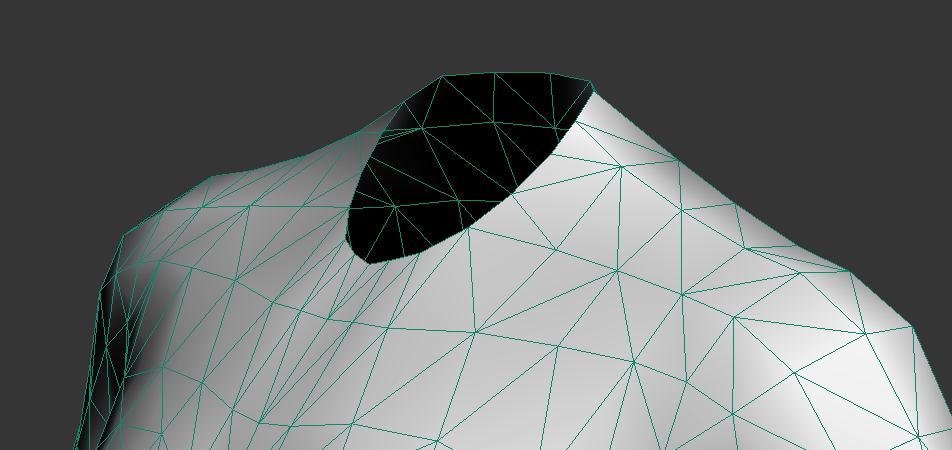
-
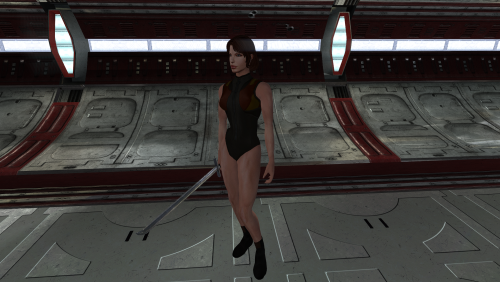
View File High poly underwear The mod replaces the model and textures. To Install 1. Download: Underwear 2. Copy all files to the Knights of the Old republic's Override folder. (Example location - C:\Program Files (x86)\Steam\steamapps\common\swkotor\Override) 3. When/if prompted to overwrite files, press okay. 4. If you like the mod; leave a comment or endorse! (It would be much appreciated) Made with love. Submitter Dark Hope Submitted 10/09/2026 Category Mods K1R Compatible Yes
-
Version 1.0.0
30 downloads
The mod replaces the model and textures. Installation after the heads are installed. To Install 1. Download: Underwear 2. Copy all files to the Knights of the Old republic's Override folder. (Example location - C:\Program Files (x86)\Steam\steamapps\common\swkotor\Override) 3. When/if prompted to overwrite files, press okay. 4. If you like the mod; leave a comment or endorse! (It would be much appreciated) Made with love.- 1 review
-
- 1
-

-
Version 1.0.0
7 downloads
This is a small reskin of Dark Hope's HD Mission Vao. I really liked the textures but couldn't get over the significant change from Mission's original skin tone so I altered the colors to better match the original skin tone. Feel free to do whatever you want with this as Dark Hope and Quanon made their mods open permissions. To install, just move everything to your Override folder. -
Cool! Welcome back.
-
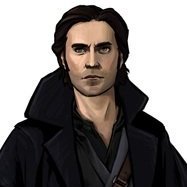
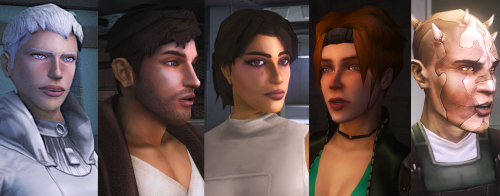 The Atton no guyliner with mid scruff is absolutely perfect! Love this!









.thumb.png.d8b108d1620cfd7d697f7271e60714db.png)