



Effix
-
Posts
928 -
Joined
-
Last visited
-
Days Won
61
Content Type
Profiles
Forums
Blogs
Forum & Tracker Requests
Downloads
Gallery
Store
Events
Everything posted by Effix
-
This texture is made for the Twi'lek model, it will never work with the robe model. I adapted my underwear mod to K1, this is the correct model:
-
Using textures in the other game (K1 <-> K2) should be fine and the model (n_twilekf.mdl) is already in the games so that's doesn't need to be converted. However, this request is far less straight forward than your previous one. You can't really have a new custom armor use a new model without replacing an existing model, because an item file does not point to a 3D model, it points to a column in appearance.2da which lists the model and adding a column is not a thing. The item file can point to a new unique texture, though. So a new item with a new texture that uses an existing 3D model is fairly easy. That's a bit technical, but for example you replace the 3D model of the robes (there's only one model for all of them) then you have to make new textures for all the robe variations. Replacing the underwear or clothing should be the easiest. Underwear isn't an item type so you wouldn't be able to create a new item that uses item type "underwear" with a new texture and/or stats. I think you should be able to if you replace the default clothing.
-
I've added her to my head reskins:
-
Here you go, just throw the files in Override. Effixians_Mira_Outfit_for_Bastila.zip
-
Ok, glad you found a way. Most people here want the patcher to add a new character. If you replace an existing character then you could get away with throwing some files in the override. Which is what I do with the TSL player mods that I make to work on Steam, the Patcher is not an option there.
-
Not done yet, but here's a sneak peek: I tried more towards red but it made her look like a clown or something 😐
-
I did some brief testing myself, but please give this a try: Effixians_PFHA04_from_K2_to_K1.zip
-
I did some brief testing myself, but please test this: Effixians_Atton_from_K2_to_K1.zip
-
I've added this to my mod ideas/requests list, but I don't know when I'll get to it. I've been a bit busy with work lately, so if anyone else can beat me to it then that would be great.
-
Sure, it can be done. I've added this to my mod ideas/requests list, but I don't know when I'll get to it. I've been a bit busy with work lately, so if anyone else can beat me to it then that would be great.
-
It can be done. I've added this to my mod ideas/requests list, but I don't know when I'll get to it. I've been a bit busy with work lately, so if anyone else can beat me to it then that would be great.
-
 It is, perhaps I wasn't certain when I uploaded it.
- 19 comments
-
- 1
-

-
- twilek
- player characters
- (and 2 more)
-
View File Effixian's Female Underwear Alternatives 2019 ******************************************** Knights of the Old Republic - The Sith Lords ******************************************** TITLE: Effixian's Female Underwear Alternatives 2019 AUTHOR: Effix(ian) CONTACT: PM me on the forums or find me on Steam ************* INSTALLATION ************* 1. Unzip, copy the files in the Models folder to your override folder. 2. Pick one of the options, copy the files from the matching folder to your override folder. ************ DESCRIPTION ************ My second alternative female underwear mod. I thought I'd make another since the first one is among my most popular mods and I already had most of this done years ago. This mod replaces the underwear body model with that of the Twi'lek/Luxa model, for the female player characters, The Handmaiden, Mira and Visas. This time there's 5 texture variations to pick from: - Black: My own mix of the Twin Suns, Twi'lek and Luxa textures. - White and Black: Again my own mix, but now in white for the player character and the Handmaiden. Visas gets the black version and the Handmaiden can get a black version if she goes Dark Side (player characters don't have a separate dark side texture, so those stay white). - Luxa: Luxa's outfit, with the correct human skin tones. - Twin Suns A: The outfit of one of the Twin Suns assassins. - Twin Suns B: The outfit of the other Twin Suns sisters. ******* MIXING ******* If you like can mix things up, for example give Visas the Luxa version, The Handmaiden the white version from White & Black, the player chars the Twin Suns B version. If want to do this then you need to know which texture is what: P_HandmaiA01.tga = Handmaiden light/neutral P_HandmaidBAD01.tga = Handmaiden dark P_VisasBA01.tga = Visas light/neutral P_VisasBC01.tga = Visas dark pfbama01.tga = Asian/Hispanic player characters pfbamb01.tga = Black player characters pfbamc01.tga = Caucasian player characters & Mira pfbamd01.tga = Dark side, for all skin tones Mira uses the same texture as the Caucasian player characters, so as long you don't play as a Caucasian character you could also give her a unique version by making pfbamc01.tga different than the texture your player character uses. ***** BUGS ***** None. ************* UNINSTALLING ************* Remove from the Override folder: p_handmaidenba.mdl p_handmaidenba.mdx pfbam.mdl pfbam.mdx P_HandmaiA01.tga P_HandmaidBAD01.tga P_VisasBA01.tga P_VisasBC01.tga pfbama01.tga pfbamb01.tga pfbamc01.tga pfbamd01.tga ******************* DISTRIBUTION NOTES ******************* You may not: Use the material from this mod in your own mod without giving me credit, implying it was your creation. You might: Use the material from this mod in your own mods if simply you ask me. ********* THANKS TO ********* Fred Tetra for KotOR Tool ------------------- THIS MODIFICATION IS NOT MADE, DISTRIBUTED, OR SUPPORTED BY BIOWARE, OBSIDIAN, OR LUCASARTS ENTERTAINMENT COMPANY LLC. ELEMENTS TM & © LUCASARTS ENTERTAINMENT COMPANY LLC AND/OR ITS LICENSORS. --------------------------------- My mods are free. If you would like to show your support then you can buy me a coffee at ko-fi.com/effix Submitter Effix Submitted 12/03/2019 Category Mods TSLRCM Compatible Yes
- 1 reply
-
- 1
-
-
It's hard to tell from the screenshot, but it looks fine to me. Just have the sleeves match the vest (if that's the term?). There's not much you can do about the 3D shape with a reskin, but that vest part could just be an extra padded part of the jacket. p.s. feel free to reuse/edit the icon I made if you like.
-
View File Effixian's Mandalore Reskins ******************************************** Knights of the Old Republic - The Sith Lords ******************************************** TITLE: Effixian's Mandalore Reskins AUTHOR: Effix(ian) CONTACT: PM me on the forums or find me on Steam ************* INSTALLATION ************* Unzip, copy the contents of one of the folders to your override folder. ************ DESCRIPTION ************ Two simple reskins of Mandalore, you can pick one of the two. They're of course inspired by Boba and Jango Fett. These are simple reskins that shouldn't cause any conflicts with other mods, unless they do the same. ***** BUGS ***** None. ************* UNINSTALLING ************* Remove from the Override folder: P_MandB.tga PO_PMandalore.tga ********* THANKS TO ********* Fred Tetra for KotOR Tool ------------------- THIS MODIFICATION IS NOT MADE, DISTRIBUTED, OR SUPPORTED BY BIOWARE, OBSIDIAN, OR LUCASARTS ENTERTAINMENT COMPANY LLC. ELEMENTS TM & © LUCASARTS ENTERTAINMENT COMPANY LLC AND/OR ITS LICENSORS. Submitter Effix Submitted 12/03/2019 Category Skins TSLRCM Compatible Yes
-
View File Effixian's PFHC06 from K2 to K1 ************************ Knights of the Old Republic ************************ TITLE: Effixian's PFHC06 from K2 to K1 AUTHOR: Effix CONTACT: PM me on the forums or find me on Steam ************* INSTALLATION ************* Run the file "TSLPatcher - Install Effixian's PFHC06 from K2 to K1.exe". ************ DESCRIPTION ************ This mod adds a playable character PFHC06 from KotOR 2. As requested by srdos. ***** BUGS ***** None known. ************* UNINSTALLING ************* 1. Remove the following files from your Override folder: pfhc06.mdl pfhc06.mdx PFHC06.tga PFHC06.txi PFHC06d.tga PFHC06d.txi PFHC06d1.tga PFHC06d1.txi PFHC06d2.tga PFHC06d2.txi PFHC06d3.tga PFHC06d3.txi PO_PFHC06.tga PO_PFHC06d.tga PO_PFHC06d1.tga PO_PFHC06d2.tga PO_PFHC06d3.tga 2. If you have never installed any mod with the TSL Patcher then you can remove appearance.2da, heads.2da and portraits.2da from the Override folder. Otherwise: If you haven't installed any head mods after this mod you can get the following files from the mod's backup folder and put them back in your Override folder: appearance.2da heads.2da portraits.2da Doing this when you did add another head mod would result in the later head(s) no longer being available in the game, yet the associated files would still be in the Override folder. ******************* DISTRIBUTION NOTES ******************* You may NOT: Use the material from this mod in your own mod without giving me credit, implying it was your creation. You might: Use the material from this mod in your own mods if you simply ask me. ******** Thanks to ******** - Stoffe and Fred Tetra for the needed tools and tutorials - bead-v's MDLEdit - JCarter426 & Kexikus for sharing their knowledge of converting things with MDLEdit ------------------- THIS MODIFICATION IS NOT MADE, DISTRIBUTED, OR SUPPORTED BY BIOWARE, OBSIDIAN, OR LUCASARTS ENTERTAINMENT COMPANY LLC. ELEMENTS TM & © LUCASARTS ENTERTAINMENT COMPANY LLC AND/OR ITS LICENSORS. Submitter Effix Submitted 11/27/2019 Category Mods K1R Compatible Yes
-
I'm not sure which model "the Sith Lord from Dxun" is. If it's something that's not in the KotOR 1 files then you would need to convert the model to the K1 format, add a row for it in appearance.2da. Then you can add a disguise property to an item that points to that row in appearance.2da. Attach/link to the files from your TSL mod so I (or we) can have a look at which steps to take.
-
The model viewer is an easy way to preview your texture changes, with a few clicks you can update the texture. It won't look as great as other tools or in game but you can see if things are in the right place. https://neverwintervault.org/project/nwn2/other/tool/simple-model-viewer-64-bit-patch
-
Get 7-Zip, because it's a .7z file (that program's own format) instead of a .zip file. https://www.7-zip.org/
-
I'm not good with making or editing the 3D models, so I can't help you there.
-
Not a tutorial, but this post helped me: Test the attachment for me please: Effixians_PMHH02_from_K2_to_K1.zip
-
👍 The Onderon clothing is a bit like a poncho, I don't know if you fancy that. There's a mod by VarsityPuppet to replace the common clothing: l also did one on Steam that replaces the Jal Shey/Zeison Sha armors. I haven't got around to putting it up here. https://steamcommunity.com/sharedfiles/filedetails/?id=1672321360
-
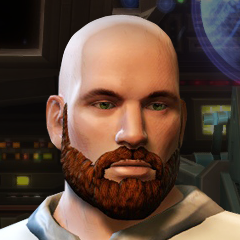 Perhaps this will do: If not then I (or someone else here) can explain how to do it with KotOR Tool.
 -
Help Uninstalling Male clothing mod for TSL
Effix replied to mackmitchell94's topic in General Kotor/TSL Modding
The patcher should have created a backup folder in the place where the patcher was launched, with an appearance.2da file from the time before you installed the mod. I can imagine that that might not do the trick, if you've applied other mods after that or if you cleaned up that install folder, is that the case? Next to those changes to appearance.2da you have to remove from override: n_commm.mdl n_commm.mdx n_commmD01.tga N_CommMR01.tga N_CommMS01.tga If you don't have a backup and you know a bit about working with KotOR Tool then you open your current appearance.2da, all the rows with label starting with "P_MAL_" should have "N_CommM" in the "texb" column. -
Yes, that might help. You can also add a zip with the files you're using. I'm not sure about the nudity policy here, so maybe add some black bars.
