


DarthParametric
-
Posts
4,907 -
Joined
-
Last visited
-
Days Won
557
Content Type
Profiles
Forums
Blogs
Forum & Tracker Requests
Downloads
Gallery
Store
Events
Everything posted by DarthParametric
-
A good part of doing anything significant in the game - like your recruitment/companion mod example - requires scripting. That's not something you can really make a video about.
-
Well that is supposedly happening, although I suspect that whatever eventuates is likely going to be KOTOR in name only. As far as the mod community remaking levels goes, there's not much point while still bound to Odyssey's limitations. If reone ever gets to a usable point, or if nVidia add OpenGL support to Remix, then that would be a viable option.
-
It's pretty much the norm across all modules. Just depends on how deep you want to go looking. The more problems you fix, the more new problems you discover.
-
It's entirely possible. The level geometry side of things is the least of it though. The main thing would be ensuring there are no problems arising from changing module IDs, since Manaan has multiple instances of cross-module teleporting as part of the main plot. There might also be problems with ResRef clashes, since both Bioware and Obdisian did love their generic name reuse.
-

TOR Ports: Pureblood Sith Female Player Head for TSL
DarthParametric commented on DarthParametric's file in Mods
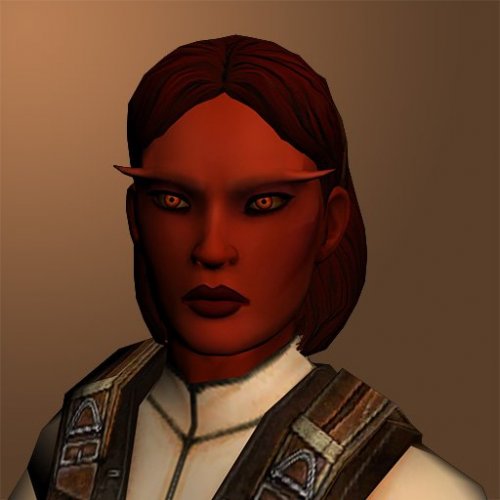 That's the dancer outfit patch. You need to install the actual mod first. The other file in the available downloads.
 -
It's pretty common for them to aggressively cull any rooms that aren't blatantly obvious (and try to mask anything else with fog). Remember the original was designed to run at 640x480, so it wouldn't have been anywhere near as noticeable. And the Xbox only had a shared 64MB RAM pool. K1CP has fixed the odd similar occurrence (in the Vulkar base, for example).
-
As noted above, anything that screws with Bandon on the Endar Spire specifically will break the scene if they don't account for K1CP's changes. And this is ultimately your problem. If you use that many mods then you're likely to have a mountain of incompatibilities. Especially for anything that released more than 2 or 3 years ago.
- 12 replies
-
- 1
-

-
- game breaking
- bug
- (and 6 more)
-
Every island will need to be detached. Here's a tip to speed up the process. At least in Max anyway, not sure if it also works in GMax. Switch the mesh to an Editable Poly, then add an Unwrap UVW modifier on top. Click the button to open the UV editor, switch to the Face Sub-Object mode and tick the Select Element button. That will allow you to easily select all of an island at once, including overlaps. Now in the hierarchy stack, unfold the Editable Poly. With an island selected in the UV editor, click on Element under the Editable Poly. You should switch to the Editable Poly with the island polys still actively selected. You can't do this with an Editable Mesh. Not in GMax format obviously. But you can use an OBJ export script to get them into a format Blender can import.
- 230 replies
-
- 4
-

-

-
-
- tslrcm 1.8.6
- tsl
- (and 4 more)
-
JC's Fashion Line I: Cloaked Jedi Robes for K1
DarthParametric commented on JCarter426's file in Mods
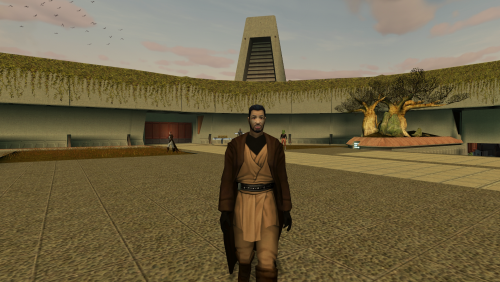 https://deadlystream.com/files/file/1378-jcs-fashion-line-i-cloaked-jedi-robes-for-k1/?do=findComment&comment=9320
 -
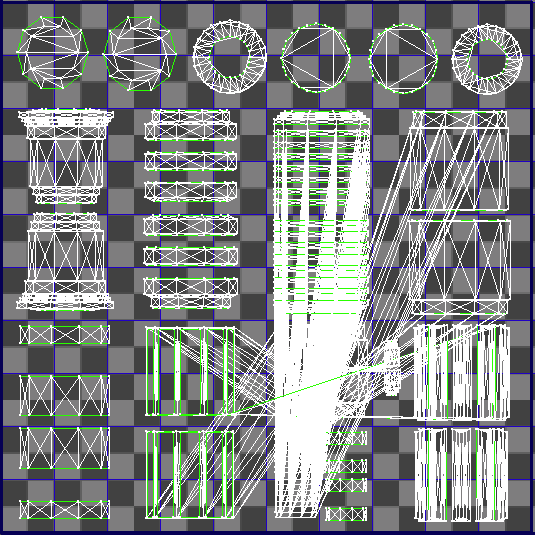
Looks like you have the classic mulched UVs issue: Typically this used to be considered an issue with ye olde MDLOps I thought. But perhaps it's actually GMax itself. It happens when you have UV islands that aren't physically split (i.e. one vert has two UV co-ords). KMax should automatically split the mesh along UV boundaries on export, but perhaps GMax freaks out before it gets to that point. You can prevent it by selecting any polys that have their own UV island and then in Polygon or Element mode choosing Detach -> Split to Element. Then re-export. You may want to consider switching to Blender. It's going to be a sharp learning curve, but you'll be better served in the long run.
- 230 replies
-
- 1
-
-
- tslrcm 1.8.6
- tsl
- (and 4 more)
-
I can have a look at it tomorrow some time when I get the chance. In the meantime you might want to check it out in different light sources. I should probably make a modder's resource for that preview setup I made for the K1 melee weapons. I made it precisely because the upgrade screen preview is kind of crap.
- 230 replies
-
- 1
-
-
- tslrcm 1.8.6
- tsl
- (and 4 more)
-
Looks fine, assuming it follows the UV map you posted earlier. Hard to determine anything else without playing with it firsthand.
-
Just copy the alpha channel and paste it into a new image. Or attach the TGA.
-
I didn't say anything about size. Post the alpha channel of the texture.
-
Looks like it is set to (or close to) 100% env map for those sections.
-
Help scripting training ground K1
DarthParametric replied to CapitaineSpoque's topic in General Kotor/TSL Modding
You can have a look at how they do it TSL for the Academy and Dxun sparring. At a guess, someone's OnHeartbeat is probably listening for the PC using powers. In either the opponent's OUD or maybe another NPC or an invisible placeable. Potentially even in the module's OnHeartbeat, but I'm not sure if that's necessary. Edit: Ah, Obsidian added a dedicated function for it in TSL, SetForfeitConditions. Makes sense, but obviously that doesn't exist in K1. You'll have to try and manually catch the PC casting. You can probably just do a check in the OnHeartbeat for the PC casting at either the opponent or themselves. -
 It's just an incorrect OdysseyBase name in a model (i.e. someone renamed a vanilla model). It has been an issue in TSLRCM for years with the Jedi Master robes model, for example, although maybe they have fixed that by now (K2CP should fix it if not). It's not ideal, but it shouldn't cause a crash.
 -
Help scripting training ground K1
DarthParametric replied to CapitaineSpoque's topic in General Kotor/TSL Modding
Give the opponent a custom UserDefine (you can use the vanilla k_def_userdef01 as a starting template). Event 1010 (on spell cast at) should let you catch the character being affected by a Force power. Their OnSpawn script will need the inclusion of GN_SetSpawnInCondition(SW_FLAG_EVENT_ON_FORCE_AFFECTED). Basically the same way as above, but with other events. There are a multitude of vanilla examples of this happening in both games, and the TSL sparring ring on Dxun and/or sparring with the handmaidens on Telos should give you pretty much exactly what you want, differences in script functions between the games aside. In the opponent's 1006 event (on damaged), have it check its current health status. This will require the addition of GN_SetSpawnInCondition(SW_FLAG_EVENT_ON_DAMAGED) to its OnSpawn. To catch the player, you'll also have to use the opponent's UserDefine, since you can't do anything with the player themselves. That can go in event 1003 (on end of combat round) and basically works identically the opponent's own health check, but checking the PC's health instead. This will require adding GN_SetSpawnInCondition(SW_FLAG_EVENT_ON_COMBAT_ROUND_END) to their OnSpawn. Look at TSL's k_fab_dueluser (vanilla and TSLRCM versions) and k_dojo_ud (vanilla and TSLRCM are the same I believe) for guidance. That's what starting conditionals are for. Add the necessary branches at the top of the DLG and gate them with the required starting conditional check. Typically you'll be doing this via setting local booleans (SW_PLOT_BOOLEAN_01 - 10, etc.). Every major dialogue does this, so you have plenty of potential examples to look through. But if it's easier to use separate DLGs then you just call those when triggering the DLG. Whichever way you prefer. You could also physically block them leaving by spawning in some of the vanilla placeable walkmeshes. In TSL you could just create a custom one, but you don't want to be adding new placeables in K1 due to the 2DA row limit issue, so you'd have to spawn in a bunch of the vanilla ones and arrange them to suit. PLC_Blockage is one, which is a 6m long rectangle (so a bit unwieldy). There are some smaller ones like PLC_CageLgB which are intended for use with force cages and the like. Blocking them would let you switch the trigger to firing a bark bubble message about not running away instead of actively ending the combat. -
Lore Friendly Exar Kun & Ulic Qel Droma Armor
DarthParametric replied to Ian Starrider's topic in Mod Requests
Because they'd need to be set up as disguises, and disguises are a pain in the ass. Plus both look pretty naff anyway. -
I'm not sure how it's possible for people to still be breaking this. Maybe the script needs to be farmed out to an invisible placeable.
-
Help Scripting K1 Explosive (FIXED)
DarthParametric replied to CapitaineSpoque's topic in General Kotor/TSL Modding
A script will terminate when its owner dies. You'll probably need to farm it out to an invisible placeable spawned on top of the actual placeable. That shouldn't be how the loop works. In theory at least. -
Help Scripting K1 Explosive (FIXED)
DarthParametric replied to CapitaineSpoque's topic in General Kotor/TSL Modding
In that case you don't need any check at all, besides whichever objects are standing inside the blast radius. void main () { int nDamage = 60; int nDCCheck = 15; object oTarget; location lSelf = GetLocation(OBJECT_SELF); ApplyEffectAtLocation(DURATION_TYPE_INSTANT, EffectVisualEffect(1044), lSelf); // VFX_IMP_SCORCH_MARK ApplyEffectAtLocation(DURATION_TYPE_INSTANT, EffectVisualEffect(VFX_FNF_GRENADE_FRAGMENTATION), lSelf); oTarget = GetFirstObjectInShape(SHAPE_SPHERE, 4.0, lSelf); while (GetIsObjectValid(oTarget)) { nDCCheck -= GetReflexSavingThrow(oTarget); if (!ReflexSave(oTarget, nDCCheck, SAVING_THROW_TYPE_NONE)) { ApplyEffectToObject(DURATION_TYPE_INSTANT, EffectDamage(nDamage, DAMAGE_TYPE_PIERCING), oTarget); } else { ApplyEffectToObject(DURATION_TYPE_INSTANT, EffectDamage(nDamage/2, DAMAGE_TYPE_PIERCING), oTarget); } ApplyEffectToObject(DURATION_TYPE_TEMPORARY, EffectForcePushTargeted(GetLocation(oTarget)), oTarget, 0.1); oTarget = GetNextObjectInShape(SHAPE_SPHERE, 4.0, lSelf); } } Who is the script owner, i.e. the one running the script? The placeable? -
Help Scripting K1 Explosive (FIXED)
DarthParametric replied to CapitaineSpoque's topic in General Kotor/TSL Modding
Well for starters, your script formatting is completely broken. I'm not even sure how it compiles. Second, your current check is pointless because it will always evaluate true for one of the conditions (not a friend OR not neutral OR not an enemy). What exactly are you trying to do? -
MOD:Taris Dueling Arena Adjustment
DarthParametric replied to DarthParametric's topic in Mod Releases
It has nothing to do with my mod. I don't touch the actual monitor texture. -
 It's a problem with HoloPatcher being falsely flagged as malicious. MS Defender and some other AV packages will tend to do this. You can try swapping the HP exe for a more recent one, but for now it continues to be a crap shoot because of the way packaged Python installers trigger AV heuristics. There's no real long term solution to prevent this currently.