All Activity
- Past hour
-
Animation in a room's mdl not playing
DarthParametric replied to Stanlej95's topic in General Kotor/TSL Modding
No. Like I said, all keyframed objects are required to be under the A node in a room model. Never used it, and would never use it. I do any model adjustments in KMax or KBlender as appropriate. -

Animation in a room's mdl not playing
Stanlej95 replied to Stanlej95's topic in General Kotor/TSL Modding
@DarthParametric Thanks for the quick reply. I made mistake in the topic the function i used in onEnter script was PlayRoomAnimation("106per01", ANIMATION_ROOM_SCRIPTLOOP01); Does this "a" suffix is just a cosmetic, arbitrary convention thing or is it actually a flag that the game engine specifically looks for to play the animation? Do you maybe have a thought on this ohter issue of Holocron Designer displaying removed mesh of the Ebon Hawk and not displaying added models like the Harbinger and the shuttle? Is it cache related issue or does my room somehowe connects to the vanilla 106PER module and confuses the assets? - Today
-
Animation in a room's mdl not playing
DarthParametric replied to Stanlej95's topic in General Kotor/TSL Modding
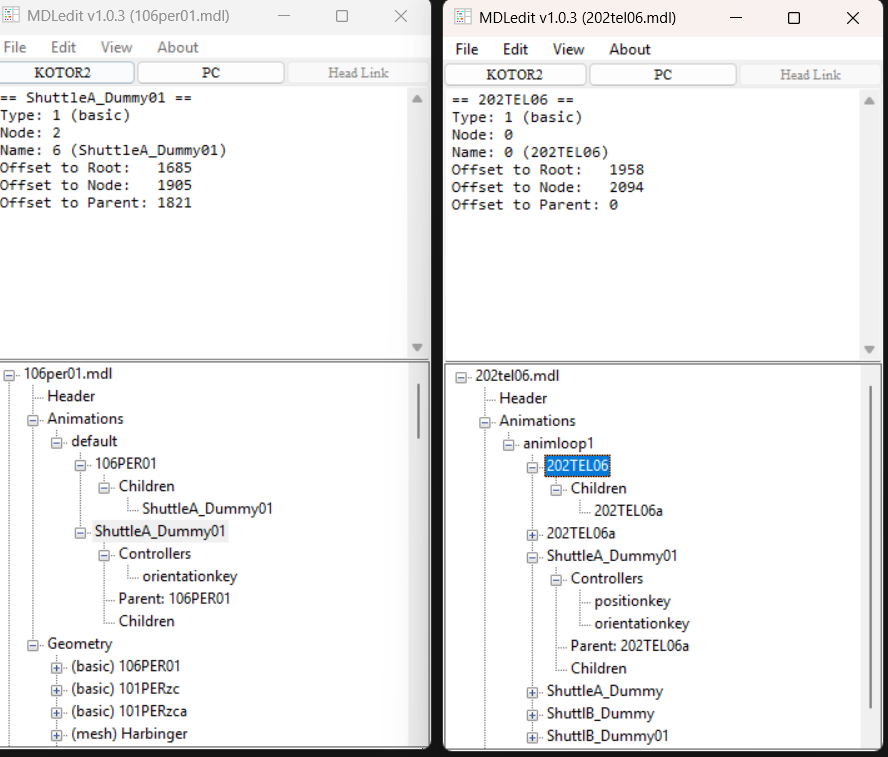
Your arguments are wrong. The function is void PlayRoomAnimation(string sRoom, int nAnimation); So, for example, in my K1 Taris Upper City Cantina mod where I have monitors change their screen display based on your progression through the fight ladder, I have commands like PlayRoomAnimation("m02ae_03a", nDPAnim); Where m02ae_03a is the specific room model (the one with the Hutt) and nDPAnim is an int that is determined by GetGlobalNumber / GetGlobalBoolean lookups. The model has scriptloop01 through to 10. Additionally, all keyframed objects must be children of the "A" node. That is, the dummy with the room name with "a" appended to the end. You can see an example in your MDLEdit pic on the right:
-
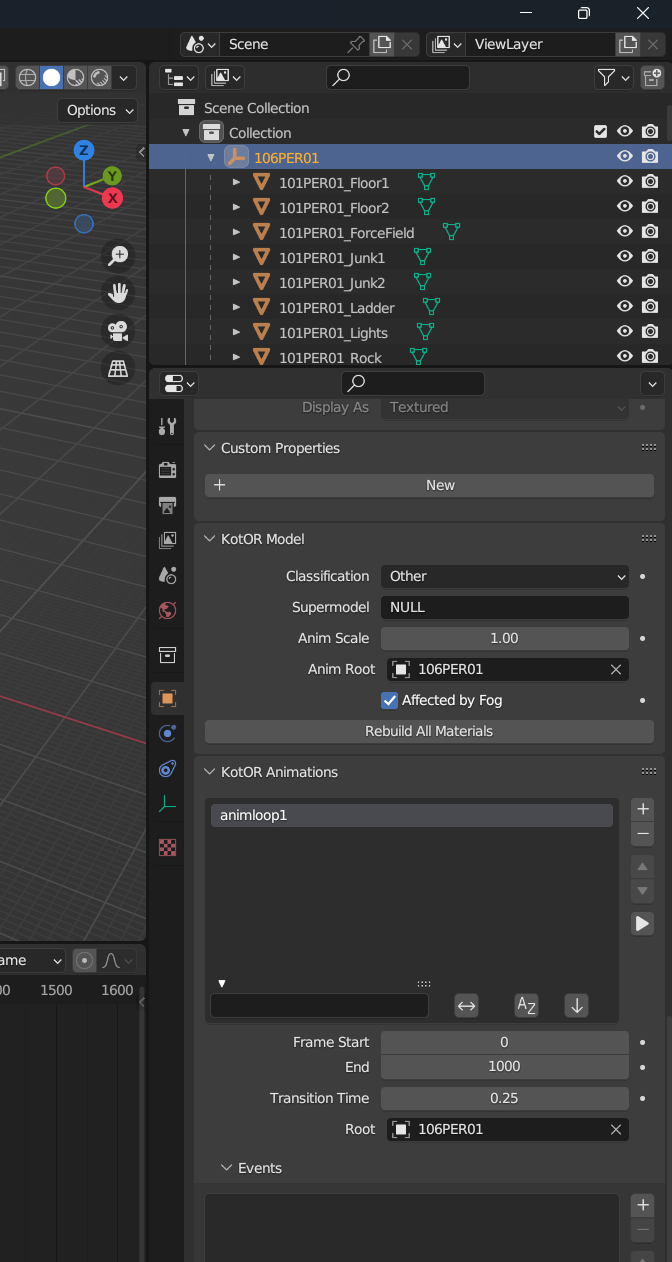
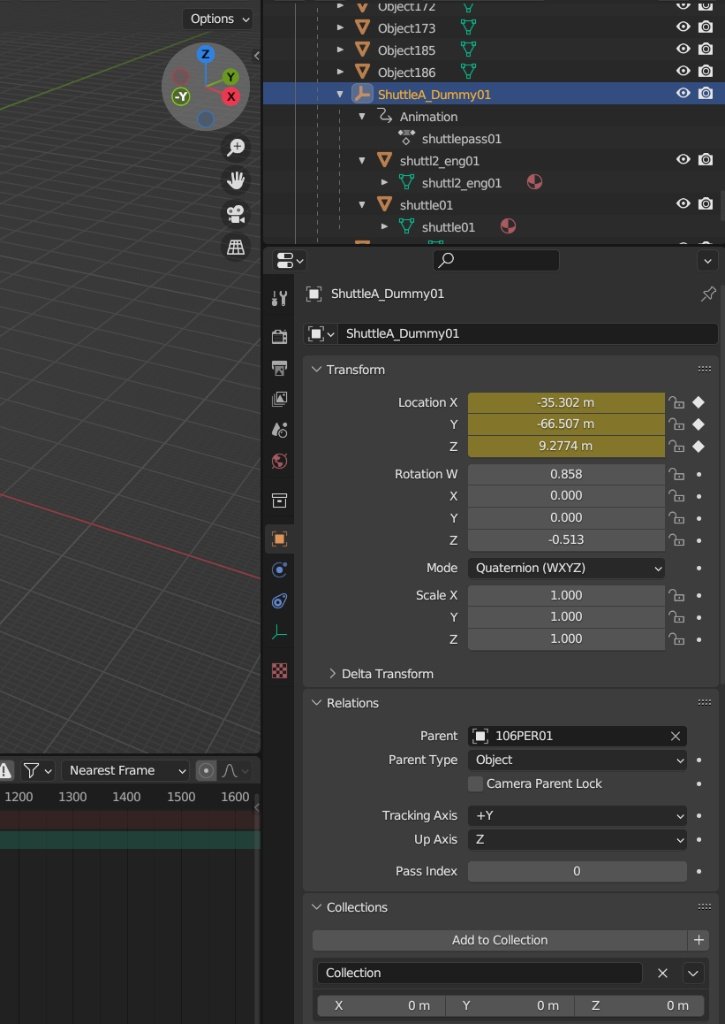
I modified one of the rooms in my custom module ph1 i cloned from 106per. I extracted the harbinger model from another modules room mdl grabbed it's textures and placed it outside the peragus hangar. I removed ebon hawk from the hangar patched up the walkmesh and fixed the lightmaps. Cleared the minimap of ebon hawk silhouette. I also added a shuttle from telos module and animated it in blender with kotor addon. The animation doesnt play in game but when i open the rooms mdl file in mdleditor it shows the animation. I tried variety of names for Kotor Animation input in blender: animloop01, scriptloop01, default etc. The shuttle correctly spawns on the first keyframe but it refuses to move. I also copied different shuttle with it's already existing vanilla animations and it to refused to move even though it did in original module. I tried forcing the animation with onEnter script: PlayRoomAnimation("scriptloop01", 1); and variations with animation constant SCRIPTLOOP01 (even though it's just an int that equals "1") I inserted all keyframes on the dummy node conatining shuttle meshes. The node is a child directly to a 106PER01 node (The module is cloned with Holocron so the rooms prefixes stayed vanilla instead of "ph1". The shuttle refuses to move no matter what I do. Also I don't know if this is related to this issue but Holocron Module Designer still shows the Ebon Hawk even though it is removed from the mdl completely and doesn't appear in the game.
-
 CrazyBoorad joined the community
-
 My main issue is that there's no way to grant powers in KOTOR 1, so there's not really a natural way to do that. I did play with a version where the force power script updates its effects depending on her level, but got annoyed writing the very long power description and didn't like that it made the mod feel less vanilla. But maybe I will release it as an optional install.
-
 Hey there! So this is the worst type of news to hear, and I want to see if I can fix it for you. Usually these types of crashes when you move in-game is caused by moving into range of an asset that you game is unable to process. An incorrect model, or something like that. I think the best thing I can do right now is take a look at some of the assets that module used. Can you reach out to me on Discord so we can discuss fixing this more? for now: Hold onto a save for before you enter the Aratech facility for the first time. An autosave for the facility itself will work, as long as it’s the first visit. We’ll get this worked out!
-
 PLOMEROPAEZ joined the community
-
 hohogamer joined the community
-
"In KOTOR II, Improved Battle Meditation is a level 12 power while this mod gives it to Bastila at level 3, so it's possible there's an effect on balance in the early game. I don't think it's too OP of a power but let me know if you have feedback" About that: I think one way to get around that concern would've been to give Bastila "normal" battle meditation at the start and then have her battle meditation automatically update to it's advanced forms, once she reaches the levels that make them available in Kotor 2.
-
 cHnn joined the community
-
What dialogue is there about finding the holocron and giving it to Kaevee? I wasn't aware of anything beyond what was already restored.
-
 stephen325 joined the community
-
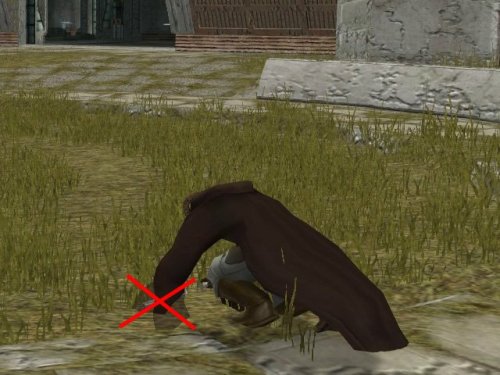 I always felt the flapping was atmospheric. Was like the wind was blowing in during that that moment and all.
- Yesterday
-
 3BEP joined the community
-
 tiyih joined the community
-
 Patch manager won't recognize my K2 .exe after I used the 3C-FD Patcher. :/ Fixed it. Apparently I don't need 3C-FD patcher with this. The patches are already included. My bad!
-
 Tshep117 joined the community
-
 Moribund91 joined the community
-
 DarthScubaNico joined the community
-

Heyorange's Sith Uniform Reformation [Revised]
mackmitchell94 commented on Sith Holocron's file in Skins
 How do I uninstall this mod ? If anyone could help, I would very much appreciate it .
-
 as essential as it gets; well done to everyone involved!
-
Fixed Hologram Models and Admiralty Redux for TSLRCM
lorddli reviewed DarthParametric's file in Mods
 Fantastic and essential change to Kotor 2 imo. God this bugged me so much lol
-
 this is a positive review.
-

expansion Mission to Sleheyron: A New Story Expansion Mod for KOTOR
ReanGalliams commented on SAO1138's file in Mods
I'm completely stuck in the Aratech Rayshield section. Previously I have encountered the loading zone crashed but they can be dealt with by loading the autosave. However, once I have stepped into the Rayshield zone, any movement or camera movement will swiftly result in a crash, it won't crash when I am absolutely stationary. I'm using KMRP along with mod, but the game still crash when KMRP 1.5.1 patched is restored to Original. Oh wait I just saw the troubleshoot, I will try that first. Nope, didn't work. -
Hi, I was looking at the dialog.tlk file and there are some lines about the holocron of Kaevee's master, the padawan of Dantooine. According to the dialogue, you can find the holocron, interact with it, or give it to Kaevee. Does anyone know if there's a mod for this? Thanks.
-
 As a KotOR modder whose majority of mods involve editing DLG files, NeoDLG is the best DLG editor to date and it is not even a contest. Firstly, NeoDLG (and Vriff's other Neo tools) support macOS and Linux, which means users of macOS or Linux (like me) are able to enjoy the software without using a compatibility layer like WINE. NeoDLG's feature of exporting TSLPatcher/HoloPatcher instructions for dynamic DLG file patching is a real game changer for modding dialogue. In the old way of using DLGEditor to edit a DLG file then using ChangeEdit to generate the TSLPatcher output, if you add new dialogue nodes to a DLG file, the indices of those new nodes are fixed. This means a different mod that also adds new modes to the same DLG file can end up sharing the same dialogue node indices, causing the two mods to conflict. On the other hand, NeoDLG's patcher instruction export feature makes use of 2DAMEMORY so the indices of new dialogue nodes are not fixed, thus TSLPatcher and HoloPatcher 2.0 (earlier versions of HoloPatcher does not support DLG dynamic patching) can patch DLG files when adding new dialogue new modes in a dynamic matter, which improves compatibility with other mods that patch the same DLG files. Not to mention, NeoDLG exports the patcher instructions faster than ChangeEdit when generating the GFF output.
-
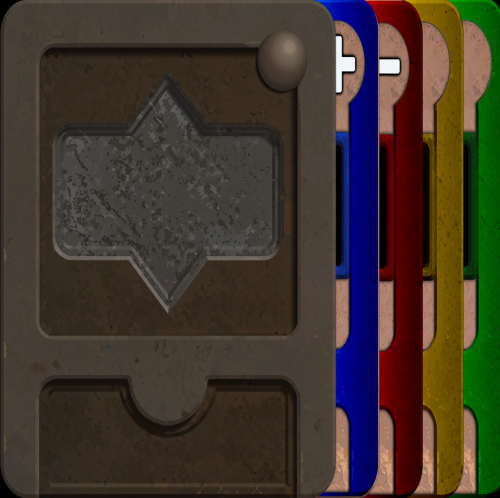 Hello there! Don't worry, I didn't take it that way at all. Actually, that's a pretty good idea. It's not exactly the same thing, but yesterday I created a Steam collection for all of them. And n ow that you mention it, I might do something similar here as well. I could even make a preview image showing every deck side by side to make it easier for people to pick
- Last week
-
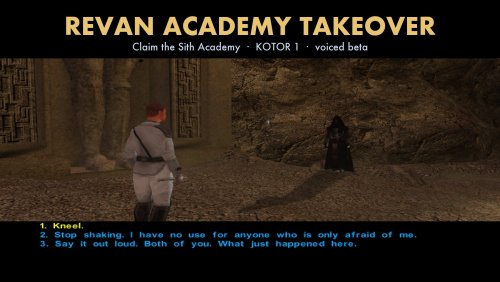 Thanks, good timing. I tried HoloPatcher 2.0 (macOS arm64) on a clean copy of the game: it installs and uninstalls this mod cleanly, and the uninstall also restores the lips archives. Its compiler builds all seven scripts to match the tested bytecode (two only drop an unreachable jump), so the argument-order issue is fixed and there is nothing left to file.
-
Understandable, that fork of PyKotOR you used is broken in many ways anyway. I've been working on fixing it on my personal fork, and recently published HoloPatcher 2.0: https://github.com/vrifftech/HoloPatcher/releases/tag/2.0.0 The compiler is much better than it's state in 2.3.12. We will be pushing it to the OpenKotOR repos when I finish fixing Holocron Toolset to work with the new PyKotOR
-
Thanks Vriff, that's fair and useful. I'll repackage it as a standard HoloPatcher mod and drop the custom installer. The compiler change was a workaround for an engine-call argument-ordering issue I hit in PyKotor 2.3.12; I'll write it up as an issue rather than ship a patched copy.
-
If I can offer some constructive criticism as a maintainer of PyKotOR and HoloPatcher, this way of trying to distribute your mod is not maintainable and very much works against you if you want your mod to be used. Utilizing HoloPatcher in the manner it was intended to be used and not packaging modified pykotor scripts with custom AI installers maximizes compatibility, reduces the chance of harm, and enables users an easy and known manner to install mods.
-
View File Revan Academy Takeover (beta, voiced by elevenlabs.io) Claim the Korriban Sith Academy as Revan. A new voiced outcome for the Valley student ambush in KOTOR 1, with three ways to take the crown. WHAT IT DOES After the final test on Korriban, the three students waiting in the Valley of the Dark Lords attack you. With this mod, a character who knows they are Revan gets one more reply: [Persuade] I am Revan. If it lands, the students do not fight. They break, and you choose how to rule them: 1. Kneel. (dark side) 2. Stop shaking. I have no use for anyone who is only afraid of me. (light side) 3. Say it out loud. Both of you. What just happened here. (neutral) Afterwards the students stand down, the Academy door opens to you again, and students inside greet their new ruler. If the persuade fails, or you have not yet learned who you are, the original fight plays out unchanged. - 13 new NPC lines, voiced and lip-synced - Gender-neutral references to Revan - English only - Works from a save made before you meet the Valley students This is a small beta: it adds the takeover moment and its aftermath, not a full academy-management story. INSTALL Standard HoloPatcher mod as of 0.1.0-beta.3. Put HoloPatcher next to the tslpatchdata folder, run it, select your KOTOR 1 folder and press Install. TSLPatcher itself has not been tested with it. It patches kor36_endsith1.dlg and kor35_sithstudm.dlg through GFFList, adds two rows to globalcat.2da (KOR_REVAN_RULES, KOR_REVAN_STYLE), and installs seven k_revan_ scripts (precompiled, source included), 13 voice files to streamwaves and 13 lip files to Override and the two Korriban lips archives. COMPATIBILITY AND KNOWN LIMITS - Tested on the Steam Mac version from saves at the Valley encounter, not a full playthrough. Windows is untested. Reports welcome. - The beta.3 package was verified by installing it with the HoloPatcher engine in PyKotor 2.3.12 onto a clean game and comparing the result with the files tested in game. It has not been replayed in game since repackaging. - The dialogue patch addresses existing reply links by position, so install order matters if another mod restructures the same two dialogues. - K1 Community Patch and K1R: not tested with this version. - Uninstall gap: HoloPatcher's uninstall leaves 13 unused lip entries in the two lips archives. README.txt says how to restore them from the backup. AI DISCLOSURE - The 13 new lines are AI-generated speech (ElevenLabs stock voices; voice audio by elevenlabs.io). No voice was cloned from the original cast or from any person. They do not sound identical to the original actors. - Dialogue, scripts, packaging and testing were made with AI assistance. PERMISSIONS Free only; never sell or paywall it. Please do not re-upload elsewhere. Ask before reusing its content in another mod. Unofficial fan project, not endorsed by the rights holders. CREDITS BioWare and LucasArts for the game; Aspyr for the Mac port. PyKotor and HoloPatcher by Nick Hugi, th3w1zard1 and contributors; thanks to Vriff for the push to package it properly. Voice audio by elevenlabs.io. Submitter keshmar Submitted 11/09/2026 Category Mods K1R Compatible No
-
- 1
-

-
 View File French Translation Patch for the Neocities K1 Mod Build French translation of 128 English mods from the Neocities KOTOR 1 mod build, plus 3 additional mods (Auto-Pazaak, KOTOR Editable Executable, Get the other krayt dragon pearl): dialogues, items, creatures, doors and placeables, journal, texts added to the game (append.tlk and replace.tlk), TSLPatcher/HoloPatcher installer files (changes.ini, namespaces.ini, info.rtf) and readmes. This patch contains translated files only. The original mods are required: download each one from its author (full list and credits in Credits_auteurs_des_mods.txt). Requirements: French Steam version of KOTOR 1 + KOTOR 1 Community Patch (base of the Neocities build). How to use: 1. Extract this patch close to the root of a drive (e.g. D:\TradFR1): some mods have very long paths, and Windows refuses paths longer than 260 characters. 2. Download the original (English) mods and extract them all into one folder, without renaming the folders. 3. Run "Appliquer la traduction.bat" and select that folder. The tool recognises each mod (even with a Nexus-renamed folder), puts the French files in the right place (including tslpatchdata) and keeps the replaced English files in "_originaux_anglais". 4. Install your mods normally, in the build order. Do NOT copy these files straight into Override: for mods with an installer, they would have no effect and your texts would stay in English. Notes: - Many mods only write the English substring of their texts; the translated files contain French in both the English and French substrings, so texts display correctly in every case. - New game texts (Sneak Attack for Jedi Sentinels, Multifire/Autofire, Logical Datapads, Bastila's Battle Meditation, Alignment Affects Force Powers, SenniVek Mod...) use the official French terminology. - Readmes are not overwritten: their translation is added next to them with "_FR" at the end of the name. AI disclosure: the translation and the tool were produced with the help of Claude (Anthropic AI), then reviewed and tested by me. All mods remain the property of their authors; every author is credited in Credits_auteurs_des_mods.txt. Any author who wants the translation of their mod removed only has to ask, and it will be removed immediately. Translation: Manu (Alcias01200) and Claude (Anthropic). Submitter Alcias01200 Submitted 11/10/2026 Category Mods K1R Compatible No