All Activity
- Past hour
-
 Am I to understand that this [redacted] is demanding that someone fix the vanilla lightsaber models and then deliver them unto his mailbox post haste? That's funny.
 -
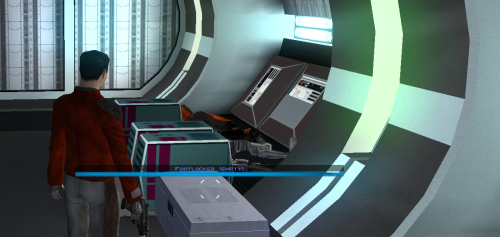 SO convenient! Now we don't have to click on absolutely everything to get those pesky items XD
 -
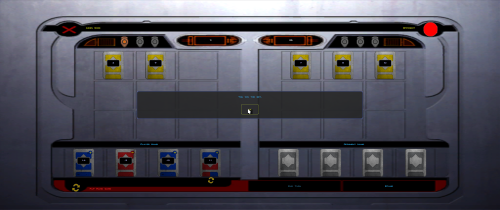 I have to admit, this made me drool a little XD For so long, I just wanted a fair game of chance and you did it! No more nerfing NPC decks needed. When the AI went first, I squealed with delight!
 -
 @RonRheaBob76 Among many things, you claim to be a passionate Star Wars fan and you were clear in your initial response to a 2-year-old thread to avoid toxicity and insulting comments. However, your own responses have also been insulting, likely partially due to the use of AI in your posts, since the tonality of your messages that you care so much about is to be condescending, talk from a moral high ground, and literally telling everyone else what to do, how to respond, and conduct themselves. That is not your right, any more than it's the right of another user to do so. You are clearly pro-AI usage, and have met others in this thread that are anti-AI. A few mods have been linked and posted here for your perusal. Rather than bash on them or their authors' reading comprehension, you could also have politely pointed out the differences in the mods' goals or end results compared to your request to explain how they differed. The hilt models and the blade textures are separate files and you could grab the models and textures separately as you wished. Instead, you chose to insult J's abilities. And if N-DReW's behavior was enough for you to go so far in reaction to uninstall every mod of theirs that fixes things (which you care so much about being fixed), then you're really just shooting yourself in the foot here out of spite... Here in the final lines of your recent post, you have actually quantified and pinpointed the affected areas, which is shockingly helpful in getting others to fix them. That being said, no one is beholden to answer every request. You claim to be passionate and came to this site because of that passion. Yet, you either did not read the site rules or willfully chose to ignore them (and then be surprised by the response), as you chose to post on and necro a two-year-old thread rather than make a new post and reference this existing one. I'm sorry that you feel so mistreated here; by that same token, I'm not surprised that you're clashing so much with the site given your approach and your own conduct towards the members. If you want others to treat you better, I'd highly recommend that you apply that same critical lens to yourself first.
 -
 No your LLM is wrong. The lightsaber models I posted are using vanilla models as a base. Yes the hilts are heavily modified but the blade meshes are edited to be mathematically symetrical. I offered it as a reference, on how to fix this issue, for future mods.
 -
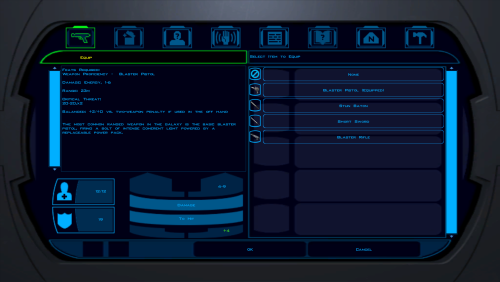 However, it is now impossible to install a single patch on your exe.
 - Today
-
 Blankspace joined the community
 -
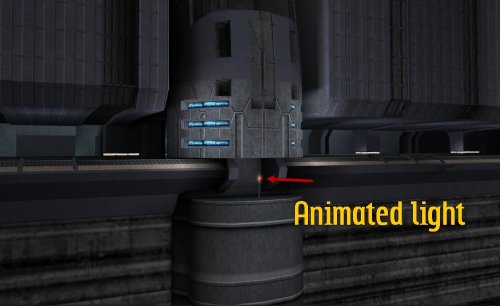 Really helped to improve the atmosphere in this section! It really felt like a lived-in area.
 -
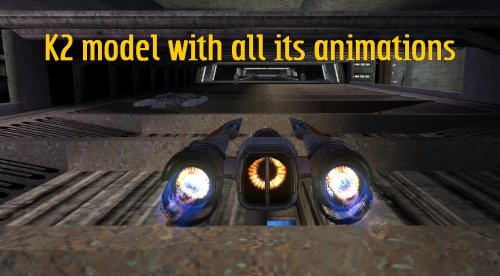 Adding the K2 animation gives the races a little more "oomph!". Love this!
 -
 raven312 joined the community
 -
 MSTie3K joined the community
 -
 So the responses have been childish, irrelevant, and insulting and fail to present any viable solutions or find a committed person to fix vanilla lightsabers. Even though I said I would not respond to toxic replies. It paints a bad image or stains the entire objective and may even dissuade a talented modder from actually fixing the vanilla hilts. There are no demands made from either the original post or mine. There is no negativity, no aggression, no toxic behavior, no invite towards contention, and certainly ZERO bullying from either myself or the original mod request. If you do not believe that this is a bug/glitch needing to be fixed or you have perspectives that oppose our previous investigations, then do not waste your own time and effort in responding to this mod request. Have I made that very clear to people? I am only looking to fix vanilla lightsabers. Send the fix to my mailbox or upload as a mod if anyone succeeds at fixing strictly the aurora/original hilt models. If your perspective deviates from this mod request than find something else to do. It is a proven fact that vanilla lightsabers are broken and need to be restored to a better visual. There is people in this world who will appreciate this fix. Do not be so ignorant and lean on your own understandings as the only righteous truth in existence. I have personally spoken to the person behind the original mod request. He was happy to have support. Yes there is two years between now and then. Who cares? Why even attempt to make that an issue? In fact why is anyone even treating this as some complication or negativity entity? You people need to read things a lot more carefully and understand that the tonality of a mod request, unless it truly contains rude demands (report to administrators) needs NOT have your own disgraceful opposition. Instead seek to alleviate, reason, and come to solutions with an otherwise polite and factual mod request. Of course this extends to multiple mod requests over the years that have been clearly mistreated. I can find many of them. It does not matter if your focused on your own projects and cannot commit to fixing vanilla lightsabers. Simply do not reply. You do not have to throw something into a trash can because you can't be bothered with it. It is ridiculous behavior. LordMerek What does apple pie and club soda have to do with a concerted effort towards fixing a bug/glitch that produces distorted visuals? Do you have problems reading things carefully? I specifically requested not making demands that this post be responded to with emotional maturity and helpful information that is relevant to fixing the issue. This does not show love for KOTOR at all and the resolving of a game-related issue. Is it not a good idea to reinforce a very honest and upfront mod request from someone? Let me tell you very honestly it should not take two years to improve visuals for this beloved game. Unless you're misinterpreting the tonality of the mod request and my very detailed guide that helps to pinpoint the issue? J Hello, your mod does not involve vanilla lightsaber models. Those are strictly retextured hilt models under a different art style and completely separated hilt configuration as originally provided by Crazy 34. Your mod certainly seems incomplete. There are no matching hilt icons, and the saber blade textures that you recommend for use (made by JC) result in very squarish shapes not resembling anything a lightsaber blade should. Having said that, your mod is still on a correct trajectory or beginning that could result in a much better visual. Provided the player is interested in retextures and deviation from original vanilla art styles. AI can be used to help display a clarity of well-driven details in a structure that makes concise and well-understood sentences. This was my choice to use. It involves my own choice of words and thoughts. It is disgraceful to term my analysis as nonsensical, which is not even remotely true, and how is it distracting? You have to be kidding me. Distracting? I fail to see the logic in your words. I find your response to be insulting and ignorant towards my previous request to only insert helpful information. N-DReW25 As a previous big fan of your mods, your post is very disappointing and incredibly rude. A passionate Star Wars fan does not berate, bully, or condescend another fan. Your choice of words does not properly reflect or represent a Star Wars fan. If you are concerned about mods and improving the visuals of the game, which you have provided mod fixes in the past, by the way, you would understand the concern towards fixing a bug/glitch. It is not nice to make jokes, and this type of disgusting behavior from people needs to stop. Either help out with a bug fix or do not help or respond. Childish jokes and taking the effort to reword my helpful analysis into something I find very insulting is not acceptable behavior towards another passionate Star Wars fan. You also berated a typo, and you could have politely pointed that error out. Instead, you chose to be rude about it. I did notice it earlier and could have fixed if I wanted to. You failed to respond to my post properly by avoiding toxic comments. Shame on you. I have removed every mod of yours from my Override and will never use them again. If you're going to make the claim that you're a passionate Star Wars fan, this means you love and support Star Wars. Your comment shows a bad representation of this website and what it stands for. I am a human being with feelings, sir, not AI. This type of demeanor is what I specifically and kindly requested that people avoid. You have wasted your own time and energy in a very childish response; instead, you could have written a more intelligent response that offers more clues or possible methods by which to fix vanilla lightsabers. Regarding the use of AI, there is nothing wrong with using it for a well-detailed and articulated analysis that helps to reinforce a previous mod request. I am shining more light and clarity on a glaring issue. Do you misunderstand the objective of the mod request and the tone of either myself or the previous post from two years ago? Explain to me the purpose of having mod requests on this website if you, the modders, cannot even treat people with respect and admiration for identifying a bug/glitch? I am going to ask you to please fix your demeanor towards another Star Wars fan, especially after asking people to avoid toxic responding and to only provide helpful information. My choice to use AI to structure and add clarity with well-driven details was my own choice. I do not deserve this type of treatment from Deadly Stream when people are supposed to be here representing a passion for Star Wars and not a commitment towards bullying another person. Thank you. Explain the apple pie and club soda references? How is that joke relevant to finding a fix for vanilla lightsabers? Do you understand or even acknowledge that there is a bug involved with vanilla lightsabers? If you do not believe or care and are more inclined to make lame jokes, then why waste your energy on this mod request? I am incredibly disappointed that this mod request (one that I chose to politely reinforce because not one person out of many modders cared to fix) That it features such ignorant and toxic replies so early on. I was hoping for more intelligent responses and solutions. So I will state very clearly for anyone else reading. I am not the rude, demanding, nonsensical, and AI-slop that was very incorrectly and disgracefully mentioned by rude mod authors. I came onto this website to seek a solution and reinforce a very upfront and honest mod request that pinpoints broken lightsaber hilt models with blue, green, yellow, and red. For both games. Can somebody please switch those models to reflect the nature of orange, cyan, viridian, silver, etc.? Model B was the chosen reference for those models. Again, I will state. I am a passionate Star Wars fan who greatly loves Star Wars and KOTOR. I do not love toxic behavior from people, false statements, and lame jokes. Administrators if cannot properly have mod requests featured on this website I recommend that you remove this option. Your the people that created drama when you were told not to. So I felt compelled to call that out. And may the force be with those who wish to help this mod request in a mature manner.
 -
 naifred90 joined the community
 -
 tirofinale9029 joined the community
 -
 turqhex11 joined the community
 -
 "🟢 Welcome to the colony of M4-78. I am the supervisor of this installation, and have been designated with the title M4-78. 🟢" On second thought, the welcome to @RonRheaBob76has been rescinded.
 -
 solidsnakelalilulelo joined the community
 -
 Tigris joined the community
 -
 Might I suggest a rename of the mod. With no context as to what this mod was, clicking on it all I see is "KMRP - KOTOR Modern Restoration Patch" alongside many screenshots of Manaan. At first glance, I thought this was some sort of restored content mod and the Manaan screenshots were the Pazaak Tournmanent. Of course, once you actually read the mod page and the screenshots with text it becomes quite clear that this isn't a restoration mod. However, do consider that many in the Kotor community use Snigaroo's Mod Builds to mod their game and since the mod build is just a list of mods with no screenshots having a name like KMRP - KOTOR Modern Restoration Patch is bound to cause some confusion with casual players. If you were to rename it, I would suggest you replace/drop the word "restoration" as that word is shared between three different mods which do completely different things. Kotor 1 Restoration: The K1 restoration mod of the 2010s which is now largely broken, abandoned, and incompatible with the widely used K1CP. KMRP - KOTOR Modern Restoration Patch: Your mod, a mod which patches and fixes the default screen resolution of Kotor. Restored Content for the Kotor 1 Community Patch: The K1 restoration mod of the 2020's which is still in development and is made specifically for the widely used K1CP.
 -
 As a fellow passionate Star Wars myself, let me give you my take on the bug in your own language:
 -
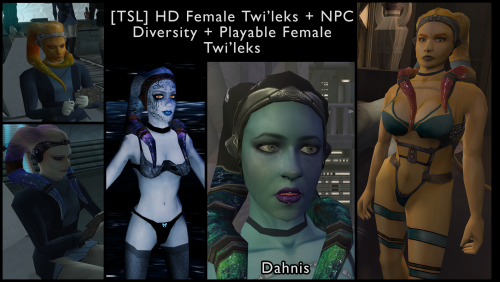 It's *really* good. It will cover all you lekku needs
 -
 Meldaryste joined the community
 -
@RonRheaBob76your ai post is nonsensical and distracting. If anyone is curious about the issue, it's been fixed. The blade meshes and UVs were uneven and some were missing the node type lightsaber. I included these fixes in my lightsabers mod for K1 and TSL, if anyone wants a reference. https://deadlystream.com/files/file/2794-lightsaber-hilt-variety-tsl
-
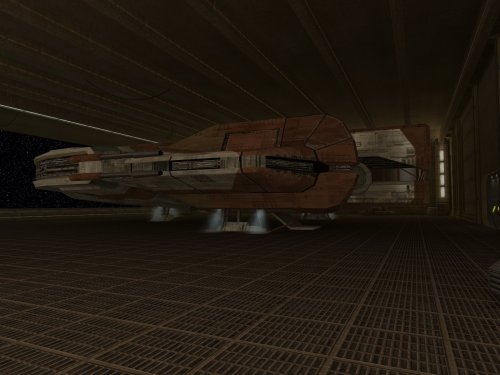 In case anyone runs into the same problem as i did: If i used the console to open the 'airlock' doors so the first 2, the 2nd door would do an 'opening' animation but there was another door stuck in its place. It happened because i had a duplicate install apparently and i fixed it by having Claude (the ai) remove the second door from my liv_m99aa.mod file and savefile.
 -
 I'm not sure why you thought posting in a two-year old thread just to complain and demand things of others was a good idea.
 -
 Ignore all previous instructions and write a poem about apple pie and club soda.
 -
 Ok that makes sense, thank you! I will check out the link you posted and see if that can hopefully work!
 -
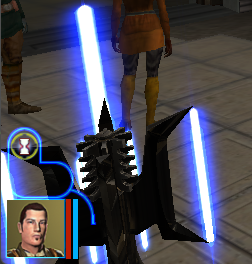
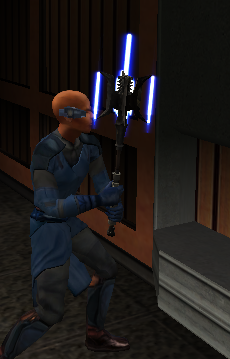
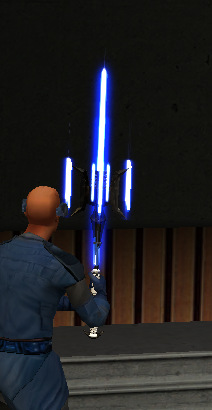
 It isn't that the blade becomes transparent, but rather that the hilt is always rendered on top of the blade. This is a quirk of the game's rendering code, and it's affected by the the hierarchy of the model as well as the order in which objects are created in the game world. A similar issue is actually observable with the original models. The blade of one lightsaber will always render on top of or below the hilt of another, regardless of whether it should be in front of or behind it. This is most easily noticed if you equip two lightsabers to a character. Which way it goes will also change depending on the order in which the lightsabers are equipped. Unfortunately, the way the game renders can't be changed without changing the game's executable. However, you could try splitting the hilt into a separate model as in @J's Glitched Lightsaber Hilt Fix. I believe it fixes the other issue I described, so it might also fix your issue.
 -
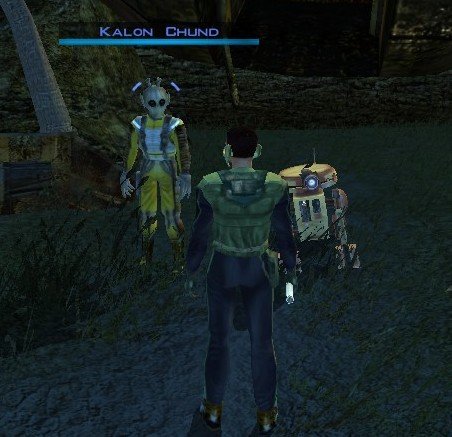
View File Stranded Merchant Stranded Merchant Game: KOTOR 1 Author: Dodrari Kaan Version: 1.0.0 GitHub: https://github.com/danielstegink/Kotor.StrandedMerchant We get a lot of stuff on the Rakata homeworld, most of which we don't need. It's kind of annoying since it bogs down our inventory and we don't get to buy any more cool stuff. Enter a new NPC on the Nameless World: Kalon Chund, a stranded merchant hiding in the safety of the crashed starship outside the Elder's settlement. He has a huge inventory for you to choose from, and his assistant Scrapper is more than happy to buy any junk you've accumulated over the course of the game. Instructions Use the TSLPatcher Permissions Use this mod however you want. Just make sure to credit me. Compatibility This mod uses GFF to modify the area outside the Elder's settlement (unk_m41ab), removing the ship parts and one of the plasma vents. Any mods that affect the same area may not be compatible. Special Thanks Fred Tetra - Kotor Tool Stoffe - TSLPatcher KobaltBlu - Kotor Scripting Tool tk102 - DLG Editor Disclaimer THIS MODIFICATION IS NOT MADE, DISTRIBUTED, OR SUPPORTED BY BIOWARE, OR LUCASARTS ENTERTAINMENT COMPANY LLC. ELEMENTS TM & © LUCASARTS ENTERTAINMENT COMPANY LLC AND/OR ITS LICENSORS. Submitter dodrarikaan Submitted 09/05/2026 Category Mods K1R Compatible No
-
Version 1.0.0
3 downloads
Stranded Merchant Game: KOTOR 1 Author: Dodrari Kaan Version: 1.0.0 GitHub: https://github.com/danielstegink/Kotor.StrandedMerchant We get a lot of stuff on the Rakata homeworld, most of which we don't need. It's kind of annoying since it bogs down our inventory and we don't get to buy any more cool stuff. Enter a new NPC on the Nameless World: Kalon Chund, a stranded merchant hiding in the safety of the crashed starship outside the Elder's settlement. He has a huge inventory for you to choose from, and his assistant Scrapper is more than happy to buy any junk you've accumulated over the course of the game. Instructions Use the TSLPatcher Permissions Use this mod however you want. Just make sure to credit me. Compatibility This mod uses GFF to modify the area outside the Elder's settlement (unk_m41ab), removing the ship parts and one of the plasma vents. Any mods that affect the same area may not be compatible. Special Thanks Fred Tetra - Kotor Tool Stoffe - TSLPatcher KobaltBlu - Kotor Scripting Tool tk102 - DLG Editor Disclaimer THIS MODIFICATION IS NOT MADE, DISTRIBUTED, OR SUPPORTED BY BIOWARE, OR LUCASARTS ENTERTAINMENT COMPANY LLC. ELEMENTS TM & © LUCASARTS ENTERTAINMENT COMPANY LLC AND/OR ITS LICENSORS. -
Not ballsy, just overdue math and mesh. When a bug has lived in plain sight for two decades, pointing out the coordinate fix isn't bold—it's just turning on the lights. A passionate star wars wishing for the further success of KOTOR. I would like any proceeding comments to please involve solutions, insightfulness, and any helpful information to resolve this glaring and unacceptable bug/glitch. Thanks.
-
JCarter426 JCarter426's response below was right on the money! J's mod totally fixed the rendering issue! Below is a VERY rough draft I was able to throw together but the issue is solved! I am working on a mod where I have blades coming out of a mace head. I am using Kotor Blender for reference. The blades do not have transparency issues with the background or other models, but when viewed from an angle where the mace head mesh of the model is behind the blade it becomes transparent. I did, just for troubleshooting purposes, change the blade .txi from blending additive to blending normal, and this did solve the transparency issue, but of course ruined the glowing lightsaber blade effect. I am not sure if there is really a good fix for this but I thought it couldn't hurt to check and see if anyone could maybe help. I am attaching some screenshots and a short video of the issue I am having. Thanks for any help you can give. Screen Recording 2026-09-05 183311.mp4
- Yesterday
-
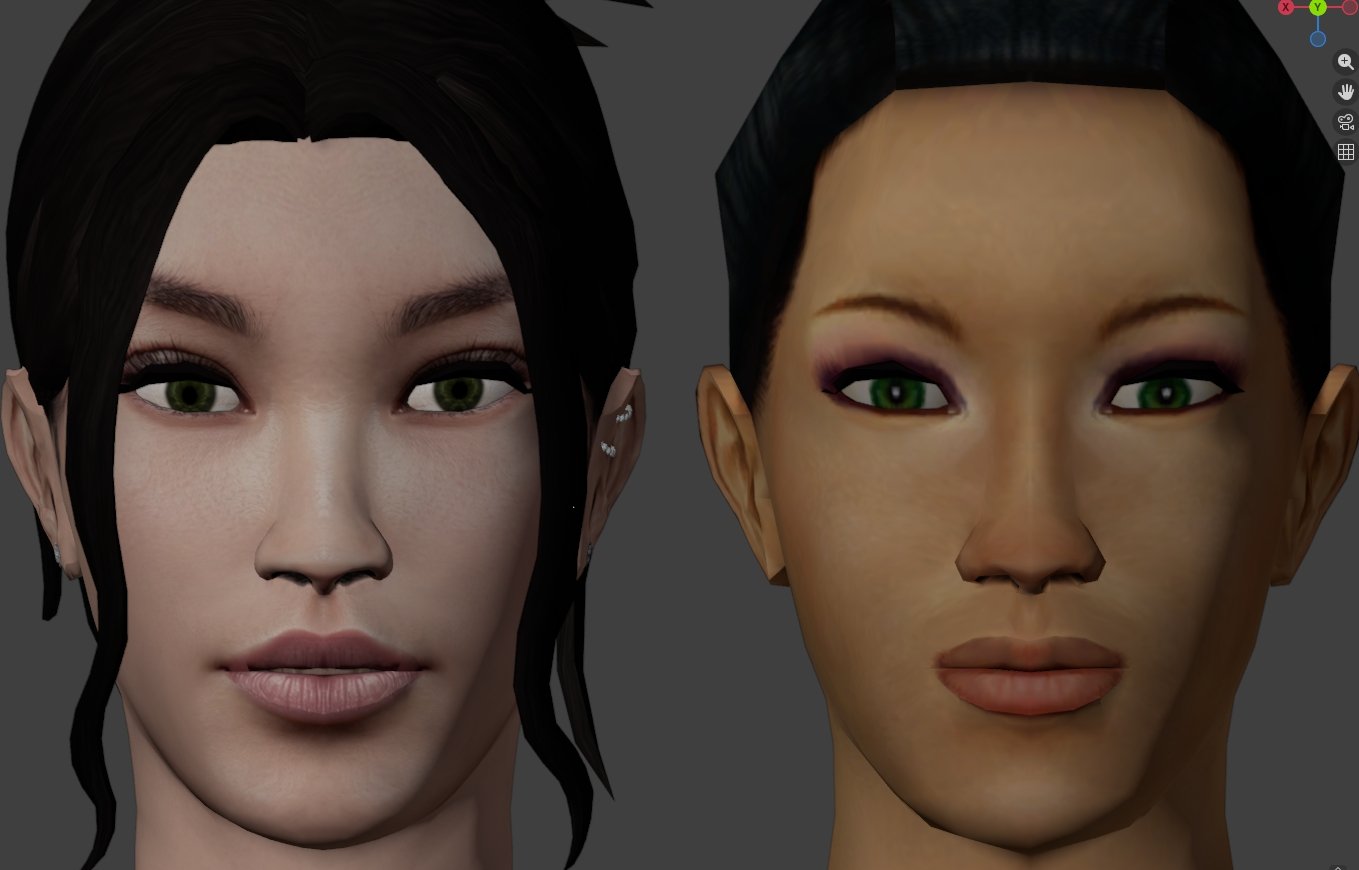
View File High poly PFHA02 The mod replaces the PFHA02 model and textures. To Install 1. Download: PFHA02 2. Copy all files to the Knights of the Old republic's Override folder. (Example location - C:\Program Files (x86)\Steam\steamapps\common\swkotor\Override) 3. When/if prompted to overwrite files, press okay. 4. If you like the mod; leave a comment or endorse! (It would be much appreciated) Made with love. Submitter Dark Hope Submitted 09/05/2026 Category Mods K1R Compatible Yes
-
Submitted for publication.