All Activity
- Today
-
 Thedrinkcarrier joined the community
 -
 I'll let ya know!
 -
No, I don't have a Steam Deck at the moment, so there's no way for me to test it.
-
 Which version of this mod should I use for Steam Deck/Steam Controller?
 -
 Citric joined the community
 -
 Defoltir joined the community
 -
View File Neo2DA - A 2DA Editor A new 2DA Editor with a few modern improvements: Import/Export from csv/tsv Creation of TSLPatcher/HoloPatcher data Filtering Copy/Paste Dark mode Add columns, not just rows. Submitter Vriff Submitted 07/06/2026 Category Modding Tools
-
 Vriff changed their profile photo
 -
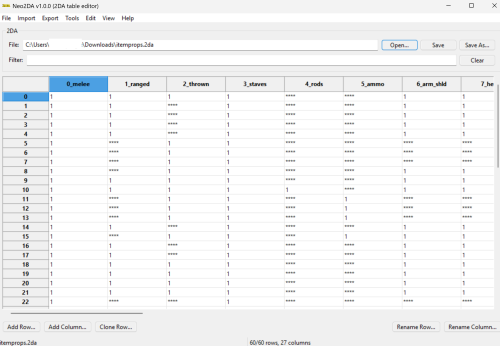
Version 1.0.0
1 download
A new 2DA Editor with a few modern improvements: Import/Export from csv/tsv Creation of TSLPatcher/HoloPatcher data Filtering Copy/Paste Dark mode Add columns, not just rows. -
View File Korriban Sith Military Academy Title: Korriban Sith Military Academy Author: RavenFal Date Released: 07/04/2026 TLDR: Uthar, Yuthura, & Jorak all wear unique sith military uniforms while all other Dark Jedi wear the Dark Jedi robes previously only seen on the PC, Bastila, and a fallen Belaya. Some Dark Jedi in the academy are changed to be Twi'lek. Credits: Shem's Robes for Korriban Sith Students & Pwener's Korriban Sith Uniform Fixes (Both used with permission) This mod is very simple: It combines Shem's Robes for Korriban Sith Students & Pwener's Korriban Sith Uniform Fixes into one nice package, while removing all the extra crystals drops Shem's original mod added in order to keep the game balanced. The additon of Twi'lek Sith included in Shem's original mod is (mostly) still in place. I liked the idea of the Sith Academy on Korriban having the look of a military academy, but also thought it was weird that we are the only character that gets Dark Jedi Robes. So this mod changes every sith in the academy besides Uthar, Yuthura, & Jorak, to wear Dark Jedi Robes. Uthar, Yuthura, and Jorak now wear their appropriate unique Sith Military Uniforms at all times to highlight that they command both the Dark Jedi & Sith Soldiers of the Academy. Compatibility: Yuthura Sith Eyes with Light Side Transition - prioritize this mod's "dan13_yuthura.utc" file above the one added by that mod & there should be no issues. Incompatible with any other mod that changes the appearances of any of the Sith in the Korriban Academy. This mod will require you to have a saved game before you land on Korriban to take affect. Installation: Run the TSL Patcher executable. Uninstall: Replace the appearance.2da file in your override folder with the file saved in the backup folder. Delete all of the .utc, .tga, .mdl, & .mdx files of this mod from your override folder. THIS MODIFICATION IS NOT MADE, DISTRIBUTED, OR SUPPORTED BY BIOWARE, OR LUCASARTS ENTERTAINMENT COMPANY LLC. ELEMENTS TM & © LUCASARTS ENTERTAINMENT COMPANY LLC AND/OR ITS LICENSORS. Submitter Raven-Fal Submitted 07/04/2026 Category Mods K1R Compatible Yes
-
 insomagent joined the community
 -

T3 skins for KotOR 2 not working.
confuuzed replied to confuuzed's topic in General Kotor/TSL Modding
Thank you for trying to help with this situation Effix. If you come across a solution in the future, please let me know. Have a pleasant week. -
Have you tested it?
-
 ObiDogKenobi joined the community
 -
 Okay, I learned some new information. First of all, it seems like both TSLRCM and vanilla TSL in KOTOR II have the fadeout transparent effect. I have seen some playthroughs for both versions on YouTube where the transparent fadeout happens. It seems like all of the YouTube playthroughs that DO have the transparent fadeout effect are Xbox or older PC. It seems like PC playtrhough videos from 7 years ago to now seem to have what I have: The solid "DestroyObject" effect. I set the script to both "TRUE" or "FALSE", and even used the "DelayCommand" for DestroyObject, and no fadeout. I then came to the conclusion that it was a video card rendering and/or graphics issue. I tried changing the graphics in a variety of ways, both in-game and in AMD settings, but it doesn't do anything rather than change the "sithritual001" cloud effect's texture. I shared the savegame with a modder on the OpenKOTOR Discord, and it seem like in their playthrough of that save, which is Steam version, specifically Steam Proton Linux, there is no fadeout either. Regardless of what graphics or anything that I do, whether it is edited or default, the fadeout doesn't happen, but it works for Darth Sion and even Darth Traya. Is there something "broken" about PCs to render this properly, or is it perhaps not a graphics thing either and is another issue entirely?
 -
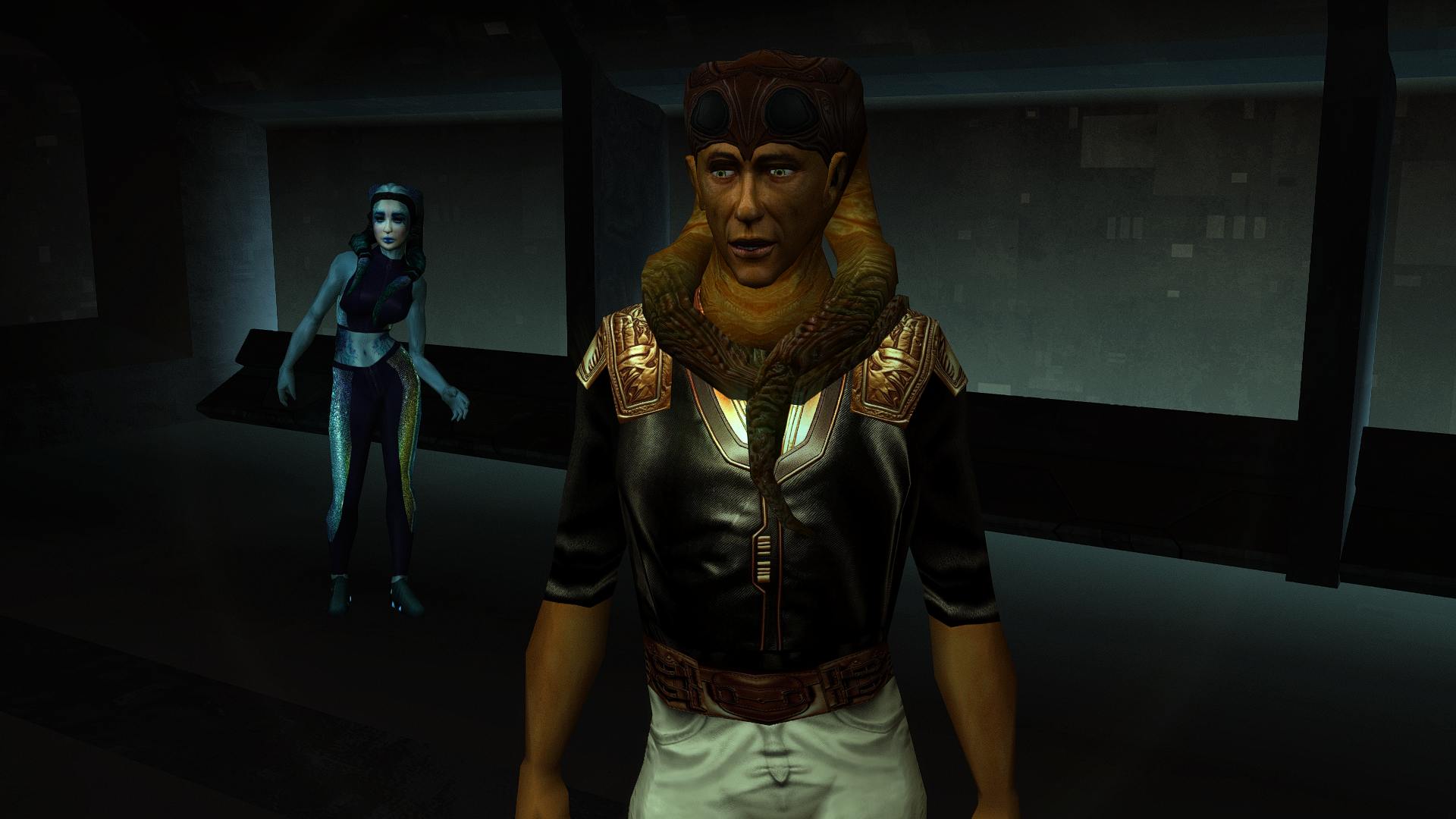
Very nice! Do you plan on uploading these male Twi'leks when they are all finished as a mod or are they just going to stay here in this WIP thread?
-
 adampg435 joined the community
 -
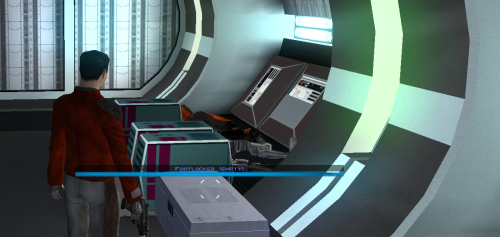 Thanks for the mod! Please tell me what I need to edit so that the "empty" text is in Russian, i.e., localized. Thank you!
 -
 ProtoBozo joined the community
 -
Another user (Lukar) posted his Steam Deck version in the forum thread:https://deadlystream.com/topic/8356-modkotor-widescreen-fade-fix/#findComment-98896
-
 meowmers joined the community
 -
Plus one!
-
 2bored2play joined the community
 -
 Zaphir162 joined the community
 -
(1).thumb.png.3c598fb8775fe70e0db207b83a7c5a0c.png) Would you consider doing something like this for KOTOR II?
Would you consider doing something like this for KOTOR II? -
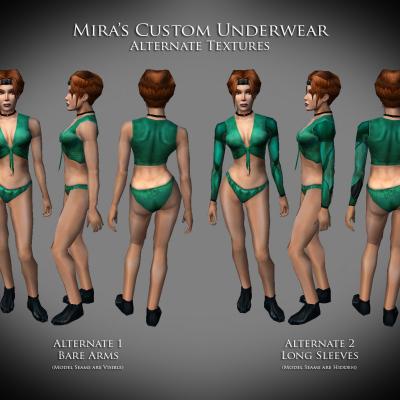 Would you be open to making a mod like this for K1?
 -
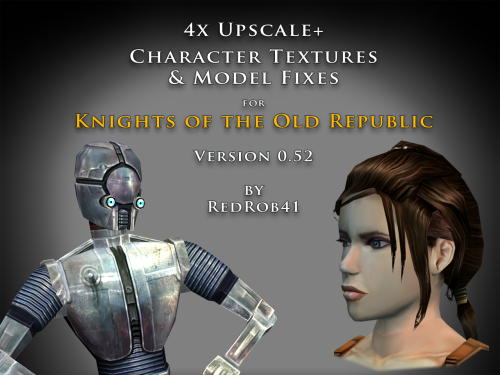 Does this contain the same fixes as your Party Model Fixes and HD Bastila does? If so, I can just install this mod instead.
 - Yesterday
-

Kotor 1 - Stuck before Dantooine Star Map
DarthParametric replied to keegs's topic in Knights of the Old Republic General
You need to send the entire folder of an individual save. For example, everything in saves\000051 - Game50. You'll need to archive it using something like 7-Zip, etc. -
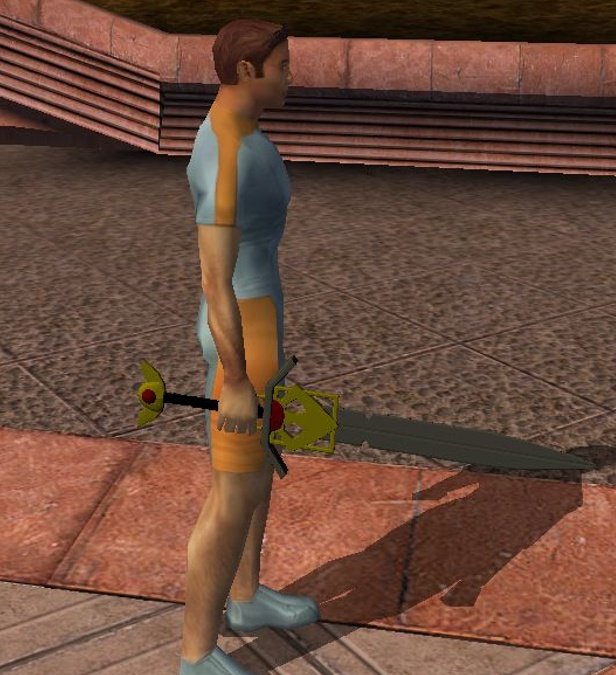
 Finally had some time again to continue with this mod, had forgot most of Blender, but re-learnt it again, and redone the sword mod on Blender from scratch (now documenting every single step). Just for a reference, this is the sword look before creating the TXI file: And this is the sword look after incluiding the TXI file. As you can see, it brings the sword a better look. However, there's something I didnt considered/try last time, and it was trying it on combat. So I tried now and in the moment the animation combat starts, the game crashes (it also happen when press the X key to "wave" the sword). Actually, half of the waving animation happens, and right in the moment my character is gonna be on guard or hit, it crashes. I have tried it with both old and new files for the mod, and it happen in both. Is there something I have to do different on Blender? Or where could the problem be?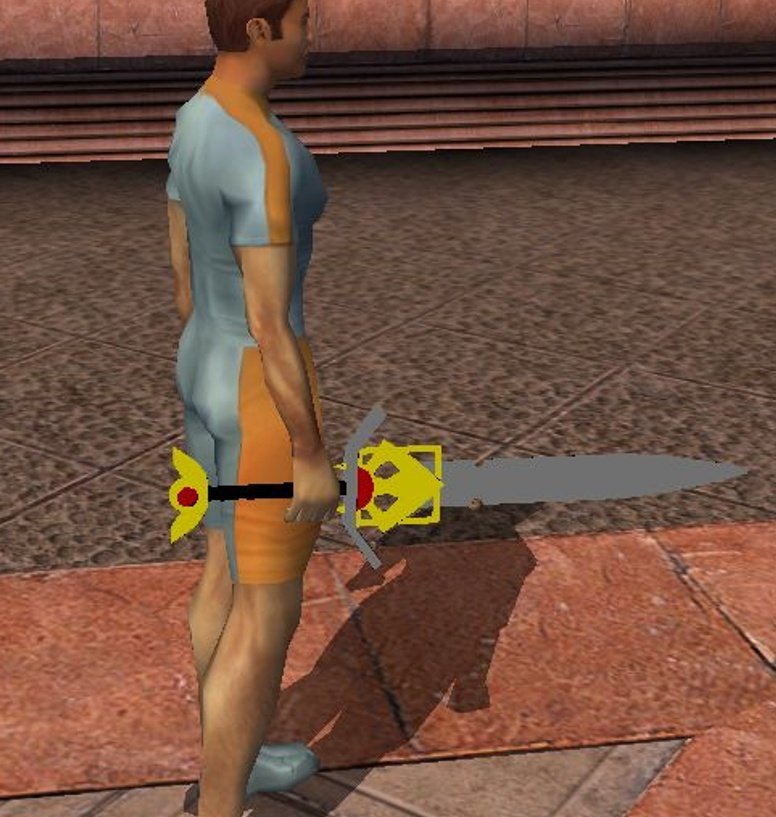
-
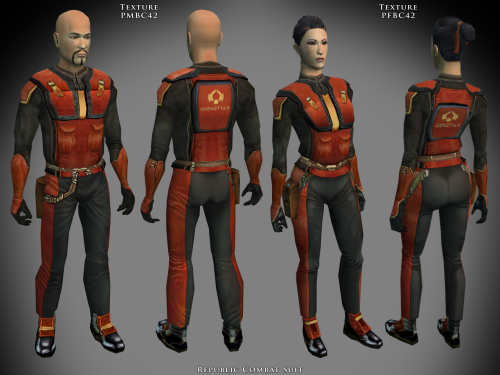 Why did you include the 3d files, if i may ask?
 -
llk_BibSurool.rar
-
Aww, that sucks
-
T3 skins for KotOR 2 not working.
confuuzed replied to confuuzed's topic in General Kotor/TSL Modding
Thank you Effix, I'll give the website a try. I guess I just can't have the copper skin for T3-M4. Honestly, the mod used to work before the Andriod security version 10 was released. Reverting it back to version 9 however will erase everything on my phone. This is a very frustrating situation, I wish version 10 was never released. 😤 -
.thumb.png.f103015a7735d6a47c61c2a78a21b0ef.png) I do not support the K1R mod as the K1R mod is both broken and the dev team has abandoned it. I advise that you use the K1 Community Patch mod and the RC-K1CP mod as that is the on-going restored content mod for K1. Whilst I haven't added it in this most recent update I might just do that in the future due to the mod's recent rebrand. So I've actually removed the restored appearances from RC-K1CP and have moved them into this mod. The whole reason those installs were separate from RC-K1CP's main install is because they were incompatible with certain other popular mods. And the reason those same installs were removed from RC-K1CP and added here is because the install options for the RC-K1CP was, I felt, too bloated and so I've added them here to both revive this mod and make installing RC-K1CP less tedious.
I do not support the K1R mod as the K1R mod is both broken and the dev team has abandoned it. I advise that you use the K1 Community Patch mod and the RC-K1CP mod as that is the on-going restored content mod for K1. Whilst I haven't added it in this most recent update I might just do that in the future due to the mod's recent rebrand. So I've actually removed the restored appearances from RC-K1CP and have moved them into this mod. The whole reason those installs were separate from RC-K1CP's main install is because they were incompatible with certain other popular mods. And the reason those same installs were removed from RC-K1CP and added here is because the install options for the RC-K1CP was, I felt, too bloated and so I've added them here to both revive this mod and make installing RC-K1CP less tedious. -

Kotor 1 - Stuck before Dantooine Star Map
GetSum replied to keegs's topic in Knights of the Old Republic General
hello i have the same issue with the cutscene not playing, how do i fix that ? i see people are sending their save file, but i dont even know how to do that SAVEGAME.sav -
 CowboyKid changed their profile photo
 -
That's insanely great. Wonderful job, ty.