All Activity
- Past hour
-
Hey, New member here, although I've been lurking around for years. Whenever I felt like playing KotOR (again), pretty much. Just something I started working on. First time ever trying to mod KotOR (or TSL) myself. He needs plenty of fine-tuning, but as of now, I'm just glad he even showed up in-game, without too many issues.
-
Hi again guys. Is it normal for in-game movies to cause Kotor 1 to crash to desktop without an error message or anything? I went to travel to Tatooine on Galaxy Map, and the game crashed as soon as I clicked "Travel". Fortunately I usually save game before I travel anywhere, and next time I went to go to Tatooine the game did it ok. Should I be concerned about this? My Kotor 1 game is only using the following mods: - k1hrm-1.5 - K1-Area-Map-Fixes-1.0.3 - Only other Mod is 2 files that skip the random and story scripted space battles minigame I am playing Kotor 1 with Widescreen through UniWS (editable EXE file). Thoughts and help appreciated
-
 Drutar joined the community
-
 smallatom joined the community
- Today
-
 SesbianLexLuthor joined the community
-
I cannot upload the files. The site doesn't allow it. If anyone needs the new mod, get in touch: EvdokimovaNaci@yandex.ru
-
 s joined the community
-
 HO0T joined the community
-
 appsum joined the community
-
 BTechUnited joined the community
-
 Hello everyone! For a while now I had a project branch in the OpenKotOR discord server, in the "development" forum section. And by now, since I am reaching the phase "ready to show something" – I've decided to publish some progress on the Deadlystream as well. I am not going to publish everything I had from the Discord, but some recent updates for sure will be around here as well. Now back to the topic: What is this KVP exactly? I know you never asked for this, but this is a new rendering backend for the game based on Vulkan and an environment update mod both in the same time. Because when I implement a new rendering system, I do believe that I have to benefit from it somehow, and now I am spending most of the time polishing the tools and optimizations to make sure our beloved game looks great in the modern age. Of course there's upcoming KotOR Remaster, but I want to make sure that the Vanilla game keeps up to the modern days. I began developing this project late last year, initially targeting OpenGL 4.6 before pivoting to Vulkan to leverage modern rendering features and finer low-level hardware control. Following my initial commit in January, the engine has come a long way, and I’m excited to share my progress so far. Of course I went from trials and errors, but it is worth it. Anyways: KVP loads as opengl32.dll and intercepts KotOR's OpenGL 1.x stream. The first renderer captured those draws and re-rendered them in Vulkan. That replay has no scene graph, so it could not support the fidelity I wanted at a decent cost. The newer path reads static and animated world meshes and their textures from the game's own resources and draws them in Vulkan, using the live object table only for what is present and how it is posed. The vanilla game still owns logic, scripts, and the frame. GUI text is taken from the live panels and redrawn with RmlUi. The wrapper is still the entry point. Asset rendering is the backend growing underneath it. I took a break mid-year, real life and doubts about the scope. During that time Vriff reached out, and I pushed the source to GitLab under the MIT license. Once things settled I came back, and that is when I dropped replaying the OpenGL stream as the way forward and started reading the game's own assets instead. The other thing that stalled me at the start was not knowing how to hook the game and put my own pipeline in place. The San Andreas videos that got me thinking were mods like ENB. The PC game draws through RenderWare on Direct3D 9, and those mods drop in a d3d9.dll that wraps the device and runs their own shaders when the frame is presented. The game has already submitted real buffers, so the mod never has to rebuild the scene. I wanted that kind of result on a completely different API. An OpenGL 1.x game takes the same kind of proxy DLL, which is how KVP gets in. The calls on that side are state changes and loose vertices, so building another renderer out of that stream is the hard part. A KotOR II thread about a free-roam camera built with GLIntercept is what finally showed me the entry points. KVP started as a wrapper over OpenGL. That wrapper is still how it attaches to the game, and the rendering backend is what is growing on top of vanilla. Currently avaliable features: Shading Forward+ clustered lighting. A compute pass builds a frustum grid and culls lights into it. An unlit mode is still there. PBR shading from albedo, metal, roughness, normal, ambient occlusion, emission, and specular. Vanilla textures are mapped onto that through a material database, with generated maps, detail maps, grunge, and wear. Image-based lighting from reflection probes and the sky: a prefiltered environment and diffuse ambient, with the probes occluded by the sun shadow. Screen-space global illumination, taken from the same visibility taps as the ambient occlusion (early in development). Glass, thin and thick, with a scene copy so refraction can see what is behind it (early in development). Lights and shadows A directional sun, plus point and spot lights, including area shapes (radius and tube length). Cascaded shadow maps for the sun, with contact hardening from the sun's angular size, and a shadow atlas for local lights. Short screen-space contact shadows for the sun and for local lights that ask for them. Planar reflections on a floor plane. Rougher surfaces and everything off the plane fall back to the probes. Light beams (fake volumetric camera facing light beam cards with procedural noise). Sky and atmosphere A physical sky (atmosphere lookup tables, sun disk, stars). Volumetric clouds. Froxel volumetric fog, with height, noise, wind, self-shadow, and multiple scattering. Light shafts and glow from emissive sources inside the fog. Image HDR post chain: scene bloom and a separate emissive bloom, eye adaptation, and a choice of tonemappers (ACES, AgX, PBR Neutral, Reinhard). Visibility-bitmask ambient occlusion (VBMAO) from depth and normals, with a denoise and upsample pass. SMAA 1x, plus anisotropic filtering, mip control, alpha-to-coverage, specular anti-aliasing, and dithering. On top of the game Lightsabers drawn natively: core, glow, and trail. The GUI is redrawn with RmlUi from the live vanilla panels, including hologram, CRT-effect, blur, and glass effects, and 3D item views rendered with the same lighting. An in-game editor (F12) for sun, sky, fog, lights, materials, per-area overrides, and a GPU profiler. And of course some spoiler-hidden screenshots dump showcasing current capabilites of KVP: Just a single note on the screenshots dump above: particle emitters are off for now due to performance issues, they're not missing. And lastly, here's a brief video showcasing current GUI overhaul WIP that I am also working on, which is a part of KVP as well. It's based on RmlUI library (Unfortunately, I can't see a way to embed a YouTube video, so here's a link). Knights of the Old Republic: KVP – Custom GUI Preview As for the GUI, there's a lot to work with. Framework (RmlUI) already exists and it's working. But the design is still here and there. Work in progress screenshots:
-
 Sorry for such a late reply. Right now I'm working on a more streamlined version of the modding tools, because I agree that it's unintuitive and tedious. It isn't done, but it will handle the file conversions, as well as downscaling textures. I hope to be done with it in the next couple weeks https://github.com/VeSeeker/kotor-switch-modding-tool To answer your question, the thing that makes a mod not work on the Switch is either when a file is .tga format while the Switch already has a .tpc format file with the same name, or when too many modded textures overwhelm the Switch's unified memory. So lots of mods will work just fine, some will partially work, and some won't without downscaling the textures. That's why I made the google doc to figure out how to get a ton of mods working on the Switch. I'm gonna update those guides along with finishing that modding tool, so hopefully soon modding the game on Switch will be a lot easier.
-
Hello! I just wanted to report that I have also had the same issue with my game crashing while rebuilding hk-47 that others have had here. In the end I had to uninstall the mod as removing drdparts.dlg as recommended did not work, bricking my game further. After mod uninstall the problem is now gone so I know it is this mod. It is a shame as this mod looks really cool! I just wanted to make the report. If it matters, I am playing on mac.
-
 MrMorou joined the community
-
These are just textures. They don't require compatibility. The main thing is that the filenames match and the model itself is present.
-
serugodes joined the community
-
 Emioja0 joined the community
-
Is this series compatible with KOTOR 2?
- Yesterday
-
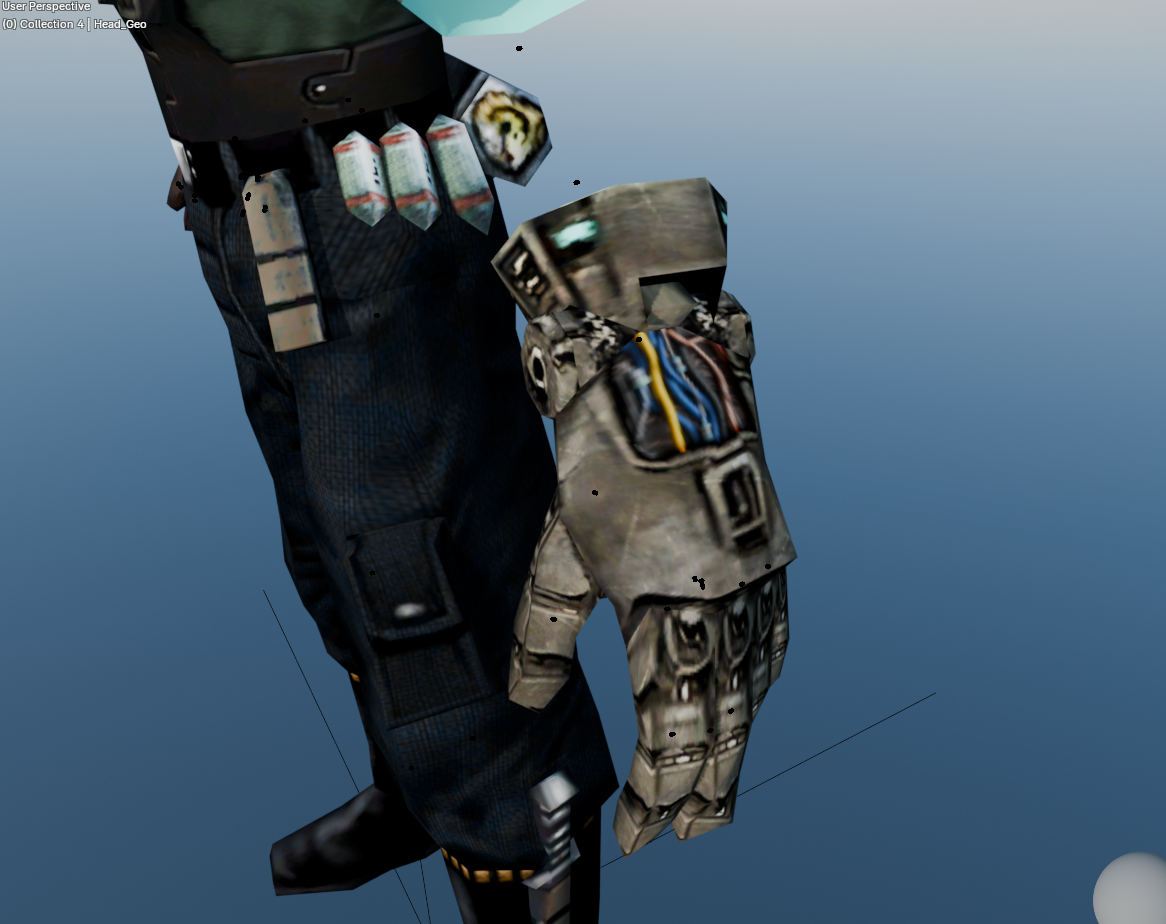
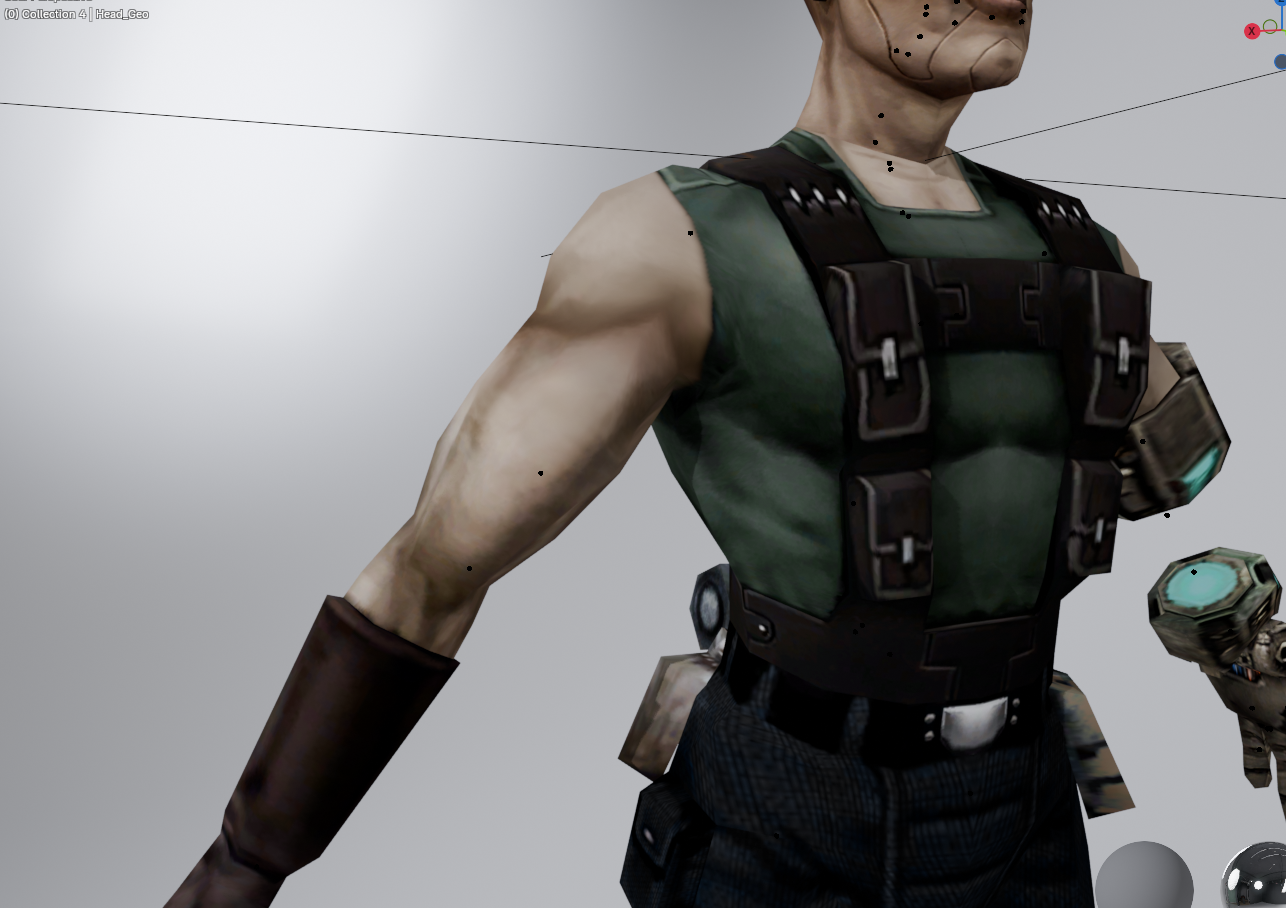
My Bao-Dur retexture and reinterpretation of some aspects. Keeping the basic look and adding some new details.
-
Might try this one out. Do the defense bonuses stack on top of each other with this mod installed or is the +10 a hard cap across the board?
-
 Narzoul changed their profile photo
-
 RevanthePRODIGALJEDI changed their profile photo
-
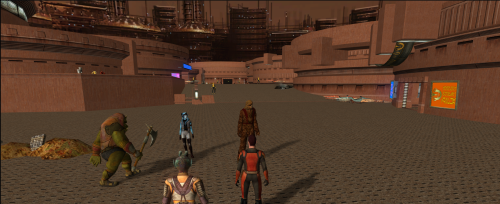 Sorry for the delay! I think the glitch is with the blaster overhaul mod. My advice is either to try and remove that mod or I can make you a custom version of the module without the blaster rifles that are causing the issues. Which would you prefer to try?
-
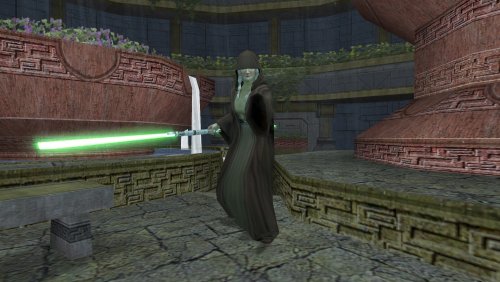 Wonderful news! Thank you very much! Looking forward to installing your mod! Good job too!
-
One promised update, just for you! With HoloPatcher in, some old bugs are fixed, and Traya’s red double-bladed lightsaber is back as an optional install, along with a purple version if needed.
-

Kotor Academy: Jedi Academy Combat in TSL [WIP]
Sir_Airin replied to ShaolinGhost's topic in Work In Progress
Bug report + fix KOTOR Academy on Steam Deck: working, with one Proton workaround for a controller crash Hi! Thanks for KOTOR Academy, it's amazing. I got it running on a Steam Deck and wanted to share what I found, since it's untested there. Setup: - Steam Deck [LCD/OLED], SteamOS [version] - Proton: [Proton Experimental / GE-Proton version] - KOTOR Academy: latest alpha release - Movie Duels Update 6 + Patch AIO - Steam copies of KOTOR, KOTOR II and Jedi Academy, copied over from my Windows PC How I launched it: The launcher (play.ps1) can't run under Proton, so I added kjk.exe to Steam as a non-Steam game and set the KJK_KOTOR1, KJK_KOTOR2, KJK_JA, KJK_MOVIEDUELS and KJK_CAMPAIGN environment variables in its launch options myself, pointing at a copy of the jedi-academy folder the launcher made on Windows. What happened: 1. WGPU_BACKEND=dx12: crashes on startup. 2. WGPU_BACKEND=vulkan: starts and runs fine, but crashes as soon as there's any controller input. 3. Fix: adding WINEDLLOVERRIDES="windows.gaming.input=d" to the launch options. With Windows.Gaming.Input disabled, the controller works and the game is playable. Working launch options (KOTOR I): WINEDLLOVERRIDES="windows.gaming.input=d" KJK_KOTOR1='Z:\path\to\swkotor' KJK_KOTOR2='Z:\path\to\kotor2' KJK_JA='Z:\path\to\jedi-academy' KJK_MOVIEDUELS='Z:\path\to\movie-duels' KJK_CAMPAIGN=k1 WGPU_BACKEND=vulkan %command% So it looks like the gamepad code crashes on Proton's Windows.Gaming.Input implementation, but works through the fallback path. A couple of ideas, if they're useful: - Falling back gracefully when Windows.Gaming.Input misbehaves, or using XInput by default - A simple non-PowerShell launch option (a .bat or a documented list of the KJK_ variables) for Proton/Linux users Happy to send kjk.log or a Proton log if that would help. Thanks again! -
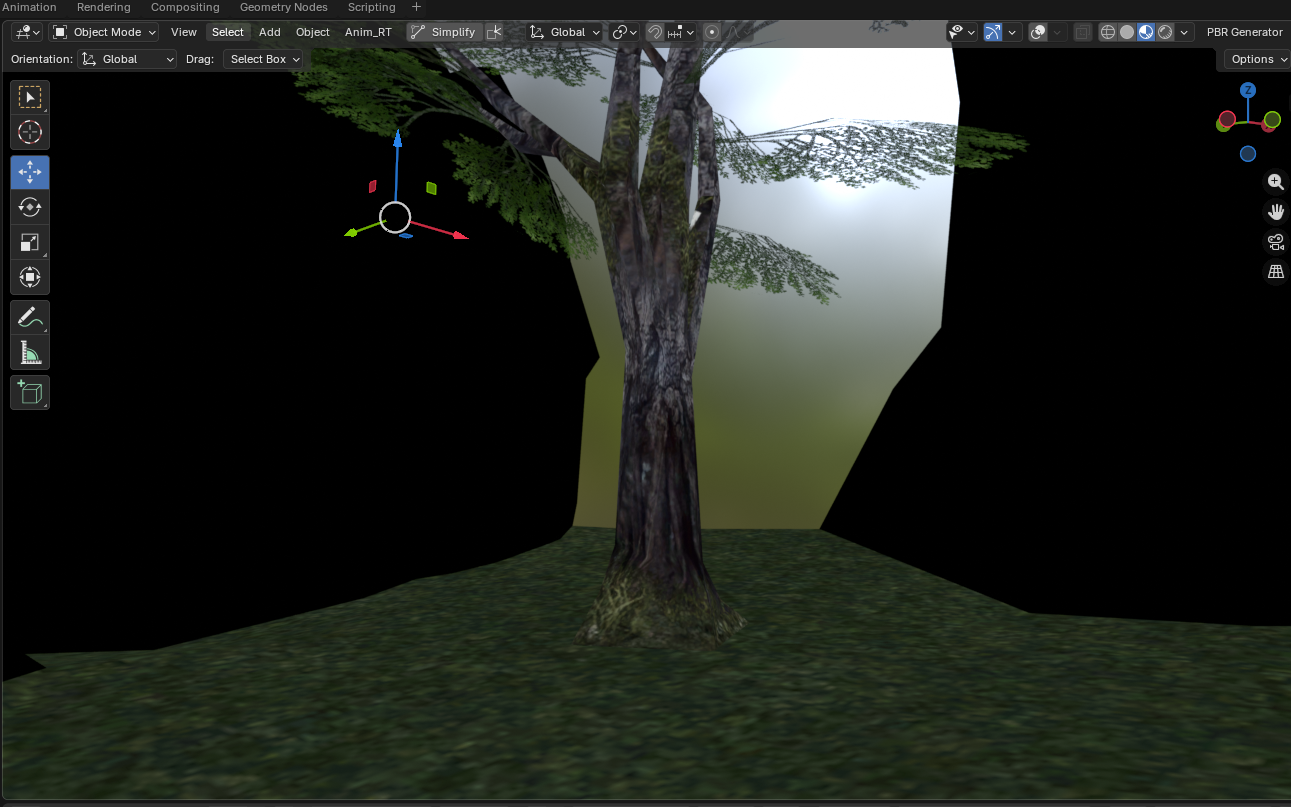
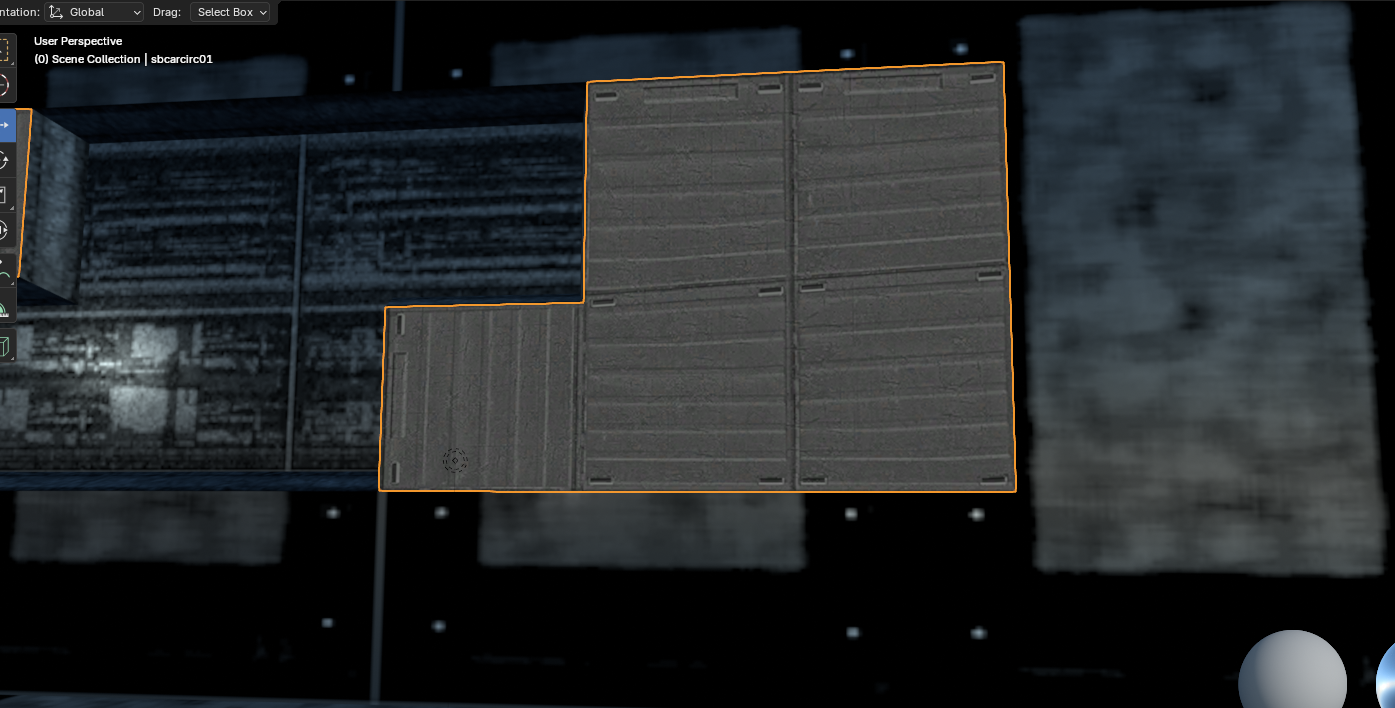
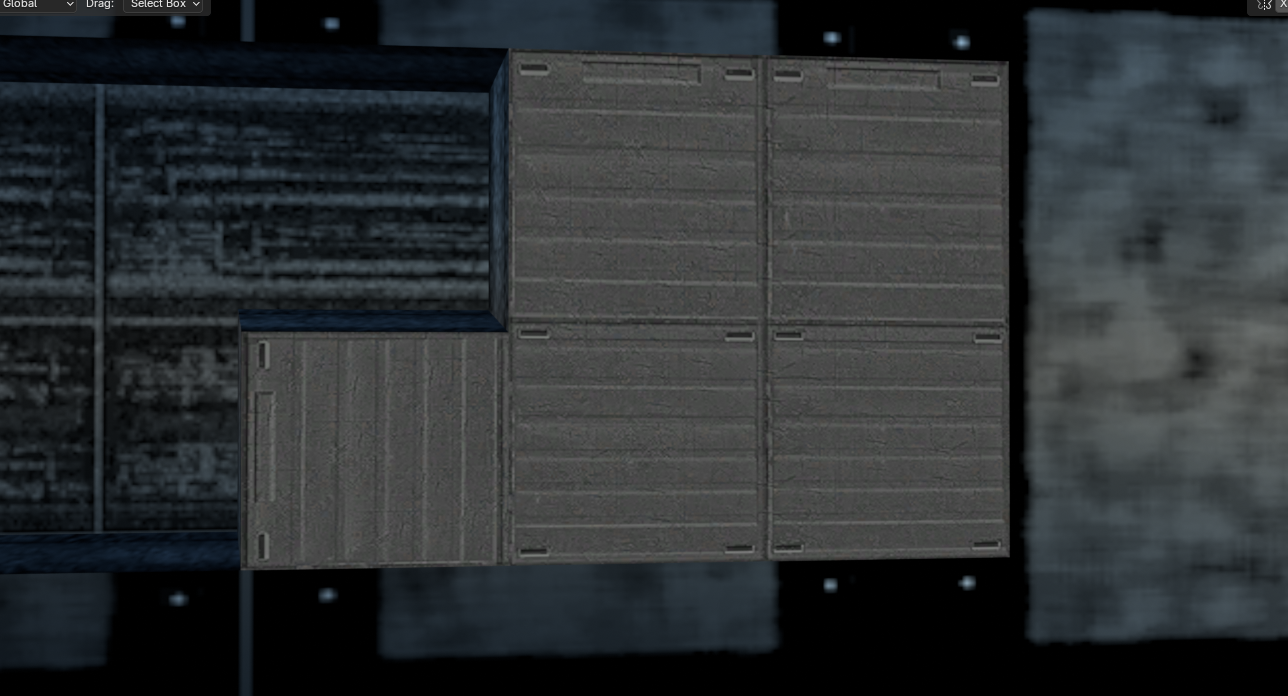
I found out something: ALL trees on Dxun have the wrong texture assigned to them; Their bark uses the stone cliff texture, while their actual texture, "dxn_bark" goes unused. However, fixing all the model files for Dxun who have trees in them will take some time. At least, the UV maps are intact and don't have to be altered, as far as I can see for now... I did some additional fixes for things on the Ebon Hawk that were not obvious errors, but still very unsightly looking...
- Last week
-
Echoes of the Republic - an unofficial expansion
vault13deathclaw commented on vault13deathclaw's file in Mods
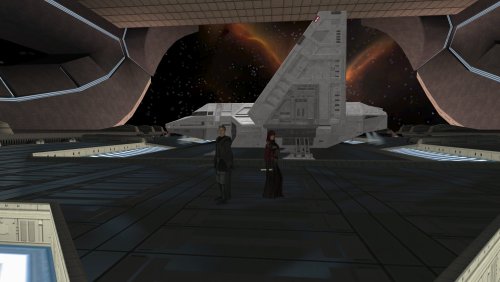 In override, the dlg files I touch are: handend.dlg atton.dlg mira.dlg kreia.dlg visasmarr.dlg handmaiden.DLG mandalore.dlg 201ithd.dlg Within modules that are not unique to this mod: 204tel: corteldc.dlg 221TEL grenn.dlg (all I do is add script check, no dialogue changes beyond that) teltark1.dlg 302nar: bloodfromstone1.dlg cordrgrecip.dlg ig12.dlg talongang1.dlg 701kor: ajuntomb.dlg markatomb.dlg nagatomb.dlg tulaktomb.dlg invisokorpath.dlg kreia_kr.dlg (all I do is add a quest update) 904mal: 904kreia.dlg (specifically, I alter it so when Kreia is talking about the fates of Atton, Mira, and Handmaiden, she does additional checks for dialogue entries). It's been a while since I thought about some of these files, but I double checked the gui files and it looks like they reference the talk table so planet names and descriptions should be in there. As far as updates to these files, t Yeah, you're absolutely right, I know that I have several NPC like Sith Soldiers and Republic Soldiers that already have entries on the talk table. I will look into fixing that so you have slightly less to have to do to here. To be honest, I never thought someone would want to translate it, so I never really considered this problem down the road when designing the mod. So I just need to go through and check where I can do that. Thank you for wanting to translate it! It's really cool that more people will be able to play it.
-
 I know I'm calling a lot of mods in here essential... but this mod is really essential! Kudos to all!
-
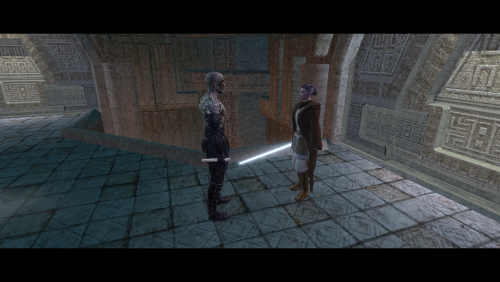 Essential bit of restoration here, really makes Korriban feel more complete.
-
View File Grenades Overhaul [TSL] Various improvements to grenades and rockets. Includes restored grenade feats and new grenade types. SUMMARY This mod is a makeover of grenades and rockets, adding scaling, new mechanics, balance improvements and bug fixes, along with optionally restoring cut grenade feats and adding new powerful grenade types. The main issue this mod seeks to address is the lack of scalability of grenades in vanilla. Unlike pretty much any other weapon or ability, there’s no way to improve their effectiveness as you level up, making them gradually less useful as you progress through the game. Taking inspiration from jc2’s Improved Grenades, one of my favorite mods for K1, this mod adds damage scaling based on the Demolitions skill, letting you improve grenades through skill investment. This mod also addresses the lack of grenade DC scaling, which is the other major limiter of their usefulness, particularly in KOTOR 2 where enemies can quickly outscale grenade DC. Grenade DC now scales with a combination of character level and Demolitions, rewarding investment in the skill but still letting all characters benefit from a DC bonus. Summary of changes made by this mod: • Grenade damage and radius scale with Demolitions • Grenade DC scales with both character level and Demolitions • Damage and effect DC fall off with distance from the grenade explosion • Most rockets have had their DC increased by 5 compared to vanilla • Underpowered rockets have had their effects improved • Grenade explosions can now trigger mines • Option to restore the cut Weapon Focus and Weapon Specialization feats for grenades, boosting grenade DC and damage, respectively • Option to add new powerful and lore-friendly grenades to the game • Various other tweaks and fixes DETAILS INSTALLATION A new game is highly recommended to get the full experience of this mod. To install, run HoloPatcher and select the Main Install option. (Optional) After installing the main mod, install the option Restored Grenade Feats. New game required. (Optional) After installing the main mod, install the option New Grenades. New game recommended. Unaltered copies of any modified files will be placed inside a "backup" folder in the location of HoloPatcher. A separate backup folder will be made for each installation. UNINSTALLATION NOTE: This mod contains multiple installation options. Uninstall each option in reverse order starting with the last option installed. 1. To uninstall New Grenades, remove the following files from override: To uninstall Restored Grenade Feats, remove the following files from override: To uninstall the main component of the mod, remove the following files from override: 2. If present, move dialog.tlk from the backup folder to the main game folder (outside override). 5. Move any files from backup/override to the override folder. COMPATIBILITY Not compatible with mods that edit k_sup_grenade.ncs. Should be compatible with most other mods provided they use a patcher or this mod is installed after. PERMISSIONS You are free to incorporate this mod’s edits and assets into your own mod as long as credit is provided. CREDITS offthegridmorty Thanks to jc2 for creating Improved Grenades, which inspired this mod. HoloPatcher v2.0 - Vriff TLKed, TSLPatcher - stoffe, Fair Strides K-GFF - tk102 KOTORBlender - seedhartha KOTOR Tool - Fred Tetra Holocron Toolset - Cortisol Mods used in screenshots: AI Upscaled Icon Overhaul by Pramod Marlon Fire and Ice HD by Cinder Skye Ultimate Character Overhaul by ShiningRedHD Submitter offthegridmorty Submitted 11/20/2026 Category Mods TSLRCM Compatible Yes
-
View File KOTOR 1 – French HD Cutscenes KOTOR 1 – French HD Cutscenes by Alcias01200 All 61 cutscenes of the original French version of Star Wars: Knights of the Old Republic, upscaled ×4 to 2560 pixels wide (2560×1088 for most of them). What's included Every cutscene of the French release (the .bik files of the movies folder), upscaled with Video2x from the original game videos. The original French opening crawl, upscaled like the rest. The original frame rate is kept (29.97 fps). Why this mod? High-resolution cutscene packs already exist for the English version. This one is meant for French players: the cutscenes keep their original French text and subtitles, and the opening crawl is in French. Installation Back up the movies folder in your game directory. Extract the archive and copy the content of its Movies folder into the game's movies folder, overwriting the files. The pack is also offered as the last, optional step of the French KOTOR 1 Neocities build installer (coming soon). Notes One version only (×4, 2560 pixels wide). For other resolutions in English, see Pops Maellard's K1 Cutscenes Rescaled. Size: 6.85 GB to download, about 7.6 GB once installed. How it was made Source: the original cutscenes of the French release of the game. Upscaled ×4 with Video2x (Real-ESRGAN model, CRF 16), e.g. from 640×272 to 2560×1088 (a few videos have other original sizes and keep their proportions). Converted back to Bink 1 with RAD's Bink Compressor (data rate 5,000,000 bytes/s, peak at 3× the average, audio kept perceptually lossless, 16-bit stereo). Several versions were made and compared before choosing the final settings. Credits Original cutscenes: BioWare / LucasArts. This mod only contains upscaled versions of the game's own videos. Upscaling: Alcias01200. Upscaling tool: Video2x. KOTOR 1 – Cinématiques HD en français, par Alcias01200 Les 61 cinématiques de la version française d'origine de Star Wars: Knights of the Old Republic, upscalées ×4 en 2560 pixels de large (2560×1088 pour la plupart). Contenu Toutes les cinématiques de la version française (les fichiers .bik du dossier movies), upscalées avec Video2x à partir des vidéos d'origine du jeu. Le crawl d'ouverture français d'origine, upscalé comme le reste. La cadence d'origine est conservée (29,97 images/s). Pourquoi ce mod ? Il existe déjà des packs de cinématiques haute résolution pour la version anglaise. Celui-ci est pensé pour les joueurs français : les cinématiques gardent leurs textes et sous-titres français d'origine, et le crawl d'ouverture est en français. Installation Sauvegardez le dossier movies du jeu. Décompressez l'archive et copiez le contenu de son dossier Movies dans le dossier movies du jeu, en remplaçant les fichiers. Le pack est aussi proposé comme dernière étape, facultative, de l'installateur de la build Neocities KOTOR 1 en français (arrive prochainement). Remarques Une seule version (×4, 2560 pixels de large). Pour d'autres résolutions en anglais, voir K1 Cutscenes Rescaled de Pops Maellard. Taille : 6,85 Go à télécharger, environ 7,6 Go une fois installé. Comment il a été fait Source : les cinématiques d'origine de la version française du jeu. Upscaling ×4 avec Video2x (modèle Real-ESRGAN, CRF 16), par exemple de 640×272 à 2560×1088 (quelques vidéos ont d'autres tailles d'origine et gardent leurs proportions). Reconversion en Bink 1 avec le Bink Compressor de RAD (débit de 5 000 000 octets/s, pointes à 3× la moyenne, son conservé sans perte perceptible, 16 bits stéréo). Plusieurs versions ont été réalisées et comparées avant de choisir les réglages définitifs. Crédits Cinématiques d'origine : BioWare / LucasArts. Ce mod ne contient que des versions upscalées des vidéos du jeu. Upscaling : Alcias01200. Outil d'upscaling : Video2x. Submitter Alcias01200 Submitted 11/20/2026 Category Media
-
Echoes of the Republic - an unofficial expansion
plampa commented on vault13deathclaw's file in Mods
Hi, I have a question. Since I'm working on translating the mod, could you tell me which specific files you've modified (either in modules or overrides, like .tlk, .mod, .dlg, etc.) that contain text? That way I can retrieve the ones I already have and not have to start from scratch. If you're going to release new updates soon, I'd prefer to wait until they're ready to continue, as translating such a large mod takes me quite a while. PS: If you want, for .uti, .utp, or .utc files where possible, you could use the StringRef values from the original dialog.tlk for the names. For example, instead of putting -1 in the StringRef, if you put 10355, the name will appear as "Soldier of the Republic." This way, it doesn't matter if the dialog.tlk is in English or Spanish. As long as you maintain the same StrRef, the game will translate it automatically (as shown in the image), provided the .tlk file is translated, of course. There are several more like this; for example, for the M4-78 droids there's the "Sith War Droid" (19264) or the "Cleanup Droid" (35015), in addition to the .utp files (as in the second image). If every modder could implement this method, there would be more translations of more mods. Using these references would greatly facilitate the work, eliminating the need to edit file by file. Finally, if you consider it, perhaps you could find more lines from the truncated dualogo and add them to the DLG files to give them new ones (for example, line 123287: "Were you on Malachor V.? Did Revan leave you there, and the Ebon Hawk??"). Thank you very much in advance! Thank you so much for everything, from reading this simple comment to the amazing work you're doing with this mod! Giant!!! I'm still working on the translation. -
-
This is great for making better use of companions, but not in a way that feels disconnected from the main storyline. (And this is just a suggestion: create a sort of "B" side to Telos. While the Exile follows the main game route, the others attack from an unexplored path.) P.S. It would also be cool to have one group attacking from the front and another from the back in Dantooine. Good luck!
-

Kotor Academy: Jedi Academy Combat in TSL [WIP]
Hels replied to ShaolinGhost's topic in Work In Progress
Heya, do you have discord for the project? I'd like to contact you through there and give you some ideas I've had in my mind like for decades for JA combat and how to include Forms in there.