All Activity
- Past hour
-
 The 1080 60 FPS upload here and on Nexus is yielding 1080 30 FPS files instead.
-
 Horus777 joined the community
- Today
-
 Igor_InSpectatorMode joined the community
-
 I think the discussion is mixing several different issues and treating an installation order as a proven compatibility solution when it isn't. Regarding Doodmane444's June 23 report: the tested order was K1CP → Sleheron → BOSSR, and some placeables disappeared in BOSSR modules. However, the suggested alternative still placed BOSSR last. It mainly changed the order between Sleheyron and K1CP, so it doesn't establish that this arrangement actually solves the underlying BOSSR placeable issue. As JCarter426 pointed out, if BOSSR is exhausting the available placeable rows in placeables.2da, changing the installation order cannot magically increase that limit. There is also the reverse side of the problem. OnJuly 2–3, Doodmane reported that BOSSR could replace leftover, unused Czerka sign placeables in Sleheyron's sle_m30aa.mod with its own stasis NPC. He traced this to obsolete placeable entries left in that module after the signs had been built into the model instead. This is a concrete example of BOSSR affecting Sleheyron, rather than the other way around. It is also a specific module/resource conflict, not proof that one universal installation order fixes everything. So I think we should distinguish between: 1) conflicts caused by overlapping or reused placeable references; 2) the actual placeable row limit; 3) installer overwrites and changes to shared resources. These are not necessarily the same problem, and they cannot all be solved by simply moving one mod to the end of the installation order. For players who want to enjoy both expansions without potentially ruining an existing modded installation, I would suggest keeping separate game folders: 1) Keep the existing installation for BOSSR and its associated setup. 2)Make a copy for a Sleheyron-focused playthrough, installing Sleheyron and its relevant compatibility patches there. 3) Start from a save made before the Dantooine Jedi Council mission, or use the save provided with Sleheyron, which starts at the intended point in the story. This doesn't magically make the two mods compatible within one installation, but it provides a practical way to preserve both playthroughs without repeatedly rebuilding the same game or risking the original setup. The current Sleheyron 3.5 instructions do provide a specific combined installation order and compatibility patches. However, I would still like to see reports from people who have actually completed substantial portions of BOTH expansions in the same installation. Ideally, such reports should specify the exact mod versions, installation order, and which parts of both campaigns were actually played. Loading a save or reaching a particular planet is not the same as demonstrating that the entire setup is compatible. I think that would be much more useful than continuing to assume that one installation order automatically protects one mod from the other.
-
 InfiniteSun joined the community
-
 tfmaldo joined the community
-
MOD:Sunry Murder Recording Enhancement
jmorenobothwell replied to Fallen Guardian's topic in Mod Releases
It didn't work for me. I have the install log, I can show you. Here's what happened: I'm running a modded setup via KPM V0.8.0 and KMRP 1.5.1 (Kotor Modern Restoration Patch). I Installed this mod, and the instant I accessed the terminal in the Manaan republic embassy to access the recording, my screen first faded to black, then reloaded back into the "Slice Restricted System" menu. I tried to "Log Off" in game and the game wouldn't let me. Even when I tried to get the recording the game was trapped in a logic loop. My computer spike count decreased but I was still trapped. I had to force the game to close by pressing "Excape" to exit and reload, and I wrapped the quest without getting that recording. Otherwise my current campaign would have been bricked. Best, installlog.rtf -
 Greg05 joined the community
-
 gftt joined the community
-
 ElCuestochas joined the community
-
 rebelman136 joined the community
-
 Roshe99 joined the community
-
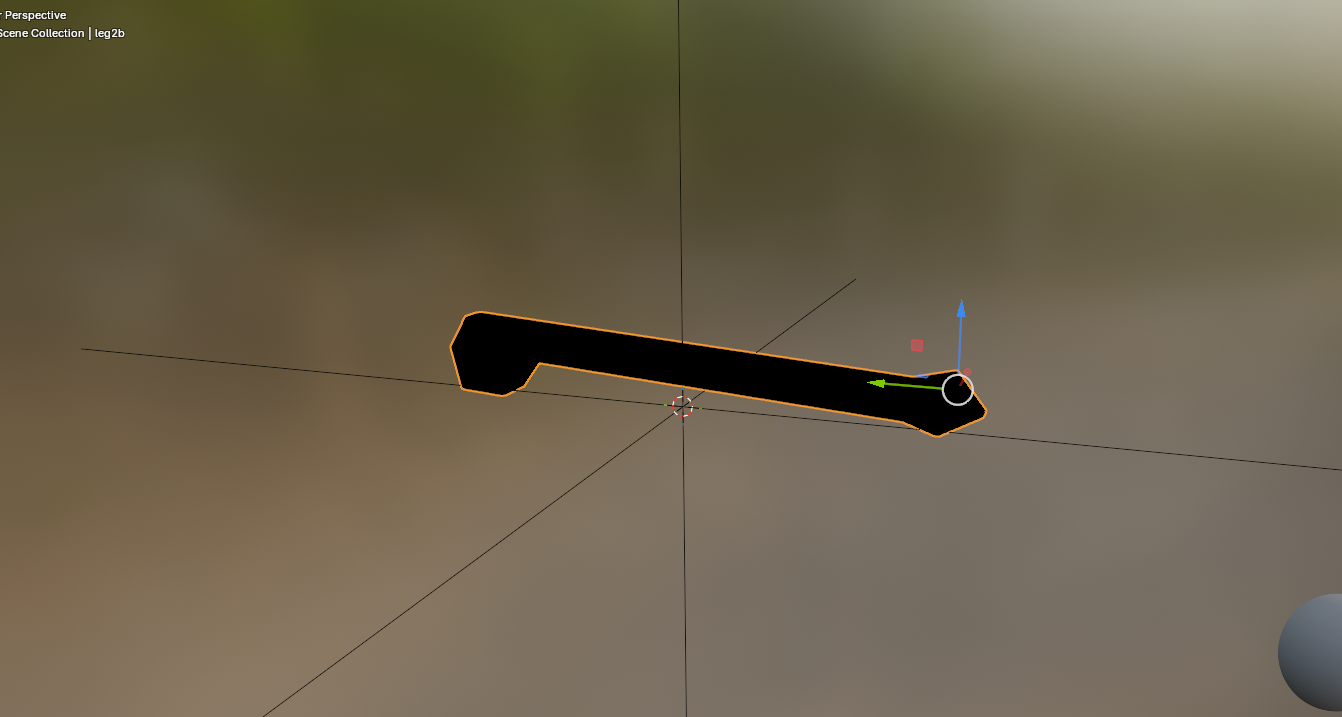
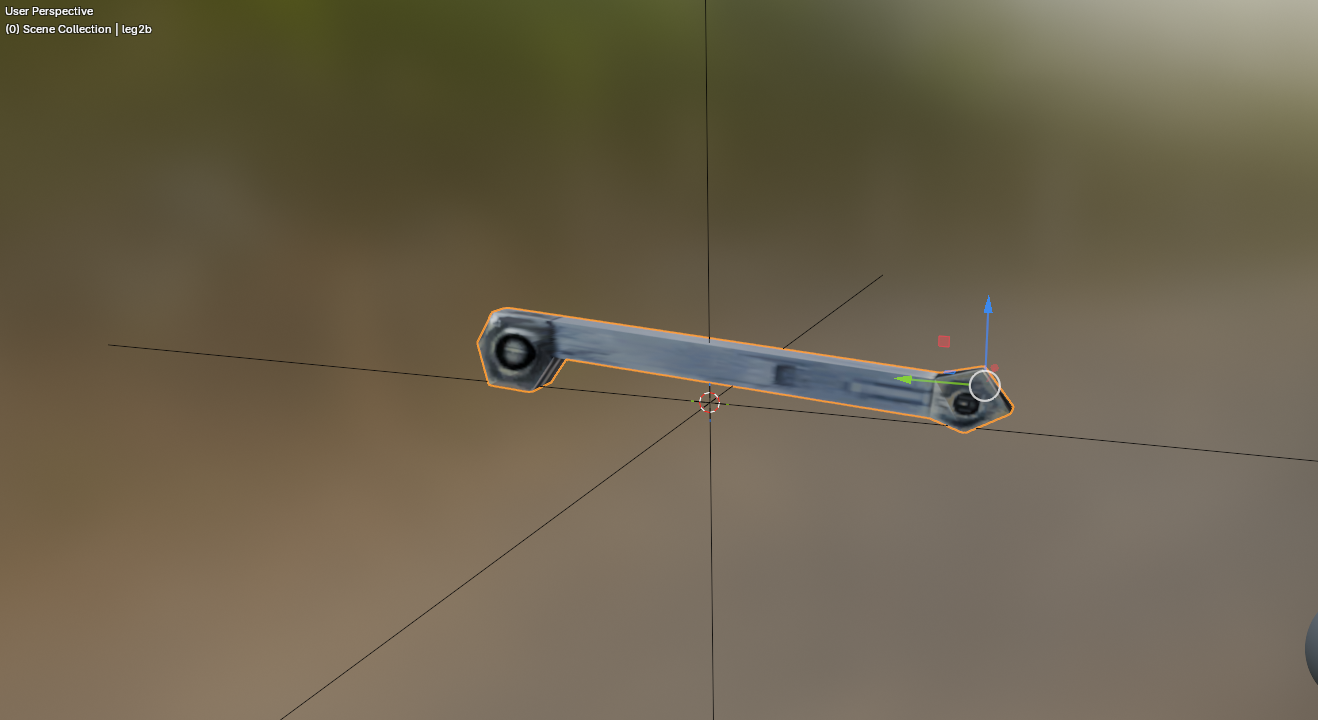
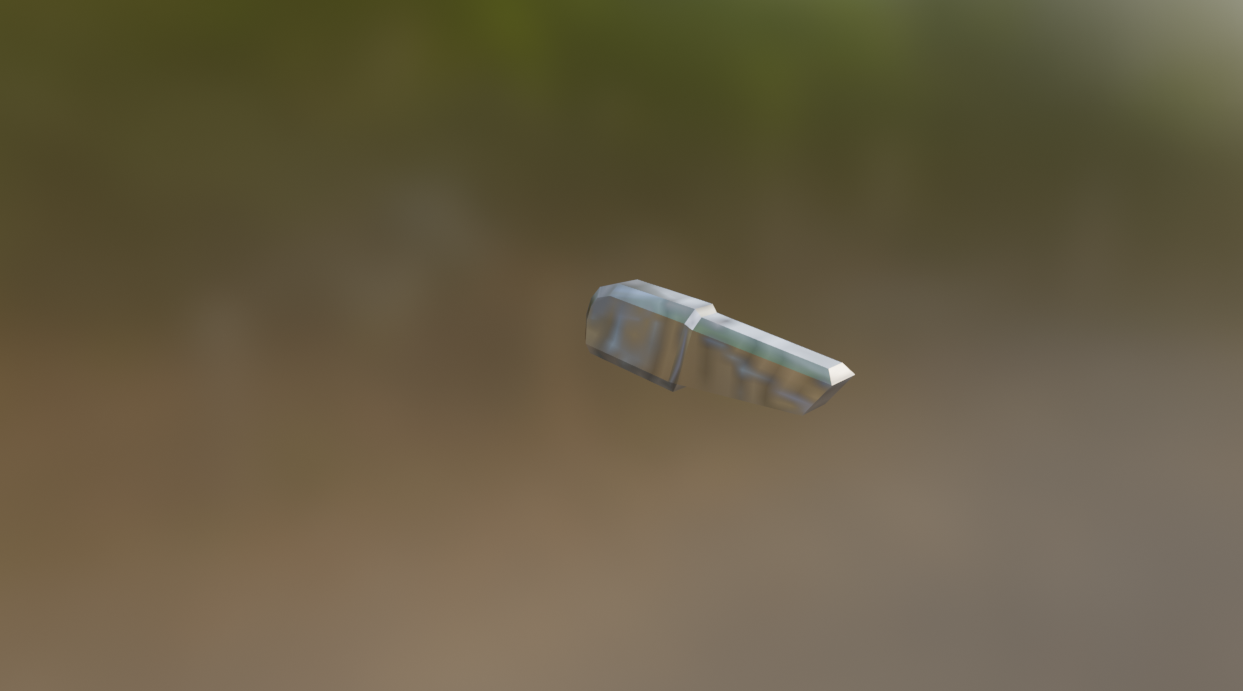
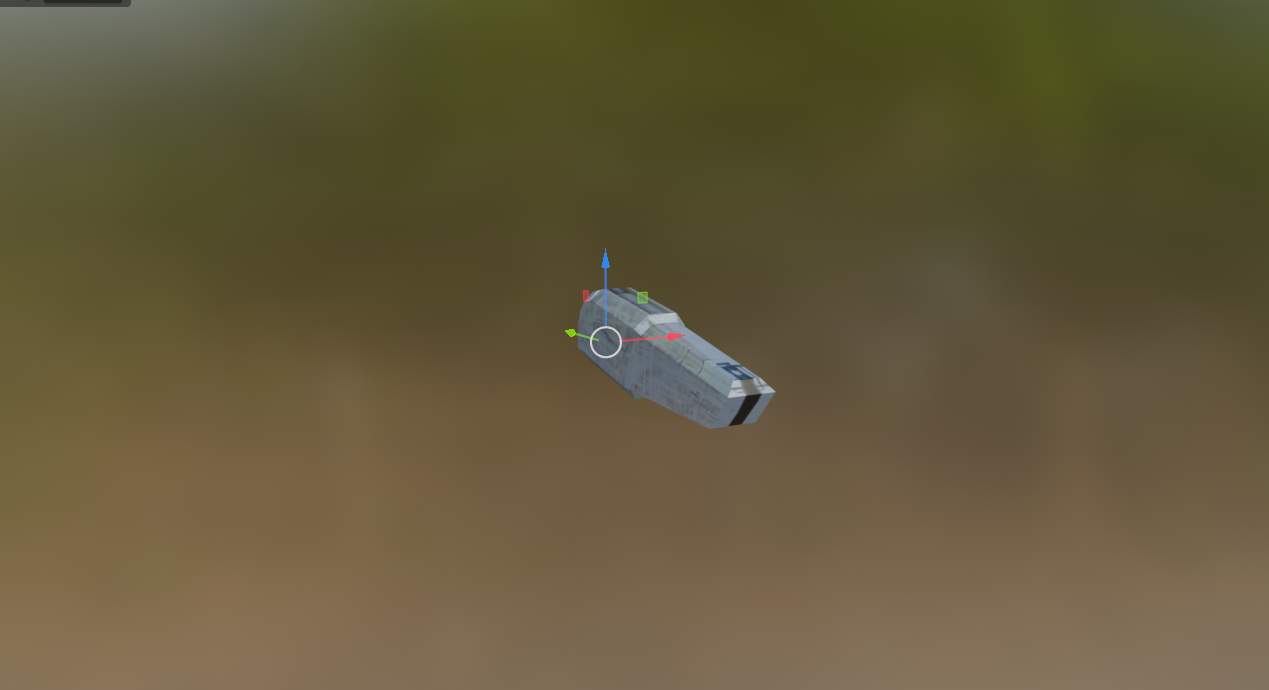
Another thing about this picture: I noticed the "droid explosion debris" parts are actually textured instead of just blurry silver. I found out they use the probe droid texture, so I just assigned the correct texture. I just found out every blurry looking metal piece of the "droid chunks" you see when a droid gets destroyed is actually using the wrong texture. They have elaborate UV layouts and were intended to use actual droid textures.
-
 lyqrick1 joined the community
-
 reclaimterrain changed their profile photo
-
[Yes AI was used in this work, if you dont like that, then thats cool This is not for you] Hello! I’ve been building kjk, a new engine that runs KOTOR 1 and KOTOR 2 with Jedi Academy-style real-time combat, so you’re actually swinging the saber and throwing Force powers yourself, plus co-op with friends. It uses your own game files, so nothing’s pirated or bundled. Where it’s at right now: KOTOR 1 is fully playable from the Endar Spire to the ending, light side or dark Dialogue, quests, party, stores, the galaxy map, plus pazaak, swoop racing and the turret all work Combat uses your KOTOR stats and feats with JA’s sabers, blasters and Force powers, and you also get ragdolls and dismemberment Co-op works: your friends play your companions, and you can join over Steam without port forwarding Mac, Windows, Linux, and Steam deck are all supported natively. (Steam deck performance is not very good yet) You’ll need KOTOR 1, KOTOR 2 and Jedi Academy installed (Steam and GOG copies get found automatically) Its coming along nicely, and some playtesters have played 3 person co-op from Endar Spire all the way into Tatooine. Our two biggest challenges are getting all the cutscenes looking good, and getting retargeted jedi knight animations to look nice on the differently proportioned KOTOR characters. You can download and play the alpha here: https://github.com/kjk-engine/kjk/releases Discord: https://discord.gg/23bAu2wvH Here is video proof, although this was recorded in single player (note that this is a much older build with more bugs):
-
I wish we could see more detail, DH. You took these screenshots in a pretty dark area.
- Yesterday
-
 A must have for a dark side character. Simon Templeman's voice fits perfectly.
-
 Is this compatible with 3C-FD Tool (https://deadlystream.com/files/file/2734-fog-fix-more-3c-fd-patcher/) ? I use that for applying a 4gb patch and to run the game in borderless windowed mode.
-
View File IPS Patches for K1 & K2 on Nintendo Switch I am porting the KPM patches to the Switch. I'm also including some Switch-specific fixes. I'm most proud of the AnimatedTextureFix, which fixes a bug on the Switch version of the games where textures wouldn't be animated either at all, or when you got close to them, depending on the mipmap settings (see example here). My patches fix this so that the animated textures work perfectly. I've only just started porting these patches, but I wanted to release the AnimatedTextureFix, because it makes such a huge difference. Installation: Move the patches you want to install into /atmosphere/exefs_patches/ on your Switch or emulator. Move the entire folder with the .ips file, not just the .ips file. To uninstall, delete the folder. Source: https://github.com/VeSeeker/switch-kpm-ips-patches Thanks: To everyone working on the KPM project Submitter VeSeeker Submitted 11/02/2026 Category Mods K1R Compatible Yes
-
View File Remove Stun VFX Removes the VFX around stunned characters. This is referring to the streaks of light orbiting around characters stunned by things like Push, Critical Strike, Flash Mines, etc., not the VFX on characters affected by the Stun Force power. INSTALLATION To install, run TSLPatcher.exe. UNINSTALLATION Remove visualeffects.2da from your override folder. If a visualeffects.2da was created inside the backup folder, move it to override. COMPATIBILITY Install after any mods that hard overwrite visualeffects.2da to ensure compatibility. Compatible with Realistic Visual Effects by Shem. PERMISSIONS Feel free to do whatever you want with this mod. CREDITS offthegridmorty TSLPatcher - stoffe, Fair Strides Submitter offthegridmorty Submitted 11/02/2026 Category Mods TSLRCM Compatible Yes
-
 View File French Lip Sync for KOTOR II (Synchronisation labiale VF) FRENCH DUBBED VERSION ONLY – do not install on the English version. Since the 2004 French release, KOTOR II has used the English .lip files, which never matched the French voice acting (offsets of up to 5 seconds: frozen mouths while characters speak, moving lips in silence). This mod replaces 13,439 .lip files, regenerated from the French voice files, for the whole game: Peragus, Ebon Hawk & companions, Telos, Nar Shaddaa, Dantooine, Dxun, Onderon, Korriban, Malachor. TSLRCM compatible, Steam/GOG Install last (after any mod that provides .lip files) Droids, terminals and doors excluded; hand-made modder .lip files that already match the French audio are left untouched Installer: HoloPatcher (included) Method: Rhubarb Lip Sync 1.13 (phonetic mode) mapped to the game’s 16 mouth shapes. Credits: Alcias01200 & Claude (Anthropic). Thanks to JCarter426. Rhubarb Lip Sync by Daniel S. Wolf (MIT). HoloPatcher by NickHugi / th3w1zard1 (LGPL-3.0). VERSION FRANÇAISE DOUBLÉE UNIQUEMENT. Depuis 2004, la VF utilise les fichiers .lip de la version anglaise : les bouches ne suivent pas le doublage. Ce mod remplace 13 439 fichiers .lip recalculés sur les voix françaises, pour tout le jeu. Installation : lancer HoloPatcher (fourni), en dernier. Submitter Alcias01200 Submitted 11/03/2026 Category Mods TSLRCM Compatible Yes
-
View File French Translation Patch for the Neocities K2 Mod Build French translation of 109 mods from the Neocities KOTOR II build: dialogue, item descriptions, TSLPatcher/HoloPatcher files and readmes. This patch only contains translated files – the original mods are required. How to use: Extract this patch close to the drive root (e.g. D:\TradFR) – some mods have very long paths. Download the original mods and extract them all into one folder, without renaming the folders. Run “Appliquer la traduction.bat” and select that folder: it applies the French files where they belong (including tslpatchdata) and backs up the English ones. Install your mods normally, in the build order. ⚠️ Do not copy these files directly into Override: for mods with an installer, they would have no effect. All mods remain the property of their authors (full credits included). Any author who wants their mod’s translation removed just has to ask, and it will be taken down right away. Traduction française de 109 mods de la build Neocities. Les mods d’origine sont nécessaires. Décompressez près de la racine du disque, lancez « Appliquer la traduction.bat » sur le dossier de vos mods décompressés, puis installez-les normalement. Ne copiez pas ces fichiers dans Override. Submitter Alcias01200 Submitted 11/03/2026 Category Mods TSLRCM Compatible Yes
-
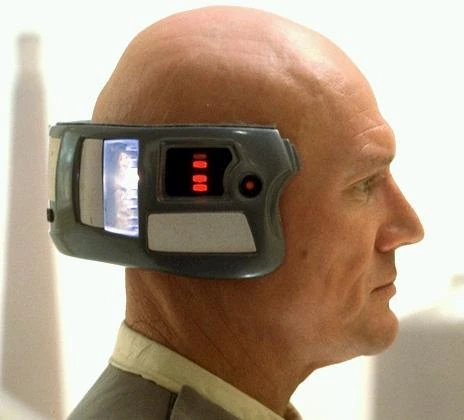
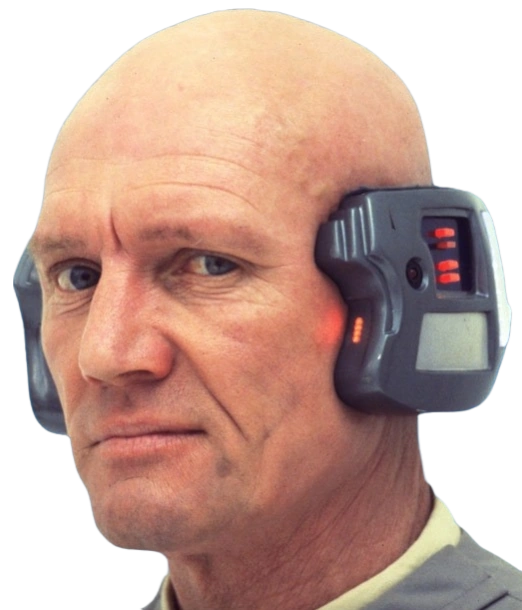
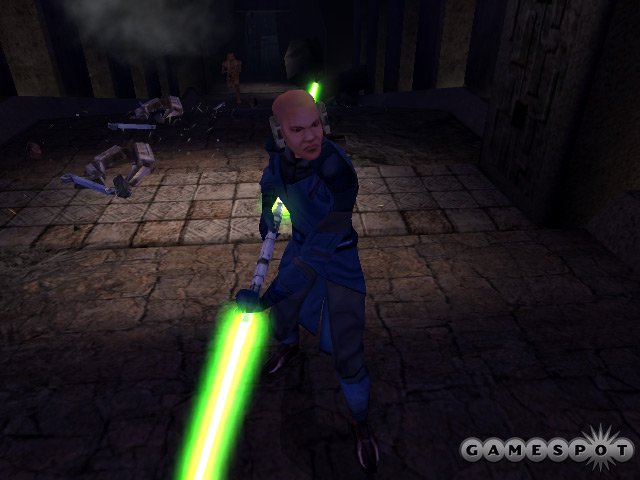
I kinda like this shade of green to be honest. It's rather unique in comparison to other green lightsabers in Star Wars. Edit: I just looked up pictures of Lobot and it looks almost identical in my opinion: The name "Neural Band" also suggests some connection to the brain.
-
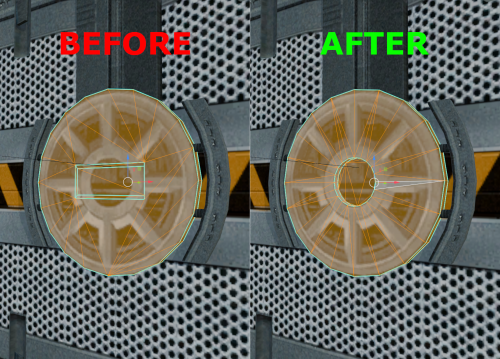 Oh sorry I forgot to take them out or mention the textures. I simply gave the doors an alpha channel so they don't look too flat. The textures are not needed for the model to work and completely optional, there won't be any UV layout error if you use a custom retexture or vanilla.
-
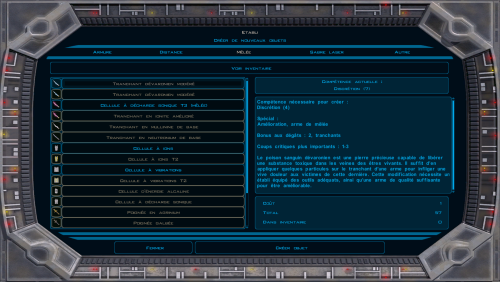
Version 1.0.0
2 downloads
French translation of 109 mods from the Neocities KOTOR II build: dialogue, item descriptions, TSLPatcher/HoloPatcher files and readmes. This patch only contains translated files – the original mods are required. How to use: Extract this patch close to the drive root (e.g. D:\TradFR) – some mods have very long paths. Download the original mods and extract them all into one folder, without renaming the folders. Run “Appliquer la traduction.bat” and select that folder: it applies the French files where they belong (including tslpatchdata) and backs up the English ones. Install your mods normally, in the build order. ⚠️ Do not copy these files directly into Override: for mods with an installer, they would have no effect. All mods remain the property of their authors (full credits included). Any author who wants their mod’s translation removed just has to ask, and it will be taken down right away. Traduction française de 109 mods de la build Neocities. Les mods d’origine sont nécessaires. Décompressez près de la racine du disque, lancez « Appliquer la traduction.bat » sur le dossier de vos mods décompressés, puis installez-les normalement. Ne copiez pas ces fichiers dans Override. -
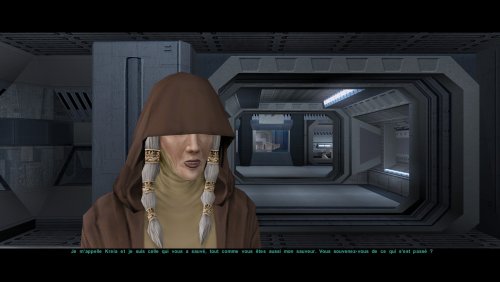
Version 1.0.0
0 downloads
VERSION DOUBLÉE FRANÇAISE UNIQUEMENT – ne pas installer sur la version anglaise. Depuis sa sortie française en 2004, KOTOR II utilise les fichiers .lip anglais, qui n'ont jamais correspondu au doublage français (décalages allant jusqu'à 5 secondes : bouches figées pendant que les personnages parlent, lèvres qui bougent en silence). Ce mod remplace 13 439 fichiers .lip , régénérés à partir des fichiers vocaux français, pour l'ensemble du jeu : Peragus, Ebon Hawk et compagnons, Telos, Nar Shaddaa, Dantooine, Dxun, Onderon, Korriban, Malachor. Compatible TSLRCM, Steam/GOG Installez-le en dernier (après tout mod fournissant des fichiers .lip). Les droïdes, terminaux et portes sont exclus ; les fichiers .lip créés par les moddeurs et correspondant déjà à l’audio français restent intacts. Installateur : HoloPatcher (inclus) Vidéo de démonstration visible ici Méthode : Rhubarb Lip Sync 1.13 (mode phonétique) adapté aux 16 formes de bouche du jeu. Crédits : Alcias01200 et Claude (Anthropic). Merci à JCarter426. Rhubarb Lip Sync par Daniel S. Wolf (MIT). HoloPatcher par NickHugi / th3w1zard1 (LGPL-3.0). ENGLISH VERSION DOUBLÉE UNIQUEMENT. Depuis 2004, la VF utilise les fichiers .lip de la version anglaise : les bouches ne suivent pas le doublement. Ce mod remplace 13 439 fichiers .lip recalculés sur les voix françaises, pour tout le jeu. Installation : lancer HoloPatcher (fourni), en dernier. -
Alcias01200 changed their profile photo
-
I believe this specific head and the yellow Lightsaber of this kind are shown in the Bastila vs Revan cutscene after the Swoop Race on the Xbox version. The PC version had their models updated in that scene so on PC a Jedi in the background with Bastila had the generic Asian Commoner head whilst on Xbox he used the head you're seeing above. My Knights of the Old Xbox mod adds this cutscene back in, though I'm sure any Xbox playthrough will have the scene shown so you can view this for yourself on YouTube.
-
Wow, I’ve never seen this image before. With his head and the device, he looks almost like Lobot from TESB. Furthermore, it seems to me that the lightsabers were originally different; in these old screenshots, the blades appear more tapered and the colors are somewhat different—especially the green one.
-
I actually restored this mask in RC-K1CP by having it replace the Baragwin Mask. All I did for the icon, though, was recolor the original to match the green one. You should check out the cut neural band model. The model itself is absent from the game, but its texture still remains and it's called "I_NeuralBand" and the in-game mask is worn in this beta screenshot alongside an unused beta head.
-

expansion Mission to Sleheyron: A New Story Expansion Mod for KOTOR
The_Chaser_One commented on SAO1138's file in Mods
You can definitely try. Theoretically, there shouldn't be an issue. At least for the executable, I already played Sleheyron with it. As for the patchers, I'd guess it doesnt conflict with Sleheyron, although I cant guarantee anything. -
expansion Mission to Sleheyron: A New Story Expansion Mod for KOTOR
jmorenobothwell commented on SAO1138's file in Mods
Hey SAO1138, thanks for the confirmation. Out of curiosity, are there plans to make a compatibility patch/fix down the line? -
JC's Fashion Line I: Cloaked Jedi Robes for K1
jmorenobothwell commented on JCarter426's file in Mods
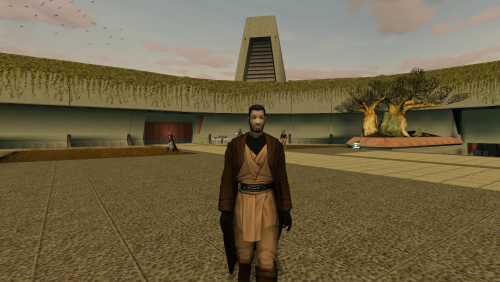 I love it! Finally brings some visual cohesion between the two KOTOR games. I'm having a little...quirk though(for lack of a better word). I installed it, and for some reason, the Jedi character on the Endar Spire (the one that gets blown up after beating that other "Darth Bandon" knockoff), the Jedi strike team on the Star Forge and on the final Medal ceremony are still wearing their "vanilla" tunics. Is that supposed to be the case or am I missing something? Screenshots attached.