All Activity
- Past hour
-
 Neek-sss joined the community
 -
 RandomChicken joined the community
 - Today
-
 JimiCrackCorn joined the community
 -
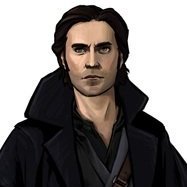
Love your Calo face.
-
 Highly recommend
 -
Updated many of my TSL mods to improve compatibility with Steam's Linux port of TSL, by lowercasing file names and mod install destinations, as well as converting custom voice-overs from MP3 to encoded WAV with SithCodec.
-
 tesstom joined the community
 -
 evoc joined the community
 -
 PorisPop joined the community
 -
 sim joined the community
 -
 WoweeZowee joined the community
 -
 Yeah, that's my fault. I honestly just forgot that RC-K1CP itself required the ordinary K1CP first. Thanks for reminding me to edit that; I'll do that now. Funnily enough I know of at least one orange Twi'lek on Sleheyron that won't be turned into a Gizka. I didn't realize the K1CP changed specifically orange ones.
 -
 mulisha joined the community
 -
Thanks! Oh and I installed the first two parts of Sleheyron before I installed K1CP and RC-K1CP and the K1CP Tweaks, but it turned all the orange Twi'leks into giant gizka! @N-DReW25 said it was because I didn't install K1CP first. But this mod page said to install the first two parts of Sleheyron first.
-
Great question. I balanced the combat to be the first post-Dantooine planet you visit. It's not mandatory at all to visit then, but I did this largely to encourage players to recruit the new companion early. And that's mostly because said companion has voice lines on all those planets you mentioned, and I didn't want players to miss any of them (plus a couple on Dantooine). There is a "hard mode" patch in the zip file if you decide to go later and want the fights to be balanced to roughly the same level as the Unknown World's.
-
 Malhakai joined the community
 -
 What an awesome idea! Instant download, thank-you - can’t wait to test it out. Curious, what are the combat stats? Assuming it can’t die, right? like Bao-Dur’s remote (I couldn’t handle him dying)
 -
View File Prequel Robes Replacement Retex Description I’ve upscaled and retextured some robes from [TSL] Prequel Robe Replacement. Main Features - 2x upscale of all robes from the original mod using Topaz Gigapixel. - Retextured three of the original robes in GIMP: Jedi Robe, Baran Do Novice Robe, and Baran Do Sage Robe. - 1K file available. This version resizes the robes back down to their original resolution. - Optional Robes file included. See the photos for previews of the custom robe options. Requirements This mod requires [TSL] Prequel Robe Replacement 1.0 (no exceptions) Install Instructions - Install the required mod: [TSL] Prequel Robe Replacement first. This mod will not work without it. - Download your preferred files - Extract the contents of the zip file. - Place the override folder into your main KOTOR 2 directory, or place the TGA files directly into the game’s override folder. - Replace files if prompted. Credits Original mod by Kainzorus Prime, Please like/endorse the original mod. Submitter Saul0097 Submitted 06/20/2026 Category Skins TSLRCM Compatible Yes
-
Say, what's the suggested planetary order with this mod included? Normally for me it's Tatooine, Kashyyyk, Manaan, and then Korriban, just as Bastila says in a cutscene. When should I go to Sleheyron?
-

Version 1.0.0
10 downloads
Description I’ve upscaled and retextured some robes from [TSL] Prequel Robe Replacement. Main Features - 2x upscale of all robes from the original mod using Topaz Gigapixel. - Retextured three of the original robes in GIMP: Jedi Robe, Baran Do Novice Robe, and Baran Do Sage Robe. - 1K file available. This version resizes the robes back down to their original resolution. - Optional Robes file included. See the photos for previews of the custom robe options. Requirements This mod requires [TSL] Prequel Robe Replacement 1.0 (no exceptions) Install Instructions - Install the required mod: [TSL] Prequel Robe Replacement first. This mod will not work without it. - Download your preferred files - Extract the contents of the zip file. - Place the override folder into your main KOTOR 2 directory, or place the TGA files directly into the game’s override folder. - Replace files if prompted. Credits Original mod by Kainzorus Prime, Please like/endorse the original mod. - Yesterday
-
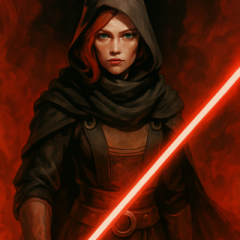
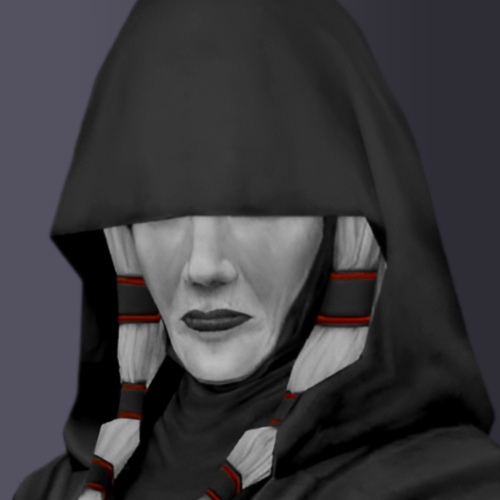 Hi Revan100. How did you make these portraits? Most of all, how did you darken Evil Atris's robes and made her skin ghostly white? Is there a reason why you decided to make Atris look ghostly? Just curious, as I want to edit Evil Atris's TGA file to match the color tones of the image attached here if that is all right with you.
 -
 I think having it spawn in the inventory of a merchant would've been better but alas
 -
 Since Dustil can die in Kotor 1, will he appear regardless of wether or not Revan is set to be darkside at the beginning of K2?
 -
My Alternate Revan Romances REDUX has been updated to 5.0, a new major update for the mod.
-
That was the order of installation on the mod page. First two parts of Sleheyron, then K1CP, then the tweaks, then the compatibility patch of Sleheyron. I'll have to reinstall the game and see if this happens again.
-
 It only adjust txi files from textures. It should work with higher resolutions.
 -
There's the problem. You have to install K1CP first, your game probably isn't too broken but every single instance of an orange Twi'lek will be replaced with a giant Gizka. SAO, if you're here can you please confirm whether or not you recommend players install Sleheyron Story Mode first?
-
Well I already did half of it for you (or anyone else interested).
- Last week
-
It seems like this mod is for 1080p, not 4k which is why people have issue with item quantity. It's not a font issue, it's a textbox scaling issue which is caused by the .exe being outdated.
-
That can be said of anything. I'm really only good at Procedural Programming like C. I suspect KOTOR 1 & 2 is more than difficult to make Mods for in my case. Oh hey, a PSG fan. I'm just an Autistic guy who likes Anime and Programming. And there's a second season? Wow... I guess God has not forgotten us after all...
-
Thank you for the prompt reply. Here's the appearances.2da file: appearance.2da I installed the first two parts of the Sleheyron mod first, then K1CP, then RC-K1CP, then the Compatibility patch. And before I installed any of that, I installed Lasat's KOTOR Revisited Mods to give everything HD textures. Here's a link to those: KOTOR Revisited
-
I was going to post an update for the development of RC-K1CP soon, but since JasonRyder commented I'll update you all now. The Unused Head Restoration Pack mod, which hasn't been updated in several years, shall be renamed to the K1 Appearance Restoration Pack to match its Kotor 2 counterpart. The reason this is happening is because most of the appearance restorations from RC-K1CP, mainly the optional ones, are being removed from RC-K1CP and are instead being added to the K1 Appearance Restoration Pack. The reason I am doing this is because they're mostly incompatible with the NPC Diversity Pack mod. The appearances of RC-K1CP are added solely to restore the unused appearances whereas the NPC-DP is a genuine NPC Overhaul. By installing both mods, it is possible that the end result is not one that I personally intended for the player. Whilst these incompatibilities do not break the game in any way, I am certain players would prefer Restored Content and an NPC Overhaul without these two concepts "meshing" with one another. There are also actual incompatibilities that do impact the game, the Sith Officer Uniform Restoration install is incompatible with heyorange's Sith Army Reformation mod and the Jedi Appearance Restoration install is incompatible with Diversified Jedi on the Star Forge if you install that mod before RC-K1CP. Once this update goes ahead, the RC-K1CP will have most of its restored appearances removed. If players want a "pure" restored content game with no NPC Overhauls they can install the K1 Appearance Restoration Pack whereas if they want an NPC Overhaul they can instead download the NPC Diversity Pack. The unique heads for Tanis and the Czerka Rep on Tatooine from the Unused Head Restoration Pack are going to be added in the Galaxy of Faces mod so NPC Overhaul enjoyers will not need the K1 Appearance Restoration Mod if they want those two heads in particular. This update has been delayed to the development of the M4-78 Unofficial Patch mod this year, and whilst I do intend to make something special for ROR this update shall come eventually. And also, Carth's Restored Blaster icon is being removed in that update until it can genuinely be fixed. Whilst I can see why you'd report it as an RC-K1CP bug, this is actually a Sleheyron Story Mode bug in its entirety. K1CP restores the orange Twi'lek variant and RC-K1CP simply borrows that appearance for the fourth Vulkar. This means either one of two things have happened, you either: A) broke your install. B,) the Sleheyron Story Mode mod's installer is broken and therefore it has broken your game. The orange Twi'lek added in K1CP occupies line 509 of the appearance.2da. If @SAO1138 had setup his tslpatcher/holopatcher correctly then a new appearance number would've been assigned to your appearance.2da, the only way his big Gizka would replace the orange Twi'lek added in K1CP would be if Sleheyron's installer hard overwrote the existing appearance.2da with a pre-made one (which is very bad from a modding standpoint). Can you please attach your appearance.2da file here, since the orange Twi'lek should occupy line 509 of the appearance.2da being able to view your appearance.2da should confirm at least part of my suspicion. SAO, if we get to the bottom of this and it turns out that, by some miracle, it isn't Sleheyron Story Mode as I suspect I do apologizing for pinging you here.
-
I'll check when I get the chance.
-
 LordMerek changed their profile photo
 -
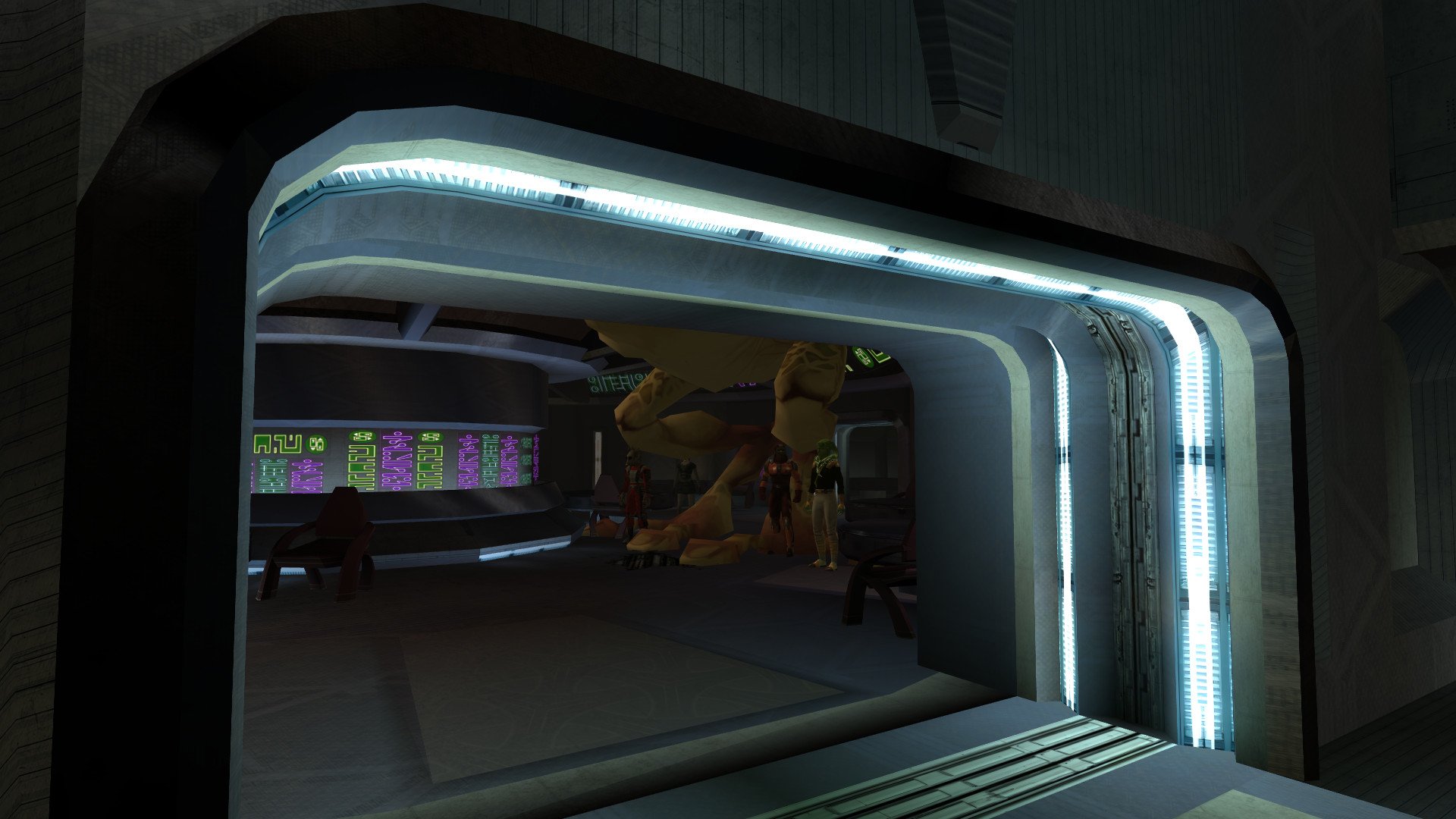
I don't know if this is the right place to post this but I found a strange(and hilarious!) bug in the Taris Lower City Cantina. The fourth Black Vulkar that threatens Calo Nord, the orange Twi'lek that speaks Basic, has somehow turned into a giant gizka!