All Activity
- Past hour
-
 SageOfTimeVT joined the community
 - Today
-
 zugzergzee joined the community
 -
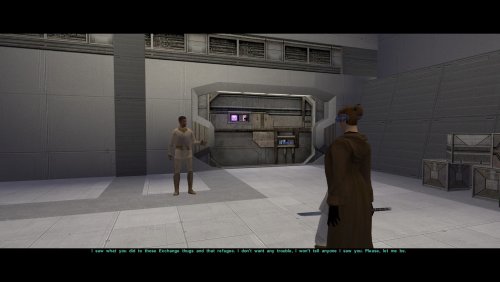 In base game, they say this: "Irritated Declaration: There you are. It has been extremely difficult to track you down, Jedi." "Quick Clarification: But now that we have found you, we hope that we can facilitate communications." "Unnecessary Addendum: And put an end... to hostilities." In TSLRCM, they say this: "Releived Statement: Oh, Jedi, it's good to see you intact. We were concerned that shooting down your shuttle would damage you irreparably." "Quick Clarification: But now that we have found you, we hope we can facilitate communications." "Unnecessary Addendum: And put an end... to hostilities." In K2RC+, they say this: "Irritated Declaration: There you are. It has been extremely difficult to track you down, Jedi." "Releived Statement: Oh, Jedi, it's good to see you intact. We were concerned that shooting down your shuttle would damage you irreparably." "Announcement: You have caused us to expenditure a great deal of effort to find you, Jedi. "Quick Clarification: But now that we have found you, we hope we can facilitate communications." "Unnecessary Addendum: And put an end... to hostilities." "Threat: Come with us without resistance, Jedi... or you will come with us in pain." The way I see this, that both base game and TSLRCM go for a somewhat-different-but-consistent tone. Base game HK squad is irritated-annoyed, TSLRCM HK squad is snarky assholes. And I don't think mixing the two styles flows all that well, because even if it's different droids saying the different lines, it's nigh-impossible to tell them apart because they all look and sound the same, and they are against the same backdrop too. In more detail: I think the first two lines of "Irritated Declaration" and "Releived Statement" are an either or, because they are tonally so very different and both sound like a definite beginning to a dialogue. "Irritated Declaration" and "Announcement" kinda say the same thing but worded differently, it feels like too much repetition in this dialogue I think them closing off their opening lines with the "Unnecessary Addendum" just fits oh-so-much better with the snarky-snobbish asshole personality that most HK-50s have, not to mention it's their catchphrase too. Having the "Threat" in there is again, feels out of tone for both base game and TSLRCM personalities, and kinda curbs the effect of their catchphrases too.
 -

KotOR II Cut Content - Opelle / Valiant
N-DReW25 replied to BusterBlader's topic in Knights of the Old Republic General
I believe it it used for one of the Peragus Holograms and in the background of Carth's arrival at the Battle of Telos. It is very seldom used. And yes, it is actually an import from Kotor I and it's used even less there as well. -
 Wolohoo joined the community
 -
kotor tool KoTOR Tool REBORN.
LordVaderCW replied to LordVaderCW's topic in General Kotor/TSL Modding
Todays Update: ill be doing some more work on this today. NetFramework Upgrade. I now have this working in Visual Studio 2022, and i have upgraded the NetFramework to run from 4.0 which will benefit the KotOR Tool massively. again im going to be focusing heavily on finishing the GUI Phase. Standardised Theme of titled DarkSaber. Once this phase is complete with the Designer Files, i will then begin to start updating the forms themselves, repositioning some elements, Community Feedback would be wonderful, with how you want it to look and feel. Any feature requests you can add them into the this forum. You can request anything. I will do my best to work it in, if i can. if it will work, and if the community desires it most. The most requested features will be the highest priority in terms of community feedback. Feature Plans. I will also create a built in TGA viewer with BMP and PNG conversion, Texture Upscaler, and Normal Map Generator, i am also considering adding in python support. Now i specifically use Python 3.13. installed into my system path. i can create some automation scripts to do that for end users who are not technical and just want to mod., but i think python support will be a massive boost to the tools power and complexity, as the KSE Editor was a good tool also. shout out to the dev who made that one. May the Force Be With You. LordVaderCW

- 7 replies
-
- 1
-

-
- fred tetra
- vb
- (and 6 more)
-
 newosan joined the community
 -
 Legracer joined the community
 -
 Hut234 joined the community
 - Yesterday
-
 tacoez17 joined the community
 -
 chasko joined the community
 -
 HedMunky84 joined the community
 -
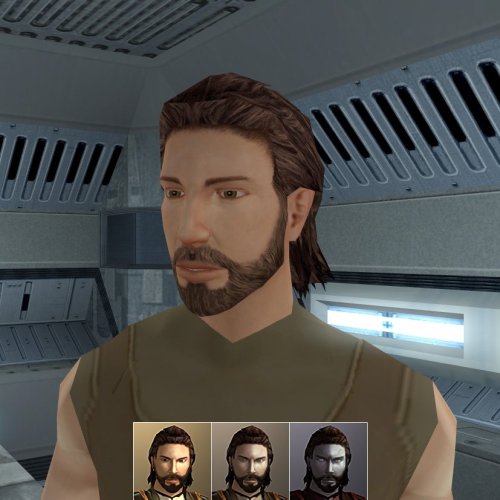 Thanks you for you help it work when i used this way in windows folder ! I'm wondering if i can make a request for a similar mod, head whith beard with the PMHCO5 head from kotor 1 Otherwise how to make a request ? Thank for your great works i enjoy a lot of your mod from both K1 and K2
 -
kotor tool KoTOR Tool REBORN.
LordVaderCW replied to LordVaderCW's topic in General Kotor/TSL Modding
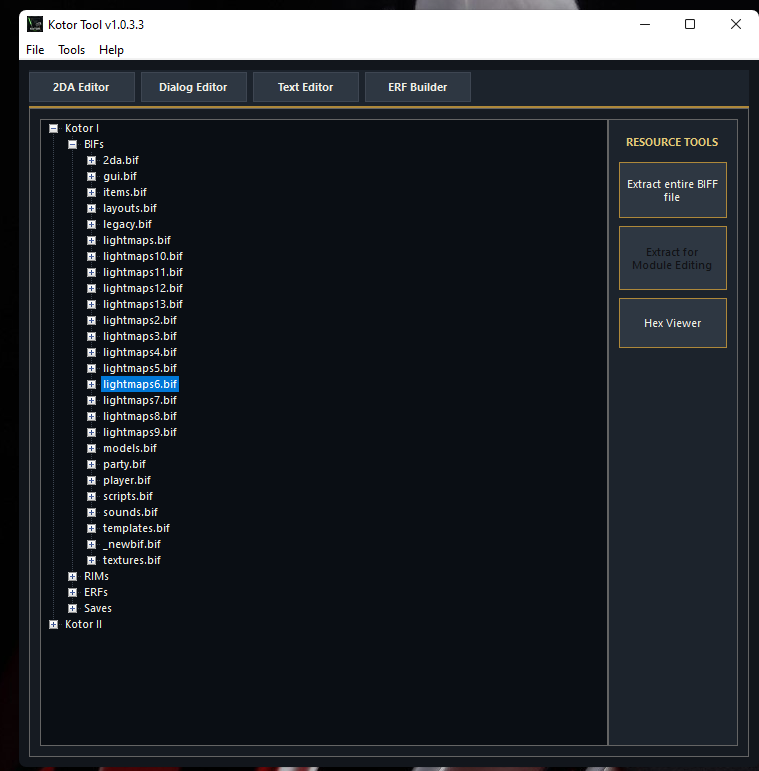
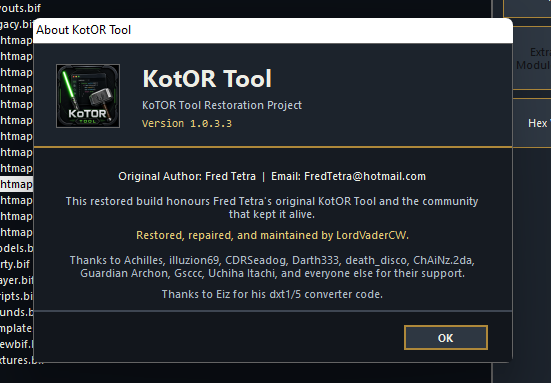
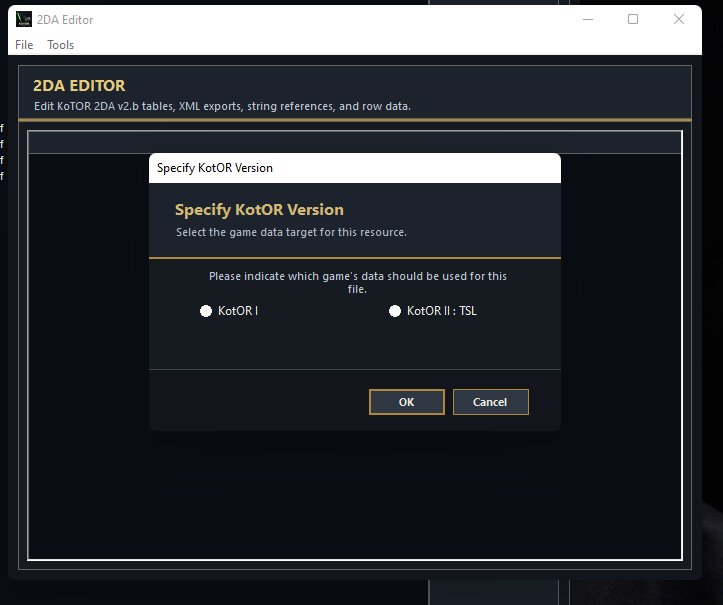
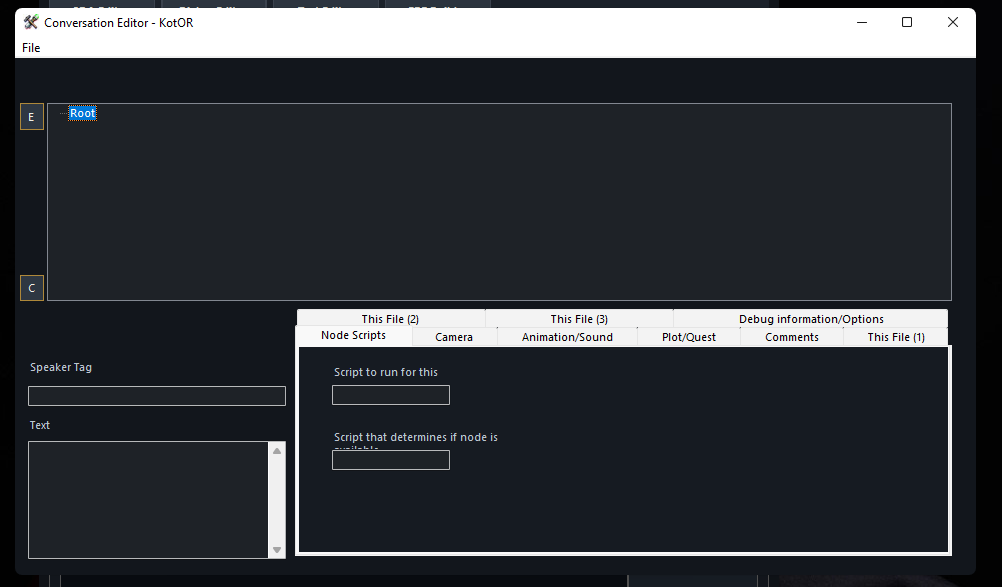
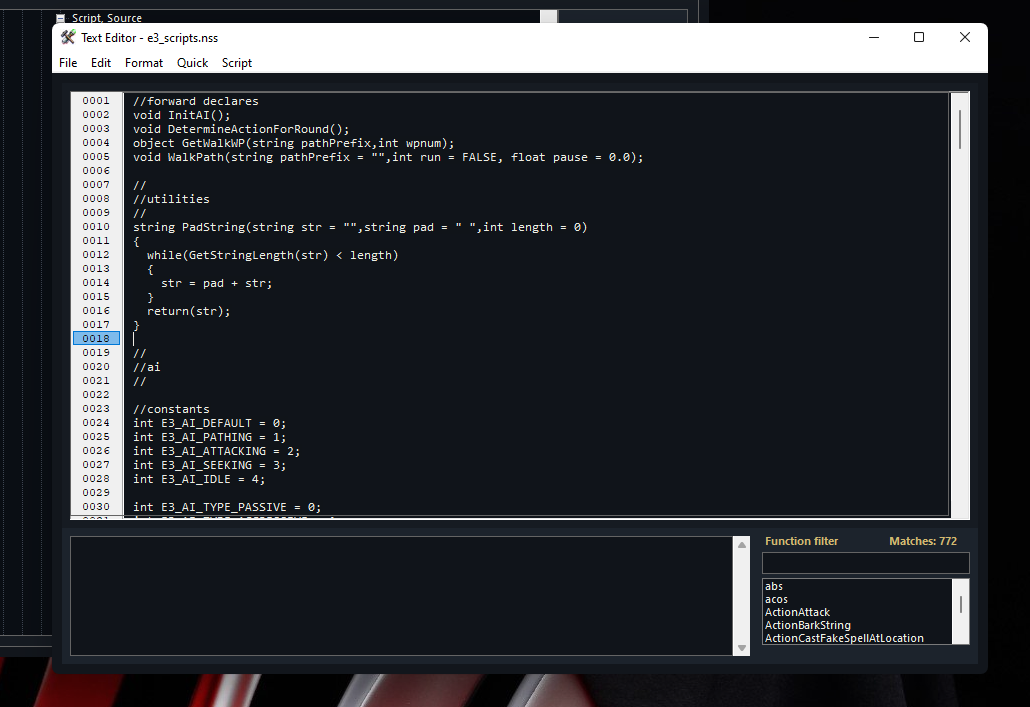
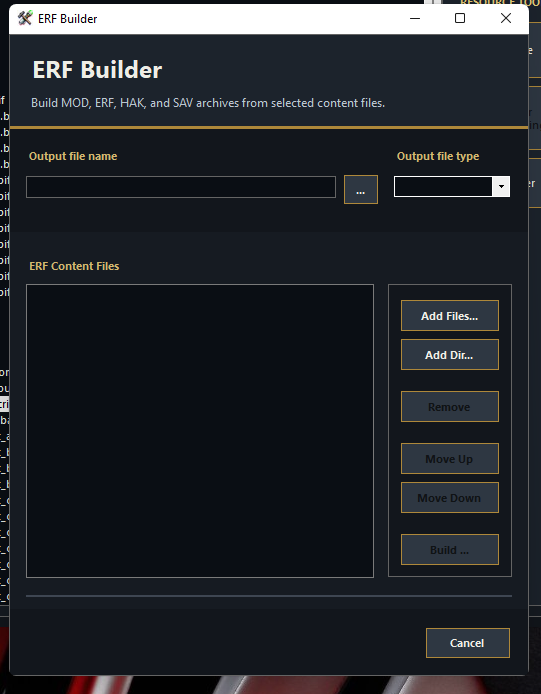
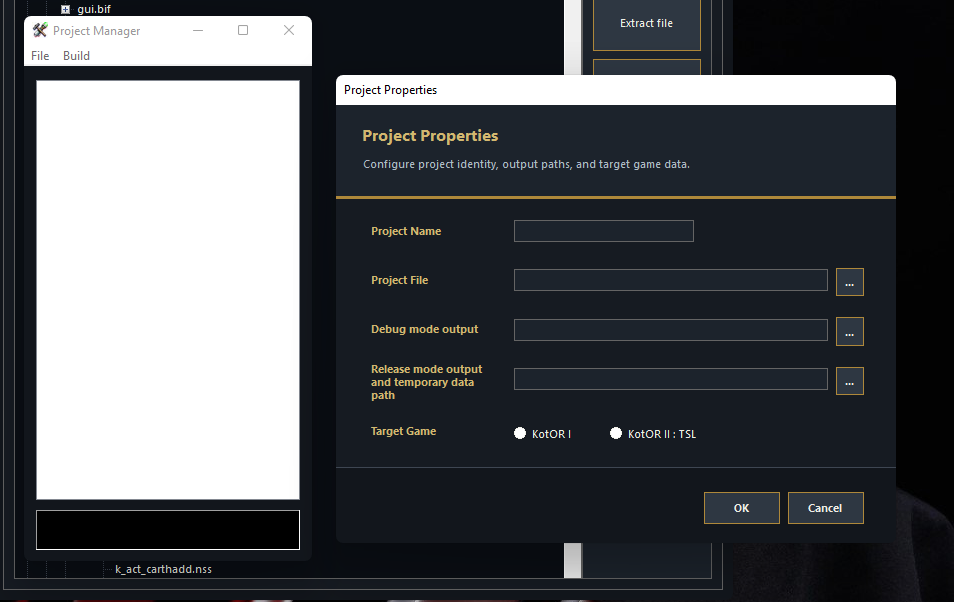
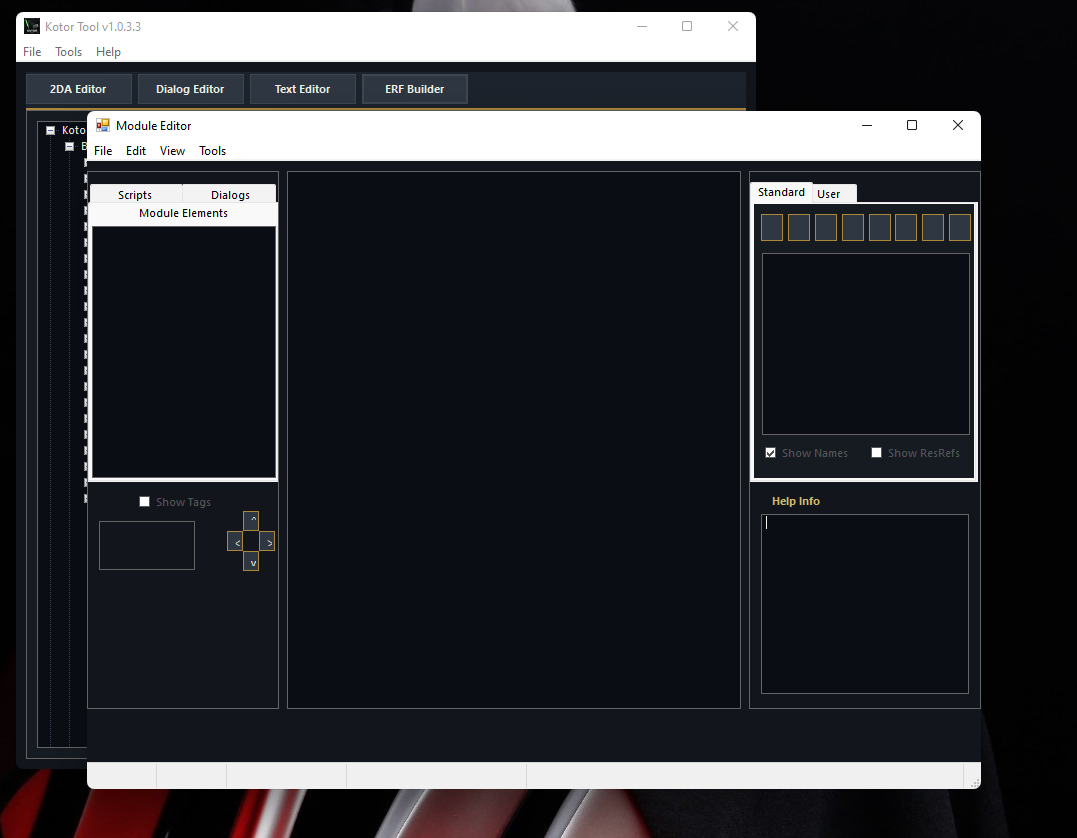
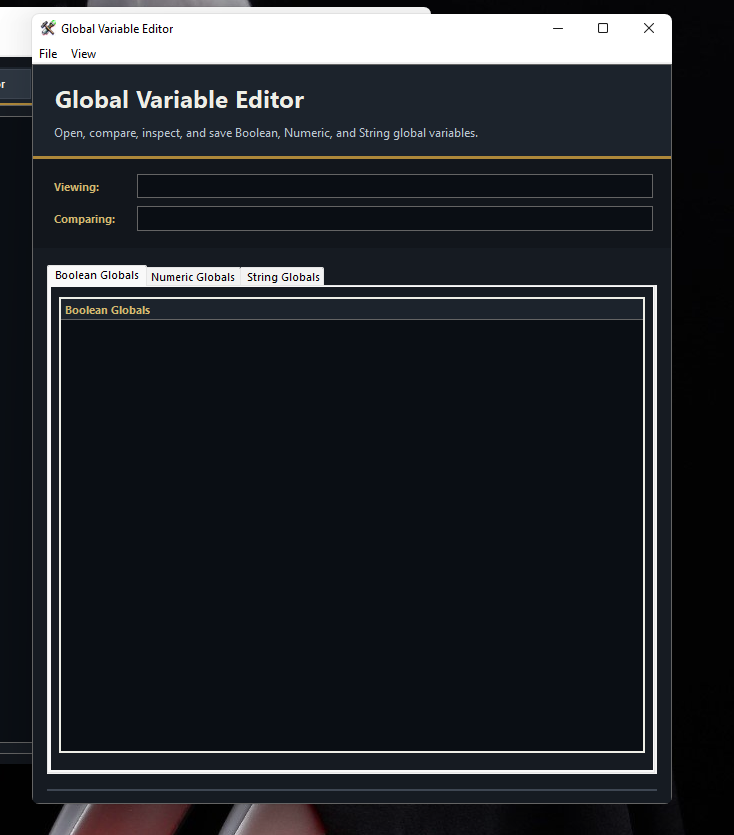
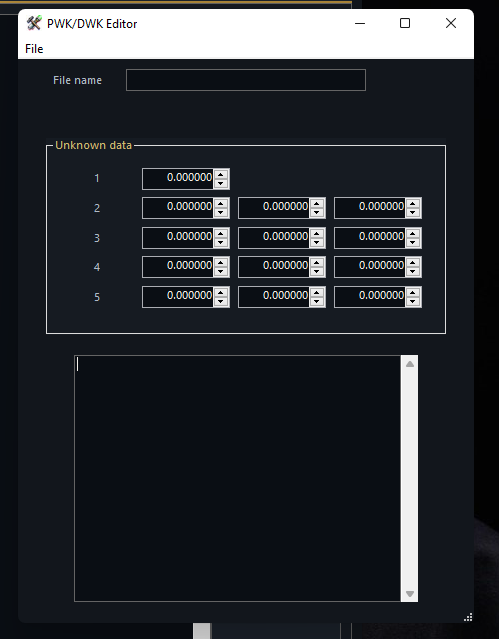
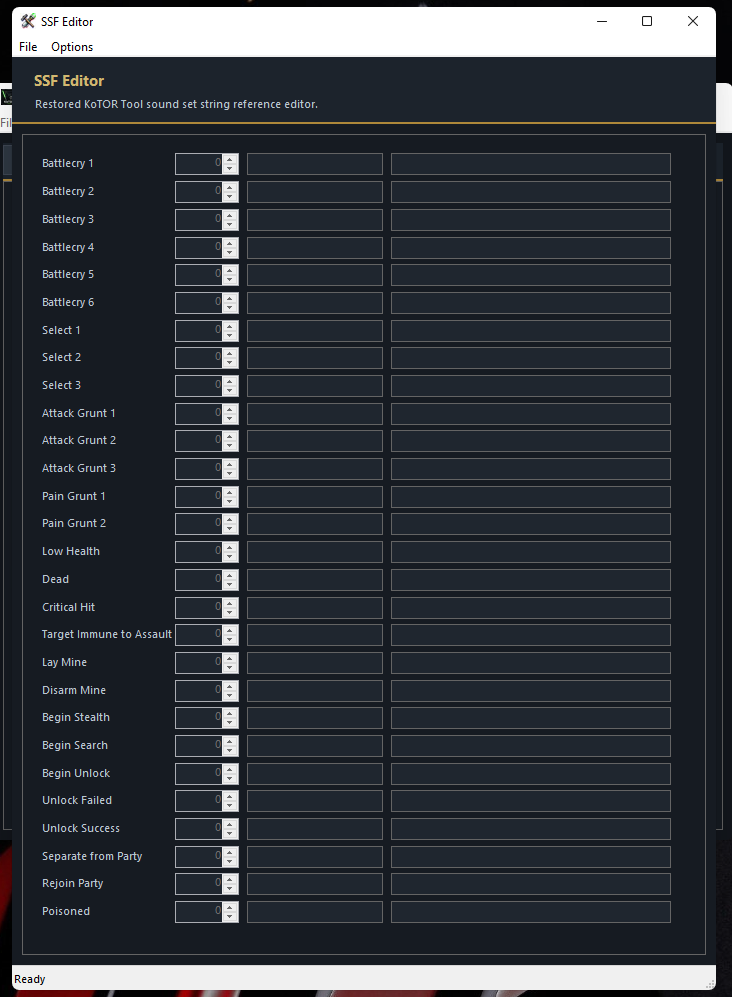
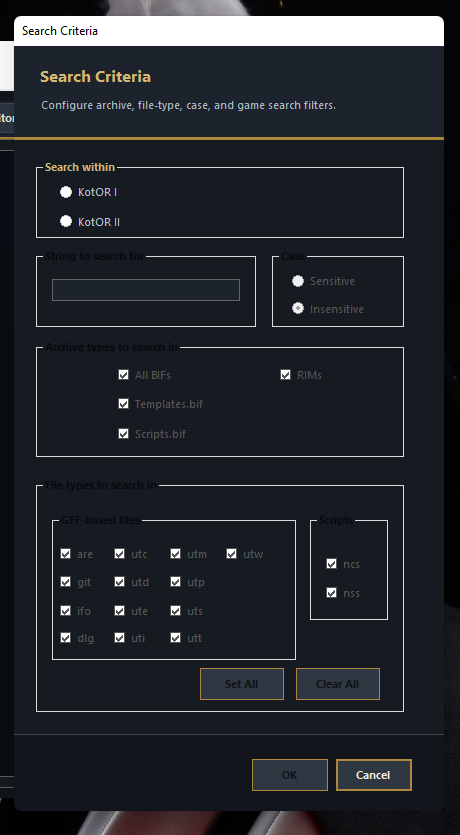
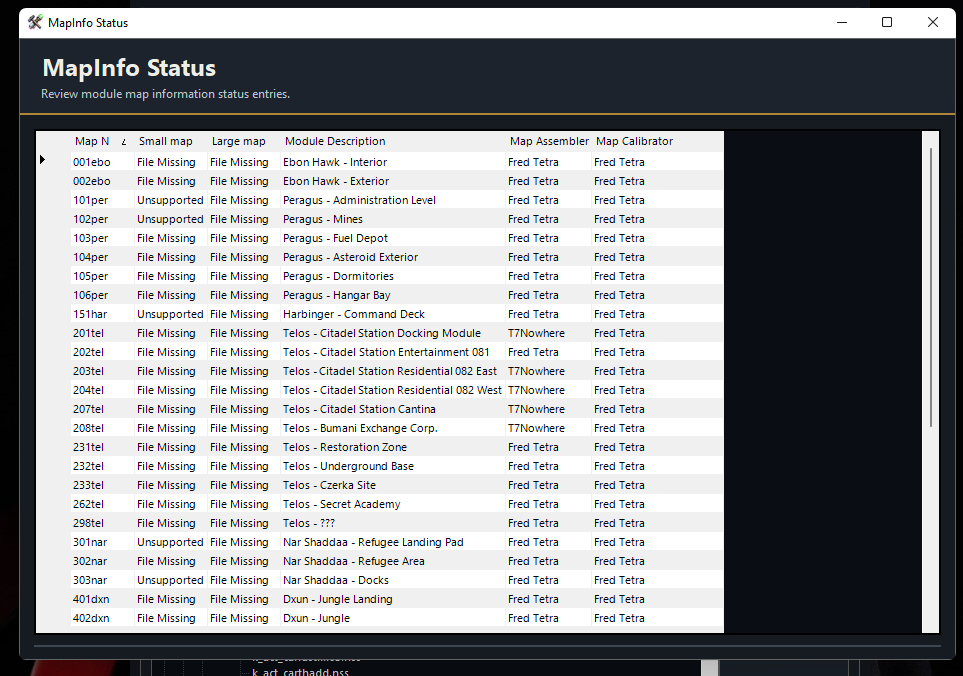
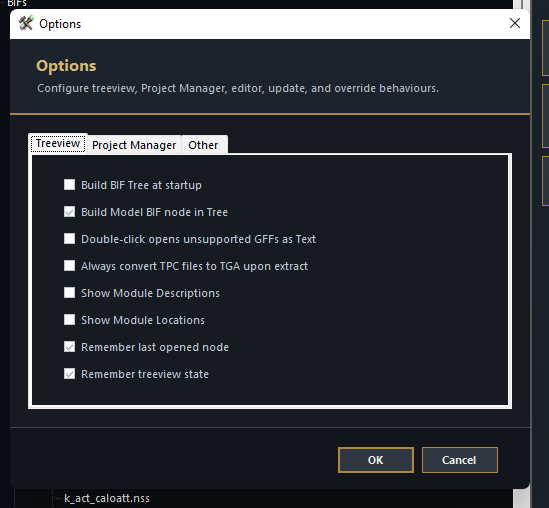
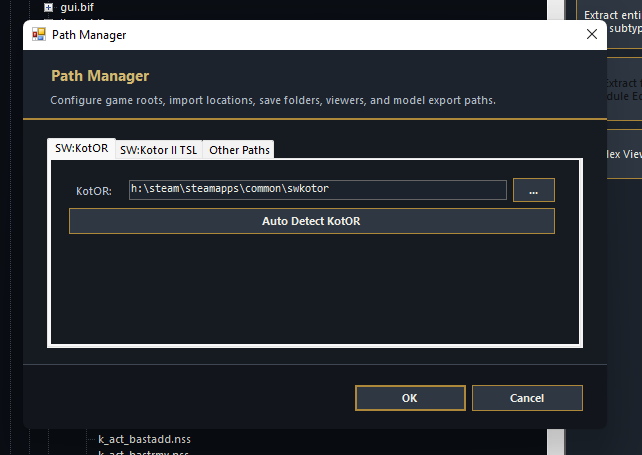
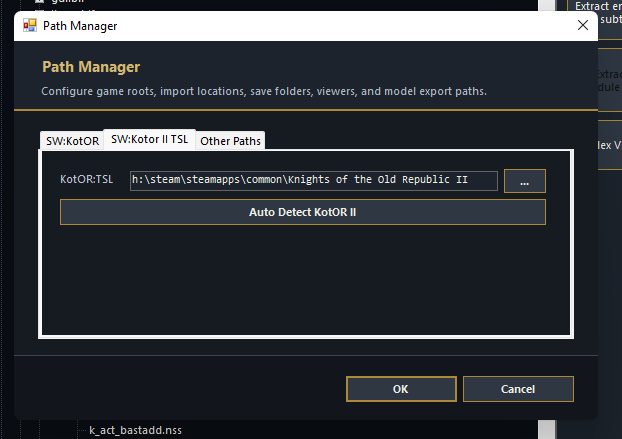
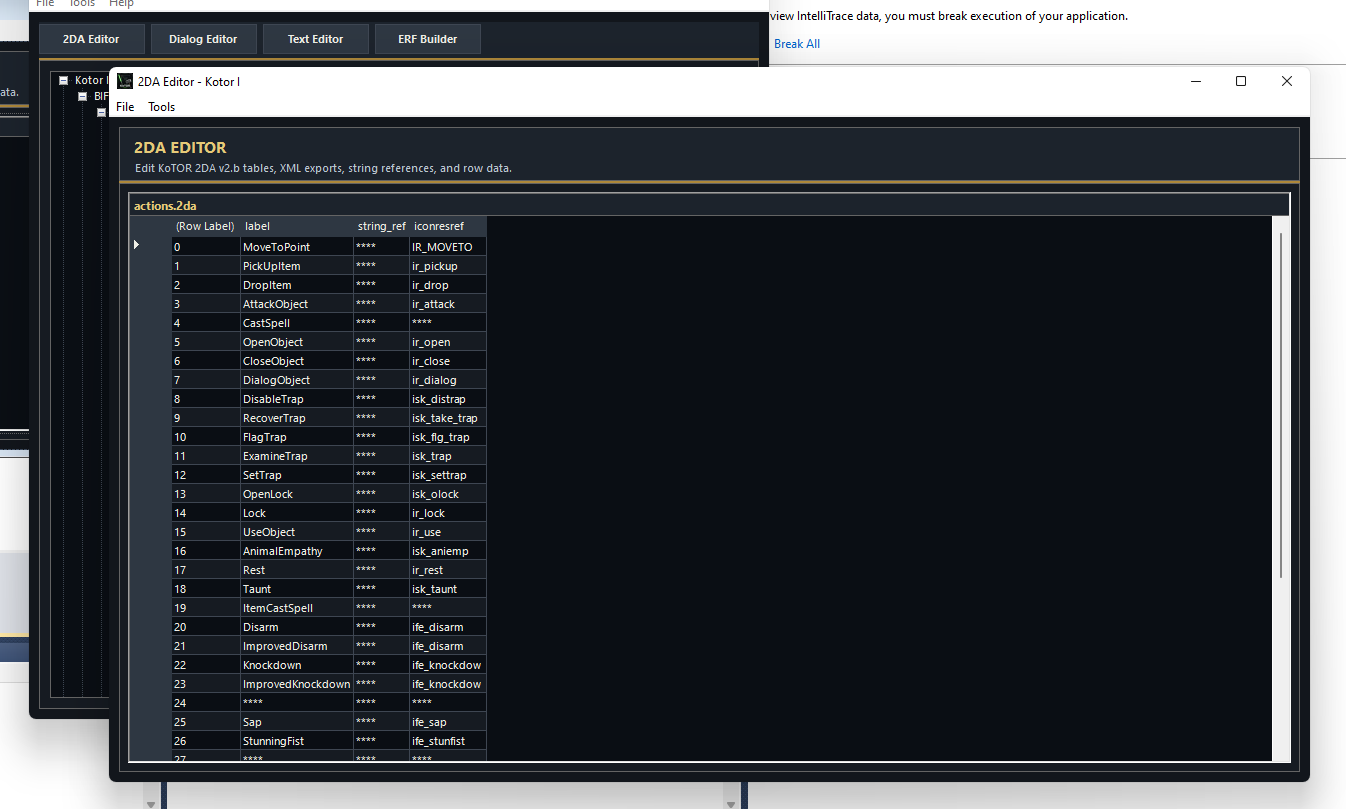
Update on V.1.0.3.3: 29.04.26 - Alot of this Designer code source is really scrambled, and hard to read at a glance. The Designer.VB are formatted in such an old way that i have had to painstakingly restructure each one. Now, as challenging as it is, i am almost at the end of that Phase. Each designer file is being rewritten so that it complies with CodeDom inside VisualStudio so for later GitHub dumps, anyone who wants to add things or make things, will be able to do so, for reference im using my old version of my MSDN 2010 Ultimate, to ensure maximum compatibility. Fred wrote quite a LOT of code. and i am doing everything i can to preserve as much of his original code where possible, and where it works. but most of the UI screens have now been given That dark blueishgreen and gold theming. Disclosure. I am using AI to assist which is speeding up the process massively, but it is not perfect. and AI DOES and WILL make mistakes, and will often argue with you on LONG code files. Note: For anyone who wants to make stuff for the tool using AI. I will not object, i will encourage it providing it is documented. This is why these tools exist, to make our dev headaches less. or more. depending on how the mood of the LLM feels. for me this is a vibe and an experiment. Will post update again when V.1.0.3.3 source has been dumped and release of V.1.0.3.3 has been packaged. LordVaderCW. GUI UPDATES TO KOTOR TOOL by LordVaderCW. current progress at the moment. I will dump this progress to GitHub under Branch v.1.0.3.3 Here im showing the updates ive made to the Graphical Interface to the KoTOR Tool. NEW ICON PRELOADER THING MAIN APPLICATION ABOUT 2DA EDITOR DIALOG EDITOR, Not perfect, but will tweak further in next branch series of updates. TEXT EDITOR ERF BUILDER. PROJECT MANAGER, still a little bit broken, but will fix later. The Module Editor, I need to create new images etc for the buttons. tidy up some things. Not complete yet. Global Variable Editor. This one i think is kinda complete on the GUI aspect. for V.1.0.3.3 it will do. Door Walkmesh Editor thing. SSF Editor. This one is pretty much visually complete in terms of updating GUI. Search GUI. Few Tweeks needed. but almost done. MapInfo Viewer Options Window. (Needs tweeks to the tickbox colors, oversight) Path Manager. Autodetection works for steam copies. that was added into v1.0.3.1 as an immediate thing. (no more need for the registry key.) This is the current progress at the moment. Which is what im at. at the moment. Updates are live at: https://github.com/LordVaderCW/KoTOR_Tool/tree/v1.0.3.3
- 7 replies
-
- 1
-

-
- fred tetra
- vb
- (and 6 more)
-
kotor tool KoTOR Tool REBORN.
LordVaderCW replied to LordVaderCW's topic in General Kotor/TSL Modding
Thanks for the response! im still churning through the visual updates to the GUI and it is TEDIOUS! like ive been slapped with SpaceDung from the Biffs Saxaphone. im about 40 percent through the Visual GUI updates to the color scheme. I want to get that out of the way for V1.0.3.3 before i commit it to the github repo. looking through the source, Fred seemed to have other features that he was working on inside, as there are various forms and windows, that ive not quite seen yet actually used. I had a moment where i was sat thinking, what could i do with my time on this earth. something that could be done, on the back of the #StopKillingGames movement, and KoTOR was a big part of my childhood, and im 32 now. I wanted to do this long ago, but with the LLM scene. Its not like you can just copy and paste code in and out, it still require tedious micro management, positioning, updating, code arrangment, code clean up. I have PLENTY of time to give to this project. I have also noticed, that there were plans to introduce Registration and Licence Keys for the tool.- 7 replies
-
- 1
-
-
- fred tetra
- vb
- (and 6 more)
-
Holy moly... I love the idea. If you can make all existing features actually work reliably and make it less prone to crashes I'll sing praises of you for at least next decade. \o/ I'm looking forward to see your progress.
- 7 replies
-
- 1
-
-
- fred tetra
- vb
- (and 6 more)
-
I'll see about adding this in So I've recently removed all of the restored appearances from this mod and transferred them to the K2 Appearance Restoration Pack mod. Because of this there are now a lot less installs meaning I could add them to an "alternate takes" install. Might I ask why the HK squad needs to be seperated? Just so that I'm clear, you're referring to the Telos Plateau HK squad, the one where I restored the vanilla dialogue TSLRCM cut so that these lines are used alongside the restored dialogue. You'd think this'd be better served outside of the true dialogue restorations? Truth be told, I don't think the thug outside Dhagon's was supposed to ever walk away, the dialogue setup suggests he would've just stuck around and said the restored line if you tried speaking with him again. The problem was that the text in the dialog.tlk/the subtitle left in the game file didn't match what the actor said and so I thought it would've made more sense when you first spoke to him instead of letting him stick around. I'll see if I can edit the dialigue, maybe have it so that "I've said what I'm going to say" and "If you talk to him" are exclusive to specific player responses or swap them around so that "if you talk to him" is said last instead of before "if you talk to him". If not, I could make an alt install for the sus restorations. I believe there already is one for one of Mira's alt lines, and I'm probably going to add the alt Benok/Luxa lines in there at some point as well.
-
 Wizeroy changed their profile photo
 -
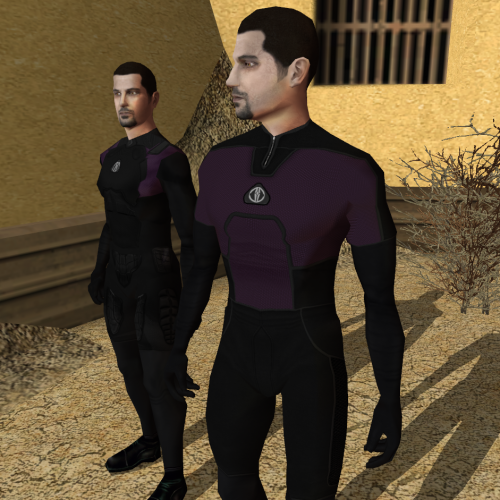 I don't quite understand how these textures work. Do they change with your alignment, or can you pick and choose somehow? Which file contains which texture?
 -
 Besides being not able to spell, it's a 2DA edit that was literally already done 20+ years ago. So new for zoomers I guess? But muh Nexus pennies!
 -
 What does "generatinal" mean?
 - Last week
-
 IMHO, it's in poor taste to advertise your mod here when it's hosted on another site. If you think your mod is worthy of being shared widely, why not upload it here?
 -
 https://www.nexusmods.com/kotor2/mods/1362?tab=files
 -
I 100% agree with you and it's nice to see someone else thinking the same thing! Ofc, it's easy to not install the appropriate file, and fortunately, no other tweaks are lost if you don't, but if possible I'd like to see "alternate takes" like this or the plateau HK squad separated from true dialogue restorations, like the Malak vision in the tomb. btw I'm of the same mind about the thug outside Dhagon's clinic, him signing off with "If you talk to him, tell him I got his twenty credits." is just fit so well, I'm inclined to think the additional line was cut intentionally.
-
kotor tool KoTOR Tool REBORN.
LordVaderCW replied to LordVaderCW's topic in General Kotor/TSL Modding
VERSION 1.0.3.3 INBOUND. Update: I am currently working through the visual design of Version 1.0.3.3 - I have introduced a theme system for KoTOR Tool, replaced icons, and buttons. This version will be adding major visual enhancements, with custom themes via INI settings. The theme will be using a DarkSaber.ini theme file. stay tuned.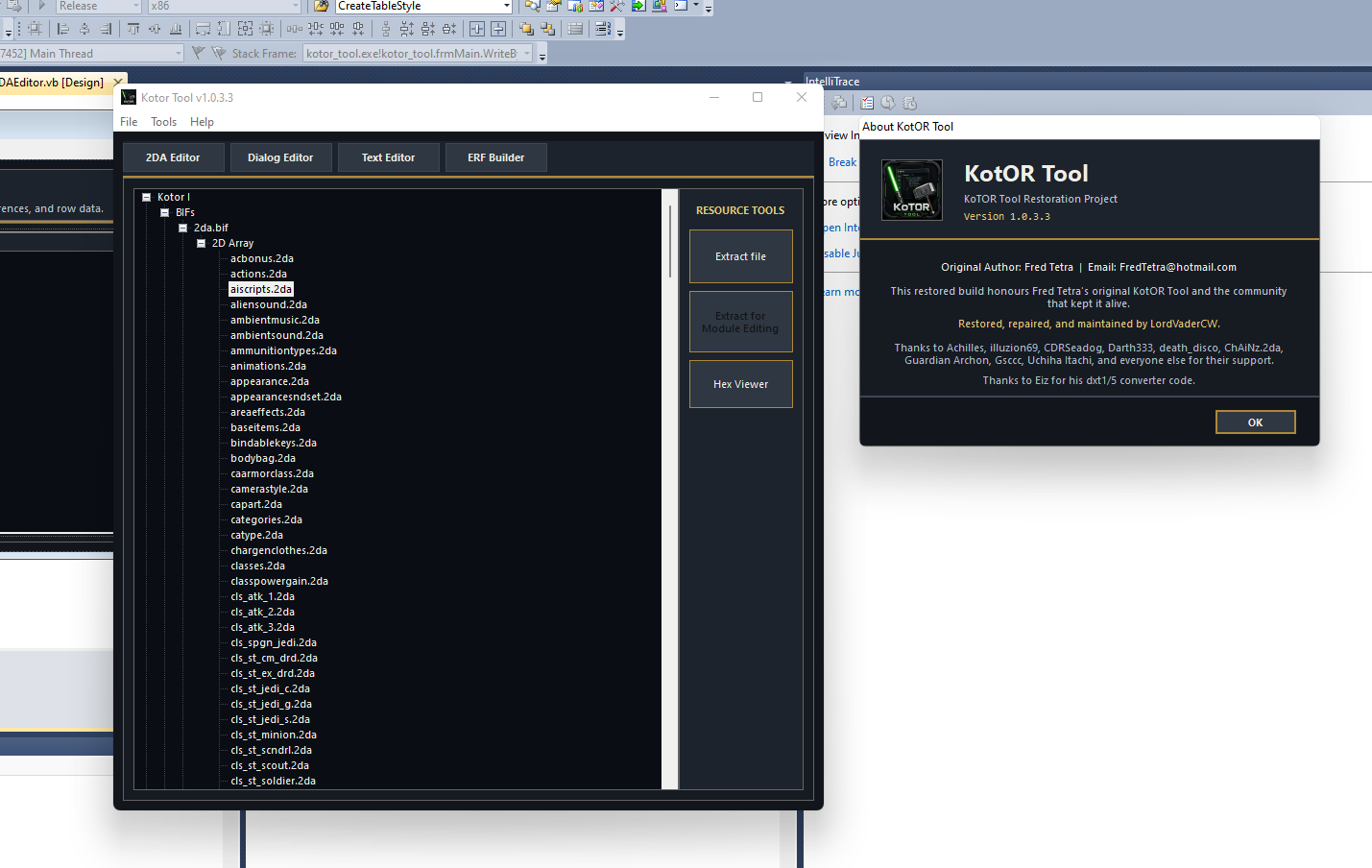
- 7 replies
-
- 3
-
-
- fred tetra
- vb
- (and 6 more)
-

KotOR II Cut Content - Opelle / Valiant
BusterBlader replied to BusterBlader's topic in Knights of the Old Republic General
No I was more curious if that was familiar but I don't recall if this model was used at all in KotOR 2 otherwise? I assume it was made for it too and wasn't an import from KotOR 1 but correct me if I'm wrong. -
You don't want to leave the vanilla script. That kills him. You need to replace that script with your own that does all the stuff the vanilla script does and then modifies it to get the result you want. Yes, to add static cameras you will need to edit the module's GIT. Which means that they won't take effect in a saved game (unless you extract the save and edit its module GIT). Alternatively, you can create an animated camera, which is a motion track stored in a model that the game can attach a camera to. Any time you see a cutscene with a camera panning or the like, that's an anicam. But you can also use it for simple position switches where you just jump the camera to different points as needed. This would require the use of Blender or 3DS Max and their appropriate I/O scripts.
-
 Okay, thanks. So what I did in detail was this: I created an all new script. I called it "a_sion_effect" and put it in "script 2" that is underneath "script 1" in the node where Sion's death animation plays, (which is a_sion), and that is where I ended up. The part of the dialogue editor I made can be viewed in this screenshot below... As for what I out in the "a_sion_effect" script, I basically put it like this: void main() { object oDarthSion = GetObjectByTag("DarthSion", 0); location lSion = GetLocation(oDarthSion); AssignCommand(GetModule(), DelayCommand(3.0, AssignCommand(GetFirstPC(), PlaySound("v_pro_lightning")))); AssignCommand(GetModule(), DelayCommand(3.0, CreateObject(64, "sithritual001", lSion, 0))); AssignCommand(GetModule(), DelayCommand(3.5, DestroyObject(oDarthSion, 0.0, 0, 0.1, 0))); AssignCommand(GetModule(), DelayCommand(6.5, DestroyObject(GetObjectByTag("SithRitualEffect", 0), 0.0, 0, 0.0, 0))); } So yeah, that is how I got to where I was. Thanks for the advice. I am trying to learn how to apply new camera shots and make new cameras, but I will try to do so. So, for clarification, do I do this in a script or do I actually have to do module editing to do it efficiently? Like editing the GIT file or something like that?
 -
This is all scripting for the most part. If you look at 903sion.dlg, E121 should be the node of interest. You can see that fires the script a_sion with parameter 3 - https://github.com/KOTORCommunityPatches/Vanilla_KOTOR_Script_Source/blob/master/TSL/TSLRCM/Modules/903MAL_Malachor_V_Trayus_Academy/a_sion.nss That triggers case 3 of the switch runs that function that handles his death scene. Clears all effects on him, plays the ANIMATION_LOOPING_RAGE animation on him for 1.5 seconds, removes his minimum 1HP flag, applies the instant death effect, then unlocks the door. If you want to prevent a node from skipping and run for as long as you want, then you need the ActionPauseConversation and ActionResumeConversation functions. However, you have an added wrinkle here. Sion is the conversation owner. A conversation will immediately terminate if the owner dies. Typically in cases like this where an NPC needs to die, you get around it by making the owner an invisible placeable, but in this case that would probably break all the other scripts. So you'll need a bit of slight of hand to get around it. What I would do is have him manually play the death anim, spawn the VFX placeable over the top of him, then use that as cover to jump Sion somewhere out of sight so he can be killed after the cutscene finishes. The question will be whether the VFX actually obscures him sufficiently. That will probably require some custom shot framing with new static cameras. You could probably do a wide shot from behind the PC and use the PC themselves to block it if absolutely necessary. You can script switching between static cameras using the SetDialogPlaceableCamera function.
-
 Inquisition changed their profile photo
 -
kotor tool KoTOR Tool REBORN.
LordVaderCW replied to LordVaderCW's topic in General Kotor/TSL Modding
VERSION 1.0.3.1 HAS BEEN RELEASED. I am pleased to announce that the first full GitHub source dump is available. Version 1.0.3.1 (2026) for KoTOR Tool is now available, with a compiled release available in the releases section of the GitHub Repo. https://github.com/LordVaderCW/KoTOR_Tool https://github.com/LordVaderCW/KoTOR_Tool/releases/download/Release/KotOR.Tool.v.1.0.3.1.rar MODIFIED MIT PRESERVATION LICENCE. Modified MIT / Source-Available Preservation Licence KoTOR Tool Restoration Project Copyright (c) 2026 LordVaderCW Original KoTOR Tool created by Fred Tetra. This restoration project exists to preserve, repair, maintain, and modernise the original KoTOR Tool source code for educational, archival, and modding purposes. Permission is hereby granted, free of charge, to any person obtaining a copy of this software and associated documentation files (the "Software"), to view, study, build, compile, test, and use the Software for personal, educational, archival, preservation, and lawful modding purposes, subject to the conditions below. 1. Respect for the Original Author The original KoTOR Tool was created by Fred Tetra. Any copy, fork, mirror, modification, distribution, documentation, or public reference to this restoration project must preserve clear credit to Fred Tetra as the original creator of KoTOR Tool. No person may falsely claim original authorship of KoTOR Tool, nor remove reasonable attribution to Fred Tetra or to the restoration work performed by LordVaderCW. 2. Source Availability and Approved Modifications The source code is made publicly available for transparency, education, preservation, and community review. You may make private modifications for personal study, testing, research, or local use. Public distribution of modified versions, altered binaries, patched releases, fork-branded builds, or derivative versions of the Software is not permitted unless the modification has been submitted to and approved through the Official GitHub Repository: https://github.com/LordVaderCW/KoTOR_Tool Approved modifications should be submitted by pull request, issue discussion, or another method accepted by the repository maintainer. This condition is intended to protect users from unsafe, misleading, broken, malicious, or unauthorised builds being circulated as official or semi-official versions of KoTOR Tool. 3. Official Repository The Official GitHub Repository for this restoration project is: https://github.com/LordVaderCW/KoTOR_Tool Only releases, source archives, binaries, and documentation distributed from the Official GitHub Repository, or from release channels expressly authorised by the maintainer, should be considered official. You may link to the Official GitHub Repository. You may not present an unauthorised fork, mirror, binary, or modified version as an official release. 4. Non-Commercial Use The Software may not be sold, rented, leased, sublicensed, monetised, bundled for commercial gain, included in paid software packages, or otherwise used for commercial purposes without prior written permission from the maintainer. This restriction does not prevent voluntary donations. Donations are welcome but not required. Donations do not purchase ownership, control, exclusive rights, commercial rights, or authority over the Software. 5. Third-Party Intellectual Property This project is an unofficial preservation and restoration project. Users are solely responsible for ensuring their use of the Software is lawful in their jurisdiction. 6. Permitted Uses Subject to the restrictions in this licence, you may: - Download and view the source code. - Build the Software for personal use. - Study the restored source for educational purposes. - Use the Software for lawful Knights of the Old Republic modding. - Submit improvements to the Official GitHub Repository. - Share links to the Official GitHub Repository. - Preserve copies for archival or research purposes, provided this licence and all attribution notices remain intact. 7. Prohibited Uses You may not: - Sell the Software or modified versions of it. - Commercially exploit the Software. - Distribute unauthorised modified builds. - Remove attribution to Fred Tetra or LordVaderCW. - Use the Software to distribute or infringe third-party copyrighted assets. - Misrepresent unofficial builds as official releases. - Use the Software in malware, spyware, harmful tooling, or deceptive software packages. - Re-license the Software under terms that remove these restrictions. - Use the name KoTOR Tool, Fred Tetra, LordVaderCW, or the Official GitHub Repository in a misleading endorsement claim. 8. Contributions By submitting code, documentation, patches, fixes, issues, pull requests, or other contributions to the Official GitHub Repository, you agree that your contribution may be incorporated into the project under this licence. You confirm that you have the right to submit your contribution and that it does not knowingly infringe the rights of any third party. The maintainer may accept, reject, modify, or remove contributions at their discretion in order to preserve the stability, legality, and integrity of the project. All contributors will be credited in the applications about section. 9. No Warranty THE SOFTWARE IS PROVIDED "AS IS", WITHOUT WARRANTY OF ANY KIND, EXPRESS OR IMPLIED, INCLUDING BUT NOT LIMITED TO THE WARRANTIES OF MERCHANTABILITY, FITNESS FOR A PARTICULAR PURPOSE, TITLE, NON-INFRINGEMENT, COMPATIBILITY, SECURITY, OR ERROR-FREE OPERATION. USE OF THE SOFTWARE IS ENTIRELY AT YOUR OWN RISK. 10. Limitation of Liability IN NO EVENT SHALL THE AUTHORS, COPYRIGHT HOLDERS, RESTORATION MAINTAINERS, OR CONTRIBUTORS BE LIABLE FOR ANY CLAIM, DAMAGES, LOSS, LIABILITY, DATA LOSS, SYSTEM DAMAGE, LEGAL ISSUE, INTELLECTUAL PROPERTY DISPUTE, OR OTHER CONSEQUENCE ARISING FROM, OUT OF, OR IN CONNECTION WITH THE SOFTWARE OR THE USE OR OTHER DEALINGS IN THE SOFTWARE. 11. Preservation of Notices All copies or substantial portions of the Software must include: - This licence. - The attribution to Fred Tetra as original creator. - The attribution to LordVaderCW for restoration and source repair. - A reference to the Official GitHub Repository. 12. Termination Any rights granted under this licence terminate automatically if you violate its terms. Upon termination, you must stop distributing, using, or presenting any unauthorised modified version of the Software and remove any misleading or infringing copies under your control. 13. Maintainer Contact and Permissions Requests for commercial use, authorised distribution, special permission, or release approval should be made through the Official GitHub Repository: https://github.com/LordVaderCW/KoTOR_Tool or via the Official DeadlySteam Forum page https://deadlystream.com/topic/12194-kotor-tool-reborn/ or via the Official Reddit Thread https://www.reddit.com/r/kotor/comments/1sw3jeq/fred_tetras_kotor_tool_successfully_reconstructed/ End of Licence.- 7 replies
-
- 2
-
-
- fred tetra
- vb
- (and 6 more)
-
Please drop any Lightsaber hilt mods you have created here
Inquisition replied to Untold Prophecy's topic in Mod Requests
I realize I am extremely late, as this is almost 7 years old, but could i have all the designs? I love them a lot and want to use them for multiple different playthroughs -
 Question: Is this mod compatible with the Unofficial TSLRCM Tweak Pack? Just curious as there seems to be compatibility issues for me.
 -
To clarify, let me explain my background on this topic and my problems here. So, a while back, I made this post in "mod requests" where I asked for a mod with new content and effects to be made. I don't need to worry about the new cutscenes and all of that, as I learned now the basic common sense of mod compatibility. (A lot of the things I requested for on that post back then I don't need to do now, I can simply make Extended Enclave and the Unofficial TSLRCM Tweak Pack compatible with my game, so no problem with that). There was one final thing I requested in that post though. What I requested was that Darth Sion and Darth Traya at the end of the game of KOTOR II dissolve into dark side energy in the same effect and style as Darth Nihilus. After a bit of consideration, I decided to make the mod where Sion and Traya die this way myself. I have experimented a lot throughout the months, and have learned much. However, there are a few frustrating things about my experimentations. My main modding tool I am using most of the time is Holocron Toolset, (because I am a noobie beginner). The main reason why I want to do the "dark side death effect" for Sion in this mod is mostly because I think the effect is cool, (and for Sion's case, was inspired by his death scene in KOTOR fan-film YouTuber DarthYcey's version of his death). In the vanilla game, after Sion says his last words of dialogue: "I am glad to leave this place, at last.", he lets himself die for good and falls to the floor. During this whole process, once Sion starts falling dead and before he even finishes falling to the floor, the mode of the game reverts from cutscene mode to gameplay mode. After he dies, you can loot his body which is tagged "remains" in gameplay. For my mod, my plan is to have Sion collapse and fall to the floor dead like in the actual game, but once he is fully dead on the floor, (or perhaps when he is right going to be), he suddenly emits a cloud of dark side energy that looks like Darth Nihilus's dark side cloud, and he fades away and vanishes in the cloud. The whole time this process plays out, it is in cutscene mode. So yeah. I found the script for the effect, and I found the placeable for the effect, (sithritual001), and I managed to suceed in my effect, (to an extent). The problem is that I don't know how to pause or extend the duration of a cutscene and let the effect happen. Whenever I let the scene play out, it either results in the cutscene mode reverting to gameplay mode in the middle of this effect happening and Sion leaving "remains" behind after the effect finishes. I will attach a recorded video snippet from my tested gameplay to show you visually. Star Wars_ Knights of the Old Republic II_ The Sith Lords 2026-04-27 16-00-40.mp4 So yeah, there is my problem. I don't know what to do. I kind of want him to fully collapse to the floor then have the "sithritual001" placeable effect and script playing. I also want to make that whole effect, (Sion collapsing to the floor, go through "DestroyObject" by sithritual001 and leave no remains) in cutscene mode, so that is why I asked to extend the duration of the cutscene. (P.S., the mod I planned for this mod is planned to be a private one, as I don't think that anyone would want this mod anyways if it were public. Just to let you know).
-
.thumb.png.ea96239570ccd1c013d9aa3a30733af7.png) Honestly I feel like this could even go a step further. New armors for your droid could cycle through appearances depending on what armor it is. Maybe the "best" armor for the droids could revert them to their pristine appearances from KotOR 1.
Honestly I feel like this could even go a step further. New armors for your droid could cycle through appearances depending on what armor it is. Maybe the "best" armor for the droids could revert them to their pristine appearances from KotOR 1. -
Corrun Falt has a unique headmorph that could be used for the main character in my opinion.