All Activity
- Past hour
-
[WIP] K1 - Kotor Expansion Pack
CapitaineSpoque replied to CapitaineSpoque's topic in Work In Progress
Hello there! It's been a long while since i've been there, since i've been mostly active on discord. I felt like i could share some WIP here, just to show that the project is still alive New ranged weapons sounds and visual effects Vulkar recruitment Manaan fast travel Workbench and lab station crafting system Undercity Floating mine for K1 That's pretty much it from the videos i did. I'm still in silent mode for now, but i'll have a lot more to showcase hopefully in the future. I'm currently working on the apartments content, the undercity and the vulkar base. Further areas are sewers and black market. We're slowly getting there - Today
-
 Hello. Is it possible to make the White Sith Trooper textures an optional component? I've been trying this mod and found myself not being the biggest fan of them
 -
 TheRev479 joined the community
 -
 femboyazem joined the community
 -
 darkyamto123 joined the community
 -
 almalexia joined the community
 -
 SuperStephen joined the community
 -
It's recommended to install KOTOR 2 Community Patch before PartySwap.
- 451 replies
-
- 1
-

-
- handmaiden
- party
- (and 2 more)
-
@Leilukin Thank you, I'll see about removing the item or making it destroyable and see how it goes. Also a question, I'm planning to use the community patch and some other mods (extended enclave, etc.). I generally know what the install order should be, except for the community patch. Should I install that before or after Partyswap? I assume it should be before Partyswap.
-
 Ender_Firex joined the community
 -
 uzu joined the community
 -
@HDR1 Yes, I have been informed of the KotOR Patch Manager feature that provides a potential replacement for the PartySwap item. The PartySwap item is not used for anything other than adding Handmaiden to the party, so in theory removing it with KSE should not cause issues, at least game-breaking ones.
- 451 replies
-
- 1
-
-
- handmaiden
- party
- (and 2 more)
-
 renaissancevader joined the community
 -
 LeMenestrel joined the community
 -
 TurinTuramarth joined the community
 -
View File Modified textures for Detran's Swoopgang Niktos New HD textures for the Niktos Vulkar swoopgang. Modified textures for Detran's Swoopgang Niktos. Original source: https://www.nexusmods.com/kotor/mods/1766?tab=description Submitter Dark Hope Submitted 05/12/2026 Category Mods K1R Compatible Yes
-
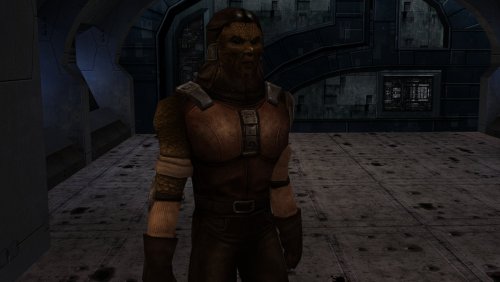
Version 1.0.0
8 downloads
New HD textures for the Niktos Vulkar swoopgang. Modified textures for Detran's Swoopgang Niktos. Original source: https://www.nexusmods.com/kotor/mods/1766?tab=description -
i have a potential idea that in the undercity, post T3-m4 recruitment and within Sith Military Base that you find a datapad and you and your group find the remains of the Taris Jedi Academy and you will find Sith Master and his group raiding the Taris Jedi Academy. And after the battle, there would be Jedi and Sith gear that you can loot. Also Holocrons(both history and training) as a part of the reward. Also Monique (she will have a custom look based on one of the female Revan's heads) can be recruited. Also Monique, Revan and T3-M4 will have scenes on the Ebon Hawk and Monique will ask question to Revan what he remembers of Mandalorian Wars
- Yesterday
-
 I know there's a mod out there that allows you to deny being a Jedi.....I wonder if there would be a way to work this with that mod or if it wouldn't work due to the editing of the Dialogue.
 -
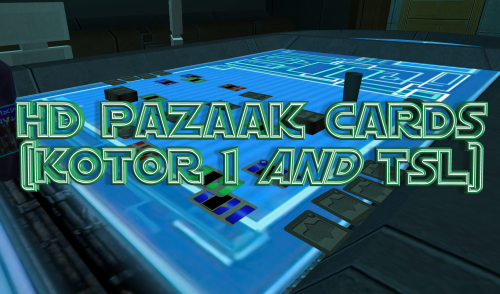 Textures so good they want me to bet the Ebon Hawk without looking at my cards
-
- 3
-
-

-
Had a quick question. I wanted to use the mod for my latest playthrough, but I think I installed it to the wrong place. I'm also using PartySwap and the steam version of the RCM, so I had to install PartySwap in a specific place per its instructions. But I don't think that was supposed to be the case for this mod. I've made Briana a Jedi at level 18 but she still still won't let me train her in lightsaber and force forms, even though I've completed both Nar Shaddaa and Dantooine. Is there a recommended way to uninstall the mod and what folder should I install it to after that? The instructions on the mod's page don't tell me unless I'm blind. I'm also asking in order to make sure I do this right in the future because I want to install this and Train the Disciple for my next playthrough. Any help is appreciated.
-
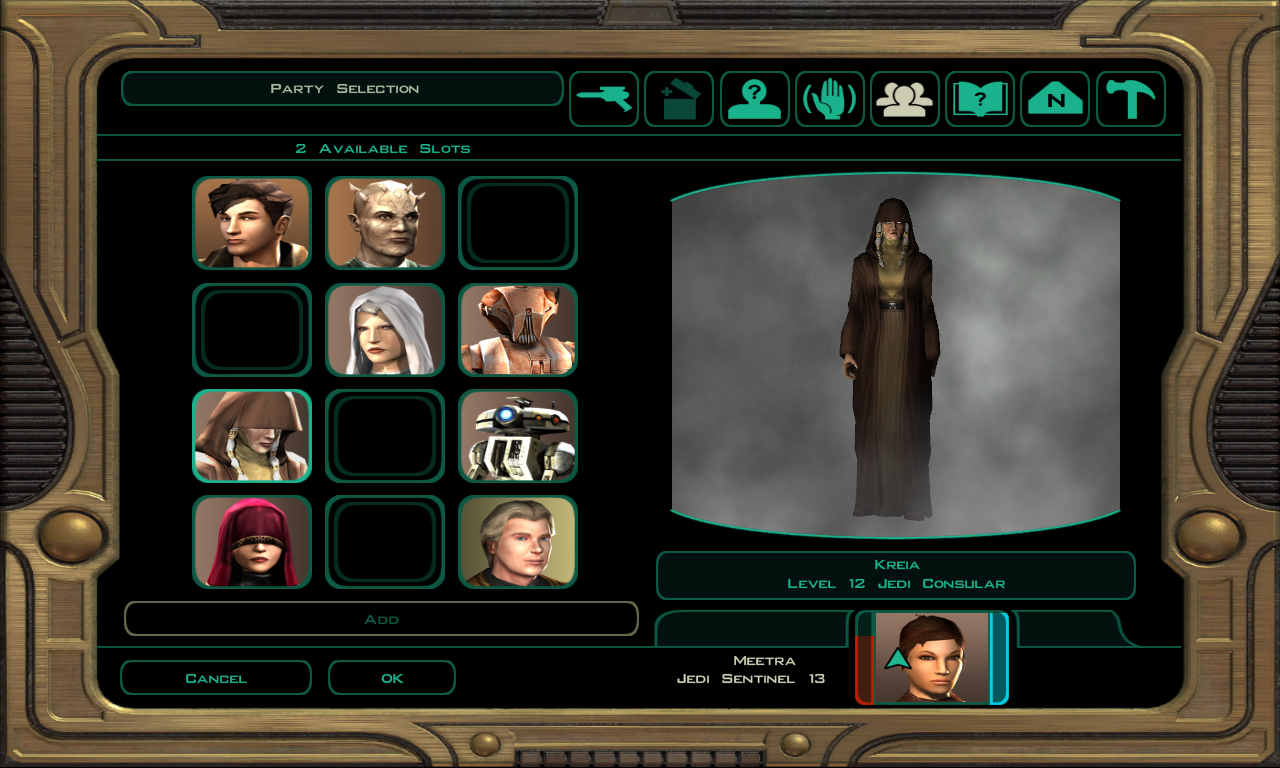
Hello there, I've recently discovered the KotOR Patch Manager on Github and one surprising feature I found in it for K2 was the ability to have the party screen include all 12 party members (one space would always be empty due to Mira/Hanharr though). It doesn't work on non-Aspyr versions as of now, but it seems perfect for Partyswap, so for the first time ever, I installed the GOG Aspyr version and tried it out. It does seem to work, as you can see in the below screenshot, I have both Handmaiden and Disciple on my party screen. I'm unsure if there could be issues, but with KPM it seems like the Partyswap item is redundant. I'm planning to do a run like this sometime in the future, just to see how it goes. I never actually used Partyswap before so I don't know if getting rid of the partyswap item via a save editor could cause issues? Is it used for anything other than putting the Handmaiden in the party? If not, it seems to me like the item workaround could be removed if Partyswap is used together with KPM.
-
Great job! I'll be using it as soon as the lightmaps are back.
-

FreightL02 model replacement
DarthParametric replied to Dark Hope's topic in General Kotor/TSL Modding
Having a quick look at it, the main issue is that the landing gear is split out to a dozen other meshes for animation, which makes it way more of a pain to deal with. Fortunately though most of the work is in the main body which is all one mesh. I'd suggest putting that on its own 512x512 map, and then group the landing gear into its own separate map that can be 256x256. -
The wrecked ones should be OK as-is, they look like they already have a similar detail level as the Manaan/Nar Shaddaa freighters. To clarify, for Taris I just borrowed the higher-quality freighter model from Manaan as noted by Dark Hope in this thread:
-
If you're working on a lightsaber hilt mod or any texture using a bump map, you may be interested in my recently published fixes on KOTOR Patch Manager that restore both in the Aspyr versions of the game.
-
FYI Folks, many new patches have been released. https://github.com/LaneDibello/Kotor-Patch-Manager New Aspyr Fixes: Lightsaber Hilt rendering - Lightsaber modders rejoice, the hilt textures no longer disappear Bump Map Restoration - bump maps are back! Others: Allowing all 12 of the K2 Portraits to be visible on party select - Modders can now use a slot for a recruitment mod by using whatever slot the user isn't using for mira/hanarr, and no longer need to utilize the armband while using partyswap. Wiring for Good and Very Good Alignment heads. - If any modders want to take up making good and very good alignment heads, these were in heads.2da already but there wasn't any exe logic calling to them, it now works at 70 and 90 alignment. Also working on a patch to expand the max dynamic lights to 9 instead of the vnailla 3. All of J's fixes have been ported as well.
- 42 replies
-
- 2
-

-
- reverse engineering
- modding
- (and 4 more)
-

FreightL02 model replacement
Sith Holocron replied to Dark Hope's topic in General Kotor/TSL Modding
The wrecked ones on Dxun? - Last week
-
Thank you! I may just do that after I explore the lighting/lightmapping a bit more. It’s only two freighters, so I suppose it wouldn't be too much work. Creating the lightmap UVs tends to be the slow part for me, but I would only need to do that once for both freighters. There is also the drawback that the baked lighting will remain static when the freighters are moving around…but on the other hand, that never bothered me with the vanilla version. On a quick examination, I see it at the Nar Shaddaa docks (which already uses the higher-quality version) and flying over the Onderon spaceport. I don’t suppose anyone happens to know of any others offhand?
-
View File Bigger Dialogue Font Increases the dialogue font size in KOTOR 2 for better readability on modern displays. This version increases dialogue text and menu description text by 30%. It also includes edited TXI font settings and an upscaled font texture to help the enlarged text look clearer, since simply making the font bigger can make it look blurry. Main file: x1.3, 30% text size increase. Recommended for most setups. Main features Larger dialogue text Larger menu description text Upscaled font texture for better clarity 30% font size increase Extra note Some NPC subtitles can go slightly off screen, but it's very minor and not really noticeable. The player dialogue menu does not seem to be affected from my testing. Screenshots were taken at 1920x1080 with the widescreen UI fix installed. Please let me know if you run into any bugs. Credits Thanks to the KOTOR modding community tools Obsidian Entertainment Installation Copy the Override folder into your main Knights of the Old Republic 2 directory. Replace files if prompted. Submitter Saul0097 Submitted 05/10/2026 Category Mods TSLRCM Compatible Yes
-

Version 1.2
26 downloads
Increases dialogue and menu description font size in KOTOR 2 for better readability on modern displays. The main file is x1.3, a 30% text size increase, recommended for most setups. Optional versions are included for 20%, 25%, 40%, and 50%. This mod also includes upscaled font texture to help the larger text look clearer, otherwise they look very blurry at bigger sizes. Main features Larger dialogue text Larger menu description text Upscaled font texture Multiple size options Extra note Some NPC subtitles can go slightly off screen, but it is very minor. The player dialogue menu does not seem to be affected from my testing. Screenshots were taken at 1920x1080 with the widescreen UI fix installed. Please let me know if you run into any bugs. Installation Choose your preferred version. Copy the Override folder into your main Knights of the Old Republic 2 directory. Replace files if prompted. Changelog Added optional 20%, 25%, 40%, and 50% versions. Main file is still x1.3, 30%. -
 Just finished the game for the first time with this mod, and... wow. This is... so much better than the vanilla/TSLRCM ending, holy crap. It patches so many of the holes (well, kinda, I mean there's an attempt to explain T3 and the Hawk surviving the fall into the chasm), the choice of whether to destroy Malachor V being present regardless of the 'side' you end up on is cool, and I liked the extra dialogue with T3 and Brianna in the hold, as well as seeing everybody (well, again, mostly) alive and well in the Hawk to confirm that your efforts saving them weren't in vain. And then, of course, moving Atton's send-off dialogue to the cockpit (where he always is), and having it be the last thing before the credits roll was great. Like, idk, I could so clearly imagine my Exile rolling her eyes and plopping down into the co-pilot's seat. Phenomenal work! I wasn't sure how well it was going to integrate, but it would feel very hollow to play the ending again without this mod, which puts it up there with TSLRCM for me.
 -
These M4-78 maps aren't sharp or clean enough for you?
-
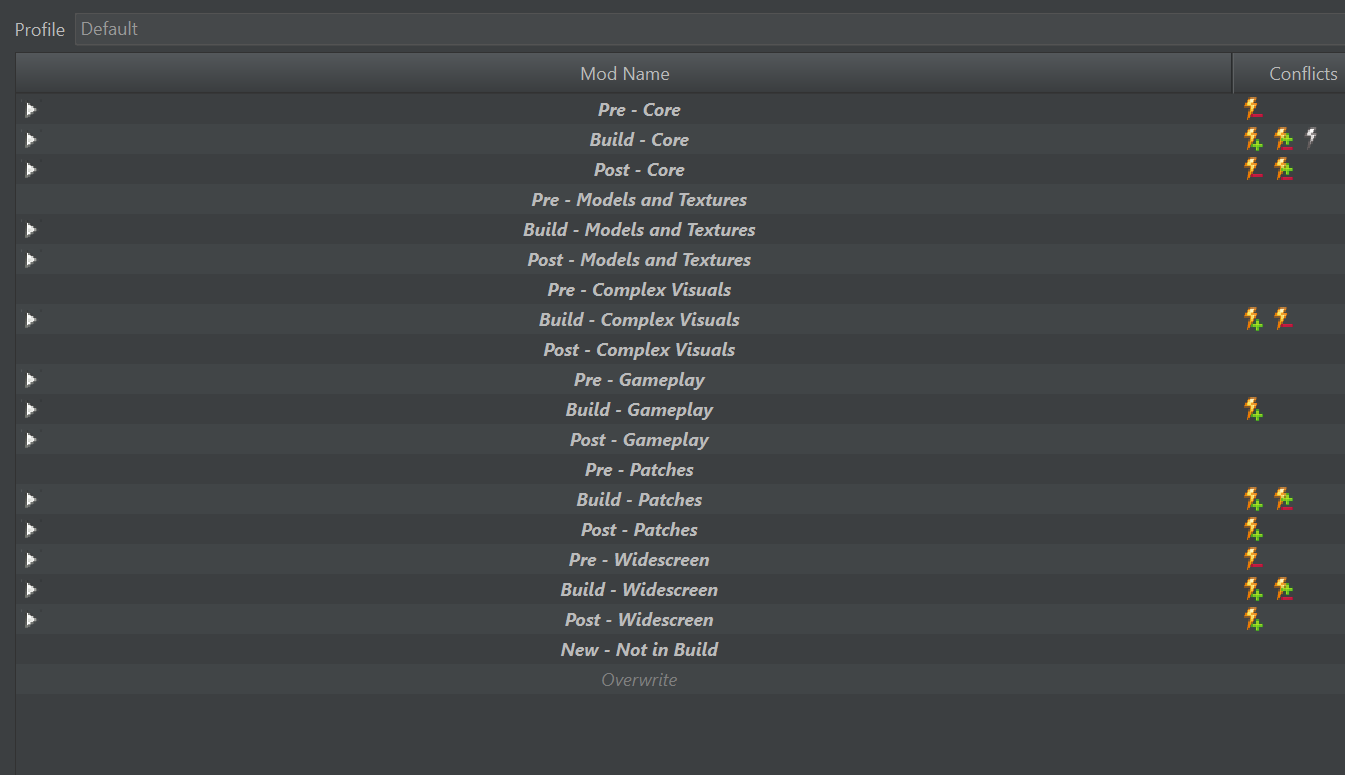
I personally don't think there is any need for files to be deleted. I would instead use separators to divide the build mods from the non-build mods, and just deactivate and move the old mods to the bottom of the list (which is the default behaviour if they are not actually in the folder list and appear). This is a screenshot of how I setup the separators for myself, with different spots for placing non-build mods in between the build mods, as well as a separator at the bottom for mods which are new/not in the builds/haven't been categorized yet. Having played around with this more, I also think that having a single [Patcher Files] is going to become a problem eventually. I'm sure you've thought about this more than I have, and I doubt that this would be practical, but I will list out how I think the patching process should probably be handled, to better reflect how mods were installed manually: When the patching process is started, all active mods are disabled in the mod list. Then, starting from the top of the list, the patcher should check if the mod was previously activated, in which case it should be reactivated, or has an active TSLPatch in the Patcher tab, in which case the those patches should be run on the currently active files. Then, any modified files by the patcher should be copied to a new mod, which should be named something like [Patcher Files]*Mod Name* and placed directly below the mod with the tslpatchdata. That mod should be activated, and the patcher should then move on to the next mod in the list and repeat the same process. Whenever the patching process is restarted, in the preparation phase, all of the mod with the [Patcher Files] prefix should have their contents erased, similar to how the current [Patcher Files] are handled. This should perfectly reflect the process of installing the mods manually, as the order between patcher and override mods can now be mixed. This also has the added benefit of better utilizing the features of MO, to be able to detect conflicts. As an author, I'd find it very useful to be able to quickly see what mods in the builds my mods would be potentially conflicting with for instance. This does have the downside of increasing file size, as files that are edited by multiple mods would have multiple copies (I'd expect to see dozens of dialog.tlk files for instance), but this seems like a small price to pay.
-
i like it 👍 tested it - it works. you only need the .dlg file though, the rest should've been just a txt file. some people can get confused.




.thumb.PNG.d9b88cabaa918a33755d764e4bd66ec8.PNG)