

All Activity
- Past hour
-
 View File [TSL] HD Female Twi'leks + NPC Diversity + Playable Female Twi'leks ===================================================== [TSL] HD Female Twi'leks + NPC Diversity + Playable Female Twi'leks ===================================================== Mod for Knights of the Old Republic II - The Sith Lords Author: Lily File Name: HD_Female_Twilek_Diversity_and_PCs.rar Latest Version: 1.0 --- 1. DESCRIPTION: This mod overhauls the female Twi'lek NPCs in KotOR 2 and adds 26 new playable female Twi'lek heads. NPC Overhaul: - Upscaled and updated dancer outfits. - Body skin tones all match head skin tones. - Added specular highlights to body textures. - Added specular highlights with a bump map to the heads, giving female lekku the same light-reactive shine male Twi'leks have. Eyes and lips also get a subtle shine. - NPCs now use different lekku positioning per head, so they no longer all look like pure reskins. - The mercenary droidmaster on Telos Surface and Borna Lys on Nar Shaddaa now each have a unique head texture pulled from the new playable set, plus a backup head, so their default appearance doesn't clone the player. - Includes a patch for Leilukin's "Dahnis Unique Look" mod, giving their textures an HD look. Playable Heads: - 26 playable female Twi'lek models, including every female Twi'lek NPC. - A number of completely new heads. - Dark side transitions. - Every playable head comes with a Handmaiden-style underwear model, a dancer outfit model, and an assassin-style clothing model, all with matching skin tones. --- 2. INSTALLATION: Run Install.exe and select your KotOR 2 game directory. There are 4 installation options. - Default Installation: Includes playable Twi'lek models and replacements for NPC Twi'leks. You probably want this one. - Playable Twi'leks ONLY: Includes only models for the player character, NPC Twi'leks will remain unchanged - NPC replacement ONLY: Replaces models for NPC Twi'leks, does not add any playable characters - Dahnis Patch: Updates the look for Dahnis based on Leilukin's Dahnis Unique Look mod. Install that mod first! If you use the default installation, you DO NOT need to install NPC replacement ONLY or Playable Twi'leks ONLY. The Dahnis patch NEEDS to be installed separately - it is NOT included in any other option. You should be safe to reinstall this mod on top of itself without any problems. A "backup" folder is created by the installer in the same directory. Don't delete it if you plan to uninstall later. --- 3. UNINSTALLATION: Run Install.exe, select your KotOR 2 directory, and use the "Tools > uninstall/restore backup" option to revert all changes made by this mod. --- 4. KNOWN ISSUES: If you decide to install only PCs and then later decide to add the NPCs, you should use the default installation option the second time. Installing PCs ONLY and then NPCs ONLY will prevent the backup head from working properly. If you do this, just run the default installation and it should work. If you have already visited Nar Shaddaa, Borna will not have her updated appearance. You should use a save from before arriving. If you find any bugs or problems, please report them. --- 5. MOD COMPATIBILITY: All files should have unique names. Installing this This mod only touches female Twi'lek head/body models, textures, and appearance-related files - no dialogue, scripting, or module changes. Should be compatible with all other mods, including TSLRCM. If you have any other mods that have changed the female Twi'lek appearances, this mod will obviously stop the old appearances from showing. All files should have unique names, so this should not overwrite other mods, and it would just take Appearance.2da changes (or an uninstallation) to revert. If you use Leilukin's "Dahnis Unique Look" mod, install that mod first, then run this mod's Dahnis Patch. Do not use the Steam Workshop for KotOR. It will almost certainly end with compatibility issues. --- 6. SUPPORT: My mods are free to use. You do not need to pay for them, but if you would like to say thanks, you can buy me a coffee! --- 7. PERMISSIONS: Please let me know if you plan on using any of the files in my mod for your own mod. The answer is "yes you may", but I would like to know what you are doing with it! Do not directly reupload this mod anywhere else. --- 8. THANKS: - Dark Hope - HD Twilek base textures - Leilukin & SpaceAlex - Dahnis Unique Look - Effixian - Red Twi'lek head - DarthParametric - Twi'lek high boots model - redrob41 - Original Twi'lek head/body model fixes - corpsecotillion - Original dark side transition texture - Fred Tetra - KotOR Tool - Cortisol - Holocron Toolset & HoloPatcher - Fair Strides - TSLPatcher - ??? - A couple playable heads are originally from a decade-old modpack with no credits. If you are or know the author, let me know and I can credit the author/remove them. THIS MODIFICATION IS NOT SUPPORTED BY BIOWARE/OBSIDIAN ENTERTAINMENT OR LUCASARTS OR ANY LICENSORS/SPONSORS OF THE MENTIONED COMPANIES. USE THIS FILE AT YOUR OWN RISK. Submitter Lily Submitted 08/20/2026 Category Mods TSLRCM Compatible Yes
 -
View File New portraits for PartyMembers Hello! This is my first time submitting a mod. These are improved and unified portraits of the party members. I tried to stay within their canon images, while giving them high-quality images in a consistent style. How to install: Unpack and copy all files to the Knights of the Old Republic's Override folder. Submitter Narve Submitted 08/21/2026 Category Mods K1R Compatible Yes
-
View File HD Animated Computer Interface Just another interface for computer terminals. Animated (4 frames) texture, for 16x9 monitors. How to install: Unpack and copy all files to the Knights of the Old Republic's Override folder. Submitter Narve Submitted 08/21/2026 Category Mods K1R Compatible Yes
-
View File K2 Pre-Release Pack A Mod for Star Wars Knights of The Old Republic II: The Sith Lords Author: N-DReW25 1.0.0 Release Date: 22.08.2026 Installation: This mod currently only has "Override Mods" to offer. Simply copy the files within the "Beta Cockpit Skyboxes" folder and paste them into your Override folder. Description: December 6th 2004 was the day Kotor II was released for the first time on Xbox. If you aren't living under a rock, you'll know that both the Xbox and PC versions of the game were released in an unfinished state and how a mod called "The Sith Lord's Restored Content Modification" was developed years later to restore the cut content, thus 'completing' the game. Some of us might be aware of other cut content which didn't make it into TSLRCM such as M4-78... but what if I told you there's other things Obsidian cut from the game which you may not know about. Like Bioware before Kotor I's release, Obsidian released concept art & promotional screenshots of Kotor II in the months leading up to its release during the game's development. Whilst these promotional screenshots might appear worse than the vanilla game (as these are pre-release/in-development screenshots), a few eagle eyed observers might notice some features in said screenshots which the vanilla game lacks. What this mod will do is add these features back into the game. Override Mods: * Beta Cockpit Skyboxes- These are the beta skyboxes of the Ebon Hawk's cockpit. These files were left unused in the game files and were from a period of development before the current skyboxes were finalized. * Beta Battle Armors- Like how Light Battle Armor was reskinned green in the final game, multiple screenshots depict the normal Battle Armor as being blue. This not only reskins the Battle Armor to match the beta screenshots, but the Light and Heavy Battle Armors have also been changed as in the background of those screenshots you can vaguely see that they were both also blue at some point. () Known Bugs: This mod shouldn't have bugs but if you find any please report them to me on Deadlystream. Incompatibilities: Would be incompatible with any mods which modifies the Ebon Hawk's cockpit skyboxes or the Light, Heavy, and normal Battle Armor textures. Permissions: Do NOT claim credit for this mod and do not use assets from this mod without my permission. Thanks to: Obsidian: For such an amazing game! Fred Tetra: For Kotor Tool JackInTheBox: For making the KOTOR 2 Alpha Textures mod of which the thumbnail of that mod was used in the thumbnail of this mod! Everyone who downloads the mod! Legal: THIS MODIFICATION IS NOT SUPPORTED BY BIOWARE/OBSIDIAN ENTERTAINMENT, LUCASARTS, DISNEY OR ANY LICENSERS/SPONSORS OF THE MENTIONED COMPANIES. USE OF THIS FILE IS AT YOUR OWN RISK AND THE ABOVE-MENTIONED COMPANIES OR THE AUTHOR IS NOT RESPONSIBLE FOR ANY DAMAGE CAUSED TO YOUR COMPUTER FOR THE USAGE OF THIS FILE. Submitter N-DReW25 Submitted 08/21/2026 Category Mods TSLRCM Compatible Yes
-
View File [TSL] PFHH01 / PFHH02 Fix ===================================================== [TSL] PFHH01/PFHH02 Fix ===================================================== Mod for Knights of the Old Republic II - The Sith Lords Author: Lily File Name: PFHH01_PFHH02_Fix.zip Latest Version: 1.0 --- 1. DESCRIPTION: Fixes a vanilla game bug where two default female player heads (PFHH01 and PFHH02) have incorrect body textures for the dancer's outfit. This mod patches those entries to use the correct body textures for both the light side and dark side appearances. --- 2. INSTALLATION: Run Install.exe and select your KotOR 2 game directory. A "backup" folder is created by the installer in the same directory. Don't delete it if you plan to uninstall later. --- 3. UNINSTALLATION: Run Install.exe, select your KotOR 2 directory, and use the "Tools > uninstall/restore backup" option to revert all changes made by this mod. --- 4. KNOWN ISSUES: None. If you find any bugs or problems, please report them. --- 5. MOD COMPATIBILITY: This mod only touches appearance.2da, specifically the PFHH01 and PFHH02 rows (rows 663-668). It is compatible with TSLRCM and should be compatible with almost all other mods. Any mod that modifies these same two appearances in appearance.2da may conflict. Do not use the Steam Workshop for KotOR. It will almost certainly end with compatibility issues. --- 6. SUPPORT: My mods are free to use. You do not need to pay for them, but if you would like to say thanks, you can buy me a coffee! --- 7. PERMISSIONS: Please let me know if you plan on using any of the files in my mod for your own mod. The answer is "yes you may", but I would like to know what you are doing with it! Do not directly reupload this mod anywhere else. --- 8. THANKS: - Fred Tetra - KotOR Tool - Cortisol - Holocron Toolset & HoloPatcher - Fair Strides - TSLPatcher THIS MODIFICATION IS NOT SUPPORTED BY BIOWARE/OBSIDIAN ENTERTAINMENT OR LUCASARTS OR ANY LICENSORS/SPONSORS OF THE MENTIONED COMPANIES. USE THIS FILE AT YOUR OWN RISK. Submitter Lily Submitted 08/21/2026 Category Mods TSLRCM Compatible Yes
-
View File [TSL] No Duplicate Bao-Dur Fix ===================================================== [TSL] No Duplicate Bao-Dur Fix ===================================================== Mod for Knights of the Old Republic II - The Sith Lords Author: Lily File Name: No_Duplicate_Bao-Dur.zip Latest Version: 1.0 --- 1. DESCRIPTION: During Bao-Dur's Jedi training cutscene, the game creates duplicate stand-ins of Bao-Dur and the player character to act out the training montage. Afterward, these duplicates are supposed to be removed - but the duplicate Bao-Dur is never actually destroyed, leaving a phantom Bao-Dur wandering the Ebon Hawk for the rest of the game. This mod fixes the two scripts responsible for cleaning up after the training sequence, so the duplicate is properly removed when the cutscene ends. --- 2. INSTALLATION: Run Install.exe and select your KotOR 2 game directory. A "backup" folder is created by the installer in the same directory. Don't delete it if you plan to uninstall later. --- 3. UNINSTALLATION: Run Install.exe, select your KotOR 2 directory, and use the "Tools > uninstall/restore backup" option to revert all changes made by this mod. --- 4. KNOWN ISSUES: None. If you find any bugs or problems, please report them. --- 5. MOD COMPATIBILITY: This mod installs two files to your Override folder: - a_noremotefix.ncs - a_remotetrain.ncs No 2DA or other game files are modified. Any mod that also modifies these two script files will conflict with this one. I believe this is only TSLRCM, which this needs to be installed after. Requires TSLRCM. Do not use the Steam Workshop for KotOR. It will almost certainly end with compatibility issues. --- 6. SUPPORT: My mods are free to use. You do not need to pay for them, but if you would like to say thanks, you can buy me a coffee! --- 7. PERMISSIONS: Please let me know if you plan on using any of the files in my mod for your own mod. The answer is "yes you may", but I would like to know what you are doing with it! Do not directly reupload this mod anywhere else. --- 8. THANKS: - Fred Tetra - KotOR Tool - Cortisol - Holocron Toolset & HoloPatcher - Fair Strides - TSLPatcher THIS MODIFICATION IS NOT SUPPORTED BY BIOWARE/OBSIDIAN ENTERTAINMENT OR LUCASARTS OR ANY LICENSORS/SPONSORS OF THE MENTIONED COMPANIES. USE THIS FILE AT YOUR OWN RISK. Submitter Lily Submitted 08/21/2026 Category Mods TSLRCM Compatible Yes
-
 Styrnlona joined the community
 - Today
-
 mattmoresto joined the community
 -
 Azer10 joined the community
 -
![More information about "[TSL] No Duplicate Bao-Dur Fix"](https://deadlystream.com/downloads/screens/monthly_2026_08/20260821003014_1.thumb.jpg.84b7b9fd8d64f83483b967dc7ccad85e.jpg)
Version 1.0.0
0 downloads
===================================================== [TSL] No Duplicate Bao-Dur Fix ===================================================== Mod for Knights of the Old Republic II - The Sith Lords Author: Lily File Name: No_Duplicate_Bao-Dur.zip Latest Version: 1.0 --- 1. DESCRIPTION: During Bao-Dur's Jedi training cutscene, the game creates duplicate stand-ins of Bao-Dur and the player character to act out the training montage. Afterward, these duplicates are supposed to be removed - but the duplicate Bao-Dur is never actually destroyed, leaving a phantom Bao-Dur wandering the Ebon Hawk for the rest of the game. This mod fixes the two scripts responsible for cleaning up after the training sequence, so the duplicate is properly removed when the cutscene ends. --- 2. INSTALLATION: Run Install.exe and select your KotOR 2 game directory. A "backup" folder is created by the installer in the same directory. Don't delete it if you plan to uninstall later. --- 3. UNINSTALLATION: Run Install.exe, select your KotOR 2 directory, and use the "Tools > uninstall/restore backup" option to revert all changes made by this mod. --- 4. KNOWN ISSUES: None. If you find any bugs or problems, please report them. --- 5. MOD COMPATIBILITY: This mod installs two files to your Override folder: - a_noremotefix.ncs - a_remotetrain.ncs No 2DA or other game files are modified. Any mod that also modifies these two script files will conflict with this one. I believe this is only TSLRCM, which this needs to be installed after. Requires TSLRCM. Do not use the Steam Workshop for KotOR. It will almost certainly end with compatibility issues. --- 6. SUPPORT: My mods are free to use. You do not need to pay for them, but if you would like to say thanks, you can buy me a coffee! --- 7. PERMISSIONS: Please let me know if you plan on using any of the files in my mod for your own mod. The answer is "yes you may", but I would like to know what you are doing with it! Do not directly reupload this mod anywhere else. --- 8. THANKS: - Fred Tetra - KotOR Tool - Cortisol - Holocron Toolset & HoloPatcher - Fair Strides - TSLPatcher THIS MODIFICATION IS NOT SUPPORTED BY BIOWARE/OBSIDIAN ENTERTAINMENT OR LUCASARTS OR ANY LICENSORS/SPONSORS OF THE MENTIONED COMPANIES. USE THIS FILE AT YOUR OWN RISK. -
![More information about "[TSL] PFHH01 / PFHH02 Fix"](https://deadlystream.com/downloads/screens/monthly_2026_08/20260821003357_1.thumb.png.1617bbebe3ee9c0acb910d13282234bb.png)
Version 1.0.0
0 downloads
===================================================== [TSL] PFHH01/PFHH02 Fix ===================================================== Mod for Knights of the Old Republic II - The Sith Lords Author: Lily File Name: PFHH01_PFHH02_Fix.zip Latest Version: 1.0 --- 1. DESCRIPTION: Fixes a vanilla game bug where two default female player heads (PFHH01 and PFHH02) have incorrect body textures for the dancer's outfit. This mod patches those entries to use the correct body textures for both the light side and dark side appearances. --- 2. INSTALLATION: Run Install.exe and select your KotOR 2 game directory. A "backup" folder is created by the installer in the same directory. Don't delete it if you plan to uninstall later. --- 3. UNINSTALLATION: Run Install.exe, select your KotOR 2 directory, and use the "Tools > uninstall/restore backup" option to revert all changes made by this mod. --- 4. KNOWN ISSUES: None. If you find any bugs or problems, please report them. --- 5. MOD COMPATIBILITY: This mod only touches appearance.2da, specifically the PFHH01 and PFHH02 rows (rows 663-668). It is compatible with TSLRCM and should be compatible with almost all other mods. Any mod that modifies these same two appearances in appearance.2da may conflict. Do not use the Steam Workshop for KotOR. It will almost certainly end with compatibility issues. --- 6. SUPPORT: My mods are free to use. You do not need to pay for them, but if you would like to say thanks, you can buy me a coffee! --- 7. PERMISSIONS: Please let me know if you plan on using any of the files in my mod for your own mod. The answer is "yes you may", but I would like to know what you are doing with it! Do not directly reupload this mod anywhere else. --- 8. THANKS: - Fred Tetra - KotOR Tool - Cortisol - Holocron Toolset & HoloPatcher - Fair Strides - TSLPatcher THIS MODIFICATION IS NOT SUPPORTED BY BIOWARE/OBSIDIAN ENTERTAINMENT OR LUCASARTS OR ANY LICENSORS/SPONSORS OF THE MENTIONED COMPANIES. USE THIS FILE AT YOUR OWN RISK. -
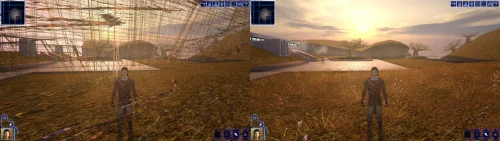 I have this same issue, after some basic testing I found using uniws to fix the resolution makes the kotor executable into an unknown so the patches dont work.
 -
 Kapper joined the community
 -
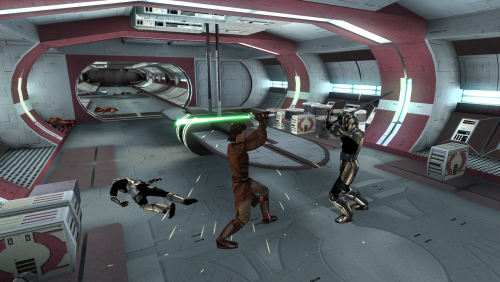 You might wish to update the link of Carth's Republic Uniform and Flight Suit. Marius Fett had all their old mods deleted and they reuploaded the new version in the link below:
 -
 PsychicGwen joined the community
 -
Version 1.0.0
0 downloads
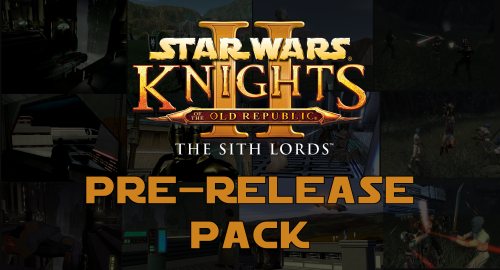
A Mod for Star Wars Knights of The Old Republic II: The Sith Lords Author: N-DReW25 1.0.0 Release Date: 22.08.2026 Installation: This mod currently only has "Override Mods" to offer. Simply copy the files within the "Beta Cockpit Skyboxes" folder and paste them into your Override folder. Description: December 6th 2004 was the day Kotor II was released for the first time on Xbox. If you aren't living under a rock, you'll know that both the Xbox and PC versions of the game were released in an unfinished state and how a mod called "The Sith Lord's Restored Content Modification" was developed years later to restore the cut content, thus 'completing' the game. Some of us might be aware of other cut content which didn't make it into TSLRCM such as M4-78... but what if I told you there's other things Obsidian cut from the game which you may not know about. Like Bioware before Kotor I's release, Obsidian released concept art & promotional screenshots of Kotor II in the months leading up to its release during the game's development. Whilst these promotional screenshots might appear worse than the vanilla game (as these are pre-release/in-development screenshots), a few eagle eyed observers might notice some features in said screenshots which the vanilla game lacks. What this mod will do is add these features back into the game. Override Mods: * Beta Cockpit Skyboxes- These are the beta skyboxes of the Ebon Hawk's cockpit. These files were left unused in the game files and were from a period of development before the current skyboxes were finalized. * Beta Battle Armors- Like how Light Battle Armor was reskinned green in the final game, multiple screenshots depict the normal Battle Armor as being blue. This not only reskins the Battle Armor to match the beta screenshots, but the Light and Heavy Battle Armors have also been changed as in the background of those screenshots you can vaguely see that they were both also blue at some point. () Known Bugs: This mod shouldn't have bugs but if you find any please report them to me on Deadlystream. Incompatibilities: Would be incompatible with any mods which modifies the Ebon Hawk's cockpit skyboxes or the Light, Heavy, and normal Battle Armor textures. Permissions: Do NOT claim credit for this mod and do not use assets from this mod without my permission. Thanks to: Obsidian: For such an amazing game! Fred Tetra: For Kotor Tool JackInTheBox: For making the KOTOR 2 Alpha Textures mod of which the thumbnail of that mod was used in the thumbnail of this mod! Everyone who downloads the mod! Legal: THIS MODIFICATION IS NOT SUPPORTED BY BIOWARE/OBSIDIAN ENTERTAINMENT, LUCASARTS, DISNEY OR ANY LICENSERS/SPONSORS OF THE MENTIONED COMPANIES. USE OF THIS FILE IS AT YOUR OWN RISK AND THE ABOVE-MENTIONED COMPANIES OR THE AUTHOR IS NOT RESPONSIBLE FOR ANY DAMAGE CAUSED TO YOUR COMPUTER FOR THE USAGE OF THIS FILE. -
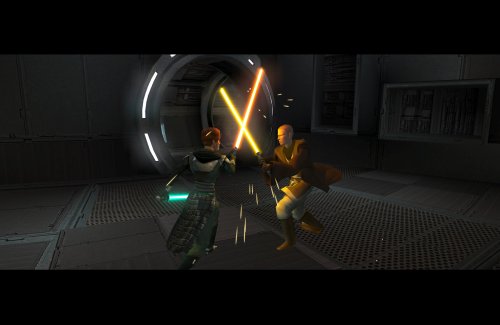 Hello. Could it be possible to add an optional install to be able to teach the force affinity form to companions ? There is a mod that fixes the overpowering nature of the force channel : Force Affinity form fix and Overhaul mod that could be used alongside this mod.
 -
 vvorthy joined the community
 -
 They're not exactly the same Installer. There have been reports that errors appear when HoloPatcher is used instead of TSLPatcher. You need to use the Installer that is included in the mod.
 -
 Yeah send the installog here please
 -
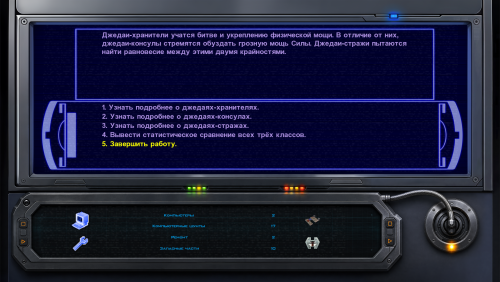
Version 1.0.0
0 downloads
Just another interface for computer terminals. Animated (4 frames) texture, for 16x9 monitors. How to install: Unpack and copy all files to the Knights of the Old Republic's Override folder. -
 cascas80 joined the community
 -
 krattan joined the community
 -
 Narve changed their profile photo
 -
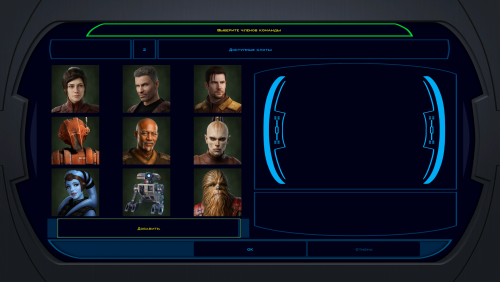
Version 1.0.0
0 downloads
Hello! This is my first time submitting a mod. These are improved and unified portraits of the party members. I tried to stay within their canon images, while giving them high-quality images in a consistent style. How to install: Unpack and copy all files to the Knights of the Old Republic's Override folder. -
I mean it could also be a conflicting mod, I'll dig deeper and report back if I find anything (for context, I am following this guide: https://kotor.neocities.org/modding/mod_builds/k1/full) I'll also add that I'm using holopatcher instead of tlspatcher, I'll try with tslpatcher as well.
-
I'm getting "Kotor Unknown" error messages when I apply patches. I know these exe files are the editable executable versions because they're required for any mods. What's going on? Am I just stupid?
-
 shn joined the community
 -
 Gonk_66 joined the community
 -
I just tried on a clean copy and there were no errors during installation, but I will take a look again in the next update.
-
 They all look good.
 - Yesterday
-
 Lily started following [TSL] PFHH01 / PFHH02 Fix and [TSL] No Duplicate Bao-Dur Fix
 -
Just tried installing on a fresh KOTOR 1 copy with only the K1CP installed before running the first Sleheyron folder. I was told I got 8 errors and 1 warning! Has this come up before? I can post the log if need be. Installing on a Windows 11, Steam edition.
-
I am experiencing an issue installing the mod with the "KOTOR Community Patch-Compatible" option on version 2.3. I'm getting this error: [Error] Unable to modify GFF field 'InventoryRes'. Path 'ItemList\3\InventoryRes' does not exist! From what I could find and understand, it seems that it's because CP.ini targets index 3 of a 3 items table (hence ItemList\3 not existing) instead of rebuilding the list programmatically. I guess it should still be fine, but I'd rather report the issue since I encountered it.
-
@Synchro Alright, thanks for the explanation !
-
Thanks for the comment! In this case I mean that you need to launch the game with the patch manager as opposed to applying the patch and then launching the game as normal afterwards, you only need to apply the patch once The patch manager on Windows currently handles injection only through the manager, so it injects everything when the game is launched through it. On Linux there is a separate mode that installs a proxy dll that handles that for you (When I get the chance I intend to send some patches for KPM to enable that mode on Windows too)
-
If this works whenever I try it, I'll come back and throw in a 5 stars because DAMN this is great. However, you say "the manager applies the patch while the game runs." Does that mean we have to redo the process every time we want to play ?











