Search the Community
Showing results for tags 'Modding'.
-
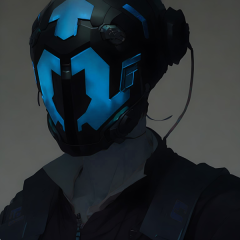
Hello. My name is DarthErdan. This will be the thread where I will discuss, post, and brainstorm ideas and even greenlit modding projects of various typees, most of them for KOTOR 2: TSL, but I will make some mods for the original game as well. Alright, to start this thread off, here are the greenlit or in consideration works that I am planning as of right now. Project 1: The Ravager: Expanded Edition Status: Greenlit Ambitious Scale: High This is one of the top focused greenlit mod project for TSL that I have. I have already made a post on this separate from this one recently on this very forum, (I regret doing that now, I should have included the topic of this mod in this thread instead of a separate post, but back then I didn't conceive of that) Given I already stated my thoughts and ideas in that separate post, I will just link it here: If you want a summary and a TLDR on this post here it is: Remember Zybyl2? I believe they were on of the TSLRCM team. Back in the day, they made a mod called "Ravager Rewrite", (hosted on GamFront). My mod is a similar idea to tha, but it is more nuanced and complicated. I need to clarify that my mod will NOT be an update to the Ravager Rewrite, it will entirely be written and directed by me and my own intepretation of what the Ravager will be like in a more "complete edition". Okay, with that in mind, let me summarize it for you: The Ravager in vanilla TSL, even the TSLRCM, feels kind of unfinished story-wise and even out of place in some areas. My mod will try to expand on the whole level and part of the story for the Ravager, and if needed, tweak some parts to fit seamlessly. I will try to be as accurate to cut content from the original devs of KOTOR II, but since we BARELY have anything on the plan for the Ravager, this mod will mostly be custom made content that will just try to make more expanded sense of the level, even if the expanded stuff is completely fanon, (in which it most probably will be). I want to make this mod compatible with TSLRCM, (MAYBE even the vanilla game? I don't know, THAT part needs to be in consideration). Project 2: Darth Nihilus New Model (Maybe a Pack) Status: Partially Greenlit (I am for sure at least making ONE Darth Nihilus new model, but the model pack is in consideration and may or may not proceed) Ambitious Scale: Kind of High, (Will be higher if I proceed with the model pack) This one is probably even more top priority than the Ravager: Expanded Edition mod. This one will be easier to do, but may be harder than I think if the model pack part is greenlit. In a nutshell, it is in the name: A brand new model, (maybe even multiple brand new models if the model pack is made), of Darth Nihilus that is a completely different mesh(es) from the vanilla game that fits my aesthetic taste. If the model pack parrt proceeds, some of these other extra models will be based off of KOTOR II promotional art, with alternate reskin variations, (as some concept or promotional art of Nihilus in KOTOR II looks the same, but he has bloodier red aesthetic around his eyeholes in some vs others). If not, at the very least one model, (a model I have been DYING to make), will come out eventually. If I proceed with the model pack, or even just that one model, I hope you guys will enjoy any one of them that you think is coolest for the game best. I will also put an optional addon for Nihilus to have either Red Force Lightning exclusively for him in this mod, and a higher mesh quality and skinned lightsaber made just for him, (that looks like his in-universe lightsaber as depicted in media outside of KOTOR II). The Red Force Lightning addons and the new lightsaber model can be both used as addons with the new Nihilus model, (or model pack), but one or the other can be used exlcusively instead for the model, (or model pack). Regardless, of your choosing, these addons will be optional for the model, (or model pack). Some elements of the new Nihilus model, (and MAYBE the other models in the model pack), will be generated from AI 3D programs or sites, (for now, it will just be the masl, everything else I will try to craft man-made). Even the mask, if it is not perfect in shape or UV maps, will be tweaked if needed. Just a heads up for people. Project 3: The Ravager's Death New BIK Movie Status: Greenlit Ambitious Scale: High I have made a post on this back at the general modding discussion forum recently, but basically I want to make a brand new BIK movie for the Ravager's explosion scene in KOTOR II. Long story short, the Ravager is like a skeleton fragile ship, and thus it should be far more fragile and unstable than a typical ship, being held together by only it's owner and master Darth Nihilus's will. The proton cores set by the Mandalorians in my opinion are very destructive according to what I got, combine that with the Ravager's ghost and skeletal ship scructure, it makes total logical sense for he Ravager to be way more blown apart and disintegrated than the vanilla BIK movie already shows, (plus, I like explosions that cause a lot of destruction, because I like visuals like that for whatever reason, haha). With that said, I want the BIK movie to look like it is in the animation and style of the original one, and same lighting, filming, and position of filming, almost as if it is a remake of the original BIK itself. However, the BIK movie in this one will be slightly higher in resolution and quality to make the experience more cinematic. I am debating whether this should release as a separate mod file or if it can be an optional addon to the "Ravager: Expanded Edition" mod. Project 4: In-game Ravager Brand New Module Status: In consideration, (I really want this mod to come to life, but what is making me doubt is how hard it will be, especially where I am at in modding right now) Ambitious Scale: Really High Yes, yes, ANOTHER Ravager mod. I gurantee this will be the last one though. For context, the Ravager is constantly being referred to as a ship that has been ruined in battles during the Mandalorian Wars and even crushed and heavily ruined by the Mass Shadow Generator in the final battle of war: On Malachor V. Nihilus at some point in time made the Ravager gruesomely welded back together in a mesh of metal to create a devastated ghost skeletal ship, held together by his will and power, a lot like how Darth Sion does it with his own ruined body. The concept art of the Ravager for KOTOR II, and it's depiction in the short prequel comic Unseen Unheard, (a black and white comic written by Avellone himself, and art of the Ravager's depiction in the comic is based off of the official game concept art), looks like just how the game describes it: Ruined, brittled, and held together. The vanilla in-game depiction of the Ravager does resemble that, but far less. It look WAAAY more stable and almost like as if the floors and walls and even ceilings sometimes have been fixed and repaired, making it look like a way more stable ship. This mod, (not truly greenlit yet, but I really want it to come to life), will be a faithful depiction and portrayal of the concept art and comic Ravager, especially the bridge, brought to life in an accurate way. This one will be hard, so that is why I am considering on this. The Ravager's Death new BIK movie scene will be compatible with this mod, (who knows, maybe the Ravager's Death New BIK Movie may even not be a sepparate mod, but included as an optional addon, I haven't really decided yet). This will also be compatible with the Ravager: Expanded Edition mod, and TSLRCM. Project 5: Darth Sion's Death Presented as a BIK movie Status: Greenlit Ambitious Scale: High, (will be easier than the Ravager's Death New BIK Movie though). Darth Sion is one of the most fascinating villains in KOTOR for me. For those who have played the games and know Sion's role very well, I guess I will assume you know what he is going through. Now, here is the idea of this mod: In KOTOR 2, the game, Sion just falls down and dies a like a normal NPC like every other one, and you can loot his remains. The lore, (the KOTOR Campaign Guide, released in 2008) states that he went through "absolute necrosis", but the game couldn't render anything glorious at the time. Necrosis is bascially the chaotic, unprogrammed death of cells that can be severe, and sadly it is a thing in real-life. Since Sion is stated to go through "ABSOLUTE" necrosis, I took it as Sion rapidly rots and completely decomposes rapidly, (That is what I took from the text, I could be wrong). Even if the text didn't mean it by that, that makes sense to me and would be a fitting way for Sion to go considering his nature, (like how Nihilus "evaporates" or "sublimates" into a "cloud" of scarlet red dark side energy with red strings of lightning coming out, given his nature). I want to make Sion rapidly decay and sucumb to the "absolute necrosis", but I want it to be not "dusting" or "rapidly decay into dust" like a vampire or Walter Donovan's Holy Grail death from Indiana Jones and the Last Crusade. Instead, I want to make it so that Sion goes through a much more realistic and "necrosis" way of rapid decay, yes, Sion will be reduced to utter dust EVENTUALLY, but the dust will be heavily reduced and so small and scattered that it looks like he completely broke apart from existence, but BEFORE he goes through the "dusting" stage, I want him to be completely rapidly rotting and decomposing in a "necrosis" style way. Of course, for my own sanity and for other people, and more, I don't want it to look SO groteque and horrifying that people get disgusted or traumatized, that is a line I don't want to cross, but realistic enough that you can tell that he is sucumbing to absolute decay, without making things too violent or gross. So, with all that said, the in-game engine can obviously NOT render that. So instead I will be making a BIK movie clip that will be in the KOTOR BIK movie animation, style, and all of that, but a little more higher in sharp quality and resolution. After Sion says his final words: "I am glad to leave this place, at last", the game will immediatly trigger the BIK movie cutscene, Sion rapidly dissolves to necrosis and then disnitegrates so utterly eventually into dust that it looks like he is gone, and then the movie ends and the in-game engine is brought back again, with the in-game Sion NPC nowwhere to be found. This mod will not be for the faint of heart. I will try my very best to make it look like KOTOR style of animation, and not too gross and grotesque to my best ability, but even then I would advise that people who are sensitive to visuals like this may not want to install this mod, or maybe I am overthinking it, who knows. Project 6: The Star Forge Revan Robes Mod Status: Greenlit Ambitious Scale: Moderate This one will be a KOTOR I mod. I am going to give a description here: I am making a mod where there are variant colors, textures, and looks of Revan's robes and armor, and you can create and forge any one of these looks depending on your aligment and resources, you create any one of these looks of the armor on the Star Forge. Some looks and textures will be almost exclusively a dark side forged item, but everything else, whether they resemble "Darth Revan" or the "Light Side robes" or not can be made by either players of either aligment, and ending for the game. This project is for sure greenlit, but I DO need some ideas for this mod. In the vanilla game, you need computer spikes...a lot of them, to create your Star Forge robes, whether they are dark sided or light sided. My mod is planning to do a similar thing. You need computer spikes. However, every Revan robe and model will have a cape variant or hood variant, (hood can be separate without cape, but definetely not the other way around). This would mean extra computer spikes, but I want to make this mod easier for the average player, because what if they don't have enough computer spikes? Should I tone down the amount of spikes required or what? Other things I need to consider: In the game, the vanilla one, you can only get Darth Revan's robes if you are dark sided and the dark side ending is happening, and the white and brown Star Forge ones for light sided aligned and ending players. They have pros and cons to both versions. In my mod you can customize and create the Star Forge robes to look and be colored like any texture you want, (okay, maybe not "anything", there are limits, but you get what I am saying). So you can get a Darth Revan robe, whether it has the hood or cape or not, or variants of the dark side look, and make it light side aligned, same thing for the Star Forge robes and its variants, you can make them dark side aligned if you want too. But...should the robes, no matter how they look, and whether they are all dark side aligned or light side aligned depending on your aligment and ending, have more pros and cons for each one, or is simply making a variety of skins and potentially model options just optional for your visual aesthetic? Oof, and another thing: When the player is crafting their robes, and the idea of this, does that mean that an optional thing is that the player creates one piece of robes that is one texture or color, and another a different color or texture? This will make the mod much more work for me, or is there a wrap around idea I can do to make one robe piece, whether the hood or cape not work with a robe piece that is a different texture or color? Any ideas or something like that would help me with better clarity. Project 7: Darth Malak Lore Accurate Lightsaber Status: Greenlit Ambitious Scale: Slightly tough but mostly easy Basically the title: I make a new model for Darth Malak's lightsaber that has the textures, colors, and quality look and appearance of Malak's in-universe lightsaber as depicted in other official Star Wars media with their art brought to life in-game, such as the Complete Star Wars Encyclopedia. This one will probably be the easiest out of the mods to make, and will be cool. Conclusion: And that is all for now folks! There are more mod ideas, but these are top priorities that are greenlit or in heavy consideration. Will post any updates to any of the mods in this thread, and if you are interested in any of these ideas and projects, feel free to engage in this thread as well! ( EXTRA NOTE: Yes, I like visual cinematic effects and adapting lore stuff to life, it is a hobby of mine, hence why a lot of these ideas or upcoming projects are in those categories, also, forgive me if this is a long post to a start of a new thread, but I am just listing and trying to be precise on all of my future main ideas or projects that are greenlit or in consideration.)
-
Hey everyone! My Name is Lane. Some of you know me from Kotor Speedrunning, and others from my various Youtube exploits. I don't ever really post on Deadly Stream, but I've been lurking in and around the KotOR modding community for about a decade now. I have a degree in computer Science and decided to put it to good use, and reverse engineer KotOR 1 (the GoG version). This has been an on-going project for about 2-3 years now, and I've been sharing my progress with friends, and in some Youtube Videos. However, I've pretty much hit a wall with what I can do with this effort now. So I wanted to release my progress publicly, so other smart and clever people can start doing fun stuff with this. Linked below is a Google Drive with several useful things: A Ghidra Zip File (GZF) containing everything you need to use this A Ghidra SARIF export that contains all data types, function labels, parameters, Classes, and other additions I've made A Ghidra Format XML that contains the labels and function adjustments I've worked on. This is lighter weight than the SARIF file, but has more limitations when it comes to import fidelity. A generated `.h` file, that contains the Header information I have pieced together over time. Even lighter-weight, and more limited than the above What this is not: True Debug Symbols for kotor BioWare Intellectual Property A runnable or compilable program Kotor's Source Code A reverse engineering of Kotor 2 A reverse engineering of the Steam version * * A note about Kotor 1 Steam: While this reverse engineering effort targeted the GoG release of KotOR 1, the Steam version has MANY similarities; often times having identical memory addresses for most functions. Any Patch made for the GoG version can be pretty reasonably ported to Steam with a little bit of effort. What this is: A decently representative result of what Kotor's debug symbols might look like (format and terminology pulled from the MacOS symbols, and existing NWN docs) A research-based labeling and reverse engineering of the GoG version of Kotor 1 A labor of love for the past several years that I'm happy to share Why this is cool/important: This provides a stepping off point for creating proper patches for KotOR 1 This also provides a means for researching underlying issues with things such as memory management, graphical limitations, and compatibility This also provides a researching angle for coming to understand some of the more mysterious file formats, and how they interact with the game itself There are also a variety of fundamental similarities between this and KotOR 2. Which may unlock some insights for that game This is also the first step towards a proper re-compilation (though that is a long-ways off) How do I use the GZF? (New way) You need Ghidra installed, with a modern Java Runtime Download `k1_win_gog_swkotor.exe.gzf` from the google drive below Create a new Ghidra project Drag the GZF into the project Double click it to begin browsing You now have a decently labeled/decompiled instance of KotOR 1 How do I use the SARIF or XML? (Old way) You need Ghidra installed, with a modern Java Runtime Create a new project, and import swkotor.exe (as purchased from GoG) Open the EXE in Ghidra's code browser When it asks if you want it analyzed, select 'Yes" The default analyzers are fine, technically you could speed this up by stripping out a few unneeded analyzers The analyzers will take several minutes to complete (progress can be tracked in the bottom right) Once the analyzers have run, we can proceed Select "File > Add To Program..." and select the SARIF (or XML) file (download below) The importer will analyze the symbols and apply them to the project You now have a decently labeled/decompiled instance of KotOR 1 Limitations: 99.9% of the functions have been labeled, however there were a few stragglers that I was never able to work out. These will appear as `FUN_<address>` 92.3% of the Data is labeled, with stragglers being named `DAT_address` Data Types are VERY incomplete. The labeled ones consist mostly of frequently used types, and known fields. Unknown fields are marked `field<index>_<offset>` Virtual Function calls are very under labeled (largely due to the difficultly of labeling vtables in Ghidra). Though you can determine the underlying function by applying the offset to the associated Class vtable. Most functions have only automatic variables defined within their decomp. Typing and purpose of underlying variables beyond function names, and parameter types, are left up to inference. Overlapping functions. Certain functions overlap in this compilation, due optimizations within the Visual C++ runtime. As a result some functions such as `GetProperty0x30` are shared by multiple classes, and thus lack a name-space. You can usually work out their purpose by checking the associated data type at that offset. If you used the XML import, you will be missing a lot of typing and Function Class/Namespace info Final Notes: Please feel free to ask me any questions about this effort, or any thing strange you might find within the decomp. I've grown to be quite the kotor expert over the years, and I'd be happy to share any insights. You can reach out to me on Discord @lane_d, I'm in the Kotor server, OpenKotOR server, DeadlyStream server, and the kotor speedrunning server. I will be periodically posting updates to this drive, whenever I get the chance to work on this more. If anyone has any major contributions they'd like to see added, please reach out! I'd be happy to chat. Google Drive Link Here
- 43 replies
-
- 8
-

-
- reverse engineering
- modding
- (and 4 more)
-
I realize this is very niche, but I made a guide for modding the switch version of Kotor 1, based off of the neocities guide. Hopefully it saves someone the 3ish weeks it took me. If anyone is interested, I'm going to try to get the neocities guide for Kotor 2 to work on the switch sometime in the next couple months.
-

Version 1.0.4
635 downloads
Switch KotOR Modding romFS Dummy Folder with 1.0.3 dialog.tlk This is a set of files and folders designed to make modding the Switch version of KotOR easier and more accessible to a novice user. Read to the end before using. You will need a hackable, or modchipped Switch to use this, and custom firmware must be installed, I use Atmosphere, but anything that supports romFS should be fine. This should work just fine with the digital or physical version (when it is released) without issue. I have only tested this on the most up-to-date build at this time, 1.0.3. It may work on 1.0.2 or 1.0.1, but it is not guaranteed, and I'm not concerned with supporting them. Extract the zip file, and install any mods you want to use, pointing TSLPatcher at the romfs folder containing the dialog.tlk file. For mods that don't use TSLPatcher, copy files as directed, "romfs" is equivalent to the directory on PC containing the executable. NOTE: You may need to move files that TSLPatcher is expecting to the folder to be able to patch them. You can access them by dumping your game with nxdumptool, using romfs. Make sure you include updates when doing so. Feel free to comment with what you needed, and what mod it was for, and if there is popular demand, I will add the files to this pack. The easiest way I found, was just to try installing a mod, and then check the log for errors to see what files were missing. NOTE: Long filenames cause issues with TSLPatcher, this is exacerbated by the length of the filepath for romFS modding. I recommend moving the "romfs" folder to the root of the drive and patching there, moving the folder back afterwards. Make sure to check your error log, you may manually need to copy .lip files over to override afterwards. Move textures (.tga, .txi and .tpc) to override/Textures or they won't apply. NOTE: Aspyr included upscaled textures with this version that are not in other releases of the game. As far as I can tell, they are all in the format the original textures were in, by and large, that means they are in .tpc format, which trumps .tga and .txi files of the same name. If you have issues with a mod's textures not applying, try converting them to .tpc with Xoreos-Tools. You can download my texture reversion mods for K1 and K2 on Switch if you want to see what files are in what format. At this point, copy the atmosphere folder to the root of your SD card, and you should be done. Please feel free to mention any issues you run into, or workarounds you needed, and I'll update this post. I tested a run of K1CP with no major issues. Mods that involve UI likely won't work. Everything is at your own risk, you may end up with a broken save, etc. Worst case scenario, you can uninstall all mods by deleting the `0100854015868000` folder from `/atmosphere/contents/` Big thanks to JC for helping me pin this all down. 7-22-2022 Update: Just a change to the readme regarding potential texture issues. -
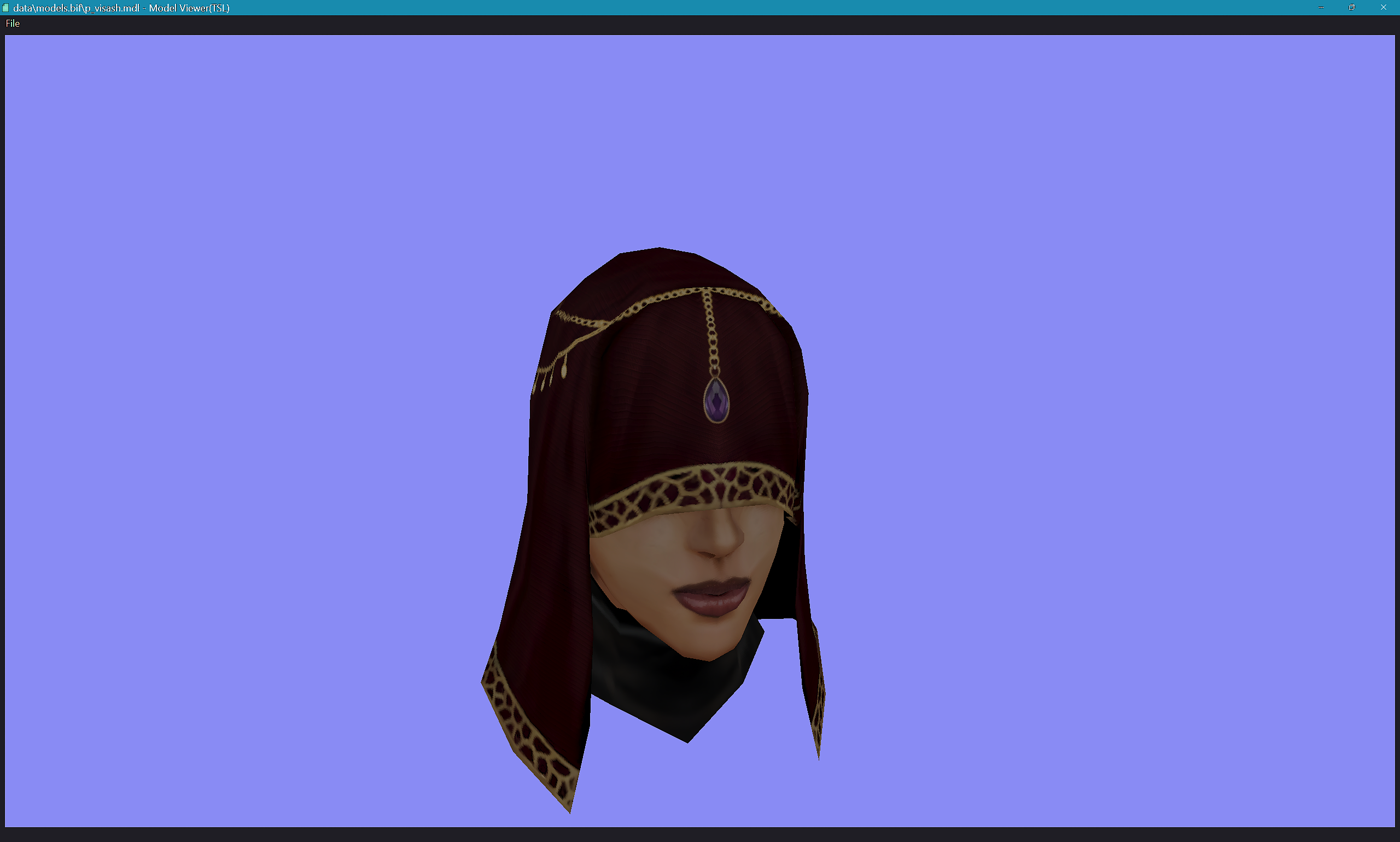
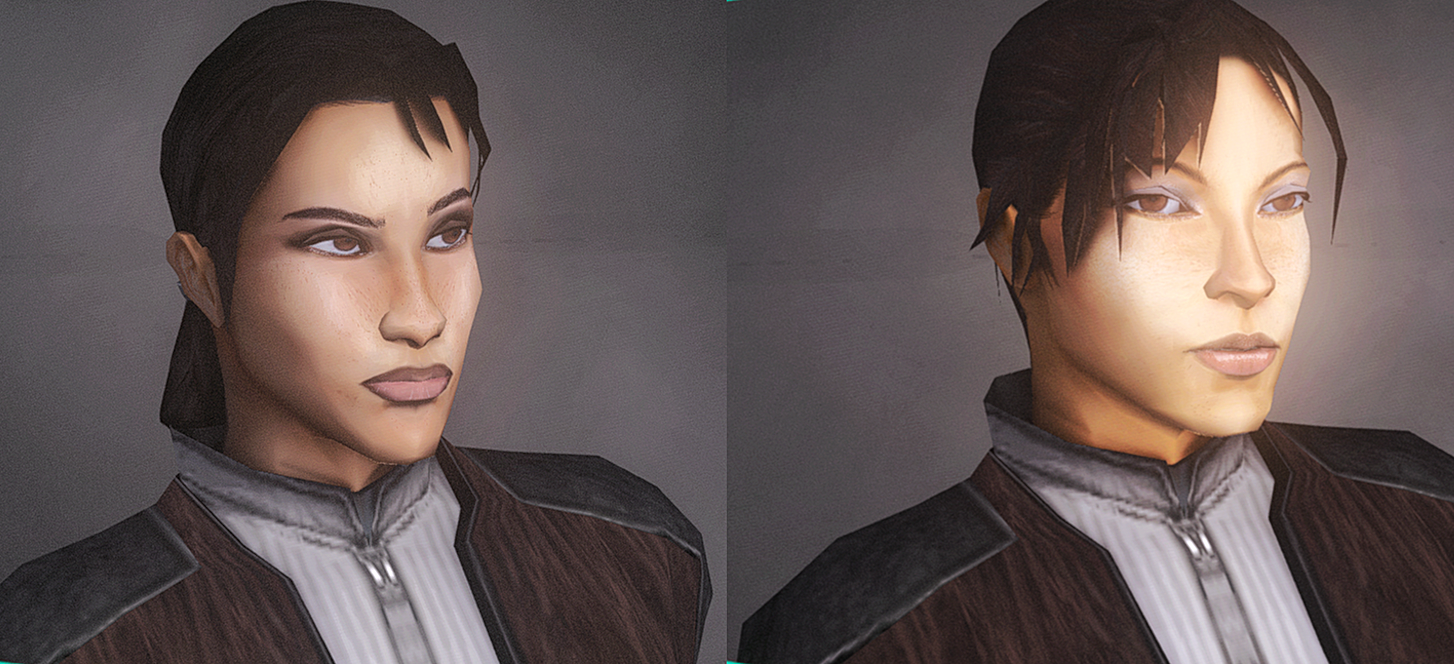
hey, ya'll. I just wanted to pop in and say i'm still alive and still planning on finishing my companion complexions mod. the holidays had some unforseen stuff but, we ball. update should be out in the next week or two. i'm still cooking just bear with me. Visas cooking preview 1.5 (and Visas) is out now also, working on a new player head mod - 2/10000 heads done so far. wish me luck T-T and thanks for all the support so far
-

Modding help with DLG files and music in TSL
Skyfront117 posted a topic in General Kotor/TSL Modding
I'm fairly new to modding TSL, and I found out that some DLG files have music tracks assigned to them so that they will play during that dialogue/cutscene. I had an idea to assign a music track to each party member so that it will play when speaking to them on the Ebon Hawk (or anywhere, really, during normal conversation with them), for example playing Kreia's theme while you speak to her. I managed to do this with holocron toolset, but I don't know how to make the background music for the level to stop when the dialogue starts nor to end the dialogue music when the conversation ends. ¿Does anyone have an idea of what i could do / where I could start looking? Any help is appreciated! -
Update 9/17/25 - this mod is complete and posted! The Expanded Atton Romance Mod --- I'm still working on learning the scripting side of things to put everything together, but I finally was able to get my test dialogue, lip files, and edited audio working and wanted to share a snippet! This mod will be fully voiced using less-common and cut original dialogue clipped together to form new conversations, and creates a complete romance arc for Atton and the Exile in the style of the K1 romances. (other mods I use that are visible here: Atton with scruff https://deadlystream.com/files/file/528-atton-rand-with-scruff/TOR ports, Kira Carsen https://deadlystream.com/files/file/1301-tor-ports-kira-carsen-female-player-head-for-tsl/ High Quality Skyboxes 2 https://deadlystream.com/files/file/723-high-quality-skyboxes-ii/ - I need to make some new saves without my usual mod build for when I do real testing and making the actual dialogue files, this was just a test. I play on iPad, so that's the reason for the different UI) Content: I have finished writing the dialogue and editing the audio for seven new main conversations that run from Telos to a final scene just before heading to the Ravager, as well as four shorter repeatable flirting options, two conditional conversations (one if you trigger Atton and Mira's jealousy conversation over Disciple meditation with the Exile, plus one short bit if you have Atton in your party during the Handmaiden Battle Circle), plus a few extended options to flirt back/continue with several comments Atton makes to the Exile in the base game. Currently I am planning to use fade-to-blacks for kiss scenes to match K1 (and also because I have no idea how to animate that in the locations the scenes will be in). Compatibility: This mod will only require the TSLRCM, but I will be using TSLPatcher for installation and hope to make it broadly compatible if possible. Any advice on best practices to achieve this is very much appreciated! I will be testing it with PartySwap at minimum but would like to make it compatible with the full mod build if that is possible. I am leaving out gender checks for all of the new dialogue and am hoping to make this compatible with Leilukin's Atton and Male Exile mod so everyone wanting to romance Atton will be able to regardless of PC gender. I usually play on an iPad so this mod will work fully on iOS. Current progress: Mod is posted! With the dialog and audio done and the lip making process set, most of what I have left is figuring out scripting and conditionals enough to put it all together. I need to find out: (updated 9/11/25) how exactly fade in and out of black works regarding the pacing and speed options (I got the initial fade out to work here, but I had to cut the scene off there as the fade back in is not the way I want it to be). How to set up TSLPatcher How to manage compatibility with the mod build. If anyone has advice/tutorials for any of those it would be greatly appreciated! As mentioned above under compatibility, I would also welcome advice on how best to set everything up to be less likely to cause issues with other mods. I'm editing Atton's global dialog file which I know may cause problems with anything else that modifies it, but will be making small changes to several other dialog files too throughout the game. I know I will need to figure out TSLPatcher (thank you ZobiZob for making that video guide to get me started!), but anything I should keep in mind regarding file location/names/formatting/anything else would be wonderful! Credit: Huge thank you to JC, as the SithCodec was absolutely essential for me to be able to do any of this, along with creating multiple things to help with making lip files that saved me a ton of time and effort, plus repeatedly answering my questions in the Discord server when I hit problems I couldn't troubleshoot on my own. 2 months ago I was still not understanding how mods even worked as I am not remotely a computer person, and this is my first attempt at any sort of game modding, but the countless tutorials folks have posted and the supportive community here have been amazing and incredibly helpful! If anyone is interested in beta-testing when I get the scripting and installation figured out, or if you have any other thoughts/suggestions/advice, please let me know. Thanks!
-
Hello. I need help with TSL, I'm making new icons for GUI and I'm 95% done, but one problem turned out to be no use for them, since the icons themselves in the game are very small, no matter how much I searched for different GUI, but the same situation is everywhere, however, somewhere in the vastness of YouTube, I saw in the review when the player went to the abilities\powers tab, he had quite large icons I have already downloaded the visual GUI editor https://deadlystream.com/topic/8226-visual-kotor-gui-editor-kge /, there is a field for finding icons, but there is no size of the icons themselves, or maybe I'm doing something wrong? Please help me, in response I will fill in the tests for GUI in 256 and 128 quality
-
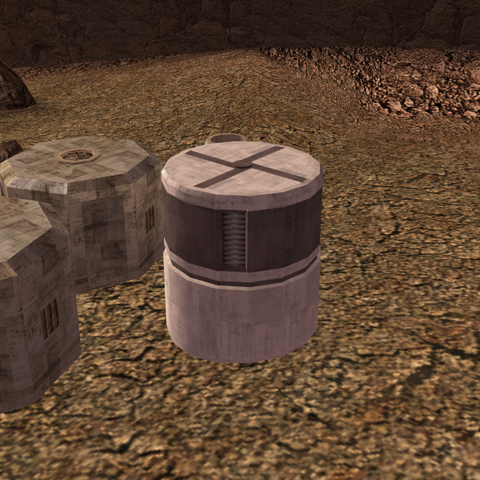
[Updated: April 26, 2020] Greetings, fellow Jedi! Hope you all doing fine. This will be an archive-thread-miniwiki to accommodate my curiousness in some aspects from either KotOR/TSL; either with placeables, textures , models, anything- which is too valuable to lost for just a status update but is too exclusive for each of them to have a single thread, in my perspective. I have archived some past random questions with its essential responses, should their information would be useful and will be easy enough to have access to: [August 14, 2018] PlasticCrate_cylinder [August 16, 2018] LTS_Rwall01 [August 19, 2018] PLC_Statue2 [August 24, 2018] Taris' Upper City Cantina Entrance Wall Panel [August 28, 2018] Taris' Upper City South Fountains [M02ac_02b_02e] [August 30, 2018] Ebon Hawk's Unique Cubemaps [CM_eh] [September 12, 2018] Locate Area Model [September 12, 2018] Sith Soldier Bump Map Restoration [September 17, 2018] Bump-map Breaks Level Geometry Animation? [December 10, 2018] Jedi Enclave's "Unused" Bump-map [November 08, 2019] Trigger's ScriptOnEnter x GetEnteringObject [November 24, 2019] ActionJumpToLocation >= ActionJumpToObject [December 08, 2019] Rakatan "SWAG" Idle Animation VS ANIMATION_LOOPING_TALK_NORMAL [December 11, 2019] [Success] VS [Failure] [December 14, 2019] GetNearestCreature > GetPartyMemberByIndex [April 26, 2020] TSL's Hologram ____________________________________________ That was some questions-responses that I thought would need a proper archiving should they delivered any useful information for future modding attempt. Also, I'm taking this opportunity to ask to the forums too. Will it be possible to change that grey area in the center of Taris' city-walk to some kind of a mini-pool with water model/textures in it? One example in mind that could be used as a reference is this mini-pool inside Davik's estate: Many thanks for considering this!


- 46 replies
-
- 3
-
-
- randomaccessmemory
- textures
- (and 10 more)
-
hello everyone, pardon me for a (possibly) stupid post but- i have been looking for a guide to help me learn how to WRITE a mod for kotor1, but have had little success. can anyone recommend the programs/techniques that people have used? i'm not trying to steal anyone's work, i'd just appreciate some help. this is my first time here, so sorry if this is a bad post.
-
View File KotOR II Switch modding framework For full details, usage instructions, and bug reports — please use the GitHub project associated with this file. This project is a group of tools to make modding the Nintendo Switch version of Star Wars: Knights of the Old Republic II (aka. KotOR II) easier, less confusing, and less cumbersome. With these tools, we can now finally enjoy mods like The Sith Lords: Restored Content Mod (and others) on Nintendo Switch! These scripts are by no means necessary, but they will help prevent common issues that can occur, especially when dealing with Aspyr's odd file structure in their port, the port's built-in .tpc override files, and the localized folder structure on the Nintendo Switch. Based on and inspired by jacqylfrost's work! Appreciate your insight as I worked through this. NOTE: these modding tools will ONLY work for modded Nintendo Switches. Submitter DrSnuggly Submitted 07/09/2023 Category Modding Tools
-
I recently learned that part of texturing for Horizon Zero Dawn is similar to Skyrim in the filetype, DDS. I am researching how to create retextures in this game, with hopes of creating new clothing or altered clothing. Horizon Zero Dawn - Wikipedia forum.xentax.com has a thread on Horizon Zero Dawn modding that I posted in. Page 25 - Horizon Zero Dawn Retexture Research STEP 3. Graphics Program: GIMP 2.10.22 , a Linux Graphic Editing Program cross-compatible with Windows all versions: https://www.gimp.org/downloads/ https://itechhacks.com/install-dds-plugin-for-gimp/ ^ With this, you can edit the textures. Leave the .dds files uncompressed when exporting. Edit: I need some help with researching this. Disclaimer - It's a 78gb game. BUT I will make skins for it if I can figure out the way to do so. To import/export textures from Horizon Zero Dawn, you can use the HZDMeshTool. This is a Blender addon that allows you to import and export textures from Horizon Zero Dawn's .core format . Here are the steps to install and use the tool: - Download the HZDMeshTool from GitHub. - In Blender, open the User Preferences and go to the Add-ons tab. - Click on Install and select the HZDMeshTool.zip file. - Enable the addon. - Go to the Scene Properties tab. - As of version 1.3, you can extract textures from the game files by enabling the Extract Texture checkbox in the tool . If enabled, the tool will extract every texture used by the imported mesh part to the Workspace directory. You can click the checkered icon next to the mesh import button to see the textures used .
-

Version 2.3.0
513 downloads
For full details, usage instructions, and bug reports — please use the GitHub project associated with this file. This project is a group of tools to make modding the Nintendo Switch version of Star Wars: Knights of the Old Republic II (aka. KotOR II) easier, less confusing, and less cumbersome. With these tools, we can now finally enjoy mods like The Sith Lords: Restored Content Mod (and others) on Nintendo Switch! These scripts are by no means necessary, but they will help prevent common issues that can occur, especially when dealing with Aspyr's odd file structure in their port, the port's built-in .tpc override files, and the localized folder structure on the Nintendo Switch. Based on and inspired by jacqylfrost's work! Appreciate your insight as I worked through this. NOTE: these modding tools will ONLY work for modded Nintendo Switches.-
- 3
-
-
- tslrcm mod
- modding
- (and 3 more)
-
View File KotOR II Switch Modding Framework I wondered, why wait a few months for Aspyr to release TSLRCM when you could hack it together in a few days for fun? To that end: Switch KotOR II Modding romFS Dummy Folder 1.0.1 This is a set of files and folders designed to make modding the Switch version of KotOR II easier and more accessible to a novice user. Read to the end before using. You will need a hackable, or modchipped Switch to use this, and custom firmware must be installed, I use Atmosphere, but anything that supports romFS should be fine. If you use something other than Atmosphere you'll have to figure out where it goes, but it should be very similar. This should work just fine with the digital or physical version (when it is released) without issue. I have only tested this on the most up-to-date build at this time, 1.0.1. I will update this when the next patch is released, and hopefully again when TSLRCM is officially released. Extract the zip file, and install any mods you want to use, pointing TSLPatcher at the \Localized\English\ folder containing the dialog.tlk file. For mods that don't use TSLPatcher, copy files as directed, "romfs" is equivalent to the directory on PC containing the executable. NOTE: You may need to move files that TSLPatcher is expecting to the folder to be able to patch them. You can access them by dumping your game with nxdumptool, using romfs. Make sure you include updates when doing so. What I included should be more than sufficient for TSLRCM, however. NOTE: When you are done, move the override folder to the root of the romfs folder, i.e. the directory with the "swplayer.ini" file. Feel free to comment with what you needed, and what mod it was for, and if there is popular demand, I will add the files to this pack. The easiest way I found, was just to try installing a mod, and then check the log for errors to see what files were missing. NOTE: Long filenames cause issues with TSLPatcher, this is exacerbated by the length of the filepath for romFS modding. I recommend moving the "romfs" folder to the root of the drive and patching there, moving the folder back afterwards. Make sure to check your error log, you may manually need to copy .lip files over to override afterwards. Move textures (.tga, .txi and .tpc) to override/Textures or they won't apply. NOTE: Aspyr included upscaled textures with this version that are not in other releases of the game. As far as I can tell, they are all in the format the original textures were in, by and large, that means they are in .tpc format, which trumps .tga and .txi files of the same name. If you have issues with a mod's textures not applying, try converting them to .tpc with Xoreos-Tools. You can download my texture reversion mods for K1 and K2 on Switch if you want to see what files are in what format. At this point, copy the atmosphere folder to the root of your SD card, and you should be done. Please feel free to mention any issues you run into, or workarounds you needed, and I'll update this post. I tested a run of TSLRCM and Leilukin's Gay Handmaiden mod with great success. I have not tested the Male Exile/Disciple part of that mod, but it should work as well. Mods that involve UI likely won't work. Everything is at your own risk, you may end up with a broken save, etc. Worst case scenario, you can uninstall all mods by deleting the `0100B2C016252000` folder from `/atmosphere/contents/` Big thanks to JC for a ton of help troubleshooting, and big thanks to Zbyl2 for helping with TSLRCM-related issues. 7-22-2022 Update: Just a change to the readme regarding potential texture issues. Submitter jacqylfrost Submitted 06/26/2022 Category Modder's Resources
-

Version 1.0.2
299 downloads
I wondered, why wait a few months for Aspyr to release TSLRCM when you could hack it together in a few days for fun? To that end: Switch KotOR II Modding romFS Dummy Folder 1.0.1 This is a set of files and folders designed to make modding the Switch version of KotOR II easier and more accessible to a novice user. Read to the end before using. You will need a hackable, or modchipped Switch to use this, and custom firmware must be installed, I use Atmosphere, but anything that supports romFS should be fine. If you use something other than Atmosphere you'll have to figure out where it goes, but it should be very similar. This should work just fine with the digital or physical version (when it is released) without issue. I have only tested this on the most up-to-date build at this time, 1.0.1. I will update this when the next patch is released, and hopefully again when TSLRCM is officially released. Extract the zip file, and install any mods you want to use, pointing TSLPatcher at the \Localized\English\ folder containing the dialog.tlk file. For mods that don't use TSLPatcher, copy files as directed, "romfs" is equivalent to the directory on PC containing the executable. NOTE: You may need to move files that TSLPatcher is expecting to the folder to be able to patch them. You can access them by dumping your game with nxdumptool, using romfs. Make sure you include updates when doing so. What I included should be more than sufficient for TSLRCM, however. NOTE: When you are done, move the override folder to the root of the romfs folder, i.e. the directory with the "swplayer.ini" file. Feel free to comment with what you needed, and what mod it was for, and if there is popular demand, I will add the files to this pack. The easiest way I found, was just to try installing a mod, and then check the log for errors to see what files were missing. NOTE: Long filenames cause issues with TSLPatcher, this is exacerbated by the length of the filepath for romFS modding. I recommend moving the "romfs" folder to the root of the drive and patching there, moving the folder back afterwards. Make sure to check your error log, you may manually need to copy .lip files over to override afterwards. Move textures (.tga, .txi and .tpc) to override/Textures or they won't apply. NOTE: Aspyr included upscaled textures with this version that are not in other releases of the game. As far as I can tell, they are all in the format the original textures were in, by and large, that means they are in .tpc format, which trumps .tga and .txi files of the same name. If you have issues with a mod's textures not applying, try converting them to .tpc with Xoreos-Tools. You can download my texture reversion mods for K1 and K2 on Switch if you want to see what files are in what format. At this point, copy the atmosphere folder to the root of your SD card, and you should be done. Please feel free to mention any issues you run into, or workarounds you needed, and I'll update this post. I tested a run of TSLRCM and Leilukin's Gay Handmaiden mod with great success. I have not tested the Male Exile/Disciple part of that mod, but it should work as well. Mods that involve UI likely won't work. Everything is at your own risk, you may end up with a broken save, etc. Worst case scenario, you can uninstall all mods by deleting the `0100B2C016252000` folder from `/atmosphere/contents/` Big thanks to JC for a ton of help troubleshooting, and big thanks to Zbyl2 for helping with TSLRCM-related issues. 7-22-2022 Update: Just a change to the readme regarding potential texture issues. -

xbox Modding and the Xbox Series... Series?
The Slick Obi posted a topic in General Kotor/TSL Modding
I know, I know, dev mode - but is there a way to kind of... fudge it in retail mode? I know modding is practically impossible on the new consoles but is it there a way? Could I theoretically use some combination of a file explorer, ftp, USB stick to get the necessary files on my system? -
View File K2Console - A Console For KOTOR 2 DESCRIPTION This is a little tool that mimics the visible console from K1, in TSL. It's written in Python (I've attached the source code below). IMPORTANT NOTES - The tool does not work in fullscreen mode (for now). I'd like to fix this in the future, but for now it only works in windowed mode. - The tool doesn't connect to TSL at all - it's completely separate. This means that (for example) if you open the console in TSL with tilde, and then alt-tab out of TSL and press tilde again, K2Console will detect this but TSL itself won't (meaning K2Console and TSL will be out of sync). - If you get out of sync and/or want to start the program again, you can type "xxxxx" (five x's in a row) into the console while it's open, which will close the program. Then just run the file "k2console.exe" and it'll start up again. No need to restart TSL (but make sure the TSL console is closed when you start K2Console, or you'll still be out of sync). - This program works by reading your keyboard inputs and storing them to memory, which is also one way a keylogger might work - so your anti-virus might identify it as such. This code does not connect to the internet at all (you can verify this for yourself if you like). I haven't included the source with the program package to avoid cluttering your TSL installation, but I included it as a separate download below. INSTALLATION Unzip all three files into the same folder as swkotor2.exe (i.e. C:\SteamLibrary\steamapps\common\Knights of the Old Republic II\, or wherever your TSL installation is located). UNINSTALLATION Delete the three files "k2console.exe", "console.bat", and "steam_console.bat". INITIALIZATION If you use Steam: Instead of starting your game through Steam, you can start it by running the file "steam_console.bat", located in your TSL install folder. Otherwise: Start the game by running "console.bat", again located in your TSL install folder. USAGE - Whenever you press ` to open the console in TSL, the mimic console should pop up too. I tried my best to exactly match the behavior of the TSL console (e.g. when it keeps text vs clears it), but if you find any discrepancies please let me know so I can fix them. - If I did my job, you shouldn't really be able to tell that the console's not built into TSL, so just use it as normal (with the ability to see what you wrote!) - To close the program (not TSL, just the console), type "xxxxx" (5 x's in a row) into the open console (this won't work if the console's not visible). Alternatively, you can close the command line that opens when you run the .bat file. INCLUSION IN OTHER MODS I'm not sure why you'd want to include this in other mods, but if you want to, you're welcome to do so with appropriate attribution. CREDITS Thanks to Thor110 for the idea for this tool, and for helping out with testing and ideas (as well as taking the screenshot for me). k2console.py Submitter lachjames Submitted 05/31/2020 Category Modding Tools
-
In early 2021, the concept of an aggressive and alternate path into the Korriban Academy was conceived. What if you could charge in lightsabers ignited and guns blazing into Korriban? Especially Post Events of the Leviathan (PEL)! CONCEPT QUESTIONS: What if there was a Darkside & Lightside routes of assault to Korriban Temple? Would you subjugate it as a Sith defeating Master Uthar and usurping his authority or would you recruit him as your pawn? This latter option led to the same issues of Shanilia of the PC deciding pre-unknown world (Lehon) which LS or DS path they'd choose, and creates a minor plot hole with Jolee/Juhani/Bastila and other PM who think the PC is saving the galaxy; thus the workaround is prevention of those characters accompanying or requiring the PC to do it solo. Raising the difficulty in terms of gameplay and modding those conditionals. Or would Revan enforce the Rule of Two, or merely adopt the Sith philosophy of testing and destroying the weak amongst them, and wipe out the entire Academy? This raises issues of the famed strategic mindset Revan was accredit for having. On the Lightside, would the PC eradicate all evil in open combat and take on an army? Would you lead a strike team of Jedi to launch a sneak attack and cripple the inflow of new Sith recruits? Would there be any room for repentance? The greatest point would be for the Lightside PC to actually save the fleeing Sith students in the caves. This entire incident would suddenly become a major plot point of the Assault Korriban Temple mod, while still being optional, as most of the vanilla plot would be removed. NARRATIVE CHALLENGES: For all these narrative reasons, the mod's creative direction was hard to settle upon. Eventually, I determine PEL was the only reasonable justification for the mod even existing, otherwise the PC is too weak and power scaling doesn't make sense. Though anyone could argue that this was countered by the vanilla game sending the entire academy at you. How do you accurately represent the Sith within the Temple responding to a Sith PC, it would be initial hostility followed by respect and a conversation with Yuthura/Uthar allowing the PC to subjugate or completely destroy them. Destroy has to be an option for PC expectations of Sith, DS jedi or DS elitist or Rule of Two, etc... Eventually, I settled on that, and the LS version was also PEL followed by an optional but recommended Jedi Strike team that had infiltrated the Dreshdae colony and were about to strike. Therefore, it would be more coincidental that the PC was there (Will of the Force) resulting in the death of all Sith, except fleeing students found in the cave. ENDINGS: The PC would then be able to simply walk into the Starmap module or be escorted by friendly Sith, dramatically shortening the quest list on Korriban and player time on Korriban. TECHNICAL HURDLES: On a technical standpoint, this required massive changes to all Korriban modules, massive changes to dialogue, lack of voice acting and replacement of aliens VOs, doors would have to be unlocked, party member specific scripts, enormous bug testing, compatibility issues for practically any Korriban mod, removing triggers, re-doing sidequests like the Mandalorian prisoner (planned to make him Republic), creating new sidequests like allowing PC to free & save Republic soldiers used as sparring partners. The more I write about this crazy idea, the more I like it! This was simply an idea I had for a mod, it would be awesome to see this or something like this done by anyone. I may in-fact come back to this project in the future. But, alas, I have an even more exciting and original modding project in development that may take me years to complete! Or like this modding project fall to the wayside and become yet another gravepost of the Journal of jc2. May the Force be with you, -jc2
- 2 comments
-
- 2
-
-

-
- holocron toolset
- assault
- (and 5 more)
-
There are some great tutorials, especially for begginers but not limited to, that were originally hosted on LucasForums! Fortunately, they have been preserved on archive.org and can be accessed here: https://web.archive.org/web/20130124072344/http://www.lucasforums.com/forumdisplay.php?f=592
-
Cannot find the two alone anywhere, just looking for the override files of these hilts to swap out my green saber crystal. If anyone has these can you please send them my way?
-
I'm kind of new to modding KOTOR, so I'm still learning. So, I successfully created a custom jedi robe and added it to the game, simple stuff. However, I tried to add the Elite Sith Trooper Armor into the game, but for some reason everything worked except the armor appeared as plain old Battle Armor in game and the icon for the sith armor didn't work either. I had a few different files, the first was PMBF08, the sith armor texture, then I had the icon, ia_class7_008, and finally the .uti file, g_a_class7008 But for some reason, this didn't work. I got a custom armor with all the custom stats and descriptions that I had added, but the appearance of the armor wasn't the Sith Elite Armor like the PMBF08 file stated. So, I'm not sure how to fix this as I spent hours trying most everything I could to get it to work with no progress. I used KOTOR Tool and GIMP to perform all the necessary operations if that helps.
-
View File KotOR Switch Modding Framework Switch KotOR Modding romFS Dummy Folder with 1.0.3 dialog.tlk This is a set of files and folders designed to make modding the Switch version of KotOR easier and more accessible to a novice user. Read to the end before using. You will need a hackable, or modchipped Switch to use this, and custom firmware must be installed, I use Atmosphere, but anything that supports romFS should be fine. This should work just fine with the digital or physical version (when it is released) without issue. I have only tested this on the most up-to-date build at this time, 1.0.3. It may work on 1.0.2 or 1.0.1, but it is not guaranteed, and I'm not concerned with supporting them. Extract the zip file, and install any mods you want to use, pointing TSLPatcher at the romfs folder containing the dialog.tlk file. For mods that don't use TSLPatcher, copy files as directed, "romfs" is equivalent to the directory on PC containing the executable. NOTE: You may need to move files that TSLPatcher is expecting to the folder to be able to patch them. You can access them by dumping your game with nxdumptool, using romfs. Make sure you include updates when doing so. Feel free to comment with what you needed, and what mod it was for, and if there is popular demand, I will add the files to this pack. The easiest way I found, was just to try installing a mod, and then check the log for errors to see what files were missing. NOTE: Long filenames cause issues with TSLPatcher, this is exacerbated by the length of the filepath for romFS modding. I recommend moving the "romfs" folder to the root of the drive and patching there, moving the folder back afterwards. Make sure to check your error log, you may manually need to copy .lip files over to override afterwards. Move textures (.tga, .txi and .tpc) to override/Textures or they won't apply. NOTE: Aspyr included upscaled textures with this version that are not in other releases of the game. As far as I can tell, they are all in the format the original textures were in, by and large, that means they are in .tpc format, which trumps .tga and .txi files of the same name. If you have issues with a mod's textures not applying, try converting them to .tpc with Xoreos-Tools. You can download my texture reversion mods for K1 and K2 on Switch if you want to see what files are in what format. At this point, copy the atmosphere folder to the root of your SD card, and you should be done. Please feel free to mention any issues you run into, or workarounds you needed, and I'll update this post. I tested a run of K1CP with no major issues. Mods that involve UI likely won't work. Everything is at your own risk, you may end up with a broken save, etc. Worst case scenario, you can uninstall all mods by deleting the `0100854015868000` folder from `/atmosphere/contents/` Big thanks to JC for helping me pin this all down. 7-22-2022 Update: Just a change to the readme regarding potential texture issues. Submitter jacqylfrost Submitted 06/20/2022 Category Modder's Resources
-

Version 2.0
44,536 downloads
A little while ago it struck me - The Dantooine Jedi academy has a workbench, but the Korriban Academy didn't, which can be very inconvenient. In fact, there wasn't one on all Korriban. This mod fixes all that! Now there is a workbench in the little room which leads to the Valley of the Dark Lords. It's just on the left as you come in. The only mod conflict that there might be is if someone else's mod modifies Master Uthar's dialogue.- 7 comments
- 5 reviews
-
- 2
-
-
- korriban
- korriban workbench
- (and 8 more)
-
 Including mods and the use of the KOTOR Tool. Does anyone know whether it is possible? I tried searching the internet. I tried modding myself. This force power is so stubborn that even making all force power not restricted by armor doesn't make work at all!!!
 -
So I am trying to swap out music in K1 and eventually in K2. After researching online I read that you need to remove the track in question out of the Streammusic folder and replace it with an .mp3 of your choosing of the same name. I tried it and it did not work. I also followed this guide that had me download Audacity, convert the mp3 to mono, and reduce it to 22k Hz which made the track sound like garbage and still didn't work in game. I believe I am selecting the right track name because when I load into the area to test it there is no music at all, not even the default music. Is there an additional step I am missing? Do I need to make sure the mp3 file has certain properties? Any help would be appreciated!