

jmorenobothwell
-
Posts
12 -
Joined
-
Last visited
Content Type
Profiles
Forums
Blogs
Forum & Tracker Requests
Downloads
Gallery
Store
Events
Everything posted by jmorenobothwell
-
expansion Mission to Sleheyron: A New Story Expansion Mod for KOTOR
jmorenobothwell commented on SAO1138's file in Mods
 Noob question likely already answered somewhere else: Is this compatible with KPM, KMRP 1.5.1 and Kotor editable executables? And what would be the proper installation order?
-
 What vesion(s) of KPM are you using? I ran into that issue as well. I was using the KPM v0.7.1, and when I switched to the latest v0.8.0, those patches (KMRP + Kotor Native Controller Support) were not packaged in v0.8.0''s "Patches" folder. Copying/Pasting them from v0.7.1's folder to v0.8.0's folder resolved the issue and v0.8.0 recognized and applied them on my end.
-
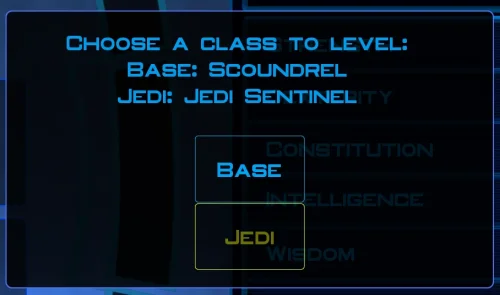
Hey, when I reviewed this mod last, I forgot to mention that I installed it using the included "install.cmd." Still, the same observation I made then about the installation order vs. KPM holds as true today as it did then. I absolutely LOVE what the mod does to the game: The "Taris XP Hoarding" is effectively dead and an effective Level 40 cap-with player-selected class level assignments- is alive and well!
- 1 reply
-
- 1
-

-
 I'm just happy that I can finally play the game on PC with real, native, proper controller support. The fact that TSL received that massive update which added native controller support but the original KOTOR was left with mouse/keyboard years later (which was ridiculous) is finally resolved with this.
-
Does exactly was it says it does! An observation: Having this active requires it to be installed dead last after EVERYTHING ELSE. If, say, I were to add"High FPS Fixes" or other patches through KotorPatchManager with "...Progression" already active, I lose the ability to back out of the level-up screen(effectively restoring the vanilla game's constraints where it would not let you exit the level-up UI to return to normal gameplay at all until you leveled up.) This I confirmed via live testing/gameplay last night: I had to uninstall and re-install "....progression" after adding the KPM patches so it effectively sits at the very END of the installation order. This fixed the issue and I could back out of the level-up screen freely. FYI I'm using KMRP 1.5.1 and KPM in my setup.
-
quest mod MOD:Telos: Citadel Station Medical Unit Quest
jmorenobothwell replied to Doodmane444's topic in Mod Releases
Will do. And after going back to it, you were right. I DID install it incorrectly because I completely forgot to run the installer after dropping the other assets in Override. In any case, here's my current list. I'm still a total newbie to KOTOR/TSL modding and if you or any of the mod writers can give me feedback to getting everything working together, that would be awesome. I'm currently putting together my next build which expands on this one, once I finish my current playthroughs. The new one will definitely have the Telos Medical Droid Quest. STAR WARS_KOTOR II - MOD LIST_v7.0 - Copy.txt STAR WARS_KOTOR II - MOD LIST_v11.4 - Copy.txt -
4x Upscale+ Character Textures & Model Fixes (TSL)
jmorenobothwell commented on redrob41's file in Skins
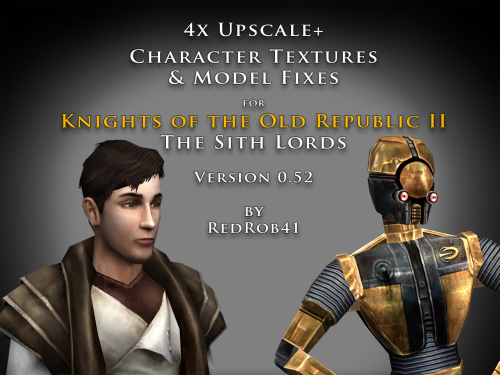 To answer this question: In my current mod build I have this mod (4x TPC version) ans Sithspecter's High Quality Blasters and so far I've had no issues. All firearms render just fine. I know my screenshot selection isn't the best but here they are, complete with High Quality Blasters.. All my characters' campaigns are currently active and running at the same time under my current mod build.
-
quest mod MOD:Telos: Citadel Station Medical Unit Quest
jmorenobothwell replied to Doodmane444's topic in Mod Releases
Thanks for responding to my review. After reading your reply, it's highly likely the installation mistake was entirely my fault. And so I'll give it another chance. I'm still learning this modding business and the last thing I want is to attack anyone's work. I appreciate you revising it to V 1.0.6 and I will definitely give it another go. As for the rest of my mod list: It's like 50+ mods deep. I can email you a .txt with my current load out (though it doesn't have this one currently installed). -
 Fantastic work!!! Quick question to any who read this: I'm a total rookie with modding, and in my most recent playthrough, when the camera executed the flyby when the HK-50s shot you down over the polar region(when they start speaking "Egotistical Boast") I saw the mod author's logo. Again, since I;m new to this, I likely made a mistake when I added them, so how can I correct it so I don't see the logo?
-
quest mod Telos: Citadel Station Medical Unit Quest
jmorenobothwell reviewed Doodmane444's file in Mods
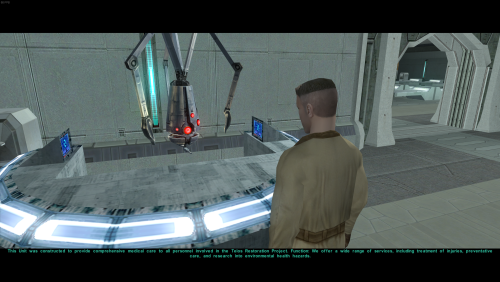 Ok, I hope this helps perfect it because it's a good idea on paper. I'll keep it as "matter-of-factly" as possible. My experience with this mod: My setup already had TSLRCM+M478PE+PartySwap as a foundation already running. I installed this mod, created a fresh, new character to test it out, made it to the Telos Citadel Station, and after the "house arrest" sequence wrapped up and I was free to move, the quest triggers, unknown to me, were compromised. For example: The ambush on Dock Module 126? The 5 thugs that attack you spawned, I fought them and beat them, but the dialogue script failed to recognize the instance, leaving the TSF NPC in an infinite "text box loop" saying "don't let them hurt the droid; the instance didn't close properly and, naturally, the journal quest didn't update. I reloaded a save file just prior to that beat and it played out correctly a second time. When I showed the "modified holdout blaster" to Lt. Grenn to pick up the "suspicious goods" quest? that dialogue with Grenn played normally, however the journal didn't log the "suspicious goods" quest at all. So, the masked thug that's supposed to ambush you in the Entertainment Module immediately after that dialogue didn't spawn. Another tell-tale sign that something was wrong is that the Dobo Brothers' Merchant Room was completely inaccessible: The door would not open, full stop. Also, one of the doors to the cantina turned into a "one-way" exit. You could exit out of the cantina through it but not go back in. The other door worked fine. And for some reason, some NPCs appeared with no head whatsoever, (though I'm uncertain of this last bit is related.) To solve these problems on my setup, I purged my game's Override, performed a Steam Integrity Check, and re-installed all my mods in the proper order, except this one. I hope this helps you perfect it. EDIT: To be clear, I don't use the Steam Workshop for anything whatsoever; I only use Steam to launch the game. All my mods were installed through their respective standalone TSLPatcher executable.
-
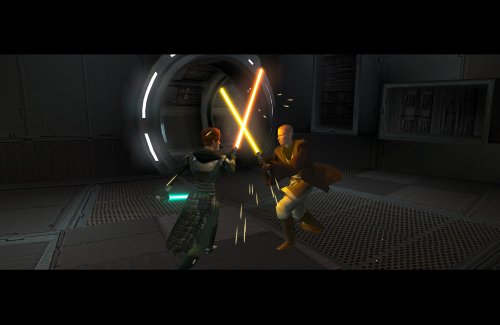 100%. Soft conflict also with Prestige Classes for Visas as well as both alter the same .dlg file. I know because I'm running both mods in one play-through.
-
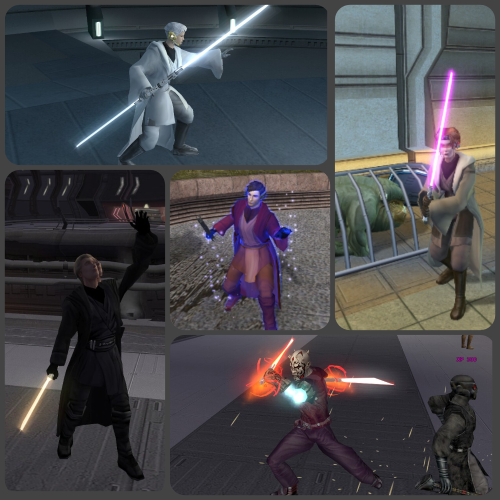 Yep. Made Atton a guardian to try it out and the dialogue options to teach him force powers, feats and lightsaber forms never appeared. I left Mira as her default Sentinel class and there was no issue there.