



Effix
-
Posts
931 -
Joined
-
Last visited
-
Days Won
61
Content Type
Profiles
Forums
Blogs
Forum & Tracker Requests
Downloads
Gallery
Store
Events
Everything posted by Effix
-
View File Effixian's Mandalorian Disguises for TSL ************************************** Knights of the Old Republic - The Sith Lords ************************************** TITLE: Effixian's Mandalorian Disguises for TSL AUTHOR: Effix CONTACT: PM me on the forums or find me on Steam ************* INSTALLATION ************* Unzip, copy the files from the folder to your override folder. ************ DESCRIPTION ************ This mod adds a disguise property to the heavy Mandalorian armors that makes you look like the Mandalorian NPCs when you equip them. Blue: Mandalorian Battle Armor Red: Mandalorian Heavy Armor Yellow: Mandalorian Assault Armor Relevant icons are updated to match the new appearance. Requested by JDub96. This mod is also available for KotOR 1. ***** BUGS ***** This goes for any item with the disguise property: your appearance can get stuck because of unknown reasons, meaning you'll keep the appearance even when you unequip the item. This can be fixed with the KotOR Savegame Editor. ************* UNINSTALLING ************* Remove the following files from your Override folder: a_heavy_07.uti a_heavy_08.uti a_heavy_10.uti ia_Class9_004.tga ia_Class9_007.tga ******************* DISTRIBUTION NOTES ******************* You may use the material from this mod in whichever way you like. ******** Thanks to ******** Stoffe and Fred Tetra for the needed tools and tutorials JDub96 for the request ------------------- THIS MODIFICATION IS NOT MADE, DISTRIBUTED, OR SUPPORTED BY BIOWARE, OBSIDIAN, OR LUCASARTS ENTERTAINMENT COMPANY LLC. ELEMENTS TM & © LUCASARTS ENTERTAINMENT COMPANY LLC AND/OR ITS LICENSORS. Submitter Effix Submitted 02/24/2019 Category Mods TSLRCM Compatible Yes
-

Version 1.0.0
411 downloads
************************************** Knights of the Old Republic - The Sith Lords ************************************** TITLE: Effixian's Mandalorian Disguises for TSL AUTHOR: Effix CONTACT: PM me on the forums or find me on Steam ************* INSTALLATION ************* Unzip, copy the files from the folder to your override folder. ************ DESCRIPTION ************ This mod adds a disguise property to the heavy Mandalorian armors that makes you look like the Mandalorian NPCs when you equip them. Blue: Mandalorian Battle Armor Red: Mandalorian Heavy Armor Yellow: Mandalorian Assault Armor Relevant icons are updated to match the new appearance. Requested by JDub96. This mod is also available for KotOR 1. ***** BUGS ***** This goes for any item with the disguise property: your appearance can get stuck because of unknown reasons, meaning you'll keep the appearance even when you unequip the item. This can be fixed with the KotOR Savegame Editor. ************* UNINSTALLING ************* Remove the following files from your Override folder: a_heavy_07.uti a_heavy_08.uti a_heavy_10.uti ia_Class9_004.tga ia_Class9_007.tga ******************* DISTRIBUTION NOTES ******************* You may use the material from this mod in whichever way you like. ******** Thanks to ******** Stoffe and Fred Tetra for the needed tools and tutorials JDub96 for the request ------------------- THIS MODIFICATION IS NOT MADE, DISTRIBUTED, OR SUPPORTED BY BIOWARE, OBSIDIAN, OR LUCASARTS ENTERTAINMENT COMPANY LLC. ELEMENTS TM & © LUCASARTS ENTERTAINMENT COMPANY LLC AND/OR ITS LICENSORS. -

Version 1.0.0
281 downloads
*************************** Knights of the Old Republic *************************** TITLE: Effixian's Mandalorian Disguises for K1 AUTHOR: Effix CONTACT: PM me on the forums or find me on Steam ************* INSTALLATION ************* Unzip, copy the files in the folder to your override folder. ************ DESCRIPTION ************ This mod adds a disguise property to the heavy Mandalorian armors that makes you look like the Mandalorian NPCs when you equip them. Blue: Mandalorian Armor (only obtainable with cheats), Mandalorian Battle Armor Red: Mandalorian Heavy Armor Yellow: Mandalorian Assault Armor, Cassus Fett's Armor Relevant icons are updated to match the new appearances. Requested by JDub96. This mod is also available for KotOR 2. ***** BUGS ***** This goes for any item with the disguise property: your appearance can get stuck (because of unknown reasons), meaning you'll keep the appearance even when you unequip the item. This can be fixed with the KotOR Savegame Editor. ************* UNINSTALLING ************* Remove the following files from your Override folder: g_a_class8004.uti g_a_class9003.uti g_a_class9004.uti g_a_class9009.uti g_a_class9010.uti ia_class8_004.tga ia_class9_004.tga ia_class9_006.tga ia_class9_008.tga ******************* DISTRIBUTION NOTES ******************* You may use the material from this mod in whichever way you like. ******** Thanks to ******** Stoffe and Fred Tetra for the needed tools and tutorials JDub96 for the request ------------------- THIS MODIFICATION IS NOT MADE, DISTRIBUTED, OR SUPPORTED BY BIOWARE, OBSIDIAN, OR LUCASARTS ENTERTAINMENT COMPANY LLC. ELEMENTS TM & © LUCASARTS ENTERTAINMENT COMPANY LLC AND/OR ITS LICENSORS. -
Oh right, 2 items for K1 were pointing to 1 icon file, which now needs 2 different icons. You'll have to update the uti files to get that fixed, I'll turn this into a mod soon, then you can get those. Not really, I did some things many years ago and can probably figure things out with tutorials and/or help... but yeah, not really. There's the program ERFEdit to package modules:
-
Great, you're welcome! Icons to match the new appearances: Effixians_Mandalorian_Disguises_icons.zip
-
I don't see how the captain is not yellow, which exact location on the Unknown World? You can test my attachment, just put the files in the override folder. No new icons for now. Effixians_Mandalorian_Disguises.zip
-
There's an item property that you can add to any equipable item (with KotOR Tool) called "disguise", with it you can pick any of the listed appearances, when you equip the item you take on that appearance. There's some issues with disguises though, they can cause you to not get your original appearance back when unequiping the item. Not so much a problem if you know how to fix that with the save game editor or if you really love to keep that look through the whole game. Some appearances can also lack certain animations that are relevant to a player character but not to an NPC. The disguise way is pretty much the only easy way to do it because those mandalorians and most aliens have one full body 3D model, while the player has a seperate model for the head and the rest of the body. I don't mind whipping something up with the above in mind if you list more details (both games? Also I'm not sure if both game have the items you mentioned). http://www.gamebanshee.com/starwarskotor/equipment.php http://www.gamebanshee.com/starwarskotorii/equipment.php
-
 Ah, I see, so it's a reskin for an item that that mod added. It looks like that mod is gone though. I was asking for someone on Steam, told him to just swap filenames to try that particular texture. Thanks
 -
The "66" one doesn't have a .uti file, bottom right one in the 1st screenshot. Greets
-
 Sorry, I'm not interested.
 -
Armor mod causing crash when selected.
Effix replied to LordCybot's topic in General Kotor/TSL Modding
I made some mods that use the item property "disguise", they work (and use appearances that only have modela/texa). My theory is that that property only works with full body appearances (modeltype: F), since that is the difference between this and my working disguise mods. -
 I've added PMHA05, happy gaming!
 -
https://deadlystream.com/topic/3377-request-missing-bao-dur-body-models/?tab=comments#comment-57092
-
I added the patcher so the mod only adds things, it should work with TSLRCM. Are you using Steam + Steam's TSLRCM?
-
True, but half way I realized that putting a mod with ported content on Steam isn't such a good plan... I'll add the patcher later, I'm going to need it for another requested head anyway. Edit: TSLPatcher added.
-
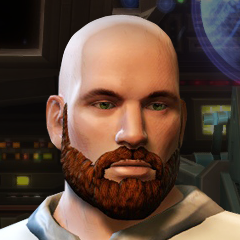
View File Effixian's K1 to K2 Heads ******************************************** Knights of the Old Republic - The Sith Lords ******************************************** TITLE: Effixian's K1 to K2 Heads AUTHOR: Effix(ian) CONTACT: PM me on the forums or find me on Steam ************ DESCRIPTION ************ This mod adds player heads: - PFHC01 from KotOR 1, as requested by shadongo. - PMHA05 from KotOR 1, as requested by Fallen Guardian. ************* INSTALLATION ************* PFHC01 from K1 to K2: Unzip somewhere and run the file "TSLPatcher_Effixians_PFHC01_from_K1_to_K2.exe". PMHA05 from K1 to K2 Unzip somewhere and run the file "TSLPatcher_Effixians_PMHA05_from_K1_to_K2.exe". Steam's TSLRCM: Point the patcher to TSLRCM workshop folder, location is something like [drive]:\[steam folder]\SteamLibrary\steamapps\workshop\content\208580\485537937 ***** BUGS ***** None known. ************* UNINSTALLING ************* 1. Remove the following files from your Override folder: For PFHC01 from K1 to K2: - pfhx01.mdl - pfhx01.mdx - PFHX01.tga - PFHX01A.tga - PFHX01AD1.tga - PFHX01AD2.tga - po_PFHX01.tga - po_PFHX01d1.tga - po_PFHX01d2.tga For PMHA05 from K1 to K2: - pmhx05.mdl - pmhx05.mdx - PMHX05.tga - PMHX05.txi - PMHX05D1.tga - PMHX05D1.txi - PMHX05D2.tga - PMHX05D2.txi - po_PMHX05.tga - po_PMHX05d1.tga - po_PMHX05d2.tga 2. Get the following files from the mod's backup folder and put them back in your Override folder: appearance.2da heads.2da portraits.2da ******************* DISTRIBUTION NOTES ******************* You may not: Use the material from this mod in your own mod without giving me credit, implying it was your creation. You might: Use the material from this mod in your own mod if you simply ask me. ********* THANKS TO ********* - Fred Tetra's Kotor Tool - bead-v's MDLedit - stoffe's TSLPatcher - The people at Deadly Stream ------------------- THIS MODIFICATION IS NOT MADE, DISTRIBUTED, OR SUPPORTED BY BIOWARE, OBSIDIAN, OR LUCASARTS ENTERTAINMENT COMPANY LLC. ELEMENTS TM & © LUCASARTS ENTERTAINMENT COMPANY LLC AND/OR ITS LICENSORS. Submitter Effix Submitted 10/29/2018 Category Mods TSLRCM Compatible Yes
-
Version 1.2
1,422 downloads
******************************************** Knights of the Old Republic - The Sith Lords ******************************************** TITLE: Effixian's K1 to K2 Heads AUTHOR: Effix(ian) CONTACT: PM me on the forums or find me on Steam ************ DESCRIPTION ************ This mod adds player heads: - PFHC01 from KotOR 1, as requested by shadongo. - PMHA05 from KotOR 1, as requested by Fallen Guardian. ************* INSTALLATION ************* PFHC01 from K1 to K2: Unzip somewhere and run the file "TSLPatcher_Effixians_PFHC01_from_K1_to_K2.exe". PMHA05 from K1 to K2 Unzip somewhere and run the file "TSLPatcher_Effixians_PMHA05_from_K1_to_K2.exe". Steam's TSLRCM: Point the patcher to TSLRCM workshop folder, location is something like [drive]:\[steam folder]\SteamLibrary\steamapps\workshop\content\208580\485537937 ***** BUGS ***** None known. ************* UNINSTALLING ************* 1. Remove the following files from your Override folder: For PFHC01 from K1 to K2: - pfhx01.mdl - pfhx01.mdx - PFHX01.tga - PFHX01A.tga - PFHX01AD1.tga - PFHX01AD2.tga - po_PFHX01.tga - po_PFHX01d1.tga - po_PFHX01d2.tga For PMHA05 from K1 to K2: - pmhx05.mdl - pmhx05.mdx - PMHX05.tga - PMHX05.txi - PMHX05D1.tga - PMHX05D1.txi - PMHX05D2.tga - PMHX05D2.txi - po_PMHX05.tga - po_PMHX05d1.tga - po_PMHX05d2.tga 2. Get the following files from the mod's backup folder and put them back in your Override folder: appearance.2da heads.2da portraits.2da ******************* DISTRIBUTION NOTES ******************* You may not: Use the material from this mod in your own mod without giving me credit, implying it was your creation. You might: Use the material from this mod in your own mod if you simply ask me. ********* THANKS TO ********* - Fred Tetra's Kotor Tool - bead-v's MDLedit - stoffe's TSLPatcher - The people at Deadly Stream ------------------- THIS MODIFICATION IS NOT MADE, DISTRIBUTED, OR SUPPORTED BY BIOWARE, OBSIDIAN, OR LUCASARTS ENTERTAINMENT COMPANY LLC. ELEMENTS TM & © LUCASARTS ENTERTAINMENT COMPANY LLC AND/OR ITS LICENSORS. -
 Isn't something like this what you are looking for?
 -
How do I start making kotor mods
Effix replied to knitewingtherevanchist's topic in General Kotor/TSL Modding
-
That's a shame, I don't see logic in that, maybe the game messed up the save. You can try if you can set the proper appearance (PC_TwiA_LRG_01) again with KSE.
-
You have a PM with the files.
-
The hair is already fairly brown, do you mean a darker shade?
-
 The head model expects a file mirahe.tga, make a copy of p_mirah.tga and rename it to mirahe.tga. I believe the name for the body texture is also incorrect, P_MiraA01.tga should be P_MiraA.tga. There should be no need to edit appearance.2da.
 -
Some info about the upcoming series The Mandalorian: https://www.digitaltrends.com/movies/jon-favreau-star-wars-series/
-
https://steamcommunity.com/sharedfiles/filedetails/?id=606500776

