All Activity
- Past hour
-
 P3ST-44 joined the community
 - Today
-
 AntonGaim joined the community
 -
 uplevelionly joined the community
 -
 Korta joined the community
 -
 flyboy joined the community
 -
 DrDeezee joined the community
 -
 DarthMarrik joined the community
 -
 Ksauce09 joined the community
 -
But the problem is that it shouldn't show that it's empty if it's not been opened before.
-
 FrogGuru joined the community
 -
Hey @Salk! It will correctly show whether the container is empty whether it's been previously opened or not. All you have to do is hover over it like you would to see the normal name.
-
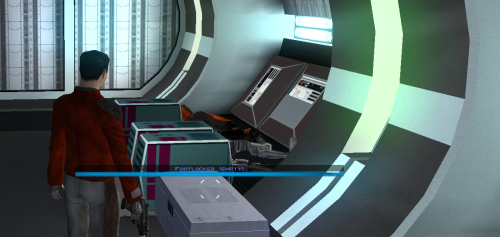 This should absolutely be included in the K1 Community Patch. I've been waiting 20 years for this!
 -

Heyorange's Sith Uniform Reformation [Revised]
1518062025 commented on Sith Holocron's file in Skins
 hi,this is post in 5/18,, the problem have fix now
 -

T3 skins for KotOR 2 not working.
N-DReW25 replied to confuuzed's topic in General Kotor/TSL Modding
Wait a minute, this is a Kotor 2 mod. I was under the impression that this was a Kotor 1 T3-M4 mod because if it was a Kotor 2 T3-M4 mod you'd just copy all the files into the Override folder and it'll work. Do you have any other mods installed? Do you have any folders inside the Override folder? Do you have "P_t3m4_01.tga" and "P_t3m4_01.tpc" in the Override folder? -
 I was wondering the same thing. But it looks like this hasn't been updated in two years.
 -
 Why did you remove Sherruk's lightsaber and modded loot drops in version 1.3?
 -
I have a question about this one. Does it work so that the appended text is not displayed for empty containers that the Player had not yet inspected? I think that would be the ideal behavior.
- Yesterday
-
Works great. Thanks.
-
This mod is one small leap for man, one giant leap for mankind Really happy we have this now!
-
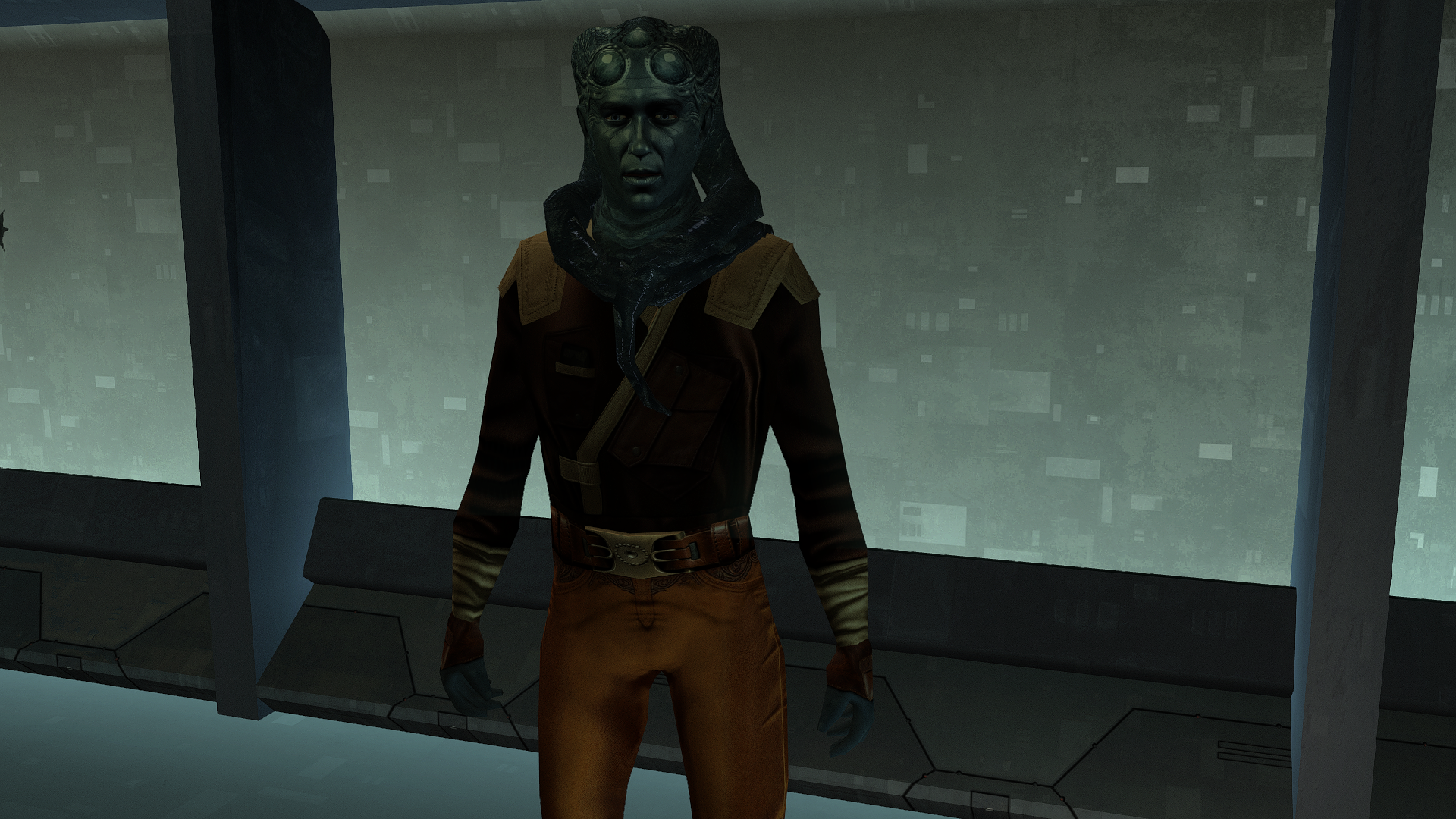
Uriah.rar
-
Oh but then it's simply perfect! Please keep on producing your wonderful small gems! Cheers!
-
It works as expected, and with the Neocities mod builds, as long as you install it last after the rest of the build. Thank you for your service!
-
@Salk, Hi! Thanks so much for the kind words! I guess I should've been more clear in my readme. Only the first turn order is randomized. The remaining turns all alternate in the way you said. Sorry for the confusion! Best, Shae
-
@ShaeMyName, I read the ReadMe only now and I was actually hoping that the turn order was not randomized 50/50 but rather be like in K2 when the order is alternate Player / Computer. The only randomization should be initial to check if it is Player / Computer or Computer / Player. But I guess that is not possible? Cheers!
-
You are on a roll, my friend.
-

Heyorange's Sith Uniform Reformation [Revised]
JCarter426 commented on Sith Holocron's file in Skins
I just ran all four installers on a clean installation and didn't encounter such an error, so I can only assume it is an issue on your end. Make sure you have extracted the contents of the mod to a folder where you have read and write permission. -
View File K1 Marked Empty Containers Description Appends " (empty)" to the floating hover name of any container or lootable corpse that currently holds nothing. Now you can tell an empty footlocker from a full one at a glance without stopping to open it. Shows the moment you first see an initially-empty container. Updates live the instant you loot one empty, while you're still hovering over it. Covers lootable corpses too (KOTOR stores them as "Remains" containers) Installation instructions 1. Copy these three files into your KOTOR folder, next to `swkotor.exe` (typically `C:\Program Files (x86)\Steam\steamapps\common\swkotor\`): - MarkEmptyContainers.exe - Apply Container Patch.bat - Revert Container Patch.bat 2. Double-click `Apply Container Patch.bat`. It prints `SUCCESS` and makes a backup. Launch the game and enjoy. Uninstallation instructions 1. Double-click `Revert Container Patch.bat`. This restores `swkotor.exe` exactly as it was (from the backup it made: `swkotor.exe.MarkEmpty.bak`). Requirements Requires the KOTOR Editable Executable mod to allow the patcher to work. https://deadlystream.com/files/file/1320-kotor-editable-executable/ Submitter ShaeMyName Submitted 06/29/2026 Category Mods K1R Compatible Yes
-
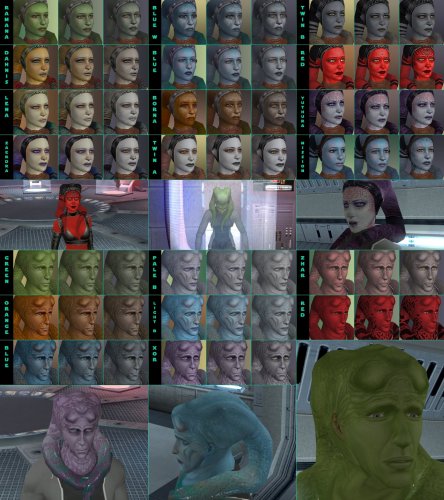 It's hard to tell without seeing your files. What I can see is that it's using the normal clothing model, but applying the new texture to it (Strange combo). Maybe one of the mods updated appearance.2da, undoing the changes that "TSLPatcher - Install PFT10 Red - Clothing like underwear.exe" made. Try running it again. Here's a Luxa style red version: PFBT10_Red01.tga
 -
It's a very straight forward reskin mod, copy files to the override folder. You don't need to start a new game for texture replacements. I have no experience with modding the mobile version, but I assume you also have an Override folder.
-
Version 1.0.1
23 downloads
Description Appends " (empty)" to the floating hover name of any container or lootable corpse that currently holds nothing. Now you can tell an empty footlocker from a full one at a glance without stopping to open it. Shows the moment you first see an initially-empty container. Updates live the instant you loot one empty, while you're still hovering over it. Covers lootable corpses too (KOTOR stores them as "Remains" containers) Installation instructions 1. Copy these three files into your KOTOR folder, next to `swkotor.exe` (typically `C:\Program Files (x86)\Steam\steamapps\common\swkotor\`): - MarkEmptyContainers.exe - Apply Container Patch.bat - Revert Container Patch.bat 2. Double-click `Apply Container Patch.bat`. It prints `SUCCESS` and makes a backup. Launch the game and enjoy. Uninstallation instructions 1. Double-click `Revert Container Patch.bat`. This restores `swkotor.exe` exactly as it was (from the backup it made: `swkotor.exe.MarkEmpty.bak`). Requirements Requires the KOTOR Editable Executable mod to allow the patcher to work. https://deadlystream.com/files/file/1320-kotor-editable-executable/ -
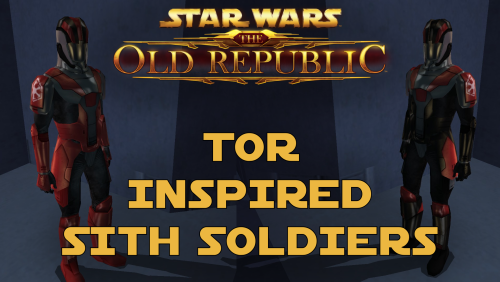 It's called the NPC Diversity Pack mod.
 -

T3 skins for KotOR 2 not working.
confuuzed replied to confuuzed's topic in General Kotor/TSL Modding
Umm, how am I not listening to the advice when I gave the link as requested??? Not to mention the other avenues suggested that I did actually try?! Here's the link again https://deadlystream.com/files/file/959-effixians-tsl-t3-m4-reskins/#google_vignette -
I think this one is a beautiful HD work! Thank you for sharing it with us, DH!
-
thx, I also want to donload back the mod change davik guard to Gamorreans,but i forgot the mod name,can u tell me,thx