All Activity
- Past hour
-
 Beautiful, thank you Lily
 - Today
-
Darkhope and Vurt both use the textures i used, however i used the ones specifically from VURTS resurgence for my mod. I got his permission to use them, including in my other mods on nexus as well.
-
 anakardios joined the community
 -
 kotorbg2fan joined the community
 -
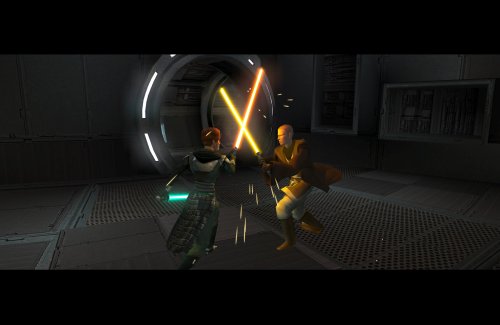 Nice to see improvement on this concept!
 -
View File Count Dooku's Lightsaber A Massive thanks and credit for the hilt's source model, and the permission to use it in this mod goes to mrpanini.yt Check out their original work at https://sketchfab.com/3d-models/count-dooku-lightsaber-c82238e050de49ab93e25276c3c83d20 and make sure to show them some love! Also as always a big thanks to Crazy34 for making their lightsaber blades with ambient lighting available as a modders resource for the rest of the community to incorporate into their mods. I simply cannot play this game without the ambient lighting he innovated for sabers! Check out their mod here: https://deadlystream.com/files/file/1855-new_lightsaber_blades_modders_res/ ----- This Mod adds Count Dooku's actual lightsaber emitter as seen in the movies! It contains a red and blue version as Dooku did use both over the years. ----- To Install: 1: Drop the files from either or both folders (excluding upcrystals.2da) into your override folder. 2: If you already have an upcrystals.2da file in your override, simply add the last two rows of the included upcrystals.2da into your upcrystals.2da. -If you don't already have an upcrystals.2da file in your override just copy the included one to your override. To Uninstall: Delete files from override. ----- To use: Enter the cheat menu (~) and type: giveitem g_w_lghtsbr43 or g_w_lghtsbr44. OR Use KSE/ modules / scripting to add the lightsabers to the game. ----- This mod should be compatible with any mod that doesn't already have custom entries for w_lghtsbr043 or w_lghtsbr044. Including: Crazy34's new lighsaber blade model k1, Marius Fett's Movie Style Replacement Lightsaber Hilts (K1), and all of my other lightsaber mods. ----- Permissions: As far as I am concerned feel free to use this mod however you see fit! Just please make sure to give due credit! Submitter EwokKotor Submitted 08/22/2026 Category Mods K1R Compatible Yes
-
View File Nar Shaddaa Companion Combat Removal Removes the two TSLRCM companion fights surrounding the Nar Shaddaa docks. I have issues with these added fights for the following reasons: - From a design perspective, this area should be kept a non-hostile zone outside of an occasional skirmish with the locals. - They negatively affect the pacing of the story. It's already a combat heavy part of the game and telling parts of it through dialogue works, to break it up, - The 2nd fight, from the docks to the Shop, is especially awkward to navigate. If you don't know where to go, you might find yourself roaming the level checking locked doors and being blocked from entering the Ebon Hawk. Passive NPCs also don't react to the area turning into a battle zone. Install: 1. Download and extract. 2. Choose 1 or both options. 3. Copy `.ncs` files into the game's `Override` folder. Use a save from before the Exile approaches the Jekk'Jekk Tarr pit. Submitter J Submitted 08/23/2026 Category Mods TSLRCM Compatible Yes
-
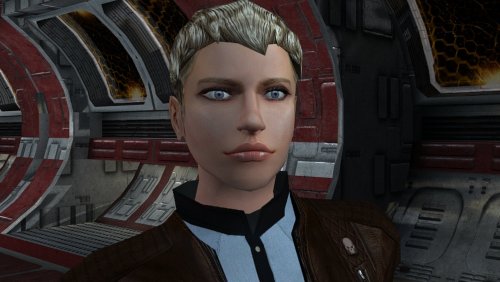
View File PFHC04 The mod replaces the PFHC04 model and textures. To Install 1. Download: PFHC04 2. Copy all files to the Knights of the Old republic's Override folder. (Example location - C:\Program Files (x86)\Steam\steamapps\common\swkotor\Override) 3. When/if prompted to overwrite files, press okay. 4. If you like the mod; leave a comment or endorse! (It would be much appreciated) Made with love. Submitter Dark Hope Submitted 08/23/2026 Category Mods K1R Compatible Yes
-
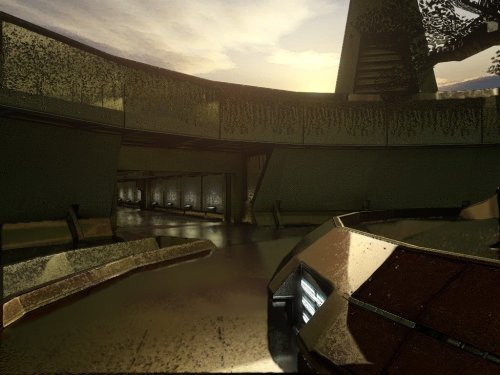
View File KotOR HyperPixel ReShade ----------- KOTOR HyperPixel ReShade by ShaolinGhost and 90SK ----------- This reshade preset has been tuned to drastically enhance KOTOR's native visual quality. Please understand It is highly stressful on your system. It is not perfect. Dialog, will be hindered by the black borders showing old reflectivity from the BaBa: SSR filter's Intensity setting. KOTOR must be installed, then Install ReShade (With full add-on support), then install this directory into your swkotor directory (where Override is, not inside Override itself). ----------- The preset is called KOTOR HyperPixel ReShade. You can edit the settings, they have been calibrated to show significantly enhanced reflections and reflective detail. It contains a collective work, not expressly created here. All credit is to the ReShade community, the KotOR and TSL Community. The Intensity setting under BaBa: SSR filter will reduce the reflections ----------- Submitter 90SK Submitted 08/23/2026 Category Modder's Resources
-
 Stamp7638 joined the community
 -
 vandesastre joined the community
 -
Version 1.0.0
1 download
----------- KOTOR HyperPixel ReShade by ShaolinGhost and 90SK ----------- This reshade preset has been tuned to drastically enhance KOTOR's native visual quality. Please understand It is highly stressful on your system. It is not perfect. Dialog, will be hindered by the black borders showing old reflectivity from the BaBa: SSR filter's Intensity setting. KOTOR must be installed, then Install ReShade (With full add-on support), then install this directory into your swkotor directory (where Override is, not inside Override itself). ----------- The preset is called KOTOR HyperPixel ReShade. You can edit the settings, they have been calibrated to show significantly enhanced reflections and reflective detail. It contains a collective work, not expressly created here. All credit is to the ReShade community, the KotOR and TSL Community. The Intensity setting under BaBa: SSR filter will reduce the reflections ----------- -
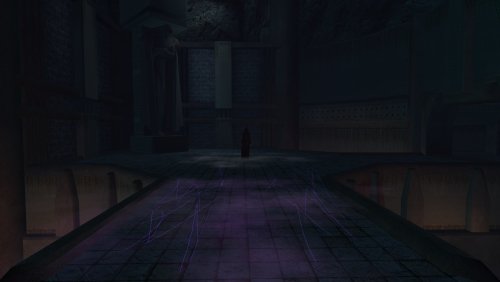 Would it be possible to add saber color change like green/violet instead of blue?
 -
 Biochemistry_Nerd joined the community
 -
 MrBlighty joined the community
 -
 spoonfig joined the community
 -
 Plafon joined the community
 -
 Qui_Learrin joined the community
 -
 Cliffobsessed joined the community
 -
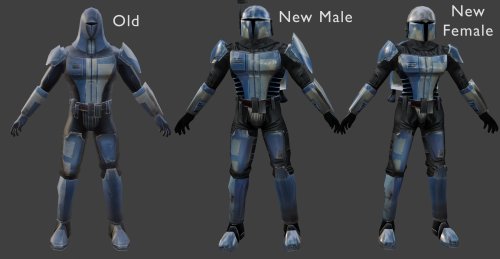
Dark Hope has given free permission for modders to use her work in their own mods: https://deadlystream.com/profile/16561-dark-hope/content/?type=core_statuses_status&change_section=1 It could also be that they did use Vurt's texture and we just can't see the difference between Dark Hope's and Vurt's maybe, though just to be sure you may want to credit Dark Hope too.
-

MOD:Handmaiden and Female Exile - Disciple and Male Exile Romance
hroodee replied to Leilukin's topic in Mod Releases
Was this issue ever resolved? I am having a similar issue, although in my case it is will fields called ReplyList\260\EntriesList\2\Active and other similar directories (including a similar path to what I just wrote but rather than Active it'll be Active2 or Param1, Param2 or Index. In all cases like this issue from last year ithe error is that the Parent field does not exist. I am installing on Steam Deck in the desktop, I have downloaded TSLRCM, I'm not using the M4-78 mod and the only other mods I have so far as the K2 community patch. I did miss the note in the FAQ about installing Extended Enclave after this mod, so I uninstalled Extended Enclave and Extended Enclave Tweaks, as well as this mod. Then I attempted to reinstall this mod using the default installation before installing Extended Enclave. It did throw fewer errors (22 rather than 33). I'm assuming I don't need to have Party Swap installed to run this mod since there is a separate install for the Party Swap option. So I'm not sure what isn't working. I am using Holopatcher to assist with the install since I am on Steam Deck desktop. Any help would be greatly appreciated as I very much would rather have the handmaiden in my particle than boring disciple. Thanks! Edit: ok, I just completely reinstalled KoTOR2, added the TSLRCM and the K2 Community patch, and then I added Party Swap including the add-on to keep Handmaiden after that waste of space known as Disciple shows up. And then I installed this mod with the PartySwap compatibility. Not sure why it didn't go through previously, unless it was just issues with trying to uninstall and reinstall, but all is good. So excited to romance Handmaiden (and get to leave Disciple in the medbay where he belongs) -
I found the mod and you're right, this does look more like Dark Hope's. I don't think Attackperson credited them but I can. Oh you linked the file. Not sure how I missed that...
-
Yeah, though I think what Dark Hope did was take Vurt's Mandalorians and improve upon them. Maybe I was mistaken and Folklore Mandalorians did use Vurt's texture, I actually inspected the Folklore textures myself and compared them to the one's found in Dark Hope's mod and saw that they were very similar.
-
Version 1.0.0
6 downloads
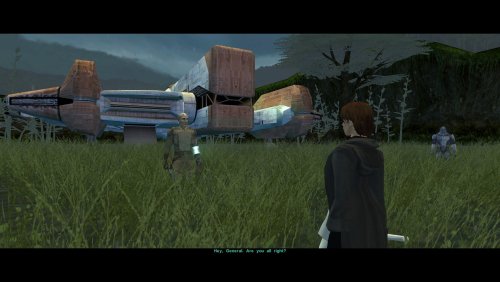
The mod replaces the PFHC04 model and textures. To Install 1. Download: PFHC04 2. Copy all files to the Knights of the Old republic's Override folder. (Example location - C:\Program Files (x86)\Steam\steamapps\common\swkotor\Override) 3. When/if prompted to overwrite files, press okay. 4. If you like the mod; leave a comment or endorse! (It would be much appreciated) Made with love. -
 I didn't realize it's not, but you are right. Description corrected! Thanks for pointing this out.
 -
 Royal_Rose changed their profile photo
 -
Version 1.0.0
1 download
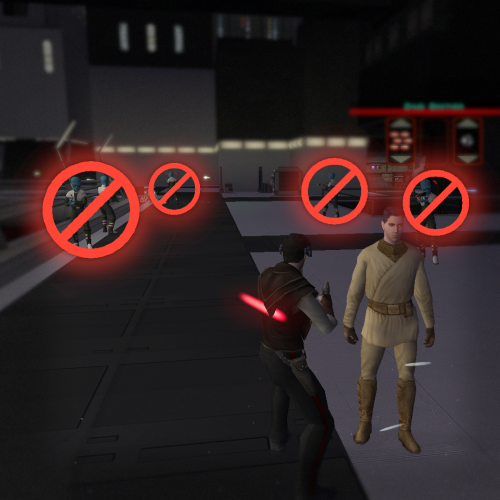
Removes the two TSLRCM companion fights surrounding the Nar Shaddaa docks. I have issues with these added fights for the following reasons: - From a design perspective, this area should be kept a non-hostile zone outside of an occasional skirmish with the locals. - They negatively affect the pacing of the story. It's already a combat heavy part of the game and telling parts of it through dialogue works, to break it up, - The 2nd fight, from the docks to the Shop, is especially awkward to navigate. If you don't know where to go, you might find yourself roaming the level checking locked doors and being blocked from entering the Ebon Hawk. Passive NPCs also don't react to the area turning into a battle zone. Install: 1. Download and extract. 2. Choose 1 or both options. 3. Copy `.ncs` files into the game's `Override` folder. Use a save from before the Exile approaches the Jekk'Jekk Tarr pit. -
Version 1.0.0
0 downloads
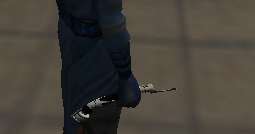
A Massive thanks and credit for the hilt's source model, and the permission to use it in this mod goes to mrpanini.yt Check out their original work at https://sketchfab.com/3d-models/count-dooku-lightsaber-c82238e050de49ab93e25276c3c83d20 and make sure to show them some love! Also as always a big thanks to Crazy34 for making their lightsaber blades with ambient lighting available as a modders resource for the rest of the community to incorporate into their mods. I simply cannot play this game without the ambient lighting he innovated for sabers! Check out their mod here: https://deadlystream.com/files/file/1855-new_lightsaber_blades_modders_res/ ----- This Mod adds Count Dooku's actual lightsaber emitter as seen in the movies! It contains a red and blue version as Dooku did use both over the years. ----- To Install: 1: Drop the files from either or both folders (excluding upcrystals.2da) into your override folder. 2: If you already have an upcrystals.2da file in your override, simply add the last two rows of the included upcrystals.2da into your upcrystals.2da. -If you don't already have an upcrystals.2da file in your override just copy the included one to your override. To Uninstall: Delete files from override. ----- To use: Enter the cheat menu (~) and type: giveitem g_w_lghtsbr43 or g_w_lghtsbr44. OR Use KSE/ modules / scripting to add the lightsabers to the game. ----- This mod should be compatible with any mod that doesn't already have custom entries for w_lghtsbr043 or w_lghtsbr044. Including: Crazy34's new lighsaber blade model k1, Marius Fett's Movie Style Replacement Lightsaber Hilts (K1), and all of my other lightsaber mods. ----- Permissions: As far as I am concerned feel free to use this mod however you see fit! Just please make sure to give due credit! -
 Amazing detail! Must Have
 -
Wouldn't this require TSLRCM since the option to choose Bao-Dur as the party leader is not available in the original release of the game?
- Yesterday
-
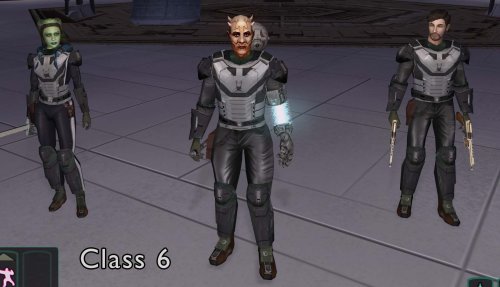 Thank you!! Hope you enjoy!
 -
Does Dark Hope have Mandalorians? I think the original author used Vurt's so that might be the same thing.
-
I think they used Dark Hope's Mandalorian textures as a bad for their own. If you don't like the ones from this mod, you could use this instead:
-
 No worries, at least you know it doesn't work exactly in the same way. However when HoloPatcher is provided with a mod it should work with no issue (for example I've always used HP for my mods and they all work smooth). You just have to use the patcher included in said mod.
 -
Yes I did encounter more errors down the line with other mods using holopatcher, in that case ignore my last message I didn't know holopatcher wasn't considered a fully working TSLPatcher replacement at the time, sorry for bothering with a non issue.
-
View File Ahsoka Tano Player Model / NPC KotOR 1 This mod adds a playable Ahsoka Tano to Kotor 1. Her mouth is also weight painted for use as a npc head. See ReadMe for more info. Source File Credits: A Giant thanks and all credits for the source files to KevBot! "Ahsoka Tano" (https://skfb.ly/6xO6J) by KevBot is licensed under Creative Commons Attribution (http://creativecommons.org/licenses/by/4.0/). Submitter EwokKotor Submitted 08/22/2026 Category Skins K1R Compatible Yes