


About This File
A Massive thanks and credit for the hilt's source model, and the permission to use it in this mod goes to mrpanini.yt
Check out their original work at https://sketchfab.com/3d-models/count-dooku-lightsaber-c82238e050de49ab93e25276c3c83d20 and make sure to show them some love!
Also as always a big thanks to Crazy34 for making their lightsaber blades with ambient lighting available as a modders resource for the rest of the community to incorporate into their mods. I simply cannot play this game without the ambient lighting he innovated for sabers!
Check out their mod here: https://deadlystream.com/files/file/1855-new_lightsaber_blades_modders_res/
-----
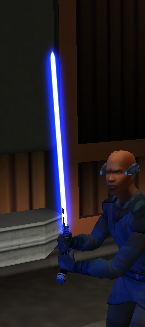
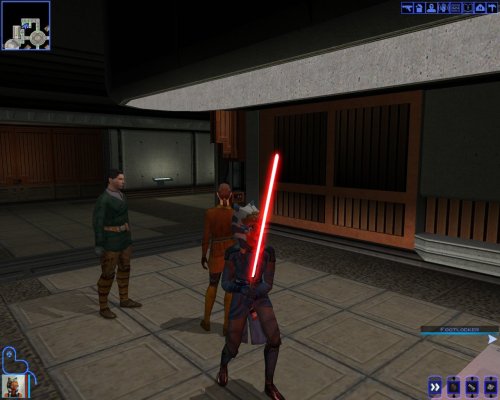
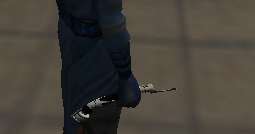
This Mod adds Count Dooku's actual lightsaber emitter as seen in the movies! It contains a red and blue version as Dooku did use both over the years.
-----
To Install:
1: Drop the files from either or both folders (excluding upcrystals.2da) into your override folder.
2: If you already have an upcrystals.2da file in your override, simply add the last two rows of the included upcrystals.2da into your upcrystals.2da.
-If you don't already have an upcrystals.2da file in your override just copy the included one to your override.
To Uninstall:
Delete files from override.
-----
To use:
Enter the cheat menu (~) and type: giveitem g_w_lghtsbr43 or g_w_lghtsbr44.
OR Use KSE/ modules / scripting to add the lightsabers to the game.
-----
This mod should be compatible with any mod that doesn't already have custom entries for w_lghtsbr043 or w_lghtsbr044. Including:
Crazy34's new lighsaber blade model k1,
Marius Fett's Movie Style Replacement Lightsaber Hilts (K1),
and all of my other lightsaber mods.
-----
Permissions:
As far as I am concerned feel free to use this mod however you see fit! Just please make sure to give due credit!