



Leilukin
-
Posts
456 -
Joined
-
Last visited
-
Days Won
28
Content Type
Profiles
Forums
Blogs
Forum & Tracker Requests
Downloads
Gallery
Store
Events
Posts posted by Leilukin
-
-
KotOR 2 Light Side Female Saves with TSLRCM and PartySwap
This is a set of KotOR 2 save files of a complete light side female Jedi Sentinel and Jedi Weapon Master playthrough, with the The Sith Lords Restored Content Mod (TSLRCM) and the PartySwap mod installed. All side quests are completed, and both Handmaiden and Disciple are recruited as party members.
SAVE FILE DETAILSThese save files consist of a 100% complete playthrough of a light side female Jedi Sentinel and Jedi Weapon Master player character, with The Sith Lords Restored Content Mod (TSLRCM) and the PartySwap mod installed. All side quests are completed. With the PartySwap mod installed, both Handmaiden and Disciple join as party members in a single playthrough.
All influence-related rewards from the party members are unlocked. Atton, Bao-Dur, Handmaiden, Disciple and Mira are trained to become Jedi.
To make it easier to test mods that affect modules, I created a save immediately before entering a new area/module. Additionally, I created save files immediately before a new party member joins.
In addition, all these save files are in lowercase file names so they are compatible with the native Linux version of KotOR 2 on Steam out of the box, and you do not need to manually rename these save files to make sure the native Linux version of KotOR 2 on Steam will load these saves.
Revan is set as light side female in this playthrough.
Order of visiting the worlds:
1. Parague + Telos
2. Dantooine
3. Nar Shaddaa
4. Dxun + Onderon Part 1
5. Korriban
6. Dxun + Onderon Part 2
7. Rebuilt Jedi Enclave + Endgame
MODS USEDMods I used in these save files: (Ordered by the installation order of the mods)
1. The Sith Lords Restored Content Mod 1.8.6 (2022 Update)
2. PartySwap 1.3.3 by DartTyren
3. Easy Swoop Racing for TSL by Darth333
-
Submitter
-
Submitted12/02/2022
-
Category
-
Mods Usedhttps://deadlystream.com/files/file/578-tsl-restored-content-mod/ https://deadlystream.com/files/file/544-partyswap/ https://www.geocities.ws/d333mods/minig.html
-
GameThe Sith Lords
-
-
Bastila and Carth Romance Removal
=Bastila and Carth Romance Removal=
A KNIGHTS OF THE OLD REPUBLIC MODIFICATION
AUTHOR: Leilukin
FILE NAME: Bastila and Carth Romance Removal.7z
LATEST VERSION: 1.0
CONTACT: E-mail to contact@leilukin.com, or message to Leilukin on Deadly Stream1. DESCRIPTION:
This mod removes Bastila and Carth's romance by removing all romance-related dialogue from their conversations. This is achieved by removing all gender-exclusive dialogue, including player dialogue options, since in the vanilla game, Bastila's romance is exclusive to male player characters, while Carth's romance is exclusive to female player characters. With this mod, you will no longer be able to romance Bastila or Carth, regardless of the player character's gender.
This mod is for players who want to go through Bastila and Carth's conversations and complete their personal quests, but have no interest in romancing them. I have made this mod's changes to Bastila and Carth's main dialogue modular, so you can choose to either remove both characters' romances, or only one of them.
This mod also provides an additional component to change who gets tortured by Saul Karath on the Leviathan during the interrogation scene, by having Saul torture Bastila if the player character is female, or Carth if the player character is male. You may choose to install this component or not based on your preference.
2. INSTALLATION:
Extract Bastila and Carth Romance Removal.7z you downloaded to anywhere you like, as long as it is not within the KotOR directory.
This mod consists of two main components:
- Main Dialogue Change: Removes romance dialogue from Bastila and Carth's conversations.
- Leviathan Change: Saul will torture Bastila if the player character is female, or Carth if the player character is male.
The Main Dialogue Change component has two installation options: Bastila Romance Removal and Carth Romance Removal. Depending on your preference, you may install both or only one of these options. To install this component, run Install.exe, select the option you want, point the installer to your KotOR directory, where swkotor.exe is located, and let the installer do its job. If you want to install both options, you need to run Install.exe twice and repeat the steps.
Before you install the Leviathan Change component, go to your KotOR directory and check if you have the lev40_saul403.dlg file in your Override folder. This will determine which installation option you need to choose when you install the Leviathan Change component. To install this component, run Install.exe, choose the appropriate option depending on if you have lev40_saul403.dlg file in your Override folder or not, point the installer to your KotOR directory, where swkotor.exe is located, and let the installer do its job.
If you have installed other mods, when you install the "No lev40_saul403.dlg in Override" option of Leviathan Change component, you may receive a warning about the installer skipping the lev_m40aa.mod file because it already exists in your Modules folder. Do not need to worry about this warning, as it is just the way I set up the installer to ensure my mod will be installed properly if you are not using any other mods.
When you install this mod, a new folder named "backup" may be created by the installer in the same folder as the installer. Do not delete the folder or the file within the folder if you plan to uninstall this mod.
3. UNINSTALLATION:
FOR THE MAIN DIALOGUE CHANGE COMPONENT:
If a backup folder was created when you installed it, go to the backup folder, cut k_hbas_dialog.dlg and/or k_hcar_dialog.dlg, and paste the file(s) into the Override folder of your KotOR directory. If no backup folder was created, simply delte k_hbas_dialog.dlg and/or k_hcar_dialog.dlg from your Override folder.FOR THE LEVIATHAN CHANGE COMPONENT:
Regardless of which option you installed, go to your game's streamwaves\m40aa\saul10 directory and delete NM40AASAUL10170_.wav and NM40AASAUL10171_.wav.If you installed the "No lev40_saul403.dlg in Override" option, Go to the backup folder, cut and paste lev_m40aa.mod into the Modules folder in your KotOR directory.
If you installed the "lev40_saul403.dlg in Override" option, go to the Override folder of your KotOR directory, and delete NM40AASAUL10170_.lip and NM40AASAUL10171_.lip. If a backup folder was created during installation, cut and paste lev40_saul403.dlg into your Override folder. If no backup folder was created, delte lev40_saul403.dlg from your Override folder.
4. KNOWN ISSUES:
None currently known. If you find any bugs or problems, please let me know.
5. MOD COMPATIBILITY:
Any other mods that modify any of the following dialogue files may conflict with this mod:
- k_hbas_dialog.dlg — Bastila's main dialogue
- k_hcar_dialog.dlg — Carth’s main dialogue
- lev40_saul403.dlg — Saul Karath’s interrogation scene on the Leviathan
I have set up TSLPatcher to install this mod by patching the relevant dialogue files to improve compatibility with other mods as much as possible, but it is still not fully guaranteed to be compatible with every other mods that modify the same dialogue files.
This mod is compatible with KOTOR 1 Community Patch (K1CP). I recommend installing my mod after K1CP.
If you want to use KotOR 1 Restoration (K1R), you need to install this mod after K1R. If you want to install the Leviathan Change component, you must select the "lev40_saul403.dlg in Override" option.
This mod is not compatible with any romance mods for Bastila or Carth, including JC's Romance Enhancement: Biromantic Bastila for K1 and my Carth Onasi and Male PC Romance.
6. PERMISSION:
You may use this mod's assets in your own mod. Credit is appreciated, but not necessary.
The only exception is the spliced voiceover files from the Leviathan Change component of this mod. Do not redistribute these spliced VOs or use them in another mod without my permission.
7. CREDITS:
Cortisol for Holocron Toolset
Fred Tetra for KotOR Tool
tk102 for DLG Editor
JCarter426 for SithCodec
Stoffe for TSLPatcher and ERFEdit; Fair Strides for the updated versionsTHIS MODIFICATION IS NOT SUPPORTED BY BIOWARE/OBSIDIAN ENTERTAINMENT OR LUCASARTS OR ANY LICENSERS/SPONSORS OF THE MENTIONED COMPANIES. USE THIS FILE AT YOUR OWN RISK AND NEITHER THE ABOVE MENTIONED COMPANIES NOR THE AUTHOR IS RESPONSIBLE FOR ANY DAMAGE CAUSED TO YOUR COMPUTER FOR THE USAGE OF THIS FILE.
-
Submitter
-
Submitted11/24/2022
-
Category
-
K1R CompatibleYes
-
Prologue Item Recovery
=Prologue Item Recovery=
A KNIGHTS OF THE OLD REPUBLIC II: THE SITH LORDS MODIFICATION
AUTHOR: Leilukin
FILE NAME: Prologue Item Recovery.7z
LATEST VERSION: 1.0
CONTACT: E-mail to contact@leilukin.com, or message to Leilukin on Deadly Stream1. DESCRIPTION:
In KotOR II: TSL, the prologue is a skippable tutorial sequence that involves T3-M4 saving the Ebon Hawk. However, even if you choose to play through the prologue, you do not get to keep the items you have obtained during the prologue.
This mod changes that by spawning a plasteel cylinder that contains the items you can obtain from the prologue, allowing you to get the items back to your inventory, even if you decide to skip the prologue. You can find the plasteel cylinder in the secure cargo hold at the Peragus hangar bay. The location is chosen because it is where the Peragus mining facility staff store the cargos they searched from the Ebon Hawk, including the damaged 3C-FD.
This mod will take effect as long as you have a save file at Peragus, including at the Peragus hangar bay, even if you have played past the section where you take control of T3-M4.
2. INSTALLATION:
Extract the Prologue Item Recovery.7z you downloaded to anywhere you like, as long as it is not within the KotOR 2 directory.
There are two methods to install this mod:
- Module Installation: Injects the mod's files into a MOD file from the game's Module folder. This method is recommended for players who have installed The Sith Lords Restored Content Mod (TSLRCM).
- Override Installation: Involves the mod user putting the mod's files into the game's Override folder.
INSTRUCTIONS FOR MODULE INSTALLATION:
Run Install.exe, point the installer to your KotOR directory, where swkotor2.exe is located, and let the installer do its job. When you install this mod, a new folder named "backup" will be created by the installer in the same folder as the installer. Do not delete the folder or the file within the folder if you plan to uninstall this mod.INSTRUCTIONS FOR OVERRIDE INSTALLATION:
Go to the "Override Installation" folder, copy and paste a_transformt3m4.ncs and llk_proitems.utp into the Override folder of your KotOR 2 directory.***IMPORTANT NOTE FOR STEAM WORKSHOP USERS:***
If you have subscribed to the Steam Workshop version of TSLRCM, you must install this mod to TSLRCM's Steam Workshop folder instead of the main KOTOR 2 directory. The directory of the Steam Workshop version of TSLRCM is \Steam\SteamApps\Workshop\content\208580\485537937.The "Source" folder includes the source of the script used by this mod for modders' reference. Ignore the "Source" folder if you only want to install and play this mod.
3. UNINSTALLATION:
If you used the Override Installation method, simply go to the Override folder in your KotOR 2 directory, and delete a_transformt3m4.ncs and llk_proitems.utp.
If you used the Module Installation method, go to the backup folder, cut and paste 106PER.mod into the Modules folder in your KotOR 2 directory.
4. KNOWN ISSUES:None currently known. If you find any bugs or problems, please let me know.
5. MOD COMPATIBILITY:
This mod is not compatible with any other mod that modifies the a_transformt3m4.ncs script, which is used for entering the Peragus Hangar Bay module (106PER).
This mod is compatible with The Sith Lords Restored Content Mod (TSLRCM). Make sure you install this mod after TSLRCM. I recommend using the Module Installation method to install this mod if you use TSLRCM.
6. PERMISSION:
You may modify this mod for personal use or show this mod in screenshots.
You may use the modified a_transformt3m4 script from this mod to make a compatibility patch with your mod, but do not claim the modification as your own.
Do not use the custom placeable llk_proitems from this mod in your mod without my permission.
Do not upload this mod to Steam Workshop.
7. CREDITS:
@Snigaroo for suggesting the idea of this mod
Cortisol for Holocron Toolset
Fred Tetra for KotOR Tool
KobaltBlu for KotOR Scripting Tool
bead-v for Workbox
Stoffe for TSLPatcher; Fair Strides for the updated versionTHIS MODIFICATION IS NOT SUPPORTED BY BIOWARE/OBSIDIAN ENTERTAINMENT OR LUCASARTS OR ANY LICENSERS/SPONSORS OF THE MENTIONED COMPANIES. USE THIS FILE AT YOUR OWN RISK AND NEITHER THE ABOVE MENTIONED COMPANIES NOR THE AUTHOR IS RESPONSIBLE FOR ANY DAMAGE CAUSED TO YOUR COMPUTER FOR THE USAGE OF THIS FILE.
-
Submitter
-
Submitted11/27/2022
-
Category
-
TSLRCM CompatibleYes
-
No Jealousy Lock in Handmaiden Dialogue
=No Jealousy Lock in Handmaiden Dialogue=
A KNIGHTS OF THE OLD REPUBLIC II: THE SITH LORDS MODIFICATION
AUTHOR: Leilukin
FILE NAME: No Jealousy Lock in Handmaiden Dialogue.7z
LATEST VERSION: 1.0
CONTACT: E-mail to contact@leilukin.com, or message to Leilukin on Deadly Stream1. DESCRIPTION:
In KotOR 2, if you have Handmaiden as a party member, and you have much higher influence with Visas than with Handmaiden, cutscenes of Handmaiden being jealous of Visas will be triggered on the Ebon Hawk. When you try to talk to Handmaiden after triggering these cutscenes, Handmaiden will become upset and refuse to speak to you for the rest of the game.
This mod allows you to continue to talk to Handmaiden even if you have triggered the cutscenes of Handmaiden being jealous of Visas. Note that this mod does not prevent the jealousy cutscenes from happening. This mod simply prevents a Handmaiden from refusing to speak to you out of her jealousy of Visas.
2. INSTALLATION:
Extract the No Jealousy Lock in Handmaiden Dialogue.7z you downloaded to anywhere you like, as long as it is not within the KotOR directory.
FOR REGULAR USERS:
Run Install.exe, point the installer to your KotOR 2 directory, where swkotor2.exe is located, and let the installer do its job.FOR STEAM WORKSHOP USERS:
If you have subscribed to The Sith Lords Restored Content Mod (TSLRCM) from the Steam Workshop. Run Install.exe. You must point the installer to theTSLRCM's Steam Workshop folder instead the main KOTOR 2 directory. The directory of the Steam Workshop version of TSLRCM is \Steam\SteamApps\Workshop\content\208580\485537937.When you install this mod, a new folder named "backup" may be created by the installer in the same folder as the installer. Do not delete the folder or the file within the folder if you plan to uninstall this mod.
3. UNINSTALLATION:
If no backup folder was created when you installed this mod, go to the Override folder in your KotOR 2 directory, and delete handmaiden.dlg.
If a backup folder was created when you installed this mod, go to the backup folder, cut handmaiden.dlg from the backup folder and paste the file in the Override folder in your KotOR 2 directory.
4. KNOWN ISSUES:
None currently known. If you find any bugs or problems, please let me know.
5. MOD COMPATIBILITY:
This mod is compatible with The Sith Lords Restored Content Mod (TSLRCM). Make sure you install this mod after TSLRCM.
This mod is compatible with any other mod as long as it does not modify the condition to trigger Handmaiden's dialogue that makes her refuse to speak to you.
This mod is compatible with DarthTyren's PartySwap, my Handmaiden and Female Exile - Disciple and Male Exile Romance, and jc2's Train the Handmaiden.
6. PERMISSION:
You may use this mod's assets in your own mod. Credit is appreciated, but not necessary.
Do not upload this mod to the Steam Workshop.
7. CREDITS:
Cortisol for Holocron Toolset
tk102 for DLG Editor
Stoffe for TSLPatcher; Fair Strides for the updated version
THIS MODIFICATION IS NOT SUPPORTED BY BIOWARE/OBSIDIAN ENTERTAINMENT OR LUCASARTS OR ANY LICENSERS/SPONSORS OF THE MENTIONED COMPANIES. USE THIS FILE AT YOUR OWN RISK AND NEITHER THE ABOVE MENTIONED COMPANIES NOR THE AUTHOR IS RESPONSIBLE FOR ANY DAMAGE CAUSED TO YOUR COMPUTER FOR THE USAGE OF THIS FILE.
-
Submitter
-
Submitted11/22/2022
-
Category
-
TSLRCM CompatibleYes
-
-
@134340Goat I had considered trying to make a TSLRCM-compatible version of the Lonna Vash Mod as early as 2018, since I would also like to have more Vash content without M4-78 mods. However, I did not have enough motivation to go through it, because I could already see that just trying to identify the files and changes made by the original mod would take a lot of time and effort, due to the fact that the original mod packaged all files for the Korriban modules into MOD files, and some time later I sort of lost motivation in making new KotOR mods. But recently I decided to try again after going back to making KotOR mods, and I'm very glad that I finally did it.
-
 2
2
-
-
Lonna Vash Mod for TSLRCM
=Lonna Vash Mod for TSLRCM=
A KNIGHTS OF THE OLD REPUBLIC II: THE SITH LORDS MODIFICATION
AUTHOR: Leilukin
ORIGINAL MOD AUTHOR: Sikon
FILE NAME: Lonna Vash Mod for TSLRCM.7z
LATEST VERSION: 1.2
CONTACT: E-mail to contact@leilukin.com, or message to Leilukin on Deadly Stream1. DESCRIPTION:
This mod aims to restore the cut conversation with Jedi Master Lonna Vash by altering the Korriban plot line in KotOR 2. With this mod, the player will see Vash alive in the secret tomb in the shyrack cave after the player confronts Darth Sion in the Sith academy. The player cannot enter the shyrack cave, and by extension, the secret tomb before facing Sion in the Sith Academy. Instead of Vash’s corpse, the player will find the corpse of Kaah Ohtok, Vash’s Twi’lek Padawan, in the Sith Academy. Eventually, Vash will be killed by either Sion or the player in the secret tomb, depending on the player’s choice, so Vash will not appear in the Rebuilt Jedi Enclave on Dantooine, but the player can at least talk to Vash before she dies.
However, unlike with other Jedi Masters, the player will not learn any lightsaber or Force form from Vash, due to the lack of restorable material for it.
This mod is an updated version of Sikon’s Lonna Vash Mod, made to be fully compatible with The Sith Lords Restored Content Mod (TSLRCM). This mod is for players who want more Vash content without using any M4-78 mod.
Aside from the changes made by TSLRCM, I have made further adjustments to the Lonna Vash Mod and fixed various bugs with the original mod in this updated version. Most notably, my mod removes the restriction which only allows a player with strong light side or dark side alignment to enter the secret tomb, so players who do not meet the alignment requirement can meet Vash to complete the game’s main overarching quest to find the Jedi Masters. Instead, now the player needs to be at least level 15 to be able to enter the tomb. This change is inspired by N-DReW25's Non-Aligned Passage for Sith Tomb mod.
This mod also provides an optional extra component to give Kaah his unique appearance from M4-78 Enhancement Project (M4-78EP), and voice lines done by Zhaboka, Kaah’s voice actor in M4-78EP. Kaah’s head texture in this mod is made by utilizing a recolored HD texture based on ShiningRedHD’s Ultimate Character Overhaul mod.
For this mod to take effect, you must load a save before visiting Korriban for the first time.
Please note that this mod is ONLY COMPATIBLE WITH THE ENGLISH LOCALIZATION OF TSL AND TSLRCM.
2. INSTALLATION:
First and foremost, make sure you have The Sith Lords Restored Content Mod (TSLRCM) installed, since TSLRCM is REQUIRED for this mod to work. You do not need to install the original Lonna Vash mod by Sikon for this mod to work.
Extract the Lonna Vash Mod for TSLRCM.7z you downloaded to anywhere you like, as long as it is not within the KoOR 2 directory.
FOR REGULAR TSLRCM USERS:
Run Install.exe, select “Main Installation”, select your KotOR 2 game folder as your KotOR 2 directory path, click the “Install” button and let the installer do its job.FOR STEAM WORKSHOP USERS:
Run Install.exe and select “Main Installation”. You must select TSLRCM’s Steam Workshop folder as your KotOR 2 directory path, then click the “Install” button. The directory of the Steam Workshop version of TSLRCM is \Steam\SteamApps\Workshop\content\208580\485537937.KAAH’S M4-78EP HEAD AND VOICE COMPONENT:
If you want to install the optional extra component to give Kaah his unique appearance and voice from M4-78 Enhancement Project, you need to run Install.exe again, select “[Optional] Kaah’s M4-78EP Head and Voice”, and select your KotOR 2 directory, then click the “Install” button. Make sure you have installed the “Main Installation” component of the mod before installing this extra component.TSL BETTER MALE TWI’LEK HEADS COMPATIBILITY:
If you want to use both Ashton Scorpius’ TSL Better Male Twi’lek Heads mod and the “Kaah’s M4-78EP Head and Voice” component of my mod, after installing both, go to the “Better Male Twi'lek Heads Compatibility” folder of my mod, copy and paste N_kaah01.tpc into your Override folder, and overwrite the file when prompted. Note that you do not need to install the files from the “M4-78 EP” folder in Ashton’s mod, since my patch is a HD version of Ashton’s texture for Kaah’s head. You do not need this compatibility patch if you do not want to install the “Kaah’s M4-78EP Head and Voice” component of my mod.When you install this mod, two new folders named "backup" and “uninstall” will be created by the installer in the same folder as the installer. Do not delete the folders or any of the files within the folder if you are planning on uninstalling this mod.
The "Source" folder includes the source of the scripts used by this mod for modders' reference. Ignore the "Source" folder if you only want to install and play this mod.
3. UNINSTALLATION:
Open Install.exe and select your KotOR 2 directory where you installed this mod. From the “Tools” drop-down menu, select “Uninstall Mod / Restore Backup”, then confirm to uninstall the mod.
If you have also installed the “Kaah’s M4-78EP Head and Voice” component, it will uninstall the add-on component first. After uninstalling the add-on, you need to select Yes to delete the most recent backup folder, then select “Uninstall Mod / Restore Backup” from the drop-down menu again to uninstall the main part of the mod.
4. KNOWN ISSUES:
None currently known. If you find any bugs or problems, please let me know.
5. MOD COMPATIBILITY:
This mod is not compatible with any M4-78 mod, including M4-78 Enhancement Project, as this mod is intended to be an alternative to M4-78 mods to restore Lonna Vash’s content.
Other mods that modify Lonna Vash’s content on Korriban will very likely conflict with this mod.
This mod is compatible with my Darth Sion and Male Exile Mod.
If you want to use this mod alongside JCarter426’s Thematic Obscured Mausoleum Burial, you must install my mod after Thematic Obscured Mausoleum Burial.
This mod is compatible with the “Pure Restoration” version of Fallen Guardian’s Dustil Restoration. However, my mod is not compatible with the “Added Content” version of Dustil Restoration, since choosing to take Dustil back to the Ebon Hawk will prevent you from meeting Master Vash and thus lock you out of proceeding the Lost Jedi quest.
If you want to use Ashton Scorpius’ TSL Better Male Twi'lek Heads alongside the “Kaah’s M4-78EP Head” component of this mod, I have included a compatibility patch in this mod. See the Installation section above for instructions to install this patch.
This mod is not compatible with Kaidon Jorn's Schematic Lightsaber Mod.
6. PERMISSION:
As per Sikon’s terms in the original Lonna Vash mod, you can do anything to the main component of this mod, including but not limited to, redistribution and further modification. However, you must credit Sikon as the original creator of the mod, include source code for all scripts (except those extracted "as is" from the original game and not recompiled), and you may not add further restrictions to redistribution terms.
However, these terms do not apply to the “Kaah’s M4-78EP Head and Voice” component of this mod, as this component utilizes assets made by other modders and was not part of Sikon’s original mod. Permission is not granted for other users to use Kaah’s voice-over files from this mod in any other mod. Kaah’s unique appearance from this component is a combination of assets created by M4-78 Enhancement Project, ShiningRedHD and Sith Holocron, and thus not to be used in any other mod without their permission.
7. CREDITS:
Sikon for creating the original Lonna Vash Mod
Zhaboka for voicing Kaah, and giving me the permission to use his voice lines
Sith Holocron for giving me the permission to use the Kaah voice lines, and recoloring the HD texture for Kaah’s head
ShiningRedHD for giving me the permission to use a recolored texture from Ultimate Character Overhaul for Kaah’s head
Ashton Scorpius for giving me the permission to use a HD version of his Kaah head texture from TSL Better Male Twi’lek Heads for compatibility
zbyl2 for granting the permission to use Kaah’s unique head from M4-78 Enhancement Project
N-DReW25 for suggesting the idea of giving Kaah his M4-78EP appearance
Cortisol for Holocron Toolset
tk102 for DLG Editor and K-GFF GFF Editor
JdNoa for DeNCS KotOR Script Decompiler and KotOR Lipsynch Editor
KobaltBlu for KotOR Scripting Tool
ndix UR for tga2tpc and tpcview
Stoffe for ERFEdit and TalkEd; Fair Strides for the updated versions
Cortisol and th3w1zard1 for HoloPatcher
THIS MODIFICATION IS NOT SUPPORTED BY BIOWARE/OBSIDIAN ENTERTAINMENT OR LUCASARTS OR ANY LICENSERS/SPONSORS OF THE MENTIONED COMPANIES. USE THIS FILE AT YOUR OWN RISK AND NEITHER THE ABOVE MENTIONED COMPANIES NOR THE AUTHOR IS RESPONSIBLE FOR ANY DAMAGE CAUSED TO YOUR COMPUTER FOR THE USAGE OF THIS FILE.
-
Submitter
-
Submitted11/16/2022
-
Category
-
TSLRCM CompatibleYes
-
3
-
-
Dahnis Unique Look
=Dahnis Unique Look=
A KNIGHTS OF THE OLD REPUBLIC II: THE SITH LORDS MODIFICATION
AUTHOR: Leilukin
FILE NAME: Dahnis Unique Look.7z
LATEST VERSION: 1.1.1
CONTACT: E-mail to contact@leilukin.com, or message to Leilukin on Deadly Stream1. DESCRIPTION:
This mod gives the KotOR 2 NPC Dahnis a unique appearance, so she will look different from other Twi'lek women NPCs. Dahnis is one of the Pazaak players in the Pazaak Den on Nar Shaddaa, and one of the Pazaak players you need to defeat in order to draw out the Pazaak Champ.
Compared to KotOR 1, Twi'lek NPCs in TSL have more variety in appearances, but some Twi'lek NPCs reuse the same looks from KotOR 1, with Dahnis being one of them, and Nar Shaddaa has at least one another Twi'lek woman NPC with the same appearance as Dahnis. Therefore, this mod is made to make Dahnis unique.
This unique appearance of Dahnis is created by utilising one of the Twi'lek women textures from SpaceAlex's K1 Enhancement Pack, which has been released as a modder's resource.
NOTE: In order for this mod to take effect, you must load a save before visiting Nar Shaddaa's Entertainment Promenade for the first time.
2. INSTALLATION:
Extract the Dahnis Unique Look.7z archive you downloaded to anywhere you like, as long as it is not within the KotOR 2 directory. Run Install.exe, point the installer to your KotOR 2 directory, where swkotor2.exe is located, and let the installer do its job.
I also provide upscaled versions of the textures as an optional installation. After installing the main part of this mod, go to the "Optional - Upscaled Textures" folder, drop the files into the Override folder in your directory and overwrite files when prompted.
When you install this mod, two new folders named "backup" and “uninstall” will be created by the installer in the same folder as the installer. Do not delete the folders or any of the files within the folder if you are planning on uninstalling this mod.
***IMPORTANT NOTE FOR STEAM USERS:***
I DO NOT recommend using the Steam Workshop if you want to use this mod. Steam Workshop is frankly a mod compatibility nightmare, and I recommend reading this post on why Steam Workshop is NOT recommended for modding KotOR 2.3. UNINSTALLATION:
Run Install.exe and select your KotOR directory where you installed this mod. From the “Tools” drop-down menu, select “Uninstall Mod / Restore Backup”, then confirm to uninstall the mod.
4. KNOWN ISSUES:
None currently known. If you find any bugs or problems, please let me know.
5. MOD COMPATIBILITY:
This mod is not compatible with any other mods that modify or change Dahnis's head.
This mod is compatible with The Sith Lords Restored Content Mod (TSLRCM). Make sure you install this mod after TSLRCM.
This mod is compatible with my Dahnis Flirt Option for Female PC.
6. PERMISSION:
You may use the assets from this mod as part of your mod, however, SpaceAlex should be credited as the original creator of the texture, which were part of the K1 Enhancement Pack modder's resource. You may credit me for the TPC and upscaled version of the textures from this mod, but it is not necessary.
I do not use nor support Steam Workshop, so I do not want any of my mods to be uploaded to Steam Workshop.
7. CREDITS:
SpaceAlex for the K1 Enhancement Pack modder's resource
Fred Tetra for the KotOR Tool
Cortisol for Holocron Toolset
bead-v for MDLedit
ndix UR for tga2tpc and tpcview
Cortisol and th3w1zard1 for HoloPatcher
THIS MODIFICATION IS NOT SUPPORTED BY BIOWARE/OBSIDIAN ENTERTAINMENT OR LUCASARTS OR ANY LICENSERS/SPONSORS OF THE MENTIONED COMPANIES. USE THIS FILE AT YOUR OWN RISK AND NEITHER THE ABOVE MENTIONED COMPANIES NOR THE AUTHOR IS RESPONSIBLE FOR ANY DAMAGE CAUSED TO YOUR COMPUTER FOR THE USAGE OF THIS FILE.
-
Submitter
-
Submitted11/12/2022
-
Category
-
TSLRCM CompatibleYes
-
-
9 hours ago, Evrar said:
unzip? i don't need to unzip, it is not archive file, you don't even check file format before writing description to it
7z is an archive file format. You don't need to unzip because your computer already has a built-in program to unzip archive files, but some of us still prefer to use a third-party software to extract archive files.
-
TSL Workbench Lightsaber Creation
=TSL Workbench Lightsaber Creation=
A KNIGHTS OF THE OLD REPUBLIC II: THE SITH LORDS MODIFICATION
AUTHOR: Leilukin
FILE NAME: TSL Workbench Lightsaber Creation.7z
LATEST VERSION: 1.1
CONTACT: E-mail contact@leilukin.com, or message to Leilukin on Deadly Stream1. DESCRIPTION:
This mod allows you to create lightsabers at a workbench, including double-bladed, one-handed or short lightsabers, with any color focusing crystals available in the game.
You must complete the "Crafting a Lightsaber" quest to build your first lightsaber to get the option to create lightsabers at a workbench.
This mod is made for players who want to obtain more lightsabers, especially for their Force user party members, without relying on the loot drop system of the game.
2. INSTALLATION:
Extract the TSL Workbench Lightsaber Creation.7z you downloaded to anywhere you like, as long as it is not within the KotOR 2 directory.
Run Install.exe, you will see the installer presents three installation option. You may choose ONLY ONE of these options:
- Default: Default installation option.
- JC's Crystal Attunement Compatible: Choose this option if you installed any of the Workbench Attunement options of JC's Crystal Attunement for K2 mod.
Once you selected the option you want, point the installer to your KotOR 2 directory, where swkotor2.exe is located, and let the installer do its job.
When you install this mod, a new folder named "backup" may be created by the installer in the same folder as the installer. Do not delete the folder or the file within the folder if you plan to uninstall this mod.
The "Source" folder includes the source of the scripts used by this mod for modders' reference. Ignore the "Source" folder if you only want to install and play this mod.
***IMPORTANT NOTE FOR STEAM USERS:***
I DO NOT recommend using the Steam Workshop if you want to use this mod. Steam Workshop is frankly a mod compatibility nightmare, and I recommend reading this post on why Steam Workshop is NOT recommended for modding KotOR 2.3. UNINSTALLATION:
If no backup folder was created when you installed this mod, go to the Override folder in your KotOR 2 directory, and delete the following files:
- llk_wblscreate.dlg
- llk_wblsdlg.ncs
- workbnch.dlg
If a backup folder was created when you installed this mod, go to the backup folder, cut workbnch.dlg from the backup folder and paste the file in the Override folder in your KotOR 2 directory, then delete llk_wblscreate.dlg and llk_wblsdlg.ncs from the Override folder.
4. KNOWN ISSUES:
None currently known. If you find any bugs or problems, please let me know.
5. MOD COMPATIBILITY:
This mod is compatible with The Sith Lords Restored Content Mod (TSLRCM). Make sure you install this mod after TSLRCM.
This mod has an additional installation option to make it compatible with JC's Crystal Attunement for K2. Make sure you install this mod after JC's Crystal Attunement for K2, and follow the installation instructions above.
This mod is not compatible with VarsityPuppet's Holowan Duplisaber or Kaidon Jorn's Schematic Lightsaber Mod (SLM). No compatibility patch will be made for those mods, as this mod is intended to be a light alternative to the huge lightsaber mods.
This mod is compatible with any mod that does not modify the workbench dialogue.
6. PERMISSION:
You may modify this mod for personal use or show this mod in screenshots. However, do not release your mods containing assets from my mod without my permission.
I do not use nor support Steam Workshop, so I do not want any of my mods to be uploaded to Steam Workshop.
7. CREDITS:
Cortisol for Holocron Toolset
tk102 for DLG Editor
KobaltBlu for KotOR Scripting Tool
Stoffe for TSLPatcher; Fair Strides for the updated version
THIS MODIFICATION IS NOT SUPPORTED BY BIOWARE/OBSIDIAN ENTERTAINMENT OR LUCASARTS OR ANY LICENSERS/SPONSORS OF THE MENTIONED COMPANIES. USE THIS FILE AT YOUR OWN RISK AND NEITHER THE ABOVE MENTIONED COMPANIES NOR THE AUTHOR IS RESPONSIBLE FOR ANY DAMAGE CAUSED TO YOUR COMPUTER FOR THE USAGE OF THIS FILE.
-
Submitter
-
Submitted11/09/2022
-
Category
-
TSLRCM CompatibleYes
-
Trask Ulgo Without Tutorials
=Trask Ulgo Without Tutorials=
A KNIGHTS OF THE OLD REPUBLIC MODIFICATION
AUTHOR: Leilukin
FILE NAME: Trask Ulgo Without Tutorials.7z
LATEST VERSION: 1.0.1
CONTACT: E-mail to contact@leilukin.com, or message to Leilukin on Deadly Stream1. DESCRIPTION:
This mod removes the tutorial elements from the game. For the Endar Spire, the removed in-game tutorial elements include:
- Trask Ulgo and Carth Onasi's tutorial dialogues on the Endar Spire
- The Security skill requirement to open the second door on the Endar Spire
- The requirement to equip a melee weapon to enter the bridge
- The levelling up requirement to exit the bridge
- The tutorials in the computer and droid repair screens
In addition, this also removes the workbench tutorials on Taris, and the galaxy map tutorial on the Ebon Hawk.
This mod is inspired by darthbdaman's Tutorial Remover mod. However, the key difference is my mod keeps Trask as your party member in the first area of the Endar Spire. My mod is made for players who do not wish to go through the tutorials again when replaying KotOR, but still wants Trask a party member to help them to fight through the first area of the Endar Spire.
In order for this mod to take effect, you need to start a completely new game. For the best experience with this mod, it is also recommended to turn off the tutorial pop-ups in the setting menu.
2. INSTALLATION:
Extract the Trask Ulgo Without Tutorials.7z file you downloaded to anywhere you like, as long as it is not within the KotOR directory. Run Install.exe, point the installer to your KotOR directory, where swkotor.exe is located, and let the installer do its job.
If you have installed other mods, when you install my mod, you may receive warnings about the installer skipping at least one .mod file because it already exists in your Modules folder. Do not need to worry about those warnings, as it is just the way I set up the installer to ensure my mod will be installed properly if you are not using any other mods.
When you install this mod, a new folder named "backup" will be created by the installer in the same folder as the installer. Do not delete the folder or the file within the folder if you want to uninstall this mod.
The "Source" folder includes the source of the scripts used by this mod for modders' reference. Ignore the "Source" folder if you only want to install and play this mod.3. UNINSTALLATION:
Go to the "backup" folder created by the installer of this mod, cut and paste the MOD files into the Modules folder in your KotOR directory. The MOD files include:
- ebo_m12aa.mod
- end_m01aa.mod
- end_m01ab.mod
- tar_m02af.mod
- tar_m10ac.mod
Go to the Override folder in your KotOR directory, and delete k_pend_door01.ncs.
4. KNOWN ISSUES:
None currently known. If you find any bugs or problems, please let me know.
5. MOD COMPATIBILITY:
This mod is compatible with KOTOR 1 Community Patch (K1CP). I recommend installing my mod after K1CP.
If you want to use KotOR 1 Restoration (K1R), you need to install this mod after K1R.
This mod is compatible with Marius Fett's Carth's Republic Uniform and Flight Suit.
This mod is compatible with Revanator's Custom Class Items.
This mod is not compatible with darthbdaman's Tutorial Remover and Jedi From the Start.
Any other mod that modifies Trask's dialogue will likely conflict with this mod.
6. PERMISSION:
You may use assets from this mod as part of your mod, but you must credit me as the creator of these assets.
7. CREDITS:
Fred Tetra for the KotOR Tool
Cortisol for Holocron Toolset
tk102 for DLG Editor
JdNoa for DeNCS KotOR Script Decompiler
KobaltBlu for KotOR Scripting Tool
Stoffe for TSLPatcher; Fair Strides for the updated versionTHIS MODIFICATION IS NOT SUPPORTED BY BIOWARE/OBSIDIAN ENTERTAINMENT OR LUCASARTS OR ANY LICENSERS/SPONSORS OF THE MENTIONED COMPANIES. USE THIS FILE AT YOUR OWN RISK AND NEITHER THE ABOVE MENTIONED COMPANIES NOR THE AUTHOR IS RESPONSIBLE FOR ANY DAMAGE CAUSED TO YOUR COMPUTER FOR THE USAGE OF THIS FILE.
-
Submitter
-
Submitted10/23/2022
-
Category
-
K1R CompatibleYes
-
Light Side Female Saves with KOTOR 1 Community Patch and All Romances
This is a set of KotOR 1 save files of a complete light side female Scout and Jedi Guardian playthrough, with the KOTOR 1 Community Patch (K1CP) installed, and all side quests, party member conversations and romance subplots completed.
SAVE FILE DETAILSThese save files consist of a 100% complete playthrough of a light side female player character with the KOTOR 1 Community Patch (K1CP) installed. All side quests are completed, including the Genoharadan quests, all party members' personal quest lines, as well as the romance subplots of Bastila (modded), Carth and Juhani.
This set of save collection is also created with the purpose of testing party member and NPC content, including romances, in mind, so I used JCarter426's Biromantic Bastila and Pan-Galactic Flirting on top of K1CP in these saves.
To make it easier to test mods that affect modules, I created a save immediately before entering a new area/module. In order to make it more convenient to test out different points of party member conversations and personal quest line, I also created save files before talking to party members as often as possible. Additionally, I created save files immediately before a new party member joins or a party banter is triggered.
Class: Level 4 Scout + Level 16 Jedi Guardian
Order of visiting the worlds:
1. Endar Spire + Taris
2. Dantooine
3. Yavin
4. Tatooine
5. Kashyyyk - until Jolee joins
6. Manaan - to start doing the Genoharadan quests
7. Rest of Kashyyyk
8. Yavin
9. Rest of Manaan
10. Korriban
11. Yavin
12. Unknown World + Star Forge
MODS USEDMods I used in these save files: (Ordered by the installation order of the mods)
1. KOTOR 1 Community Patch 1.9.2
2. JC's Romance Enhancement: Biromantic Bastila for K1 1.2 by JCarter426
3. JC's Romance Enhancement: Pan-Galactic Flirting for K1 1.0 by JCarter426
4. Easy Swoop Racing by Darth333 (Installed only when doing the Manaan swoop races)
Other mods that are shown in the screenshots that do not affect save files:- KotOR High Resolution Menus 1.5 by ndix UR
- HD UI Menu Pack 1.1 by ndix UR
-
Submitter
-
Submitted10/22/2022
-
Category
-
Mods Usedhttps://deadlystream.com/files/file/1258-kotor-1-community-patch/ https://deadlystream.com/files/file/1548-jcs-romance-enhancement-biromantic-bastila-for-k1/ https://deadlystream.com/files/file/2115-jcs-romance-enhancement-pan-galactic-flirting-for-k1/ https://www.geocities.ws/d333mods/minig.html
-
GameKnights of The Old Republic
-
2
-
KotOR 1 Twi'lek Female NPC Diversity
=KotOR 1 Twi'lek Female NPC Diversity=
A KNIGHTS OF THE OLD REPUBLIC MODIFICATION
AUTHOR: Leilukin
FILE NAME: K1 Twi'lek Female NPC Diversity.zip
LATEST VERSION: 1.1
CONTACT: E-mail to contact@leilukin.com, or message to Leilukin on Deadly Stream1. DESCRIPTION:
In vanilla KotOR 1, Twi'lek NPCs have very limited variety of designs. This mod aim to diversify the appearances of Twi'lek female NPCs, by giving the named Twi'lek female NPCs different looks instead of the generic NPC looks to set them apart.
The Twi'lek female NPCs affected by this mod include:
- Lena, messager of Mission's personal quest
- Malare, messager of Bastila's personal quest
- Zoriis Bafka, swoop racer on Tatooine
- Casandra Mateil, swoop racer on Manaan
- Zeena on Manaan
The unique appearances of these NPCs are created by utilizing the Twi'lek textures from K1 Enhancement Pack, which has been released as a modder's resource.
In order for this mod to take effect, you must load a save before meeting Lena and Malare, and before visiting the Tatooine Swoop Registration and Manaan Ahto East for the first time.
I do not change the appearances of Lyn Sekla and Janice Nall from Taris, because ebmar has created amazing mods that overhaul their appearances, which I recommend:
2. INSTALLATION:
Extract the K1 Twi'lek Female NPC Diversity.7z archive you downloaded to anywhere you like, as long as it is not within the KotOR directory. Run Install.exe, point the installer to your KotOR directory, where swkotor.exe is located, and let the installer do its job.
I also provide upscaled versions of the Twi'lek textures as an optional installation. After installing the main part of this mod, go to the "Optional - Upscaled Textures" folder, drop the files into the Override folder in your directory and overwrite files when prompted.
If you use the NPC Replacement component of DarthParametric's K1 Thigh-High Boots For Female Twi'lek Body, I have also provided an optional installation to make Lena and Malare's boots match the other female Twi'lek boot models edited by DP for visual consistency. After installing the main part of my mod, go to the "Optional - DP's Twilek Thigh-High Boots" folder, drop the files into the Override folder in your directory and overwrite files when prompted.
When you install this mod, two new folders named "backup" and “uninstall” will be created by the installer in the same folder as the installer. Do not delete the folders or any of the files within the folder if you are planning on uninstalling this mod.
3. UNINSTALLATION:
Run Install.exe and select your KotOR directory where you installed this mod. From the “Tools” drop-down menu, select “Uninstall Mod / Restore Backup”, then confirm to uninstall the mod.
4. KNOWN ISSUES:
None currently known. If you find any bugs or problems, please let me know.
5. MOD COMPATIBILITY:
This mod is not compatible with any other mods that modify or change the heads of Lena, Malare, Zoriis Bafka, Casandra Mateil, or Zeena.
This mod does not replace any vanilla Twi'lek textures and models, so this mod is compatible with mods that retexture or remodel vanilla Twi'leks.
This mod is compatible with KotOR 1 Community Patch (K1CP).
This mod is compatible with KotOR 1 Restoration (K1R).
6. PERMISSION:
You may use assets from this mod as part of your mod, however, both SpaceAlex and I should be credited accordingly, with SpaceAlex being credited as the original creator of the textures as part of the K1 Enhancement Pack modder's resource.
7. CREDITS:
SpaceAlex for the K1 Enhancement Pack modder's resource
DarthParametric for the K1 Thigh-High Boots For Female Twi'lek Body modder's resource
Cortisol for Holocron Toolset
bead-v for MDLedit
ndix UR for tga2tpc and tpcview
Cortisol and th3w1zard1 for HoloPatcherTHIS MODIFICATION IS NOT SUPPORTED BY BIOWARE/OBSIDIAN ENTERTAINMENT OR LUCASARTS OR ANY LICENSERS/SPONSORS OF THE MENTIONED COMPANIES. USE THIS FILE AT YOUR OWN RISK AND NEITHER THE ABOVE MENTIONED COMPANIES NOR THE AUTHOR IS RESPONSIBLE FOR ANY DAMAGE CAUSED TO YOUR COMPUTER FOR THE USAGE OF THIS FILE.
-
Submitter
-
Submitted10/17/2022
-
Category
-
K1R CompatibleYes
-
KotOR 1 No Gendered Dialogue from Male NPCs
=KotOR 1 No Gendered Dialogue from Male NPCs=
A KNIGHTS OF THE OLD REPUBLIC MODIFICATION
AUTHOR: Leilukin
FILE NAME: K1_No_Gendered_Dialogue_Male_NPCs.7z
LATEST VERSION: 1.2
CONTACT: E-mail to contact@leilukin.com, or message to Leilukin on Deadly Stream1. DESCRIPTION:
In KotOR 1, certain male NPCs' dialogue will be different if the player character is female, by flirting with the female PC, remarking on the female PC's gender or appearance, or even scamming the female PC, while not giving such treatment to a male PC. This mod removes those gendered dialogue from male NPCs and aims to make those male NPCs interact with a female PC in the same way as with a male PC, or at least as similar as possible.
The male NPCs affected by this mod include:
- Jordo, messager for Carth's personal quest
- Jergan in the Upper City Cantina on Taris
- Holdan in Javyar's Cantina on Taris
- Tanis Venn on Tatooine
- Viglo on Manaan
- Jorak Uln on Korriban
In the case of Jergan, who will attempt to scam a female PC out of money, this mod removes him from the game entirely, because his dialogue to a male PC involves him referring to the PC as a man and suggesting that he is trying to get women's attention, so it will not make any sense for a female PC to get such dialogue. Additionally, unlike most of the other male NPCs affected by this mod, there is zero side quest or reward to gain from talking to Jergan at all.
This mod has two different ways to alter Holdan and Tanis Venn:
- Edit Holdan and Tanis dialogue to prevent them from hitting on the femlae PC, while keeping their side quests. This option is for players who still want to do their side quests for the rewards.
- Remove Holdan and Tanis from the game entirely. This option is for players who do not mind missing out their side quests. Unfortunately, Dia and Marlena Venn also have to be removed from the game due to them heavily tied to Holdan and Tanis' side quests. The dialogue of Zax, Komad Fortuna, Dorak Quinn are edited to remove mentions to Holdan and Tanis. NOTE: This installation option is NOT compatible with non-English localizations of KotOR.
2. INSTALLATION:
Extract K1_No_Gendered_Dialogue_Male_NPCs.7z you downloaded to anywhere you like, as long as it is not within the KotOR directory.
Run Install.exe, you will see the installer presents two installation option. You may choose ONLY ONE of these options:
- Holdan and Tanis Venn Dialogue Edit: Removes male NPCs' gendered dialogue and Jergan from the game. Holdan and Tanis Venn's side quests will still be available.
- Holdan and Tanis Venn Removal: Removes male NPCs' gendered dialogue, Jergan, Holdan and Tannis Venn from the game. You will no longer be able to do Holdan and Tannis Venn's side quests.
Once you selected the option you want, point the installer to your KotOR directory, where swkotor.exe is located, and let the installer do its job.
If you have installed other mods, when you install my mod, you may receive warnings about the installer skipping at least one .mod file because it already exists in your Modules folder. Do not need to worry about those warnings, as it is just the way I set up the installer to ensure my mod will be installed properly if you are not using any other mods.
When you install this mod, a new folder named "backup" will be created by the installer in the same folder as the installer. Do not delete the folder or the file within the folder if you plan to uninstall this mod.
3. UNINSTALLATION:
Go to the "backup" folder created by the installer of this mod, cut and paste the MOD files into the Modules folder in your KotOR directory. The MOD files include:
- korr_m38ab.mod
- manm26aa.mod
- tar_m02ae.mod
- tar_m03ae.mod
- tar_m02aa.mod*
- tat_m17ad.mod*
- tat_m18aa.mod*
(*Only if you installed the Holdan and Tanis Venn Removal option)
If there is no DLG file present in your backup folder, go to the Override folder in your KotOR directory, and delete the following files:
- k_hjordo_dialog.dlg
- tat17_03tanis_01.dlg**
- tat18_10tanis_01.dlg**
(**Only if you installed the Holdan and Tanis Venn Dialogue Edit option)
If there is any DLG file present in your backup folder, cut any DLG file(s) from the backup folder, then go to the Override folder in your KotOR directory, and delete the rest of the aforementioned DLG files that did not have a backup copy.
4. KNOWN ISSUES:
None currently known. If you find any bugs or problems, please let me know.
5. MOD COMPATIBILITY:
Any other mods that modify any of the following dialogue files may conflict with this mod:
- k_hjordo_dialog.dlg — Jordo's dialogue
- tar03_holdan031.dlg — Holdan's dialogue
- tat17_03tanis_01.dlg — Tanis Venn’s dialogue in the Hunting Lodge on Tatooine
- tat18_10tanis_01.dlg — Tanis Venn’s dialogue at the Tatooine Dune Sea
- man26_viglo.dlg — Viglo's dialogue
- kor38b_jorakuln.dlg — Jorak Uln's dialogue
The Holdan and Tanis Venn Removal version of this mod may also conflict with mods that modify the following dialogue files:
- tar03_zax031.dlg — Zak's dialogue
- tat17_03komad_01.dlg — Komad Fortuna’s dialogue in the Hunting Lodge on Tatooine
- tat17_03dorak_01.dlg — Dorak Quinn’s dialogue
I have set up TSLPatcher to install this mod by patching the relevant dialogue files to improve compatibility with other mods as much as possible, but it is still not fully guaranteed to be compatible with every other mods that modify the same dialogue files.
This mod is compatible with KOTOR 1 Community Patch (K1CP). I recommend installing my mod after K1CP.
If you want to use KotOR 1 Restoration (K1R), you need to install this mod after K1R.
This mod can be installed alongside JC's Romance Enhancement: Pan-Galactic Flirting for K1, however you will not be able to get Viglo's comment about the player character's body regardless of the player character's gender.
6. PERMISSION:
You may do whatever you want with this mod, including using this mod's assets in your own mod. Credit is appreciated but not necessary.
7. CREDITS:
Cortisol for Holocron Toolset
Fred Tetra for KotOR Tool
tk102 for DLG Editor and K-GFF GFF Editor
Stoffe for TSLPatcher; Fair Strides for the updated versionTHIS MODIFICATION IS NOT SUPPORTED BY BIOWARE/OBSIDIAN ENTERTAINMENT OR LUCASARTS OR ANY LICENSERS/SPONSORS OF THE MENTIONED COMPANIES. USE THIS FILE AT YOUR OWN RISK AND NEITHER THE ABOVE MENTIONED COMPANIES NOR THE AUTHOR IS RESPONSIBLE FOR ANY DAMAGE CAUSED TO YOUR COMPUTER FOR THE USAGE OF THIS FILE.
-
Submitter
-
Submitted10/16/2022
-
Category
-
K1R CompatibleYes
-
Juhani Dialogue Restoration
=Juhani Dialogue Restoration=
A KNIGHTS OF THE OLD REPUBLIC MODIFICATION
AUTHOR: Leilukin
FILE NAME: Juhani Dialogue Restoration.zip
LATEST VERSION: 1.0
CONTACT: E-mail to contact@leilukin.com, or message to Leilukin on Deadly Stream1. DESCRIPTION:
This mod restores Juhani's conversations with the player that are unused or easy to miss in vanilla KotOR. The conversations restored by this mod include:
- Asking Juhani about the planet you are on
- Asking Juhani about why she is hostile towards Canderous (available after Juhani talks about the Mandalorians' attack on the Cathar homeworld)
- Juhani talking about the evils on Korriban (available after you obtain the Star Map on Korriban)
I recommend using this mod alongside the KOTOR 1 Community Patch (K1CP), which fixes many bugs related to Juhani's content in the game.
Note that the KotOR 1 Restoration (K1R) mod already restores the above Juhani conversations, so if you use K1R, you do not need to install my mod. My mod is meant for players who just want to access the unused Juhani conversations without using K1R.
Juhani also has a conversation with the player that is meant to take place on the Leviathan, but you cannot access said conversation in vanilla KotOR because you cannot talk to Juhani on the Leviathan, even if you choose her as your jailbreaker. For a mod that restores Juhani's conversation on the Leviathan, I recommend using Fair Strides' Party on the Leviathan! mod.
2. INSTALLATION:
Go to the "Installation" folder, and put the NCS files into the Override folder in your KotOR directory.
You can choose to install only a specific component of this mod:
- For the dialogue option to ask Juhani about the planets you're on, install k_hjuh_w10.ncs.
- For the conversation about Juhani's hostility towards Canderous, install k_hjuh_p05.ncs.
- For Juhani's comments about the evils of Korriban, install k_hjuh_p19.ncs, k_hjuh_p20.ncs and k_hjuh_p21.ncs.
The "Source" folder includes the source of the scripts used by this mod for modders' reference. Ignore the "Source" folder if you only want to install and play this mod.
3. UNINSTALLATION:
Go to your Override folder and delete k_hjuh_w10.ncs, k_hjuh_p05.ncs, k_hjuh_p19.ncs, k_hjuh_p20.ncs and k_hjuh_p21.ncs.
4. KNOWN ISSUES:
None currently known. If you find any bugs or problems, please let me know.
5. MOD COMPATIBILITY:
Any other mods that modify the scripts to access the following Juhani dialogue will not be compatible with this mod:
- Juhani's comments about the planet you are on
- Juhani's hostility towards Canderous
- Juhani's comments about the evils on Korriban
The KotOR 1 Restoration (K1R) mod already restores the above dialogue, so if you use K1R, you do not need to install my mod.
This mod is compatible with KOTOR 1 Community Patch (K1CP).
This mod is compatible with Kexikus' Juhani Romance Enhancement.
6. PERMISSION:
You may do whatever you want with this mod, including using this mod's assets in your own mod. Credit is appreciated but not necessary.
7. CREDITS:
Cortisol for Holocron Toolset
JdNoa for DeNCS KotOR Script Decompiler
KobaltBlu for KotOR Scripting ToolTHIS MODIFICATION IS NOT SUPPORTED BY BIOWARE/OBSIDIAN ENTERTAINMENT OR LUCASARTS OR ANY LICENSERS/SPONSORS OF THE MENTIONED COMPANIES. USE THIS FILE AT YOUR OWN RISK AND NEITHER THE ABOVE MENTIONED COMPANIES NOR THE AUTHOR IS RESPONSIBLE FOR ANY DAMAGE CAUSED TO YOUR COMPUTER FOR THE USAGE OF THIS FILE.
-
Submitter
-
Submitted10/09/2022
-
Category
-
K1R CompatibleNo
-
46 minutes ago, Sith Holocron said:
Who wants to record a before and after?
I just recorded them.
Here is the original animated camera from TSLRCM version 1.8.5:
Here is @Hunters Run's fix for the animated camera:
Here is the TSLRCM 2022 update version of the Red Eclipse boarding scene:
-
 1
1
-
-
The texture files for both Bastila and Carth are the same across both KotOR games, so you could just put the files from Fen's mods to KotOR 2's override folder if you want those textures for KotOR 2 as well.
Even if there is a need to specifically make a KotOR 2 version of those mods, we cannot just make one without getting Fen's permission first.
-
 1
1
-
-
I do not own either KotOR games on mobile, but the mobile version of r/kotor's KotOR 2 full mod build does include my compatibility patch for both PartySwap and Extended Enclave, so it does not look like there is a need to specifically make a mobile version of this patch, or either PartySwap or Extended Enclave. The mobile version of the mod builds have been tested by others who own the KotOR games on mobile.
-
2 hours ago, Biomancer929 said:
ok I just found out I'd been using old versions of the files, but when I try the new ones it gives us both the male and female options regardless of what you say Revan's gender was, and then it skips to the conversation where Atton talks about you not having a family and gives you a commlink even though you're not at that point yet and he's still in the cage. Oh and I'm playing on the steam version of the game and am trying to make Option B work for the Atton mod.
UPDATE so I think I actually got the mods to work together since the "my eyes are up here" response when you first enter the jail on pragus isn't there and the revan romances are available as normal, I just had to install the Atton mod before the Revan one. I still appreciate you getting back to me to help with this though.
I just tested installing both Alterate Revan Romances and Version B of Atton romance mod again, and I did not encounter the issues you mentioned in your original comment, regardless of the installation order of the two mods. Regardless, I am glad that your problem has been solved.
-
9 hours ago, Biomancer929 said:
So I can't get this mod to work with Atton Rand and Male Exile Romance, I've tried installing them with both this mod and the Atton one first and neither functions bc they both mod his dialogue when u meet him on the Peragus station. I'm wondering if there's a way around this or a patch fix planned.
EDIT I've noticed that there is actually a compatibility patch fixing this that comes with the Atton mod, but since it's not actually listed on the page for Atton Rand and Male Exile Romance I had no idea it was there or even necessary because under the compatibility section it simply says that the mods are compatible.
Did you download and install the latest versions of my mods? What was the version number of my mods you installed? Did you install Version A or Version B of my Atton romance mod? My Atton romance mod was recently updated to version 1.3.1 to fix Version A's game-breaking issue with Atton's dialogue on Peragus.
The old versions of my Atton romance mod used to have a compatibility patch for Alternate Revan Romances, but I have restructured the installation process of both Alternate Revan Romances and Atton Rand and Male Exile Romance mod by making the TSLPatcher patch the relevant dialogue files instead of replacing dialogue files, so compatibility patches between the two mods are no longer needed. If you use an old version of my mods, you need to download and install the latest version of my mods.
Also, when you report an issue with a mod, it would be helpful if you provide more details about your issues than just "mod doesn't work": what exactly was the problem you encountered, and how did your problem happen that made you certain the mod does not work? Are you using any other mods?
-
In 2017, @Kexikus created a spreadsheet to list all of KotOR 1's modules and their corresponding Day, Night and Battle music. @Sith Holocron requested a TSL version of such list, though none of the sort has been made, so I decided to volunteer the task myself.
Here you go:
This spreadsheet covers all the modules from both TSLRCM and M4-78EP. Like in K1, the module codes can be used for the warp cheat code (for example, warp 003EBO).
All music tracks are listed with their number corresponding to their row in ambientmusic.2da, their file name (the music files can be found in the StreamMusic folder) and their track title as identified with their TLK (dialog.tlk) StrRef. I have also included previews of the music by linking to YouTube in the spreadsheet.
Hope you will find this spreadsheet helpful. Enjoy!
-
2
-
1
-
1
-
-
Human Xor Unique Look
=Human Xor Unique Look=
A KNIGHTS OF THE OLD REPUBLIC MODIFICATION
AUTHOR: Leilukin
FILE NAME: Human Xor Unique Look.zip
LATEST VERSION: 1.1
CONTACT: E-mail to contact@leilukin.com, or message to Leilukin on Deadly Stream1. DESCRIPTION:
This mod changes the KotOR 1 NPC Xor's appearance by making him a human with a unique look to make him different from other human NPCs.
This mod is a successor to my Human Xor Restoration mod, which restores Xor's original appearance as a human in the Xbox version of KotOR 1. Human Xor Restoration has been included in the KotOR 1 Community Patch (K1CP) with my permission.
I make mods to make Xor a human, because I have always found it jarring that Xor openly makes anti-alien comments despite being a nonhuman himself ("You Jedi act all prim and proper, but inside you must feel the same way I do about the lesser, nonhuman species"), not to mention later I found out that Xor was actually a human in the Xbox version of KotOR. I change Xor into a human, so it would be consistent with his in-game dialogue and anti-alien nature.
Human Xor Unique Look not only changes Xor into a human, but also make him have a unique look instead of a generic NPC look like his appearance in the Xbox version of KotOR 1 and Human Xor Restoration. Therefore, this mod is for players who believe it makes more sense for Xor to be a human, while also want Xor to have a unique look to stand out from the other human NPCs.
I made this unique look of Xor by utilizing some assets from SpaceAlex's K1 Enhancement Pack modder's resource. The pack contains a redesign for Xor, but I decided to create my own redesign of Xor, by reskinning one of the NPC textures from SpaceAlex's pack and using the male commoner head as the base for Xor's head model.
2. INSTALLATION:
Extract the Human Xor Unique Look.7z archive you downloaded to anywhere you like, as long as it is not within the KotOR directory. Run Install.exe, point the installer to your KotOR directory, where swkotor.exe is located, and let the installer do its job.
I also provide am upscaled version of the texture as an optional installation. After installing the main part of this mod, go to the "Optional - Upscaled Texture" folder, drop the files into the Override folder in your directory and overwrite N_XorMiddlH.tpc when prompted.
When you install this mod, two new folders named "backup" and “uninstall” will be created by the installer in the same folder as the installer. Do not delete the folders or any of the files within the folder if you are planning on uninstalling this mod.
3. UNINSTALLATION:
Run Install.exe and select your KotOR directory where you installed this mod. From the “Tools” drop-down menu, select “Uninstall Mod / Restore Backup”, then confirm to uninstall the mod.
4. KNOWN ISSUES:
None currently known. If you find any bugs or problems, please let me know.
5. MOD COMPATIBILITY:
This mod is not compatible with any other mods that change or modify Xor's head.
If you want to use KotOR 1 Community Patch (K1CP) along with this mod, you must install this mod after K1CP to override K1CP's restoration of Xor's Xbox appearance.
This mod is compatible with KotOR 1 Restoration (K1R).
6. PERMISSION:
You may use this mod as you see fit, including showing it in screenshots or making it compatible with your mod. However, both SpaceAlex and I should be creadited accordingly, with SpaceAlex being credited for the original assets from K1 Enhancement Pack. Do not release your mods containing modified files from my mod without my permission. Thank you.
7. CREDITS:
SpaceAlex for the K1 Enhancement Pack modder's resource
bead-v for MDLedit
Fred Tetra for the KotOR Tool
ndix UR for tga2tpc and tpcview
Cortisol and th3w1zard1 for HoloPatcherTHIS MODIFICATION IS NOT SUPPORTED BY BIOWARE/OBSIDIAN ENTERTAINMENT OR LUCASARTS OR ANY LICENSERS/SPONSORS OF THE MENTIONED COMPANIES. USE THIS FILE AT YOUR OWN RISK AND NEITHER THE ABOVE MENTIONED COMPANIES NOR THE AUTHOR IS RESPONSIBLE FOR ANY DAMAGE CAUSED TO YOUR COMPUTER FOR THE USAGE OF THIS FILE.
-
Submitter
-
Submitted08/13/2022
-
Category
-
K1R CompatibleYes
-
-
Belaya's Unique Look
=Belaya's Unique Look=
A KNIGHTS OF THE OLD REPUBLIC MODIFICATION
AUTHOR: Leilukin
FILE NAME: Belaya's Unique Look.zip
LATEST VERSION: 1.0.1
CONTACT: E-mail to contact@leilukin.com, or message to Leilukin on Deadly Stream1. DESCRIPTION:
This mod gives the KotOR 1 NPC Belaya a unique look, with two variants for her different appearances in the game as a Jedi and as a Sith.
You meet Belaya when you visit Dantooine and are on your way to meet the Jedi Council. She is close to Juhani. If you choose to kill Juhani during your trials on Dantooine, Belaya will leave the Jedi Order, fall to the dark side and confront you again as a Sith at the entrance of the Korriban Sith Academy, where you will be forced to kill her.
This unique Belaya look was created by SpaceAlex as part of the K1 Enhancement Pack, which has been released as a modder's resource. While this is not the first mod that replaces Belaya's generic NPC look, the mods I found previously made the change by reusing a female player character head, which could be awkward for players who happen to choose the same head for their character. Therefore, I decided to make SpaceAlex's redesign of Belaya into a standalone mod.
NOTE: In order for this mod to take effect, you must load a save before visiting Dantooine for the first time, and a save before visiting the entrance area of the Korriban Sith Academy for the first time.
2. INSTALLATION:
Extract the Belaya's Unique Look.zip you downloaded to anywhere you like, as long as it is not within the KotOR directory. Run Install.exe, point the installer to your KotOR directory, where swkotor.exe is located, and let the installer do its job.
I also provide upscaled versions of the textures as an optional installation. After installing the main part of this mod, go to the "Optional - Upscaled Textures" folder, drop the files into the Override folder in your directory and overwrite files when prompted.
NOTE: When you install this mod, a new folder named "backup" may be created by the installer in the same folder as the installer. Do not delete the folder or the file within the folder if you are planning on uninstalling this mod.
3. UNINSTALLATION:
If no backup folder was created when you installed this mod, go to the Override folder in your KotOR directory, and delete the following files:
- appearance.2da
- heads.2da
- dan13_belaya.utc
- kor33b_belaya.utc
- N_BelH.mdl
- N_BelH.mdx
- N_BelH.tpc
- N_BelHd.tpc
If a backup folder was created when you installed this mod, go to the backup folder, cut and paste any files from the folder and paste the file in the Override folder in your KotOR directory, then delete the rest of the aforementioned files that did not have a backup copy.
4. KNOWN ISSUES:
None currently known. If you find any bugs or problems, please let me know.
5. MOD COMPATIBILITY:
This mod is not compatible with any other mods that modify or change Belaya's head.
This mod is compatible with KotOR 1 Community Patch (K1CP).
This mod is compatible with KotOR 1 Restoration (K1R).
6. PERMISSION:
You may use assets from this mod as part of your mod, however, SpaceAlex should be credited as the original creator of the assets, which were part of the K1 Enhancement Pack modder's resource. You may credit me for the TPC and upscaled version of the textures from this mod, but it is not necessary.
7. CREDITS:
SpaceAlex for the K1 Enhancement Pack modder's resource
Fred Tetra for the KotOR Tool
ndix UR for tga2tpc and tpcview
Stoffe for TSLPatcher; Fair Strides for the updated versionTHIS MODIFICATION IS NOT SUPPORTED BY BIOWARE/OBSIDIAN ENTERTAINMENT OR LUCASARTS OR ANY LICENSERS/SPONSORS OF THE MENTIONED COMPANIES. USE THIS FILE AT YOUR OWN RISK AND NEITHER THE ABOVE MENTIONED COMPANIES NOR THE AUTHOR IS RESPONSIBLE FOR ANY DAMAGE CAUSED TO YOUR COMPUTER FOR THE USAGE OF THIS FILE.
-
Submitter
-
Submitted08/12/2022
-
Category
-
K1R CompatibleYes
-
I discovered another website that archives LucasForums named LucasForums Archive.
Here is their archive of Holowan Laboratories, LucasForum's modding forum.
Holowan Laboratories' Tutorial Subforums at LucasForums Archive:
Tutorials: General Tutorials + Tools
-
1
-
-
Carth Onasi and Male PC Romance
=Carth Onasi and Male PC Romance=
A KNIGHTS OF THE OLD REPUBLIC MODIFICATION
AUTHOR: Leilukin
FILE NAME: Carth Onasi and Male PC Romance.7z
LATEST VERSION: 1.1
CONTACT: E-mail to contact@leilukin.com, or message to Leilukin on Deadly Stream1. DESCRIPTION:
In the vanilla game of the first Knights of the Old Republic game, Carth Onasi’s romance subplot is only available to a female player character. This mod allows male PCs to romance Carth by modifying the gender checks in Carth’s romance.
The male version of Carth’s romance subplot still requires the player to talk to Carth frequently and progress his personal quest line to complete successfully. In addition, the player can still end Carth’s romance by choosing certain dialogue options.
This mod was inspired by forgetcanon’s Bi Carth mod. However, my mod has different ways of executing the concept of a Carth and male PC romance mod, including but not limited to:
- Installing this mod by patching the relevant dialogue files to improve compatibility with other content mods as much as possible.
- Editing Carth’s dialogue and splicing audio files to ensure that Carth will not refer to a male PC as a woman.
- Adding an alternate installation option to make Carth’s romance available for male PCs only, while Carth will interact with a female PC the same way with a male PC in vanilla. This option is for players who want to avoid any romantic interactions with Carth when playing a female PC entirely, without needing to choose specific dialogue options to shut down the romance.
For the best experience with this mod, it's recommended to have a completely new KotOR 1 playthrough.
Please note that this mod is ONLY COMPATIBLE WITH THE ENGLISH LOCALIZATION OF KOTOR. I do not provide support for non-English localizations of KotOR.
2. INSTALLATION:
Download the mod and extract Carth Onasi and Male PC Romance.7z archive to anywhere you like, as long as it is not within the KotOR directory. Run Install.exe. You will notice that this mod provides four installation options. You may only choose ONE of these options:
- Version A: Carth Romance for Both Male and Female PCs — This option will make Carth’s romance available to both male and female player characters. This version also adds a [Not Interested] dialogue option to allow players to turn off Carth’s romance early on.
- Version B: Carth Romance for Male PCs ONLY — This option will make Carth’s romance available to male player characters ONLY. In this version, Carth will not flirt with a female player character, and female PCs cannot romance Carth.
- Version A + KOTOR 1 Community Patch Compatible — Choose this option if you have KOTOR 1 Community Patch (K1CP) installed and you want to use Version A of my mod.
- Version B + KOTOR 1 Community Patch Compatible — Choose this option if you have KOTOR 1 Community Patch (K1CP) installed and you want to use Version B of my mod.
Once you have chosen the installation option you want, and select your KotOR game folder as your KotOR directory path, click the “Install” button and let the installer do its job.
This mod also provides compatibility patches for the following mods:
- Carth Romance Fix by cjt0202
- KotOR 1 Restoration (K1R)
If you want to use any of the above mod alongside this mod, go to the "Compatibility Patches" folder, and follow the instructions written on the Read Me files contained in the subfolders.
When you install this mod, two new folders named "backup" and “uninstall” will be created by the installer in the same folder as the installer. Do not delete the folders or any of the files within the folder if you are planning on uninstalling this mod.
The "Source" folder includes the source of the scripts used by this mod for modders' reference. Ignore the "Source" folder if you only want to install and play this mod.
3. UNINSTALLATION:
Open Install.exe and select your KotOR directory where you installed this mod. From the “Tools” dropdown menu, select “Uninstall Mod / Restore Backup”, then confirm to uninstall the mod. You can also choose to delete the backup after uninstalling the mod.
4. KNOWN ISSUES:
None currently known. If you find any other bugs or problems, please let me know.
5. MOD COMPATIBILITY:
Any other mods that modify any of the following dialogue files will likely conflict with this mod:
- k_hcar_dialog.dlg — Carth’s global dialogue
- lev40_saul403.dlg — Saul Karath’s interrogation scene on the Leviathan
- ebo_carth.dlg — Dialogue of the party members on the Ebon Hawk immediately after Leviathan
- unk41_carth.dlg — The game has two different modules that use dialogue files that share this name: one for the party conversation on the Ebon Hawk after crashing on the Unknown World; the other for Carth’s dialogue on the Unknown World beach after confronting Bastila on the temple summit. This mod affects the latter.
- k_sta_carth.dlg — Carth’s dialogue on the Star Forge after defeating Malak
I have set up the installer to install this mod by patching the relevant dialogue files to increase compatibility with other content mods as much as possible, but it is still not guaranteed to be compatible with every other mods that modify the same dialogue files, especially if the other mod is installed into the Override folder.
If you use any of the below mods, I have provided compatibility patches, as noted in the "INSTALLATION" section above:
- Carth Romance Fix by cjt0202
- KotOR 1 Restoration (K1R)
If you are using KOTOR 1 Community Patch (K1CP), you must install K1CP first, then choose one of the KOTOR 1 Community Patch Compatible option when you install my mod.
This mod is compatible with JC's Romance Enhancement: Dark Sacrifice for K1.
This mod is compatible with JC's Romance Enhancement: Pan-Galactic Flirting for K1.
This mod has a conflict with JC's Romance Enhancement: Biromantic Bastila for K1, specifically regarding Saul’s interrogation scene. Whichever mod installed later will override the changes made by the other mod. Biromantic Bastila compares how far you have progressed Bastila and Carth’s personal and romance quest lines to decide who will get tortured by Saul. Meanwhile, in Version A of my mod, Saul will torture Carth only if Carth’s romance is active, while in Version B of my mod, Saul will torture Carth as long as the PC is male, or Bastila as long as the PC is female. Therefore, if you want to use both Biromantic Bastila and my mod, the installation order depends on your preference: if you prefer the changes made by Biromantic Bastila, install it after my mod; if you prefer the changes made by my mod, install my mod after Biromantic Bastila.
6. PERMISSION:
You may modify this mod for personal use or show this mod in screenshots. However, do not release your mods containing assets from my mod without my permission.
7. CREDITS:
forgetcanon whose Bi Carth mod became the inspiration of this mod
Cortisol for Holocron Toolset
Fred Tetra for the KotOR Tool
KobaltBlu for Kotor Scripting Tool
tk102 for DLG Editor
JdNoa for DeNCS KotOR Script Decompiler
JCarter426 for SithCodec
Cortisol and th3w1zard1 for HoloPatcher
Stoffe for TSLPatcher; Fair Strides for the updated version
THIS MODIFICATION IS NOT SUPPORTED BY BIOWARE/OBSIDIAN ENTERTAINMENT OR LUCASARTS OR ANY LICENSERS/SPONSORS OF THE MENTIONED COMPANIES. USE THIS FILE AT YOUR OWN RISK AND NEITHER THE ABOVE MENTIONED COMPANIES NOR THE AUTHOR IS RESPONSIBLE FOR ANY DAMAGE CAUSED TO YOUR COMPUTER FOR THE USAGE OF THIS FILE.
-
Submitter
-
Submitted08/06/2022
-
Category
-
K1R CompatibleYes
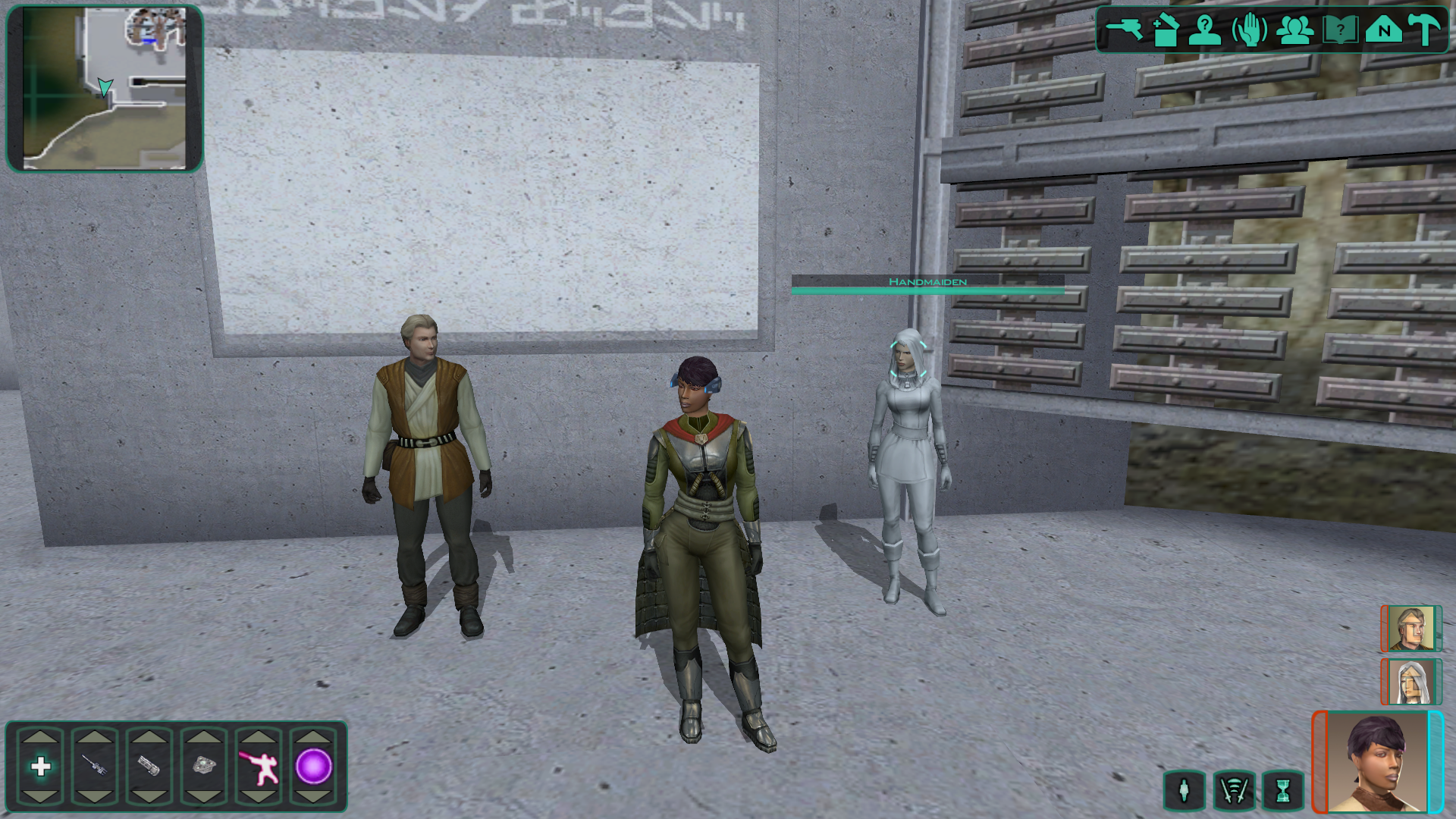
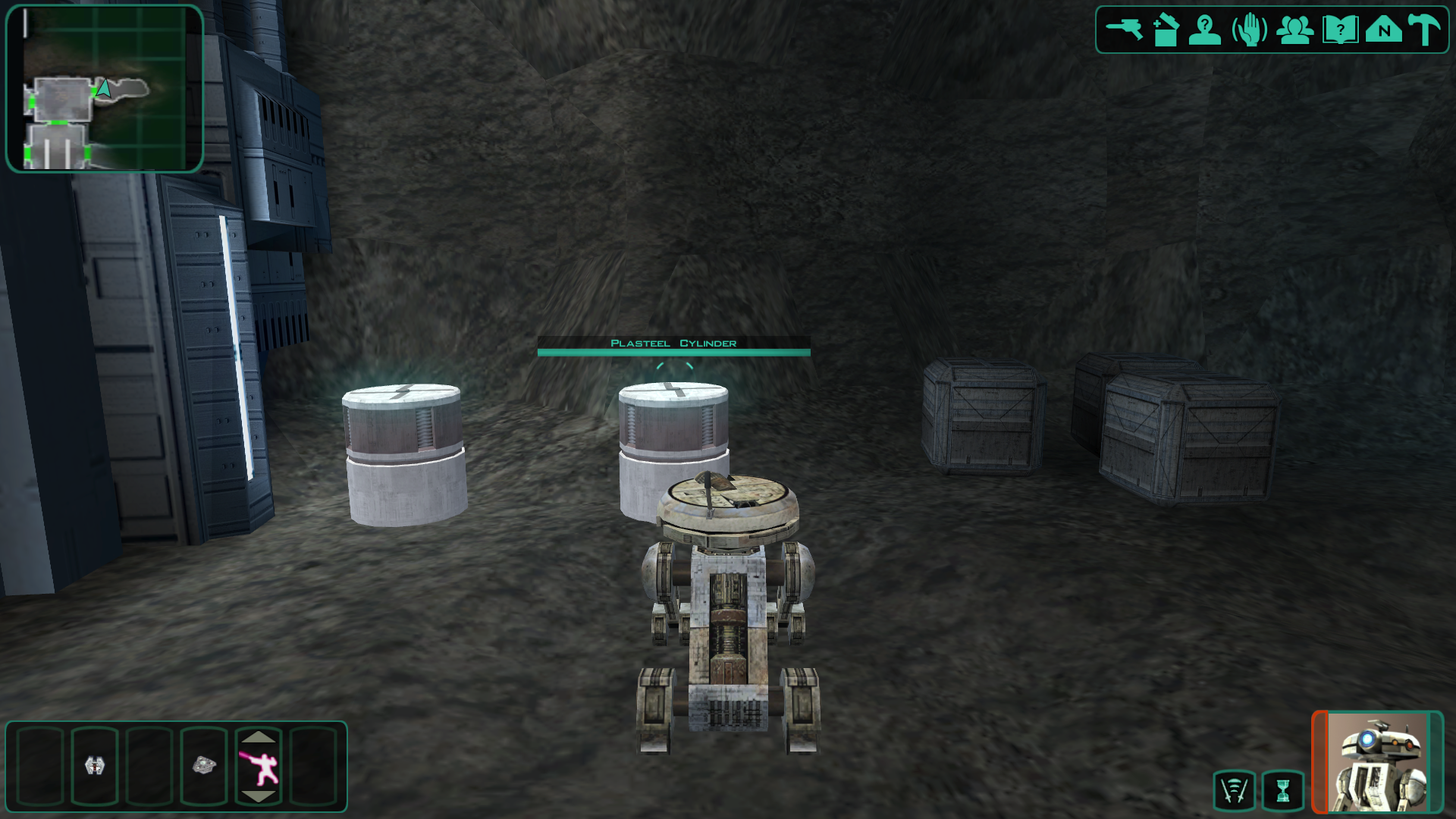
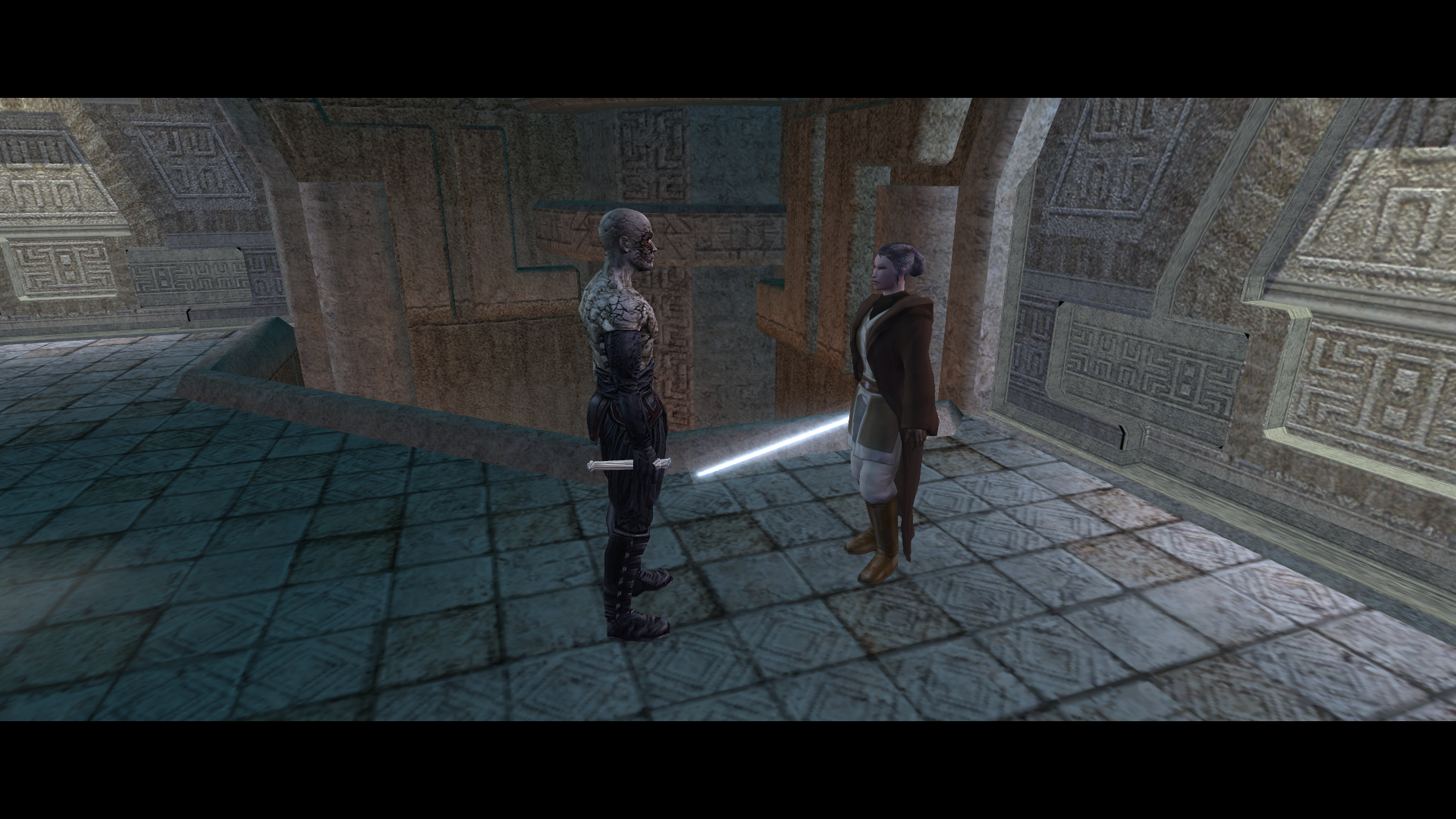
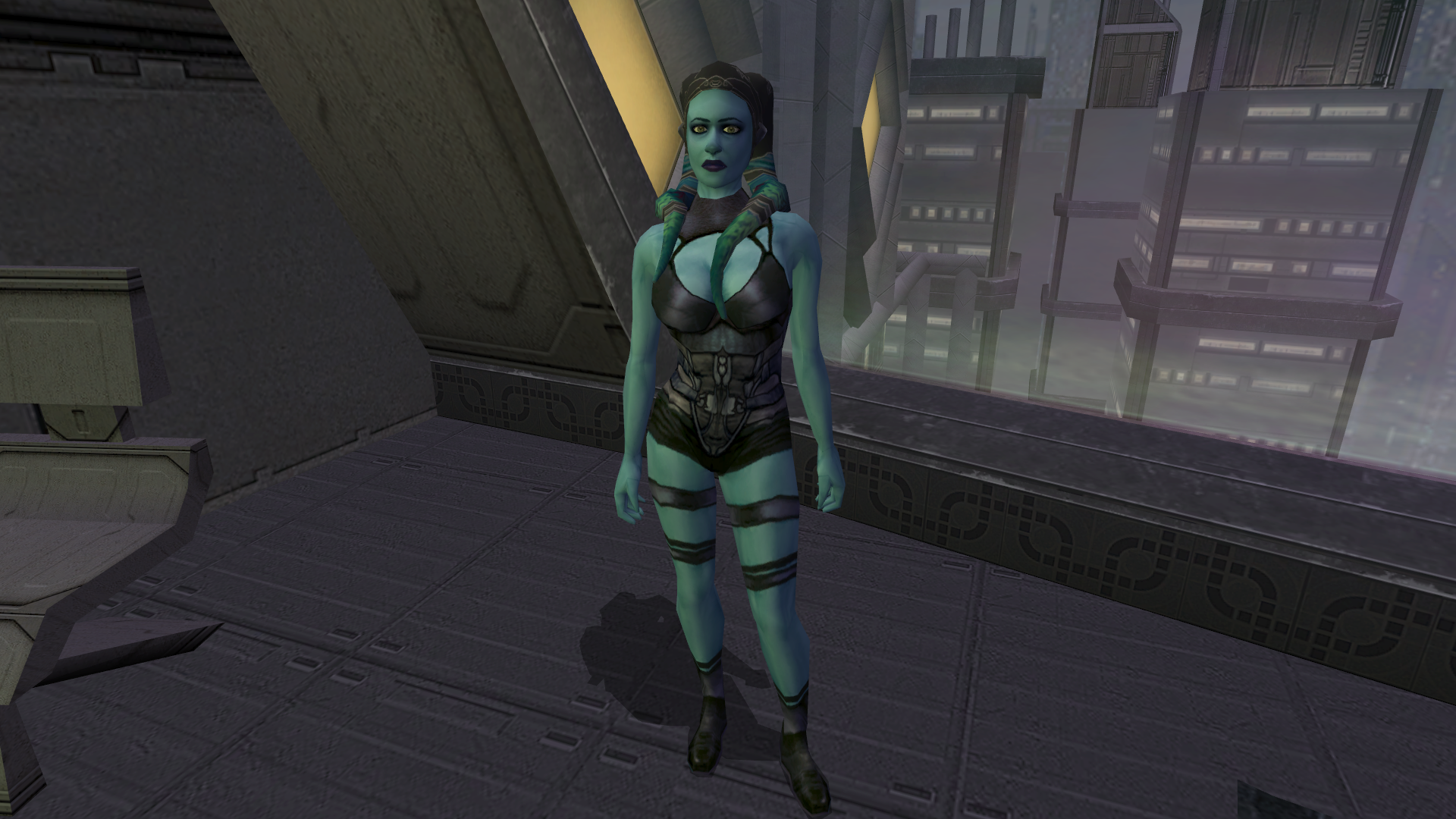
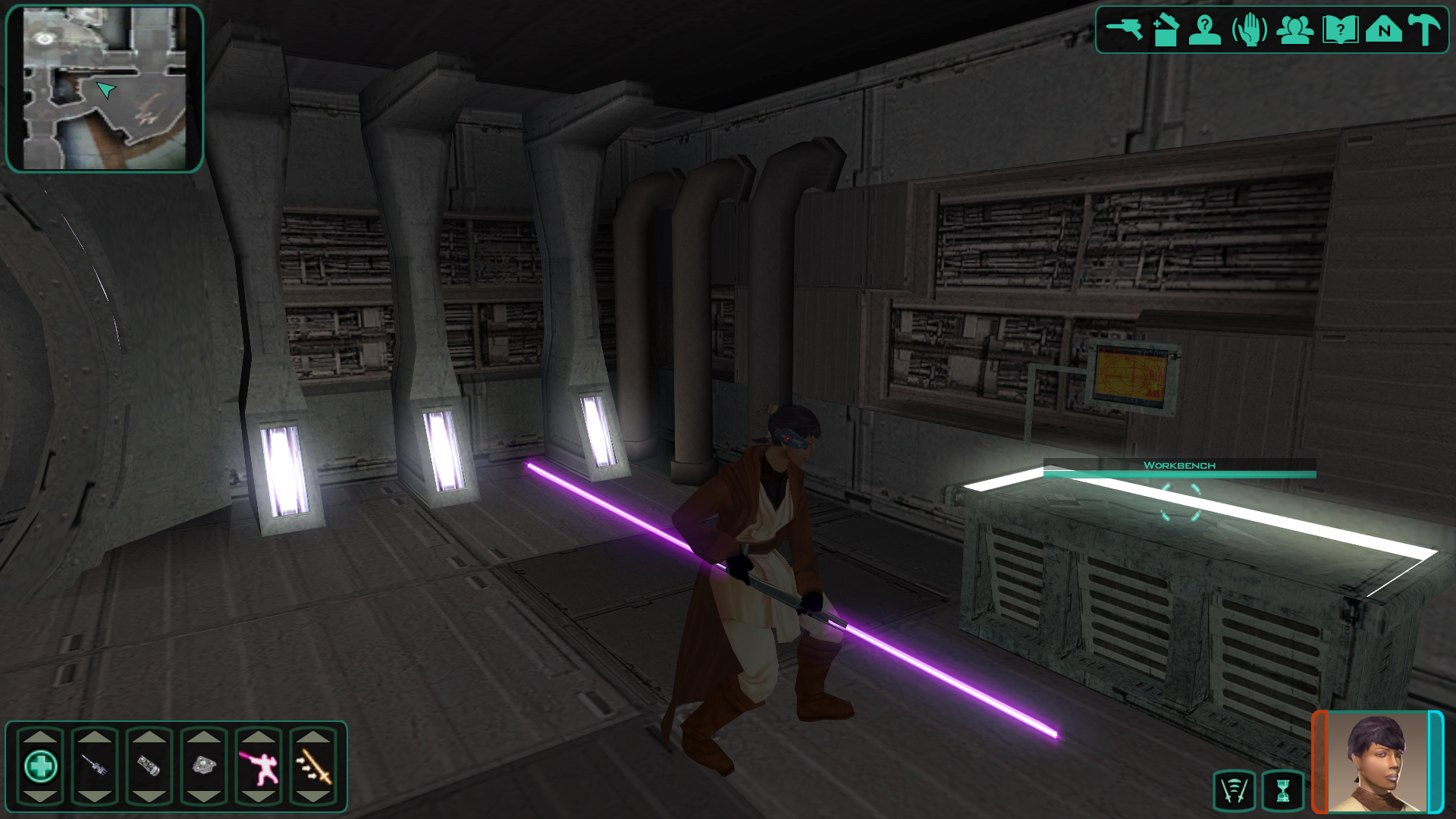
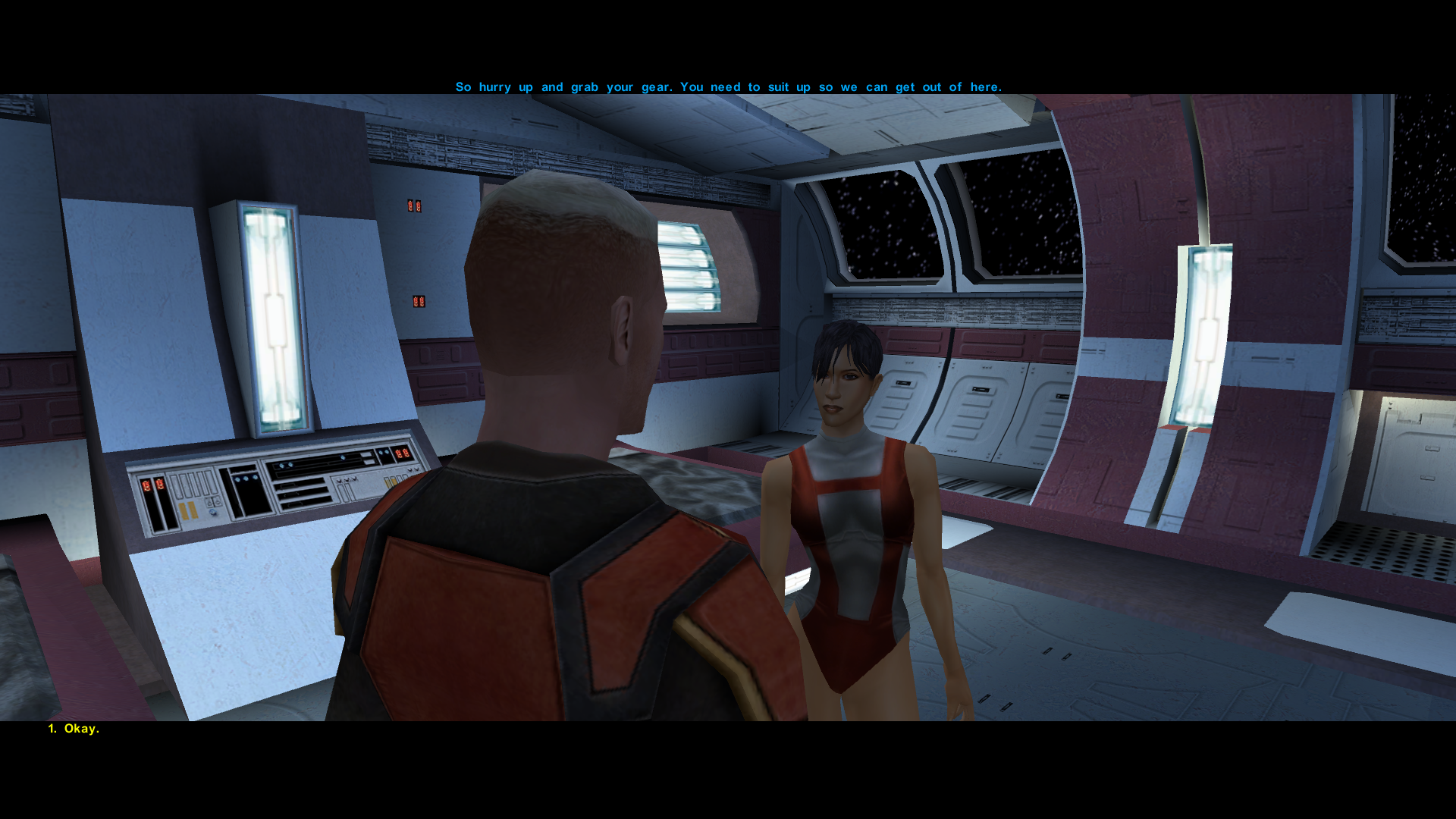

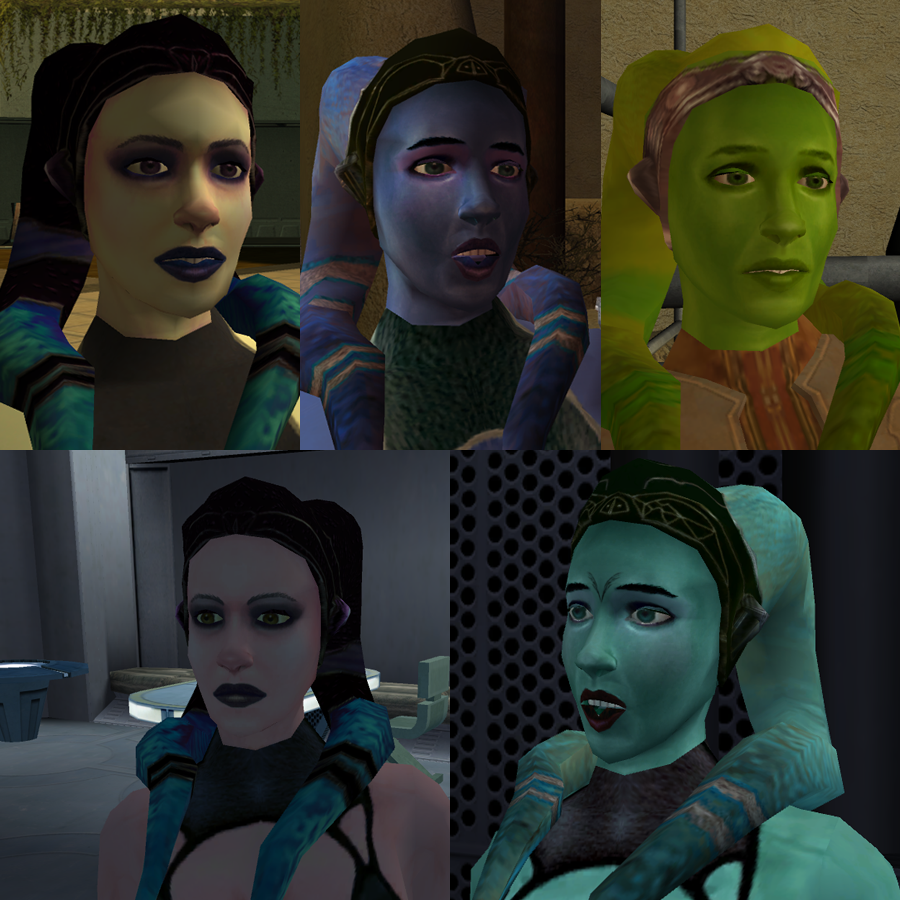

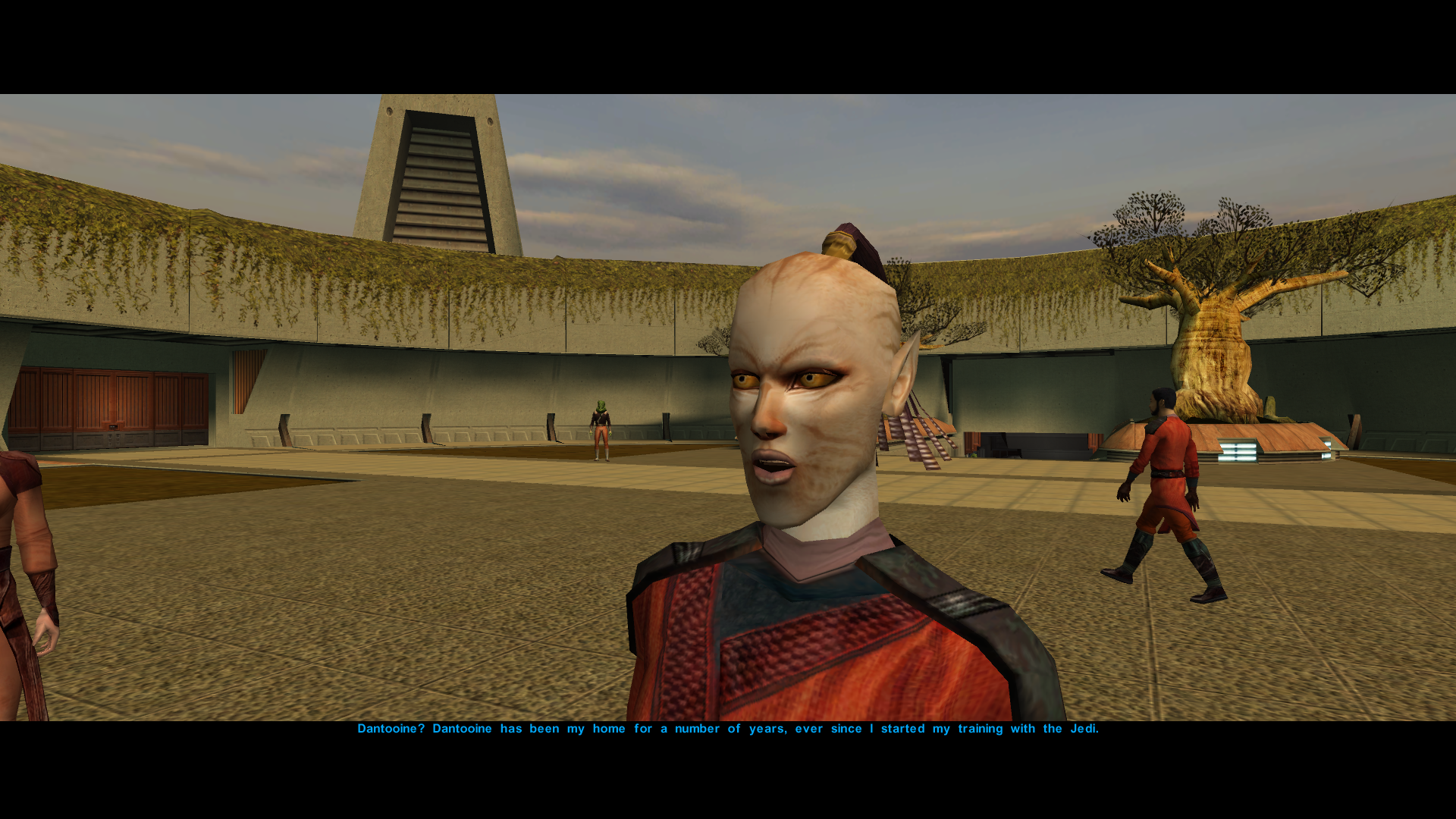


Extended Enclave Patch 1.04 dows not work
in General Kotor/TSL Modding
Posted
Have you tried contacting @N-DReW25 for this? He was the one who made Extended Enclave Patch, so it' better to ask him directly.