



diegodb
-
Posts
166 -
Joined
-
Last visited
-
Days Won
1
diegodb's Achievements





-
 Yeah, I had the same error, hopefully offthegridmorty will take a look into it
 -
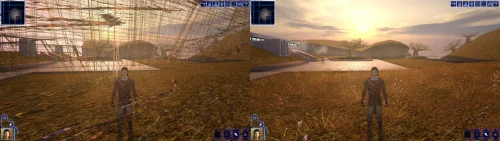 An mod that did the (a couple of years ago) impossible. He solved one of the most pertiment bugs for the K1 users, the enabling of Soft Shadows, Frame Buffer Effects and all the bugs in the metalic surfaces, reflections and all. To me even the Standalone version of this mod is mandatory. Congratulations goes to the modder
 -
I would never stop using the KPM and the KotorUniResPatch because you have solved something that is extremely important. The Soft Shadow and Frame Buffer Effects are usable again!!! And for that I can't thank you enough Synchro, and I'm sure that many others that, as me, use the AMD cards. I even stopped played KOTOR for a while, thinking that Aspyr would never release an Updated version to solve this like they have done it for TSL, and all the KOTOR remake thing, let me hopeless that It would ever be a solution, you know. But you solved, and this is incredible, along with other patches that make the game even more good to play than before. May The Force Be With You and your family, Synchro
-
Hello, thanks for your attention and, once more, thanks for all that you've done. I tried many things but what truly worked for me was, if I remember correctly: 1 - I used the Kotor editable executable 2 - I used the Js' KotorUniResPatch as you indicated, apply the textures and patches included, but still didn't worked perfectly. 3 - Then, I downloaded the k1hrm-1.5 and applied, for a test, the 1024x768 resolution, and used the gui included there. Until this moment it worked well, only with some little problems in the save files (I can't use the mouse, have to use the keyboard to navigate there) but apart from that it's working 90,0 % okay Hope this help a bit
-
Amazing job with these files by the way. You've solved an issue that has been a pain for a very long time. One question. If I use, for example, the increased level cap mod, the marked empty containers, the movie patch, the post-combat movement fix, etc. from the Kotor Patch Launcher, If I want to increase the resolution of the game, I just need to use these two files that you added in the download section or I still need to use the Patch Launcher, without the Widescreen resolution?
-
 Well, I've reinstall KOTOR yesterday and saw this version and... WOW. It improved tremendously the graphics quality for a user of AMD Graphics. The shield or the stealth effect still doesn't work (I believe that to make them work would involve a lot of work, and, besides, what you did is more than enough for anyone - who were used to these problems with AMD - to enjoy this game again). The overall rendering of the game improved 100% Man, the game is truly great to look again. Gone are the very dark places in the maps, the graphics are showing as they should be! The illumination in many areas are working. Amazing I can only thank you for your fantastic job. OBS - I am using the UNIWS and all the mods to make the game play in widescreen and it works beautiful with your patch and graphic improvements May the Force be with you!
 -
As J said it is an problem with the AMD graphics I also have those issues as well. Unfortunately I didn't see any good solution to it and I've searching for it for a long time. I even found something. I installed an opengl32.dll for x32, from the site fdossena.com. The author created this build using Mesa3D but it still doesn't solve the issue completely. The shields work, but the game, KOTOR 1, suffers a lot of stuttering, and it gets hard to go one, especially if you activate the grass in places like Dantooine Fortunately, TSL works perfectly well with the updated version release a couple years ago. Everything works even the Frame Buffer Effects and the Soft Shadows effects. I lost hope to see that being adressed because they (Aspyr) I believe, have lost the rights to release an small update for this very annoying issue because of all the talk about the remake of Knights of the Old Republic game. Maybe they have released something similar for the Steam version, but my version is from GOG. In the end, I have to accept that this issue will probably remains with the GOG version of Kotor 1
-
Great Mod! Are you thinking in doing something similar to Kotor 1?
-
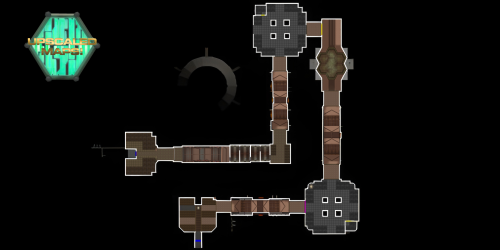 Hello Sith Holocron, your mods are indispensable to a walkthrough for both games. Your Random Panels, the ones for M4-78, the Atris Holocrons, the ones for Telos, the Ebon Hawks textures, etc... All of them add a necessary immersion for KOTOR and TSL. Thank you for all your work thru the years on those two great games
 -
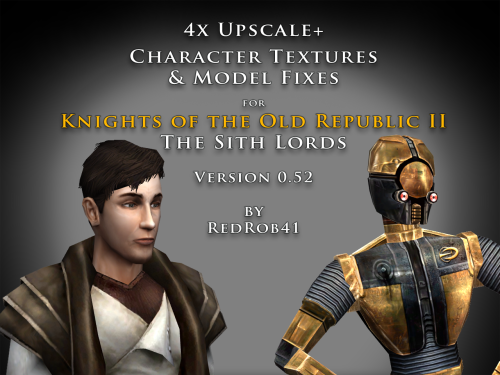 First of all I'm sorry for not writing much in this forum. As I said in my review for the KOTOR files, real life issues here in Brazil, but I still love these two amazing games. redrob41, I can't stress enough how much care and detail your work add to the animations and how great they look in-game. They are remarkable. I hope that you kepp working and complete the corrections and textures for both games (including the Community Patches when necessary) and the TSLRCM 1.8.6 textures files as well. Thanks for this great community keeping these two amazing games alive in all those years. May the Force be with us All
- 22 comments
-
- 1
-

-
- upscale
- party members
- (and 4 more)
-
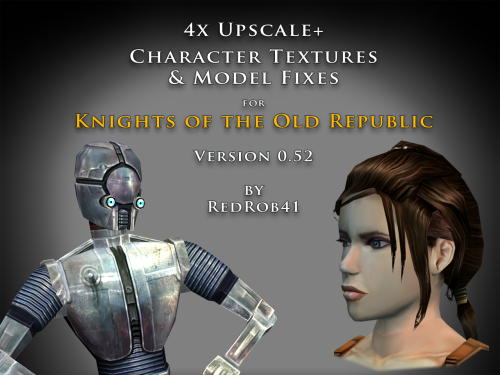 First of all I'm sorry for not writing much in this forum, real life issues here in Brazil, but I still love these two amazing games, Knights of the Old Republic and The Sith Lords. To redrob41, after so many years you return with a big and great surprise for all the fans here. I've downloaded many upscales mods like these but yours... Man, what a care and detail you've put in these. Thank you very much for those. It's really up to the fans that keep the flame going for two games that have at least more than twenty years, and still are great. For all this incredible community, my eternal gratitude and May The Force Be With Us All. I hope that you continue these two projects, to have all the textures (for the characters and placeables), because even with so many of those around, your work to keep the fidelity of the artists as close as possible to the originals is amazing.
 -
 Hello Dark Hope, you did a superb job on the players and npc heads in KOTOR I wish to ask you if you pretend to do the female blonde heads in Kl and if you have any plans to do the same thing (new players models) for TSL Incredible job on this mod, thank you very much for that ☺️
 -
 Hello, great to see that TSLRCM has gotten a new update In the 1.8.6b version of the game it did occur a gamebreaking bug. When you select a grenade the game freezes and it ends abruptly. I am only using this mod along with the M4-78 EP Hope that you fix this when you have time Thanks for all your work in this amazing mod :)) OBS: An reinstallation of the game has solved the problem. My mistake. Thanks for this awesome mod
 -
 Amazing 😃
 -
 Hello MetaBee, great improvement to TSL, it makes the game more engaging, thanks a lot and continue with your work. Do you have any project to make a similar mod to KOTOR?


