Leaderboard



Popular Content
Showing content with the highest reputation since 09/18/2026 in all areas
-
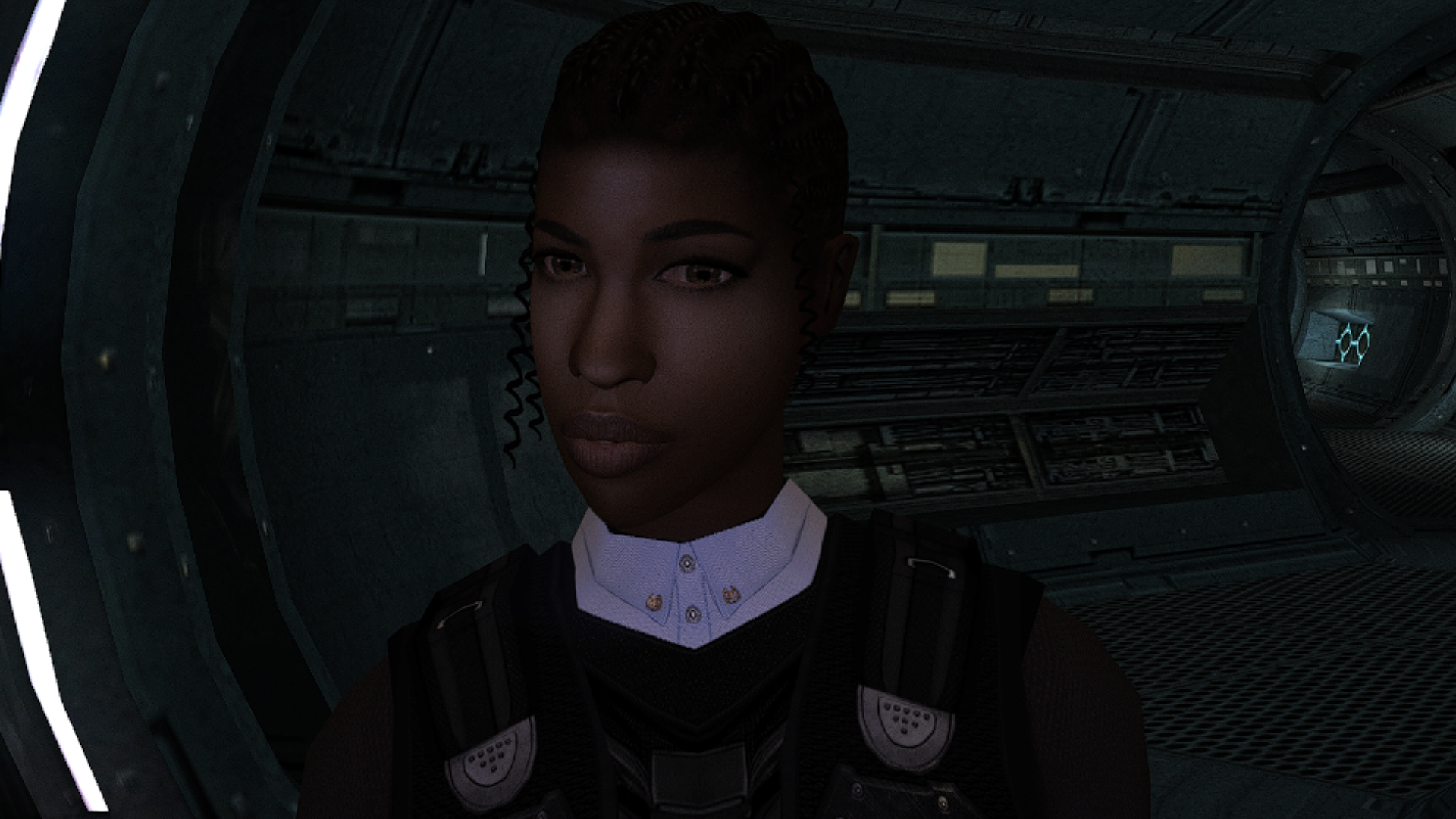
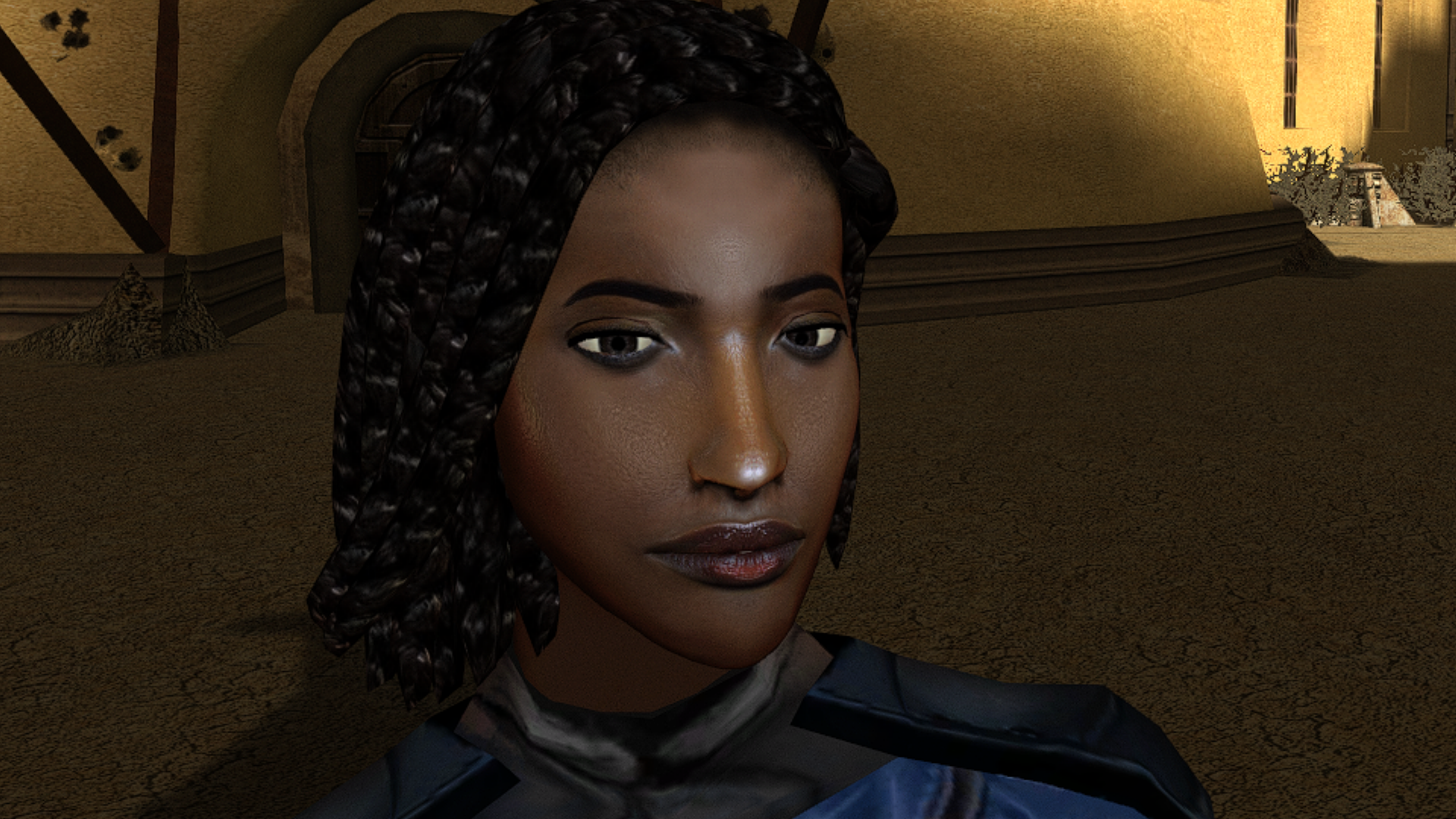
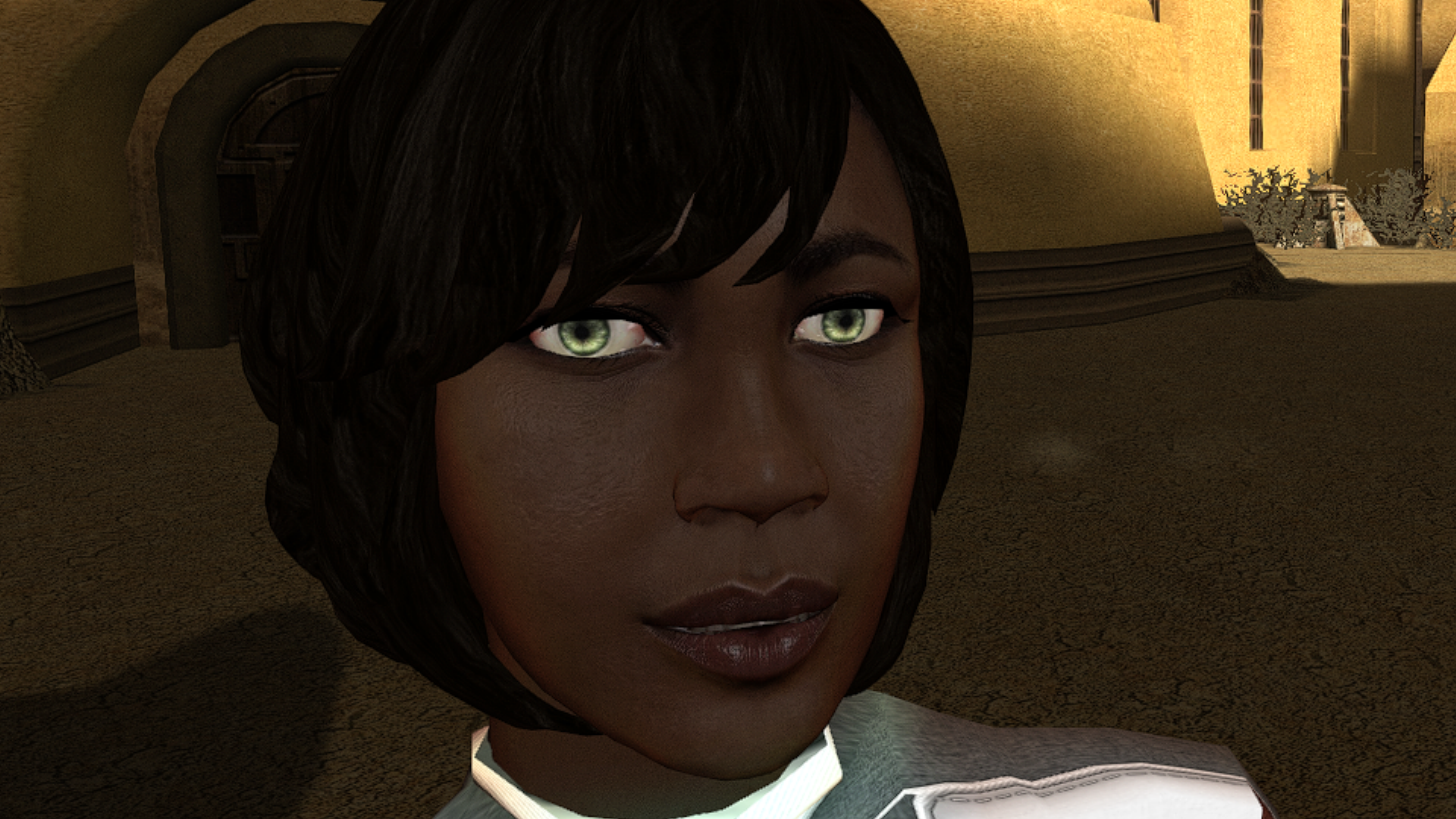
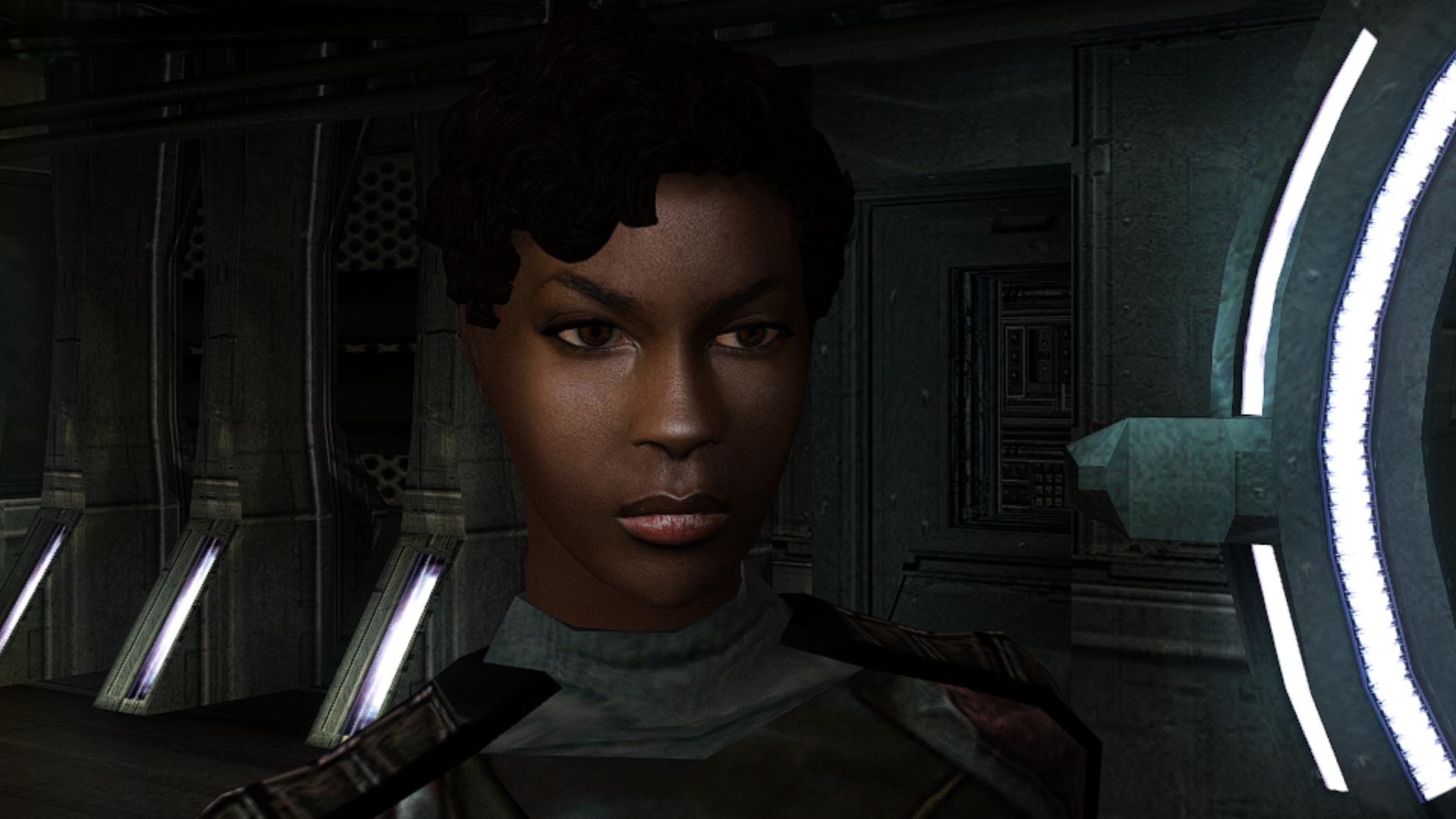
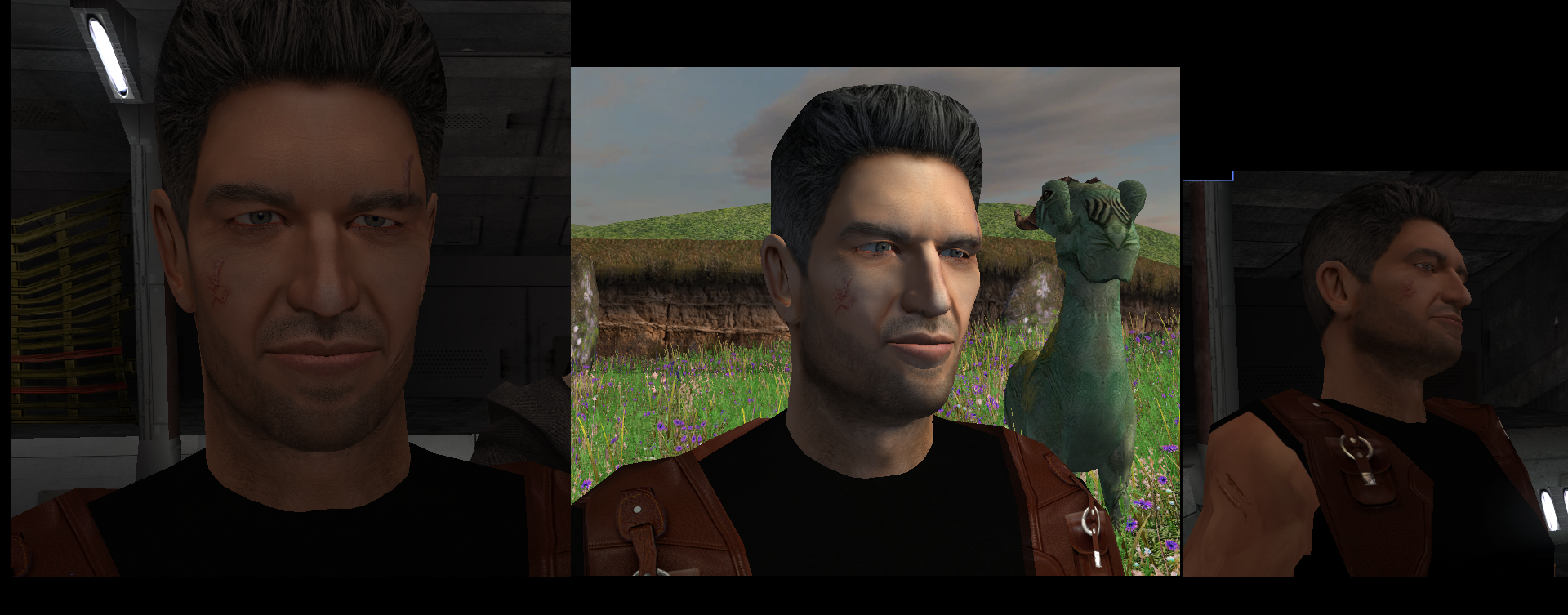
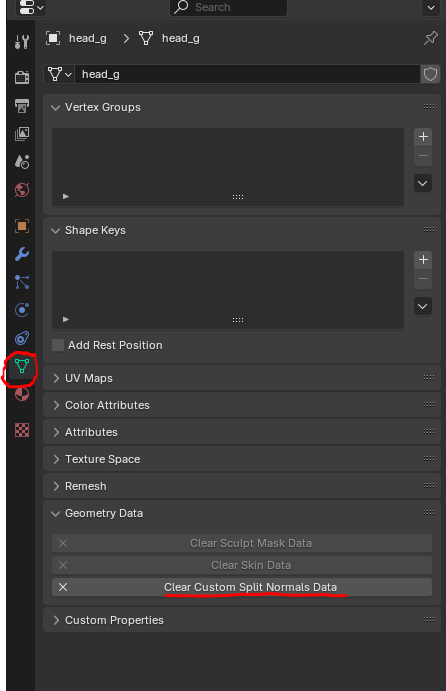
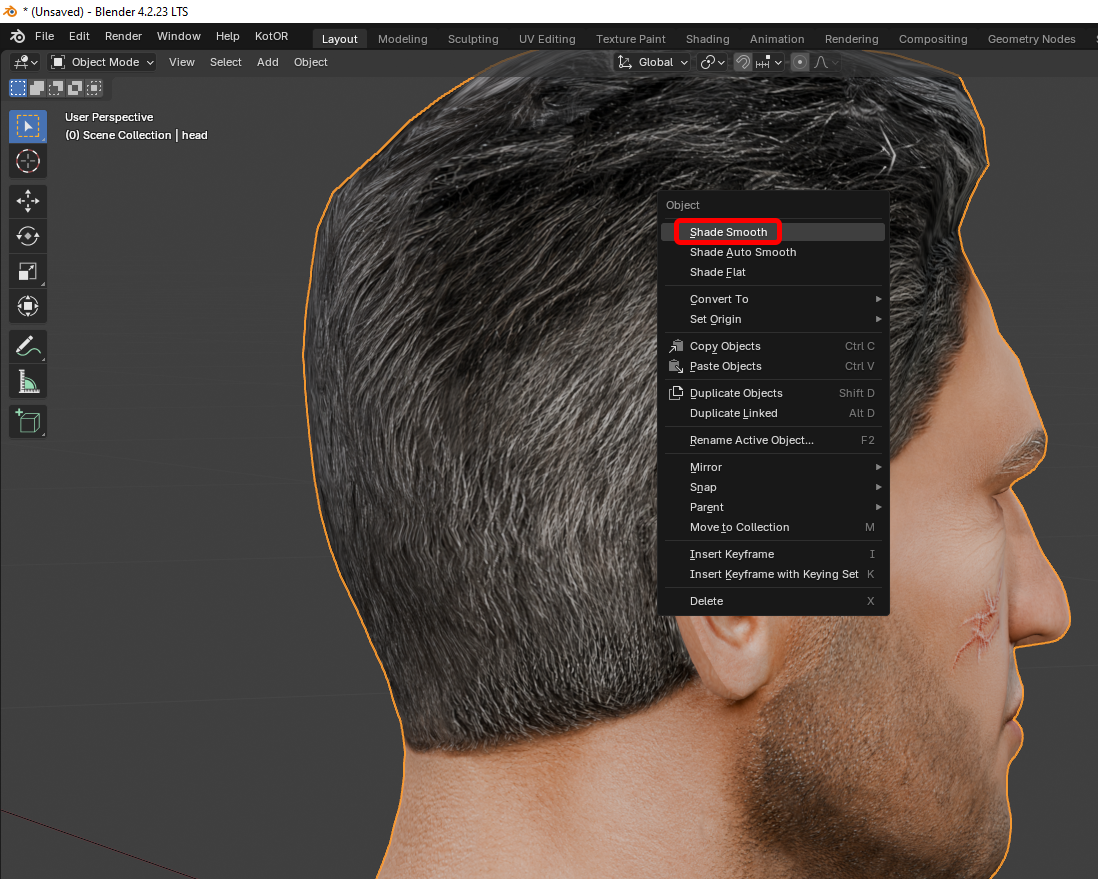
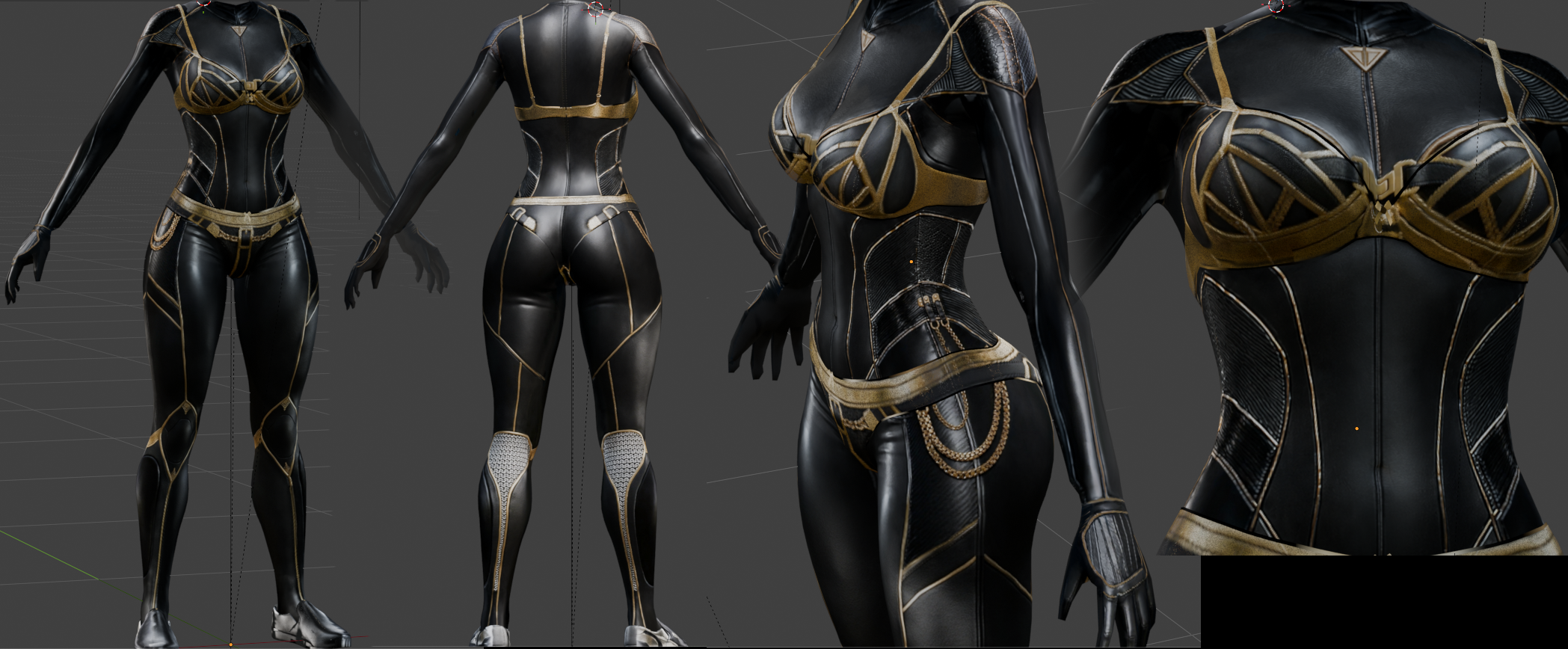
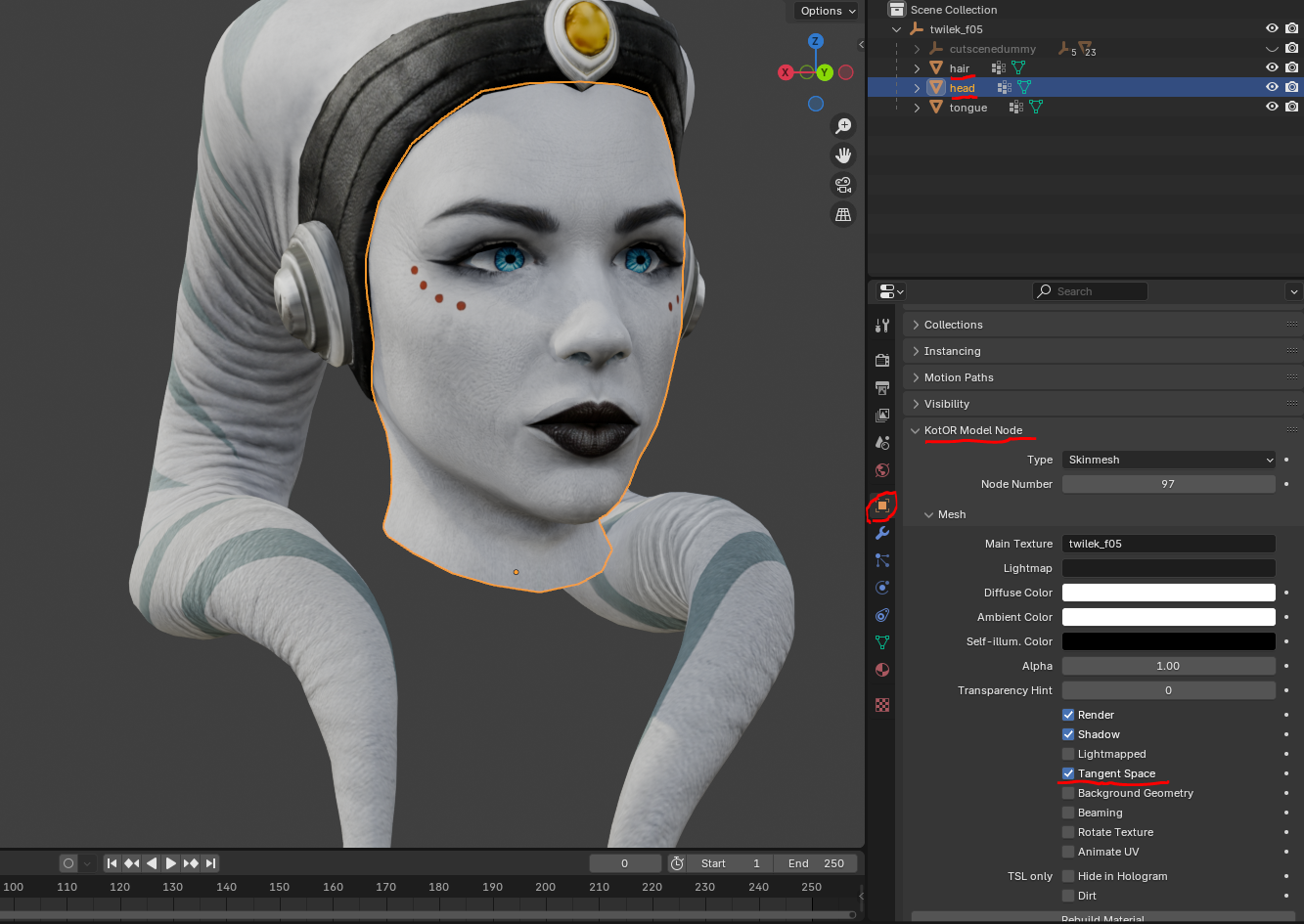
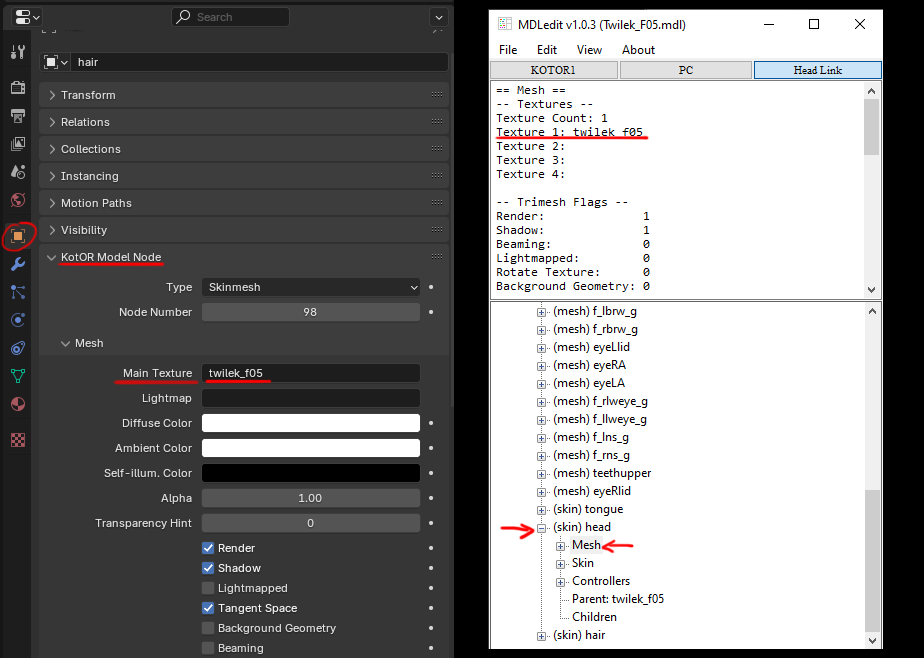
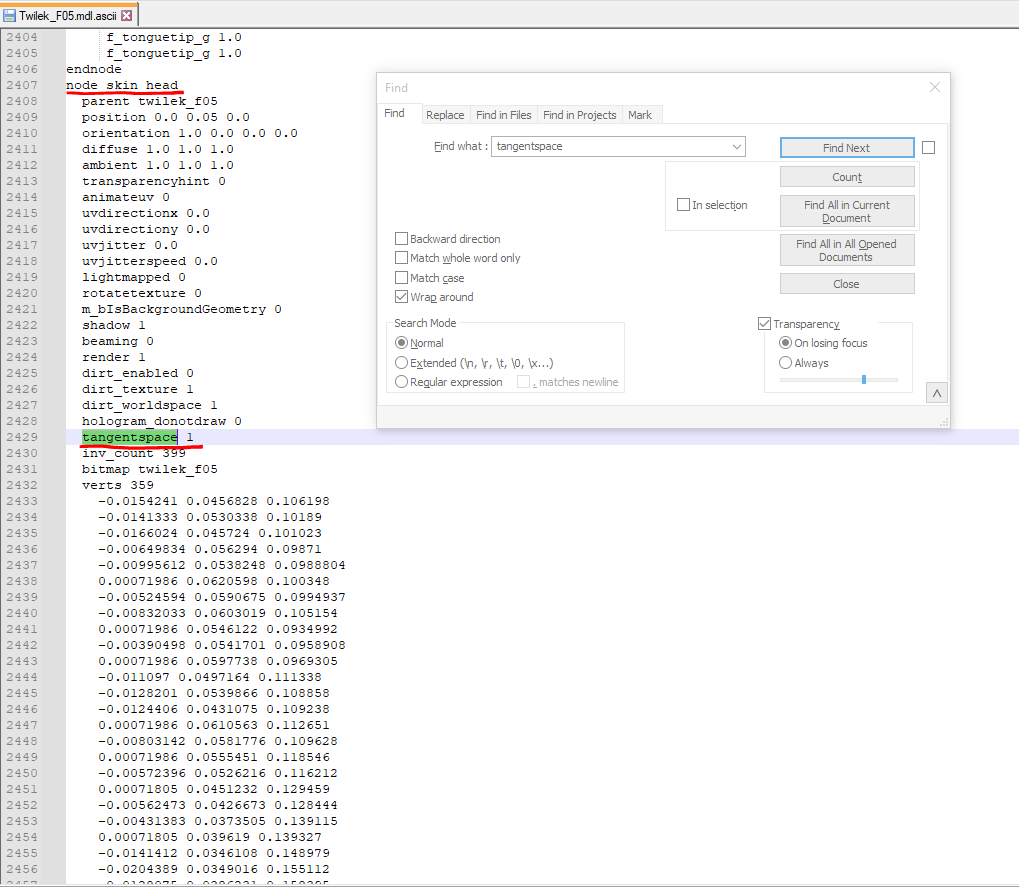
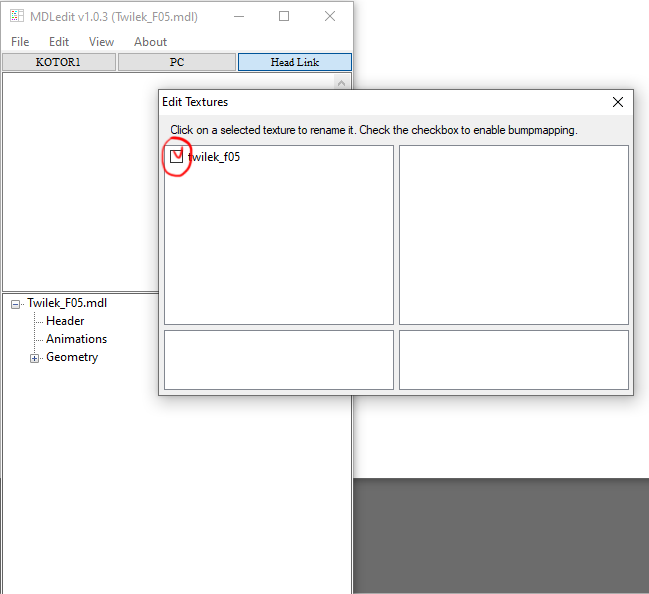
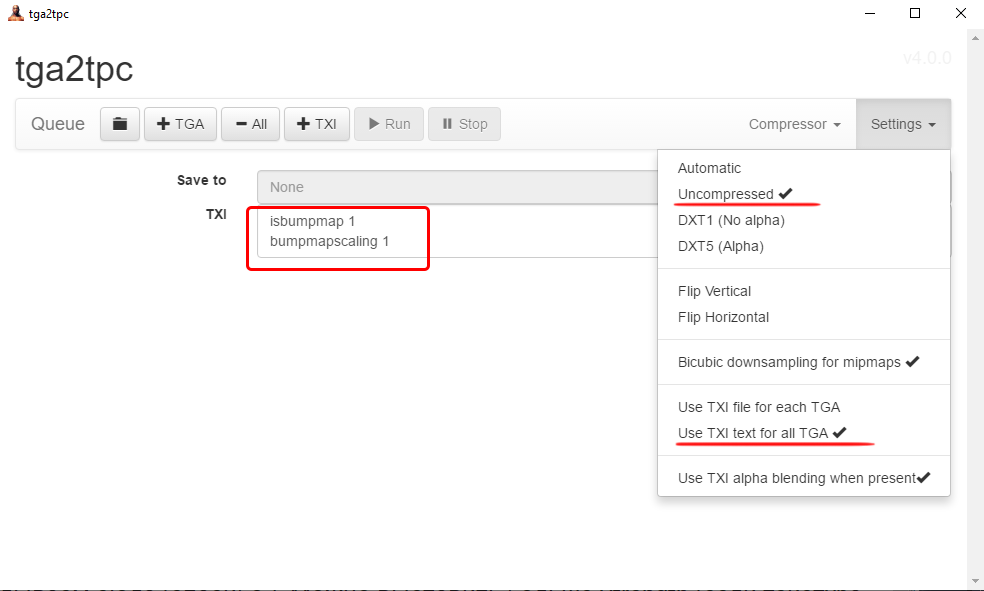
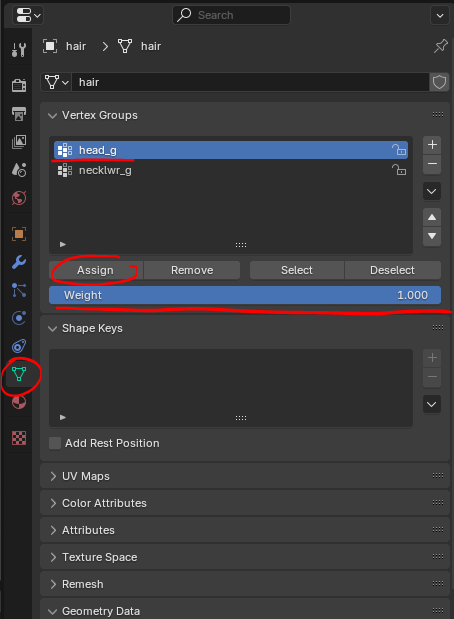
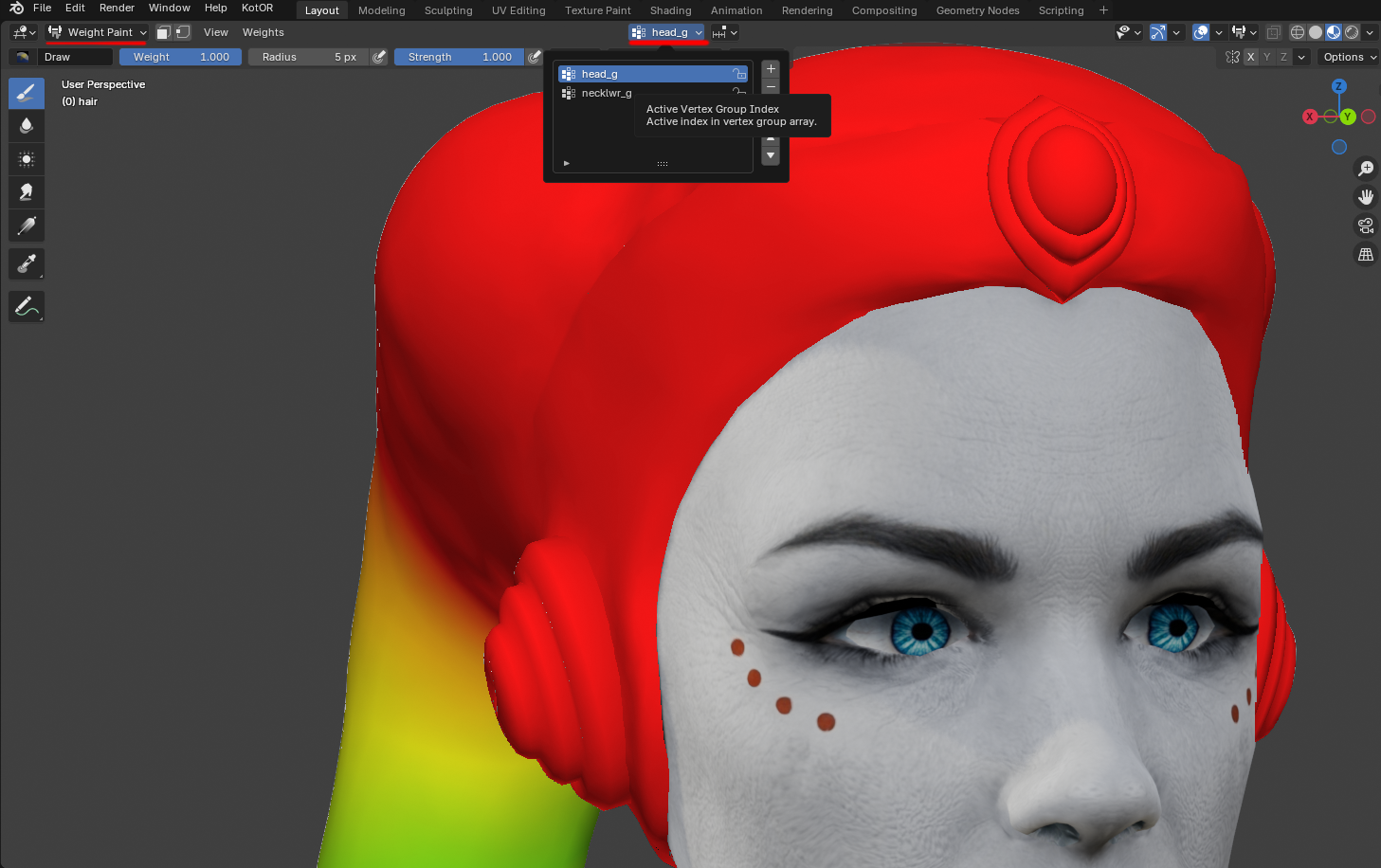
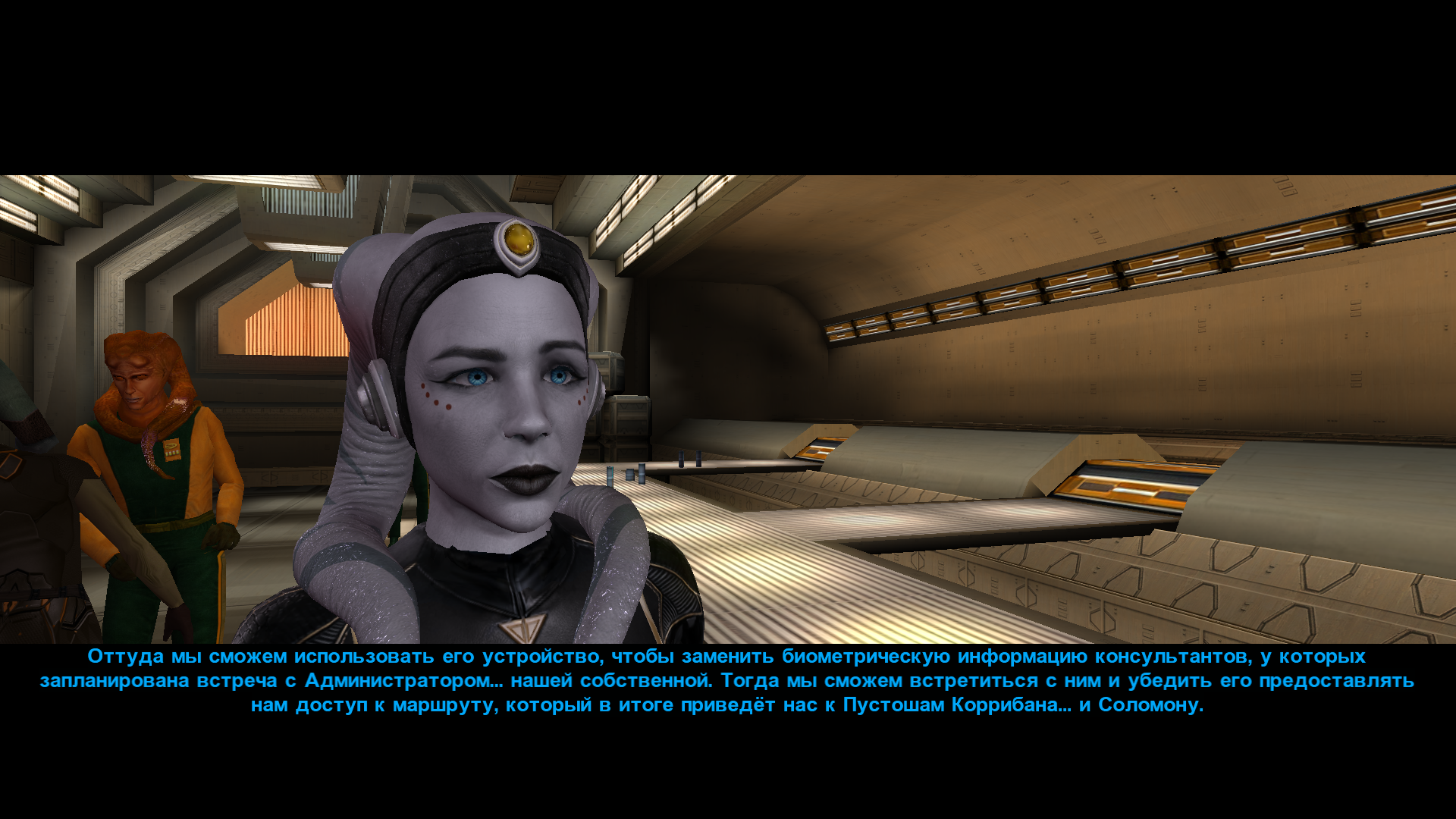
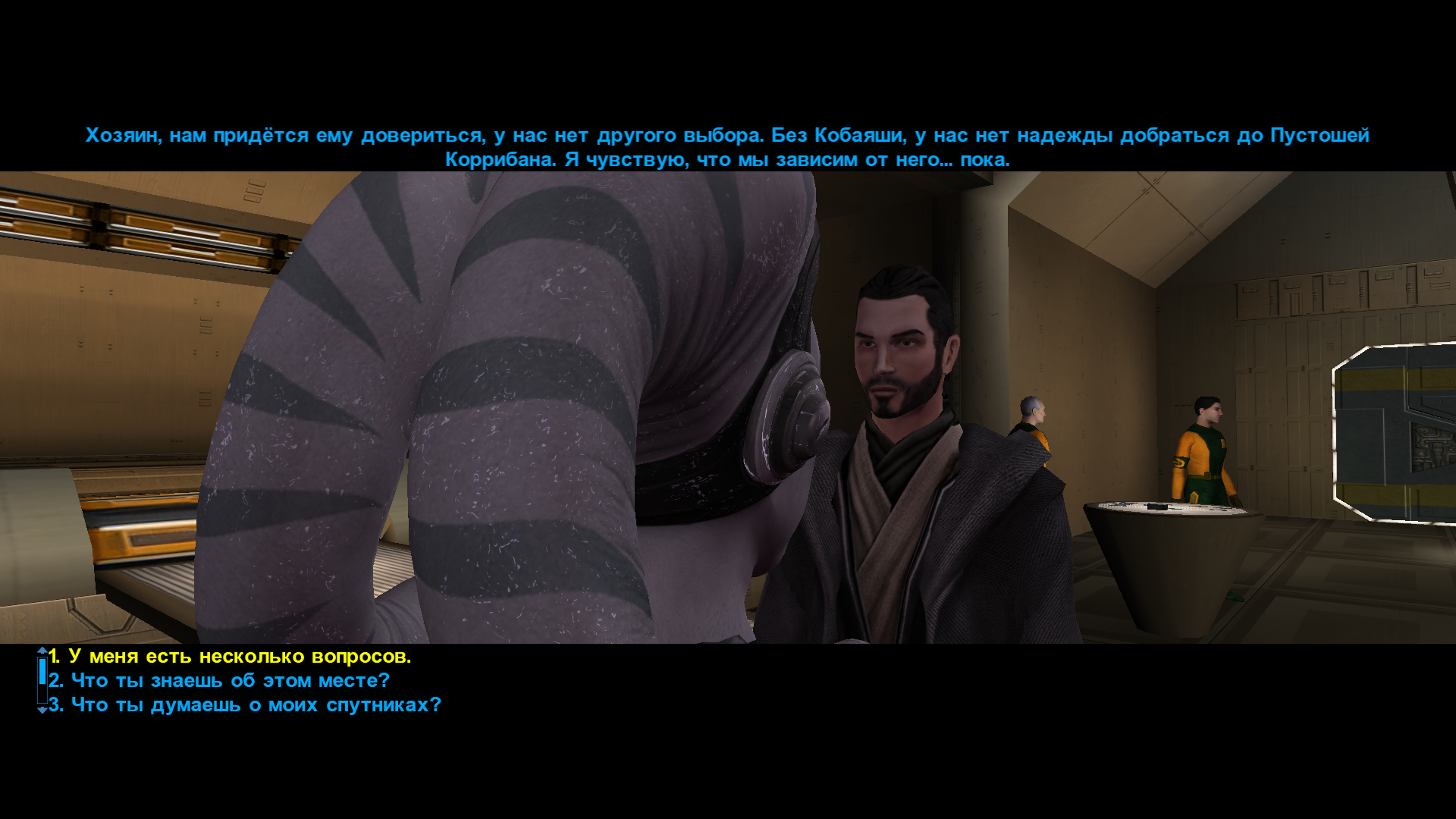
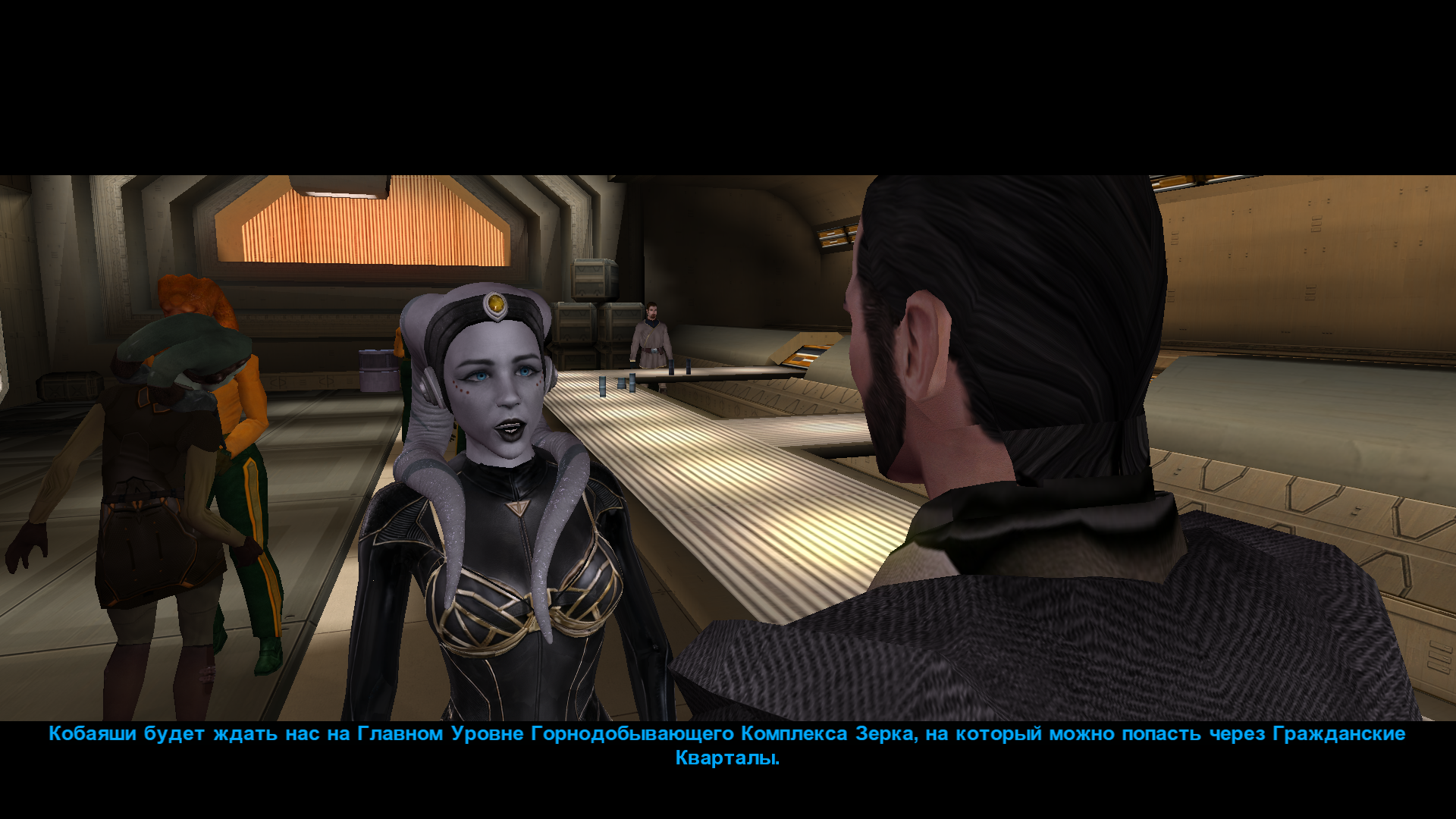
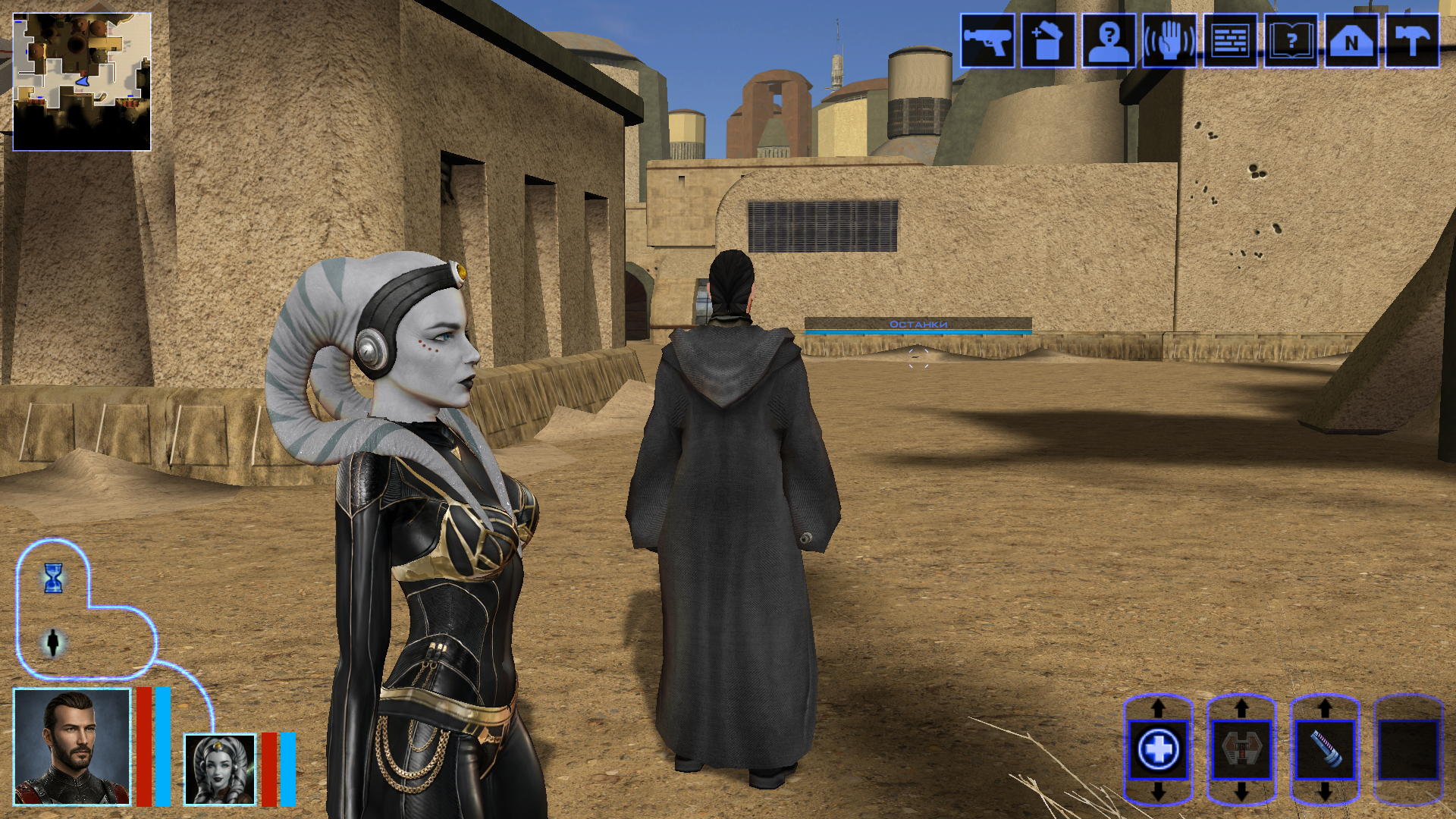
Hi everyone on this great forum! 😊 I decided to start my own little thread, even though I’m still relatively new here. I’ll be posting my work-in-progress, notes on how things are done - mainly for myself, so I can come back and refresh my memory later. If it ends up being useful to someone else as well, I’ll be happy of course. I’m sure everything I’m writing about has already been discussed countless times on this forum and is familiar to everyone. But I’m still a newcomer! My already released mods: https://deadlystream.com/files/file/3054-new-portraits-for-partymembers/ https://deadlystream.com/files/file/3055-hd-animated-computer-interface/ https://deadlystream.com/files/file/3079-saul-karath-retexture/ https://deadlystream.com/files/file/3092-narves-new-high-poly-canderous-head/ While working on the Canderous head I made a bit of progress learning Blender. I only knew it at a very basic level before, because I’m a 2D artist, not a 3D one. I still don’t really know what proper topology should look like, how to paint weights correctly, how to build textures with nodes, and so on. I’ll be learning all of that gradually. For this particular head I took a high poly mesh from this mod - big thanks to the author! Of course I heavily edited it: the geometry, the UV unwrap, and the texture. I also learned a few useful texture painting tricks. Geometry-wise the hardest parts are always the eyes and the lips, because the animation has to deform them properly, and what looks fine in Blender often ends up looking completely different in the game. Something I’d like to note here for myself - how to get rid of grey spots on the model after exporting from Blender to mdl/mdx: 1. The most important step - clear Custom Split Normals Data: Select the head mesh in Object Mode. Go to the Object Data Properties tab. Expand the Geometry Data panel. If the “Clear Custom Split Normals Data” button is active, click it. This removes the old broken data and forces Blender to recalculate the normals. Also helpful: 2. Apply smoothing — Right-click the model → Shade Smooth. 3. Apply transforms — Use with caution and only when needed! Things can shift in unexpected ways. In Object Mode select the head and press Ctrl + A → Apply All Transforms. ____________________________________________ P.S. English is not my native language, so I apologise in advance if anything is phrased awkwardly. ____________________________________________ Then I decided to retexture the high-poly Bastila body from the TCS mod. The thing is, we started playing through BOSSR on stream, and there Shadow uses Bastila’s body. And we have this Bastila mod installed. So I made her this outfit. I didn’t touch the model or the UV unwrap, only the texture. I painted the alpha channel in the places that should be more shiny. Since I don’t know how the original model author would feel about this little “side project” of mine, of course I won’t be releasing this texture anywhere — it’s purely for personal use. After that I moved on to her head. I wanted both the lekku and the face itself to have more polygons. So I simply applied a Subdivide, then worked on the mesh — editing vertices, sculpting, and so on. Then I started texturing, and at that point I really wanted to add a bump map so the lekku would look bumpy the way vanilla Twi’leks do (even if the vanilla ones are very low quality). I dove deep into the problem — I remember spending entire weekends glued to this forum reading everything people wrote about adding bump. Nothing was working for me. I tried every piece of advice, converted the poor bump map to TPC every which way, opened the model files in ASCII and searched for tangent vectors… I even started recalling university calculus about quaternions and how I used to redefine matrix multiplication in C++ practicals…🤣 It turned out the problem was completely different. The BOSSR mod authors used the "Twilek05" head model, but in heads.2da they assigned it the texture name "matilda_headd". Meanwhile the model itself is linked to the texture "Twilek05". And even though the engine can pull the main (diffuse) texture information from a texture that isn’t the one specified in the model, it cannot pull bump map information (and apparently txi info as well) from a texture with a different name! I don’t know why it works this way — maybe some internal script. Anyway, once I renamed the main texture to "Twilek05.tga", the bump map to "Twilek05b.tpc", wrote this in the "Twilek05.txi": bumpyshinytexture CM_SpecMap bumpmaptexture Twilek_F05b and also put "Twilek05" as the texture in heads.2da — miracle of miracles, the game finally saw the bump map! Yes, it didn’t turn out perfect — the bumps are too fine and therefore look a bit like shimmering. I probably won’t fix it, because we had to abandon that mod playthrough — it conflicted with other mods. But I’ll write down the key points needed to add bump (even though all of this is already on the forum — huge thanks to DarthParametric and everyone else who shared advice and tutorials): Before exporting, you must enable the “Tangent Space” checkbox in the KotOR Model Node plugin options for all the meshes that need it (in my case “hair” and “head”). To verify — open the model in MDLEdit, save it as ASCII, open it in Notepad++ and search for the word “tangentspace”. On the relevant nodes it should say tangentspace 1, not 0. If it somehow still shows 0 even though the checkbox was enabled on export from Blender, change it to 1, save, open that ASCII file again in MDLEdit (it might complain that it can’t recalculate the vectors — hopefully that’s not a problem), and then save it back to binary mdl/mdx. You can also just tick the corresponding checkbox in MDLEdit itself and re-save — but keep in mind that the bump will then be applied to every mesh in the model that uses that texture, not only the ones you might have wanted. Preparing the .txi. It must have the exact same name as the main texture, and the main texture must be the one that is actually linked to the model. Inside the .txi you need: bumpyshinytexture (your Cubemap) bumpmaptexture (your bump map name) In theory bump should work without the shiny part (only the line "bumpmaptexture " in txi), but for me it never did — because in that case the engine treated the alpha channel of the main texture as transparency. Meaning: if you darken the alpha to make the bump stronger → the object becomes transparent if you leave it white → no bump is visible. Maybe I’m doing something wrong? Preparing the main texture. It must be named exactly as specified in the model (you can check that here). It needs an alpha channel that controls both the shininess (via the Cubemap) and the strength of the bump. The darker the alpha, the stronger both effects. Yes, both at once — there’s no other way. Preparing the bump map. Save the main texture as an image and throw it into this website (again, thanks for the link — found it on the forum). You can increase Strength if the texture isn’t very contrasty, and add a bit of blur (slider to the negative side). Download the result and save the texture as TGA with a pure white alpha channel. Then use tga2tpc with these settings. You can also add extra lines or strengthen the bump with the bumpmapscaling value, as DarthParametric wrote here: https://deadlystream.com/topic/9353-bump-mapping-tutorial-request-for-novices/#findComment-87017 Final contents for the override folder: the model (mdl + mdx), the main texture (tga), the .txi with the parameters, and the bump map (tpc). Phew. The last thing I learned on this head was adding new geometry — I wanted to model headphones and a stone on her forehead. Important points here: convert everything to triangles and weight-paint it to the head. To check — switch to Weight Paint mode and make sure it’s painted red. If you need a piece not to move with the head, weight-paint it to the neck instead (a different vertex group). If you don’t weight anything at all, those pieces of the model simply won’t appear in the game. 🙃🙃 I’ll say it again: I’m by no means an expert on KOTOR modding, so I apologize if I write or do anything incorrectly! And, of course, I’d be grateful for any advice, comments, or corrections.
 3 points
 -
Version 1.0.0
10 downloads
200+ portraits to replace party and player portraits. 5 stage lightside/darkside transition restored. Install - extract the .TPC files to the game's override folder - the optional portraits.2da file enables 5 stage lightside/darkside transitions, copy it to override. How Were These Made Kotor Blender and ImageMagick. I will be releasing the scripts to easily generate matching portraits. Blender and KotorBlender plugin will need to be install but the portrait generation process does not require blender knowledge.2 points -
![More information about "[K1] HD Female Twi'leks + NPC Diversity + Playable Female Twi'leks"](https://deadlystream.com/downloads/screens/monthly_2026_09/Untitled-5.thumb.png.825cd65aa1f41bb1266ad35609de16ba.png)
Version 1.3.0
109 downloads
===================================================== [K1] HD Female Twi'leks + NPC Diversity + Playable Female Twi'leks ===================================================== Mod for Knights of the Old Republic 1 Author: Lily File Name: K1_HD_Female_Twilek_Diversity_and_PCs_v3.zip Latest Version: 1.3.0 --- 1. DESCRIPTION: This mod overhauls the female Twi'lek NPCs in KotOR 1 and adds 26 new playable female Twi'lek heads. NPC Overhaul: - Upscaled and updated dancer outfits. - Body skin tones all match head skin tones. - Added specular highlights to body textures. - Added specular highlights with a bump map to the heads, giving female lekku the same light-reactive shine male Twi'leks have. Eyes and lips also get a subtle shine. - NPCs now use different lekku positioning per head, so they no longer all look like pure reskins. - Gives a unique appearance to: - Yuthura Ban when encountered on Dantooine - Zaerdra - Hidden Beks bodyguard, Taris - Lyn Sekla - dancer, Taris - Janice Nall - droid shop owner, Taris - Kandon's Bodyguard - Black Vulkar Base - Malare - Bastila's quest - Lena - Mission's quest - Zoriis Bafka - swoop racer, Tatooine - Casandra Mateil - swoop racer, Manaan - Zeena - swoop racer, Manaan Playable Heads: - 26 playable female Twi'lek models, including every female Twi'lek NPC. - A number of completely new heads. - Dark side transitions. - Every playable head comes with a Handmaiden-style underwear model with matching skin tones. Find the KotOR II version here! --- 2. INSTALLATION: Run Install.exe and select your KotOR 1 game directory. There are 3 installation options. - Default Installation: Includes playable Twi'lek models and replacements for NPC Twi'leks. You probably want this one. - Playable Twi'leks ONLY: Includes only models for the player character, NPC Twi'leks will remain unchanged - NPC replacement ONLY: Replaces models for NPC Twi'leks, does not add any playable characters If you use the default installation, you DO NOT need to install NPC replacement ONLY or Playable Twi'leks ONLY. You should be safe to reinstall this mod on top of itself without any problems. You will probably want to use a widescreen mod such as this Without a high resolution, the bump mapping looks pretty bad. A "backup" folder is created by the installer in the same directory. Don't delete it if you plan to uninstall later. --- 3. UNINSTALLATION: Run Install.exe, select your KotOR 1 directory, and use the "Tools > uninstall/restore backup" option to revert all changes made by this mod. --- 4. KNOWN ISSUES: If you have met any of the NPCs, they will not have their unique appearance. You should use a save from beforehand. If you find any bugs or problems, please report them. --- 5. MOD COMPATIBILITY: Installing this should not break any other mods or have any conflicts, including K1R. This mod only touches female Twi'lek head/body models, textures, and appearance-related files - no dialogue, scripting, or module changes. Should be compatible with all other mods other than any other mods that have changed the female Twi'lek appearances, this mod will obviously stop the old appearances from showing. All files should have unique names, so this should not overwrite other mods, and it would just take Appearance.2da changes (or an uninstallation) to revert. Notably, this mod conflicts with KotOR 1 Twi'lek Female NPC Diversity That mod directly installs to the override folder instead of into modules, so you will need to uninstall that mod if you want to see the NPC appearances from this mod. However, if you wish to keep any appearances from that mod or any other female Twi'lek NPC mods, you can install those after this one to overwrite specific NPCs without an issue. Do not use the Steam Workshop for KotOR. It will almost certainly end with compatibility issues. --- 6. SUPPORT: My mods are free to use. You do not need to pay for them, but if you would like to say thanks, you can buy me a coffee! --- 7. PERMISSIONS: Please let me know if you plan on using any of the files in my mod for your own mod. The answer is "yes you may", but I would like to know what you are doing with it! Do not directly reupload this mod anywhere else. --- 8. THANKS: - Dark Hope - HD Twilek base textures - Leilukin & SpaceAlex - Dahnis Unique Look - Effixian - Red Twi'lek head - DarthParametric - Twi'lek high boots model - redrob41 - Original Twi'lek head/body model fixes, original underwear, dancer, assassin models - bead-v - MDLEdit - Fred Tetra - KotOR Tool - Cortisol - Holocron Toolset & HoloPatcher - Fair Strides - TSLPatcher - seedhartha - KotOR Blender - ndix UR - tga2tpc - ??? - A couple playable heads are originally from a decade-old modpack with no credits. If you are or know the author, let me know and I can credit the author/remove them. THIS MODIFICATION IS NOT SUPPORTED BY BIOWARE/OBSIDIAN ENTERTAINMENT OR LUCASARTS OR ANY LICENSORS/SPONSORS OF THE MENTIONED COMPANIES. USE THIS FILE AT YOUR OWN RISK.2 points -
Version 1.0.0
34 downloads
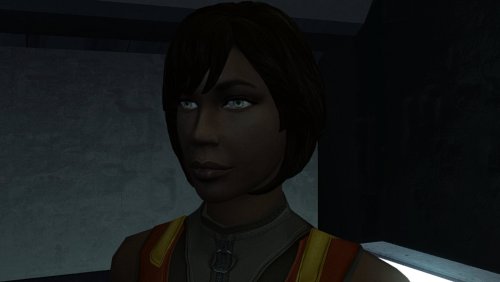
The mod replaces the PFHB02 model and textures. To Install 1. Download: PFHB02 2. Copy all files to the Knights of the Old republic's Override folder. (Example location - C:\Program Files (x86)\Steam\steamapps\common\swkotor\Override) 3. When/if prompted to overwrite files, press okay. 4. If you like the mod; leave a comment or endorse! (It would be much appreciated) Made with love.2 points -
1 point
-
View File High poly PFHB04 The mod replaces the PFHB04 model and textures. To Install 1. Download: PFHB04 2. Copy all files to the Knights of the Old republic's Override folder. (Example location - C:\Program Files (x86)\Steam\steamapps\common\swkotor\Override) 3. When/if prompted to overwrite files, press okay. 4. If you like the mod; leave a comment or endorse! (It would be much appreciated) Made with love. Submitter Dark Hope Submitted 09/23/2026 Category Mods K1R Compatible Yes1 point
-
Version 1.0.0
10 downloads
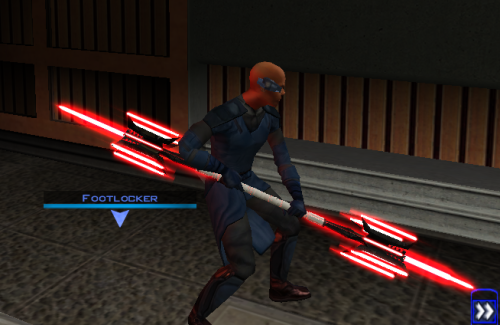
Thought I already uploaded this here but I forgot so if anyone is interested here you go! The readme's in the zipped files are outdate. Please refer to the standalone ReadMe file or the below instructions regarding instalaltions. To install: *Steps 3 and 4 may not be necessary, try running without doing them first, but if the game crashes do steps 3+ 4 and try again.* 1: Drop all files except readme.txt swkotor.ini files and upcrystals.2da into override folder. 2: A) If you don't an upcrystals.2da file in your override folder, just copy the one provided into your override folder. If you do already have an upcrystals.2da file in your override folder, - Insert a new row at the end of the table. - Copy the last row from the table provided, paste it into the new row you just created. - Save the file. *3: In your folder that contains your swkotor.exe (usually named Star Wars - KotOR) locate the file named swkotor.ini and rename it BACKUPswkotor.ini so that you can revert to it later if you desire. *4: Paste the swkotor.ini file included with this download into that same folder ( Star Wars - KotOR) --note you can use either included .ini but if using WINDOWEDswkotor.ini rename it to swkotor.ini They are basically the same but one is set for fullscreen and the other windowed mode. ---- Uninstall: 1) Delete files from override folder. 2) Delete the .ini file you added, and rename the one you re-named as BACKUPswkotor.ini to it's original name. To get items in game: 1) Enter the cheat menu (~) 2) Type giveitem g_w_lghtsbr45 or giveitem_g_w_dblsbr045 and press enter. ---------- A giant shoutout and thanks to JCarter426 over on the DeadlyStream forums for helping me solve the rendering issue! Credits: This Mod contains source assets from other creators, all credit due to them for their original works. Permissions have been attained and followed per the licenses of their works. I own the $10 unlimited commercial license for 'Goblin Iron Mace - fantasy PBR game ready weapon' by Dominik Maral. https://cubebrush.co/orders/159g6hh95g?token=Eqyy2xDzWuarI9uPcWMzEVscuvTHnBazuWAxvQSkWTc This mod also uses FinBass' 'Battle Mace 3D Model' available at https://sketchfab.com/3d-models/battle-mace-07bfd5d2ff694f94b2f2f77c465fa0f5 a big thanks to them for making this available for free with a CC Attribution license. Also as always a big thanks to Crazy34 for making their lightsaber blades with ambient lighting available as a modders resource for the rest of the community to incorporate into their mods. Check out their mod here: https://deadlystream.com/files/file/1855-new_lightsaber_blades_modders_res/ Credit and thanks also to Kaidon Jorn as from my understanding the hilts used by Crazy's mod come from him "Lightsaber Hilts models and textures and icons are created by Kaidon Jorn " Also a giant thanks, along with credit go to J for making their Glitched Lightsaber Hilt Fix - TSL ASPYR 2.0 mod available as a modders resource! Without this I couldn't have solved the rendering issues. Make sure to go support their work at https://deadlystream.com/files/file/2735-glitched-lightsaber-hilt-fix-tsl-aspyr/ Full credit goes to the original developers, artists, and respective intellectual property rights holders (Lucasfilm, Pandemic Studios, and BioWare). This is a strictly non-profit, fan-made educational project intended exclusively as a technical proof-of-concept demonstrating asset handling for the KOTOR modding community. Furthermore, I do not own or claim rights to any of the third-party tools used or described in this project; all rights belong entirely to their respective developers. Permissions regarding use of this model: Feel free to use as you see fit, but please give due credit. ---------- Purpose: This mod is a prototype WORK IN PROGRESS. It adds a new weapon type, the lightmace (and a 2h version), to the game. I plan to fine tune the hilt textures later. IF you have any color requests please comment as I can easily make different colors with my script (also available for download).1 point -
Version 1.0.0
6 downloads
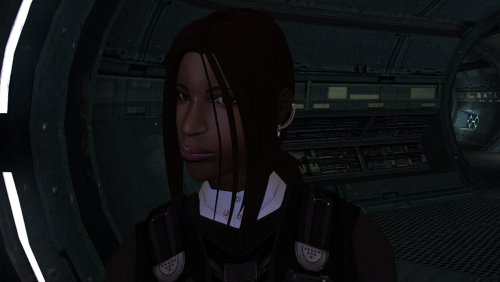
The mod replaces the PFHB04 model and textures. To Install 1. Download: PFHB04 2. Copy all files to the Knights of the Old republic's Override folder. (Example location - C:\Program Files (x86)\Steam\steamapps\common\swkotor\Override) 3. When/if prompted to overwrite files, press okay. 4. If you like the mod; leave a comment or endorse! (It would be much appreciated) Made with love.1 point -
For those of us who have always wanted to use a candelabra as a deadly weapon1 point
-
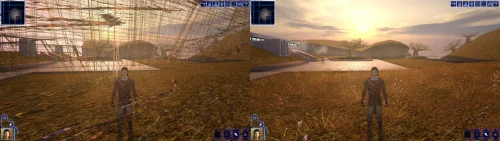 Incredible that it's taken this long to use grass and shadows again. Incredible.1 point
 -
well then they better pay you royalties for the idea then1 point
-
Pretty sure something like the Lightmace already showed up in Star Wars: Visions.1 point
-
Don't let Lucasfilm see this, someones gonna try to shoehorn it into their next project1 point
-
1 point
-
View File High poly PFHB02 The mod replaces the PFHB02 model and textures. To Install 1. Download: PFHB02 2. Copy all files to the Knights of the Old republic's Override folder. (Example location - C:\Program Files (x86)\Steam\steamapps\common\swkotor\Override) 3. When/if prompted to overwrite files, press okay. 4. If you like the mod; leave a comment or endorse! (It would be much appreciated) Made with love. Submitter Dark Hope Submitted 09/17/2026 Category Mods K1R Compatible Yes1 point
-
pfhb02.mdlpfhb02.mdx1 point
-
![More information about "[TSL] Curvier Handmaiden-Style Underwear for Female Player, Handmaiden, Mira, and Visas"](https://deadlystream.com/downloads/screens/monthly_2026_08/20260821142214_1.thumb.jpg.fca2064aa971070642209846cd7ea8f8.jpg)
Version 1.2.0
111 downloads
===================================================== [TSL] Curvier Handmaiden-Style Underwear for Female Player, Handmaiden, Mira, and Visas ===================================================== Mod for Knights of the Old Republic II - The Sith Lords Author: Lily File Name: Curvier_Female_PC_Party_Underwear_v2.zip Latest Version: 1.2.0 --- 1. DESCRIPTION: Replaces the default underwear model for female player characters, Handmaiden, Mira, and Visas with a curvier Handmaiden-style underwear model. Custom textures are included for each character, with matching dark side transition variants. --- 2. INSTALLATION: Run Install.exe and select your KotOR 2 game directory. There are 7 installation options. - Default Installation: Updates the new underwear model for female player characters and all three party members. You probably want this one. - Player characters ONLY: Updates player character models to the new underwear model. - Party members ONLY: Updates party member models to the new underwear model. - Visas ONLY: Updates Visas to the new underwear model. - Mira ONLY: Updates Mira to the new underwear model. - Handmaiden ONLY: Updates Handmaiden to the new underwear model. - PFHC03 Patch: Updates the look for PFHC03 if you use Effixian's PFHC03 Restoration mod. Install that mod first! If you use the default installation, you do NOT need to install any of the individual options separately. The PFHC03 Patch NEEDS to be installed separately - it is NOT included in any other option. You should be safe to reinstall this mod on top of itself without any problems. You can mix and match installation options if you want everything except the Visas replacement, for example. A "backup" folder is created by the installer in the same directory. Don't delete it if you plan to uninstall later. --- 3. UNINSTALLATION: Run Install.exe, select your KotOR 2 directory, and use the "Tools > uninstall/restore backup" option to revert all changes made by this mod. --- 4. KNOWN ISSUES: None. If you find any bugs or problems, please report them. --- 5. MOD COMPATIBILITY: All files should have unique names. This mod only touches body models, textures, and appearance entries - no dialogue, scripting, or module changes. Should be compatible with all other mods, including TSLRCM. Anything that changes the underwear texture for female players or Handmaiden, Mira, or Visas will conflict. If you use Effixian's PFHC03 Restoration mod, install it first, then run this mod's PFHC03 Patch. Do not use the Steam Workshop for KotOR. It will almost certainly end with compatibility issues. --- 6. Support: My mods are free to use. You do not need to pay for them, but if you would like to say thanks, you can buy me a coffee! --- 7. PERMISSIONS: Please let me know if you plan on using any of the files in my mod for your own mod. The answer is "yes you may", but I would like to know what you are doing with it! Do not directly reupload this mod anywhere else. --- 8. THANKS: - redrob41 - Original underwear model - Effixian - PFHC03 Restoration - bead-v - MDLEdit - Fred Tetra - KotOR Tool - Cortisol - Holocron Toolset & HoloPatcher - Fair Strides - TSLPatcher - seedhartha - KotOR Blender - ndix UR - tga2tpc THIS MODIFICATION IS NOT SUPPORTED BY BIOWARE/OBSIDIAN ENTERTAINMENT OR LUCASARTS OR ANY LICENSORS/SPONSORS OF THE MENTIONED COMPANIES. USE THIS FILE AT YOUR OWN RISK.1 point -
1 point
-
1 point
-
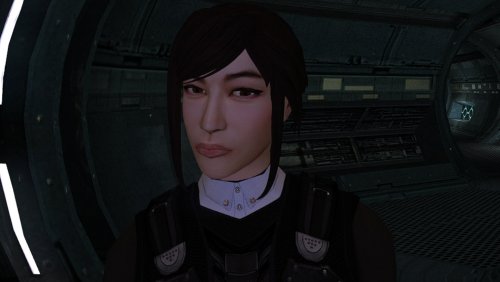
Version 1.0.0
64 downloads
The mod replaces the PFHA05 model and textures. To Install 1. Download: PFHA05 2. Copy all files to the Knights of the Old republic's Override folder. (Example location - C:\Program Files (x86)\Steam\steamapps\common\swkotor\Override) 3. When/if prompted to overwrite files, press okay. 4. If you like the mod; leave a comment or endorse! (It would be much appreciated) Made with love.1 point -
 Setting windows scaling to 100% is what fixed this for me This mod is a Godsent. I am finally able to play KOTOR 1 for the 1st time because I never got it working properly on a 4K TV. Now the game looks amazing together with a texture mod. Thank you. I found 1 bug though so far, in my 15 hours: the Scripts menu is empty for all characters, it looks like this: https://imgur.com/70Ekx9O1 point
 -
![More information about "[TSL] Exchange Gamorrean Fix"](https://deadlystream.com/downloads/screens/monthly_2026_09/20260912154612_1.thumb.jpg.a7baab39ff2842f8499ca644a681ac76.jpg)
Version 1.0.0
37 downloads
===================================================== [TSL] Exchange Gamorrean Fix ===================================================== Mod for Knights of the Old Republic II - The Sith Lords Author: Lily File Name: Exchange_Gamorrean_Fix.zip Latest Version: 1.0 --- 1. DESCRIPTION: With TSLRCM, the Gamorrean Exchange thugs in the refugee sector on Nar Shaddaa have two bugs: 1. They no longer have dialogue if you try to talk to them. I believe the base game had a bug where they had more dialogue lines than they would actually say when you talk to them, and TSLRCM tried to fix this but it ended up even more broken and they just remain silent. With this mod, all of their dialogue lines are restored. 2. When you security one of the metal boxes near them, they tell you "Get out of there or I bash you!" which is an empty threat as they don't care if you take what's inside the box. With this mod, they will become hostile and attack you if you open the box to take what's inside (unless you are in stealth) as intended. --- 2. INSTALLATION: Run Install.exe and select your KotOR 2 game directory. A "backup" folder is created by the installer in the same directory. Don't delete it if you plan to uninstall later. --- 3. UNINSTALLATION: Run Install.exe, select your KotOR 2 directory, and use the "Tools > uninstall/restore backup" option to revert all changes made by this mod. --- 4. KNOWN ISSUES: None. If you find any bugs or problems, please report them. --- 5. MOD COMPATIBILITY: This should be compatible with all other mods. Requires TSLRCM. Do not use the Steam Workshop for KotOR. It will almost certainly end with compatibility issues. --- 6. SUPPORT: My mods are free to use. You do not need to pay for them, but if you would like to say thanks, you can buy me a coffee! --- 7. PERMISSIONS: Please let me know if you plan on using any of the files in my mod for your own mod. The answer is "yes you may", but I would like to know what you are doing with it! Do not directly reupload this mod anywhere else. --- 8. THANKS: - Fred Tetra - KotOR Tool - Cortisol - Holocron Toolset & HoloPatcher - Fair Strides - TSLPatcher THIS MODIFICATION IS NOT SUPPORTED BY BIOWARE/OBSIDIAN ENTERTAINMENT OR LUCASARTS OR ANY LICENSORS/SPONSORS OF THE MENTIONED COMPANIES. USE THIS FILE AT YOUR OWN RISK.1 point -
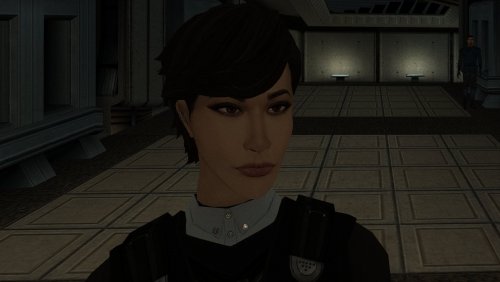
Version 1.0.0
83 downloads
The mod replaces the PFHA01 model and textures. To Install 1. Download: PFHA01 2. Copy all files to the Knights of the Old republic's Override folder. (Example location - C:\Program Files (x86)\Steam\steamapps\common\swkotor\Override) 3. When/if prompted to overwrite files, press okay. 4. If you like the mod; leave a comment or endorse! (It would be much appreciated) Made with love.1 point -
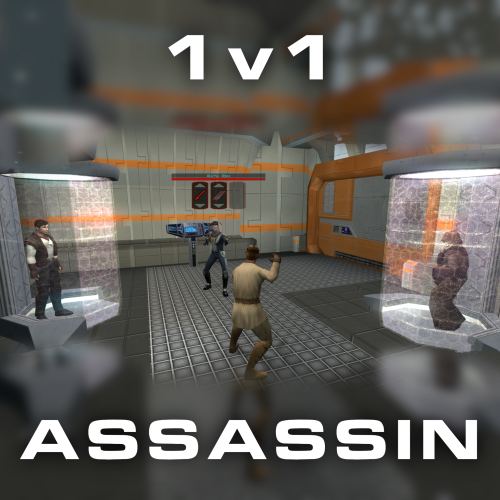
Version 1.0.0
44 downloads
Citadel Station assassin no longer frees your companions, for a 3v1 fight. Also includes a fix from TSLRCM and a fix for TSF agents disappearing before the screen fades to black. Copy 'a_grenn_cut.ncs' to your games 'override' directory.1 point -
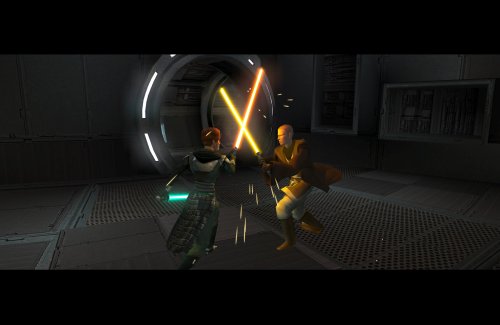
Version 1.0.1
221 downloads
Expands the mechanics of training your Jedi companions in TSLRCM. SUMMARY TSLRCM adds the ability to teach your Jedi party members a select few powers, feats, and forms. It’s a cool concept that adds to the feeling of training your companions, but it was never very fleshed out. As is, there’s a very limited pool of abilities to teach, no real player choice in what to teach, and no depiction of the training aside from a fade to black. This isn’t a fault of the TSLRCM team, there just wasn’t much to restore. The mod aims to expand the whole training mechanic to make it more interesting and immersive. Summary of the main changes of this mod: - You can now choose which abilities to teach your companions. - The pool of teachable powers, feats and forms has been significantly expanded. - Every teachable ability now includes a brief cutscene depicting the training. - Party members can learn 1 power or feat and 1 form at a time and must level up before learning more. - Different prestige classes can teach different abilities. JM/SL can teach a wider selection of powers, JWM/SM can teach more combat feats, and JW/SA can teach a mix of both. - Handmaiden and Disciple can now be trained like other Jedi companions. DETAILS INSTALLATION TSLRCM required. Ensure TSLRCM is installed first before installing this mod. To install, run HoloPatcher.exe. Select the main install option and run. Unaltered copies of any modified files will be placed inside the "backup" folder in the location of HoloPatcher.exe. If you have PartySwap installed, run the included compatibility patch. Ensure both PartySwap and the main mod have been installed first before installing this patch. UNINSTALLATION Remove the following files from override: If any files were created inside the backup folder, move them to override. COMPATIBILITY Incompatible with any mods that hard overwrite the dlg files for Atton, Bao-Dur, Disciple, Handmaiden, Mira, or Visas. Compatible with PartySwap by Darth Tyren & Leilukin using the included compatibility patch. Compatible with Visas Marr and Female Exile Romance by Leilukin. The following mods appear compatible but have not been extensively tested: Handmaiden and Female Exile - Disciple and Male Exile Romance by Leilukin Atton Rand and Male Exile Romance by Leilukin Not compatible with Mira Romance Mod by JediArchivist. Soft conflict with Train the Handmaiden by jc2 as this mod also allows training Handmaiden. BUGS Minor bug where Handmaiden doesn’t restart her idle animation after learning Burst of Speed, for some reason. Talking to her fixes it. No other bugs that I’m aware of. Please report any. PERMISSIONS You are free to use and edit this mod’s dlg files if needed to make a compatibility patch for another mod. However, please ask permission before reuploading or modifying the files for any other reason. Do not reupload any files from the PartySwap patch without permission from the author. CREDITS offthegridmorty zbyl2, DarthStoney, Hassat Hunter, VarsityPuppet & contributors - TSLRCM dlg files DarthTyren, Leilukin - PartySwap dlg files HoloPatcher - Cortisol, th3w1zard1 TSLPatcher - stoffe, Fair Strides KOTOR Tool - Fred Tetra K-GFF - tk102 AniCam - JdNoa Reone Toolkit Lip Composer - seedhartha Holocron Toolset - Cortisol, th3w1zard11 point -
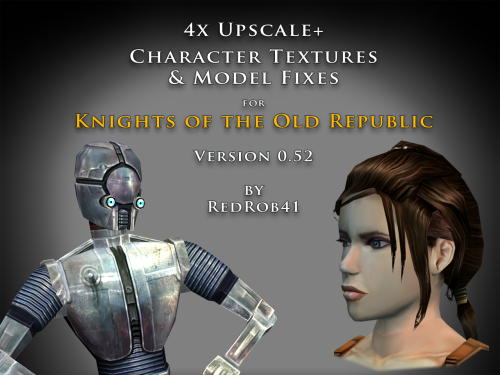
Version 0.52.0
6,532 downloads
================================================================ IF YOU ARE EVER IN ANY DOUBT ABOUT INSTALLING ANY MODS, PLEASE REMEMBER TO ALWAYS BACKUP YOUR FILES BEFORE INSTALLATION, JUST IN CASE. ================================================================ Description: This mod is more than just a simple process of running all the character textures through an A.I. upscaling program. The purpose is to increase the size and fidelity of the character textures while maintaining the painterly style of the original game artists. This mod does not attempt to create photo realistic textures or add extra detail (like zippers, clothing stitches, fabric patterns, skin pores, etc) that are not already part of the existing style. This mod also fixes many of the UVW mapping errors, lighting errors, and some XYZ errors that the original model .mdl & .mdx files may have had. The process followed is generally: run texture files through A.I. upscaling program multiple times using different settings. Some settings result in "crunchy" textures (high contrast, sharp edges). Some result in "soft" textures (smooth gradients, lower contrast, blurry edges). Some result in better straight/parallel lines. Early tests used Vance AI; Deep Image; ImageUpscaler; or Let's Enhance. Eventually Topaz Labs' Gigapixel AI was chosen and used on the majority of textures. combine textures in multi layered Photoshop file, using layer masks to isolate the best parts of each upscaled image. This allows for some portions to be smooth (like skin, glass, metal or tubing), others to be sharp (like burlap, skin folds, hair, scratches, etc). touch up by manually painting away errors (such as jaggies due to original low resolution jpeg compression). manually recolor areas that the original artists missed (like commoner clothes where the pants seat do not match the pant leg; or player armors where pouches are inconsistent between male & female; etc). strategically add painted detail (such as highlights and shadows along the shoulders and neck of Player Character soldier's underwear; adding glove details to armors F, G, H, I, J; etc). painting personal choices (like changing P_BastilaBA02 to have different pants and remove wrist & neck restraints than P_BastilaBAS01 slave outfit). recreating entire textures (such as Player Character male scoundrel dark side underwear PMBASD01). fix the models' UVW maps to reduce some texture stretching (like collar of TSL robes I); adjust areas that are poorly mapped to the wrong locations or too large/small (such as PFBD collar); fix edge seams from one area to another; close gaps (like Mission's arms). manually fix texture seams by copying small areas of the image from one area to another; stretching and scaling them. This should result in model seams that are hidden or difficult to notice. sometimes the Alpha 1 channel is upscaled, but usually it is recreated directly from the final HD color texture. personal choice to add punchthrough transparency to the Alpha 1 channels of some female head models' eyelashes (like P_BastilaH04). recreate the Normal map (for bumpyshiny effects) from the final HD color texture. These work best when saved as .tpc format For most models, they only needed to be manipulated in 3DS Max, exported, and then run through Taina's replacer. This is usually sufficient to fix any XYZ and/or UVW coordinates. I prefer Taina's replacer method so that the model retains its smoothing groups data. For some models (like C_RancorS or C_Terantanak), Taina's won't work, so for those files, I had to resort to manually hex editing the binary .mdl & .mdx files. This is a much more labourious process, but in the end I got them to work. A few models required fixing the model weights of individual verticies. This was done to reduce portions of the model clipping through other parts in different animations. Again, this was done by manually hex editing. For many head models, the UVW coordinates for the tongue and inside of mouth may be moved significantly, especially for the KotOR heads. This is because the originals often map the tongue to a single pixel located in the lips area, which results in almost no detail. By moving the UVW to a free area of the texture, there may be room for painting a detailed tongue. For the party members that have specific underwear textures and basic clothing textures, there has been an effort to make any skin areas (like hands & arms) match between them. Usually the hand area from the underwear texture is copied to the hand area of the clothes texture. This creates more consistency of the party characters' appearance. For low resolution versions of models (like C_Gammorean_Low, C_Protocol_Low, N_Swoopgang_low) or placeables (such as PLC_EndPlA, PLC_RakatCrp, Stunt_WarDrd01) the original textures were not simply upscaled. Instead, the new versions were actually taken from similar high resolution versions and scaled down. Sometimes the textures were rebuilt from parts of other higher resolution images, with some touch up painting. Included is a spreadsheet labelled "KotOR upscale completed list v0_52.xlsx" which has more detailed information as to what files were changed, and in what ways. As of this update, 52.71% of the texture files that I intend to upscale have been completed. As such, this mod should be considered a beta test. The percentage is calculated for both games together, however the mod is released with files separated for K1 & TSL. The spreadsheet was created with Google Sheets and exported as .xlsx, so hopefully the formatting remains correct. I have also attached a copy of the spreadsheet to this mod thread. There will be three versions of this mod to choose to download: 4x .tga version. Highest resolution, the typical texture is now 2048x2048 pixels which = 16MB. This version is a total 5.2GB, hopefully it isn't too large or cause problems for some PCs. This version is also the best choice to use as a modder's resource. 4x .tpc version. Created by running full size .tgas through tga2tpc program which compresses a 2048x2048 pixel file to 5.5MB. This version is a total of 1.8GB, so it should be easier on PC systems, with no noticeable loss of visual fidelity. 2x .tpc version. Created by reducing full size .tgas by half in Photoshop, then running them through tga2tpc which further compresses them to 1.4MB. This version is a total of 530MB, which should be much easier on PC systems. All versions include the same .mdl & .mdx files. I have tested the .tga version exclusively, but have not tested the .tpc versions in-game. Please let me know if there are any issues. Most of the screenshots have been taken in TSL, because I find that it renders the characters better and has higher resolution screen grabs. My computer doesn't seem to render some of the CM shader effects properly (especially the bumpyshinytexture CM_SpecMap always seems too strong on my computer). I would appreciate any in-game screen shots that you take of characters like Hutts, Rakghouls, Rakata, or Selkath so that I can compare how other computers render their shader. ================================================================ Compatiblity: For best results, the model and texture files included with this mod should be used together. In most cases, the models can be mixed and matched with textures from other mods, but results will vary. For instance, the other textures won't be as perfect along the seams. Some other photo realistic HD texture mods may have been created using the original model's UVW layout, which will not perfectly line up with this mod's corrected UVW maps. Conflicts may also occur if there is another mod uses a .tpc file with the same name as one of this mod's .tga files (or vice versa if you install one of the .tpc versions). I would suggest installing other large mods (such as "KotOR 1 Restoration" or "KOTOR 1 Community Patch") first, then this one. ================================================================ Installation: Copy and paste the desired model and texture files into KotOR's Override folder. You may need to over write any existing files, so always have a backup. An effort was made that these textures and models require no 2da editing. The folder marked "Reference Normal Map" is not required to be copied to the Override forlder. These .tga files are simply a modders' resource. The normal maps seem to work best if they are saved in .tpc format. The "Copy contents to Override" folder should already have .tpc files in it for the normal maps. ================================================================ Uninstall: Delete unwanted files from the game's Override folder. ================================================================ Thanks for modding tools: KOTOR Tool – Fred Tetra mdlops (used version 7a2) - cchargin, JdNoa NWMax – Joco Replacer - Taina tga2tpc - ndix UR KotOR/KotOR2 Savegame Editor v3.3.2 - tk102, Fair Strides Hex-editor XVI32 2.55 - Christian Maas ================================================================ Permission: Consider this as a modder's resource. I give permission to any modder to use these files as a base for their own creations; as long as their creation remains free to use (not for profit); and credit is given to me as the source of any modded files. Please include a statement that specifies this mod's title and version. The original credit of course goes to the talented artists who worked on the original games for BioWare and Obsidian. Without their work, none of this would have been possible. I have tried my best to maintain the artistic style that they created long ago. This mod may NOT be uploaded or redistributed, in whole or in part, to any mod hosting site without my explicit permission. As always, this mod is free for your non-commercial/personal use. There should never be a requirement to pay for it. If you like the work I do, and would like to encourage me to create more, you can always donate to my tip jar at https://buymeacoffee.com/redrob416 where the funds collected will be used towards additional graphics tools and software. ================================================================ THIS MODIFICATION IS PROVIDED AS-IS AND IS NOT SUPPORTED BY BIOWARE CORP/OBSIDIAN ENTERTAINMENT OR LUCASARTS OR ANY LICENSERS/SPONSORS OF THE AFOREMENTIONED COMPANIES. USE OF THIS FILE IS AT YOUR OWN RISK AND THE AFOREMENTIONED COMPANIES OR THE AUTHORS ARE NOT RESPONSIBLE FOR ANY DAMAGE CAUSED TO YOUR COMPUTER FOR THE USAGE OF THIS FILE. KotOR upscale completed list v0_52.xlsx1 point -

Version 1.5
284,617 downloads
Bubbling up from the font of dark knowledge, ndix UR presents KotOR High Resolution Menus, a UI mod package providing full high resolution menu and UI support for Knights of the Old Republic. The tyrrany of 640x480 menus and 6-item lists is over. Normally, when you increase the game's resolution using a widescreen patcher like UniWS, the menus stay very small in the middle of the screen and the borders get larger. This package is designed to be used *after* the widescreen patcher has done its work. It scales the menu screens up so that they fill the screen. This package requires modification of the swkotor.exe file using a supplied patcher, and is only known to work with GoG, 4-CD, and macOS (x86) versions of the game. It should be compatible with any Steam version that uses UniWS. The main content of the package are sets of GUI files (.gui), scaled for specific resolutions. The package contains GUI files for over 30 common resolutions with the following aspect ratios: 4:3, 16:10, 16:9, 21:9, and 32:9. Here is a list of the currently supported resolutions: Installation Find the gui.WxH folder matching your resolution, modify your executable using the supplied patcher, copy the GUI files to your Override/ folder. The details for this process can be found in the package README.pdf file. Read it. Follow the instructions therein. The documentation includes everything you need to know to manually patch your EXE if the patcher does not work for your version. Uninstallation Remove the GUI files, restore the original backed up version of your swkotor.exe file. IMPORTANT NOTES: This is not a resolution hack or widescreen patch, such as you get from using UniWS. You should already be successfully running the game at the resolution you are trying to get menus and UI for. Nothing in this package will give you any additional resolutions available. That is not what this does. If you are trying to get high-res menus for one of the resolutions supported by default (800x600, 1024x768, etc.) there is probably no point to using the GUI files named 'mipc*' provided by this package (mostly the in-game "HUD"), however, this scenario is untested. There are a few of the GUI files in this package you can use without modifying your executable. Here is that 'safe' list, in case you are unable to modify your executable: It gets you the main menu, some dialogs, and the in-game HUD elements. Thanks DarthParametric for testing, contributing a double-clickable thing for Windows users, and prompting me to finally figure out the needed EXE modifications. tk102 for GFF2XML and XML2GFF source code, which made it a lot easier to get this up and running. Known Issues The patcher is currently incredibly limited, making no effort to search for values, only looking at specific locations where they are in the executables I have access to. This package does not contain any higher resolution artwork. At high resolutions, menu backgrounds will be blocky, and the striped list backgrounds are unlikely to line up with list items. For numerous reasons, you will want to get a high resolution menu art package. The game's initial character selection screen does not lay out the selectable characters properly according to GUI file field values. It is useable, but not perfect. The blue hilight borders had to be removed from around the characters to maintain a clean look. The map screen is scaled up, but the map itself is not. Furthermore, the position of the map within the frame is somewhat random/poorly understood. The map, however, is completely useable, and the points of interest and player indicator are all positioned accurately relative to the map. Some of the 3D models in menus, such as on the character stats or character generation screens, display line artifacts over them. This is caused by the very low quality graphics being scaled up to provide the border overlays. Extracting the graphics as TGAs, scaling them up, and placing them into Override/ sometimes solves these problems. This package omits statussummary.gui and dialog.gui. Scaling them up cause problems. The files don't behave as expected, and it seems to not require a customized version in order for them to work as one would want. You might notice 1280x1080 in 21:9 even though it is not 21:9. It is for split-screen on 21:9 monitors. Rescaling the dialog/cut-scene letterbox (which is optional) seems to introduce occasional issues with letterbox placement, particularly when the letterbox animation happens. This may be fixed at some point in the future. There is no scaling on font size, and as far as I know no one has figured out how to do it, so users on TV/couch setups may not find the help they are looking for with this. Upgrading 1.4 to 1.5: If your resolution was not previously supported, copy new .gui files to your Override/ Upgrading 1.3 to 1.4: If you have Polish version, you can run EXE patching process If you have 32:9 display, copy new .gui files to your Override/ Upgrading 1.2 to 1.3: Copy all the .gui files to your Override/ Upgrading 1.1 to 1.2: Repeat the EXE patching process on a backup EXE if you want letterbox scaling Upgrading 1.0 to 1.1: Remove dialog.gui from your Override/ Copy 1.1 pazaakgame.gui to your Override/1 point -
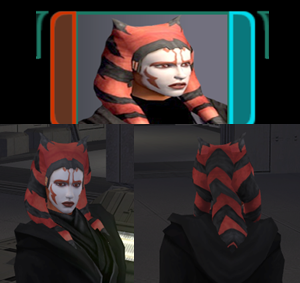
Version 1.0.0
32 downloads
After starting a playthrough with Stormie97 & Effix's playable Ahsoka (https://deadlystream.com/files/file/1995-tsl-stormie97-effixs-ahsokatogruta/), I thought it would be cool if there was a more visible dark side transition, so I made one.... this was initially for personal use and it's not to the highest of standards, but here it is, I hope somebody can get some enjoyment out of it. I also included an alternate light side portrait, should you wish to use it. Installation: 1. Install https://deadlystream.com/files/file/1995-tsl-stormie97-effixs-ahsokatogruta/ 2. Download the Dark Side Transitions.zip 3. Drop the files into your override folder Uninstallation: 1. Delete the following files from your override folder - po_PFHAHSD2.tga - po_PFHAHSD1.tga - po_PFHAHS.tga - PFHAHS01D2.tga - PFHAHS01D1.tga Full credit goes to @Stormie97 & @Effix for their amazing work creating the original. Legal Disclaimer ================= All materials and copyrights belong to LucasArts, Bioware and Obsidian Entertainment Inc. & I own none of the materials and are not making money for this. Please don't upload this on other sites, I will handle that. You may request use in other mods, pending approval; any mods using the assets should credit all the below parties.1 point -

Version 4.0.3
4,230 downloads
Blender addon for working with KotOR assets. Features: Import & export MDL models, including animations and walkmeshes Import & export LYT files Import & export PTH files Lightmap texture baking Area minimap rendering For installation and usage guides, see README in the GitHub repository.1 point -

Version 2.0.0
232 downloads
This mod allows you to buy KotOR2 items from Greeta Holda and Yuka Laka on Tatooine. The mod won't work if you already visited the Czerka Office or the Droid Shop, you need to load an earlier savegame.1 point -

Version 1.0.0
30,500 downloads
Random HD UI Elements by Sdub Version: 1.0 Description: Firstly, While using the HD UI Mod, I noticed there was quite a few things in it that were not HD and looked quite awful. One being the planet icons, and two being the party selection screenshot of the character on the right side. I decided to try and at least do something about this. For the party selection screen I took screencaps from the the game itself with high resolution textures made by ShiningRedHD's mod on the nexus https://www.nexusmods.com/kotor/mods/1282 Then proceeded to upscale them, this is the result. All characters images are from the waist up as best I could, HK47 was especially tricky. I did not do T3M4 as @Dark Hope created one for his HD Astromech Mod that is vastly superior to mine. I made one creative decision with: I also attempted to do Trask, it looks awful. But He's there, for some reason his texture does not apply correctly on the stats screen. It is like this even in the default image. Secondly, I had an idea to make new planet icons, upscaling was not successful, and creating my own looked absolutely awful. So after speaking with @Effix and showing him my trial and errors, it inspired him to create some that he told me to put in this pack with his blessing. Installation: Locate the folder of which you want to install and then place files in override folder. Uninstallation: Delete files that you placed in your override Compatibility: As long as you are you are using @ndix UR 's High resolution menus I do not see you having any problems. I do not know how it would look without it to be honest. I made these with 16:9 in mind. I do not know how they will do in other resolutions. Feel free to let me know. K1R Compatible: Yes Tools Used: MS Paint GIMP Waifu2x Big thanks to the KOTOR Modding Discord1 point -

Version 1.61
47,133 downloads
This mod attempts to address some of the issues with holograms in TSL. In the vanilla game, the majority of holograms have things like eyeballs and teeth being visible through the head. This is caused by the way the game handles transparency, in conjunction with the order in which it renders the individual meshes that a model is comprised of. By changing the hierarchy of the meshes within these models, certain elements can be occluded, resulting in less cases of “bug-eyed” holograms. This is not a perfect solution however. Because meshes do not self-occlude, visual glitches still remain during certain animations and camera angles, but this is likely the best that can be done without being able to make alterations the game engine itself. Additionally, because their interactions are primarily via hologram, this mod includes a revised version of Jinger/Kreia’s Admiralty Mod, which changes the appearance of Admirals Cede and Onasi to give them outfits more fitting of their rank. And while I was at it, I also revised certain appearances with head swaps and custom model merges (hair, etc.) to try and reduce overuse of the same heads and make NPCs a little more distinct. N.B.: TSLRCM is a requirement for this mod. It is not compatible with the vanilla version of the game. Specific Changes: Ebon Hawk: Bastila hologram (Light Side male Revan) Ebon Hawk: Bastila hologram (Dark Side male Revan) Ebon Hawk: Carth hologram (Dark Side female Revan) Ebon Hawk: Carth (Admiral Onasi) hologram (Light Side female Revan) Ebon Hawk: Canderous hologram Ebon Hawk: Jedi Master Atris hologram Ebon Hawk: Jedi Master Kavar hologram Ebon Hawk: Jedi Master Vash hologram Ebon Hawk: Jedi Master Vrook hologram Ebon Hawk: Jedi Master Zez-Kai Ell hologram Peragus: Administration Officer hologram Peragus: Dock Officer hologram Peragus: Maintenance Officer hologram Peragus: Medical Officer hologram Peragus: Security Officer hologram Peragus: Coorta hologram Peragus: Coorta thug #1 hologram Peragus: Coorta thug #2 hologram Harbinger: Republic Captain hologram Harbinger: Republic Navigation Officer hologram Harbinger: Republic Doctor/Med Officer hologram Harbinger: Republic Soldier hologram (partial) Harbinger: Admiral Cede hologram Harbinger: Admiral Onasi hologram Telos: Admiral Cede hologram Telos: Admiral Onasi hologram Telos: Admiral Onasi physical appearance Dantooine: Jedi Master Vandar hologram Dantooine: Jedi Master Vrook hologram Dantooine: Admiral Cede hologram Dantooine: Admiral Onasi hologram Nar Shaddaa (Goto's Yacht): Goto hologram/projector VFX Korriban: Bastila hologram (Dark Side male Revan) Korriban: Jedi Master Vash hologram (M4-78) Korriban: Jedi Kaah hologram (M4-78) Malachor V: Bao-Dur hologram Known Issues: There are still visual artefacts from overlapping sections of individual meshes, particularly noticeable in the case of the neck being visible through the jaw which occurs with certain animations and/or camera angles. This is not addressable by model edits. The problem is the way in which the engine renders overlapping transparency within a single mesh. The Republic soldier on the Harbinger has been replaced as of v1.3, however the helmet is still somewhat problematic. I'm not sure that is addressable without completely remodelling it, and perhaps not even then given its shape. Hair planes with alpha transparency don't function as intended as holograms, so typically look pretty terrible (e.g. Peragus Maintenance Officer). There's not much that can be done about those, other than completely remodelling the hair to rely on geometry rather than texture transparency. Dangly meshes used for hair bangs tend to look conspicuous due the requirement of placing them under the head mesh in the hierarchy. Particularly egregious examples may warrant having these elements being turned into skinned meshes in a future update. No doubt there are still a few holograms that need attention that I have missed. If anyone can provide a list of such cases, I may address it in a future update. Note that some holograms look fine in their vanilla state. I am only interested in hearing about ones with issues like those already addressed in this mod ("bug eyes", etc.). Compatibility: I've edited UTCs to point to custom appearance.2da entries, so the mod should be compatible with any other mod that only edits the vanilla 2DA entries. However, it will not be compatible with any mod that forcibly overwrites the module files this mod edits, that outright replaces the UTCs in question, or that also edits the UTC appearance values. Install any such mods first, then this mod afterwards. To make it clear, do not use this in conjunction with Jinger/Kreia’s Admiralty Mod or Darth Hayze's TSLRCM Compatibility Patch for said mod. They are superseded by this mod. A separate patch is provided for M4-78 to handle its version of the Korriban academy module. After installing the main content of the mod, run the installer a second time and select the "Additional Patch" option from the drop down menu. An optional patch has been added to give the robe-wearing holograms unique named textures for use with robe mods that use the same filenames as vanilla robe textures. This will prevent texture issues (but note that they will still be wearing the vanilla-style robes). Acknowledgements: Thanks to Fair Strides for creating a customised version of TSLPatcher to handle filename clashes, which made this mod practical. Thanks to Jinger/Kreia for permission to release a revised version of the Admiralty mod's content, the textures from which (with modification) are used in this mod. Thanks to zbyl2 for permission to redistribute TSLRCM's module files to ensure compatibility for Steam Workshop users Thanks to JCarter426 for permission to use the female Republic soldier body model from "JC's Republic Soldier Fix for K2" and his adjusted N_CommM04 texture from "JC's Minor Fixes for K2". Thanks to bead-v for KOTORMax and MDLEdit, and ndix UR for MDLOps 2K18 Edition, all of which were required at various points to get this to work. Thanks to ndix UR for TGA2TPC Thanks to Malkior for providing the impetus for the mod via this thread. Thanks to L0ki194 for offering input on the case of the Harbinger's "Doctor" vs "Medical Officer".1 point -

Version 1.0.0
16,137 downloads
Compatability Note: If you're using TSLRCM, Extended Enclave, or M4-78 EP mods, please install the optional Patch file matching your resolution after installing those other mods. The cutscenes were upscaled using Topaz Gigapixel AI, and interpolated to 60fps using SVP Pro 4. Black bars are used to maintain the aspect ratio of the content while bringing the videos to 16:9 overall. TO INSTALL: Make a backup of your "Movies" folder, which is in your main game directory. Download the main pack(s) that matches the resolution you play at. 1440p and 2160p are each broken into three packs. If using TSLRCM, download the matching Patch file as well. Extract/unzip the pack(s) you downloaded. Replace everything in your Movies folder with the extracted files. Do not place them in your Override folder. If you're using Aspyr's (Steam) version of the game, these should work "out of the box" without any tinkering. If you're using a different version, you can use UniWS to patch your game to the correct resolution. If this doesn't work on your version for whatever reason, you may need to use a hex editor to change some values in your game executable to get them to play correctly. Please refer to the following guide on how to do this, skipping the parts about upscaling the cutscenes: https://deadlystream.com/topic/4631-how-to-force-kotor-i-iis-bik-movies-to-play-in-any-resolution/ NOTE: Many cutscenes in KotOR 2 are in-engine recordings. These have be re-recorded at 4k60 rather than upscaled.1 point -
Version 1.0.0
186 downloads
Changes the Mask of Tulak Hord to look like the Sith Mask, which in my opinion was the intended look for this item, since the 'Model Variation' number of the item only differs by 1 from that of the Sith Mask. (If you already visited the Tomb of Tulak Hord the mod won't work.)1 point -
Version 2.4
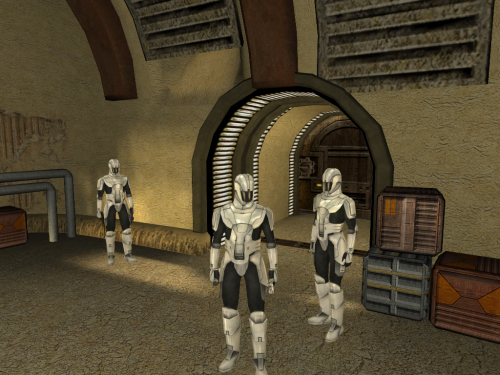
40,600 downloads
While working on the K1CP I discovered that there are actually three different Sith soldier textures. There's the red and the silver that we're all used to, but there's also a white one that is unused. This restores the white texture into the game. You have the option to either make the standard troopers white and the elite/command troopers silver, or vice-versa. INSTALL: Run the installer and select either Main OR Alternate. I recommend installing this AFTER the KOTOR 1 Community Patch and JC's Korriban: Back in Black if you use them. PERMISSION: I give anyone permission to do whatever the heck they want with this, whether or not they give me credit. (Although credit is always nice, y'know?)1 point -
![More information about "Missing K1 Party Member Ports for TSL [Modder's Resource]"](https://deadlystream.com/downloads/screens/monthly_2023_02/992178329_swkotor22023-02-0700-40-59-304.thumb.png.83510f700208dfa6ef28a668b943b086.png)
Version 1.0.0
380 downloads
MODDER'S RESOURCE FOR STAR WARS: KNIGHTS OF THE OLD REPUBLIC II: THE SITH LORDS This modder's resource includes models and textures of Jolee, Juhani, Mission and Zaalbar that are ported from KotOR 1 to be usable in KotOR 2: TSL. I have also included character templates (in UTC format) for them, allowing you to spawn them as NPCs in your mod. This resource is made because Jolee, Juhani, Mission and Zaalbar never make any physical appearance in TSL, thus their textures and models do not exist within TSLs game files. However, both appearance.2da and heads.2da of TSL, including vanilla, still include entries for these characters, so if you want to make them appear as NPCs in TSL, there is no need to create extra entries for them in said 2DA files. PERMISSION: This modder's resource is free to use in any mod you create or release. Credit is appreciated, but not required. CREDITS: Cortisol for Holocron Toolset bead-v for MDLEdit1 point -

Version 1.0b
12,751 downloads
This file is a hex-editable KOTOR 2 executable for use in widescreen patching. The file was originally produced by Squ1zZy, and therefore DeadlyStream offers no technical support for the file or its use.1 point -

Version 2.0.0
26,904 downloads
When dealing with crime lords, beware. Davik Kang's prize ship has a state-of-the-art security system -- it is filled with hulls gaps to suffocate the lungs and texturing errors to boggle the mind. If we want to get the Ebon Hawk flying safely, we ought to patch things up. The goal of this mod was to provide all of the same fixes provided by Ultimate Ebon Hawk Repairs For TSL to your K1 game. This mod patches the same issues as Ebon Hawk K1 Fixes 2.0 by ndix UR, as well as many of the others I worked on for TSL. The latest version includes some big improvements to the alignment of the ship's geometry and animations to the monitor textures it uses. I have included in the download a folder labelled "Animated Monitors"; these files serve provide significantly higher-quality alignments to those using either "Animated Ebon Hawk Monitors (not including Galaxy Map)" or "More Subtle Animated Ebon Hawk Monitors (still not including Galaxy Map)" by Sith Holocron, Dark Hope, and Xarwarz. I personally recommend using those texture mods for the monitors, and installing the contents of the included "Animated Monitors" folder to your override folder after installing the rest. See the Installation section for more details. If you would like to simply remove the blinking animations entirely, you can find an alternate version of the mod for download in PapaZinos' Alternates to do just that. Installation: Download the 7z file and extract the contents of the "To Override" folder to your game's override folder, found in the same directory as your main game executable. For Steam installations, this would be "Steam\steamapps\common\swkotor". 7z files can be extracted with Archive Utility on macOS, or with programs like PeaZip on Windows and Linux. For those using my monitor texture mods of choice, either "Animated Ebon Hawk Monitors (not including Galaxy Map)" or "More Subtle Animated Ebon Hawk Monitors (still not including Galaxy Map)" by Sith Holocron, Dark Hope, and Xarwarz, make sure to install the contents of the included "Animated Monitors" folder to your override. To install, simply copy the files included in the "Animation Fix Edition" subfolder to your override after copying the files from the "To Override" folder. Select "replace" when prompted. Uninstallation: Remove the files in the Included Files list below from your override. Included Files: Compatibility: Users should expect full compatibility with any other mods, so long as they do not modify/replace the above files. For compatibility with the KotOR 1 Community Patch and Darth Parametric's Taris Escape Sequence Adjustments, simply install this mod after those ones. Looking to introduce some much-improved ship animations that are made for their textures? Sith Holocron, Dark Hope, and Xarwarz have authored both "Animated Ebon Hawk Monitors (not including Galaxy Map)" and "More Subtle Animated Ebon Hawk Monitors (still not including Galaxy Map)", both of which do the job well. I recommend using either alongside the files in the "Animated Monitors" subfolder aforementioned in the Installation section. Acknowledgments: I would like to thank Symmetric, Purifier, Ndix UR, and seedhartha for making importing to Blender simple using KotORBlender, and Cortisol for making file extraction easy with the Holocron Toolset. I also want to give a shout-out to muitafruita for suggesting including the medbay walkmesh fix from TSL to K1 as a way to improve PC spawning. This modification is not supported by Bioware, Lucasarts, Disney or any licensers/sponsors thereof. Use of this modification is at your own risk and neither the aforementioned companies nor the author may be held responsible for any damages caused to your computer via this modification's usage.1 point -
Version 1.0.0
1,748 downloads
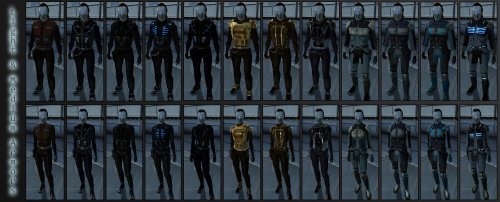
SpaceAlex's Unfinished K1 Enhancement Pack Modder's Resource for: KoTOR. I DID NOT CREATE THIS. SpaceAlex did. It was intended to be both a cosmetic NPC upgrade, a loot upgrade that added new items for Knights of the Old Republic, and more. Sadly, it was never finished, but plenty of work was completed by the time the project was cancelled as these screenshots display. Since SpaceAlex's K1 Enhancement Pack was not hosted on the website, I decided to host it myself and provide an easy link to all the assets so someone can either finish it or use bits and pieces of it in their own mods. Personally, I would like the entire mod to be finished as SpaceAlex intended with the NPC Modification Pack Bonus Content, Party Member Reskins, Player Character Clothing and Head Reskins, and Miscellaneous items implemented as optional add-ons. Also, there is a fix for invisible heads for some reason, here: https://deadlystream.com/files/file/417-spacealexs-k1ep-invisible-head-fix/ . Please download this too if you're using it as a mod or just using it for editing. Lastly, do not use this with K1 Restoration because it will cause cosmetic glitches such as Outcast Children looking like Mandalorians. NOTE: I just realized that I took out a few pieces of the file so it would work. I took out anything related to Darth Bandon and Calo Nord, as these additions cause game-breaking bugs. Credits: -The Deadlystream Website Team for creating this website. -SpaceAlex for creating all these assets -All the great modders and users in this community -Fred Tetra for his KOTOR Tool which makes this possible -The original creator of TSL Patcher, which makes mod installation so much easier -BioWare for creating the Odyssey Engine and this awesome game. -milestails and Fallen Guardian for providing the files themselves: https://onedrive.live.com/?id=AF290B5E544EBB56!121&cid=AF290B5E544EBB561 point -

Version 1.0.0
155 downloads
WARNING : THIS IS A MODDERS RESOURCE NOT INTENDED FOR USE WITH THE GAME! Modder's Resource - Topaz GigaPixel AI Upscales - Source These are all of the first games textures upscaled by Topaz GigaPixel AI. While they are intended for use eventually with my overall project, for the time being I have handed them off to a texture artist to clean up beforehand, after which they will also be released for the standalone game as well. It was also suggested to me that I should upload them here as a Modder's Resource and backup for people to use when repainting any textures for the game. So here they are. The images shown aren't from the game, but they are the only reference imagery I have to show the upscaling in action. ( added some screenshots of the actual textures ) All TXI files as well as the few textures that had issues being upscaled in their own packages.1 point -

Version v1.0.3
2,766 downloads
MDLedit is a (de)compiler for KOTOR and KOTOR2 model files. Which version should I download? There are two packages on the download page. They differ in whether the program uses Visual Styles or not. The difference is purely visual, they are completely equivalent in terms of functionality. The version in the mdledit_v0.0.0xp.zip package will work on Windows XP or newer as well as on MacOS through Wine, but it will look like crap. The version in the mdledit_v0.0.0.zip package will look better, but will only work on Windows Vista and up. How do I set it up? Open the .zip archive, extract the .exe and run it. If you want MDLedit to keep track of your option between sessions, create a blank mdledit.ini file in the same folder as your .exe. How do I use it? The program comes with a help documentation window accessible from the About menu, read that to learn how to use it. If something is not mentioned there please let me know in the relevant thread (link to be added) and I will explain the functionality and add the explanation to the help window for the next version. MDLedit was designed to be used with KOTORmax and the new version of KotORBlender by ndix UR. Using the ascii model files that it produces with NWmax will cause data to be ignored in the best case and a crash in the worst. The program crashed/froze/reported a weird error! Describe your issue in the relevant thread and I will look into it. Attaching a .zip archive with the files that MDLedit was processing when the problem appeared is also very welcome. Thanks A big thank you goes out to ndix UR, without whom MDLedit would have maybe half the functionality it has now. I would also like to thank the testers, who also made a lot of great suggestions that made MDLedit that much better: – DarthParametric – JCarter426 – Quanon – VarsityPuppet – FairStrides The program was built on the knowledge about the MDL format, which is the result of the work of many modders, including CChargin, Magnusll, JdNoa, ndix UR, DarthSapiens, VarsityPuppet, FairStrides, and others! Thank you for your efforts! Lastly I'd like to thank the KOTOR modding community, which makes taking the time to make such a tool worth it.1 point -

Version 1.1
62,872 downloads
Summary This is a collection of various things that I found annoying enough to alter. I collect things that I don't think warrant their own mods into a single mod, to be released to the general public when it becomes more substantial. Contents I've divided this mod into five categories: Straight Fixes, Bug Fixes, Resolution Fixes, Aesthetic Improvements, and Things What Bother Me Fixes. Straight Fixes are fixes for issues I think are genuine errors or mistakes or oversights or what have you. There's a problem, here's a fix for it. No artistic license is involved. Bug Fixes really fall under straight fixes but I've separated them into their own category because they're more severe and there's absolutely no reason not to have them. They fix bugs that could potentially break your game. What I've included are either well known and easy for me to do a quick fix or came to my attention directly. There are lots of other bugs this mod doesn't fix, so I strongly suggest that you seek out a more extensive bug-fixing mod. Resolution Fixes are all textures from the game for which there were identical, higher resolution textures somewhere else in the game files. So I've swapped the lower resolution ones for the higher resolution ones. I've separated these from the straight fixes because a) I didn't make any of the content here - it's all extracted from the game, and b) they don't actually fix "problems" per se - it's just an increase in resolution. It looks the same, with slightly more pixels. Aesthetic Improvements are my attempts to improve the visual quality in certain areas. I've tried to maintain the original aesthetic of the game while improving the quality. But the nature of the improvements necessitates new content created by me. You might not like my work, or you might use a different mod that touches on these areas, or whatever, so I've isolated these from the other fixes. Things What Bother Me Fixes fix things what bother me. They might not bother you but they bother me, so I've isolated those as well. For a full release history, see the accompanied file.1 point -
Sith Holocron asked me to repost my old 2013 tutorial on this subject from LucasForums here, which you may have seen before, either in its original form or in the helpful video forms made by Xuul (if you have difficulty understanding any of the steps here, I recommend seeking those videos out). This method was originally discovered and posted for KotOR II, but works for KotOR I as well. Here is the guide, with some minor changes: --- The ability to run the KotOR games in custom resolutions has existed for many years now. Personally, I have patched KotOR I and II to run in a 1920x1080 widescreen resolution (and KotOR II now supports higher resolutions by default after the Aspyr patch), and many other people have done the same, with various resolutions. However, despite these patches, no matter what resolution the game is patched to run in, the games' .bik movies do not run in the patched resolution. They merely upscale to fit the width of the screen. For KotOR II, which was the original subject of this guide, the vanilla non-HQ movies play in an awful 640x272 and upscale from there, maintaining the 640x272 aspect ratio of ~2.353:1 until they are the width of the screen, with ugly black bars on the top and bottom of the movies. In late 2012, in this LucasForums thread, I pieced together the method to getting KotOR II to run the .bik movies in different resolutions -- in my case, 1920x1080. This thread will explain that method, applied to both games, and should allow anyone to force the games to run the movies in the same resolution that their game is patched to. WARNING: This modification requires the hex editing of KotOR I/II's executable. Mistakes could cause it to stop working, requiring you to redownload the file if you do not know how to fix the problem yourself. With Steam, this is an easy thing to do; on a physical copy of the game, it would require a full reinstallation. Remember to back up any and all files that you will be altering in case something goes wrong. Things you'll need: The KotOR I/II no-CD patch -- If you've already patched your game to run in a custom resolution, then you've already gotten the no-CD patch, because the normal executable isn't editable. I can't link to the no-CD patches since they are technically illegal, but they are easily found via Google. This should not be required for the GOG versions of the games. In the case of KotOR II, you should also grab the KotOR II HQ movies patch -- this is included by default with the Steam and GOG versions, so most people shouldn't need to worry about this. If you are playing with a physical copy, then you'll need to find a mirror of the patch online somewhere. There are 6 parts in total. RAD Video Tools -- this program is used to output the HQ movies to your desired resolution. **** The latest update of RAD Video Tools no longer works with kotor movies. Users will need to download version RADTools_1200e located here HxD Hex Editor -- You will need a hex editor to edit the games' executables. Any will work, but HxD is the one I used, and it's free. Download here. Now, the instructions. ----------------------------------------------------------------------------------------------------- Step 1: First, make sure you've backed up everything that you'll be editing. I suggest creating a folder entitled "Backup" inside your KotOR I/II directory, in which you can put the game's executable and any other important files (such as the original movie files), although the executable is really the only one that is at risk of being screwed up by a mistake. If you have the Steam version, you can just use the "verify integrity of game cache" function to redownload the original version(s) of any broken file(s). Step 2: Create a folder entitled something like "Outputted Movies" and put it somewhere like your desktop. It doesn't really matter where; the desktop is probably the best place. You'll be deleting it once you're finished, as it will no longer be needed. Step 3: KotOR II users should install the official KotOR II HQ movies patch. This will overwrite many of the files in your \Movies directory with higher quality ones. Remember that this is not necessary on the Steam version. Step 4: Get the no-CD patch for your game (I can't link here as stated above, so use Google) and, if necessary, patch your game to run in whatever resolution you want. Instructions on how to do that can be found online and will not be given here so as to reduce the size of this post. I'm sure most people reading this have already done this step eons ago, anyways. Step 5: If you haven't already, download and install the RAD Video Tools linked above. Step 6a: Now, the fun stuff begins. You'll need to use RAD Video Tools to convert all of KotOR I/II's .bik movies to your desired resolution. Depending on the power of your computer, this can take a significant amount of time. It might be best to just do this step overnight, as the processing takes a while and is very resource-intensive, slowing your PC while in progress. If you are on an old/weak PC, this process could take too long to be worthwhile for you. I can't estimate how long it will take, as it will vary wildly based on the power of your PC. To convert the files, open RAD Video Tools and navigate to your KotOR I/II installation directory, and then open the Movies subfolder. Select all of the .bik movies. Step 6b: Now that you've selected all of the files, click "Bink it!" in the lower left corner of the RAD Video Tools window. A new window should open wherein you can select the output settings. Under "Browse," select the desktop folder we created earlier called "Outputted Movies." All of the converted movies will now be outputted there. Under "Input video settings," enter your desired resolutions. I, for example, put 1920 in the width boxes and 1080 in the height boxes. KotOR I users should make sure that the "Compress audio" option is checked and that lossiness is set to 0, otherwise the files will be rendered without sound (thanks milestails for noting this); KotOR II users can uncheck compress audio. Click "Bink" on the right-hand side. Step 7: Now you play the waiting game. Wait for the movies to be converted. Step 8: Once the movies have been outputted to your desktop folder (or wherever else), copy and paste them to your KotOR I/II's Movies folder (e.g. C:\Program Files (x86)\Steam\steamapps\common\Knights of the Old Republic II\Movies). Select yes when asked to overwrite. You can also backup the originals beforehand, if you want. Once all the files are in place, you can delete the "Outputted Movies" folder from your desktop; it has served its purpose. Step 9: Install HxD (or any hex editor, really) and open the game's executable (swkotor.exe or swkotor2.exe), located in your KotOR I/II installation directory. Here comes the only complex part of these instructions. You will need to find the following hex values (in HxD, make sure to change the search datatype from Text-string to Hex-values) and edit them to match your desired resolution. Change the bolded resolution pairs to your desired widescreen resolution. Remember to flip the order of the hexadecimal values. For example, 1920 is 0x780 in hexadecimal. I would flip the order (ignoring the x) and enter 1920 as "8007." 1080 is 0x438, and thus, it would be entered as "3804." For KotOR II: TSL, the hex values you must edit are: For KotOR I, the hex values you must edit are (thanks to Kainzorus Prime for finding these hex values online): Note: If the game minimizes during cinematics, this may be fixed by setting the game's executable to run in compatibility mode for Windows XP with Service Pack 3. If you are having trouble finding the coordinates, it may be because the UniWS patcher already edited the hex coordinates for you. You can verify this by searching for what you plan on changing the coordinates to (instead of the original pre-patch values); if you find a match, that means the editing has already been done by the patcher. Step 10: Most people have probably already done this, but if you haven't, it's vital: open the file swkotor.ini/swkotor2.ini with Notepad (or any text editor) in your KotOR I/II directory and change the width and height under [Graphics Options] (and [Display Options] for KotOR II) to whatever your custom resolution is. ----------------------------------------------------------------------------------------------------- That's it! Assuming everything worked correctly, your KotOR I/II movies should now play full-screen, with no ugly black bars on the top and bottom. Enjoy the fixed movies, and PM me if you have any questions or anything that could be added to this guide. I will update this thread in the future to correct any mistakes or to add any additional information.1 point
-

Version 1.2.3
146 downloads
Expands supported resolutions and scales all Menus/HUD. Install - Use with Kotor Patch Manager: https://github.com/LaneDibello/Kotor-Patch-Manager - Download and extract Scaled Kotor patches to Patch Manager's 'patches' folder. - Editable K1 Executable or GOG version required - Download and copy HD UI Menu Pack textures to override directory - Copy Scaled Kotor textures to override directory, overwrite if asked. - Apply all "Scaled" patches with patch manager and then click launch. - Alt Tab Patch and Movie Patch are recommended. - Change resolution in game - please report any bugs Recommended - K1 Modern Driver Compatibility Patch Source: https://github.com/J0-o/ScaledKotorWidescreenPatch Roadmap: - trace and upscale the font to a higher resolution to improve clarity at resolutions above 1080p - adjust margins in items lists - increase default feat icon size0 points -
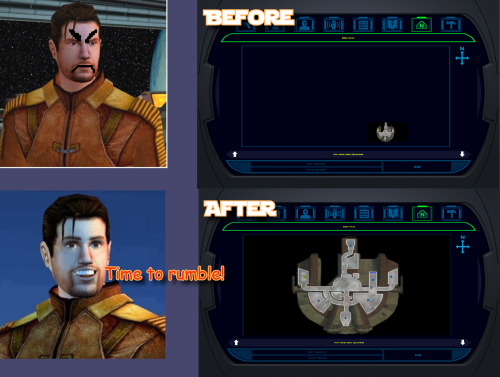 yo, are you still here? Can you please tell me what mod adds these restored maps? TSL Restored Content Mod? Any mod that does not modify game EXE file should work fine. I have updated the mod, it now will write a log fail even when it fails. Please do this: 1. Download the new version. 2. Unzip it in some folder, run 'Install.bat'. Let it get to an error message. 3. A last-run-log.txt should appear in the same folder where install.bat is. 4. Send this last-run-log.txt to me. You can send it to me in a private message. (The file contains the path to your game folder, so if that includes your Windows username, it'll be in there. Nothing else personal, just the name of user, else is data about exe file)0 points
 -
Hi! Do you have KOTOR Modern Restoration Patch installed? If yes, it already has map fixes this mod does and my map note fixes are part of that mod. If you don't use that mod, please tell me what mods you installed before this one.0 points
-
Version 1.8.6
357,576 downloads
Authors: Zbyl2, DarthStoney, Hassat Hunter & VarsityPuppet Contact: PM us at Deadlystream Name: The Sith Lords Restored Content Mod (TSLRCM) 1.8.6 1. Description: ---------- Welcome. Thank you for downloading and installing TSLRCM 1.8.6. This mod's intention is to restore much of the content cut from The Sith Lords, that was lost to the main game due to a rush to release the game. This rush also left the game with a plethora of bugs (some of which also blocked out content, so not everything restored was really "cut"; for example the quest 'Corrun Falt'), so this mod should seriously decrease the buginess that plagued TSL. Overall, our goal is to make the KotOR 2: TSL experience as close as possible for us (as modders can do) as what Obsidian originally intended it to be... Be sure to check our website (or ModDB page) for potential upgrades, patches and compatible mods for TSLRCM. Our site will always have the most recent version of TSLRCM, something we cannot, sadly enough, promise from other sources. http://deadlystream.com/forum/ http://www.moddb.com/mods/the-sith-lords-restored-content-mod-tslrcm Also, if you have issues, questions, or feedback, please post it on the official forums, as otherwise it will be read much later, or not at all. After all, we can't monitor the entire internet. http://deadlystream.com/forum/forum/4-tslrcm/ 2. Installation: ---------- 1. If you're using an older version of TSLRCM (1.8.2 or lower), a game re-install is required before applying 1.8.6. (Steam and GOG users, skip to point 4) 2. After re-installing it's advised to apply the official patch (1.0b). Non-US versions require you to install 1.0a first, then 1.0b, US versions can install 1.0b right away. Make sure to apply the patch that fits your version. Also, after installing 1.8.5, the official patch can no longer be installed! 3. If desired, apply the high quality music and/or movie patches 4. Install 1.8.5. Steam users are advised to use the Steam Workshop download - but ONLY IF YOU DON'T PLAN ON USING ANY OTHER MODS. Steam Workshop mods CANNOT guarantee compatibility, and installing multiple workshop mods will likely lead to issues. CHECK YOUR INSTALLATION DIRECTORY. DO NOT INSTALL INTO THE OVERRIDE FOLDER OR YOUR GAME WILL CRASH! We've had several users on Vista mention that instead of Program files (x86) it would point to Program Files/Program Files, causing the installation to fail. Make sure the installer points to the proper location of your KOTOR2 installation. Default (32-bit windows); C:\Program Files\LucasArts\SWKotOR2\ Default (64-bit windows); C:\Program Files (x86)\LucasArts\SWKotOR2\ GOG default: C:\GOG Games\Star Wars - KotOR2 5. To check if the installation has succeeded, try launching KOTOR2:TSL. If at the main menu it says "Restored Content Modification 1.8.5" on the screen the installation has been successful. PLEASE CHECK OUR OFFICIAL WEBSITE OR MODDB FOR ANY POTENTIAL UPDATES 6. While we try our best to make this mod as bug-free as possible, with the many options of KOTOR2 and our small testing team bugs, critical ones, sometimes make it through. We will fix them, so check our site for any potential updates and patches. We would rather not have people play unpatched and then experience issues like the black screen (1.7) or red eclipse (1.6)! 7. Install any TSLRCM-compatible mods you desire now. If you're unsure if a mod you want is compatible, check our list at our forums, or section 6 - Mod compatibility in this readme. ULTIMATE SABER MOD (USM) IS NOT TSLRCM-COMPATIBLE. MOST REPORTED ISSUES ABOUT TSLRCM ARE FROM USERS STILL USING IT. DON'T! * You cannot use savegames made with vanilla Sith Lords or TSLRCM 1.8.2 or lower. Saves from 1.8.3 and above can savely be used, although some fixes may not take effect. A fresh new game is always the best option for the least amount of issues. 3.0 Changelist 1.8.5 Updated - 1.8.6 ---------- * Soundset of Coorta and Thugs changed from Mira to Commoner Male * Fixed always failing persuasion check for the Ithorian coming in when stealing the prototype shield * Fixed skipped line in 203TEL * Wrong VO used for aliens on Nar Shaddaa * Added fix for the "friendly Twin Suns" gamebreaking issue. * Added alternative female Revan line on Goto's Yacht. * One revan good/dark convo check was swapped in Disciple conversation * Fixed issue where one could get stuck if entering the enclave with Kreia and a third party member and was controlling the third member. * Fixed "good react" suddenly branching to Dark Side dialogue with certain options in Kreia's global dialog. * Visas: "Is her kind rare" and "What's a Miraluka" response from Atton was swapped. * Kreia's first good path no longer decreases -INF after selecting "Perhaps you are right", canceling out the loss and gain like the first dark side path. * Fixed Sith Assassin and Jedi Watchmaster losing ability to select Dual Strike. * Fixed 232hk50006 not playing on steam * Fixed NPC rotation when talking to Hanharr * Fixed a missing script for female players on Onderon. * Fixed Disciple conversation abrubly ending * Added a female version of a line to Tobin's dialog * Fixed typos in dialog.tlk 3.1 Changelist 1.8.4 Updated - 1.8.5 ---------- * Added persuasion animation (Thanks to danil_ch for noticing and providing a semi-complete list of locations of all force persuasions) * Resolved some AR_Error generation with easter egg background and robes. * Fixed T3 skipped dialogue fix getting broken when fixing Steam dialogue being skipped. * Removed excess dlg's and stuff from 307NAR (only used for Zhug scenes), drastically reducing it's size. * (English version) Fixed Revan disrepency in HK-47 dialogue (Thanks to danil_ch for noticing and the VO splices) * Pre-Malachor: Resolved Handmaiden being present even if she left with Kreia to Malachor. Resolved silent Mandalore line. * Visas sparring: Fixed Weapon Focus: Lightsaber being skipped during reward section. For the english version it now shows what Feat you've gained (if any). * Fixed graphical glitches in cutscenes using widescreen resolutions. * Atris/Kreia convo intro improved as per gameplay developer comments * Telos Academy: Fixed some minor issues with a cutscene (Thanks to danil_ch) * Activated dormant placeable in the Telos Academy. (Thanks to JCarter426 for finding the inactive placeable) * HK Factory: You can no longer trigger HK-50 cutscenes by loading a savegame. Removed dead HK-50 to avoid confusion. * Force Persuading Terlyn will no longer require persuasion skill to succeed. * Onderon Wall: Restored missing Bostuco line, made Royalist single line bark rather than cutscene, fixed minor lipsync issues with Vaklu in palace cutscene. * Trying to (Force) persuade the thug after killing Riiken will now net a dark side gain regardless of success or failure. * Restored Patto line, removed HK part from Akkare store since storespawn was fixed and was already generating a part, leading to him having 2 instead of the intended 1. * Ralon: If you have Kreia and Handmaiden/Disciple they can now both comment on the fabled holocron line. * Malachor Core: Fixed Kreia repeated line by actually intended line. * Touched up Visquis call cutscene. (thanks to Danil_ch) * Fixed several missing awareness and persuasion checks. * Fixed broken T3 interaction with the "meet and greet" droids on Dantooine. 3.2 Changelist 1.8.3B - 1.8.4 ---------- * Restored Remote's SFX that was removed by the official 1.0b patch. After 10+ years; it's back! Poor guy! * Restored original dialogue to prologue, except for 'easter egg mode' users who get the spoken dialogue * Slightly modified pre-Malachor cutscene * Fixed reverted instances knowing about Goto in first Bao-Dur/Remote cutscene * First Bao-Dur/Remote cutscene now requires G0-T0 *or* HK-47, not both. This also means you can get the 3rd cutscene and following cutscenes (including the important one about G0-T0 and Remote) without building HK-47 * Fixed Remote "complaining" sound sticking around when it should not * Fixed 2 civilians who were lacking their animations in the Telos Cantina * Benoks goons will now always properly leave the cantina * Various fixes for the Telos Academy: ** Fixed some unskippable lines during intro-dialogue ** Fixed inproper fadeout during intro that showed character jump ** Modified Atris entrance ** Fixed a few issues with handmaidens removing PC ** Modified Atris exit * Fixed small issue with door's windows not being see-through in the Coruscant sequence, hiding the PC and Masters until it was opened (Thanks to JCarter426 for the fix!) * Modified JJT Tunnel sequences if Mira joins the party * Fixed issue with leftover enemy in arena during ending cutscenes * Various fixes with the Mandalorian Battle Ring: ** You will now hear what your violation was before being banned from the Battle Ring for cheating twice ** Fixed auto-win against Kex due to victory flag not resetting after the Davrel battle ** Fixed "no item" rule being in effect for the Bralor fight for male PC's. Battle functioned properly already for females * Added 2 missing Sith to Vaklu palace sequence who triggered a small cutscene * Leaving Dantooine at the endgame cutscenes did not run for male players. Made them skippable in all cases * Added missing animation at start of Disciple cutscene (to match Visas scene) * Slightly improved Disciple warning Admiral cutscene * Added missing "lipsync" (eye flashing) for HK-Factory * Slightly improved 903MAL intro, fixed incorrect camera point for females, and the Elite Sith Assassin will now attack the Exile rather than ignore him/her * Moved DS hit for Slavery from Cahmakt to getting your payment in the cantina. This to prevent the rare issue of this hit triggering the Nihilus intro and getting the player stuck. * Fixed crashing issue if you try to enter the Telos Surface Shuttle with Atton or Kreia. * Fixed Peragus Medical Officer speaking the station warning using the Workshop download. * Added missing installer files: Heads.2da, Movies.2da and Musictable.2da * Fixed "double Sion" bug by undoing changes to .ncs (this is the vanilla file). Moved "Elite Sith" further back so it wont ignore you. Fixed Sion lipsyncing Kreia. * Corrected Suulru having the vanilla dialogue attached to him rather than the 1.8.4 version. * Corrected red X missing texture being visible in Tobin call pre-Freedon Nadd's tomb. * Resized TSLRCM logo and hyperspace texture. This should fix several (framerate) issues certain configurations had with them. * Added eye-flashing of HK's to all HK-50 encounters. * Fixed infinite lightside and Atton influence exploit in the Telos Academy. * Fixed an issue where some subtitles wouldn't appear in Peragus holograms for non-English version of the game. Additional fixes thanks to Danil-ch; * Wrong Atton animation fix post-Peragus cutscene * Fixed too fast walking Sion on Peragus and Malachor * Improved Handmaiden vs. sisters intro-cutscene * Fixed animation issue with Atris using Force Lightning on Handmaiden 3.3 Changelist 1.8.3 - 1.8.3B ---------- * Additional restored lines for Kreia-Atris cutscene. * Modified Mebla slightly; you can play again after 'asking questions' but you can no longer ask questions after getting her tie breaker. * Telos Swoopracing; Traininglap persuasioncheck no longer automatically succeeds. Fixed trainingrun-dialogue not being properly triggered. Fixed several issues with 'improved' or 'deproved' time recognition. * Fixed Lupo not giving credits properly after teammates comment on your Force Persuasion use (my bad). * HK-50's will no longer appear and then fade away if HK-47 is in your party when going to Goto's Yacht (Thanks Markus Ramikin) * Losing to Bralor, then winning he would still incorrectly comment you can fight again (Thanks Markus Ramikin) * Persuading Qimtiq once does no longer guarantee 500 bonus credits per win permanently, you need to re-convince him before each race. * Missing VO addded to installer. * Fixed the "forfeit" Swooprace-bug. * Added proper camerapoints to modified tutorial dialogues. * Improved Azkul-Merc conversation after invading Khoonda (Merc side) (by danil-ch) * You will now start with Force Breath active upon learning it in the JJT/fixed flourish animation (by danil-ch) * Savegames made during the Atton vs. Sion confrontation on Malachor will no longer crash on loading. * Added missing lightsaber equipped fix (by danil-ch) that made the game also check the off-hand for a lightsaber and detect it. * Modified Mira technique teaching slightly. 3.4 Changelist 1.8.2 - 1.8.3 ---------- Not all fixes are listed here (for size and many misc. small changes were made). Check here; http://deadlystream.com/forum/topic/2146-183-preview/?p=25588 for more (but not all) fixes from 1.8.2 to 1.8.3. General - Ebon Hawk; * Several more typo fixes in the dialog.tlk * Updated launcher (for the 4CD-version users) (thanks Pra_Viilon) * Made some lines during the prologue (and Nadaa on Nar Shaddaa) "cutscenes" to prevent questupdates breaking the heard line. Added missing update on getting medpacks. First hatch used outside will no longer be removed. * Fixed 'Lost Shadows' not closing proper on a certain ending (both TSLRCM and M4-78EP). * Restored addition HK-47 lines. * Loot fixes; Missing merchants of 1.8 updated, gloves_03 is missing, if it's rolled it will return gloves_02 now instead of no item at all. Fixed rounding issue allowing low-level drops to something not spawn anything (Peragus). * Added a few additional lines to the Korriban introduction. A few more for non-M4-78EP users (they will be taken out upon installing M4-78EP) as those were already in use on that planet's intro. * Added Atton pazaak scene. * Modified Atton vs Handmaiden, Atton confesses love of Exile to Bao-Dur and G0-T0 modifies Remote cutscenes and adjusted a few odd camera standpoints during 2 disciple cutscenes (all made by danil-ch) * Extra camera points post-Peragus cutscene. * Fixes teammates turning upon click during Visas fight, Bao-Dur line's unconscious line was voiced. * The weapon(s) HK was wearing when the HK vs T3 cutscene started are no longer destroyed, but properly unequipped now. * Added a missing Mandalore VO. * Improved quality Kaevee VO. (thanks to danil-ch) * Restored PMHA03 Male face option for PC. (thanks to Kainzorus Prime) * Fixed issue with Rubat crystals dissapearing from lightsabers. * Fixed Crush sound effect. * You can now train Beast Control after gaining Beast Trick on Dxun. Beast Trick will appear on the upgrade screen once you gain a prestige class, but it cannot be trained, only given. * "The Polar Cap", "Telos Under Attack" and "Trayus Academy" now appear in the music table. * 1B, Akkere and Kodin will generate one of 4 HK parts randomly now, instead of basing it on the players' possessed items (which could generate the pacifist package if all 4 were in the PC's inventory). * Kreia skill-lesson; Automatic completion if awareness was highest skill, unable to complete skill-lesson if awareness was lowest skill. Fixed now. * PC now shows form just learned from the Jedi Master. During mid-battle Masters actually use form instead of flourish (addition by Danil-ch). * Visas' lightsaber will no longer be sometimes invisible during training. * If Bao-Dur is set for Dark Side training but the PC is lightsided, the convo will no longer break without having any more chance to train him. Peragus - Telos: * Fixed droids not skittering properly in 102PER * Fixed same droids when passive allowing disabling option if lower than 0 demolition and higher than 0 demolition, but not when having exactly 0 demolition. It's now possible for them too. * Fixed Harbinger missing if reloading a save after it docked. * Fixed protocol droid with quest update being repaired during and after convo. * Fixed utility droids re-activating if talked to and reloading a savegame. * Wounded Onderon military will only give teammate influence if you kill him yourself, not if he gets killed by Sith. * Fixed black screen if talking to a Handmaiden and goading them to fighting if you won the 5 sister battle. * In attempt to prevent the teammate corruption (which I could not reproduce) the fade-to-black will now last longer, until the sisters turns actually hostile. * Handmaiden will lower her hood when loading the module from a savegame. * Handmaiden will no longer always be send with male PC's. Depending on your choices in Atris dialogue she will now be send or crawl on your plane, with slight variations in a few cutscenes as result. * Aesthetical fixes to cutscene where Atris sends Handmaiden with the exile. * Modified pre-Malachor Carth sequence per developer commentary (thank danil-ch for noticing them) * Some aestetical improvements to the cutscenes in the endgame of the Academy. * Fixed quest update from Lorso about luring Batono in a trap being set too early. It will only appear now if the actual global is also set to allow this option. * Corrected missing "Exchange" quest update in 3 different instances. * Bumani Corp Gammorean use proper dialogue line now. * Hidden academy camera changes to show force field. * TSF will no longer assist you in killing the Sullustan. Nar Shaddaa: * Swoop Droid no longer sounds like Kinrath. * Extended attack of the Serroco. * Saquesh; Allows you to "[intimidate] Stop pressuring the Refugees" if Serroco attacked them and intimidation option for Adana will no longer automatically fail. * Fixed killing Geriel possibly reopening Refugee Woes. It now no longer updates the quests, since the proper updates are already set talking to Saquesh instead, and as stated, was buggy. * Docks scene with Mira; Hanharr no longer takes 9 seconds (sometimes leaving a pause) but the duration of the VO-line. * During Mira or Hanharr's escape an actual alarm now sounds. * Reinforcements at the JJT are no longer deleted after the cutscene deploying them. * JJT Map back popup dialogue fixed. * You can no longer dance for the Twi'lek domo during the run to the JJT (after visquis call). This to prevent the player from missing key triggers. * Zhug Cutscene: Added another global set to the .dlg on an unskippable line as precaution, hopefully fixing the issue some people had with it not being set. * If you turn over shield from secondary to primary AFTER shutting down primary the zhugs will actually spawn now. * If the player overloads the droids now after the bounty hunters spawn, the droids will properly reset to hostile if made friendly, as per the description. * Once the speeder was rebuild, entering the docks or main area would spawn a new one every single time (on top of the old version, causing great performance issues after a while). This has been corrected, and they will only spawn once. * Turning Lootra over to the Exchange will wield a lightsaber now too (like all other quest-resolutions), and will no longer be seen as a "light side" action by your team members. * If you lied to Sasquesh and he sold Adanna fast, then killed him, "Sold to the Hutts" would re-open with no way of finishing it anymore. This has been fixed. * Goto's Yacht console; fixed issue with count's 8 and 9 on consoles being broken and disallowing interaction with the console ever again. * Kreia Premonition cutscene added (thanks to Danil-ch) Dxun and Onderon: * Slight improvements to Kreia's dialogue post-Onderon if Bao-Dur was Dxun Tomb leader. * Remote is now present if Bao-Dur is the leader of the Dxun Tomb group (thanks JCarter426). * Covered up some missing area geometry on Onderon (thanks to JCarter426's way too good eyes ) * During the LS conversation with Kavar, asking about Telos no longer locks "I saw the holorecording of my trial." It will instead lock if you ask that. * Dxun camp: The Gate Guard and Patrol guard will now keep patrolling after being talked to, rather than permanently stop at that point. * Onderon Western Merchant Quarters: Fixed error with citizen dialogue not looping properly. Dantooine: * When the Handmaiden apprehends Kreia, she should have her hood down. It wasn't working however, since the animation was set for the Handmaidens event instead of the Handmaiden one. * Zherron will now take the will and bodies out of the player's hands when receiving an unmodified will, instead of having you drag them through the entire game (fake will worked fine). * Fixed issue with restored Vrook line not turning him hostile properly in the cave. * Fixed infinite Kinrath crystal spawn bug. * Fixed HK's infront of the academy not updating questlog if 3rd group (display issue, the cutscene would have still triggered on the Hawk). * During the jedi academy reveil, added clairvoyance effect if Kreia was not in party, and it no longer loops the animated camera (thanks danil-ch). * During rebuild enclave, removed 3rd party member if entering with Kreia, as (s)he was getting in their pathing's way. * Mandalore can no longer run away from his solo-fight. Ravager and Malachor: * Modified broken soundsets. * Set hyperspace as EH background when leaving, so it's used during the pre-Malachor cutscene. * Modified Mandalore-takedown. * You can no longer start the battle with Nihilus without him draining you (since that's the ingame way to tell why the exile can defeat Nihilus when no-one else can). * Made the fade-in node unskippable since you could, and never make the fade-in. * Expanded the kneel and get drained a bit, instead of it instantly leading to combat. * There's no long pause after killing Visas. * Visas Suicide; Users where the animation fails (no saber, no clothing, etc) will no longer be stuck on a blackscreen. * Visas Suicide; Users where the animation works will no longer see Visas falling to the ground twice before dying. * Changed Mira camera angle during her lift. * Fixed issue with team turning off their lightsabers if Mira was not in the party during Malachor. * Light side players will no longer throw the endboss down the core of Malachor. 3.5 Changelist 1.8.1 - 1.8.2 ---------- (all included mods are used with permission!) * Includes 301NAR Txi fix by JCarter426 ** Fixes window near Tienn not being see-through. Now you can see Tienn from the docks. * Includes Zez-Kai Ell Revan Overlook fix by danil-ch ** Because, apparently, we overlooked one. Splicing was done well too. * Main screen logo updated to 1.8.2, and it no longer inverts suddenly sometimes (thanks Darth_Sapiens). For the best effect remove the kotor2logo.txi 1.8.1 had if you patched up to version 1.8.2 from 1.8.1. * A few addition grammar fixes. * Bao-Dur can now use cyan and bronze crystals to create your first saber. Also fixes the issue where you'd get stuck if you only had a cyan crystal and no other. Vanilla issue, only became apparent now since a no-longer broken since 1.8 store on Telos has a fixed Cyan crystal. * Fixes issues when you leave Adana in her cell, then talk to her again and tell her to run not updating the quest properly, potentially getting it stuck. (Thanks plyinglemon for getting said situation to our attention by suffering from it) * The workbench will now use the skill of the user, instead of the PC when dismantling items for components. * Updated modulesave.2da. * Fixed broken questupdate with the sabotaged protocol droid on the Harbinger (thanks Josh D for finding this). * Telos, thugs infront of the door to the Exchange compoud; Removed automatic Ithorian journal update, need to actually ask for Loppak and be refused for the journal to update. * Nar Shaddaa, Pazaak Den; Fixed potential convo-break for males with Dahnis. * The Security Spike Tunneler now uses the correct skin (it used to look just like the Security Spike, even if it had an unique icon). * Onderon; Removed the "A Matter of Leadership" mission from your questlog if you leave the planet without finishing it. * Several improvements to the Rebuild Jedi Enclave cutscene on Dantooine. * Telos surface; Added lipsync to one of Atton's line since it was missing. * Updated Vash bodies' lightsaber drop. *** The following 2 fixes modify feat.2da. Be aware if you use mods overwriting this it will undo those fixes; * The Jedi Weapon Master and Sith Maurader may purchase the Condition (+saving throw) line of feats. * Restored the Mobility feat. The mobility feat gives a 10% increase in movement rate. (thanks to BarnzyBobble for his assistance in testing if it worked properly) 3.6 Changelist 1.8 - 1.8.1 ---------- * Modified KOTOR main screen texture (used in the main menu and on loading screens) to make it easier for Steam and KOTOR-compilation users to notice if TSLRCM is properly installed, considering they do not have a launcher, and "how do I notice it's installed properly" was becoming a very popular question. NOTE: When using the patch it's only an indication that the patch installed properly, not 1.8 as a whole. If in doubt, please re-install TSLRCM 1.8.1 using the full installer. If the main screen is updated then it indicates the entire mod is updated properly. * Includese Inverted Droid Feat Gain by Hassat Hunter. ** Fixes the feat gain progression of T3 and Goto being swapped around with the feat gain of HK-47. It's correct now, with HK-47 gaining more feats than them rather than less. * Fixed convo break with Nar Shaddaa arrival scene for male players, and fixed requirement check in convo scanning for handmaiden instead of Visas, leaving Disicple's convo options untriggerable. * Fixed breaking Nar Shaddaa questline by talking to Ratrin before Cahhmakt. This is no longer possible. * Fixed bug where talking to Cahhmakt with an NPC instead of the player would leave that NPC "locked", unable to join your party. * Fixed issue on Ebon Hawk with post-Peragus dialogue with Atton not proceeding properly to the Lightsaber dialogue if certain dialogue options were selected. * Fixed bronze saber turning other saber also bronze when loading a savegame if dual-wielding. (thank Fair Shade for the fix!) * Fixed Handmaiden's armor not being properly returned to the inventory when dueling on the Ebon Hawk. * Corrected small issues with Malachor loading screen story hints, like the first being completely blank. * Included updated k_003ebo_enter.nss and a_next_scene.nss to 003EBO.mod for modmakers, the version included with 1.8 was outdated. * Fixed Vrook's lightsaber not activating properly in the rebuild enclave. (Thanks Qui Don Jorn) English version; * Fixed subtitle error; HK when talking about "his whiny allies" subtitles "her whiny allies". * Fixed Zhug brother mentioning "him" for female PC's on Goto's Yacht. * On Dantooine right outside the Ebon Hawk, when asking the "Battered Protocol Droid" what it knows specifically of your character, it says "You are on the register as one of the Jedi who left the Enclave to fight in the Mandolorian Wars. Should be spelt "Mandalorian." * Fixed map note in the HK factory missing it's description. * Fixed minor typo when clicking on the locked door for the reserved section in the Jekk Jekk Tarr. 4. Mod Compatibility: ---------- The following mods are known to have specific install instructions to work properly with TSLRCM 1.8.5 * Game Balance Mod by Achilles - ONLY use Autobalance.2da, don't use any of the other files with the mod!!! * Improved AI by Stoffe (AKA RevanAnt) - While this mod mostly works, it cause some problems with one scene on Nar Shaddaa (you might be unable to select a third teammember during a cutscene and then have to weather some hard battles with just Bao-Dur and Atton). * Enchanced Merchants by Shem - We've modified many of the merchants, for the modified loot drops and other fixes, which will most likely be undone by using this mod. So be aware of that! *Kamaitachis Epic Armours - Read the full description to see how to make it properly work with TSLRCM! Mods requiring compatibility patches (check deadlystream for comp patches): * Handmaiden Choice for Females by Stoffe (AKA RevanAnt) * Admirality Mod by Jinger (AKA Kreia) * M4-78 by Stoney - Use M4-78EP instead! * Slender Female Bodies The following mods are INCOMPATIBLE! Do NOT use these when using TSLRCM 1.8.5! This is by no means a full list. Mods not listed here can still be incompatible. If you're in doubt, check or ask in our forums! The currently most known list is located at http://deadlystream.com/forum/topic/393-mod-compatibility-list-for-tslrcm-183. You can post questions at http://deadlystream.com/forum/topic/2795-inquiries-on-mod-compatibility-list-for-tslrcm-183/. * Ultimate Saber Mod by ChAiNz, D333, Sep, Svosh, T7 * TSL Un-Restored Content (TSL:URC) by Zbyl2 * Ravager Rewrite 2.0 by Zbyl2 * Peragus-Harbringer-Prologue Correction Mod by Ulic * Trayus Academy Clothing Fix by SithRevan * Dark Apprentice Holowan Consortium * Lonna Vash Mod by Sikon * Force Fashion II by jonathan7, Marius Fett and Ender Wiggin * Nar Shaddaa Hidden Complex by FrantFire * Get your lightsaber back from Atris by Lit Ridl * Darth Sion vs Master Vash by zbyl2 * Khoonda Lost rooms by Darth_Tartarus * 90SK's SUPER Content Mod * Telos Shuttle Crash Movie Fix by Zbyl2 & DarthParametric * Telos Polar Sidequest * GenoHaradan 0.9 beta by Exile007 * Knights of the Old Republic III : The Jedi Masters 2.0 (beta) by Trex * HOTOR 1.6 by Qui Don Jorn * Kreia's Assorted Robe Collection * Trailer Force Crush Sound by Don Kain * Kolto Tank on Ebon Hawk by Lit Ridl (overrides critical TSL files!!!) 5. FAQ / KNOWN ISSUES --------- Q. I am having technical issues with The Sith Lords! A. Try the Steam forums. Even if you do not possess the game it does contain many threads about issues and their sollutions, a quick search might just find you the answer you need. Q. How do I know TSLRCM is installed? The main screen is unchanged. A. If the mainscreen is unchanged, TSLRCM isn't installed. Mostly this is related to people installing to the wrong location. Double-check yours (see install instruction #4). Q. Crash when loading a savegame. The loading screen is corrupted by strange lights all over it. A. Issue with modern Nvidia graphic drivers. NOT caused by TSLRCM. To fix; In the Nvidia control panel put Threaded Optimization to "OFF" and uncheck the "read-only" property of your KotOR II directory. Q. There are no Handmaidens at the academy/Stuck infront of the Hawk after the Academy. A. You have overwritten our appearance.2da with an incompatible version of another mod, missing certain key entries needed for TSLRCM to work properly. If you still have the original TSLRCM appearance.2da replace it, otherwise a full re-install of TSLRCM is required. In both cases a save is needed from before entering the academy. Q. I lost my team at the academy/black screen when entering Ebon Hawk after academy/Atton, Kreia or Bao-Dur don't talk to me when I click them. A. Sadly, this is a vanilla bug we cannot fix, since the files cannot be de-compiled. It's related to fighting the Handmaiden sisters on the battle mat and "cheating" before they become hostile, giving an error in the script to return your team members. You will have to load a save from before this fight. Q. The screen becomes black when loading the Jedi Masters scene in the Rebuild Enclave A. This is due to the module using a custom Kreia with special animations for the cutscenes. If any Kreia-altering skins or mods override this, the result is this black screen. Uninstall your Kreia-skin altering mods for the duration of this module... Q. After changing the Ebon Hawk's transponder codes, the Duros scene repeats itself and Goto's Yacht doesn't load. A. In some rare instances the new globals TSLRCM added aren't added to savegames. This is why we suggest playing a new game. In this case the global for the Duros hasn't been increased by 1, leaving the same cutscene. Enabling the cheatmode in the .ini, then using (without quotes) "warp 351nar" will let you continue on without further issues Q. I cannot spar with the Handmaiden! A. Due to a bug, sparring with Handmaiden while in outer space (directly after leaving the Telos Academy) made the fight unwinnable. So for TSLRCM you will have to travel to another planet, exit and re-enter for the option to appear, giving a glitch-free sparring. It's not gone, no worries! Q. When the HK Factory loads, I am spawned on Telos as the Exile, instead of as HK-47 / I get a black screen when arriving on Malachor. I use USM. A. TSLRCM 1.8.5 is not USM compatbile. Q. The game crashes when the Nihilus/Visas or Nihilus/Tobin cutscene loads. A. Delete n_darthnihilu001.ntc from your override. Q. While in Visquis' lair, when Kreia revives Hanharr, it suddenly turns back to Atton. A. Delete p_kreia001.utc from your override. Q. Double Atrises during final confrontation/No dialogue after sisters are defeated. A. Delete the following files from your override, and load a save from before starting the confrontation: a_atrend2.ncs a_atrend3.ncs a_kreatris.ncs a_sisend.ncs n_darthtraya001.utc Q. No HK-Torture scene/Missing restored EH-scenes/Get stuck in Ebon Hawk on my way to Malachor. A. Delete k_003ebo_enter.ncs from your override. Q. Dialogue fast-forwards/cutscenes without sound. A. Engine issue. Not caused by TSLRCM. Unfortunately, we cannot fix this. May this happen, do a full reboot of the game, and it should work properly again. Q. I have issues with the grass on Dxun/Rebuild Enclave. A. This appears to be an issue with ATI-videocards. Try using the textures found here; http://www.lucasforums.com/showpost.php?p=2824280&postcount=14 Q. Why haven't you fished the issue on Peragus where you need to lower the difficulty to proceed as T3? A. This is no issue. Playing on hard you need another way through the door rather than the mine, deleting some goodies in the process. It's not required to lower your difficulty. Q. Does the mod include [x]? A. Please check our semi-complete inclusion list at: http://deadlystream.com/forum/topic/139-whats-restored-in-tslrcm/ Q. Why did you fix [x], that wasn't a bug, that was a feature. A. We have a pretty good indication from developer nodes and scripts what is intended and what not. It's very likely that the bug was infact a bug, and never intended. Developers rarely intend to add bugs and exploits to their game... Q. My question is not answered here! A. Feel free to ask us at our official forum; http://deadlystream.com/forum/ You can also ask at moddb, but I visit that site less frequent... 6. UNINSTALLATION ---------- Run uninstall program created in your game's main directory. On the Steam Workshop unsubscribe. 7. CREDITS: ---------- Major Contributers: * Jinger/Kreia - the Rebuilt enclave and Handmaidens * MonoGiganto - T3’s fixed dialog and ZezKiel’s fixed dialog on NarShadaa * Savvy30039 - the new animations * SWfan28 - scripting genius of a lot of areas * Pra_Viilon - launcher * Danil-ch - Various fixes and cutscenes * HK-47 & Sith Holocron - VO splicing Includes mods by: Jinger/Kreia - Battle for Telos Mrmarb - Weapon finesse icon fix DrGhent - Lightsaber parts icon fix Darth_shan - Bao-Dur shader fix Darth Insidious and Jcarter426 - Telos Shuttle Modder Resource Darth Insidious - Goto's Yacht Window Fix Danil-ch - Female Revan overlook fix Jcarter426 - TXI-fix Kainzorus Prime - PMHA03 Restoration Voice Acting: * Usagi - Kaevee * Zhaboka - Taris Traveler Beta Testing: * Lord of Hunger * TriggerGod * Pra_Viilon * Garfield * JoewJ * DarthDac Translations: * Melkor, MrPhil, TTLan, RevanStar11, Leoneros - French * Alec, Salk, Cair - Italian * Rodro Lliv, Januszka, Serpol, Dashrendar - Spanish * Pestilenz, Lex, Ero, Hib – German * Drazgar, Allard – Russian Special thanks to: * Sith Holocron - for his all-time support and VO splicing * Ulic - his inspirational Peragus modification * Markus Ramikin – for some other minor fixes * Tyvokka and The Doctor – for hosting this mod and forums on Deadly Stream * Darth_Sapiens - Main menu logo 8. DISTRIBUTION NOTES ---------- Thanks to DeadlyStream for giving us space on his forums and all the people of the TSL community that helped with bug finding in the beta. Thanks to tk102 for the dlg editor. Thank you to the members of Team Gizka for finding out about the missing HK factory modules and all the content that was cut from KotorTSL and making sense of it all, because without all their previous efforts and hard work none of this would be possible. Thanks to Jdnoa and Dashus for the tools they created for which none of this would be possible without them. A special thanks to Ulic for his original Peragus mod; while none of his work or files were used in our fixing of Peragus, a lot of his ideas and “how” things were changed were the inspiration for how we tackled them. His list of fixed stuff in the readme helped too! THIS MODIFICATION IS PROVIDED AS-IS AND IS NOT SUPPORTED BY BIOWARE/OBSIDIAN ENTERTAINMENT OR LUCASARTS OR ANY LICENSERS/SPONSORS OF THE MENTIONED COMPANIES. USE OF THIS MODIFICATION IS AT YOUR OWN RISK. THE ABOVE MENTIONED COMPANIES OR THE AUTHOR ARE NOT RESPONSIBLE FOR ANY DAMAGE CAUSED TO YOUR COMPUTER FOR THE USAGE OF THIS MODIFICATION. ThESE modS may not be modified or REdistributed without the explicit permission of the authors. Star Wars: Knights of the Old Republic™ , characters, items, etc. are trademarks and copyrights owned by their respective trademark and copyright holders. Star Wars: Knights of the Old Republic: The Sith Lords™, characters, items, etc. are trademarks and copyrights owned by their respective trademark and copyright holders. Bioware™ and the Odyssey Engine are trademarks of Bioware Corp. Obsidian™ is a trademark of Obsidian Entertainment. All trademarks and copyrights contained in this document are owned by their respective trademark and copyright holders. 20140 points -

Version 1.0.1
3,717 downloads
Those of you familiar with Party Model Fixes by redrob41 know it is a cool mod that fixes up some of the game's models for your K1 party members. Cool enough that I figured it was time for a sequel -- we are going to do even more fixing up of our compatriots: Carth: His unique outfit has a holster which hung by some leather that was missing a texture on one side, rendering it invisible from certain angles. This fixes up that issue, alongside some bonus texture mapping fixes to his opposite pouch and jacket, including the collar fix that redrob41 worked on in their original mod. Zaalbar: Our wookiee friend had some hairs that went missing depending on the angle, again due to missing textures on the opposite sides of some geometry. This fixes that right up, alongside some other messy texture mapping for some of his fur. Jolee: Sometimes Jolee likes to just hang out in a swim suit, socks, and... some kind of bizarre ankle brace. I could not tell you what it does, but it is unlikely to be doing its job given that it disappears when viewed from the other side. This fixes up another classic case of one-sided texture syndrome, and makes some small improvements to texture mapping. Mission: Originally Mission was set to just use adult models when wearing various armors, likely due to time constraints. Therefore, I have made some alternate armor models more suitable for a kid to use. These are just edited versions of the vanilla models, with similar texture mapping, so it is all very vanilla-looking and compatible with any texture mods. This will add the new models to your game and set her appearance.2da row to use them. Her unique models in vanilla are fixed up less noticeably to reflect the changes, and include similar texture mapping fixes to the arms that redrob41 did. This mod is intended to be installed after redrob41's Party Model Fixes, but does not require it to work. All changes will be applied immediately, and do not require that you start a new game. Installation: Download the included .7z file and extract it anywhere of your choosing on your computer. You can unzip a .7z file with tools such as Archive Utility on MacOs, or by with free programs like PeaZip on Windows and Linux. Simply run this installer, directing it to the location of your main game folder with the executable. For Steam installations, this would be "Steam\steamapps\common\swkotor". The installer is an .exe file, which Windows can run natively. Mac and Linux users might consider checking out Cortisol's HoloPatcher -- a new tool that is meant as a cross-platform alternative to traditional KotOR mod installers. Alternatively, executable files can be run on Mac or Linux with programs using tools such as Wine. If you are having trouble with either of those options, I have included some instructions for manual installation in the download's "ReadMe" file. If you happened to have previously installed another mod which placed an appearance.2da file in your override folder, the installer will give you a warning reporting as much upon completion. This is of no concern -- so long as you get no other warnings or errors, the mod is installed correctly and ready-to-go. The mod will overwrite any conflicting model files (.mdl/.mdx) in your override folder, but not any appearance.2da file it finds there, merely edit the existing one. Be sure to back up anything you want to keep ahead of time. The Included Files list below contains all the files that will be installed to the override folder. Uninstallation: Delete all of the files listed below from your override folder. If you had an appearance.2da file in your override folder prior to installing, you can find a backup version in the mod's "backup" folder, which was automatically created during installation, and place that in your override. If you are unsure whether or not a previous mod had put that file there or not, it is better to make use of the backup. Included Files: Compatibility: This mod is fully compatible with any mod which does not replace any of the model files (.mdl/.mdx) listed above. Files that edit appearance.2da are compatible so long as they do not change Mission's armor model cells. If you intend to install Party Model Fixes by redrob41, I recommend doing so before installing this mod, or what you install here will be overwritten. Expect compatibility with most any texture/reskin mods -- so long as they do not replace models (.mdl/.mdx files) as well as textures, there should be no conflict. Acknowledgments: Thanks to seedhartha, NdixUR, Symmetric, and Purifier for making importing to Blender simple using KotORBlender, and Cortisol for making file extraction easy with the Holocron Toolset. I would also like to thank Stoffe and Fair Strides for making inter-mod compatibility infinitely more feasible with TSLPatcher. Shout-out to ConansHair for pointing out that weird bright spot on Zaalbar's rump. This modification is not supported by Obsidian Entertainment, Lucasarts, Disney or any licensers/sponsors thereof. Use of this modification is at your own risk and neither the aforementioned companies nor the author may be held responsible for any damages caused to your computer via this modification's usage.0 points