All Activity
- Past hour
-
View File ROR Addon Pack A Mod for Star Wars Knights of The Old Republic II Author: N-DReW25 1.0 Release Date: 30.08.2026 Installation: Please install the Revenge of Revan mod FIRST before this mod! No exceptions! To install the "Alt Corellia City Reskin" and/or the "TOR Corellia Skybox" addon simply open their folders, copy their files to the Override folder, and overwrite the pre-existing files. The "Coruscant Skybox Pack" comes in two versions, the "Demo Coruscant Skybox" and the "Vanilla Coruscant Skybox" - you can only install one. Pick the one you want to install and open its folder, copy their files to the Override folder, and overwrite the pre-existing files. The "Party Clothes" addon is installed via a HoloPatcher. If you want to use this, you must install the "Episode One & a Half" addon BEFORE you install Party Clothes. Once that is installed, just click on the INSTALL.exe, add your Kotor II file directory, click install, and the addon shall be installed. To install "Episode One & a Half", you must do the following: 1) Copy the "dialog.tlk" file and paste it into your "Knights of the Old Republic II" folder, overwriting the previous one. 2) Open the "For Override" folder, press Cntrl + A on your keyboard to select the files, copy them all into your Override folder, and overwrite the pre-existing files. 3) Open the "For Modules" folder, press Cntrl + A on your keyboard to select the files, copy them all into your Modules folder, and overwrite the pre-existing files. 4) Open the "For StreamMusic" folder, press Cntrl + A on your keyboard to select the files, copy them all into your StreamMusic folder, and overwrite the pre-existing files. 5) Open the "For StreamSounds" folder, press Cntrl + A on your keyboard to select the files, copy them all into your StreamSounds folder, and overwrite the pre-existing files. 6) Open the "For StreamVoice" folder, press Cntrl + A on your keyboard to select the files, copy them all into your StreamVoice folder, and overwrite the pre-existing files. Consult the "Changelog.txt" for a full list of features added in this patch. Description: The ROR Addon Pack is a mod pack for the Revenge of Revan mod (ROR) which contains features for the ROR mod which either got rejected from the main mod, are experimental in nature but could be used by players, or are preview features for an upcoming Episode release. As of right now, the pack contains the following addons: Episode One & a Half: This addon contains all of the bug fixes and new content for Episode One that's going to be added in the Episode Two release. Consider this addon a "public beta" before it is added to the main ROR mod as part of Episode Two. Just so that you know, Episode Two will contain the bug fixes/new content for Episode One's Corellia and add the planet Nar Shaddaa to continue the story from where Episode One left off. Episode One & a Half shall be removed from the addon pack once Episode Two releases and will probably be replaced with Episode Two & a Half, Episode Three & a Half etc at later dates. Release 1.0 currently has new content for the opening of the mod up until the Player reports the Tyrena Station Security Recordings to Bao-Dur. A future update shall include improved content for the Esbek Hotel up until the very end of the mod. Main Changelog: Item Specific Changelog: Party Clothes: Similar to Atton and Mira in Kotor II, this addon adds unique clothing that only Uldir and Drayen can wear. Drayen's armor slot will become locked (similar to Mandalore in Kotor II), however, his clothing has very good stats for the early game meaning you won't want to replace it anyway. In future updates, clothing shall be added to future party members when they are added. TOR Corellia Skybox: Replaces the ROR skybox with the Corellia skybox from The Old Republic MMO. Coruscant Skybox Pack: Contains alternative skyboxes for Coruscant. Right now only the ROR Demo Coruscant Skybox and the Vanilla Coruscant Skybox are available. Alt Corellia City Reskin: This is a WIP addon that replaces the current Corellia textures. These may, or may not, be added to the main mod at some point. It is also possible that different textures may be added to the mod instead of these. As these are a WIP there may be textural anomalies in certain parts of the mod. Known Bugs: This mod shouldn't have any bugs but if there are please report them to me on Deadlystream. Incompatibilities: To be added! Permissions: Assets from this mod may not be used without explicit permission from the authors. Voice Actors: JC2: B8-C2. Sith Holocron: HoloNet News Droid [Coruscant and Corellia]. Thanks to: Logan: Beginning the restoration effort for K1! ROR's Main Dev Team: For developing the original K1R mod! Contributors of the Main ROR mod: For contributing to Episode One's release. AxConsortium70: Extensive beta testing, to the point that they fixed some of the more illusive bugs they discovered! Jonathan7: Assets from Force Fashion II, a mod already in ROR, have been modified and included in this pack for the Episode One & a Half addon. RedRob41: Assets from ROR Episode One have been modified and included in this pack for the Episode One & a Half addon! 90SK: Armor and Mask assets from his mods have been added into this pack for the Episode One & a Half addon! SilverEdge9: More assets from BOSSR have been modified and included in this pack for the Episode One & a Half addon! Flammenwerfer: Their mod "The Sith Mask" has been used in this pack for the Episode One & a Half addon. The readme of their mod on NexusMods gives modders free permission to use this asset as long as credit is given to them! ScrierOne: Their mod "Sith Mask Reskin" has been used in this pack for the Episode One & a Half addon. Their NexusMods page states that modders have permission to use this asset! Vurt: For making the Hutt textures in his "Vurt's KotOR Visual Resurgence" mod, these textures were used as a base for ROR's Hutts! Elayerfawkes45: For making the Hutt textures in his "Hutt remesh and retextured with bumps" mod, these textures were used as a base for ROR's Hutts! Detran: For making the Hutt textures in his Detran's Hutts" mod, these textures were used as a base for ROR's Hutts! Sith Holocron: Voice filters for B8-C2, the HoloNet News Droids, and a Royal Guard NPC! Leilukin: Assets from their mod "Missing K1 Party Member Ports for TSL [Modder's Resource]" has been used in this pack for the Episode One & a Half addon. It is a Modder's Resource! Doc Valentine: Creator of the ROR Demo Coruscant Skybox which has become an addon of this pack! Scorchlicious: For fetching the TOR Corellian Skybox for the pack! ElevenLabs Website: For the custom AI VO service! Bioware: For such an amazing game! Obsidian: For such an amazing sequel! Fred Tetra: For Kotor Tool! Cortisol: For Holocron Toolset! Everyone who downloads the mod! Legal: THIS MODIFICATION IS NOT SUPPORTED BY BIOWARE/OBSIDIAN ENTERTAINMENT, LUCASARTS, DISNEY OR ANY LICENSERS/SPONSORS OF THE MENTIONED COMPANIES. USE OF THIS FILE IS AT YOUR OWN RISK AND THE ABOVE-MENTIONED COMPANIES OR THE AUTHOR IS NOT RESPONSIBLE FOR ANY DAMAGE CAUSED TO YOUR COMPUTER FOR THE USAGE OF THIS FILE. Submitter N-DReW25 Submitted 08/29/2026 Category Mods TSLRCM Compatible No
-
 iammandalore joined the community
 -
 the main kotor discord is just: https://discord.gg/kotor
 -
Hello, So I have several different colors of the Handmaiden's outfit and I would like to utilize them. Since her appearance file is P_handmaidenBB in 2da, I adding P_handmaidenB to the modelB line for texture, but no luck. I've had success for Disciple and Atton, but I can't get the handmaiden to work. Does anyone know a work around this? or can someone come up with a mod for it? I've tried for a while, but can't figure it out. Thanks for the help, hopefully there is a solution for this.☺️
-
The way that one works is one module has several different UTM files, that get swapped out via dialogue script. So it's not so much that items are being cleared, but the full store is replaced. Yup! See `baseitems.2da`
-
This is good too know! I know that we have some folk in the OpenKotor discord that have experimented with similar things. We've also done graphical hardware patching on the windows versions. There are some plans to do Mac OS patching in the future to try and fix some of the issues on that platform, though it's pretty back-logged right now. Getting things running on Apple Silicon would be pretty huge, though. You're welcome to join and share thoughts/findings if you're interested. I'm sure people over there will have takes: https://discord.gg/wS3YNGyMFe
- Today
-
 sewer_gas joined the community
 -
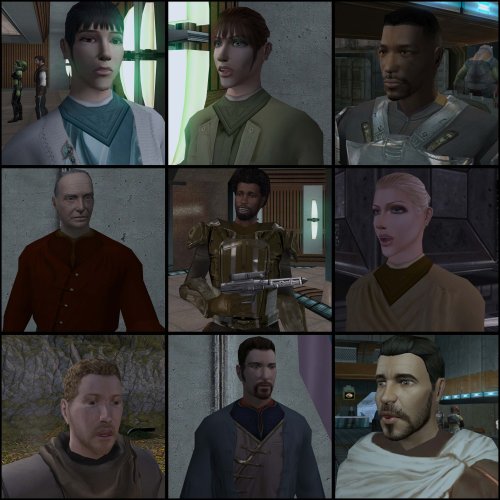 This looks awesome! The heads look very different from the vanilla ones.
 -
 Experiment report: Mesa GL-on-D3D12 / zink for KOTOR 1 in CrossOver on Apple Silicon (negative result, fully mapped) TLDR: I tried replacing KOTOR's OpenGL path with modern Mesa (mesa-dist-win) inside a CrossOver bottle on an M3 MacBook Pro, hoping to bypass Apple's deprecated OpenGL driver. Mesa's WGL layer itself works with KOTOR, but both GPU backends (d3d12 and zink) fail at device creation in 32-bit. Software rendering (llvmpipe) runs the game, proving where the wall is. If you were considering this route: here's where it breaks, so you can save an evening. Setup M3 MacBook Pro, macOS (Darwin 25.5.0) CrossOver, Windows 10 bottle, wine build wine-11.0-8726-g2e2f5fca349 KOTOR 1, GOG Windows version, 32-bit exe Mods: K1CP, UniWS 1920x1200, ndix UR HR Menus, HQ Skyboxes II, High Quality Blasters Game fully playable as-is (windowed, Frame Buffer Effects and Soft Shadows off, Disable Vertex Buffer Objects=1). Some scenes lag because KOTOR's fixed-function GL 1.x goes through Apple's deprecated OpenGL driver. Hypothesis Inspired by the ostriv-macos repo (maksymenkoml), which drops Mesa's libgallium_wgl.dll next to a game exe in a CrossOver bottle: route KOTOR's GL through modern Mesa instead of Apple GL. Chain would be Mesa WGL -> gallium d3d12 driver -> D3D12 -> Metal, or alternatively Mesa -> zink -> Vulkan -> MoltenVK -> Metal. Method Downloaded mesa-dist-win prebuilt release (pal1000's repo, release-msvc.7z). Copied from the x86 folder (KOTOR is 32-bit): opengl32.dll, libgallium_wgl.dll, dxil.dll next to swkotor.exe. (Note: libglapi.dll no longer exists in recent releases, glapi was merged into the main DLL.) Wine Configuration -> Libraries -> opengl32 -> Native then Builtin. Launched from Terminal with GALLIUM_DRIVER set explicitly per run, logging via tee. Results Run 1: GALLIUM_DRIVER=d3d12. Black fullscreen window, then access violation (c0000005), null pointer at address 00000000. Key log lines: vkd3d:err:d3d12_device_init Cannot load DXIL conversion library, DXBC-TPF shaders won't be supported Mesa: error: GL User Error: glGetFloatv called without a rendering context Mesa: error: GL User Error: glClearColor called without a rendering context [... many more GL calls without context ...] wine: Unhandled page fault on read access to 00000000 at address 00000000 Surprise finding: D3D12 inside this bottle is served by Wine's vkd3d (D3D12-on-Vulkan-on-MoltenVK), not D3DMetal, at least for this 32-bit exe. vkd3d cannot load the DXIL conversion library, so it cannot consume the shaders Mesa's d3d12 backend produces. Device init fails, context creation returns null, the game calls GL blind and dereferences null. Run 2: GALLIUM_DRIVER=zink. Identical crash signature, no vkd3d lines, no evidence of a Vulkan device being found. Same "GL User Error: called without a rendering context" cascade, same null-pointer crash. Zink found no usable 32-bit Vulkan device through MoltenVK in this bottle. Run 3: GALLIUM_DRIVER=llvmpipe (control). The game runs. Extremely slowly, as expected for software rendering on an emulated x86 CPU, but it renders and reaches the game. Diagnosis Mesa's WGL layer is compatible with KOTOR under CrossOver: contexts get created and the game renders when a device exists (llvmpipe proves this). The failure is specifically 32-bit GPU device creation through the macOS translation stack: d3d12 backend: blocked by vkd3d's missing DXIL support. zink backend: no 32-bit Vulkan device available via MoltenVK in the bottle. No environment variable fixes this; there is no 32-bit GPU device to hand Mesa. What might change this in the future CrossOver routing 32-bit D3D12 through D3DMetal (or D3DMetal gaining whatever this path needs). vkd3d shipping working DXIL conversion in CrossOver's build. A working 32-bit Vulkan/MoltenVK path inside the bottle for zink. If any of those land, this experiment is worth rerunning; the Mesa side of the equation already works. Rollback Complete and clean: delete the copied DLLs next to swkotor.exe, remove the opengl32 override in Wine Configuration, done. Game back to its known-good state in two minutes. Conclusion Negative result, but precise. KOTOR on Apple Silicon via CrossOver remains playable with the usual setup (windowed, FBE and Soft Shadows off, VBOs disabled), with some scene lag. And worth remembering: part of that lag (Taris streets, Dantooine grass) stutters even on native Windows. Logs available if anyone wants the full output. May the Force be with you.
- 1 reply
-
- 1
-

-
- apple silicon
- crossover
- (and 2 more)
-
krissp joined the community
-

Echoes of the Republic - an unofficial expansion
ether_vagabond commented on vault13deathclaw's file in Mods
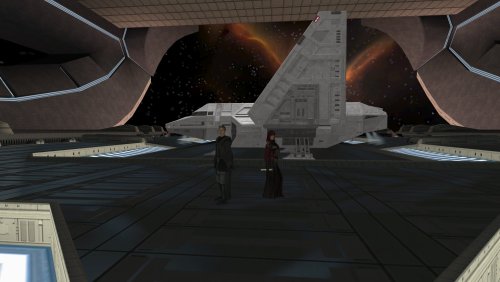 Dude I just have to say, this mod is awesome, so much fun. I can't wait to see what it's like when you're finished with it! But I'm already having loads of fun with it.
 -
I'm using Blender 4.0, and I think I'm using KotorBlender 2.1.0
-
 Chef_Ramsey joined the community
 -
Version 1.0.0
0 downloads
A Mod for Star Wars Knights of The Old Republic II Author: N-DReW25 1.0 Release Date: 30.08.2026 Installation: Please install the Revenge of Revan mod FIRST before this mod! No exceptions! To install the "Alt Corellia City Reskin" and/or the "TOR Corellia Skybox" addon simply open their folders, copy their files to the Override folder, and overwrite the pre-existing files. The "Coruscant Skybox Pack" comes in two versions, the "Demo Coruscant Skybox" and the "Vanilla Coruscant Skybox" - you can only install one. Pick the one you want to install and open its folder, copy their files to the Override folder, and overwrite the pre-existing files. The "Party Clothes" addon is installed via a HoloPatcher. If you want to use this, you must install the "Episode One & a Half" addon BEFORE you install Party Clothes. Once that is installed, just click on the INSTALL.exe, add your Kotor II file directory, click install, and the addon shall be installed. To install "Episode One & a Half", you must do the following: 1) Copy the "dialog.tlk" file and paste it into your "Knights of the Old Republic II" folder, overwriting the previous one. 2) Open the "For Override" folder, press Cntrl + A on your keyboard to select the files, copy them all into your Override folder, and overwrite the pre-existing files. 3) Open the "For Modules" folder, press Cntrl + A on your keyboard to select the files, copy them all into your Modules folder, and overwrite the pre-existing files. 4) Open the "For StreamMusic" folder, press Cntrl + A on your keyboard to select the files, copy them all into your StreamMusic folder, and overwrite the pre-existing files. 5) Open the "For StreamSounds" folder, press Cntrl + A on your keyboard to select the files, copy them all into your StreamSounds folder, and overwrite the pre-existing files. 6) Open the "For StreamVoice" folder, press Cntrl + A on your keyboard to select the files, copy them all into your StreamVoice folder, and overwrite the pre-existing files. Consult the "Changelog.txt" for a full list of features added in this patch. Description: The ROR Addon Pack is a mod pack for the Revenge of Revan mod (ROR) which contains features for the ROR mod which either got rejected from the main mod, are experimental in nature but could be used by players, or are preview features for an upcoming Episode release. As of right now, the pack contains the following addons: Episode One & a Half: This addon contains all of the bug fixes and new content for Episode One that's going to be added in the Episode Two release. Consider this addon a "public beta" before it is added to the main ROR mod as part of Episode Two. Just so that you know, Episode Two will contain the bug fixes/new content for Episode One's Corellia and add the planet Nar Shaddaa to continue the story from where Episode One left off. Episode One & a Half shall be removed from the addon pack once Episode Two releases and will probably be replaced with Episode Two & a Half, Episode Three & a Half etc at later dates. Release 1.0 currently has new content for the opening of the mod up until the Player reports the Tyrena Station Security Recordings to Bao-Dur. A future update shall include improved content for the Esbek Hotel up until the very end of the mod. Main Changelog: Item Specific Changelog: Party Clothes: Similar to Atton and Mira in Kotor II, this addon adds unique clothing that only Uldir and Drayen can wear. Drayen's armor slot will become locked (similar to Mandalore in Kotor II), however, his clothing has very good stats for the early game meaning you won't want to replace it anyway. In future updates, clothing shall be added to future party members when they are added. TOR Corellia Skybox: Replaces the ROR skybox with the Corellia skybox from The Old Republic MMO. Coruscant Skybox Pack: Contains alternative skyboxes for Coruscant. Right now only the ROR Demo Coruscant Skybox and the Vanilla Coruscant Skybox are available. Alt Corellia City Reskin: This is a WIP addon that replaces the current Corellia textures. These may, or may not, be added to the main mod at some point. It is also possible that different textures may be added to the mod instead of these. As these are a WIP there may be textural anomalies in certain parts of the mod. Known Bugs: This mod shouldn't have any bugs but if there are please report them to me on Deadlystream. Incompatibilities: To be added! Permissions: Assets from this mod may not be used without explicit permission from the authors. Voice Actors: JC2: B8-C2. Sith Holocron: HoloNet News Droid [Coruscant and Corellia]. Thanks to: Logan: Beginning the restoration effort for K1! ROR's Main Dev Team: For developing the original K1R mod! Contributors of the Main ROR mod: For contributing to Episode One's release. AxConsortium70: Extensive beta testing, to the point that they fixed some of the more illusive bugs they discovered! Jonathan7: Assets from Force Fashion II, a mod already in ROR, have been modified and included in this pack for the Episode One & a Half addon. RedRob41: Assets from ROR Episode One have been modified and included in this pack for the Episode One & a Half addon! 90SK: Armor and Mask assets from his mods have been added into this pack for the Episode One & a Half addon! SilverEdge9: More assets from BOSSR have been modified and included in this pack for the Episode One & a Half addon! Flammenwerfer: Their mod "The Sith Mask" has been used in this pack for the Episode One & a Half addon. The readme of their mod on NexusMods gives modders free permission to use this asset as long as credit is given to them! ScrierOne: Their mod "Sith Mask Reskin" has been used in this pack for the Episode One & a Half addon. Their NexusMods page states that modders have permission to use this asset! Vurt: For making the Hutt textures in his "Vurt's KotOR Visual Resurgence" mod, these textures were used as a base for ROR's Hutts! Elayerfawkes45: For making the Hutt textures in his "Hutt remesh and retextured with bumps" mod, these textures were used as a base for ROR's Hutts! Detran: For making the Hutt textures in his Detran's Hutts" mod, these textures were used as a base for ROR's Hutts! Sith Holocron: Voice filters for B8-C2, the HoloNet News Droids, and a Royal Guard NPC! Leilukin: Assets from their mod "Missing K1 Party Member Ports for TSL [Modder's Resource]" has been used in this pack for the Episode One & a Half addon. It is a Modder's Resource! Doc Valentine: Creator of the ROR Demo Coruscant Skybox which has become an addon of this pack! Scorchlicious: For fetching the TOR Corellian Skybox for the pack! ElevenLabs Website: For the custom AI VO service! Bioware: For such an amazing game! Obsidian: For such an amazing sequel! Fred Tetra: For Kotor Tool! Cortisol: For Holocron Toolset! Everyone who downloads the mod! Legal: THIS MODIFICATION IS NOT SUPPORTED BY BIOWARE/OBSIDIAN ENTERTAINMENT, LUCASARTS, DISNEY OR ANY LICENSERS/SPONSORS OF THE MENTIONED COMPANIES. USE OF THIS FILE IS AT YOUR OWN RISK AND THE ABOVE-MENTIONED COMPANIES OR THE AUTHOR IS NOT RESPONSIBLE FOR ANY DAMAGE CAUSED TO YOUR COMPUTER FOR THE USAGE OF THIS FILE. -
 moddinglegen999 joined the community
 -
Interesting idea. I imagine we have a list of what each base item is... so maybe just everything that doesn't look like a unique category gets removed? I feel like there aren't many important items in shops. I feel like playing this as a kid I never even opened them... I'm currently looking at KotOR II.
-
The mod "HD Grenn" has been updated into a mod pack for HD K2 NPC textures. The current update adds Luxa and the Zhug Brothers in addition to previous HD Grenn.
-
 volcomrj joined the community
 -
 simonc joined the community
 -
 Ashebone joined the community
 -
 Hey, thank you for the quick reply! I tinkered for a few hours with the GPU drivers, rolled back to older versions, but that did not result in any change. I am using an AMD videocard, and during my research I stumbled on this forum thread. I tried the solutions listed in it as well, but once again I was met with no change. Do you have any idea what could be causing this potential lightmap issue? Or if there is some sort of mod conflict, what would be the names of the files that could be causing it?
 -
 Torry joined the community
 -
 Ciaaran joined the community
 -
A lightmap issue possibly. Maybe a GPU issue. Shouldn't be anything from K1CP. Looks fine on my end, although it looks worse in a screenshot than it does in-game.
-
What version of kotorblender and blender were you using?
-
In K1 isn't it just Yavin Station?
-
May be able to get away with just filtering out certain base items. Like plot items will reliably be base item 64 (Plot_usable_items). And maybe also filter Aesthetic items, Data_Pads, etc. Though I guess that depends on how you're clearing the items... I'm not aware of any master lists, though there aren't too too many merchants in these games. May just have to do some checking
-
Hello there! I have a rather odd issue that I don't believe anyone has encountered before. My issue is with the ground and wall textures of the krayt dragon cave - they are completely black, but it seems like the back portion of the cave isn't affected by this. Not a game-breaking bug, but I am curious to find out what is causing it. I have done the usual troubleshooting of disabling the grass and shadows, as well as putting the Disable Vertex Buffer Objects=1 in the swkotor.ini file. I also checked the notes on Github and found that this specific area has been the subject of patch changes as well. I do have quite a lot of texture mods glued together, but I haven't encountered an issue such as this up until now. Would anyone happen to have any advice on where to begin troubleshooting this? I have tried swapping the Tatooine textures I currently use with textures from a different mod, but the result is the same. Thank you in advance for any guidance!
- Yesterday
-
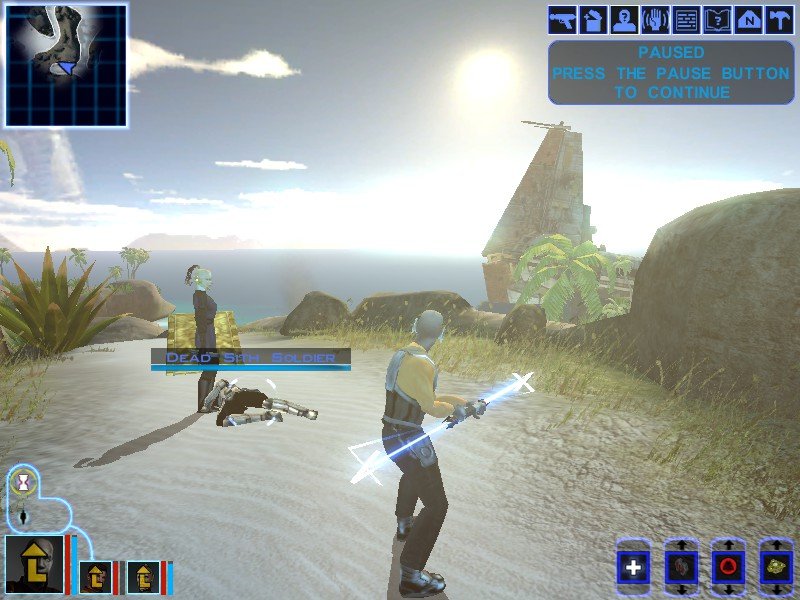
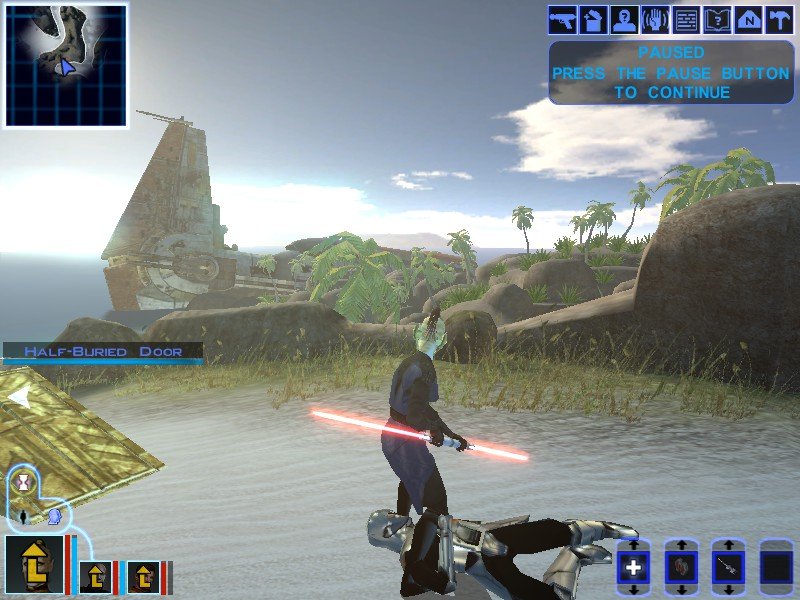
Realizing I should make topics by mods instead of by issue. I have one final problem before I'm able to finalize this mod. I have a custom lightsaber hilt that I made in Blender, but in-game the lightsaber blade shows up "boxy", highlighting the boundary of the blade's box instead of retaining a blade-like shape. I tried comparing it to a new Blender file made with the default saber, but I don't see any obvious differences in the blade. Does anyone have any idea what might be wrong? dk_txt_exar.tga exarkun_dbl.blend w_lsabreblue01.tga
-
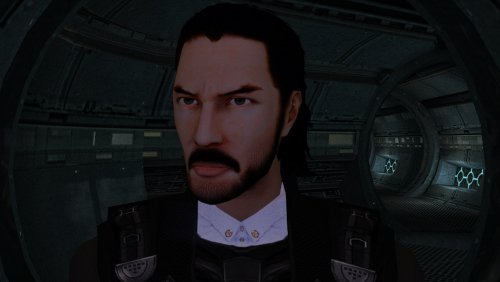 Amazing!
 -
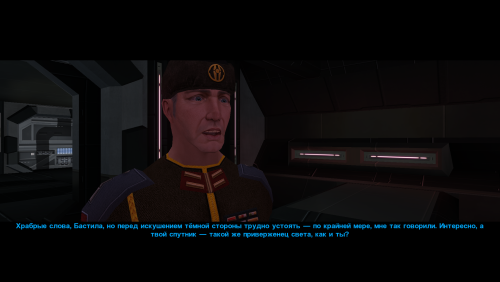 Awesome retexture!
 -
i love it. we walked a very long way to have the canon revan in game. at last, the circle is complete
-
I think this is a very good fix/improvement which I wish could be ported to K1 as well. One possible finesse could be creating classes (5?) of items ranging from very fragile to very sturdy so that the bashing itself could more easily be fatal to some objects rather than some others. Cheers!
-
I'm looking into creating a mod that would refresh merchant inventories every time you return to their planet. The best way I can see to do this is to go through their inventory, clear it, and then re-run the population script. My biggest concern with this is clearing out any essential items, quest reward items, etc. that are added to their shop somewhere other than on the initial creation script. Do we have any kind of comprehensive list of which merchants have extra items added to their shop beyond their initial inventory so I can be sure not to clear them? Or if anyone has ideas on a better way to do this, I'm open to suggestions. Thanks for any help.