All Activity
- Today
-
 This Mod fixes all of the problems that I have when I got back to play this game on newer systems. The dev behind this mod was quick to answer any questions I had since I was a Linux user of this mod. Great quality mod, that fixes issues I was having in Ultrawide such as the dialogue windows not working on the first step of a new conversation (Typical on Ultrawide) as well as improving general stability of the game. Would recommend for anyone playing the game.
 -
 Kingofthedirtydans joined the community
 -
 nrod joined the community
 -
 Update: Yeah, taking that dlg file out fixed the problem with the cutscene. The only problems after that were the fact that there is now a clone of T3 standing near the computer bank as well as where he was originally standing (Vima's new spot). Also for some reason going the dark side route and killing Vima still made her show up on the ebon hawk anyway (just not selectable as a party memeber now), but these things aren't really related to any of the initial problems I've been having so I guess that's it for now. Thank you both for the help! I'm looking forward to the expanded party mod you mentioned.
 -
 BigOlBungalow joined the community
 -
View File [TSL] Lily's Jedi Robe Fixes ===================================================== [TSL] Lily's Jedi Robe Fixes ===================================================== Mod for Knights of the Old Republic II - The Sith Lords Author: Lily File Name: Lilys_Jedi_Robe_Fixes.zip Latest Version: 1.0 --- 1. DESCRIPTION: This mod fixes several visual issues with the Jedi robe body models. Padawan Robes: - Added color to the neckpiece, which was solid black by default - Fixed incorrect UV mapping on fingers - Fixed a gap/hole in the back of the female robe - Fixed robe clipping through the legs during run animations - Fixed a black spot appearing on the back of the torso The Padawan Robes are based on PapaZinos's "Robes With Shadows For TSL" and includes all of the fixes from that mod. Master Robes: - Adjusted boot and leg proportions The Master Robes option uses models based on DeadMan's "Movie-style Jedi Master robes" mod. You need the textures from that mod (or another mod that provides textures for it) installed before using this option - the textures will be mapped incorrectly with default textures. --- 2. INSTALLATION: Run Install.exe and select your KotOR 2 game directory. There are two installation options: - Padawan Robes: Fixes models for the Padawan robe. These are based on PapaZinos's "Robes With Shadows For TSL" and include all of the fixes from that mod. Any texture files will work. - Master Robes: Fixes models for the Master robe. These are based on DeadMan's "Movie-style Jedi Master robes" models, so you must have the textures from that mod (or another mod that provides textures for it) installed first. You can install one or both options. Run the installer once per option. A "backup" folder is created by the installer in the same directory. Don't delete it if you plan to uninstall later. --- 3. UNINSTALLATION: Run Install.exe, select your KotOR 2 directory, and use the "Tools > uninstall/restore backup" option to revert all changes made by this mod. --- 4. KNOWN ISSUES: None. If you find any bugs or problems, please report them. --- 5. MOD COMPATIBILITY: This mod installs model files to your Override folder: Padawan option: PFBIM.mdl, PFBIM.mdx, PMBIM.mdl, PMBIM.mdx Master option: PFBNM.mdl, PFBNM.mdx, PMBNM.mdl, PMBNM.mdx No 2DA files, scripts, or other game files are modified. Any mod that also replaces these model files will conflict with this one. If you use the Master Robes option, install DeadMan's "Movie-style Jedi Master robes" (or a compatible texture mod) first. Do not use the Steam Workshop for KotOR. It will almost certainly end with compatibility issues. --- 6. SUPPORT: My mods are free to use. You do not need to pay for them, but if you would like to say thanks, you can buy me a coffee! --- 7. PERMISSIONS: Please let me know if you plan on using any of the files in my mod for your own mod. The answer is "yes you may", but I would like to know what you are doing with it! Do not directly reupload this mod anywhere else. --- 8. THANKS: - PapaZinos - Robes With Shadows For TSL - DeadMan - Movie-style Jedi Master robes - bead-v - MDLEdit - Cortisol - Holocron Toolset & HoloPatcher - Fair Strides - TSLPatcher - seedhartha - KotOR Blender THIS MODIFICATION IS NOT SUPPORTED BY BIOWARE/OBSIDIAN ENTERTAINMENT OR LUCASARTS OR ANY LICENSORS/SPONSORS OF THE MENTIONED COMPANIES. USE THIS FILE AT YOUR OWN RISK. Submitter Lily Submitted 10/16/2026 Category Mods TSLRCM Compatible Yes
-
Hello there! Fantastic mod, but i'm running into this issue. I installed the mod, from a fresh installation of the game, GoG version 1.03. It instantly crashes when i click the .exe and try to run the game. I got an intel gpu btw (Intel arc b580), I know Intel got some incompatibilities with Kotor. If i untick the "modern driver compatibility" the game starts. If you got any ideas. Cheers,
-

Kotor 2 Widescreen? (2560*1600)
Sith Holocron replied to Skeet1983's topic in Knights of the Old Republic General
@Skeet1983 Define "not messed up" -
 ronaxela joined the community
 -
 flamecrownd joined the community
 -
 flamecrow joined the community
 -
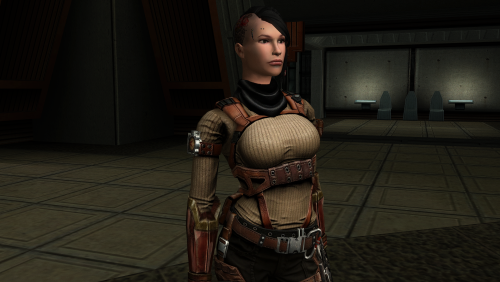
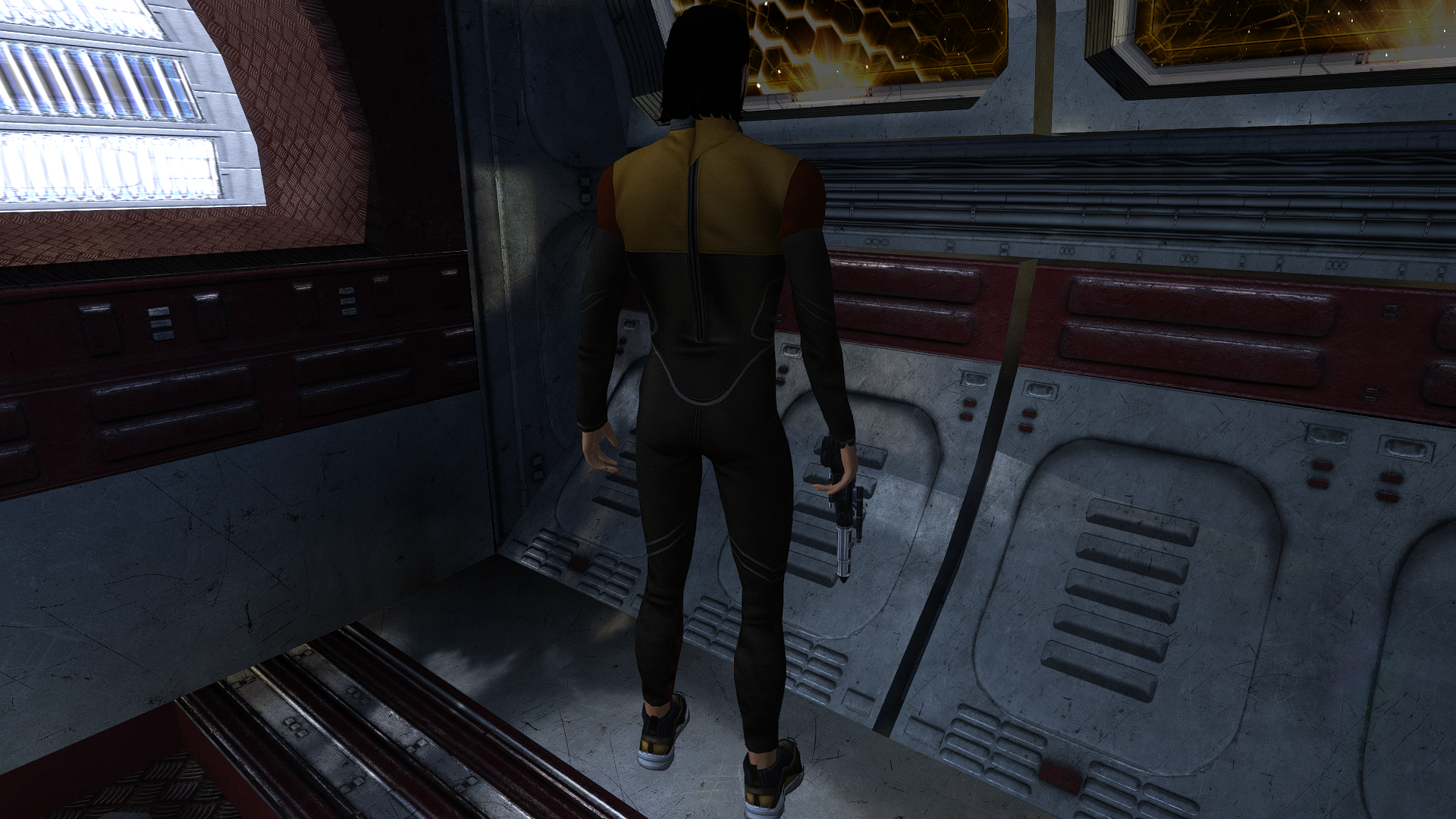
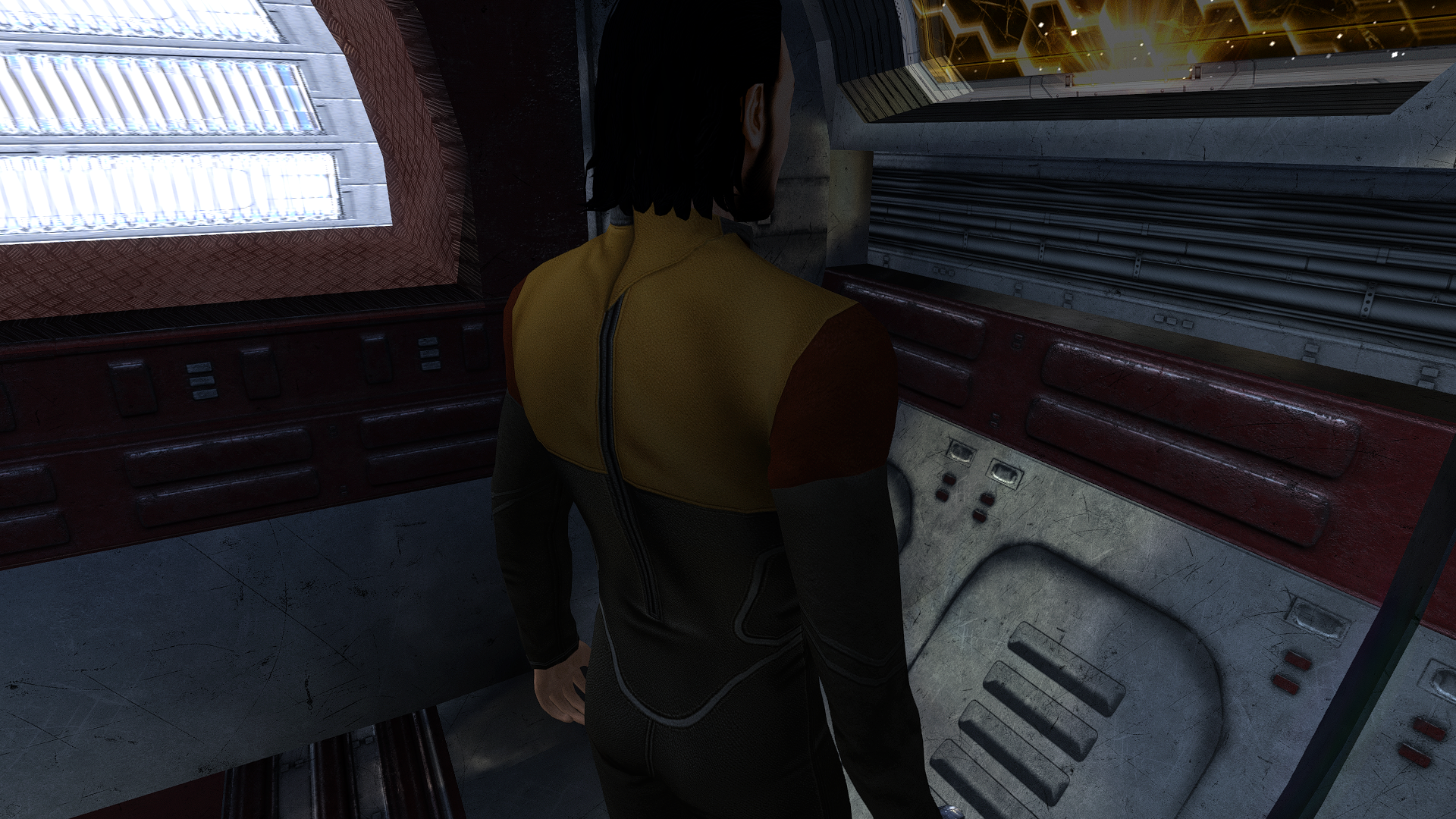
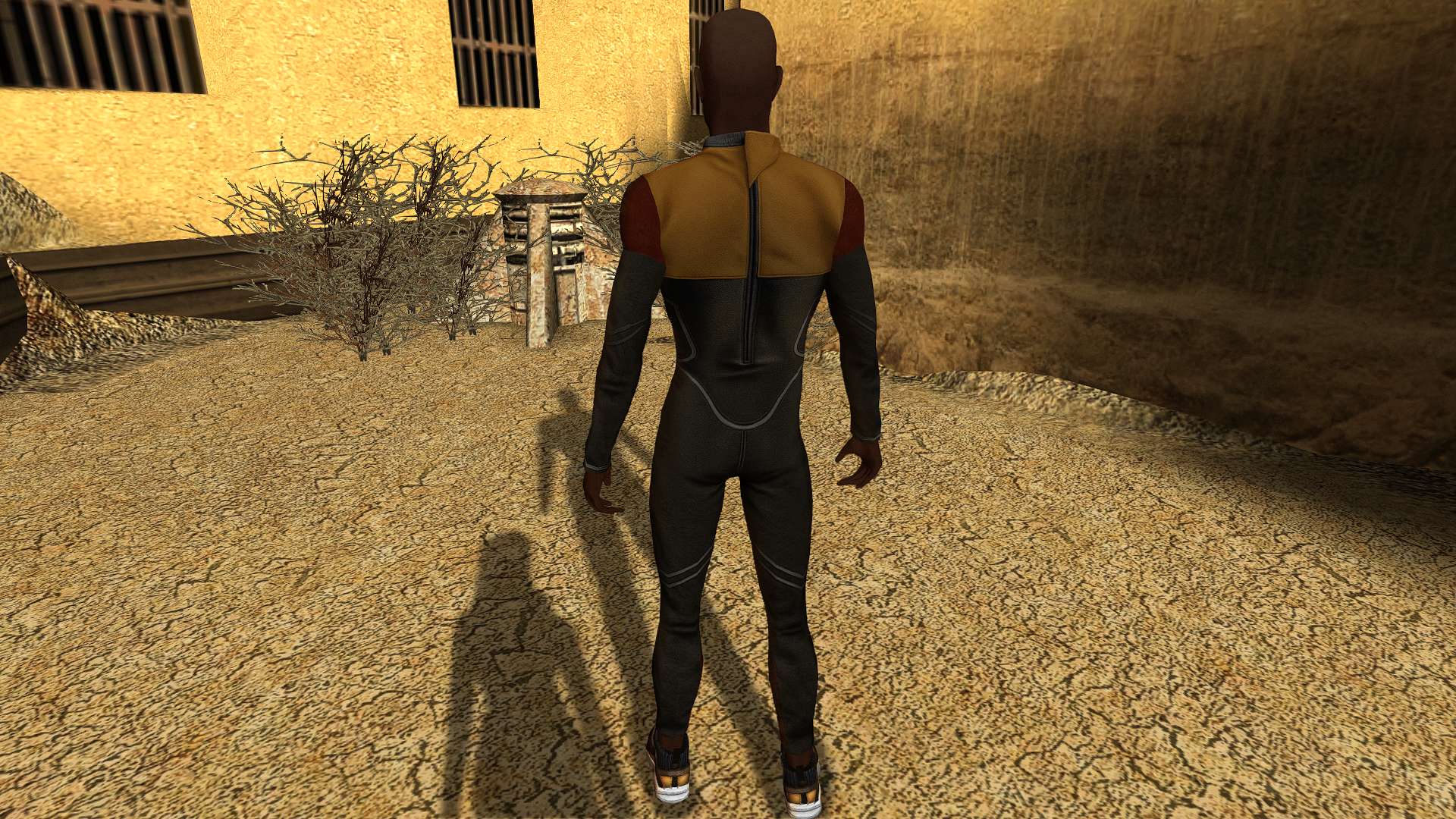
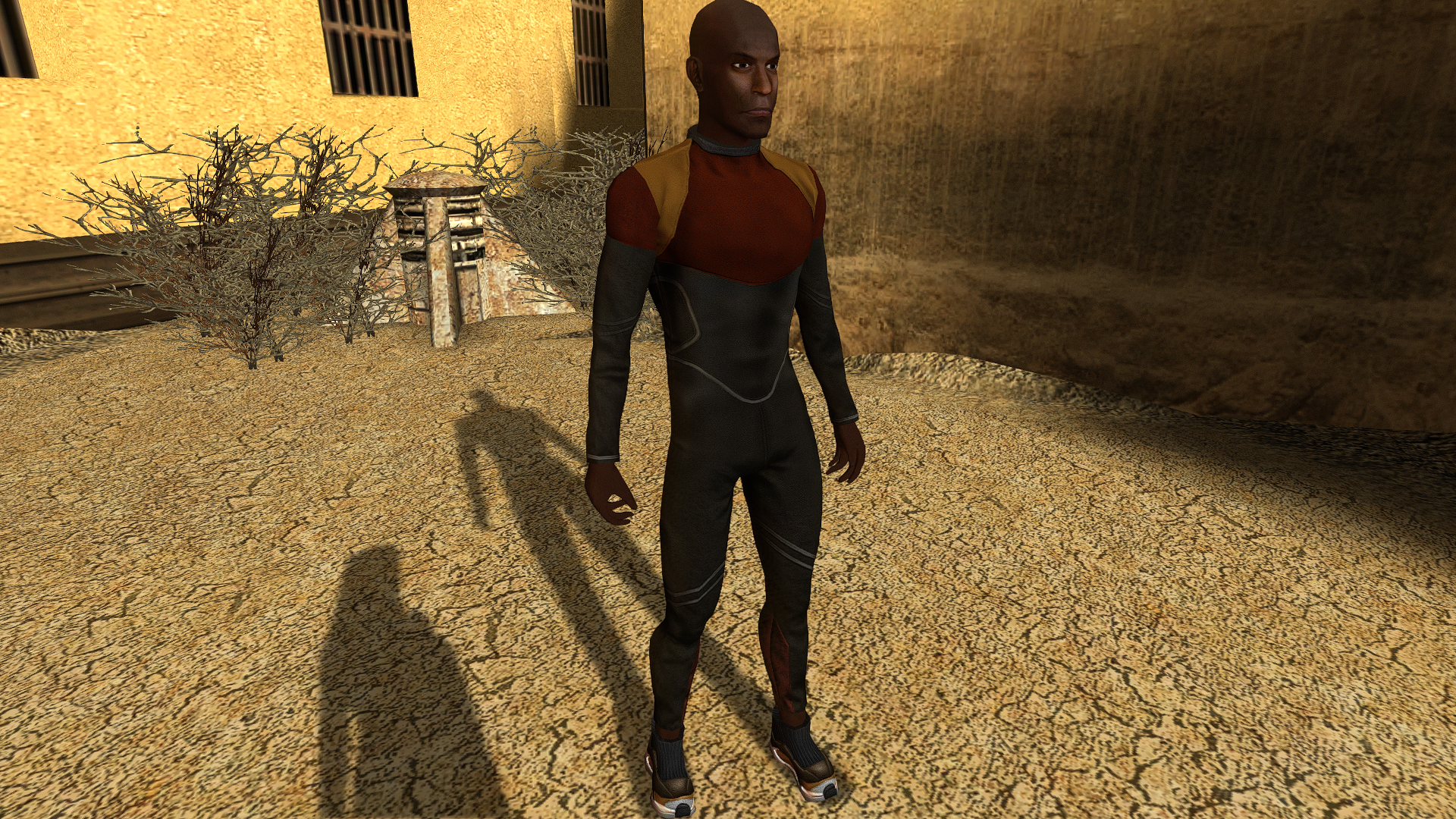
HELGA CSO2 mesh, with modified geometry, UV layout, and details. I have a similar male mesh (currently in progress). I plan to improve all the others as well.
-
 Tyyro joined the community
 -
Very nice! I have some questions about these new models. Is this female scout model ported from another video game/mod or is it custom made? Will there be more uniform mods like for male scout, female and male scoundrels, and female and male soldiers?
-

Kotor 2 Widescreen? (2560*1600)
N-DReW25 replied to Skeet1983's topic in Knights of the Old Republic General
Doesn't the Steam version of Kotor II in particular go up to 4K screen resolution? -
 seeleseal joined the community
 -
 NuggetCat joined the community
 -
 This mod is for the first KotOR game, so you're not supposed to install this mod in KotOR 2 anyway. Not to mention, the Steam version of KotOR 2 already supports widescreen by default, so a high resolution menu mod is unnecessary for KotOR 2.
 -

Effixian's Qel-Droma Robes Reskin for JC's Cloaked Jedi Robes
sombertownDS commented on Effix's file in Mods
 I havent tested it together but I will, but I doubt they will work together considering it makes the robes appearance for the jedi companions match their unique clothes but colored to the color palate of the type of robe they have on, and to get this, its prerequisite will probably override that, because from the other mods description "This mod will conflict with any other mod that replaces the textures for the Jedi party members' default outfits, or any mod that replaces the appearance.2da file."
 -
 peak
peak -
![More information about "[TSL] Lily's Jedi Robe Fixes"](https://deadlystream.com/downloads/screens/monthly_2026_10/20260918101346_1.thumb.jpg.0b1374ca54996ce81ee7838e4216ffac.jpg)
Version 1.0.0
2 downloads
===================================================== [TSL] Lily's Jedi Robe Fixes ===================================================== Mod for Knights of the Old Republic II - The Sith Lords Author: Lily File Name: Lilys_Jedi_Robe_Fixes.zip Latest Version: 1.0 --- 1. DESCRIPTION: This mod fixes several visual issues with the Jedi robe body models. Padawan Robes: - Added color to the neckpiece, which was solid black by default - Fixed incorrect UV mapping on fingers - Fixed a gap/hole in the back of the female robe - Fixed robe clipping through the legs during run animations - Fixed a black spot appearing on the back of the torso The Padawan Robes are based on PapaZinos's "Robes With Shadows For TSL" and includes all of the fixes from that mod. Master Robes: - Adjusted boot and leg proportions The Master Robes option uses models based on DeadMan's "Movie-style Jedi Master robes" mod. You need the textures from that mod (or another mod that provides textures for it) installed before using this option - the textures will be mapped incorrectly with default textures. --- 2. INSTALLATION: Run Install.exe and select your KotOR 2 game directory. There are two installation options: - Padawan Robes: Fixes models for the Padawan robe. These are based on PapaZinos's "Robes With Shadows For TSL" and include all of the fixes from that mod. Any texture files will work. - Master Robes: Fixes models for the Master robe. These are based on DeadMan's "Movie-style Jedi Master robes" models, so you must have the textures from that mod (or another mod that provides textures for it) installed first. You can install one or both options. Run the installer once per option. A "backup" folder is created by the installer in the same directory. Don't delete it if you plan to uninstall later. --- 3. UNINSTALLATION: Run Install.exe, select your KotOR 2 directory, and use the "Tools > uninstall/restore backup" option to revert all changes made by this mod. --- 4. KNOWN ISSUES: None. If you find any bugs or problems, please report them. --- 5. MOD COMPATIBILITY: This mod installs model files to your Override folder: Padawan option: PFBIM.mdl, PFBIM.mdx, PMBIM.mdl, PMBIM.mdx Master option: PFBNM.mdl, PFBNM.mdx, PMBNM.mdl, PMBNM.mdx No 2DA files, scripts, or other game files are modified. Any mod that also replaces these model files will conflict with this one. If you use the Master Robes option, install DeadMan's "Movie-style Jedi Master robes" (or a compatible texture mod) first. Do not use the Steam Workshop for KotOR. It will almost certainly end with compatibility issues. --- 6. SUPPORT: My mods are free to use. You do not need to pay for them, but if you would like to say thanks, you can buy me a coffee! --- 7. PERMISSIONS: Please let me know if you plan on using any of the files in my mod for your own mod. The answer is "yes you may", but I would like to know what you are doing with it! Do not directly reupload this mod anywhere else. --- 8. THANKS: - PapaZinos - Robes With Shadows For TSL - DeadMan - Movie-style Jedi Master robes - bead-v - MDLEdit - Cortisol - Holocron Toolset & HoloPatcher - Fair Strides - TSLPatcher - seedhartha - KotOR Blender THIS MODIFICATION IS NOT SUPPORTED BY BIOWARE/OBSIDIAN ENTERTAINMENT OR LUCASARTS OR ANY LICENSORS/SPONSORS OF THE MENTIONED COMPANIES. USE THIS FILE AT YOUR OWN RISK. -
 Hi again guys. I am trying to install the K1hrm v1.5 (High resolution Menus Mod) for kotor 2. I just installed the TSL RCM, and am ready to install this, but there is already an override folder in game directory. How do I go about installing this? Help appreciated
 -
 el_guero34 joined the community
 -
Hi guys. I am trying to install the K1hrm v1.5 (High resolution Menus Mod) for kotor 2 Steam Version. I just installed the TSL RCM, and am ready to install this, but there is already an override folder in game directory. How do I go about installing this? Help appreciated
-
Hi again guys. I am trying to install the K1hrm v1.5 (High resolution Menus Mod) for kotor 2. I just installed the TSL RCM, and am ready to install this, but there is already an override folder in game directory that has 536 items in it. How do I go about installing this? Help appreciated
- Yesterday
-
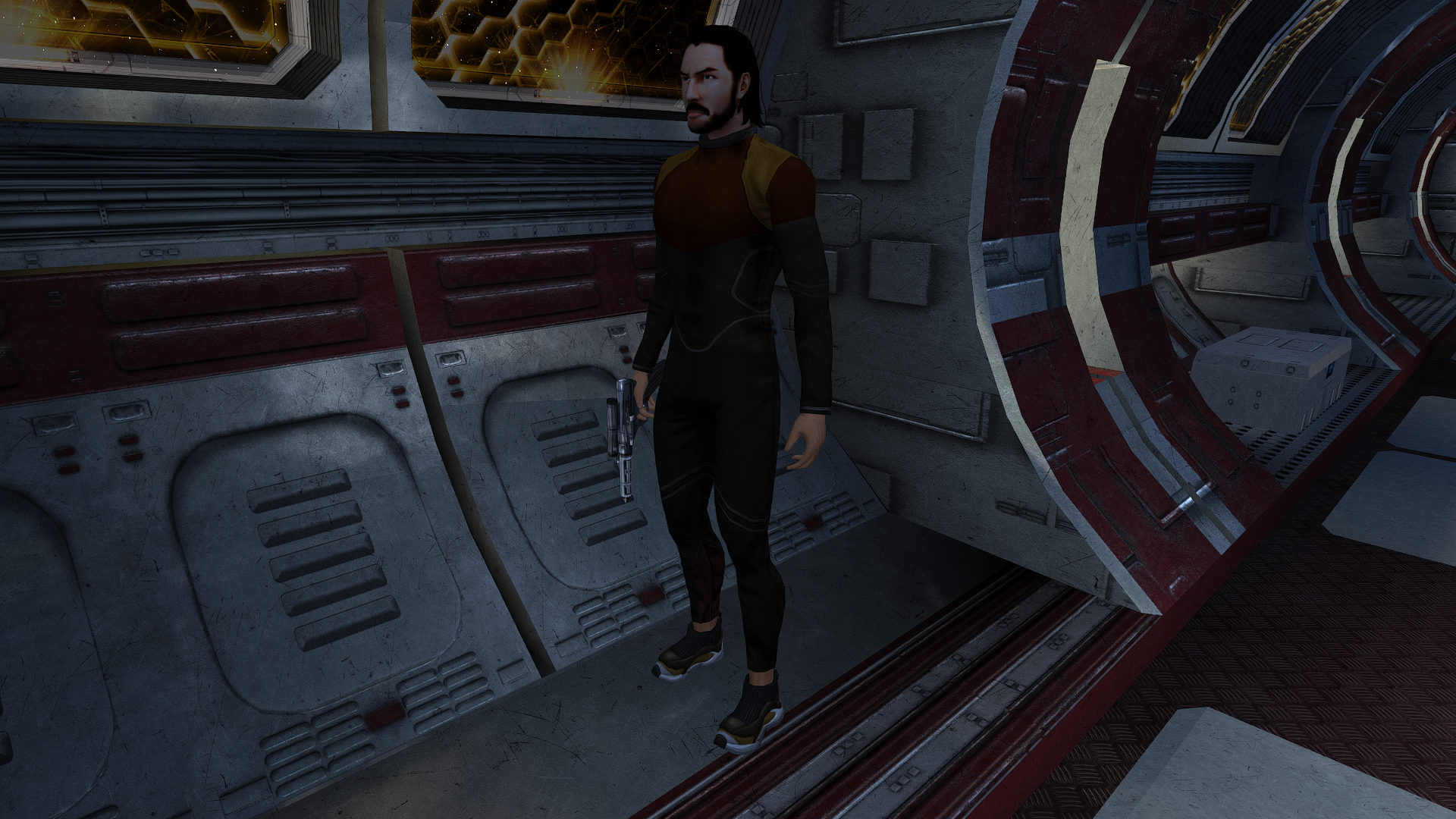
Scout's Underwear
-
Skeet1983 changed their profile photo
-
Hi guys. I recently got a new laptop and am wanting to play Kotor 2 again. I have the Steam version, and my native res is 2560*1600. Is there a way I can play Kotor 2 in my native res, with UI and other things not messed up? Help greatly appreciated
-
So is this just an impossibility then?
-
It seems this mod is not compatible with BOSSR. Shadow is not present on the Ebon Hawk, instead a new copy of Bastila is spawned. Also removing the file for Bastila manually does not fix the issue. Bastila is not present anylonger. How ever Shadow does still not appear on board.
-
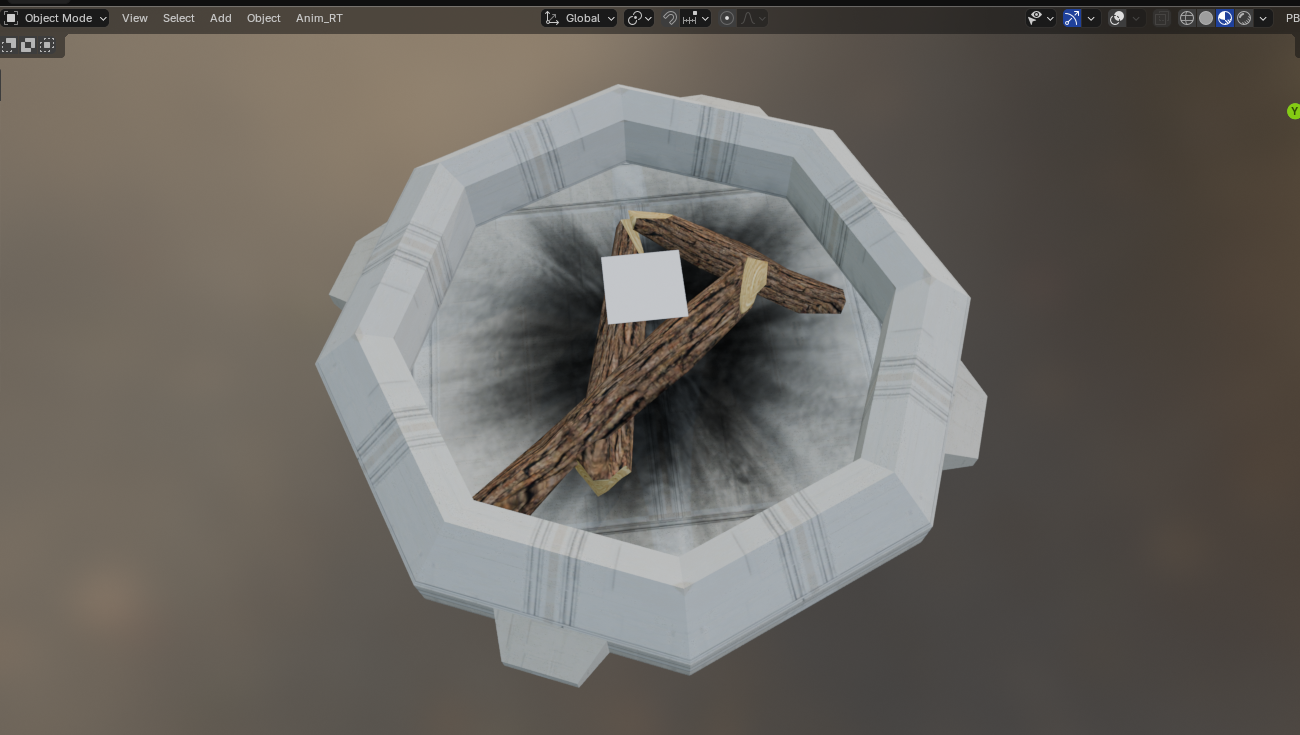
I did a small improvement or call it "fix" for a completely neglected prop. PLC_FirePit. The fire logs in Kotor 2 are using the same texture as the pit, since they didn't port over the necessary wood texture. I added my custom wood log texture and also some charred ground, since it looked too clean beneath the fire.
-
Synchro commented on this in the KOTOR Patch Manager channel in OpenKOTOR "Yeah, unfortunately for TSL the game itself reloads it's context when you load into a save from the main menu for the first time Tried to patch that out of the Linux port (since there were a couple of erroneous resets with the Aspyr release at least) but the best I could do was get rid of all but one"
-
I'm not super knowledgable on how the modifications for this game work, but based on some more testing, I feel that whatever change fixed K1 is nested in either J's Scaled Kotor mod or the Alt Tab patch, as K2 has access to the other mods that I mentioned (Movies Patch and Borderless Fullscreen Patch) and is still not functioning. It's worth mentioning that K1 was broken using the old version of the mod builds (UniWS and HR Menus patches) but is fixed when using KPM and the above patches, so I'm fairly confident that it's one of the two that has fixed it. If part of that code could be implemented into a patch for K2 (maybe a rework of the widescreen implementation, maybe? Again, I'm not super savvy here so I will defer to someone with more knowledge and experience), I would be willing to bet that that would fix this issue. I want to clarify again, I am playing K1 in borderless fullscreen using OBS or Discord to stream the entire screen/display, and this allows perfect display of K1 using the KPM and Scaled Kotor. However, using this same method results in choppiness and reduced visibility for K2 unless the Borderless Fullscreen Patch is disabled and the game plays in a window, in which case the game is streamable.
-
View File Extended Progression This is the mod you've all been waiting for. Designed using KPM patcher. The problem is simple; you can't level your character on Taris, because if you did, you would lose out on Jedi levels later. You can reach Dantooine at level 8 if you do everything on Taris... meaning you'll only ever get 12 levels of Jedi, because the level cap is a hard 20. This fixes that. Finally. Basically, instead of looking at your Character Level to determine if you can level up, this mod makes it so that the game looks at the Class Level. So you can be a level 8 Soldier... and still level to Jedi Guardian Class Level 20, for a total level of 28. This uses KPM's mapping system for levels past 20, which just continues curves already defined by vanilla behavior. It raises the level cap to 40, meaning you could theoretically reach level 20 in your original class and still level to 20 in your Jedi class as well. This also includes a fix for the old problem of not being able to back out of the level screen once you've pressed level up. And that's all in V1, Jedi Extended Progression. V2, Selectable Class Progression, takes it a step beyond that. After you gain your Jedi Class, you will from then on be asked which Class you want to level, up to level 20 for each of the two classes. It does this as minimally as possible, with a simple dialogue box that comes up after you press Level Up. I have included both options, in case people want to preserve a more vanilla feel. With V1 you can literally just play the game like normal, nothing at all changes until you eventually surpass Character Level 20. And nothing really changes then, except that you can keep levelling to Class Level 20. With V2 you could ignore being a Jedi entirely. The single level of Jedi you get on Dantooine is mandatory, but if you want to just keep levelling as a Soldier, Scout, or Scoundrel, you can. Up to level 20 in that Class. Note that you only need ONE of these files. (Coded with the assistance of AI; presented under the open source MIT license ) Requirements and Compatibilities: This installer requires the KOTOR Patch Manager (KMP) runtime. KOTOR Modern Restoration Project (KMRP) is supported and includes the required runtime, but KMRP itself is not technically required.... But seriously, you should be using it, it's incredible. Note that this should not be used alongside KMP's LevelUpLimit patch, as this modifies it for my purposes. Besides that, this should be pretty broadly compatible, as it only modifies Level Up initiation behavior. Safe to use in previous saves, should insert its functionality with no issue no matter where you are in the story. Recommended Installation: 1. Download and install KMRP. 2. Download this mod. 3. Run install.cmd. 4. Enjoy! (To uninstall, simply run uninstall.cmd) Advanced Installation: 1. Download the latest version of KPM. 2. Extract the folder, and in the resulting bin folder, run KPatchLauncher.exe 3. Use the options at the top to navigate to your swkotor folder, and the KPM folder called patches. 4. Download and install KMRP (You do not need to close KPM). 5. In KPM, select KMRP (and it's controller support, and any other patches you want except for the 4GB patch, save game memory leak, and Movie Patch, as they are included in or not compatible with KMRP; and LevelUpLimit as it is not compatible with this mod). 6. Click "Apply." 7. Download this mod. 8. Run install.cmd 9. ENJOY! Submitter BottomlessThought23 Submitted 10/15/2026 Category Mods K1R Compatible Yes
-
- 1
-

-
View File Adaptive Starter Locker This mod allows you to get your basic build online much earlier. Right at the beginning of the game, in fact. It hooks into the OnOpen function of the chest on the Endar Spire that you have to open at the beginning of the game as part of the tutorial. This chest normally contains some basic equipment related to your class, but it leaves a lot to be desired. This simply adds some basic rules: - If you have Two Weapon Fighting, you will find two Short Swords and Two Blasters in the chest (normally just one of each). - If you have Weapon Proficiency: Blaster Rifles, you will find a Blaster Rifle in the chest (which used to only be available to Soldiers). - If you have Weapon Proficiency: Heavy Weapons, you will find a Light Repeating Blaster in the chest (which is normally first reachable at a shop on Taris for 550 credits). - If you have Implants 1, you will find a Cardio Regulator in the chest. - Finally, with the optional Early Lightsaber Compatibility mod, if you have Weapon Proficiency: Lightsaber, you will find a Blue Lightsaber in the chest as well (I didn't fold this into the main mod, because most mods that give you Jedi levels from the start also handle giving you a lightsaber). Also, you may not have known this, I always forget, but if you start with at least 1 point in Stealth, you'll be given a Stealth Field Generator here as well. This is just vanilla behavior, that isn't modified here. Note that since this hooks into OnOpen, it doesn't check your proficiencies until it opens. Thus you can save beforehand and alter your proficiencies with KSE to get more or all of this. (Made with the assistance of AI; Presented under open source MIT license) Compatibility and Installation: This is a TSLpatcher mod, so it should have broad compatibility with basically everything. And installation is as easy as double-clicking the TSLpatcher.exe in the download and then using the prompt to find your "swkotor" game folder. Submitter BottomlessThought23 Submitted 10/15/2026 Category Mods K1R Compatible Yes
-
View File Sentinel Rebalance This mod makes the Sentinel much more powerful, while still remaining balanced through a lack of specific focus. +1 extra skill point per Sentinel level (the one thing that actually makes this class unique). Two extra feats at Sentinel levels 7 and 13 (Like the Guardian). Extra Force powers at Sentinel levels 7 and 15, for 23 total (two more than Guardian, two less than Consular). Sentinel can spend feats on Force Focus and Improved Force Focus, but is not granted them automatically (like a Consular is). Sentinel can spend feats on Force Jump and Advanced Force Jump, but is not granted them automatically (like a Guardian is). Master Force Focus and Master Force Jump remain exclusive to Consular and Guardian respectively. (Made with the assistance of AI; presented under the open source MIT license) Compatibility and Installation: This is a TSLpatcher mod, so it should have broad compatibility with basically everything. And installation is as easy as double-clicking the TSLpatcher.exe in the download and then using the prompt to find your "swkotor" game folder. Submitter BottomlessThought23 Submitted 10/15/2026 Category Mods K1R Compatible Yes