All Activity
- Past hour
- Today
-
 oliveraelius changed their profile photo
 -
 RndmPyxlz joined the community
 -
 nburlon joined the community
 -
 eidoss joined the community
 -
PFHA01
-
 spncrrggs joined the community
 -
 sgdrjames joined the community
 -
 Helm joined the community
 -
 Nippon joined the community
 -
 shaggydoo81 joined the community
 -
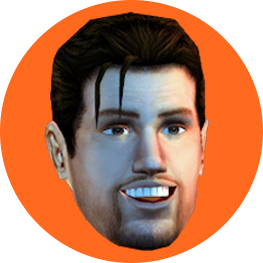
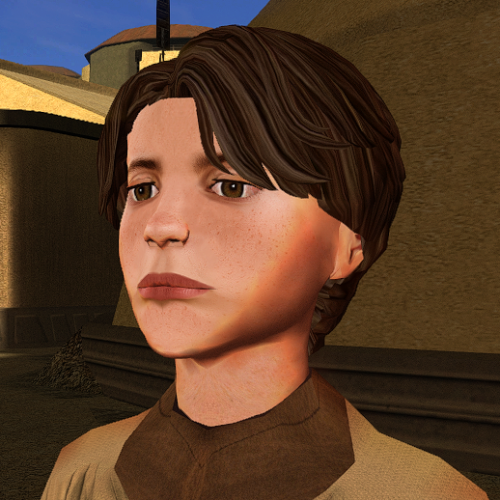 Now you're not too ugly for this game)
 -
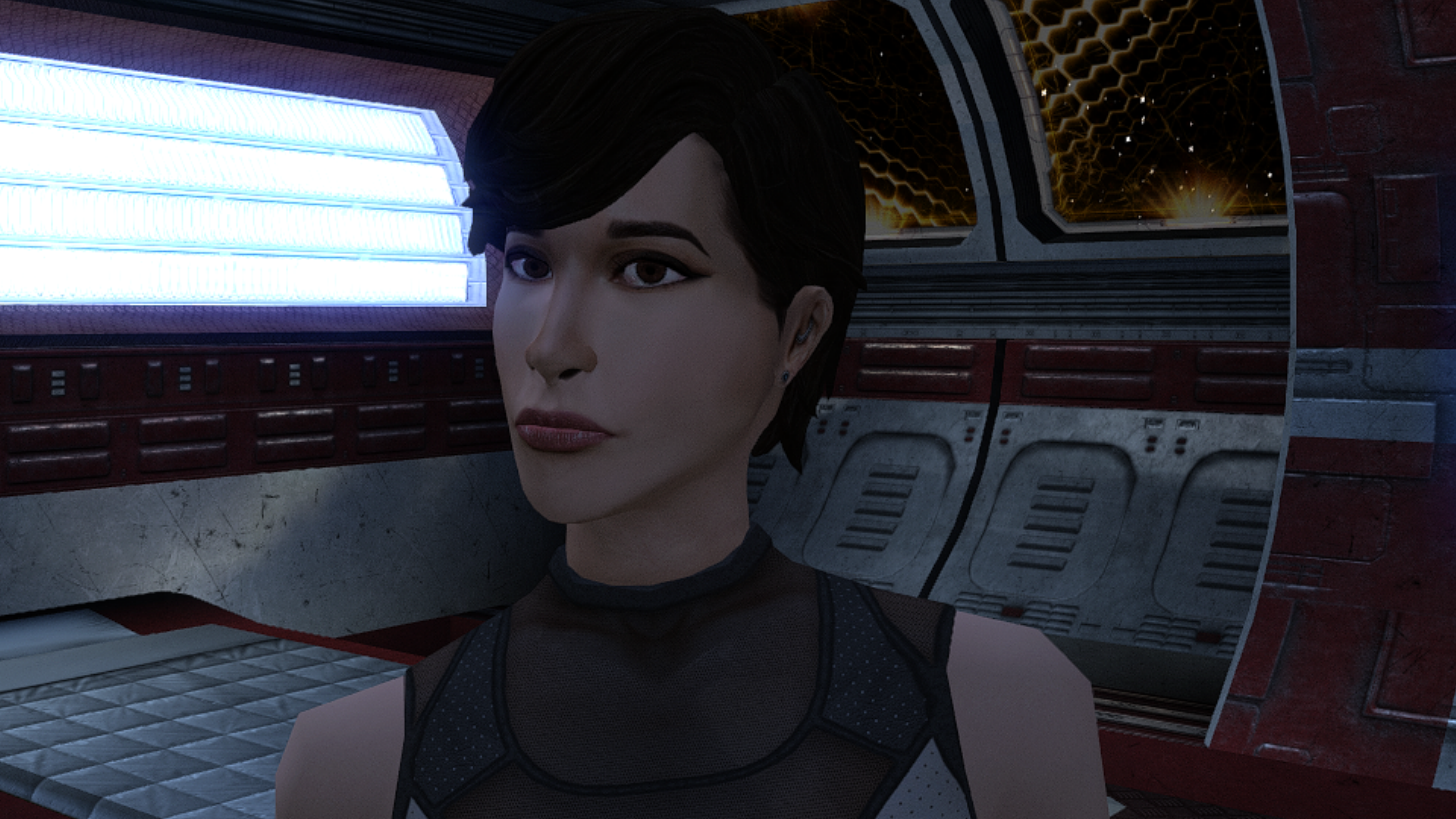
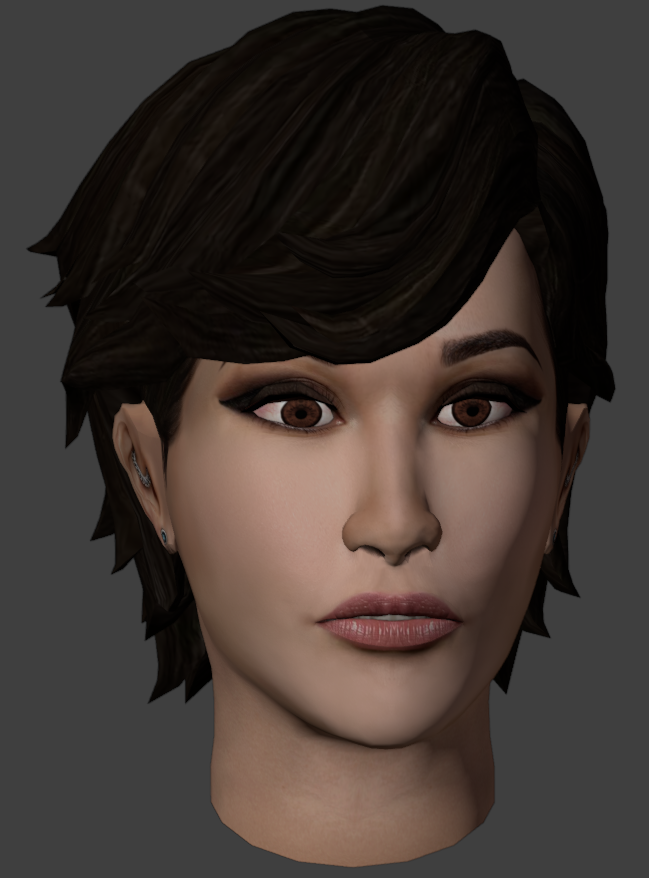
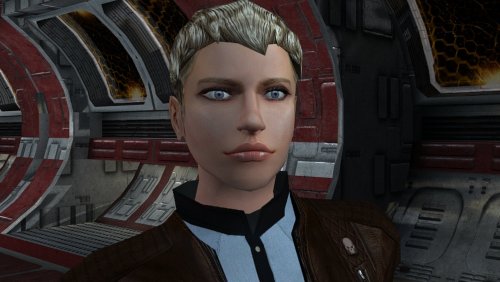 All right, I now have a reason to finally use this head in my latest Dark Lady Revan playthrough. (Who still ultimately decides to destroy the Star Forge and romance Carth, Bastila and Juhani)
 -
"Get out of here you goggle-eyed freak! You're too ugly for the Upper City!"
-
 Katalaw joined the community
 -
 DirtKobain47 joined the community
 -
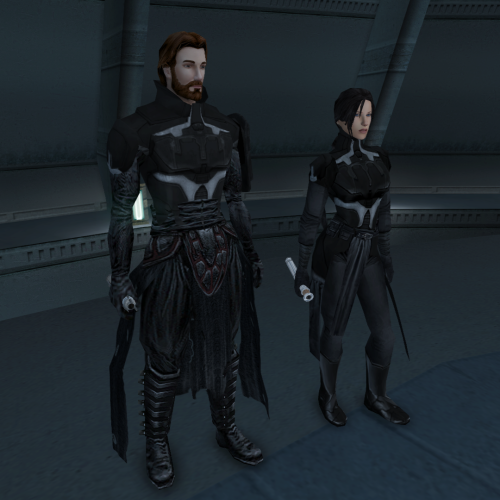 lol poor atton, being denied the drip
 -
View File Delayed Story Cutscenes Delays certain story cutscenes. DESCRIPTION Some important cutscenes can occur very early in KOTOR 2 leading to some awkward narrative pacing, specifically the cutscene of Kreia’s past and the cutscene introducing Visas. This mod delays these cutscenes from triggering until certain progress is made. Visas’ cutscene will no longer trigger until after you’ve left Telos and visited at least one other planet, in addition to meeting the usual alignment requirements. Kreia’s cutscene is supposed to be locked behind a high influence check. However, you can completely bypass the influence requirement with only 14 Intelligence, making it pretty easy to get the scene as soon as the dialogue option becomes available. This mod increases the Intelligence check difficulty. By default, the dialogue will only become available after leaving Telos, and only while on the Ebon Hawk, as in TSLRCM. An optional patch is included to further delay its availability until at least one Jedi has been found. INSTALLATION To install, run HoloPatcher.exe and select the install option corresponding to whether you have TSLRCM or not. Unaltered copies of any modified files will be place in the “backup” folder in the location of HoloPatcher. (Optional) Install the option “Kreia Cutscene Extended Delay” if you want to delay the availability of Kreia’s dialogue until at least one Jedi has been found. UNINSTALLATION Remove the following files from override: - kreia.dlg - k_align_move.ncs - m_cnd_kreiamovie.ncs Move any files inside the backup folder to override. COMPATIBILITY Compatible with TSLRCM using the TSLRCM-compatible install option. TSLRCM must be installed first before installing this mod. Compatible with PartySwap but PartySwap must be installed first. Since PartySwap requires TSLRCM, you must use the TSLRCM-compatible option. PERMISSIONS Feel free to do whatever you want with this mod. CREDITS offthegridmorty Credit to Snigaroo who requested this mod. zbyl2, DarthStoney, Hassat Hunter, VarsityPuppet, TSLRCM contributors - TSLRCM source script for k_align_movie HoloPatcher - Cortisol, th3w1zard1 TSLPatcher - stoffe, Fair Strides KOTOR Tool - Fred Tetra DeNCS - JdNoa, Dashus Submitter offthegridmorty Submitted 08/31/2026 Category Mods TSLRCM Compatible Yes
-
View File ChildM The mod replaces the ChildM model and textures. To Install 1. Download: ChildM 2. Copy all files to the Knights of the Old republic's Override folder. (Example location - C:\Program Files (x86)\Steam\steamapps\common\swkotor\Override) 3. When/if prompted to overwrite files, press okay. 4. If you like the mod; leave a comment or endorse! (It would be much appreciated) Made with love. Submitter Dark Hope Submitted 08/31/2026 Category Mods K1R Compatible Yes
- Yesterday
-
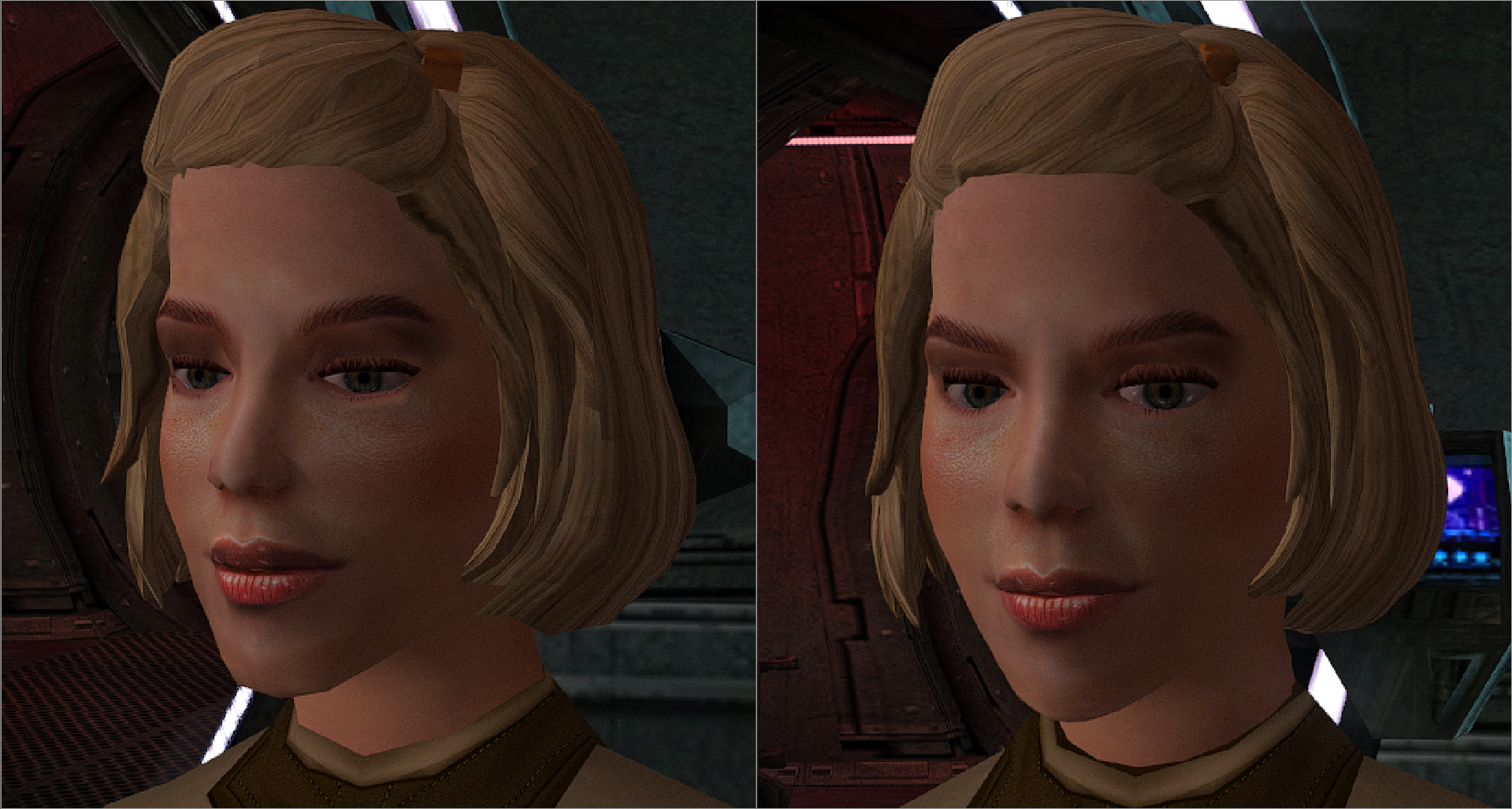
I'll add a high poly version.
-

Echoes of the Republic - an unofficial expansion
ether_vagabond commented on vault13deathclaw's file in Mods
 Ah no, I saw you recently released a new version but I was worried about overwriting my stuff. You have a hotfix folder? Yeah I'll have to pick that up for sure, thanks. EDIT: totally fixed it, cool.
 -
Version 1.0.0
23 downloads
The mod replaces the ChildM model and textures. To Install 1. Download: ChildM 2. Copy all files to the Knights of the Old republic's Override folder. (Example location - C:\Program Files (x86)\Steam\steamapps\common\swkotor\Override) 3. When/if prompted to overwrite files, press okay. 4. If you like the mod; leave a comment or endorse! (It would be much appreciated) Made with love. -
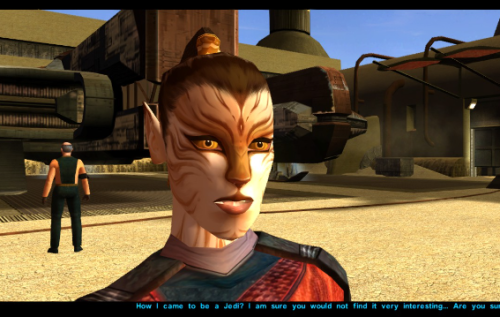 There’s now a good selection of Juhani reskins and remodels, and I have to say that this one is the best so far. However, I do have one criticism regarding the texture. It lacks detail. While this works fine if you’re playing Kotor with vanilla textures, it looks too flat next to all the HD skins. A more refined texture—one that shows the individual hairs in the fur or something similar—would earn 5 stars from me.
 -

Echoes of the Republic - an unofficial expansion
vault13deathclaw commented on vault13deathclaw's file in Mods
The IG -12 bug should be fixed in the latest version, plus I essentially put in a failsafe at the Coruscant terminal (it used to check for the item, now it checks for the quest status for that particular one.) Have you tried the hotfix folder? That should have all the corrected files since .90 got released, if you are on that version. -
Echoes of the Republic - an unofficial expansion
ether_vagabond commented on vault13deathclaw's file in Mods
So, I think I maybe found a bug? I was doing the Bounty: IG-12 quest, I went to turn it in and it wouldn't let me turn it in. I'm like, what? So, I thought, okay, maybe I didn't pick up the thing from his body. Well, either he didn't drop anything or it despawned, cause I went back to where I killed him and it's not there. Dunno whether you're aware of this, just thought I'd let you know. Can't find any item in the Save Editor. I tried setting the quest to an earlier stage but he wasn't there. I tried deleting the quest and then resaving and adding it back with the save editor, that also didn't work. I dunno. -
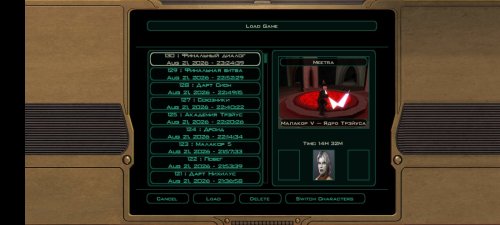
View File KOTOR 2 DARK SIDE SAVES + M4-78 DS female + m4-78 saves. So good saves, but on m4 78 I little use save editor cuz it's bugged and annoyed planet lmao. Good playing! TSLRCM: M4 78 EP:https://deadlystream.com/files/file/277-m4-78-enhancement-project/ Submitter Rozen98 Submitted 08/31/2026 Category Game Saves Mods Used Game The Sith Lords
-
Version 1.0b
6 downloads
DS female + m4-78 saves. So good saves, but on m4 78 I little use save editor cuz it's bugged and annoyed planet lmao. Good playing! TSLRCM: M4 78 EP:https://deadlystream.com/files/file/277-m4-78-enhancement-project/ -
holy shit this is a crazy texture
-
Version 1.0.0
13 downloads
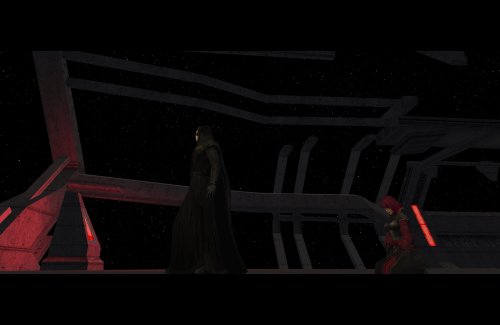
Delays certain story cutscenes. DESCRIPTION Some important cutscenes can occur very early in KOTOR 2 leading to some awkward narrative pacing, specifically the cutscene of Kreia’s past and the cutscene introducing Visas. This mod delays these cutscenes from triggering until certain progress is made. Visas’ cutscene will no longer trigger until after you’ve left Telos and visited at least one other planet, in addition to meeting the usual alignment requirements. Kreia’s cutscene is supposed to be locked behind a high influence check. However, you can completely bypass the influence requirement with only 14 Intelligence, making it pretty easy to get the scene as soon as the dialogue option becomes available. This mod increases the Intelligence check difficulty. By default, the dialogue will only become available after leaving Telos, and only while on the Ebon Hawk, as in TSLRCM. An optional patch is included to further delay its availability until at least one Jedi has been found. INSTALLATION To install, run HoloPatcher.exe and select the install option corresponding to whether you have TSLRCM or not. Unaltered copies of any modified files will be place in the “backup” folder in the location of HoloPatcher. (Optional) Install the option “Kreia Cutscene Extended Delay” if you want to delay the availability of Kreia’s dialogue until at least one Jedi has been found. UNINSTALLATION Remove the following files from override: - kreia.dlg - k_align_move.ncs - m_cnd_kreiamovie.ncs Move any files inside the backup folder to override. COMPATIBILITY Compatible with TSLRCM using the TSLRCM-compatible install option. TSLRCM must be installed first before installing this mod. Compatible with PartySwap but PartySwap must be installed first. Since PartySwap requires TSLRCM, you must use the TSLRCM-compatible option. PERMISSIONS Feel free to do whatever you want with this mod. CREDITS offthegridmorty Credit to Snigaroo who requested this mod. zbyl2, DarthStoney, Hassat Hunter, VarsityPuppet, TSLRCM contributors - TSLRCM source script for k_align_movie HoloPatcher - Cortisol, th3w1zard1 TSLPatcher - stoffe, Fair Strides KOTOR Tool - Fred Tetra DeNCS - JdNoa, Dashus -
 Both. At max LS points with +0 CHA modifier, DS powers are -50% less effective and cost +50% more. Every +1 to CHA reduces the penalty to both cost and effects by 5%. So at 20 CHA, they are only -25% less effective and +25% more costly, and at 30 CHA there is no penalty whatsoever.
- 15 comments
-
- 1
-

-
- difficulty
- force powers
- (and 5 more)
- Last week
-
Just downloaded, this is easily the best retexture for Juhani. Will write a review once I acquire her on my new playthrough 😉
-
View File Juhani - Model and Texture Edits Just a personal mod made public after a few requests on reddit. Let me know if you have any issues. Completely re-textured Juhani's face to unbald her and give her a more cat-like appearance. Made a few edits to her model in blender to make her chin smaller and flatten her nose to reflect the more feline re-texture. Install Drop all three files into your Override folder and enjoy Uninstall Just delete the files in Override, shouldn't be any issues. Submitter servicebutch Submitted 08/30/2026 Category Mods K1R Compatible Yes
-

K1R 1.2 Impressions and Bug-Reports [READ ME FIRST]
charle9876 replied to Fair Strides's topic in KotOR1 Restoration (K1R)
1) After getting caught by the Leviathan, I get a black screen. I can still move around, access the menu, and save the game, but I can't interact with anything. I have tried several things, but nothing has fixed the issue. 2) Did you install the latest version of the mod? (1.2) Yes. 3) What version of the game do you have? (Steam, GOG, 4CD, KotOR Collection?) GOG version. 4) Did you update your game as required by your game's region? (4-CD version ONLY) Not applicable. 5) Did you install this over previous version(s), or did you perform a fresh installation as required by the K1R read-me file? I performed a fresh installation. 6) What other mods have you installed? Please provide an accurate list and links if possible. TOR Ports: Pureblood Sith Male Player Head for K1 v1.0.0 Mandalorian Ultimate Mod v1.1 Quanon and djh269 Armor Pack Mod UniWS Widescreen Fix High Resolution Menus Main Menu Fix UI Menu Mod Vurt's Texture Pack + Patch 7) Can you be more specific about the error? At what point did it happen? The issue occurs right after the cutscene where the Leviathan captures the Ebon Hawk. Once the cutscene ends, the screen goes completely black. I can still open the menu and save the game. If I try to return to the ship, all of my companions appear standing together in the center, but I cannot interact with anything or progress. I am effectively stuck. 8) Have you tried re-downloading/reinstalling the mod? No. 9) Have you tried using a different save game? Yes, but the issue persists. 10) Have you tried starting a new game? No. I would prefer to save my current playthrough if possible. 11) What Operating System do you use? Windows 11 (64-bit) Intel Core i5-11260H @ 2.60 GHz 32 GB RAM NVIDIA GeForce RTX 3050 Laptop GPU (4 GB VRAM) Intel UHD Graphics x64-based processor 12) IF USING THE GOG OR 4CD VERSION: Can you confirm that you see the K1R Launcher when launching the game? No, I do not see the K1R Launcher when starting the game. -
 Perhaps this may be the issue then, because I have no such file in either my override folder or any mod folders, K1CP included. For m18ac_04a I only have two files, one MDL and one MDX.
 -
"The penalty to powers of opposite alignment can be reduced through your Charisma attribute" Forgive me, but does that mean the -50% malus to the effects or to the FP cost?
-
Version 1.0.0
43 downloads
Just a personal mod made public after a few requests on reddit. Let me know if you have any issues. Completely re-textured Juhani's face to unbald her and give her a more cat-like appearance. Made a few edits to her model in blender to make her chin smaller and flatten her nose to reflect the more feline re-texture. Install Drop all three files into your Override folder and enjoy Uninstall Just delete the files in Override, shouldn't be any issues.- 2 comments
- 1 review
-
- 4
-

-

-

-
- model editing
- retexture
- (and 2 more)
-
View File Onderon Uniform Reformation Onderon Uniform Reformation A Mod for Star Wars Knights of The Old Republic II Author: Sith Holocron 1.0.0 Release Date: 29.08.2026 Description: Snigaroo (Doug Dimmadab on Kotor Discord) made a Mod Request thread for his Mod Build. (https://deadlystream.com/topic/10692-mod-build-request-thread-kotor-2/) His request was as follows: "I would absolutely love to see something equivalent for the Onderonian military, realistically portraying the various ranks of their officers and enlisted personnel. Obviously we don't see as much of the Onderonian military as we do the Sith in the original game, but I do think we see enough to make this worth it." Challenge accepted! You may be familiar with HeyOrange’s Sith Uniform Reformation mod. This mod aims to what that mod did but for TSL's Onderon officers and soldiers. The intention is for this mod to handle this integration through module injection. The thumbnails on the download page and the videos attached to this description should provide a good idea of how this mod looks. Installation: The Sith Lords Restored Content Mod 1.8.6 must be installed beforehand. Double click on the HoloPatcher.exe, select your Kotor II directory, select install, and wait for the mod to install. Incompatibilities: This mod will be incompatible with mods that use the textures for the Onderon soldiers and officers. If you encounter any issues with this mod, please tag both myself and N-DReW25. N-DReW25 did the lion's share of the technical stuff with this package and will be the primary person to assist. Though I only handled the textures itself, I'd also like to be informed of any possible technical issues even if I can't assist personally with them. Thanks to: N-DReW25: For setting up the HoloPatcher for me! Snigaroo/Doug Dimmadab: For the mod request - I hope this is what you were looking for! Obsidian Entertainment: For such an amazing sequel! Fred Tetra: For Kotor Tool! Cortisol: For the HoloPatcher! And everyone who downloads the mod! Exclamation point! Legal Disclaimer: THIS MODIFICATION IS NOT SUPPORTED BY BIOWARE/OBSIDIAN ENTERTAINMENT, LUCASARTS, DISNEY OR ANY LICENSERS/SPONSORS OF THE MENTIONED COMPANIES. USE OF THIS FILE IS AT YOUR OWN RISK AND THE ABOVE-MENTIONED COMPANIES OR THE AUTHOR IS NOT RESPONSIBLE FOR ANY DAMAGE CAUSED TO YOUR COMPUTER FOR THE USAGE OF THIS FILE. I own none of the materials, and I'm not making any money out of this mod. It is to be distributed as-is on Deadly Stream without alteration. This mod is not to be distributed for profit, either. If you see this mod being distributed elsewhere, please PM me about this. I hereby state that I specifically do NOT wish this mod to be uploaded to Steam Workshop. Ever. I may release this on NexusMods at a later date but I don't wish others to do so. Usage in other mods must be requested AND approved by me before your use. Messages that request permission without providing information on how your alternate version would be different than mine should be considered an instant denial of permission. Thieves need not apply. (You know who you are.) Videos: Submitter Sith Holocron Submitted 08/29/2026 Category Skins TSLRCM Compatible Yes