All Activity
- Today
-
 muffedup joined the community
 -
 burnerguyacc joined the community
 -
 A lightmap issue possibly. Maybe a GPU issue. Shouldn't be anything from K1CP. Looks fine on my end, although it looks worse in a screenshot than it does in-game.
 -
What version of kotorblender and blender were you using?
-
In K1 isn't it just Yavin Station?
-
 vscr joined the community
 -
 klearion joined the community
 -
 DETroyer57 joined the community
 -
May be able to get away with just filtering out certain base items. Like plot items will reliably be base item 64 (Plot_usable_items). And maybe also filter Aesthetic items, Data_Pads, etc. Though I guess that depends on how you're clearing the items... I'm not aware of any master lists, though there aren't too too many merchants in these games. May just have to do some checking
-
Hello there! I have a rather odd issue that I don't believe anyone has encountered before. My issue is with the ground and wall textures of the krayt dragon cave - they are completely black, but it seems like the back portion of the cave isn't affected by this. Not a game-breaking bug, but I am curious to find out what is causing it. I have done the usual troubleshooting of disabling the grass and shadows, as well as putting the Disable Vertex Buffer Objects=1 in the swkotor.ini file. I also checked the notes on Github and found that this specific area has been the subject of patch changes as well. I do have quite a lot of texture mods glued together, but I haven't encountered an issue such as this up until now. Would anyone happen to have any advice on where to begin troubleshooting this? I have tried swapping the Tatooine textures I currently use with textures from a different mod, but the result is the same. Thank you in advance for any guidance!
- Yesterday
-
 DrNightmares joined the community
 -
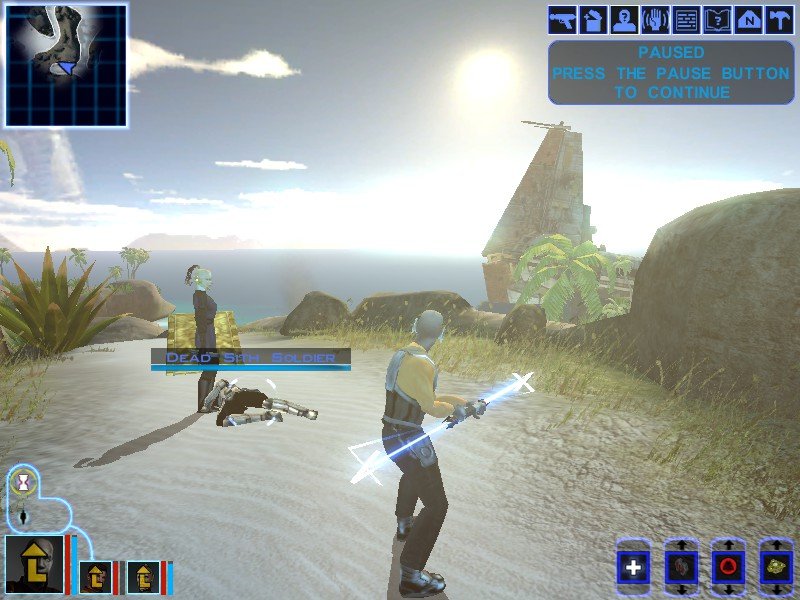
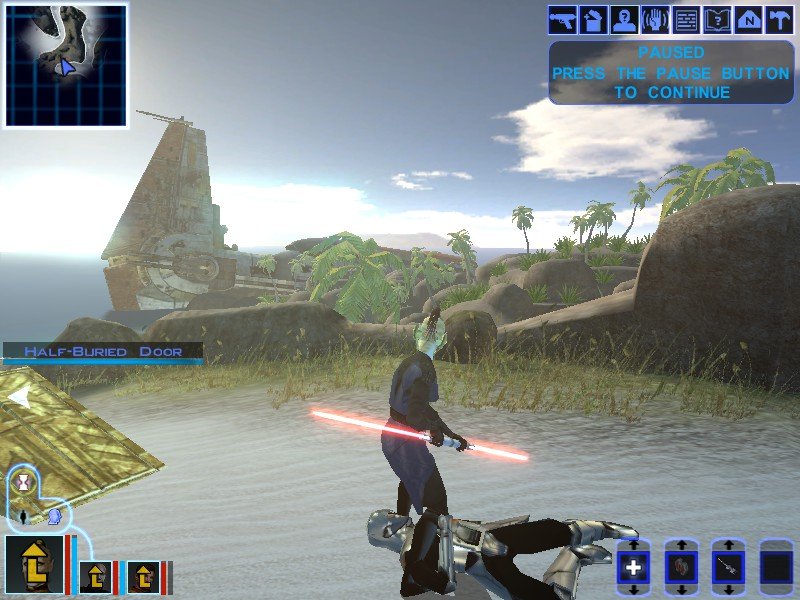
Realizing I should make topics by mods instead of by issue. I have one final problem before I'm able to finalize this mod. I have a custom lightsaber hilt that I made in Blender, but in-game the lightsaber blade shows up "boxy", highlighting the boundary of the blade's box instead of retaining a blade-like shape. I tried comparing it to a new Blender file made with the default saber, but I don't see any obvious differences in the blade. Does anyone have any idea what might be wrong? dk_txt_exar.tga exarkun_dbl.blend w_lsabreblue01.tga
-
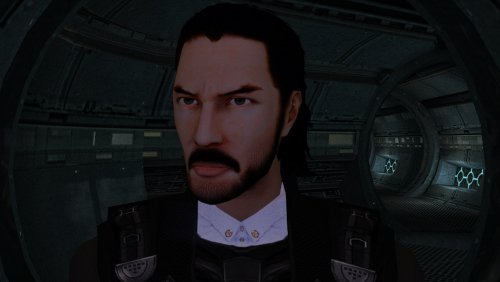 Amazing!
 -
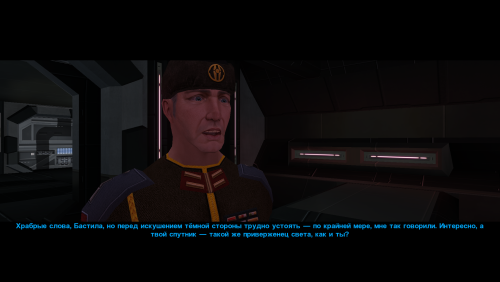 Awesome retexture!
 -
 SleepyNymph joined the community
 -
i love it. we walked a very long way to have the canon revan in game. at last, the circle is complete
-
I think this is a very good fix/improvement which I wish could be ported to K1 as well. One possible finesse could be creating classes (5?) of items ranging from very fragile to very sturdy so that the bashing itself could more easily be fatal to some objects rather than some others. Cheers!
-
I'm looking into creating a mod that would refresh merchant inventories every time you return to their planet. The best way I can see to do this is to go through their inventory, clear it, and then re-run the population script. My biggest concern with this is clearing out any essential items, quest reward items, etc. that are added to their shop somewhere other than on the initial creation script. Do we have any kind of comprehensive list of which merchants have extra items added to their shop beyond their initial inventory so I can be sure not to clear them? Or if anyone has ideas on a better way to do this, I'm open to suggestions. Thanks for any help.
-
 John_Maynard joined the community
 -
 GetsumeiUchiyama joined the community
 -
View File Bashing Overhaul Improves the mechanics of bashing locked containers. DESCRIPTION KOTOR 2 added a neat little mechanic that makes it so bashing containers has a chance of breaking some of the items inside, adding risk and incentivizing putting points in Security or bringing along the right companion to help out. At least, that’s what the game wants you to think. In truth, this is one of TSL’s several illusory mechanics which don’t really work the way you think. Here’s how it actually works: Some containers, when unlocked with Security, get a random number of low value items added to their inventory. If you instead bash a container, a random number of broken items are added to the container’s inventory. Nothing inside the container is actually broken. The first issue with this is that high value items like weapons or upgrades are never broken, making bashing not all that risky, especially later in the game. What’s much worse though is that many of the locked containers in the game actually get a flag set when initially populated that blocks Security from adding the “not broken” items. This means there is no advantage to using Security on these containers outside of saving time. In fact, by bashing you at least get a few broken items you can use for components, and you lose nothing. Another more mundane issue is that many locked containers are simply missing the bashing script, causing the game to abandon this mechanic which it initially presents as important. This mod overhauls the bashing mechanic, not only fixing its bugs and making it work the way you’d expect, but also giving it more depth and impact. When you bash a container, there is a chance to break some of the items that are actually inside. You may break multiple items or none at all, with it being most likely to break a small but nonzero number of items. Breakable items now include more valuable items such as weapons, shields, droid tools, implants, upgrades, etc. Armor and droid plating cannot be broken since, well, they’re designed to resist being broken. Plot items and datapads are all protected from being broken, in addition to credits, components, and chemicals. Some feats, effects and weapons will affect how likely you are to break items. Finesse reduces the chance of breaking an item when using a melee weapon while Precise Shot reduces the chance of breaking an item when using a ranged weapon. Using the Plasma Torch also reduces the chance of breaking items. On the other hand, being under the effects of Fury or Wookie Rage will significantly increases the chance of breaking items. INSTALLATION To install, run HoloPatcher.exe. Unaltered copies of any modified files will be placed inside a backup folder in the location of HoloPatcher.exe. UNINSTALLATION Remove k_contain_bash.ncs and m_plc_treasdisp.ncs from Override. If k_contain_bash.ncs was created inside the backup folder, move it to Override. Remove the following files from Modules: 101PER.mod, 102PER.mod, 103PER.mod, 105PER.mod, 106PER.mod, 151HAR.mod, 152HAR.mod, 153HAR.mod, 262TEL.mod, 301NAR.mod, 302NAR.mod, 303NAR.mod, 305NAR.mod, 404DXN.mod, 506OND.mod, 601DAN.mod, 610DAN.mod, 650DAN.mod, 851NIH.mod, 852NIH.mod, 903MAL.mod If any .mod files were created inside the backup folder, move them to Modules. COMPATIBILITY Should be compatible with most mods unless they edit the k_contain_bash script. PERMISSIONS Feel free to do whatever you want with this mod, just give credit. CREDITS offthegridmorty HoloPatcher - Cortisol, th3w1zard1 TSLPatcher - stoffe, Fair Strides KOTOR Tool - Fred Tetra DeNCS - JdNoa, Dashus Submitter offthegridmorty Submitted 08/28/2026 Category Mods TSLRCM Compatible Yes
-
View File PMHC04 The mod replaces the PMHC04 model and textures. Adjusted model by ShaolinGhost "Keanu Reeves Inspired Player Head (K1) 1.1.1" Artifacts have been fixed and the model has been adjusted to fit cutscenes. Thanks to DarthParametric for consultation. To Install 1. Download: PMHC04 2. Copy all files to the Knights of the Old republic's Override folder. (Example location - C:\Program Files (x86)\Steam\steamapps\common\swkotor\Override) 3. When/if prompted to overwrite files, press okay. 4. If you like the mod; leave a comment or endorse! (It would be much appreciated) Made with love. Submitter Dark Hope Submitted 08/27/2026 Category Mods K1R Compatible Yes
-
View File 1v1 Assassin - Citadel Station Citadel Station assassin no longer frees your companions, for a 3v1 fight. Also includes a fix from TSLRCM and a fix for TSF agents disappearing before the screen fades to black. Copy 'a_grenn_cut.ncs' to your games 'override' directory. Submitter J Submitted 08/27/2026 Category Mods TSLRCM Compatible Yes
-
View File ChildF The mod replaces the ChildF model and textures. To Install 1. Download: ChildF 2. Copy all files to the Knights of the Old republic's Override folder. (Example location - C:\Program Files (x86)\Steam\steamapps\common\swkotor\Override) 3. When/if prompted to overwrite files, press okay. 4. If you like the mod; leave a comment or endorse! (It would be much appreciated) Made with love. Submitter Dark Hope Submitted 08/27/2026 Category Mods K1R Compatible Yes
-
 Thanks, I already found my way into OpenKOTOR yesterday, but I am not in the main KOTOR Discord yet, so that link would actually be useful. I have apparently missed an entire migration of the community while I was gone.
 -
 If you do not get a response here on Deadlystream, I am sure there will be those who'll take interest in your project either on the main Kotor Discord Server or the OpenKotor Discord servers. There are plenty of ongoing WIP mods going on in those servers that end up getting released here on Deadlystream. Would you like me to send you the links?
 -
 JayDrawsSocks joined the community
 -
Version 1.0.0
6 downloads
Improves the mechanics of bashing locked containers. DESCRIPTION KOTOR 2 added a neat little mechanic that makes it so bashing containers has a chance of breaking some of the items inside, adding risk and incentivizing putting points in Security or bringing along the right companion to help out. At least, that’s what the game wants you to think. In truth, this is one of TSL’s several illusory mechanics which don’t really work the way you think. Here’s how it actually works: Some containers, when unlocked with Security, get a random number of low value items added to their inventory. If you instead bash a container, a random number of broken items are added to the container’s inventory. Nothing inside the container is actually broken. The first issue with this is that high value items like weapons or upgrades are never broken, making bashing not all that risky, especially later in the game. What’s much worse though is that many of the locked containers in the game actually get a flag set when initially populated that blocks Security from adding the “not broken” items. This means there is no advantage to using Security on these containers outside of saving time. In fact, by bashing you at least get a few broken items you can use for components, and you lose nothing. Another more mundane issue is that many locked containers are simply missing the bashing script, causing the game to abandon this mechanic which it initially presents as important. This mod overhauls the bashing mechanic, not only fixing its bugs and making it work the way you’d expect, but also giving it more depth and impact. When you bash a container, there is a chance to break some of the items that are actually inside. You may break multiple items or none at all, with it being most likely to break a small but nonzero number of items. Breakable items now include more valuable items such as weapons, shields, droid tools, implants, upgrades, etc. Armor and droid plating cannot be broken since, well, they’re designed to resist being broken. Plot items and datapads are all protected from being broken, in addition to credits, components, and chemicals. Some feats, effects and weapons will affect how likely you are to break items. Finesse reduces the chance of breaking an item when using a melee weapon while Precise Shot reduces the chance of breaking an item when using a ranged weapon. Using the Plasma Torch also reduces the chance of breaking items. On the other hand, being under the effects of Fury or Wookie Rage will significantly increases the chance of breaking items. INSTALLATION To install, run HoloPatcher.exe. Unaltered copies of any modified files will be placed inside a backup folder in the location of HoloPatcher.exe. UNINSTALLATION Remove k_contain_bash.ncs and m_plc_treasdisp.ncs from Override. If k_contain_bash.ncs was created inside the backup folder, move it to Override. Remove the following files from Modules: 101PER.mod, 102PER.mod, 103PER.mod, 105PER.mod, 106PER.mod, 151HAR.mod, 152HAR.mod, 153HAR.mod, 262TEL.mod, 301NAR.mod, 302NAR.mod, 303NAR.mod, 305NAR.mod, 404DXN.mod, 506OND.mod, 601DAN.mod, 610DAN.mod, 650DAN.mod, 851NIH.mod, 852NIH.mod, 903MAL.mod If any .mod files were created inside the backup folder, move them to Modules. COMPATIBILITY Should be compatible with most mods unless they edit the k_contain_bash script. PERMISSIONS Feel free to do whatever you want with this mod, just give credit. CREDITS offthegridmorty HoloPatcher - Cortisol, th3w1zard1 TSLPatcher - stoffe, Fair Strides KOTOR Tool - Fred Tetra DeNCS - JdNoa, Dashus -

[TSL] Lily's NPC Overhaul - HD Models & Added Diversity
dachaunmcgee@yahoo.c commented on Lily's file in Mods
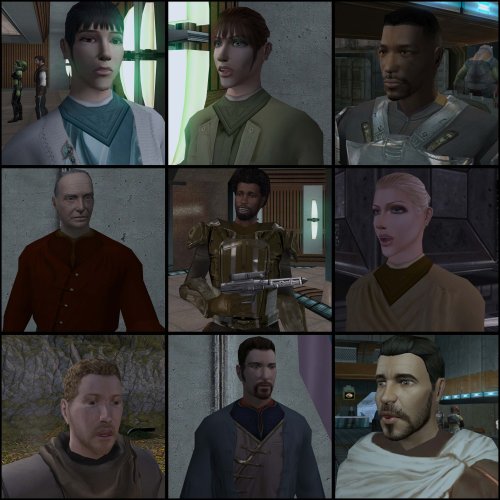 Thank you very much Lily. I just have the heads downloaded so ill just download the commoner clothing and just keep the heads instead.
 -
Yes. If you install mine afterwards, you will get my textures and can wear them on your player. The only issue I see is that JC's icons for the items will no longer match the clothing that you actually wear when you put them on. You can, of course, just use the heads option which won't touch the clothing at all, or try to rename the files to match the icons as closely as you can if you have any modding experience. One more thing - you will want to delete the .tga files in your override folder that match the same named .tpc files in this mod. It shouldn't crash or anything, but it's not good practice This tool makes that pretty easy.
-
[TSL] Lily's NPC Overhaul - HD Models & Added Diversity
dachaunmcgee@yahoo.c commented on Lily's file in Mods
Question, Is this mod Compatible with JC's Commoner outfit mod, that allows you access to different Commoner Clothing or no? - Last week
-
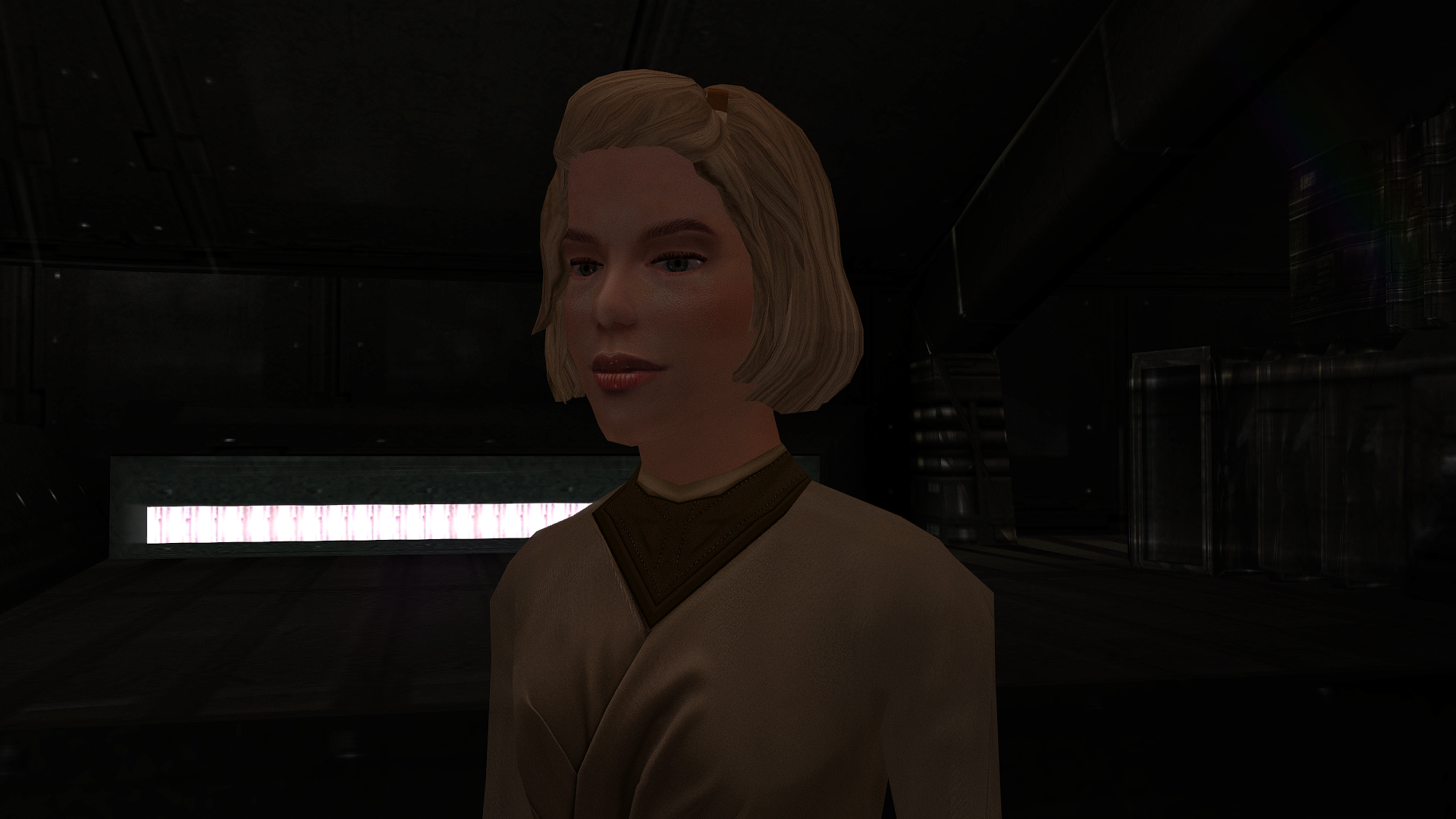
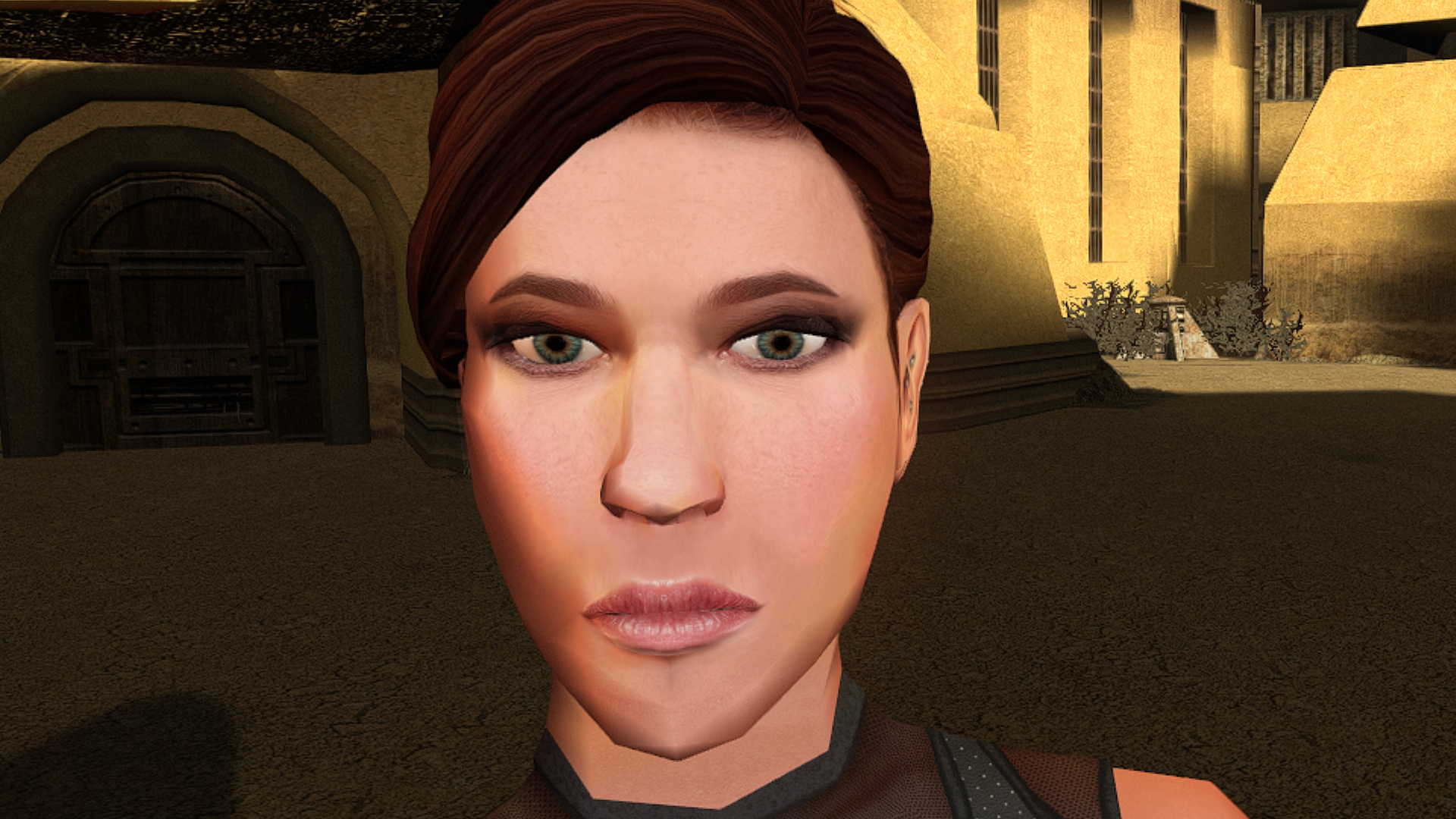
The mod has been sent for publication.
-
Version 1.0.0
13 downloads
The mod replaces the ChildF model and textures. To Install 1. Download: ChildF 2. Copy all files to the Knights of the Old republic's Override folder. (Example location - C:\Program Files (x86)\Steam\steamapps\common\swkotor\Override) 3. When/if prompted to overwrite files, press okay. 4. If you like the mod; leave a comment or endorse! (It would be much appreciated) Made with love. -

 This additional mod may be of interest.