All Activity
- Past hour
-
 ssumes joined the community
 -
 DekuSquad joined the community
 - Today
-
 parasnailor joined the community
 -
 Steeredleech1 joined the community
 -
 DarthBinks545 joined the community
 -
I keep getting errors when trying to install the item restorations mod from the k2CR+1.2.1. Specifically, these files below could not be modded properly: The first error, 'ModelVariation' is the real problem. HoloPatcher hits it while patching a_robe_11.uti, which is the Jal Shey Advisor Armor restoration. The mod’s current Item Restorations component specifically modifies that armor, and K2RC+ 1.2.1 also added the Prototype Mining Laser restoration. Deadly Stream The other thing I don’t love is this warning: Orphaned ini sections found in changes ini: baseitems_row_pro_mining_laser_0 baseitems.2da That strongly suggests parts of the Prototype Mining Laser’s installer configuration aren’t actually being referenced properly. Combined with your previous 1.4.3 run giving an error on prominlaser.uti, this is looking much more like a problem in K2RC+ 1.2.1’s Item Restorations installer/config, rather than something wrong with your PC.
-
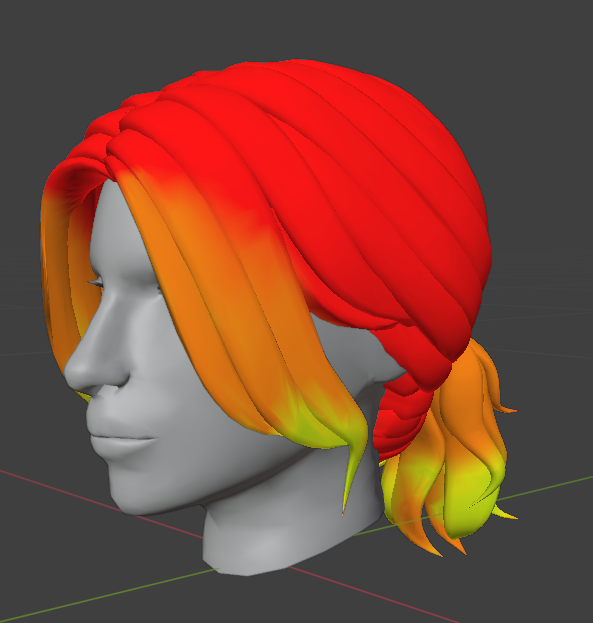
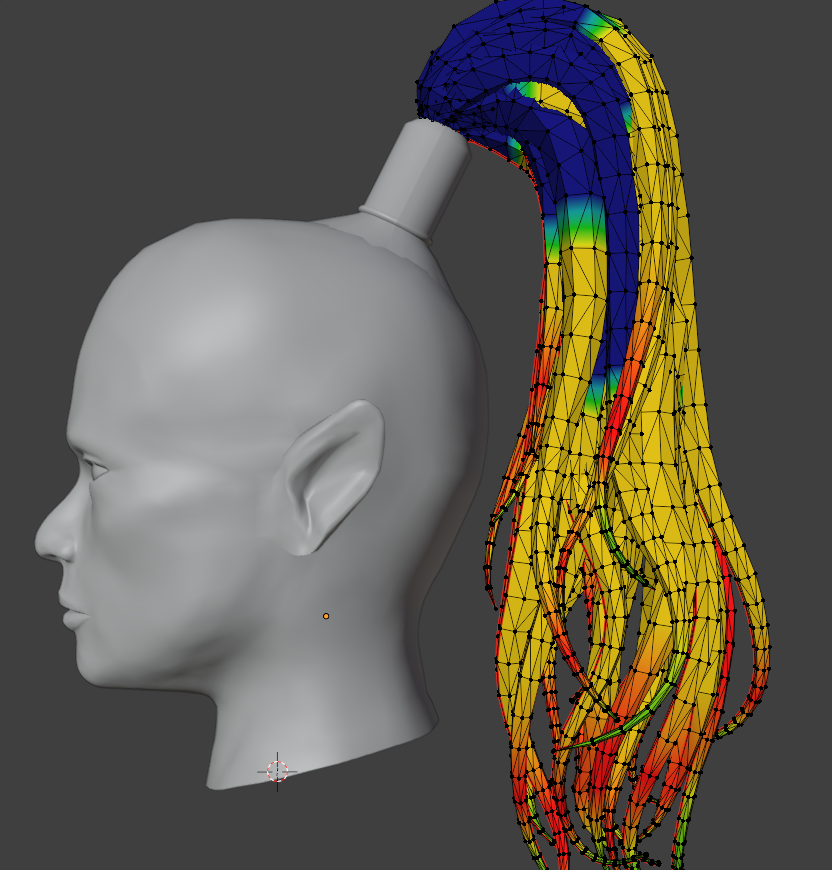
Yes, for short hairstyles the best option is to start from 1. I looked at how different hairstyles are weighted in the vanilla models and noticed that on long tails and other long dangling parts the weight is 0 at the attachment point. I’m not exactly sure what causes this - maybe the length of the danglymesh, or the distance from the attachment point? Or the fact that it’s attached only in a small area rather than across the whole surface of the head? So for now I’ve set roughly the same weights that are in the original model, because I’m afraid of accidentally triggering an unexpected bug somewhere. 😆 Although I myself haven’t noticed any particular difference between weight 0 and weight 1 either.
-
 AristocratMojo joined the community
 -
Hi. I noticed something about these weights: the 1 and 0 regions are completely locked. The 0.5 area is where the deformation is strongest and most unnatural. I try to avoid those weights (the blue and green ones) and start from 1 instead of 0 (like in the original). The animation turns out smooth and natural. Привет. Я такую штуку заметила в весах: 1 и 0 области полностью зафиксированные. 0.5 это область с самой сильной и неестественной диформаций. Я стараюсь избегать этих весов (синие и зеленые). И начинаю не от 0 (как в оригинале), а от 1. Анимация получается плавная и естественная.
-
 valstrikes joined the community
 -
 glorp joined the community
 -
 Drewcifer joined the community
 -
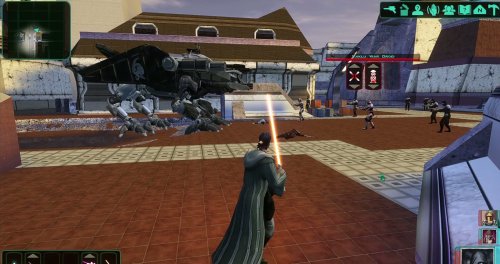 Holly! That's a great mod to add to my collection. Definetly looking forward for new ones.
 -
 It is strange! They could very well reference things that aren't in the vanilla game, but I don't wanna waste time looking through all that (my files are kind of a big mess right now 😅) Anyway, I have decided that I'll just try work around the issue instead of stress over the issue, and hope all goes well!
 -
Reverse_Studios changed their profile photo
- Yesterday
-

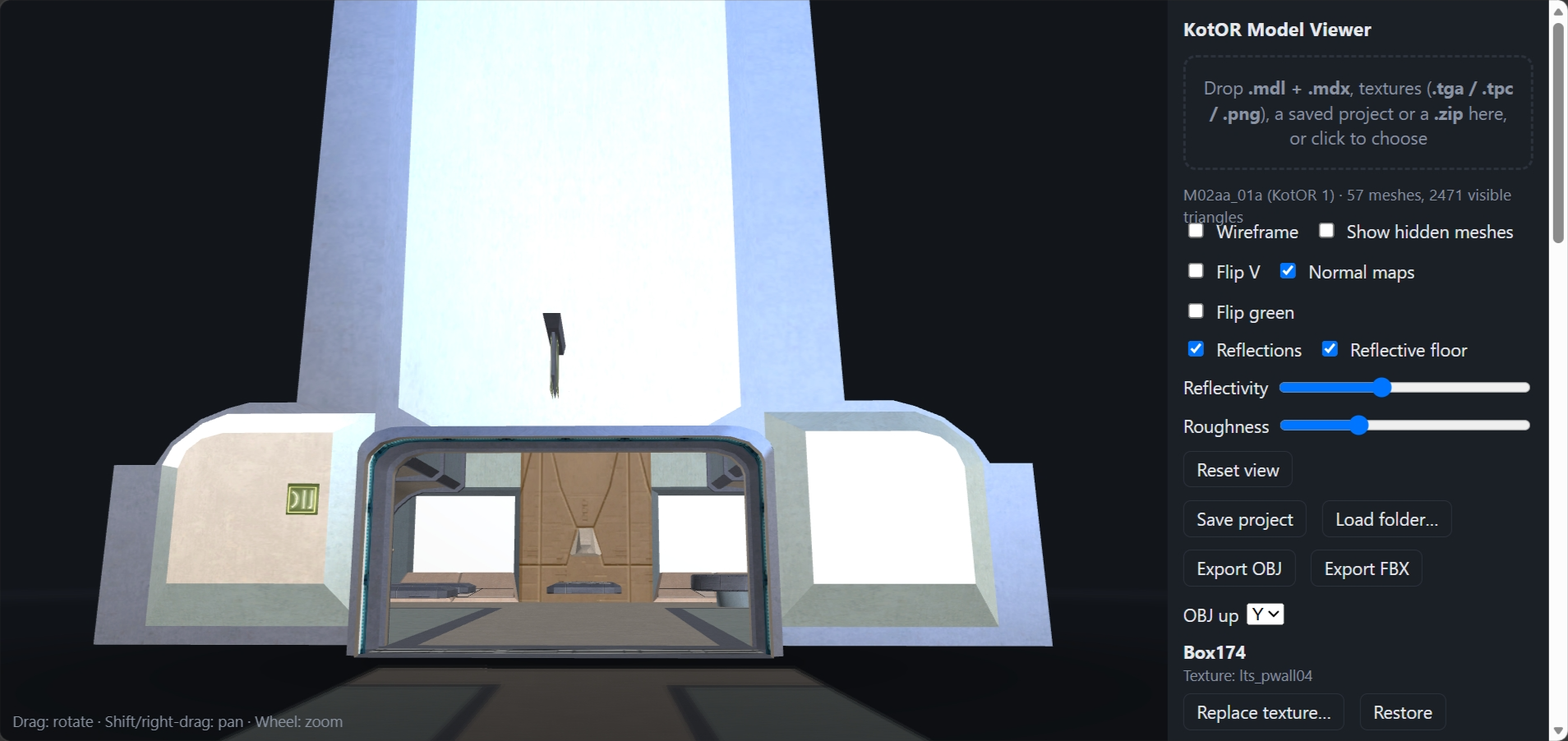
Kotor Model Viewer in Web Browser 1.0
Etherael replied to Etherael's topic in General Kotor/TSL Modding
Updated Model Viewer -
A pity. When I did the simplest porting of the K2 Player heads into K1, I noticed the "slacked-jaw" issue that was mentioned by others. I am hoping that someone could do the proper porting of all the PC heads one day. Cheers!
-
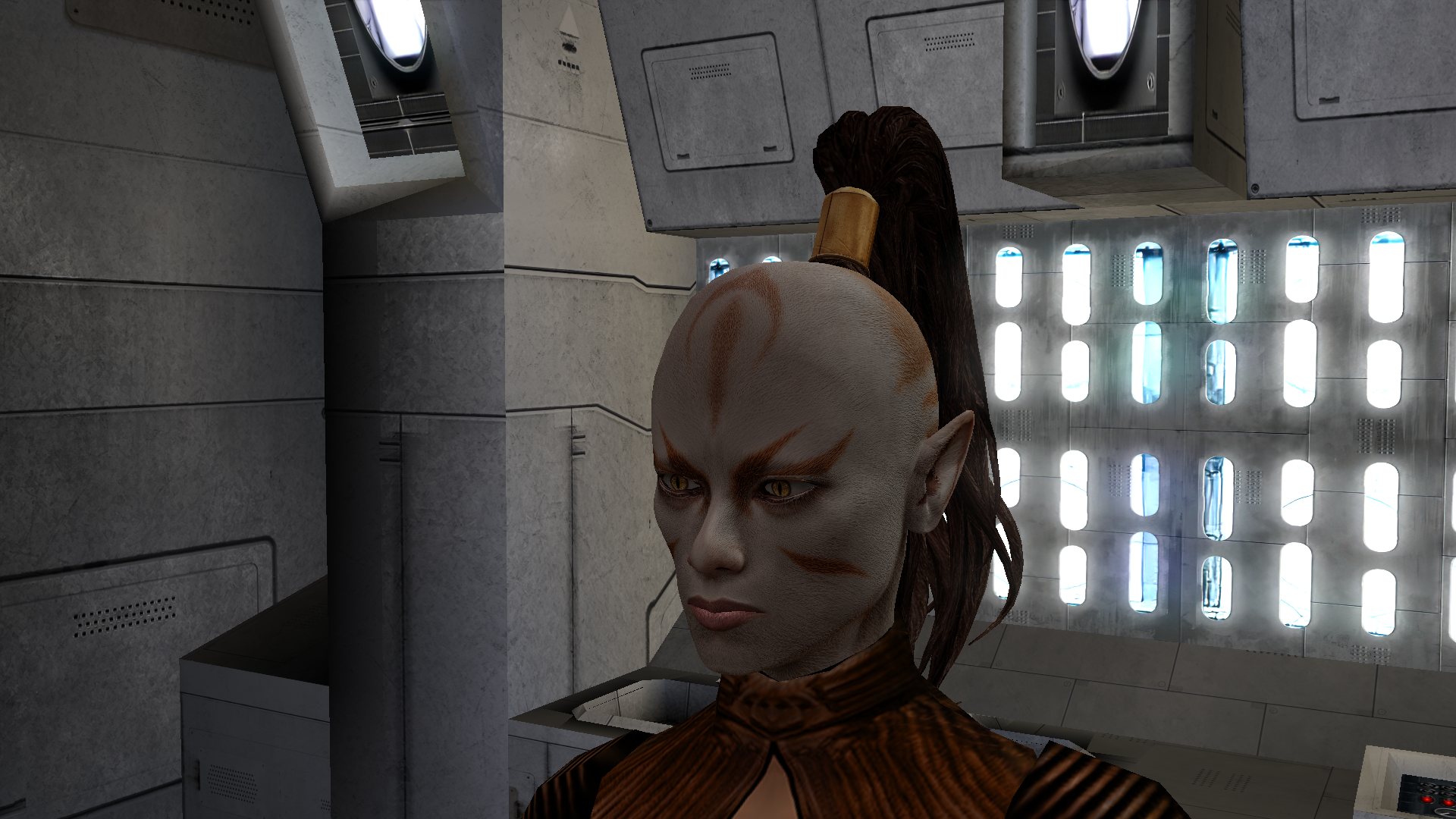
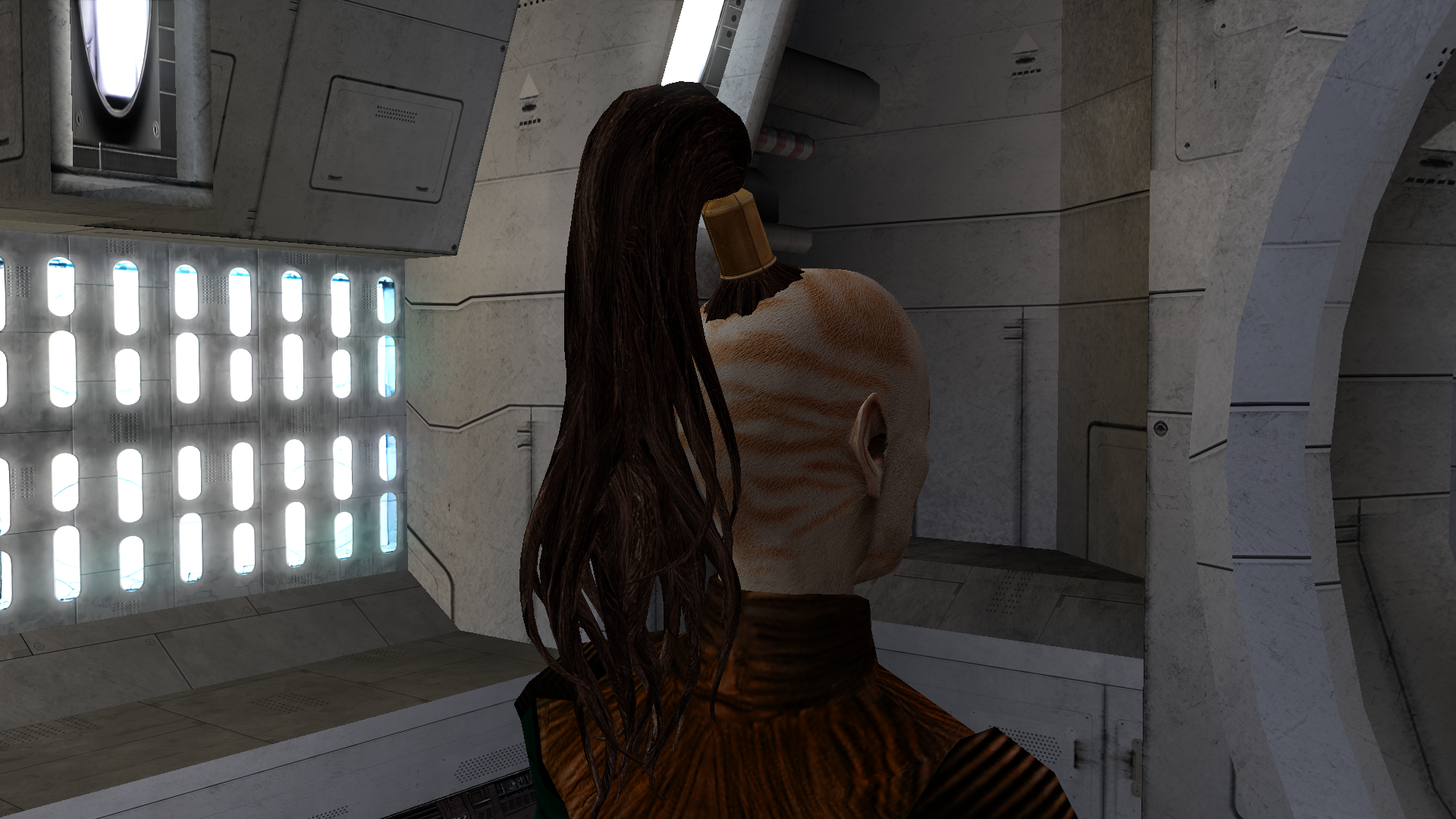
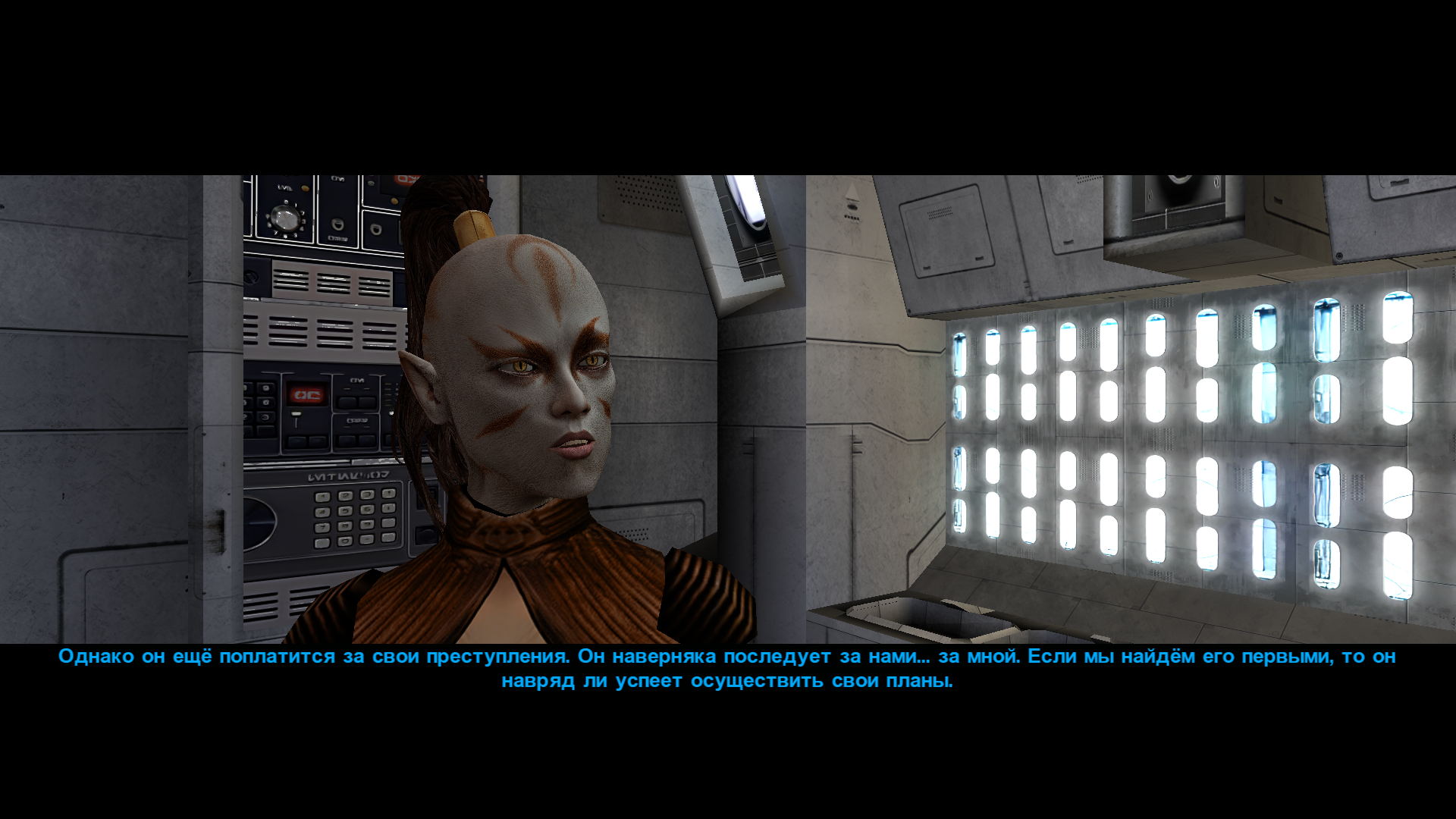
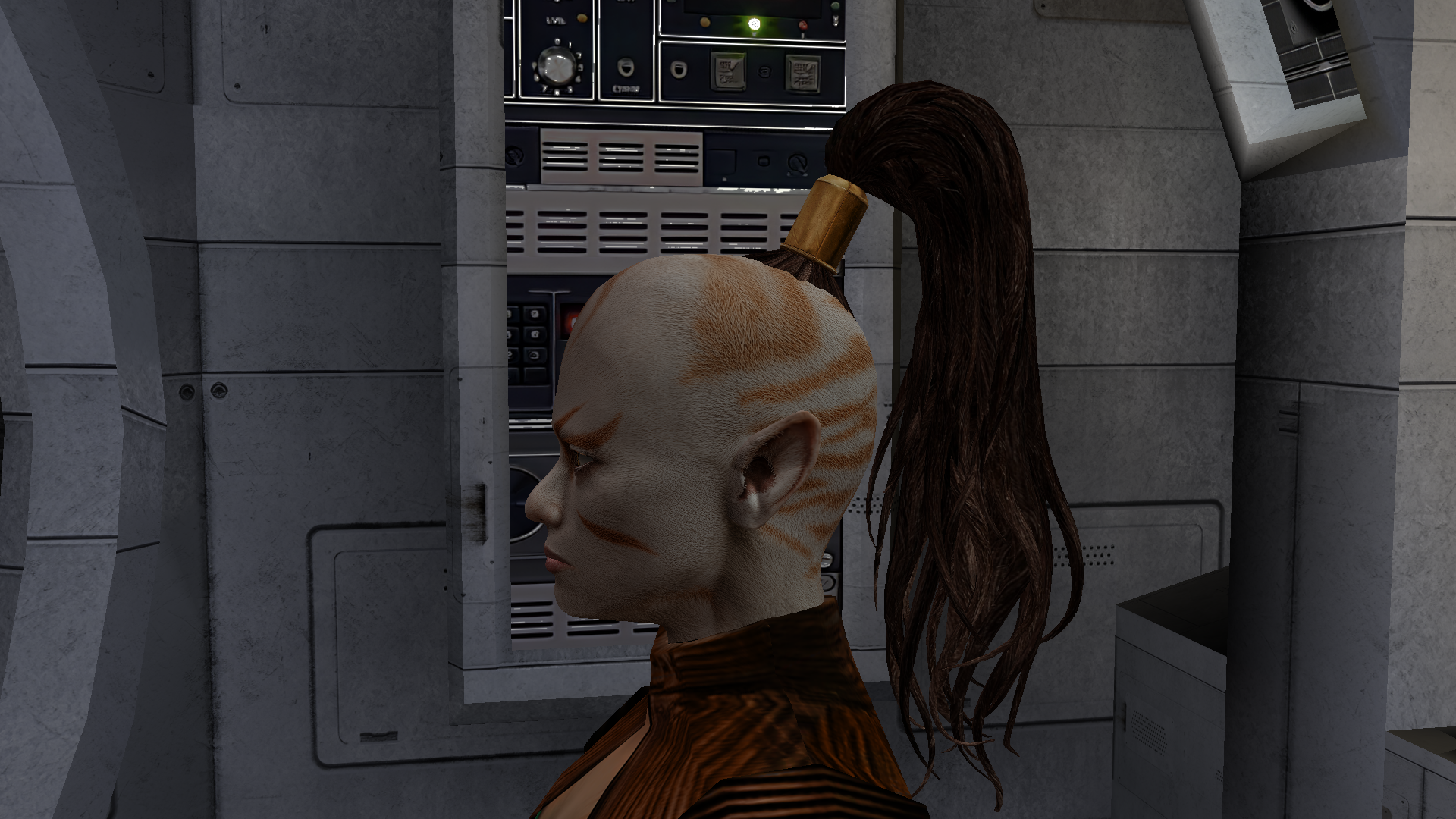
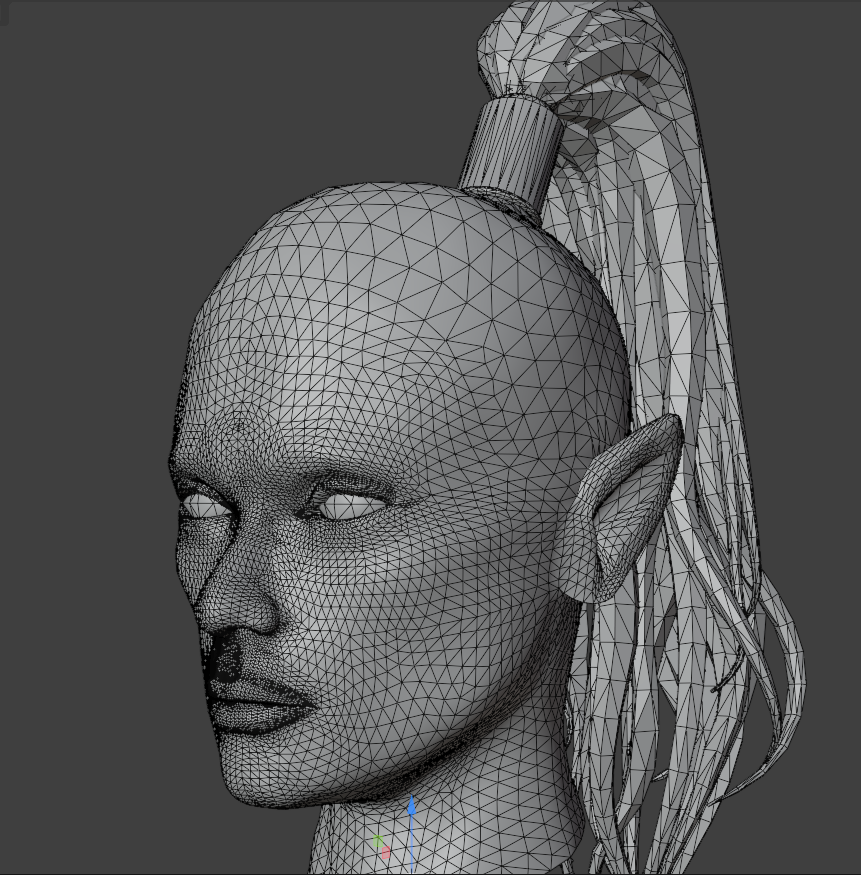
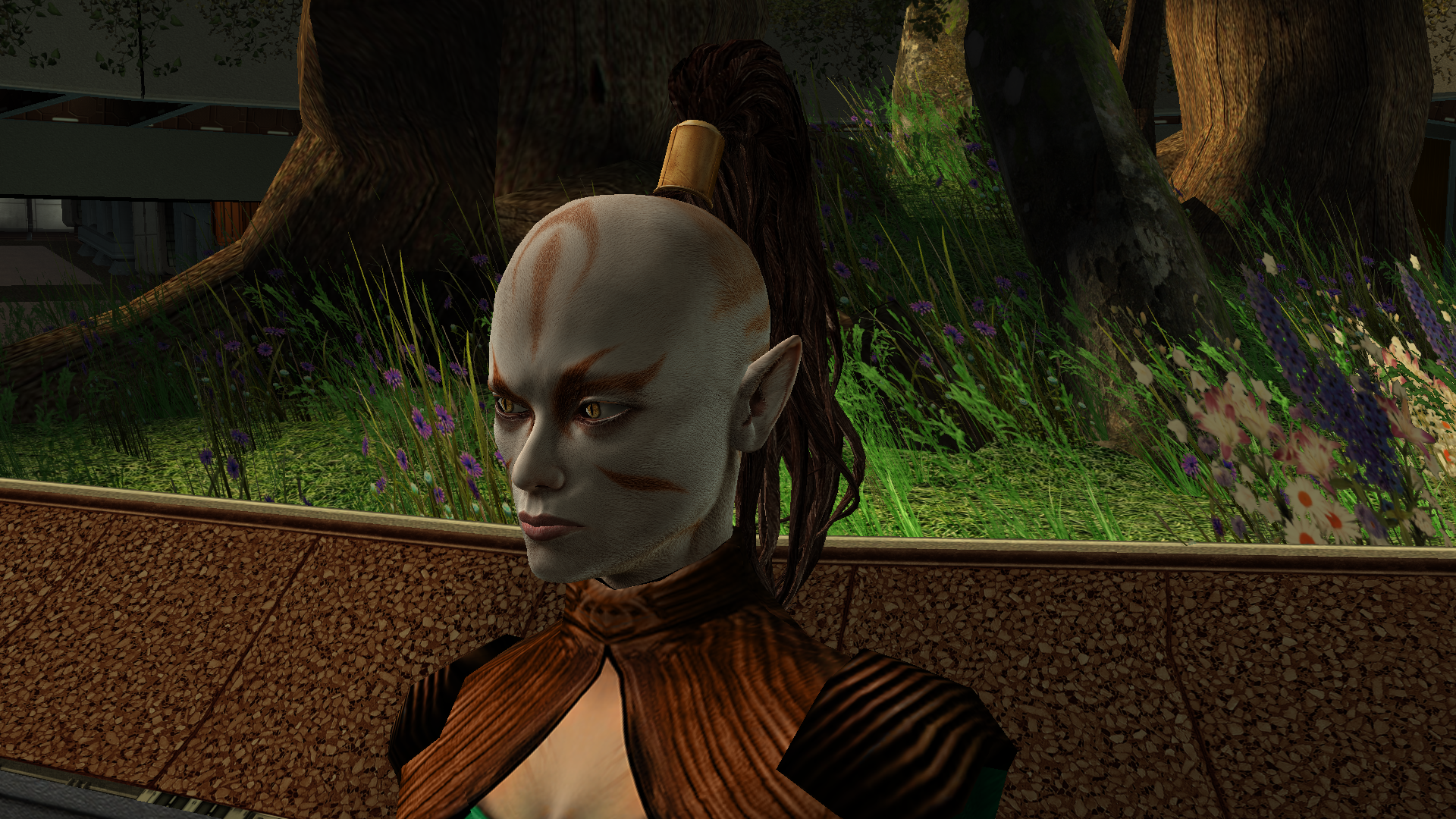
Another work of mine that’s currently in progress is the Juhani head model. It’s high-poly and has a 2K texture. The work is actually already finished, but I’ve realised I can’t release it like this - now I need to either rework the texture or even the body model, because the difference is too noticeable at the moment. During this process I learned a lot in Blender, but there’s no point writing about that here. The only thing really worth noting is how the game renders danglymesh with different weights. With weights greater than 0 up to roughly 0.6–0.7 the vertices get a kind of “semi-freedom”: the engine shifts them, but not as predictably as at 0 (fixed, locked to the head position) or near 1 (completely detached from the head and dangling with the set amplitude, stiffness and period). So when weight-painting the tail I used 0 near the attachment point and then jumped straight to 0.7 without a smooth transition. Toward the tips I softened it to 0.6–0.5 - the tips can dangle freely, they’re allowed to! I don’t know, maybe it can be done better, but at my current level of understanding the process I think this is the maximum. Yes, the lips also had to be re-weighted - I spent two days painting them this way and that, checking every frame, but in the end I got a result without any pinching or artifacts.
-
Not sure, I don't test them as talking NPCs.
-
[TSL] Lily's NPC Overhaul - HD Models & Added Diversity
StellarExile commented on Lily's file in Mods
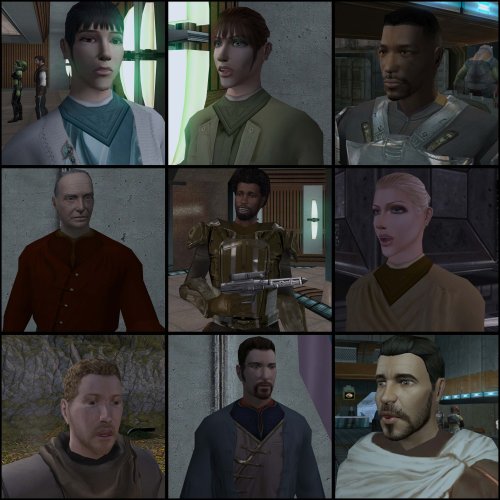 Any chance of KOTOR 1 version?
 -
StellarExile changed their profile photo
-
Kotor Model Viewer in Web Browser 1.0
Etherael replied to Etherael's topic in General Kotor/TSL Modding
Guess i should have explained I assisted this to as way to view HD textures without having to go in game. -

Kotor Model Viewer in Web Browser 1.0
Vriff replied to Etherael's topic in General Kotor/TSL Modding
Interesting, I've never seen or heard of this, do you know who published it? Can't find any author info. -
 I don't know much about the execution of the KMRP mod. There's details on it's github page. Scaled Kotor was developed with a few goals in mind: 1) Scaling to any resolution while maintaining the menus aspect ratio and not stretching any UI assets. 2) compatibility with Kotor Patch Manger and it's rapidly growing patch ecosystem 3) HD UI assets that preserve the original aesthetic. This includes the expanded menu borders, icons, backgrounds, and hud. This a large project(much larger than I expected) that I am still updating. The current focus is new icons.
 -
Kotor Model Viewer in Web Browser 1.0
Etherael replied to Etherael's topic in General Kotor/TSL Modding
https://pixeldrain.com/u/664wxMAb https://www.virustotal.com/gui/file/856ee378af66f55a796d91e69b1d30271fcb833f97863af014e027a94495005b?nocache=1 -
Kotor Model Viewer in Web Browser 1.0
Vriff replied to Etherael's topic in General Kotor/TSL Modding
Do you have a link? -
Kotor Model Viewer in Browser Everything in Image is usable except, - export FBX and OBJ does NOT work in browser but you CAN save project file. You can also select individual model parts and change texture. 1.0 https://pixeldrain.com/u/Nr1hiM1d https://www.virustotal.com/gui/file/732dfcc1602fd4e329ee0b7f4022a9a1429d996162893d4426bfb0242dca8dc8?nocache=1
-
View File Basilisk War Droid Bring a new Basilisk to the invasion of Onderon. Watch it wake in the Dxun hangar, storm Iziz in a replacement cinematic, and join the landing-zone battle as an allied war droid. FEATURES • Custom Basilisk model with an animated hangar reveal and boarding ramp. • Replacement invasion cinematic covering space approach, atmospheric entry, anti-aircraft fire and a heavy landing. • An allied Basilisk that fights alongside the player in Iziz. • Shoulder turbolasers, heavy claw attacks, a shockwave slam and an airborne rapid-fire nose-gun barrage. • Custom combat effects and sound. • Two replacement Basilisk loading screens. REQUIREMENTS AND COMPATIBILITY Requires Windows x64 and a supported Steam Aspyr version of KOTOR II. Run the included compatibility check before installing. Other storefronts and executable versions are not currently supported. Tested on clean Steam game data and an installation of the KOTOR II Full Build: https://kotor.neocities.org/modding/mod_builds/k2/full Install after your chosen mod build. Compatibility does not cover every optional mod selection. The English Queen Talia invasion route is tested; the Vaklu route has not been qualified. The installer merges shared tables and story resources, preserves native party selection, and leaves saves and Steam Cloud settings unchanged. It replaces OndMov07.bik and the load_510OND/load_511OND loading screens. See COMPATIBILITY.md for supported executable hashes, conflicts and testing limitations. INSTALLATION 1. Close KOTOR II. 2. Extract the entire archive into a folder outside your game directory. Keep all included folders together. 3. Run Install Basilisk.exe and select the folder containing swkotor2.exe. 4. Click Check compatibility, review the result, then Install Basilisk. 5. Keep Steam running and launch the game using BasiliskLauncher.exe in your game folder. 6. Load a save from before Zuka’s invasion reveal and before first entering the Iziz invasion module. Required runtime components are bundled. No separate Python or .NET installation or manual patch download is needed. This package uses its own merge installer. Do not copy the payload into Override or install it through TSLPatcher. UNINSTALL Close the game, run Install Basilisk.exe, select the same game folder and choose Restore pre-install files. Keep the BasiliskInstaller backup folder. Restoration will stop if another mod has subsequently changed a file, protecting those later changes. Return to a save made before installation. CREDITS ShaolinGhost — project, direction, playtesting and release. Lane — KotOR Patch Manager. PyKotor contributors — resource tooling. Obsidian Entertainment, LucasArts and Aspyr — KOTOR II and original game resources. The Force Unleashed Wii Basilisk encounter — design and animation reference. Full third-party notices and installer/runtime sources are included. This is an unofficial, free fan modification. Screenshots may show unrelated character, environment and interface mods that are not included. Submitter ShaolinGhost Submitted 09/28/2026 Category Mods TSLRCM Compatible No
-
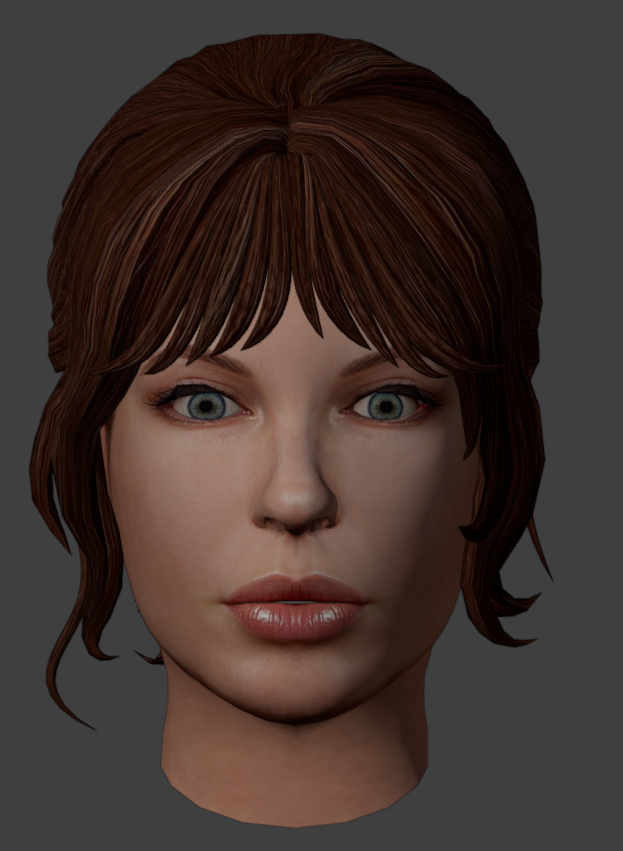
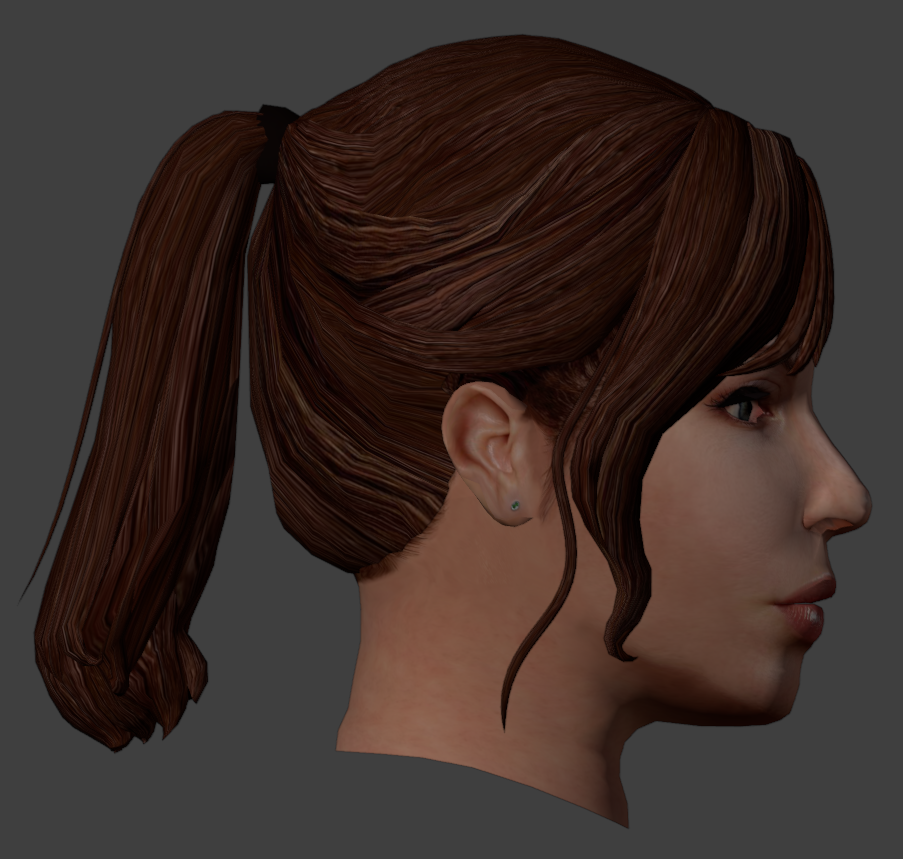
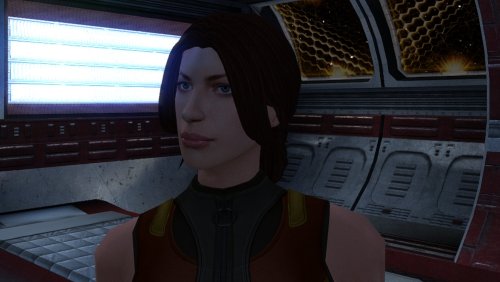
View File High poly PFHC01 The mod replaces the PFHC01 model and textures. To Install 1. Download: PFHC01 2. Copy all files to the Knights of the Old republic's Override folder. (Example location - C:\Program Files (x86)\Steam\steamapps\common\swkotor\Override) 3. When/if prompted to overwrite files, press okay. 4. If you like the mod; leave a comment or endorse! (It would be much appreciated) Made with love. Submitter Dark Hope Submitted 09/28/2026 Category Mods K1R Compatible No
-
Version 1.0.1
28 downloads
Bring a new Basilisk to the invasion of Onderon. Watch it wake in the Dxun hangar, storm Iziz in a replacement cinematic, and join the landing-zone battle as an allied war droid. FEATURES • Custom Basilisk model with an animated hangar reveal and boarding ramp. • Replacement invasion cinematic covering space approach, atmospheric entry, anti-aircraft fire and a heavy landing. • An allied Basilisk that fights alongside the player in Iziz. • Shoulder turbolasers, heavy claw attacks, a shockwave slam and an airborne rapid-fire nose-gun barrage. • Custom combat effects and sound. • Two replacement Basilisk loading screens. REQUIREMENTS AND COMPATIBILITY Requires Windows x64 and a supported Steam Aspyr version of KOTOR II. Run the included compatibility check before installing. Other storefronts and executable versions are not currently supported. Tested on clean Steam game data and an installation of the KOTOR II Full Build: https://kotor.neocities.org/modding/mod_builds/k2/full Install after your chosen mod build. Compatibility does not cover every optional mod selection. The English Queen Talia invasion route is tested; the Vaklu route has not been qualified. The installer merges shared tables and story resources, preserves native party selection, and leaves saves and Steam Cloud settings unchanged. It replaces OndMov07.bik and the load_510OND/load_511OND loading screens. See COMPATIBILITY.md for supported executable hashes, conflicts and testing limitations. INSTALLATION 1. Close KOTOR II. 2. Extract the entire archive into a folder outside your game directory. Keep all included folders together. 3. Run Install Basilisk.exe and select the folder containing swkotor2.exe. 4. Click Check compatibility, review the result, then Install Basilisk. 5. Keep Steam running and launch the game using BasiliskLauncher.exe in your game folder. 6. Load a save from before Zuka’s invasion reveal and before first entering the Iziz invasion module. Required runtime components are bundled. No separate Python or .NET installation or manual patch download is needed. This package uses its own merge installer. Do not copy the payload into Override or install it through TSLPatcher. UNINSTALL Close the game, run Install Basilisk.exe, select the same game folder and choose Restore pre-install files. Keep the BasiliskInstaller backup folder. Restoration will stop if another mod has subsequently changed a file, protecting those later changes. Return to a save made before installation. CREDITS ShaolinGhost — project, direction, playtesting and release. Lane — KotOR Patch Manager. PyKotor contributors — resource tooling. Obsidian Entertainment, LucasArts and Aspyr — KOTOR II and original game resources. The Force Unleashed Wii Basilisk encounter — design and animation reference. Full third-party notices and installer/runtime sources are included. This is an unofficial, free fan modification. Screenshots may show unrelated character, environment and interface mods that are not included.- 1 comment
-
- 11
-

-

- Last week
-
Version 1.0.0
22 downloads
The mod replaces the PFHC01 model and textures. To Install 1. Download: PFHC01 2. Copy all files to the Knights of the Old republic's Override folder. (Example location - C:\Program Files (x86)\Steam\steamapps\common\swkotor\Override) 3. When/if prompted to overwrite files, press okay. 4. If you like the mod; leave a comment or endorse! (It would be much appreciated) Made with love. -
 ogagaemmanue changed their profile photo
 -
 To Be honest, I don't know yet. My GOG TSL version looks pretty nice at 2560x1440 without any real changes, as far as I see.
 -
 Glad to hear that, thanks for taking the time to confirm!
 -
Hello! Has anyone properly ported K2 Player heads to K1? I would be very interested in all of them, especially Male heads. Cheers!
-
@FF97 Any plans for these in TSL?