Search the Community
Showing results for tags 'SWTOR'.
-
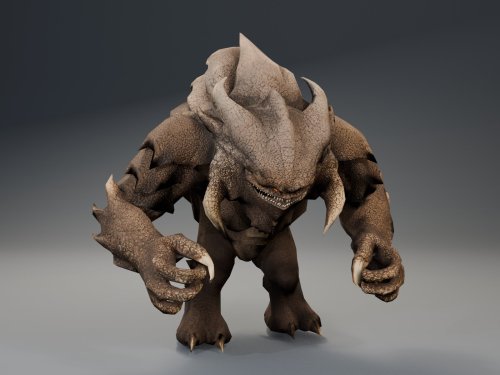
Version 1.0.2
134 downloads
AI DISCLOSURE & FEEDBACK I use AI often in my workflows to assist with creating my mods, including handling monotonous and repetitive tasks. You should assume that anything I post has had AI assistance in some way. As I stated in my Dathomir WIP post, I expect discussion of my projects to remain professional and focused on the actual artwork, performance, and gameplay. Constructive criticism that helps improve the art or gameplay is welcome. Derogatory statements about AI will be ignored. I am here to improve the finished product, and I will not change my workflow to accommodate personal objections to AI. HQ Terentatek Replacement — KOTOR I Version 1.0.0 by ShaolinGhost Bring a new look and movement set to KOTOR I’s Terentateks. This replacement pairs a custom creature model and 4K textures with converted Star Wars: The Old Republic animations, including claw-slashing attacks, idle and movement cycles, damage reactions, death and roar motions. The replacement covers every creature using the original Terentatek appearance throughout the base game, including Kashyyyk, Korriban and scripted transformations. Existing encounter scripts, quests, statistics, loot and native soundset assignments are preserved. Campaign roars occur when the original game scripts or animation system request them. Requirements KOTOR I for PC. No additional mods, runtime DLLs, custom launcher or executable patches are required. TSLPatcher is included for Windows installation. The 4096 × 4096 textures require additional graphics memory. Installation Close the game and extract the entire ZIP into its own folder outside the game directory. Run TSLPatcher.exe, select Install Mod, and choose the KOTOR I folder containing swkotor.exe. Do not select Override. Wait for installation to finish and check the log for errors. Keep the installer and its backup folder. The installer merges the Terentatek appearance settings into an existing appearance.2da and preserves unrelated changes. Do not manually copy the supplied appearance.2da into Override. A new game is not required for this appearance replacement; restart the game after installing. Compatibility Install after other appearance-table mods. Mods that replace the same Terentatek appearance or the same model and texture resources conflict. Creatures assigned a separate appearance by another mod are outside this replacement’s scope. K1R compatibility has not been tested; the required compatibility field is therefore marked No. This release contains no test maps, test creatures, saves or plot scripts. The gallery includes four Blender model renders showing the front, profile, claw attack and roar, plus one in-game screenshot from the development test area. Render lighting differs from in-game lighting. Uninstallation Restore the files from this installation’s backup folder. Remove files created by the installer only when no previous version was backed up. See README.txt for the complete file list and appearance.2da instructions. Uninstall in reverse installation order to avoid discarding later mods’ table changes. Credits ShaolinGhost — custom creature model, textures and mod release. BioWare / Electronic Arts — SWTOR skeleton and animation source assets, converted for KOTOR I. BioWare / LucasArts — KOTOR I and its creature sounds. stoffe and Fair Strides — TSLPatcher. MDLOps contributors, the Blender project and the KOTOR modding community. Permissions Please contact ShaolinGhost on Deadly Stream before redistributing or using the custom model and textures in another release. Rights to original game assets remain with their respective owners. This is a free, unofficial modification and is not made, distributed or supported by BioWare, Electronic Arts, LucasArts, Lucasfilm or Disney.- 4 comments
-
- 8
-

-

-

-

-
- terentatek
- creature
- (and 3 more)
-
View File HQ Terentatek Replacement HQ Terentatek Replacement — KOTOR I Version 1.0.0 by ShaolinGhost Bring a new look and movement set to KOTOR I’s Terentateks. This replacement pairs a custom creature model and 4K textures with converted Star Wars: The Old Republic animations, including claw-slashing attacks, idle and movement cycles, damage reactions, death and roar motions. The replacement covers every creature using the original Terentatek appearance throughout the base game, including Kashyyyk, Korriban and scripted transformations. Existing encounter scripts, quests, statistics, loot and native soundset assignments are preserved. Campaign roars occur when the original game scripts or animation system request them. Requirements KOTOR I for PC. No additional mods, runtime DLLs, custom launcher or executable patches are required. TSLPatcher is included for Windows installation. The 4096 × 4096 textures require additional graphics memory. Installation Close the game and extract the entire ZIP into its own folder outside the game directory. Run TSLPatcher.exe, select Install Mod, and choose the KOTOR I folder containing swkotor.exe. Do not select Override. Wait for installation to finish and check the log for errors. Keep the installer and its backup folder. The installer merges the Terentatek appearance settings into an existing appearance.2da and preserves unrelated changes. Do not manually copy the supplied appearance.2da into Override. A new game is not required for this appearance replacement; restart the game after installing. Compatibility Install after other appearance-table mods. Mods that replace the same Terentatek appearance or the same model and texture resources conflict. Creatures assigned a separate appearance by another mod are outside this replacement’s scope. K1R compatibility has not been tested; the required compatibility field is therefore marked No. This release contains no test maps, test creatures, saves or plot scripts. The gallery includes four Blender model renders showing the front, profile, claw attack and roar, plus one in-game screenshot from the development test area. Render lighting differs from in-game lighting. Uninstallation Restore the files from this installation’s backup folder. Remove files created by the installer only when no previous version was backed up. See README.txt for the complete file list and appearance.2da instructions. Uninstall in reverse installation order to avoid discarding later mods’ table changes. Credits ShaolinGhost — custom creature model, textures and mod release. BioWare / Electronic Arts — SWTOR skeleton and animation source assets, converted for KOTOR I. BioWare / LucasArts — KOTOR I and its creature sounds. stoffe and Fair Strides — TSLPatcher. MDLOps contributors, the Blender project and the KOTOR modding community. Permissions Please contact ShaolinGhost on Deadly Stream before redistributing or using the custom model and textures in another release. Rights to original game assets remain with their respective owners. This is a free, unofficial modification and is not made, distributed or supported by BioWare, Electronic Arts, LucasArts, Lucasfilm or Disney. Submitter ShaolinGhost Submitted 09/07/2026 Category Mods K1R Compatible Yes AI DISCLOSURE & FEEDBACK I use AI often in my workflows to assist with creating my mods, including handling monotonous and repetitive tasks. You should assume that anything I post has had AI assistance in some way. As I stated in my Dathomir WIP post, I expect discussion of my projects to remain professional and focused on the actual artwork, performance, and gameplay. Constructive criticism that helps improve the art or gameplay is welcome. Derogatory statements about AI will be ignored. I am here to improve the finished product, and I will not change my workflow to accommodate personal objections to AI.
-
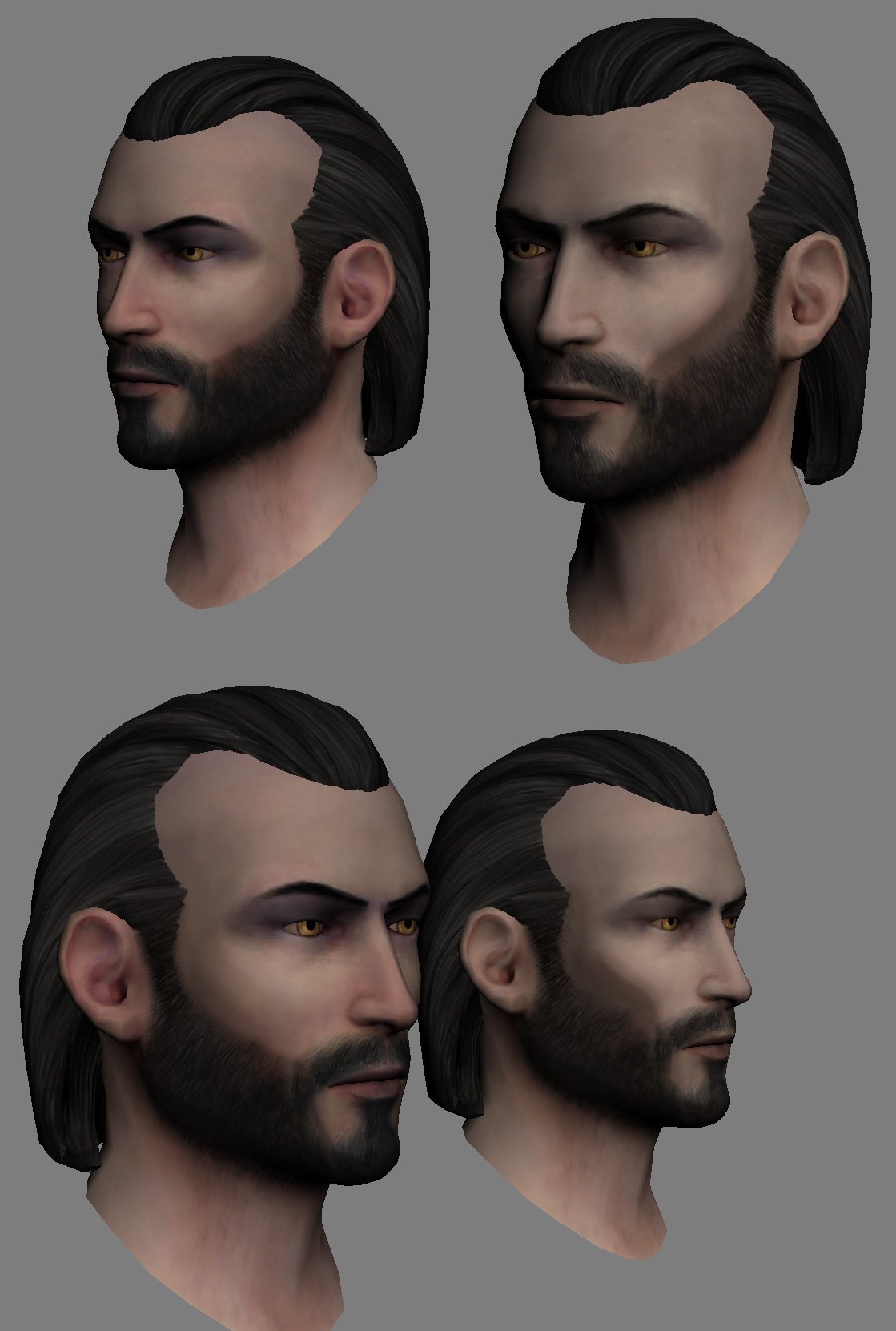
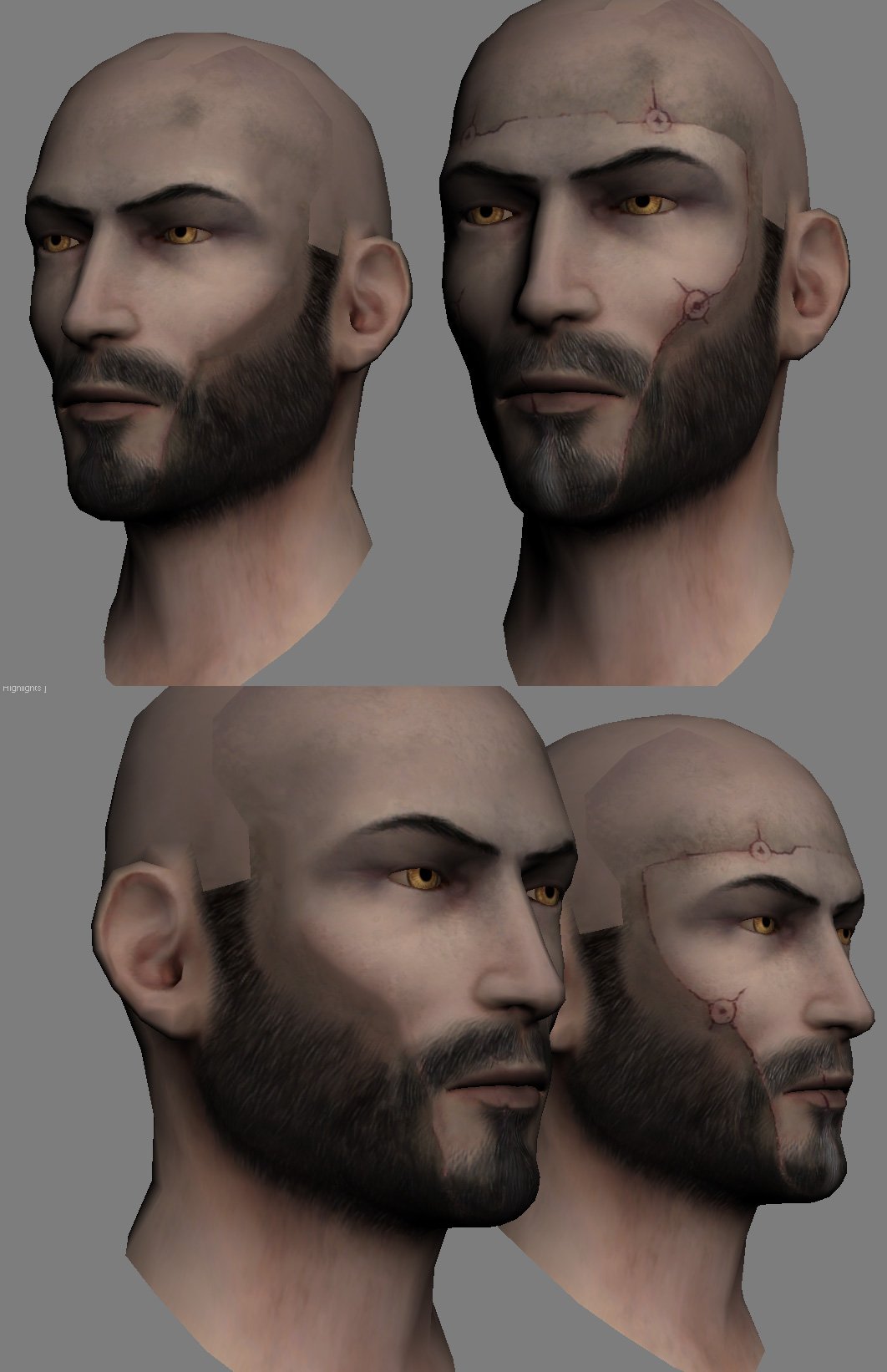
Hi could someone finally finish the "canon" swtor revan head mod? (basically do what darthparametric did with the other swtor ports) someone got close but they never got to finish it sadly I've tried to do it myself but i just have zero skill with this honestly
-

Version 1.0.0
885 downloads
Experience the Male Revan, with the voice of Jeff Bennett who portrayed him SW:TOR, while retaining his lighthearted nature from KOTOR and authoritative persona from SW:TOR. Introducing as my first mod: SW:TOR Revan Voice Mod! I definitely know this is one of the mods people have been waiting for. Rino Romano, the original voice of Revan, did a fantastic job in the game. But have you ever asked yourself or wanted your character to sound like SW:TOR’s version that’s voiced by Jeff Bennett? (Who’s also the voice of Kyle Katarn). Well with the power from Elevenlabs & Play.ht, now you can! In the first Knights of the Old Republic (KOTOR) game, Revan is the central figure whose story filled with secrets and epic adventures captivated players across the galaxy. A true force to be reckoned with, Revan was a formidable Jedi Knight, renowned for his exceptional skills and leadership. However, destiny took an unexpected turn when Revan fell to the dark side, becoming a Sith Lord of great power and influence. This profound transformation led to Revan's pivotal role in shaping most of the Old Republic universe. With this mod, you have the chance to embody a slightly younger version of Revan's voice that preserves the character's essence from both KOTOR and SW:TOR. Experience Male Revan, with the voice of Jeff Bennett while retaining the balance of lighthearted comedic nature and commanding authority, reflecting the revered figure Revan we know and love!!! Happy 20th Anniversary to KOTOR and May the Force be with you! All Voice Lines Installation (READ VERY IMPORTANT): Download the zip file and open it. Select all of the .wav files and put them inside the streamsounds folder in KOTOR directory. (DO NOT PLACE THEM IN OVERRIDE) (DO NOT PUT THE OPTIONAL FOLDER INSIDE STREAMSOUNDS. See step 3.) If you do not wish to use the optional sounds then skip to step 6. (OPTIONAL) If you WANT the optional files then continue but open the optional folder. There are three folders: Security Failure, Critical Hit, and Mine Placement. You may only have ONE security failure file in the streamsounds folder. (OPTIONAL) Choose one of the security failure options. The folder will tell you what he’ll say. Place *only one* of the .wav files inside the streamsounds folder. (OPTIONAL) If you want to use the other critical hit and mine placement or just one of them then place the .wav file in streamsounds. If it says a file exists with that name or to overwrite then just hit ok or replace. Paste the backup folder into your streamsounds folder and you’re all set! Uninstall: Use the backup folder I provided and copy all the files inside the backup folder and paste them into your streamsounds folder. Other Information: Your character will no longer make sound when getting hit and dying in combat. I have intentionally removed these lines as the OG voice does not fit with Jeff’s voice. If you’ve played KOTOR 2 then this likely won’t bother you! However, this may be solved in a future version. Compatibility: I doubt it will affect anything important that doesn’t mess with player male files in streamsounds. Recommended Mods: Jedi Knight Revan Stylized Portrait created by Tinman888 This Mod is not supported by LucasArts, Electronic Arts, the Old Republic, or Bioware. Do not contact them for support of this mod. LucasArts is a trademark of Lucasfilm Ltd. -
Version 1.0.0
513 downloads
Complete KOTOR music overhaul (SWTOR style) Hello there ! After some playthroughs, I thought the KOTOR 1 ambient themes were great but too old and I needed something fresh. And yes, I know there are some musics overhaul mods out there, such as Detran’s movie mod : https://www.nexusmods.com/kotor/mods/1552 But I wanted a more ambient version. And I realized SWTOR themes were the perfect match for most of the places you visit in KOTOR. So I took many SWTOR themes (and some others, if you want the surprise don’t look at the resumee below, but there’s not much more than SWTOR themes tbf), which gives us a total of 26 ambient musics (there’s not much about fight music yet, but updates could come if asked). Hope you like it ! Installation : - Make a backup of the streammusic folder in your game directory, - take the files from my mod’s “themes” folder and put them in your streammusic folder. When ask to replace, click yes. - You’re ready to go, enjoy ! If you liked the mod, please consider putting a like, a 5 stars or even a simple review, it helps a lot even if it doesn't cost you much. So thank you in advance. Uninstallation : - Delete your streammusic folder in your game directory, - Take your streammusic backup folder and put it back in your game directory. Issues / incompatibilities : None that I know of. Tell me if you find one, but since it only replaces files in streammusic folder it should be good. Thus, K1R compatibility should be guaranteed (K1CP too, that one I tried and it should work perfectly) Obviously though, you must not have other music mods installed that make changes to the same files/themes for it to work. That’s basically it. If you enjoy it and/or have improvement to suggest, feel free to text me ! Themes : Sith Theme (mus_theme_sith, Endar Spire) : The Siege of Alderaan Taris Upper city (mus_area_tarisup) : Coruscant, The Capital Appartments upper (mus_area_townsus ?) : Glory, the Galactic Republic Taris Lower city (mus_area_gang) : Scum, the Bounty Hunter Appartments lower (mus_area_townint ?) : Taris, The Plague Taris Sewers (mus_area_sewers) : Nal Hutta, The Glorious Jewel Dantooine Academy (mus_area_acad) : Peace, the Jedi Consular Dantooine outside (mus_area_out) : Justice, the Jedi Knight Dantooine Rakata Ruins (mus_area_ruins) : Voss, The Mystic Garden Ahto City (mus_area_ahto) : Alderaan, The Throne Manaan ocean floor (mus_area_hrakert) : Ziost, the grave Cantina 1 and 2 (mus_area_cant1 et mus_area_cant2) : Run Kessel Run / See you on the Dark Side : Jukebox themes Tatooine Desert (mus_area_desert) : The Desert and the Robot Auction Kashyyyk (mus_area_kash) : Tython, The Wellspring Wookie village (mus_area_enclave) : Episode VI’s Victory Celebration Shadowlands (mus_area_shadow) : Dromund Kaas, The Seat of Power Korriban academy (mus_area_valsith) : Treachery, the Sith Inquisitor Korriban fight (mus_bat_valsith) : Deception, the Sith Warrior Star forge (mus_area_sforge) : Balmorra, The Forge Bastila (mus_theme_bast, love) Theme : Bastila Shan and Revan Love Theme | CINEMATIC VERSION from Samuel Kim Carth (mus_theme_carth, republic army) Theme : Hope, the Republic Trooper Main screen Theme (mus_theme_cult) : Clash of Destiny Epic Version from Samuel Kim Czerka Theme (mus_theme_czerka) : Villainy, the Imperial Agent Malak Theme (mus_theme_malak) : Star Wars: Duel of The Fates | EPIC VERSION from Samuel Kim Republic Theme (mus_theme_rep) : Bravado, the Smuggler First, thanks to Shem for his ultimate sound mod (which I recommend downloading first, then my mod) But even more to JCarter for his amazing SithCodec which I obviously used for my mod. Other than that, big thanks to all people who contributed to making this game, these musics, and to the Deadlystream people that make modders and the community's life much easier. Thanks to all of the people who download this mod, and to the Kotor community in general. -

Version 1.0.0
724 downloads
This mod requires at least one of these files: TOR Ports: Jaesa Willsaam Female Player Head for K1 1.0.0 TOR Ports: Meetra Surik AKA Jedi Exile Female Player Head for K1 1.0.0 TOR Ports: Kira Carsen Female Player Head for K1 1.0.0 Features: - This mod Improves head textures from the SWTOR female heads ports by DarthParametric. Faces for each character have now more details and more depth (eyes, skin, lips, hairs). - Choice between 4 hair colors (Blond, Dark, Red, White) for each character. - HD portraits included for each variant (character/hair color/Jedi/Sith), for a total of 40 custom portraits. Installation: 1/ Install at least one of the required mods from the links above. 2/Uncompress my file and open the folder corresponding to your choosen and previously installed SWTOR female character. 3/ Choose your hair color for this character and open the corresponding folder. 4/ Drop or Copy/paste the Override folder in your KOTOR game installation folder. Overwrite when asked. If you want to use this on your current save game, you can easily change your character and/or hair color by using KSE. Compatibility: Should be compatible with anything. These files overwrite textures from the TOR Ports mods so I suggest reading these mod's description before installation. For now this mod supports KOTOR 1 versions ONLY (TSL version may come later). Thanks to: - DarthParametric for the TOR ports mods which I'm enjoying a lot in my game. - JCarter426 for the Cloaked Jedi robes I've used on my pics.- 2 comments
- 1 review
-
- 3
-
-
- kira
- texture pack
- (and 3 more)
-
View File Complete music overhaul SWTOR style Complete KOTOR music overhaul (SWTOR style) Hello there ! After some playthroughs, I thought the KOTOR 1 ambient themes were great but too old and I needed something fresh. And yes, I know there are some musics overhaul mods out there, such as Detran’s movie mod : https://www.nexusmods.com/kotor/mods/1552 But I wanted a more ambient version. And I realized SWTOR themes were the perfect match for most of the places you visit in KOTOR. So I took many SWTOR themes (and some others, if you want the surprise don’t look at the resumee below, but there’s not much more than SWTOR themes tbf), which gives us a total of 26 ambient musics (there’s not much about fight music yet, but updates could come if asked). Hope you like it ! Installation : - Make a backup of the streammusic folder in your game directory, - take the files from my mod’s “themes” folder and put them in your streammusic folder. When ask to replace, click yes. - You’re ready to go, enjoy ! If you liked the mod, please consider putting a like, a 5 stars or even a simple review, it helps a lot even if it doesn't cost you much. So thank you in advance. Uninstallation : - Delete your streammusic folder in your game directory, - Take your streammusic backup folder and put it back in your game directory. Issues / incompatibilities : None that I know of. Tell me if you find one, but since it only replaces files in streammusic folder it should be good. Thus, K1R compatibility should be guaranteed (K1CP too, that one I tried and it should work perfectly) Obviously though, you must not have other music mods installed that make changes to the same files/themes for it to work. That’s basically it. If you enjoy it and/or have improvement to suggest, feel free to text me ! Themes : Sith Theme (mus_theme_sith, Endar Spire) : The Siege of Alderaan Taris Upper city (mus_area_tarisup) : Coruscant, The Capital Appartments upper (mus_area_townsus ?) : Glory, the Galactic Republic Taris Lower city (mus_area_gang) : Scum, the Bounty Hunter Appartments lower (mus_area_townint ?) : Taris, The Plague Taris Sewers (mus_area_sewers) : Nal Hutta, The Glorious Jewel Dantooine Academy (mus_area_acad) : Peace, the Jedi Consular Dantooine outside (mus_area_out) : Justice, the Jedi Knight Dantooine Rakata Ruins (mus_area_ruins) : Voss, The Mystic Garden Ahto City (mus_area_ahto) : Alderaan, The Throne Manaan ocean floor (mus_area_hrakert) : Ziost, the grave Cantina 1 and 2 (mus_area_cant1 et mus_area_cant2) : Run Kessel Run / See you on the Dark Side : Jukebox themes Tatooine Desert (mus_area_desert) : The Desert and the Robot Auction Kashyyyk (mus_area_kash) : Tython, The Wellspring Wookie village (mus_area_enclave) : Episode VI’s Victory Celebration Shadowlands (mus_area_shadow) : Dromund Kaas, The Seat of Power Korriban academy (mus_area_valsith) : Treachery, the Sith Inquisitor Korriban fight (mus_bat_valsith) : Deception, the Sith Warrior Star forge (mus_area_sforge) : Balmorra, The Forge Bastila (mus_theme_bast, love) Theme : Bastila Shan and Revan Love Theme | CINEMATIC VERSION from Samuel Kim Carth (mus_theme_carth, republic army) Theme : Hope, the Republic Trooper Main screen Theme (mus_theme_cult) : Clash of Destiny Epic Version from Samuel Kim Czerka Theme (mus_theme_czerka) : Villainy, the Imperial Agent Malak Theme (mus_theme_malak) : Star Wars: Duel of The Fates | EPIC VERSION from Samuel Kim Republic Theme (mus_theme_rep) : Bravado, the Smuggler First, thanks to Shem for his ultimate sound mod (which I recommend downloading first, then my mod) But even more to JCarter for his amazing SithCodec which I obviously used for my mod. Other than that, big thanks to all people who contributed to making this game, these musics, and to the Deadlystream people that make modders and the community's life much easier. Thanks to all of the people who download this mod, and to the Kotor community in general. Submitter The_Chaser_One Submitted 04/04/2025 Category Mods K1R Compatible Yes
-
Would someone be willing to replace Bastila's head with DarthParametric's Jaesa Willsaam head. I can do the swap with KSE, but was hoping to have something that covers the instances where she isn't a party member and will swap Sith Apprentice Bastila with Darkside Jaesa as well. Thanks!
-

Version 3.1.2
85,472 downloads
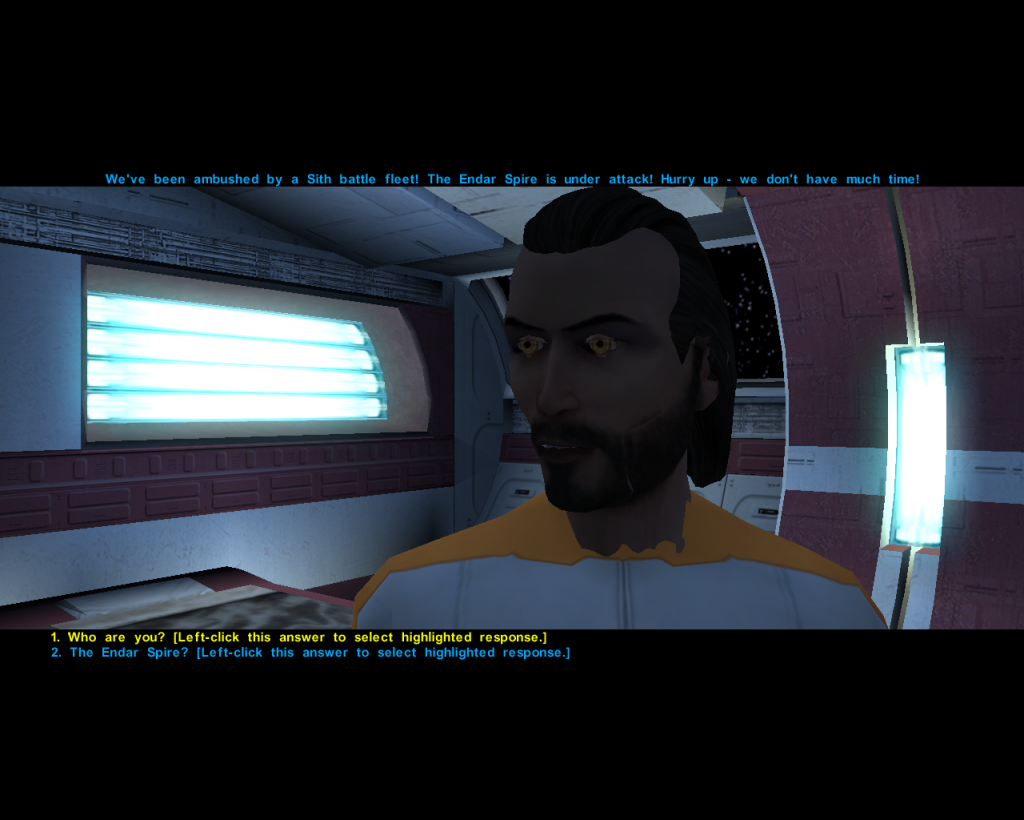
This is the first part of an ongoing series. The purpose of this mod is to bring the much more up-to-date design choices from SWTOR to Kotor. All textures have been made from scratch; the big animated screen on the bridge comes with whooping 81 pics and 5k resolution for maximum quality. Update 2.0 brings brand new lighting to the ship, utilising warmer colors like in SWTOR, as well as new polished window frames & a new Planet retexture. Update 3.1 out now! It brings a lot of visual improvements over previous versions - new doors, animated consoles & more.... Video covering mod Showcase (Ver. 1.0) / Installation Process: Installation: Download the file, extract its contents with an archive extraction tool such as WinRAR or 7zip, and move the contents to your game's Override directory Compatibility: This mod uses cubemaps, so there could be minor incompatibilites with mods that uses custom cubemaps too. ( but i actually dont know any mod that does that) Just to be on the safe side, i recommend to install my mod last. Beside that it should be compatible with everything that doesnt retexture the Endar Spire or the Stars/ Planet Taris outside. Credits: I want to thank Darth Sapiens for his wonderful Cubemap-Ressource pack, which enabled me to do a lot of things that would otherwise been not possible. Also a big thanks goes to Xuul for making one of his fantastic videos for this mod. Enjoy!- 34 comments
- 32 reviews
-
- 6
-
-
- swtor
- mass effect
- (and 2 more)
-
View File SWTOR Revan Voice Mod for Male PC Experience the Male Revan, with the voice of Jeff Bennett who portrayed him SW:TOR, while retaining his lighthearted nature from KOTOR and authoritative persona from SW:TOR. Introducing as my first mod: SW:TOR Revan Voice Mod! I definitely know this is one of the mods people have been waiting for. Rino Romano, the original voice of Revan, did a fantastic job in the game. But have you ever asked yourself or wanted your character to sound like SW:TOR’s version that’s voiced by Jeff Bennett? (Who’s also the voice of Kyle Katarn). Well with the power from Elevenlabs & Play.ht, now you can! In the first Knights of the Old Republic (KOTOR) game, Revan is the central figure whose story filled with secrets and epic adventures captivated players across the galaxy. A true force to be reckoned with, Revan was a formidable Jedi Knight, renowned for his exceptional skills and leadership. However, destiny took an unexpected turn when Revan fell to the dark side, becoming a Sith Lord of great power and influence. This profound transformation led to Revan's pivotal role in shaping most of the Old Republic universe. With this mod, you have the chance to embody a slightly younger version of Revan's voice that preserves the character's essence from both KOTOR and SW:TOR. Experience Male Revan, with the voice of Jeff Bennett while retaining the balance of lighthearted comedic nature and commanding authority, reflecting the revered figure Revan we know and love!!! Happy 20th Anniversary to KOTOR and May the Force be with you! All Voice Lines Installation (READ VERY IMPORTANT): Download the zip file and open it. Select all of the .wav files and put them inside the streamsounds folder in KOTOR directory. (DO NOT PLACE THEM IN OVERRIDE) (DO NOT PUT THE OPTIONAL FOLDER INSIDE STREAMSOUNDS. See step 3.) If you do not wish to use the optional sounds then skip to step 6. (OPTIONAL) If you WANT the optional files then continue but open the optional folder. There are three folders: Security Failure, Critical Hit, and Mine Placement. You may only have ONE security failure file in the streamsounds folder. (OPTIONAL) Choose one of the security failure options. The folder will tell you what he’ll say. Place *only one* of the .wav files inside the streamsounds folder. (OPTIONAL) If you want to use the other critical hit and mine placement or just one of them then place the .wav file in streamsounds. If it says a file exists with that name or to overwrite then just hit ok or replace. Paste the backup folder into your streamsounds folder and you’re all set! Uninstall: Use the backup folder I provided and copy all the files inside the backup folder and paste them into your streamsounds folder. Other Information: Your character will no longer make sound when getting hit and dying in combat. I have intentionally removed these lines as the OG voice does not fit with Jeff’s voice. If you’ve played KOTOR 2 then this likely won’t bother you! However, this may be solved in a future version. Compatibility: I doubt it will affect anything important that doesn’t mess with player male files in streamsounds. Recommended Mods: Jedi Knight Revan Stylized Portrait created by Tinman888 This Mod is not supported by LucasArts, Electronic Arts, the Old Republic, or Bioware. Do not contact them for support of this mod. LucasArts is a trademark of Lucasfilm Ltd. Submitter RefrigeratorDry495 Submitted 08/01/2023 Category Mods K1R Compatible Yes
-
View File SWTOR Heads - Customization Pack This mod requires at least one of these files: TOR Ports: Jaesa Willsaam Female Player Head for K1 1.0.0 TOR Ports: Meetra Surik AKA Jedi Exile Female Player Head for K1 1.0.0 TOR Ports: Kira Carsen Female Player Head for K1 1.0.0 Features: - This mod Improves head textures from the SWTOR female heads ports by DarthParametric. Faces for each character have now more details and more depth (eyes, skin, lips, hairs). - Choice between 4 hair colors (Blond, Dark, Red, White) for each character. - HD portraits included for each variant (character/hair color/Jedi/Sith), for a total of 40 custom portraits. Installation: 1/ Install at least one of the required mods from the links above. 2/Uncompress my file and open the folder corresponding to your choosen and previously installed SWTOR female character. 3/ Choose your hair color for this character and open the corresponding folder. 4/ Drop or Copy/paste the Override folder in your KOTOR game installation folder. Overwrite when asked. If you want to use this on your current save game, you can easily change your character and/or hair color by using KSE. Compatibility: Should be compatible with anything. These files overwrite textures from the TOR Ports mods so I suggest reading these mod's description before installation. For now this mod supports KOTOR 1 versions ONLY (TSL version may come later). Thanks to: - DarthParametric for the TOR ports mods which I'm enjoying a lot in my game. - JCarter426 for the Cloaked Jedi robes I've used on my pics. Submitter Laast Submitted 06/04/2023 Category Mods K1R Compatible Yes
-

Version 5.0
2,301 downloads
---------------------------------------------------------------------- Knights of the Old Republic - The Sith Lords ---------------------------------------------------------------------- TITLE: Effixian's Prototype Knight & Warrior Breastplates AUTHOR: Effix(ian) CONTACT: PM me on the forums or find me on Steam ------------------------- INSTALLATION ------------------------- Unzip and copy the files to your Override folder. ----------------------- DESCRIPTION ----------------------- This adds two robes partly based on Jedi Knight concept art for Star Wars: The Old Republic. I made the Knight version in 2011 while waiting for that game to come out. The Warrior version is a variation of the Prototype Knight Breastplate, inspired by a request by StannisDidNothingWrong (on Steam). This is a robe so it allows Force Powers and cannot be worn by Bao-Dur. You can get the robes from Geeda or use cheatcodes, Knight: giveitem a_robe_89 - Warrior: giveitem a_robe_88. Buying them from Geeda only works if you load a savegame in which you haven't been to that area (Nar Shaddaa Refugee Landing Pad) yet (= the area is not yet loaded). Prototype Knight Breastplate (a_robe_89) Defense Bonus: 3 Strength: +3 Dexterity: +3 Damage Resistance: Resist 15/- vs. Energy Upgradable: yes Cost: 9025 Prototype Warrior Breastplate (a_robe_88) Defense Bonus: 3 Strength: +3 Dexterity: +3 Damage Resistance: Resist 15/- vs. Energy Upgradable: yes Cost: 9025 Merchant: Geeda (Nar Shaddaa Refugee Landing Pad, Rodian with yellow suit) --------- BUGS --------- None. ------------------------- UNINSTALLING ------------------------- Remove the following files from your Override folder: a_robe_88.uti a_robe_89.uti ia_JediRobe_088.tga ia_JediRobe_089.tga kexsstore001.utm PFBI88.tga PFBI89.tga PMBI88.tga PMBI89.tga ------------------------------------ DISTRIBUTION NOTES ------------------------------------ You can use the files from this mod in your own mod if you simply credit me. ---------------- Thanks to ---------------- Stoffe and Fred Tetra for the needed tools and tutorials --------- Donations --------- My mods are free. If you would like to show your support then you can buy me a coffee at ko-fi.com/effix ---------------- THIS MODIFICATION IS NOT MADE, DISTRIBUTED, OR SUPPORTED BY BIOWARE, OBSIDIAN, OR LUCASARTS ENTERTAINMENT COMPANY LLC. ELEMENTS TM & © LUCASARTS ENTERTAINMENT COMPANY LLC AND/OR ITS LICENSORS. -
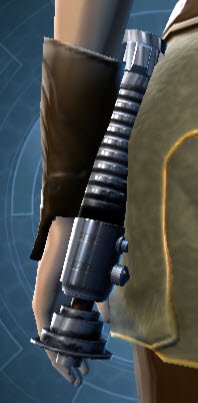
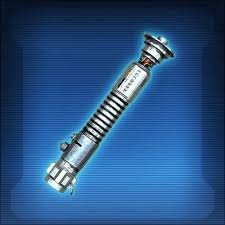
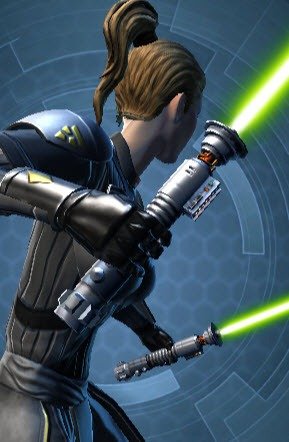
Would anyone be willing to make the SWTOR Tempted Apprentice Lightsaber as a replacement for the Viridian and Green vanilla sabers? https://swtorista.com/weapon/tempted-apprentices-lightsaber
-
View File ENDAR SPIRE Complete Overhaul This is the first part of an ongoing series. The purpose of this mod is to bring the much more up-to-date design choices from SWTOR to Kotor. All textures have been made from scratch; the big animated screen on the bridge comes with whooping 81 pics and 5k resolution for maximum quality. Update 2.0 brings brand new lighting to the ship, utilising warmer colors like in SWTOR, as well as new polished window frames & a new Planet retexture. Update 3.1 out now! It brings a lot of visual improvements over previous versions - new doors, animated consoles & more.... Video covering mod Showcase (Ver. 1.0) / Installation Process: Installation: Download the file, extract its contents with an archive extraction tool such as WinRAR or 7zip, and move the contents to your game's Override directory Compatibility: This mod uses cubemaps, so there could be minor incompatibilites with mods that uses custom cubemaps too. ( but i actually dont know any mod that does that) Just to be on the safe side, i recommend to install my mod last. Beside that it should be compatible with everything that doesnt retexture the Endar Spire or the Stars/ Planet Taris outside. Credits: I want to thank Darth Sapiens for his wonderful Cubemap-Ressource pack, which enabled me to do a lot of things that would otherwise been not possible. Also a big thanks goes to Xuul for making one of his fantastic videos for this mod. Enjoy! Submitter Jorak Uln Submitted 07/03/2015 Category Skins K1R Compatible No
-

blender Heartfire Family - Blender Work - Part 2
DarthValeria posted a blog entry in Starıka's Jedi Academy Machinimas
-
blender Heartfire Family - Blender Work - Part 1
DarthValeria posted a blog entry in Starıka's Jedi Academy Machinimas
Spark of Hope 90% done Only a few characters and some script left Then our series will begin ❤️ -
SWTOR - Blender Work - Linken's Model
DarthValeria posted a blog entry in Starıka's Jedi Academy Machinimas
Linken is a Jedi Academy Mod Leader KOTF 2.1 Mod and he asked me to work on his swtor model in Blender to play it in Jedi Academy -

Version 3.0
3,592 downloads
Armored Robes from SWTOR game. To install, just drop everything into your Override folder. To uninstall, just delete the files. Have fun ! -

Version 3
1,271 downloads
************************************** Knights of the Old Republic - The Sith Lords ************************************** TITLE: Effixian's Trooper Armors AUTHOR: Effix(ian) CONTACT: PM me on the forums or find me on Steam. ************* INSTALLATION ************* Copy the files from the zip to your Override folder. ************ DESCRIPTION ************ This adds a heavy armor in various colors, inspired by SWTOR's trooper armor. Use cheatcode giveitem a_heavy_50 or but it from Dendis Dobo (Citadel Station). The merchants will only work with a savegame from before you enter the area where the merchant is located (before that area is loaded). Not compatible with other mods that change Dendis Dobo's inventory. There are some differences between the male and female versions, mainly because of how the textures are applied to the 3D models. Trooper Armor (Red: a_heavy_50, Blue: a_heavy_51, Green: a_heavy_52, Yellow: a_heavy_53, Orange: a_heavy_54) Defense Bonus: 11 Max. Dexterity Bonus: +0 Damage Resistance: Resist 25/- vs. Electrical Damage Resistance: Resist 5/- vs. Energy Upgradable: yes, as heavy armor Cost: 2750 Merchant: Dendis Dobo, Citadel Station ***** BUGS ***** None. ************* UNINSTALLING ************* Remove the following files from your Override folder: a_heavy_50.uti a_heavy_51.uti a_heavy_52.uti a_heavy_53.uti a_heavy_54.uti ia_Class9_050.tga ia_Class9_051.tga ia_Class9_052.tga ia_Class9_053.tga ia_Class9_054.tga m_202_001.utm PFBH50.tga PFBH51.tga PFBH52.tga PFBH53.tga PFBH54.tga PMBH50.tga PMBH51.tga PMBH52.tga PMBH53.tga PMBH54.tga ******************* DISTRIBUTION NOTES ******************* You may NOT: Use the material from this mod in your own mod without giving me credit, implying it was your creation. You might: Use the material from this mod in your own mods if simply you ask me. ******** Thanks to ******** Fred Tetra for KotOR Tool ------------------- THIS MODIFICATION IS NOT MADE, DISTRIBUTED, OR SUPPORTED BY BIOWARE, OBSIDIAN, OR LUCASARTS ENTERTAINMENT COMPANY LLC. ELEMENTS TM & © LUCASARTS ENTERTAINMENT COMPANY LLC AND/OR ITS LICENSORS.- 12 comments
- 4 reviews
-
- 1
-
-
- swtor
- heavy armor
- (and 1 more)
-
View File Ui_Icons_Swtor This contains UI elements that are found so far there are 25 PNG images. Submitter Magnetiicz Submitted 08/11/2019 Category Modder's Resources
-

Version 1.0.0
297 downloads
This contains UI elements that are found so far there are 25 PNG images. -
I was wondering if there is anyway to bring over voice clips of Jaesa, Kira, and Meetra (if she had any?) to use as combat dialogue for female characters in K1 and K2? Voice clips that could be used for things like taking too much damage, unlocking of failing to unlock doors, or just general grunts and taunts that can be used in conjunction with Darth Parametric's head mods.
-
Does anyone have (or have any interest in making) a saber blade/color mod that makes the blade colors of Lightsabers more closely resemble how they appear in SWTOR? Preferably for TSL, but perhaps for both games if possible. In my opinion, Marius Fett's mod from 6 years ago ( ) is still the best looking color-wise that I can find, and has been in my override since then. But it's been 6 years, and I'm looking for something new to keep my play throughs fresh.


-
Prototype Warrior Breastplate View File This mod has been merged with another one and is now obsolete. Please use the mod below instead of this one: Mods: Please delete this entry, including the post in mod releases. Submitter Effix Submitted 01/04/2017 Category Mods TSLRCM Compatible No